transmission CADILLAC ATS 2013 1.G User Guide
[x] Cancel search | Manufacturer: CADILLAC, Model Year: 2013, Model line: ATS, Model: CADILLAC ATS 2013 1.GPages: 450, PDF Size: 6.98 MB
Page 139 of 450
Black plate (29,1)Cadillac ATS Owner Manual - 2013 - CRC - 10/5/12
Instruments and Controls 5-29
Head-Up Display (HUD)
{WARNING
If the HUD image is too bright or
too high in your field of view, it
may take you more time to see
things you need to see when it is
dark outside. Be sure to keep the
HUD image dim and placed low in
your field of view.
For vehicles with HUD, some
information concerning the
operation of the vehicle is projected
onto the windshield. This includes
the speedometer reading, rpm
reading, transmission position,
compass heading, audio/phone
information, and Turn-by-Turn
Navigation information. The images
are projected through the HUD lens
on the driver side of the instrument
panel. Notice:
If you try to use the HUD
image as a parking aid, you may
misjudge the distance and
damage your vehicle. Do not use
the HUD image as a parking aid.
The HUD information can be
displayed in various languages. The
speedometer reading and other
numerical values can be displayed
in either English or metric units.
The language selection is changed
through the radio and the units of
measurement is changed through
the instrument cluster. See Vehicle
Personalization on page 5‑43 and
“Settings” underInstrument Cluster
on page 5‑9.
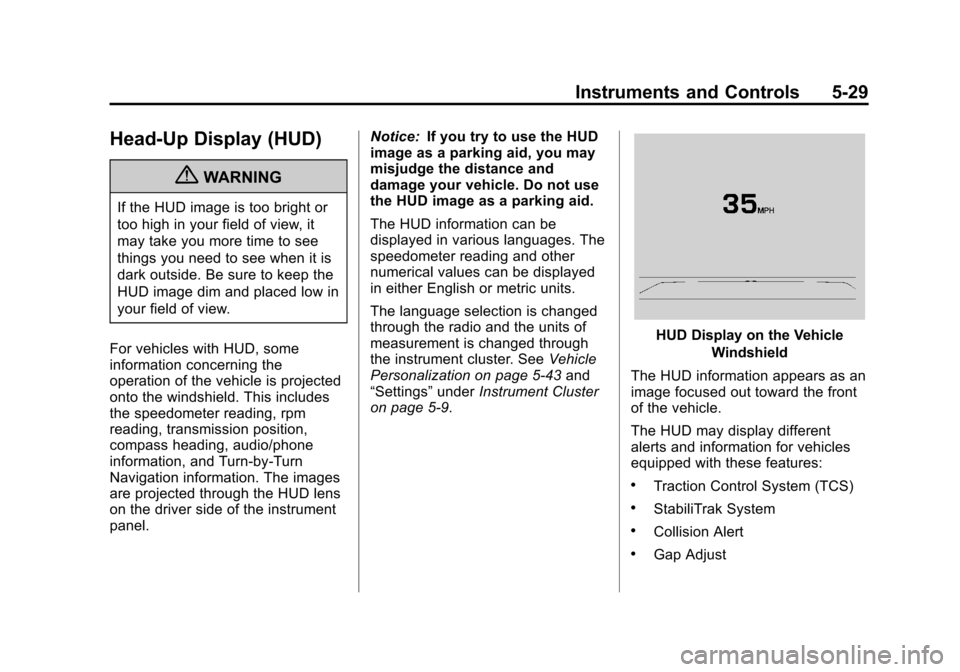
HUD Display on the Vehicle
Windshield
The HUD information appears as an
image focused out toward the front
of the vehicle.
The HUD may display different
alerts and information for vehicles
equipped with these features:
.Traction Control System (TCS)
.StabiliTrak System
.Collision Alert
.Gap Adjust
Page 141 of 450
Black plate (31,1)Cadillac ATS Owner Manual - 2013 - CRC - 10/5/12
Instruments and Controls 5-31
Metric
English
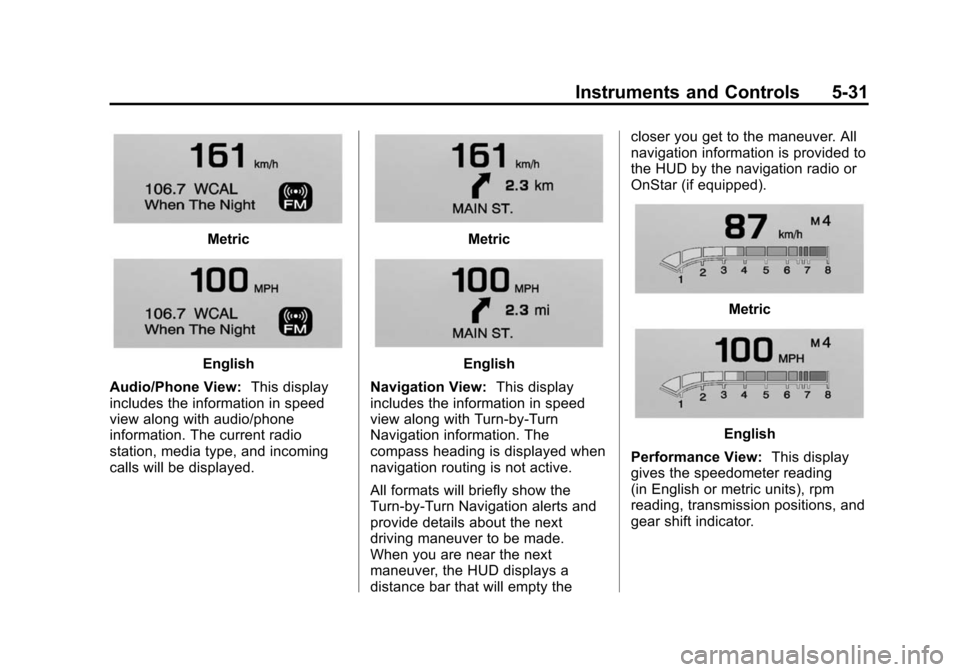
Audio/Phone View: This display
includes the information in speed
view along with audio/phone
information. The current radio
station, media type, and incoming
calls will be displayed.
Metric
English
Navigation View: This display
includes the information in speed
view along with Turn-by-Turn
Navigation information. The
compass heading is displayed when
navigation routing is not active.
All formats will briefly show the
Turn-by-Turn Navigation alerts and
provide details about the next
driving maneuver to be made.
When you are near the next
maneuver, the HUD displays a
distance bar that will empty the closer you get to the maneuver. All
navigation information is provided to
the HUD by the navigation radio or
OnStar (if equipped).
Metric
English
Performance View: This display
gives the speedometer reading
(in English or metric units), rpm
reading, transmission positions, and
gear shift indicator.
Page 152 of 450
Black plate (42,1)Cadillac ATS Owner Manual - 2013 - CRC - 10/5/12
5-42 Instruments and Controls
TURN STEERING WHEEL
START VEHICLE AGAIN
This message may display when
you try to start the vehicle, but the
column remains locked. Try turning
the steering wheel while starting the
vehicle to unlock the steering
column. If the vehicle still does not
start, turn the steering wheel the
other way, and try starting the
vehicle again.
Tire Messages
SERVICE TIRE MONITOR
SYSTEM
This message displays if there is a
problem with the Tire Pressure
Monitor System (TPMS). SeeTire
Pressure Monitor Operation on
page 10‑53.
TIRE LEARNING ACTIVE
This message displays when the
system is learning new tires. See
Tire Pressure Monitor Operation on
page 10‑53.
TIRE LOW ADD AIR TO TIRE
This message displays when the
pressure in one or more of the tires
is low.
This message also displays LEFT
FRONT, RIGHT FRONT, LEFT
REAR, or RIGHT REAR to indicate
the location of the low tire.
The low tire pressure warning light
will also come on. See Tire
Pressure Light on page 5‑22.
If a tire pressure message appears
on the DIC, stop as soon as you
can. Inflate the tires by adding air
until the tire pressure is equal to the
values shown on the Tire and
Loading Information label. See Tires
on page 10‑42, Vehicle Load Limits
on page 9‑11, and Tire Pressure on
page 10‑50.
You can receive more than one tire
pressure message at a time. The
DIC also shows the tire pressure
values. See Driver Information
Center (DIC) on page 5‑26.
Transmission Messages
SERVICE TRANSMISSION
This message displays if there is a
problem with the transmission. See
your dealer.
SHIFT DENIED
This message displays when using
the Driver Shift Control (DSC) and
attempting to shift to a gear not
appropriate for the vehicle speed
and engine revolutions per
minute (rpm). See Manual Mode on
page 9‑26.
SHIFT TO PARK
This message displays when the
transmission needs to be shifted to
P (Park). This may appear when
attempting to remove the key from
the vehicle if the vehicle is not in
P (Park).
Page 153 of 450
Black plate (43,1)Cadillac ATS Owner Manual - 2013 - CRC - 10/5/12
Instruments and Controls 5-43
TRANSMISSION HOT—IDLE
ENGINE
This message displays and a chime
sounds if the transmission fluid in
the vehicle gets hot. Driving with the
transmission fluid temperature high
can cause damage to the vehicle.
Stop the vehicle and let it idle to
allow the transmission to cool. This
message clears when the fluid
temperature reaches a safe level.
Vehicle Reminder
Messages
ICE POSSIBLE DRIVE
WITH CARE
This message displays when ice
conditions are possible.
Vehicle Speed Messages
SELECTED SPEED LIMIT
EXCEEDED
This message is displayed when the
vehicle speed is greater than the set
speed. See "Speed Warning" under
Driver Information Center (DIC) on
page 5‑26.
VEHICLE SPEED LIMITED
This message is displayed under
certain conditions when there is a
problem and the vehicle’s speed is
being limited.
Washer Fluid Messages
WASHER FLUID LOW ADD
FLUID
This message may display when the
washer fluid level is low. See
Washer Fluid on page 10‑23.
Vehicle
Personalization
The audio system controls are used
to access the personalization
menus for customizing vehicle
features.
Base Radio Audio System
Controls
MENU: Press the center of the
knob to enter the menus and select
menu items. Turn the knob to scroll
through the menus.
SBACK: Press to exit or move
backward in a menu.
To access the
personalization menu:
1. On the Home page, turn the MENU knob to highlight Settings
and press the MENU knob.
2. Turn the MENU knob to highlight Vehicle Settings and press the
MENU knob.
Page 157 of 450
Black plate (47,1)Cadillac ATS Owner Manual - 2013 - CRC - 10/5/12
Instruments and Controls 5-47
Left or Right Hand Traffic
This allows the selection to change
the vehicle for left hand or right
hand traffic.
Select Left Hand Traffic or Right
Hand Traffic. On some vehicles
select Left Hand Traffic, Right Hand
Traffic, or Automatic (GPS).
Auto High Beam
This allows the Auto High Beam to
be turned on or off.
Select Off or On. On some vehicles
select Off, Normal Sensitivity,
or Low Sensitivity.
Adaptive High Beam
This allows the vehicle locator lights
to be turned on or off.
Select Off or On. On some vehicles
elect Off, Normal Sensitivity, or Low
Sensitivity.Adaptive Forward Lighting
This allows the selection of how
long the exterior lamps stay on
when leaving the vehicle when it is
dark outside.
Select Corner and Curve Lighting or
Intelligent Light Distribution. On
some vehicles select Corner and
Curve Lighting, Intelligent Light
Distribution, or GPS Assistance.
Daytime Tail Lights
This allows the Daytime Tail Lights
to be turned on or off.
Select Off or On.
Power Door Locks
Select Power Door Locks and the
following will be displayed:
.Unlocked Door Anti Lock Out
.Auto Door Lock
.Auto Door Unlock
.Delayed Door LockUnlocked Door Anti Lock Out
When on, this feature will keep the
driver door from locking when the
door is open. If Off is selected, the
Delayed Door Lock menu will be
available.
Select Off or On.
Auto Door Lock
This allows selection of which of the
doors will automatically lock when
the vehicle is shifted out of P (Park)
(automatic transmission) or at
13 km/h (8 mph) (manual
transmission).
Select Off or On.
Auto Door Unlock
This allows selection of which of the
doors will automatically unlock when
the vehicle is shifted into P (Park)
(automatic transmission) or when
the key is removed from the ignition
(manual transmission).
Select Off, All Doors, or Driver Door.
Page 160 of 450
Black plate (50,1)Cadillac ATS Owner Manual - 2013 - CRC - 10/5/12
5-50 Instruments and Controls
Universal Remote System
Programming
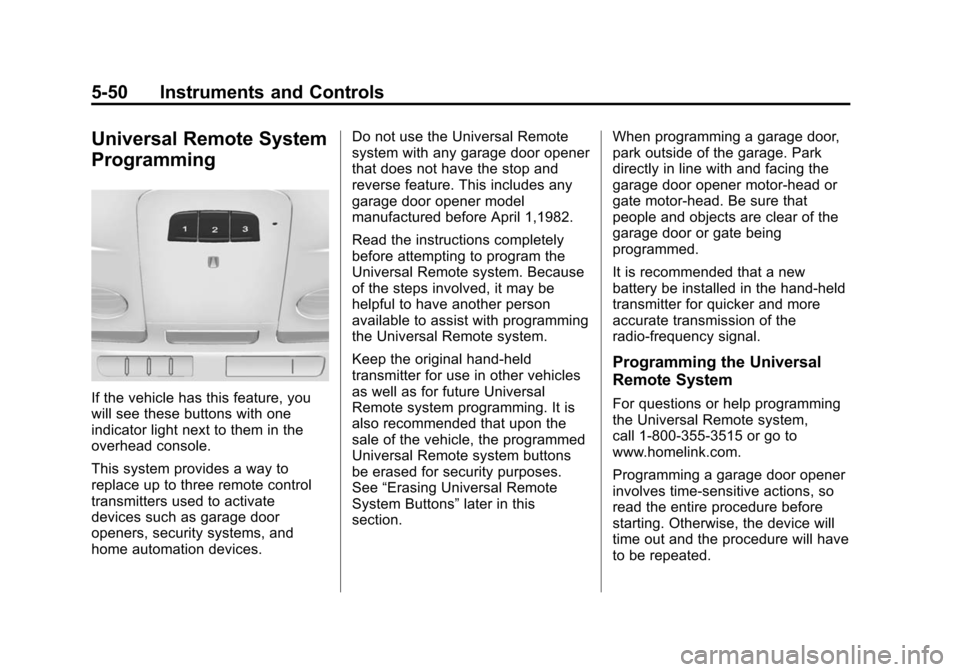
If the vehicle has this feature, you
will see these buttons with one
indicator light next to them in the
overhead console.
This system provides a way to
replace up to three remote control
transmitters used to activate
devices such as garage door
openers, security systems, and
home automation devices.Do not use the Universal Remote
system with any garage door opener
that does not have the stop and
reverse feature. This includes any
garage door opener model
manufactured before April 1,1982.
Read the instructions completely
before attempting to program the
Universal Remote system. Because
of the steps involved, it may be
helpful to have another person
available to assist with programming
the Universal Remote system.
Keep the original hand-held
transmitter for use in other vehicles
as well as for future Universal
Remote system programming. It is
also recommended that upon the
sale of the vehicle, the programmed
Universal Remote system buttons
be erased for security purposes.
See
“Erasing Universal Remote
System Buttons” later in this
section. When programming a garage door,
park outside of the garage. Park
directly in line with and facing the
garage door opener motor-head or
gate motor-head. Be sure that
people and objects are clear of the
garage door or gate being
programmed.
It is recommended that a new
battery be installed in the hand-held
transmitter for quicker and more
accurate transmission of the
radio-frequency signal.
Programming the Universal
Remote System
For questions or help programming
the Universal Remote system,
call 1-800-355-3515 or go to
www.homelink.com.
Programming a garage door opener
involves time-sensitive actions, so
read the entire procedure before
starting. Otherwise, the device will
time out and the procedure will have
to be repeated.
Page 162 of 450
Black plate (52,1)Cadillac ATS Owner Manual - 2013 - CRC - 10/5/12
5-52 Instruments and Controls
5. Firmly press and release the“Learn” or“Smart” button. After
pressing this button, you will
have 30 seconds to complete
Step 6.
6. Immediately return to the vehicle. Firmly press and hold
for two seconds the Universal
Remote system button, selected
in Step 2 to control the garage
door, and then release it. If the
garage door does not move or
the lamp on the garage door
opener receiver (motor-head
unit) does not flash, press and
hold the same button a second
time for two seconds, then
release it. Again, if the door
does not move or the garage
door lamp does not flash, press
and hold the same button a third
time for two seconds, then
release.
The Universal Remote system
should now activate the
garage door. To program the remaining two
Universal Remote system buttons,
begin with Step 1 of
“Programming
the Universal Remote System.”
Gate Operator and Canadian
Programming
If you have questions or need help
programming the Universal Remote
system, call 1-800-355-3515 or go
to www.homelink.com.
Canadian radio-frequency laws
require transmitter signals to time
out or quit after several seconds of
transmission. This may not be long
enough for the Universal Remote
system to pick up the signal during
programming. Similarly, some U.S.
gate operators are manufactured to
time out in the same manner.
If you live in Canada, or you are
having difficulty programming a gate
operator or garage door opener by
using the “Programming the
Universal Remote System”
procedures, regardless of where you live, replace Step 2 under
“Programming the Universal Remote
System”
with the following:
Continue to press and hold the
Universal Remote system button
while you press and release every
two seconds (cycle) the hand-held
transmitter button until the
frequency signal has been
successfully accepted by the
Universal Remote system. The
Universal Remote system indicator
light will flash slowly at first and then
rapidly. Proceed with Step 3 under
“Programming the Universal Remote
System” to complete.
Universal Remote System
Operation
Using the Universal Remote
System
Press and hold the appropriate
Universal Remote system button
for at least half of a second. The
indicator light will come on while the
signal is being transmitted.
Page 166 of 450
Black plate (2,1)Cadillac ATS Owner Manual - 2013 - CRC - 10/5/12
6-2 Lighting
In Canada, the headlamps will
automatically reactivate when the
vehicle is shifted out of P (Park) on
automatic transmission vehicles,
and when the parking brake is
released on manual transmission
vehicles.
AUTO (Automatic):Automatically
turns the exterior lamps on and off,
depending on outside lighting.
;(Parking Lamps): Turns on the
parking lamps together with the
following:
.Sidemarker Lamps
.Taillamps
.License Plate Lamps
.Instrument Panel Lights
2(Headlamps): Turns on the
headlamps together with the
following:
.Sidemarker Lamps
.Taillamps
.License Plate Lamps
.Instrument Panel Lights
.Parking Lamps
Automatic High-Beam System
This system turns the vehicle's
high-beam headlamps on and off
according to surrounding traffic
conditions.
The system turns the high-beam
headlamps on when it is dark
enough and there is no other traffic
present.
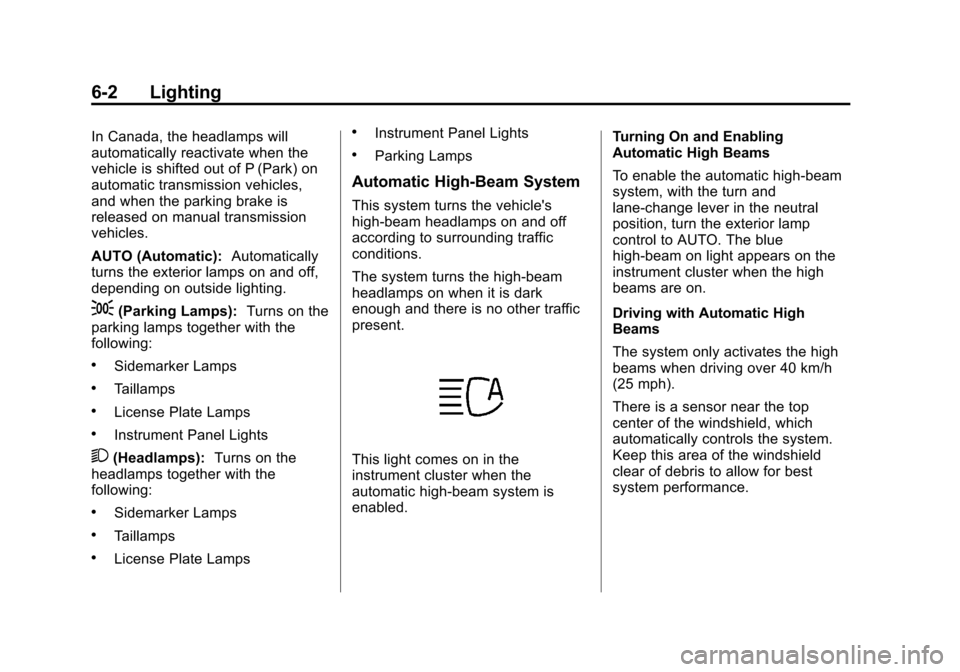
This light comes on in the
instrument cluster when the
automatic high-beam system is
enabled. Turning On and Enabling
Automatic High Beams
To enable the automatic high-beam
system, with the turn and
lane-change lever in the neutral
position, turn the exterior lamp
control to AUTO. The blue
high-beam on light appears on the
instrument cluster when the high
beams are on.
Driving with Automatic High
Beams
The system only activates the high
beams when driving over 40 km/h
(25 mph).
There is a sensor near the top
center of the windshield, which
automatically controls the system.
Keep this area of the windshield
clear of debris to allow for best
system performance.
Page 169 of 450
Black plate (5,1)Cadillac ATS Owner Manual - 2013 - CRC - 10/5/12
Lighting 6-5
Automatic Headlamp
System
When the exterior lamp control is
set to AUTO and it is dark enough
outside, the headlamps come on
automatically.
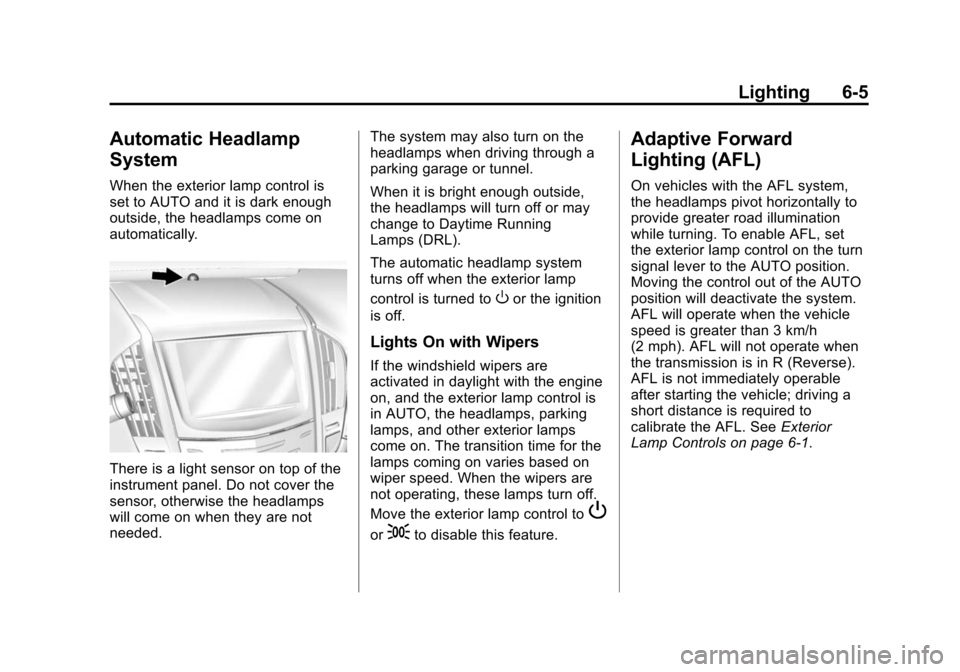
There is a light sensor on top of the
instrument panel. Do not cover the
sensor, otherwise the headlamps
will come on when they are not
needed.The system may also turn on the
headlamps when driving through a
parking garage or tunnel.
When it is bright enough outside,
the headlamps will turn off or may
change to Daytime Running
Lamps (DRL).
The automatic headlamp system
turns off when the exterior lamp
control is turned to
Oor the ignition
is off.
Lights On with Wipers
If the windshield wipers are
activated in daylight with the engine
on, and the exterior lamp control is
in AUTO, the headlamps, parking
lamps, and other exterior lamps
come on. The transition time for the
lamps coming on varies based on
wiper speed. When the wipers are
not operating, these lamps turn off.
Move the exterior lamp control to
P
or;to disable this feature.
Adaptive Forward
Lighting (AFL)
On vehicles with the AFL system,
the headlamps pivot horizontally to
provide greater road illumination
while turning. To enable AFL, set
the exterior lamp control on the turn
signal lever to the AUTO position.
Moving the control out of the AUTO
position will deactivate the system.
AFL will operate when the vehicle
speed is greater than 3 km/h
(2 mph). AFL will not operate when
the transmission is in R (Reverse).
AFL is not immediately operable
after starting the vehicle; driving a
short distance is required to
calibrate the AFL. See Exterior
Lamp Controls on page 6‑1.
Page 219 of 450
Black plate (1,1)Cadillac ATS Owner Manual - 2013 - CRC - 10/5/12
Driving and Operating 9-1
Driving and
Operating
Driving Information
Distracted Driving . . . . . . . . . . . . . 9-2
Defensive Driving . . . . . . . . . . . . . 9-3
Drunk Driving . . . . . . . . . . . . . . . . . 9-3
Control of a Vehicle . . . . . . . . . . . 9-3
Braking . . . . . . . . . . . . . . . . . . . . . . . 9-3
Steering . . . . . . . . . . . . . . . . . . . . . . . 9-4
Off-Road Recovery . . . . . . . . . . . . 9-5
Loss of Control . . . . . . . . . . . . . . . . 9-5
Racing or Other CompetitiveDriving . . . . . . . . . . . . . . . . . . . . . . . 9-6
Driving on Wet Roads . . . . . . . . . 9-7
Highway Hypnosis . . . . . . . . . . . . 9-8
Hill and Mountain Roads . . . . . . 9-8
Winter Driving . . . . . . . . . . . . . . . . . 9-9
If the Vehicle Is Stuck . . . . . . . . 9-10
Vehicle Load Limits . . . . . . . . . . 9-11
Starting and Operating
New Vehicle Break-In . . . . . . . . 9-16
Ignition Positions . . . . . . . . . . . . 9-16
Starting the Engine . . . . . . . . . . 9-19
Engine Heater . . . . . . . . . . . . . . . 9-20 Retained Accessory
Power (RAP) . . . . . . . . . . . . . . . 9-21
Shifting Into Park (Automatic Transmission) . . . . . . . . . . . . . . 9-21
Shifting out of Park . . . . . . . . . . 9-22
Parking . . . . . . . . . . . . . . . . . . . . . . 9-23
Parking over Things
That Burn . . . . . . . . . . . . . . . . . . 9-23
Engine Exhaust
Engine Exhaust . . . . . . . . . . . . . . 9-24
Running the Vehicle WhileParked . . . . . . . . . . . . . . . . . . . . . 9-24
Automatic Transmission
Automatic Transmission . . . . . 9-25
Manual Mode . . . . . . . . . . . . . . . . 9-26
Manual Transmission
Manual Transmission . . . . . . . . 9-28
Drive Systems
All-Wheel Drive . . . . . . . . . . . . . . 9-29
Brakes
Antilock BrakeSystem (ABS) . . . . . . . . . . . . . . 9-29
Parking Brake (Electric) . . . . . . 9-30 Parking Brake (Manual) . . . . . . 9-33
Brake Assist . . . . . . . . . . . . . . . . . 9-33
Hill Start Assist (HSA) . . . . . . . 9-34
Ride Control Systems
Traction Control
System (TCS) . . . . . . . . . . . . . . 9-34
StabiliTrak
®System . . . . . . . . . 9-36
Driver Mode Control . . . . . . . . . 9-37
Limited-Slip Rear Axle . . . . . . . 9-38
Cruise Control
Cruise Control . . . . . . . . . . . . . . . 9-39
Adaptive Cruise Control . . . . . 9-42
Driver Assistance Systems
Driver Assistance Systems . . . . . . . . . . . . . . . . . . . . 9-50
Assistance Systems for Parking or Backing . . . . . . . . . 9-51
Assistance Systems for Driving . . . . . . . . . . . . . . . . . . . . . 9-55
Forward Collision Alert (FCA) System . . . . . . . . . . . . . . . . . . . . . 9-55
Active Emergency Braking System . . . . . . . . . . . . . . . . . . . . . 9-58
Side Blind Zone Alert (SBZA) . . . . . . . . . . . . . . . 9-60
Lane Departure Warning (LDW) . . . . . . . . . . . . . 9-62