center console CADILLAC ATS 2014 User Guide
[x] Cancel search | Manufacturer: CADILLAC, Model Year: 2014, Model line: ATS, Model: CADILLAC ATS 2014Pages: 434, PDF Size: 5.61 MB
Page 188 of 434
Black plate (18,1)Cadillac ATS Owner Manual (GMNA-Localizing-U.S./Canada/Mexico-
6014430) - 2014 - 2nd Edition - 8/23/13
7-18 Infotainment System
Artists:
1. Turn the MENU knob to highlightand press to view the artists
stored on the iPod.
2. Turn the MENU knob to highlight and press to select an artist
name to view a list of all albums
by the artist.
3. Turn the MENU knob to highlight and press to select the album
from the list.
4. To begin playback, select a song from the album.
Albums:
1. Turn the MENU knob to highlight and press to view the albums
stored on the iPod.
2. Turn the MENU knob to highlight and press to select an album
name to view a list of all songs
on the album.
3. Turn the MENU knob to highlight and press to select the song
from the list to begin playback. Genres:
1. Turn the MENU knob to highlight
and press to view the genres
stored on the iPod.
2. Turn the MENU knob to select a genre name to view a list of
artists of that genre.
3. Turn the MENU knob to highlight an artist and press to select to
view albums by that artist.
4. Turn the MENU knob to highlight and press to select an album to
view songs.
5. Turn the MENU knob to highlight and press to select the song
from the list to begin playback.
Songs:
1. Turn the MENU knob to highlight and press to view a list of all
songs stored on the iPod.
2. Turn the MENU knob to highlight and press to select the song
from the list to begin playback.Playing from an iPhone®
or iPad®
This feature supports iPhone 3G,
iPhone 3GS, iPhone 4, and iPad.
Follow the same instructions as
stated earlier for using an iPod.
SD Card Reader
This vehicle has an SD card reader
in the center console.
Set up any SD card while the
vehicle is in P (Park).
1. Plug the SD card into the reader.
2. Press the MEDIA button toselect the SD device.
If an SD card has already been
connected, but a different source is
currently active, press the MEDIA
screen button repeatedly to cycle
through all of the available audio
source screens, until the SD card
screen is selected.
Page 189 of 434
Black plate (19,1)Cadillac ATS Owner Manual (GMNA-Localizing-U.S./Canada/Mexico-
6014430) - 2014 - 2nd Edition - 8/23/13
Infotainment System 7-19
Playing Music from the SD Card
An SD card is played the same way
a USB device is played. SeeUSB
Port on page 7-15.
Auxiliary Jack
This vehicle has an AUX port in the
center console under the armrest.
Possible auxiliary audio sources
include:
.Laptop computer
.Audio music player
This jack is not an audio output. Do
not plug headphones into the
auxiliary input jack. Auxiliary
devices should be set up while the
vehicle is in P (Park).
Connect a 3.5 mm (1/8 in) cable
from the auxiliary device to the
auxiliary input jack.
If an auxiliary device has already
been connected, but a different
source is currently active, press the
MEDIA faceplate button repeatedly to scroll through all of the available
audio source screens, until the AUX
source screen is selected.
Playing from the AUX Port
An auxiliary device is played
through the audio system and
controlled through the device itself.
AUX Menu
Press the MENU knob to display the
AUX menu and the following may
display:
Tone Settings :
Select to adjust
Bass, Midrange, Treble, Balance,
Fade, and EQ (Equalizer). See
“Tone Settings” under“Playing an
Audio CD.”
Auto Volume : If equipped, see
“Playing an Audio CD.”
Bose AudioPilot
®: If equipped,
this feature can be turned on or off.
See “Bose
®AudioPilot®”in AM-FM
Radio on page 7-8. EQ (Equalizer) Settings:
If equipped, this feature adjusts the
pre-defined EQ modes. See
“EQ
(Equalizer) Settings” inAM-FM
Radio on page 7-8.
DSP Modes: If equipped with a
Bose
®Surround Sound System, this
feature adjusts the DSP modes.
See “DSP Modes” inAM-FM Radio
on page 7-8.
Page 244 of 434
Black plate (30,1)Cadillac ATS Owner Manual (GMNA-Localizing-U.S./Canada/Mexico-
6014430) - 2014 - 2nd Edition - 8/23/13
9-30 Driving and Operating
suddenly slows or stops. Always
leave enough room up ahead to
stop, even with ABS.
Using ABS
Do not pump the brakes. Just hold
the brake pedal down firmly and let
ABS work. You might hear the ABS
pump or motor operating and feel
the brake pedal pulsate, but this is
normal.
Braking in Emergencies
ABS allows you to steer and brake
at the same time. In many
emergencies, steering can help
more than even the very best
braking.
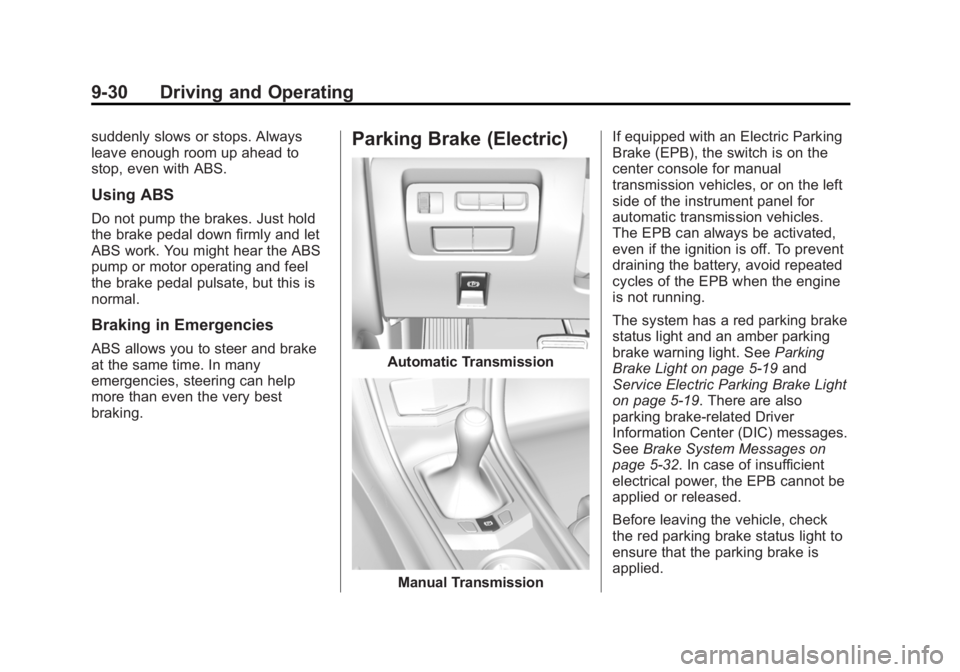
Parking Brake (Electric)
Automatic Transmission
Manual TransmissionIf equipped with an Electric Parking
Brake (EPB), the switch is on the
center console for manual
transmission vehicles, or on the left
side of the instrument panel for
automatic transmission vehicles.
The EPB can always be activated,
even if the ignition is off. To prevent
draining the battery, avoid repeated
cycles of the EPB when the engine
is not running.
The system has a red parking brake
status light and an amber parking
brake warning light. See
Parking
Brake Light on page 5-19 and
Service Electric Parking Brake Light
on page 5-19. There are also
parking brake-related Driver
Information Center (DIC) messages.
See Brake System Messages on
page 5-32. In case of insufficient
electrical power, the EPB cannot be
applied or released.
Before leaving the vehicle, check
the red parking brake status light to
ensure that the parking brake is
applied.
Page 249 of 434
Black plate (35,1)Cadillac ATS Owner Manual (GMNA-Localizing-U.S./Canada/Mexico-
6014430) - 2014 - 2nd Edition - 8/23/13
Driving and Operating 9-35
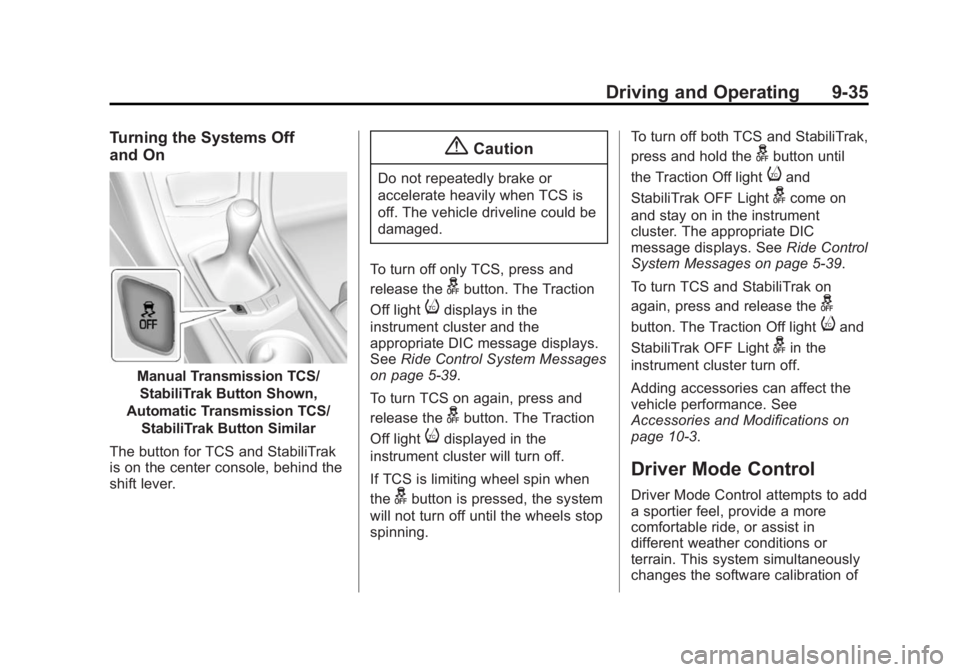
Turning the Systems Off
and On
Manual Transmission TCS/StabiliTrak Button Shown,
Automatic Transmission TCS/ StabiliTrak Button Similar
The button for TCS and StabiliTrak
is on the center console, behind the
shift lever.
{Caution
Do not repeatedly brake or
accelerate heavily when TCS is
off. The vehicle driveline could be
damaged.
To turn off only TCS, press and
release the
gbutton. The Traction
Off light
idisplays in the
instrument cluster and the
appropriate DIC message displays.
See Ride Control System Messages
on page 5-39.
To turn TCS on again, press and
release the
gbutton. The Traction
Off light
idisplayed in the
instrument cluster will turn off.
If TCS is limiting wheel spin when
the
gbutton is pressed, the system
will not turn off until the wheels stop
spinning. To turn off both TCS and StabiliTrak,
press and hold the
gbutton until
the Traction Off light
iand
StabiliTrak OFF Light
gcome on
and stay on in the instrument
cluster. The appropriate DIC
message displays. See Ride Control
System Messages on page 5-39.
To turn TCS and StabiliTrak on
again, press and release the
g
button. The Traction Off lightiand
StabiliTrak OFF Light
gin the
instrument cluster turn off.
Adding accessories can affect the
vehicle performance. See
Accessories and Modifications on
page 10-3.
Driver Mode Control
Driver Mode Control attempts to add
a sportier feel, provide a more
comfortable ride, or assist in
different weather conditions or
terrain. This system simultaneously
changes the software calibration of
Page 250 of 434
Black plate (36,1)Cadillac ATS Owner Manual (GMNA-Localizing-U.S./Canada/Mexico-
6014430) - 2014 - 2nd Edition - 8/23/13
9-36 Driving and Operating
various sub-systems. Depending on
the option package, available
features, and mode selected, the
suspension, steering, and
powertrain will change calibrations
to achieve the desired mode
characteristics. If the vehicle is
equipped with MagneRide™,
selecting the various Driver Modes
adjusts the ride of the vehicle to
enhance the ride performance for
the road conditions and the
selected mode.
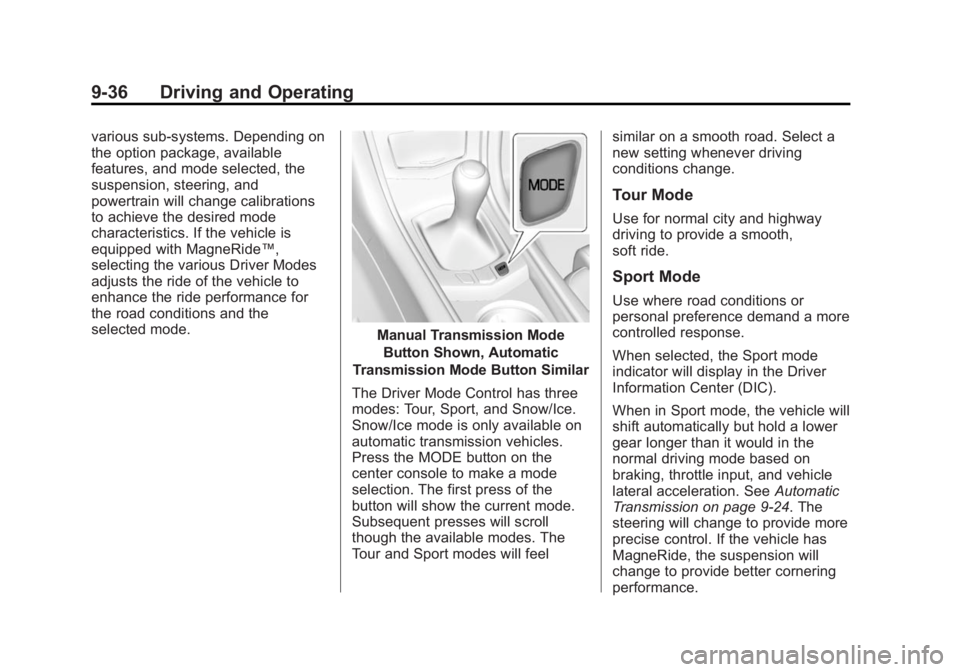
Manual Transmission ModeButton Shown, Automatic
Transmission Mode Button Similar
The Driver Mode Control has three
modes: Tour, Sport, and Snow/Ice.
Snow/Ice mode is only available on
automatic transmission vehicles.
Press the MODE button on the
center console to make a mode
selection. The first press of the
button will show the current mode.
Subsequent presses will scroll
though the available modes. The
Tour and Sport modes will feel similar on a smooth road. Select a
new setting whenever driving
conditions change.
Tour Mode
Use for normal city and highway
driving to provide a smooth,
soft ride.
Sport Mode
Use where road conditions or
personal preference demand a more
controlled response.
When selected, the Sport mode
indicator will display in the Driver
Information Center (DIC).
When in Sport mode, the vehicle will
shift automatically but hold a lower
gear longer than it would in the
normal driving mode based on
braking, throttle input, and vehicle
lateral acceleration. See
Automatic
Transmission on page 9-24. The
steering will change to provide more
precise control. If the vehicle has
MagneRide, the suspension will
change to provide better cornering
performance.