change wheel CADILLAC ATS 2019 User Guide
[x] Cancel search | Manufacturer: CADILLAC, Model Year: 2019, Model line: ATS, Model: CADILLAC ATS 2019Pages: 384, PDF Size: 6.11 MB
Page 122 of 384
Cadillac ATS/ATS-V Owner Manual (GMNA-Localizing-U.S./Canada/Mexico-
12460272) - 2019 - crc - 5/8/18
INSTRUMENTS AND CONTROLS 121
Caution (Continued)
covered by the vehicle warranty.
This could also affect the vehicle’s
ability to pass an Emissions
Inspection/Maintenance test. See
Accessories and Modifications0244.
If the light is f lashing : A
malfunction has been detected that
could damage the emission control
system and increase vehicle
emissions. Diagnosis and service may
be required.
To help prevent damage, reduce
vehicle speed and avoid hard
accelerations and uphill grades.
If towing a trailer, reduce the amount
of cargo being hauled as soon as
possible.
If the light continues to flash, find a
safe place to park. Turn the vehicle off
and wait at least 10 seconds before
restarting the engine. If the light is
still flashing, follow the previous
guidelines and see your dealer for
service as soon as possible. If the light is on steady :
A
malfunction has been detected.
Diagnosis and service may be
required.
Check the following:
. If fuel has been added to the
vehicle using the capless fuel
funnel adapter, make sure that it
has been removed. See “Filling the
Tank with a Portable Gas Can ”
under Filling the Tank 0238. The
diagnostic system can detect if the
adapter has been left installed in
the vehicle, allowing fuel to
evaporate into the atmosphere.
A few driving trips with the
adapter removed may turn off the
light.
. Poor fuel quality can cause
inefficient engine operation and
poor driveability, which may go
away once the engine is warmed
up. If this occurs, change the fuel
brand. It may require at least one
full tank of the proper fuel to turn the light off. See
Recommended
Fuel (LGX 3.6L V6 Engine) 0237 or
Recommended Fuel (LTG 2.0L L4
Turbo Engine) 0236 or
Recommended Fuel (LF4 3.6L Twin
Turbo V6 Engine) 0237.
If the light remains on, see your
dealer.
Emissions Inspection and
Maintenance Programs
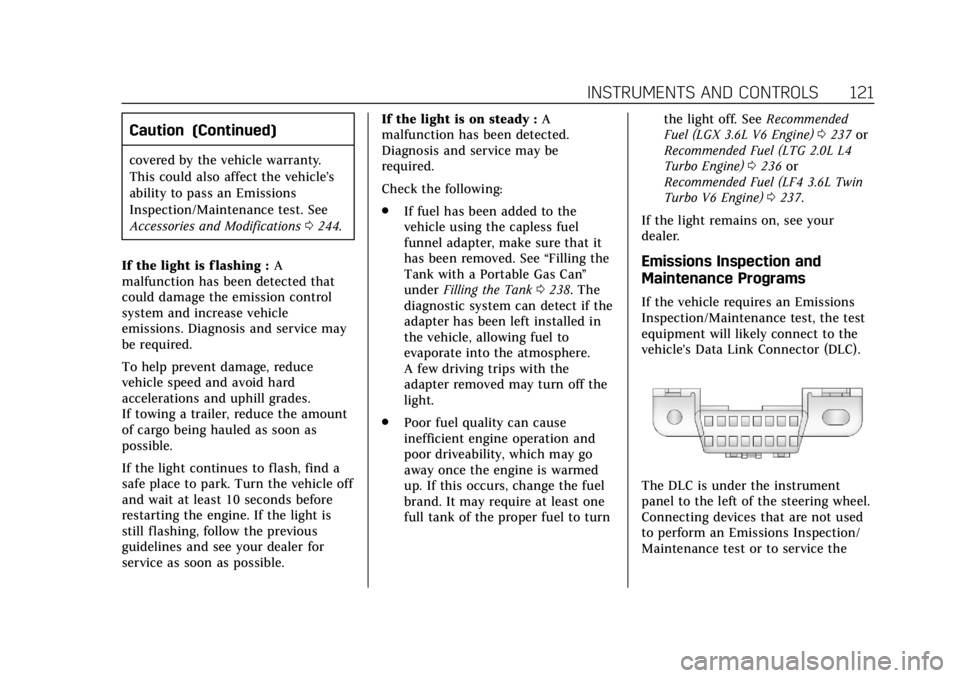
If the vehicle requires an Emissions
Inspection/Maintenance test, the test
equipment will likely connect to the
vehicle's Data Link Connector (DLC).
The DLC is under the instrument
panel to the left of the steering wheel.
Connecting devices that are not used
to perform an Emissions Inspection/
Maintenance test or to service the
Page 133 of 384
Cadillac ATS/ATS-V Owner Manual (GMNA-Localizing-U.S./Canada/Mexico-
12460272) - 2019 - crc - 5/8/18
132 INSTRUMENTS AND CONTROLS
.Speed
. Audio
. Phone
. Navigation
. Performance
. Driver Assistance Features
. Vehicle Messages
Some vehicle messages or alerts
displayed in the HUD may be cleared
by using the steering wheel controls.
See Vehicle Messages 0134.
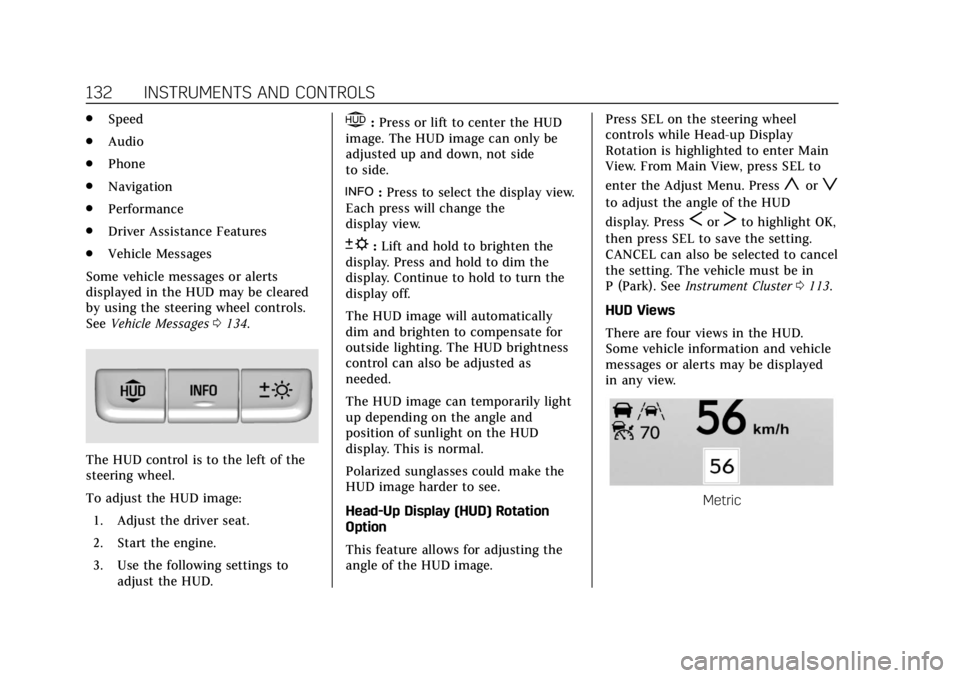
The HUD control is to the left of the
steering wheel.
To adjust the HUD image:
1. Adjust the driver seat.
2. Start the engine.
3. Use the following settings to adjust the HUD.
$:Press or lift to center the HUD
image. The HUD image can only be
adjusted up and down, not side
to side.
!: Press to select the display view.
Each press will change the
display view.
D: Lift and hold to brighten the
display. Press and hold to dim the
display. Continue to hold to turn the
display off.
The HUD image will automatically
dim and brighten to compensate for
outside lighting. The HUD brightness
control can also be adjusted as
needed.
The HUD image can temporarily light
up depending on the angle and
position of sunlight on the HUD
display. This is normal.
Polarized sunglasses could make the
HUD image harder to see.
Head-Up Display (HUD) Rotation
Option
This feature allows for adjusting the
angle of the HUD image. Press SEL on the steering wheel
controls while Head-up Display
Rotation is highlighted to enter Main
View. From Main View, press SEL to
enter the Adjust Menu. Press
yorz
to adjust the angle of the HUD
display. Press
SorTto highlight OK,
then press SEL to save the setting.
CANCEL can also be selected to cancel
the setting. The vehicle must be in
P (Park). See Instrument Cluster 0113.
HUD Views
There are four views in the HUD.
Some vehicle information and vehicle
messages or alerts may be displayed
in any view.
Metric
Page 150 of 384
Cadillac ATS/ATS-V Owner Manual (GMNA-Localizing-U.S./Canada/Mexico-
12460272) - 2019 - crc - 5/8/18
LIGHTING 149
If after signaling a turn or lane
change, the arrow flashes rapidly or
does not come on, a signal bulb might
be burned out.
Replace any burned out bulbs. If a
bulb is not burned out, check the fuse.
SeeFuses and Circuit Breakers 0274.Interior Lighting
Instrument Panel
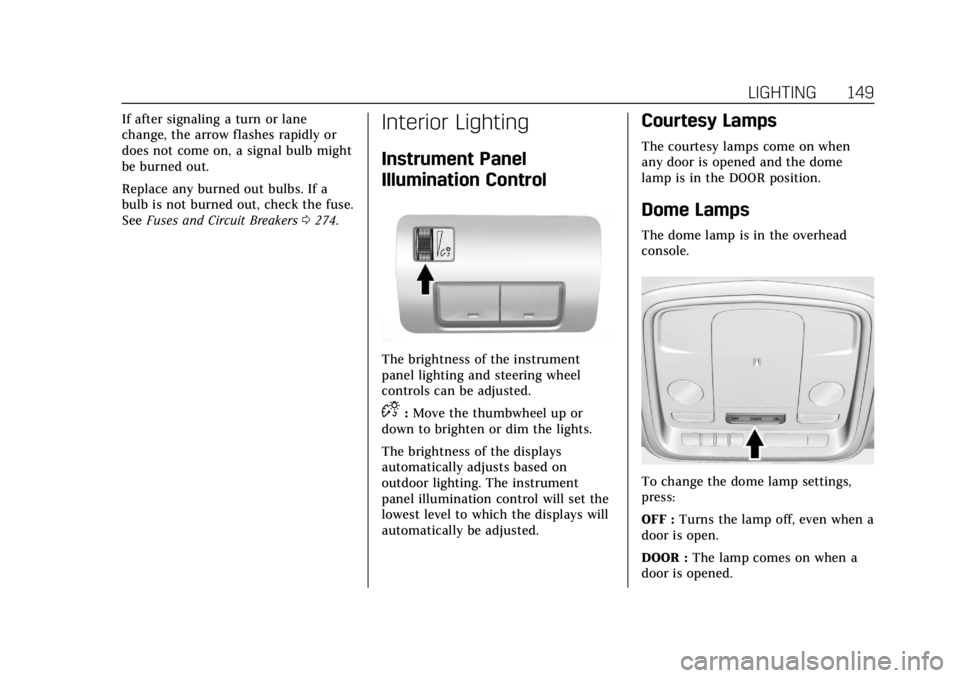
Illumination Control
The brightness of the instrument
panel lighting and steering wheel
controls can be adjusted.
D:Move the thumbwheel up or
down to brighten or dim the lights.
The brightness of the displays
automatically adjusts based on
outdoor lighting. The instrument
panel illumination control will set the
lowest level to which the displays will
automatically be adjusted.
Courtesy Lamps
The courtesy lamps come on when
any door is opened and the dome
lamp is in the DOOR position.
Dome Lamps
The dome lamp is in the overhead
console.
To change the dome lamp settings,
press:
OFF : Turns the lamp off, even when a
door is open.
DOOR : The lamp comes on when a
door is opened.
Page 170 of 384

Cadillac ATS/ATS-V Owner Manual (GMNA-Localizing-U.S./Canada/Mexico-
12460272) - 2019 - crc - 5/8/18
DRIVING AND OPERATING 169
Driving and
Operating
Driving Information
Distracted Driving . . . . . . . . . . . . . . . . 170
Defensive Driving . . . . . . . . . . . . . . . . 171
Drunk Driving . . . . . . . . . . . . . . . . . . . . 171
Control of a Vehicle . . . . . . . . . . . . . . 171
Braking . . . . . . . . . . . . . . . . . . . . . . . . . . . . 171
Steering . . . . . . . . . . . . . . . . . . . . . . . . . . . 172
Off-Road Recovery . . . . . . . . . . . . . . . . 172
Loss of Control . . . . . . . . . . . . . . . . . . . 173
Track Events and CompetitiveDriving . . . . . . . . . . . . . . . . . . . . . . . . . . 173
Driving on Wet Roads . . . . . . . . . . . 178
Hill and Mountain Roads . . . . . . . . 179
Winter Driving . . . . . . . . . . . . . . . . . . . . 179
If the Vehicle Is Stuck . . . . . . . . . . . 181
Vehicle Load Limits . . . . . . . . . . . . . . 181
Starting and Operating
New Vehicle Break-In . . . . . . . . . . . . 184
Composite Materials . . . . . . . . . . . . . 185
Ignition Positions . . . . . . . . . . . . . . . . 185
Starting the Engine . . . . . . . . . . . . . . 187
Stop/Start System . . . . . . . . . . . . . . . . 188
Engine Heater . . . . . . . . . . . . . . . . . . . . 189 Retained Accessory
Power (RAP) . . . . . . . . . . . . . . . . . . . . 190
Shifting Into Park (Automatic Transmission) . . . . . . . . . . . . . . . . . . . 190
Shifting out of Park . . . . . . . . . . . . . . 191
Parking (Manual
Transmission) . . . . . . . . . . . . . . . . . . . 192
Parking over Things That Burn . . . . . . . . . . . . . . . . . . . . . . . 192
Extended Parking . . . . . . . . . . . . . . . . . 192
Engine Exhaust
Engine Exhaust . . . . . . . . . . . . . . . . . . . 193
Running the Vehicle While Parked . . . . . . . . . . . . . . . . . . . . . . . . . . . 194
Automatic Transmission
Automatic Transmission . . . . . . . . . 194
Manual Mode . . . . . . . . . . . . . . . . . . . . . 196
Manual Transmission
Manual Transmission . . . . . . . . . . . . 198
Active Rev Match . . . . . . . . . . . . . . . . 199
Drive Systems
All-Wheel Drive . . . . . . . . . . . . . . . . . . 200
Brakes
Antilock Brake System (ABS) . . . . 200
Parking Brake (Electric) . . . . . . . . . . 201
Parking Brake (Manual) . . . . . . . . . . 203
Brake Assist . . . . . . . . . . . . . . . . . . . . . . . 203 Hill Start Assist (HSA) . . . . . . . . . . . 204
Ride Control Systems
Traction Control/Electronic
Stability Control . . . . . . . . . . . . . . . . 204
Driver Mode Control . . . . . . . . . . . . . 205
Competitive Driving Mode (FE3 Only) . . . . . . . . . . . . . . . . . . . . . . . 209
Limited-Slip Rear Axle (Except V-Series) . . . . . . . . . . . . . . . . . . . . . . . . . 212
Limited-Slip Rear Axle (V-Series Only) . . . . . . . . . . . . . . . . . . 212
Cruise Control
Cruise Control . . . . . . . . . . . . . . . . . . . . 213
Adaptive Cruise Control . . . . . . . . . 215
Driver Assistance Systems
Driver Assistance Systems . . . . . . . 223
Assistance Systems for Parkingor Backing . . . . . . . . . . . . . . . . . . . . . . . 224
Assistance Systems for Driving . . . . . . . . . . . . . . . . . . . . . . . . . . 228
Forward Collision Alert (FCA) System . . . . . . . . . . . . . . . . . . . . . . . . . . 228
Forward Automatic Braking (FAB) . . . . . . . . . . . . . . . . . . . 231
Side Blind Zone Alert (SBZA) . . . . 232
Lane Change Alert (LCA) . . . . . . . . 232
Lane Departure Warning (LDW) . . . . . . . . . . . . . . . . . 234
Page 174 of 384
Cadillac ATS/ATS-V Owner Manual (GMNA-Localizing-U.S./Canada/Mexico-
12460272) - 2019 - crc - 5/8/18
DRIVING AND OPERATING 173
1. Ease off the accelerator and then,if there is nothing in the way,
steer the vehicle so that it
straddles the edge of the
pavement.
2. Turn the steering wheel about one-eighth of a turn, until the
right front tire contacts the
pavement edge.
3. Turn the steering wheel to go straight down the roadway.
Loss of Control
Skidding
There are three types of skids that
correspond to the vehicle's three
control systems:
.Braking Skid —wheels are not
rolling.
. Steering or Cornering Skid —too
much speed or steering in a curve
causes tires to slip and lose
cornering force.
. Acceleration Skid —too much
throttle causes the driving wheels
to spin. Defensive drivers avoid most skids by
taking reasonable care suited to
existing conditions, and by not
overdriving those conditions. But
skids are always possible.
If the vehicle starts to slide, follow
these suggestions:
.
Ease your foot off the accelerator
pedal and steer the way you want
the vehicle to go. The vehicle may
straighten out. Be ready for a
second skid if it occurs.
. Slow down and adjust your driving
according to weather conditions.
Stopping distance can be longer
and vehicle control can be affected
when traction is reduced by water,
snow, ice, gravel, or other material
on the road. Learn to recognize
warning clues —such as enough
water, ice, or packed snow on the
road to make a mirrored surface
— and slow down when you have
any doubt.
. Try to avoid sudden steering,
acceleration, or braking, including
reducing vehicle speed by shifting to a lower gear. Any sudden
changes could cause the tires to
slide.
Remember: Antilock brakes help avoid
only the braking skid.
Track Events and
Competitive Driving
{Danger
High-performance features are
intended for use only on closed
tracks by experienced and qualified
drivers and should not be used on
public roads. High-speed driving,
aggressive cornering, hard braking,
and other high-performance driving
can be dangerous. Improper driver
inputs for the conditions may result
in loss of control of the vehicle,
which could injure or kill you or
others. Always drive safely.
Competitive driving may affect the
vehicle warranty. See the warranty
manual before using the vehicle for
competitive driving.
Page 182 of 384

Cadillac ATS/ATS-V Owner Manual (GMNA-Localizing-U.S./Canada/Mexico-
12460272) - 2019 - crc - 5/8/18
DRIVING AND OPERATING 181
If the Vehicle Is Stuck
Slowly and cautiously spin the wheels
to free the vehicle when stuck in sand,
mud, ice, or snow.
If stuck too severely for the traction
system to free the vehicle, turn the
traction system off and use the
rocking method. SeeTraction Control/
Electronic Stability Control 0204.
{Warning
If the vehicle's tires spin at high
speed, they can explode, and you or
others could be injured. The vehicle
can overheat, causing an engine
compartment fire or other damage.
Spin the wheels as little as possible
and avoid going above 56 km/h
(35 mph).
Rocking the Vehicle to Get it Out
Turn the steering wheel left and right
to clear the area around the front
wheels. Turn off any traction system.
Shift back and forth between
R (Reverse) and a low forward gear, spinning the wheels as little as
possible. To prevent transmission
wear, wait until the wheels stop
spinning before shifting gears. Release
the accelerator pedal while shifting,
and press lightly on the accelerator
pedal when the transmission is in
gear. Slowly spinning the wheels in
the forward and reverse directions
causes a rocking motion that could
free the vehicle. If that does not get
the vehicle out after a few tries, it
might need to be towed out. If the
vehicle does need to be towed out, see
Towing the Vehicle
0314.
Vehicle Load Limits
It is very important to know how
much weight the vehicle can carry.
This weight is called the vehicle
capacity weight and includes the
weight of all occupants, cargo, and
all nonfactory-installed options.
Two labels on the vehicle may
show how much weight it may
properly carry: the Tire and
Loading Information label and the
Certification label.
{Warning
Do not load the vehicle any
heavier than the Gross Vehicle
Weight Rating (GVWR),
or either the maximum front or
rear Gross Axle Weight Rating
(GAWR). This can cause
systems to break and change
the way the vehicle handles.
This could cause loss of control
and a crash. Overloading can
also reduce stopping distance,
damage the tires, and shorten
the life of the vehicle.
Page 202 of 384

Cadillac ATS/ATS-V Owner Manual (GMNA-Localizing-U.S./Canada/Mexico-
12460272) - 2019 - crc - 5/8/18
DRIVING AND OPERATING 201
If driving safely on a wet road and it
becomes necessary to slam on the
brakes and continue braking to avoid
a sudden obstacle, a computer senses
the wheels are slowing down. If one of
the wheels is about to stop rolling, the
computer will separately work the
brakes at each wheel.
ABS can change the brake pressure to
each wheel, as required, faster than
any driver could. This can help you
steer around the obstacle while
braking hard.
As the brakes are applied, the
computer keeps receiving updates on
wheel speed and controls braking
pressure accordingly.
Remember: ABS does not change the
time needed to get a foot up to the
brake pedal or always decrease
stopping distance. If you get too close
to the vehicle in front of you, there
will not be enough time to apply the
brakes if that vehicle suddenly slows
or stops. Always leave enough room
up ahead to stop, even with ABS.Using ABS
Do not pump the brakes. Just hold the
brake pedal down firmly and let ABS
work. You may hear the ABS pump or
motor operating and feel the brake
pedal pulsate. This is normal.
Braking in Emergencies
ABS allows you to steer and brake at
the same time. In many emergencies,
steering can help more than even the
very best braking.
Parking Brake (Electric)
Automatic Transmission
Manual Transmission
If equipped with an Electric Parking
Brake (EPB), the switch is on the
center console for manual
transmission vehicles, or on the left
side of the instrument panel for
automatic transmission vehicles. The
EPB can always be activated, even if
the ignition is off. To prevent draining
the battery, avoid repeated cycles of
the EPB when the engine is not
running.
Page 206 of 384

Cadillac ATS/ATS-V Owner Manual (GMNA-Localizing-U.S./Canada/Mexico-
12460272) - 2019 - crc - 5/8/18
DRIVING AND OPERATING 205
The indicator light for both systems is
in the instrument cluster. This
light will:
.Flash when TCS is limiting
wheel spin.
. Flash when StabiliTrak/ESC is
activated.
. Turn on and stay on when either
system is not working.
If either system fails to turn on or to
activate, a message may display in the
Driver Information Center (DIC), and
dcomes on and stays on to indicate
that the system is inactive and is not
assisting the driver in maintaining
control. The vehicle is safe to drive,
but driving should be adjusted
accordingly.
If
dcomes on and stays on:
1. Stop the vehicle.
2. Turn the engine off and wait 15 seconds.
3. Start the engine.
4. Drive the vehicle. If
dcomes on and stays on, the
vehicle may need more time to
diagnose the problem. If the condition
persists, see your dealer.
Turning the Systems Off and On
Thegbutton for TCS and StabiliTrak/
ESC is on the center console (ATS) or
the steering wheel (ATS-V).
Caution
Do not repeatedly brake or
accelerate heavily when TCS is off.
The vehicle driveline could be
damaged.
To turn off only TCS, press and
release
g. The traction off lighti
displays in the instrument cluster and
a DIC message may display.
To turn TCS on again, press and
release
g. The traction off lighti
displayed in the instrument cluster
will turn off. If TCS is limiting wheel spin when
g
is pressed, the system will not turn off
until the wheels stop spinning.
To turn off both TCS and StabiliTrak/
ESC, press and hold
guntil the
traction off light
iand StabiliTrak/
ESC OFF light
gcome on and stay on
in the instrument cluster. A DIC
message may display.
To turn TCS and StabiliTrak/ESC on
again, press and release
g. The
traction off light
iand StabiliTrak/
ESC OFF light
gin the instrument
cluster turn off.
Adding accessories can affect the
vehicle performance. See Accessories
and Modifications 0244.
Driver Mode Control
Driver Mode Control attempts to add
a sportier feel, provide a more
comfortable ride, or assist in different
weather conditions or terrain. This
system simultaneously changes the
software settings of various
sub-systems. Depending on the option
Page 211 of 384

Cadillac ATS/ATS-V Owner Manual (GMNA-Localizing-U.S./Canada/Mexico-
12460272) - 2019 - crc - 5/8/18
210 DRIVING AND OPERATING
and StabiliTrak/ESC OFF lightgwill
come on in the instrument cluster.
TCS does not limit wheel spin, the
Electronic Limited-Slip Differential
(eLSD) allows increased vehicle agility,
and more effort is required to turn the
steering wheel. See “Limited-Slip Axle
(V-Series Only)” later in this section.
Adjust your driving accordingly.
Press
Yagain, or turn the ignition to
ACC/ACCESSORY and restart the
vehicle, to turn TCS back on. The
traction off light
iand StabiliTrak/
ESC OFF light
gwill go out in the
instrument cluster.
Caution
When traction control is turned off,
or Competitive Driving Mode is
active, it is possible to lose traction.
Performance Traction
Management (V-Series Only)
Performance Traction Management
(PTM) integrates the Traction Control,
StabiliTrak/Electronic Stability Control (ESC), and Magnetic Ride Control
systems to provide improved and
consistent performance when
cornering. The amount of available
engine power is based on the mode
selected, track conditions, driver skill,
and the radius of each corner.
This light is on when the vehicle is in
the PTM mode.
To select this optional handling mode,
the vehicle mode must be Track. Then
quickly press
Yon the steering
wheel two times. PERF TRAC 1 - WET
ACTIVE HANDLING ON displays in
the DIC.
When PTM is active, the up and down
buttons will no longer change Drive
Modes, but instead change PTM
modes. To select a mode while in PTM, press
the Driver Mode Control/PTM buttons
on the center console.
To experience the performance benefit
of this system, after entering a curve
and at the point where normal
acceleration occurs, fully push the
accelerator pedal. The PTM system
will modify the level of engine power
for a smooth and consistent
corner exit.
The PTM system contains five modes.
These modes are selected by pressing
the Driver Mode Control/PTM buttons
on the center console. Scroll up or
down through modes 1-5 by pressing
the MODE up and down button. The
following is a DIC display description
and the recommended usage of
each mode:
PERF TRAC 1
–WET ACTIVE
HANDLING ON
. Intended for all driver skill levels.
. Wet or damp conditions only —
not intended for use in heavy rain
or standing water.
. StabiliTrak/ESC is on.
Page 213 of 384
Cadillac ATS/ATS-V Owner Manual (GMNA-Localizing-U.S./Canada/Mexico-
12460272) - 2019 - crc - 5/8/18
212 DRIVING AND OPERATING
maintaining the fully pressed
accelerator pedal, will manage wheel
slip. Complete shifts as described in
Manual Transmission0198.
Automatic Transmissions
. The brake pedal must be firmly
pressed to the floor, equivalent to
a panic brake event.
. The accelerator pedal is rapidly
applied to wide open throttle. (If
the vehicle rolls due to wide open
throttle, release the throttle, press
the brake pedal more firmly, and
re-apply the accelerator to wide
open throttle.)
The Launch Control feature will
initially limit engine speed as the
driver rapidly applies the accelerator
pedal to wide open throttle. Allow the
engine rpm to stabilize. A smooth,
quick release of the brake pedal, while
maintaining the fully pressed
accelerator pedal, will manage
wheel slip.
After the vehicle is launched, the
system continues in Performance
Traction Management (V-Series). Competitive Driving Mode, PTM, and
Launch Control are systems designed
for a closed course race track and not
intended for use on public roads. The
systems are not intended to
compensate for lack of driver
experience or familiarity with the race
track.
Limited-Slip Rear Axle
(Except V-Series)
If equipped, the mechanical
limited-slip differential can give more
traction on snow, mud, ice, sand,
or gravel. It works like a standard axle
most of the time, but when traction is
low, this feature allows the drive
wheel with the most traction to move
the vehicle. For vehicles with
limited-slip differential, driven under
severe conditions, the rear axle fluid
should be changed.
See
Competitive Driving Mode (FE3
Only) 0209 and Maintenance Schedule
0 327.
Limited-Slip Rear Axle
(V-Series Only)
If equipped, the Electronic
Limited-Slip Differential (eLSD) is
automatically activated. eLSD actively
monitors vehicle sensors and driver
inputs to determine the amount of
change for the conditions. With eLSD,
the vehicle has:
.
Enhanced high-speed control.
. Improved traction through
corners, allowing more
acceleration.
. More precise steering.
. Increased vehicle agility.
. Integration with StabiliTrak/
Electronic Stability Control (ESC).
For vehicles with eLSD, driven under
severe conditions, the rear axle fluid
should be changed.
See Competitive Driving Mode (FE3
Only) 0209 and Maintenance Schedule
0 327.