light CADILLAC ATS 2019 Repair Manual
[x] Cancel search | Manufacturer: CADILLAC, Model Year: 2019, Model line: ATS, Model: CADILLAC ATS 2019Pages: 384, PDF Size: 6.11 MB
Page 147 of 384
Cadillac ATS/ATS-V Owner Manual (GMNA-Localizing-U.S./Canada/Mexico-
12460272) - 2019 - crc - 5/8/18
146 LIGHTING
.Your vehicle's windshield is dirty,
cracked, or obstructed by
something that blocks the view of
the light sensor.
. Your vehicle is loaded such that
the front end points upward,
causing the light sensor to aim
high and not detect headlamps
and taillamps.
. You are driving on winding or hilly
roads.
You may need to manually disable or
cancel the high-beam headlamps by
turning the low-beam headlamps on,
if any of the above conditions exist.
Exterior Lamps Off
Reminder
A warning chime will sound if the
exterior lamp control is left on in
either the headlamp or parking lamp
position and the driver door is opened
with the ignition off.
Headlamp High/Low-Beam
Changer
Push the turn signal lever away from
you and release, to turn the high
beams on. To return to low beams,
push the lever again or pull it toward
you and release.
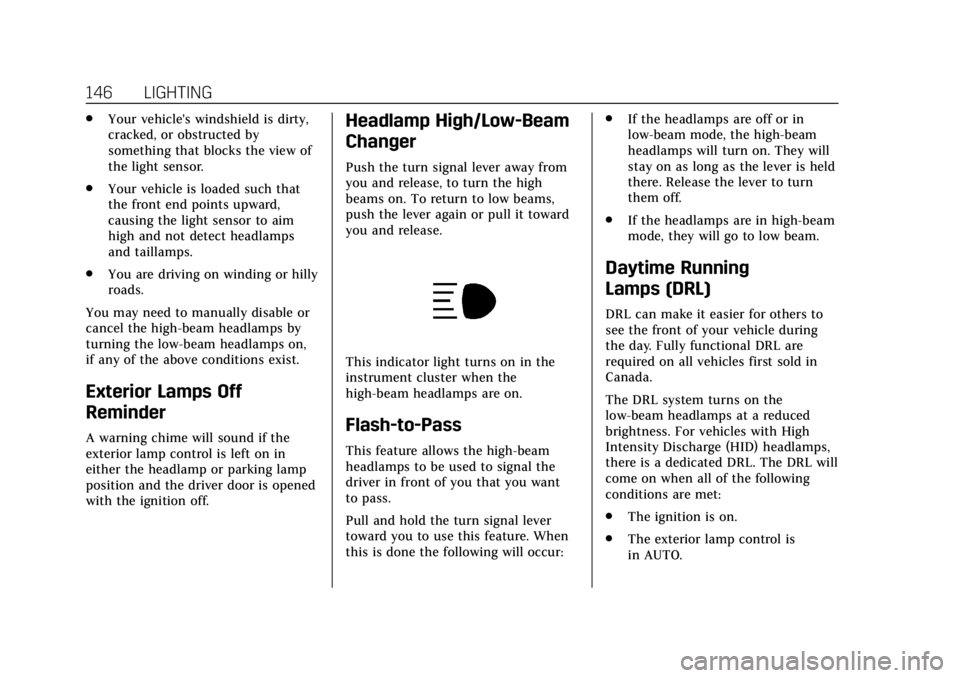
This indicator light turns on in the
instrument cluster when the
high-beam headlamps are on.
Flash-to-Pass
This feature allows the high-beam
headlamps to be used to signal the
driver in front of you that you want
to pass.
Pull and hold the turn signal lever
toward you to use this feature. When
this is done the following will occur: .
If the headlamps are off or in
low-beam mode, the high-beam
headlamps will turn on. They will
stay on as long as the lever is held
there. Release the lever to turn
them off.
. If the headlamps are in high-beam
mode, they will go to low beam.
Daytime Running
Lamps (DRL)
DRL can make it easier for others to
see the front of your vehicle during
the day. Fully functional DRL are
required on all vehicles first sold in
Canada.
The DRL system turns on the
low-beam headlamps at a reduced
brightness. For vehicles with High
Intensity Discharge (HID) headlamps,
there is a dedicated DRL. The DRL will
come on when all of the following
conditions are met:
.The ignition is on.
. The exterior lamp control is
in AUTO.
Page 148 of 384
Cadillac ATS/ATS-V Owner Manual (GMNA-Localizing-U.S./Canada/Mexico-
12460272) - 2019 - crc - 5/8/18
LIGHTING 147
.The light sensor determines it is
daytime.
. The parking brake is released or
the vehicle is not in P (Park).
The taillamps, sidemarker lamps,
instrument panel lights, and other
lamps will not be on.
The DRL turn off when the headlamps
are turned to
Oor the ignition is off.
For vehicles first sold in Canada, the
DRL can only be turned off when the
transmission is in P (Park).
Automatic Headlamp
System
When the exterior lamp control is set
to AUTO and it is dark enough
outside, the headlamps come on
automatically.
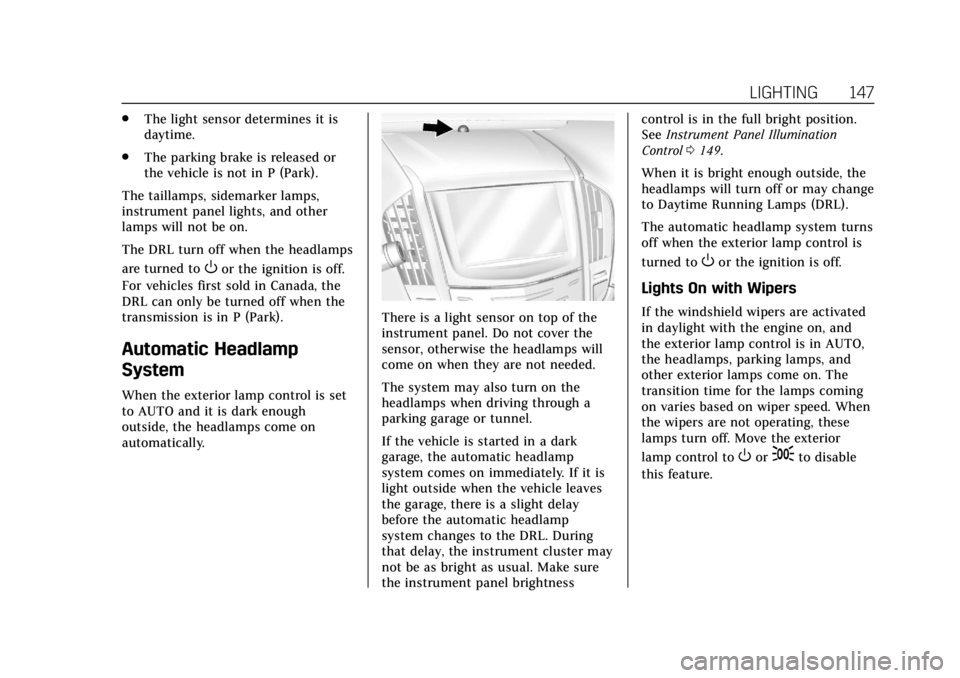
There is a light sensor on top of the
instrument panel. Do not cover the
sensor, otherwise the headlamps will
come on when they are not needed.
The system may also turn on the
headlamps when driving through a
parking garage or tunnel.
If the vehicle is started in a dark
garage, the automatic headlamp
system comes on immediately. If it is
light outside when the vehicle leaves
the garage, there is a slight delay
before the automatic headlamp
system changes to the DRL. During
that delay, the instrument cluster may
not be as bright as usual. Make sure
the instrument panel brightness control is in the full bright position.
See
Instrument Panel Illumination
Control 0149.
When it is bright enough outside, the
headlamps will turn off or may change
to Daytime Running Lamps (DRL).
The automatic headlamp system turns
off when the exterior lamp control is
turned to
Oor the ignition is off.
Lights On with Wipers
If the windshield wipers are activated
in daylight with the engine on, and
the exterior lamp control is in AUTO,
the headlamps, parking lamps, and
other exterior lamps come on. The
transition time for the lamps coming
on varies based on wiper speed. When
the wipers are not operating, these
lamps turn off. Move the exterior
lamp control to
Oor;to disable
this feature.
Page 149 of 384

Cadillac ATS/ATS-V Owner Manual (GMNA-Localizing-U.S./Canada/Mexico-
12460272) - 2019 - crc - 5/8/18
148 LIGHTING
Adaptive Forward
Lighting (AFL)
On vehicles with the AFL system, the
headlamps pivot horizontally to
provide greater road illumination
while turning. To enable AFL, set the
exterior lamp control on the turn
signal lever to the AUTO position. To
adjust the AFL setting, seeVehicle
Personalization 0135. Moving the
control out of the AUTO position will
deactivate the system. AFL will
operate when the vehicle speed is
greater than 3 km/h (2 mph). AFL will
not operate when the transmission is
in R (Reverse). AFL is not immediately
operable after starting the vehicle;
driving a short distance is required to
calibrate the AFL. See Exterior Lamp
Controls 0144.
This feature can be changed, see
Vehicle Personalization 0135.
Hazard Warning Flashers
|:Press to make the front and rear
turn signal lamps flash on and off.
Press again to turn the flashers off.
The hazard warning flashers turn on
automatically if the airbags deploy.
Turn and Lane-Change
Signals
Move the lever all the way up or down
to signal a turn.
An arrow on the instrument cluster
flashes in the direction of the turn or
lane change.
Raise or lower the lever until the
arrow starts to flash to signal a lane
change. Hold it there until the lane
change is completed. If the lever is
briefly pressed and released, the turn
signal flashes three times.
The turn and lane-change signal can
be turned off manually by moving the
lever back to its original position.
Page 150 of 384
Cadillac ATS/ATS-V Owner Manual (GMNA-Localizing-U.S./Canada/Mexico-
12460272) - 2019 - crc - 5/8/18
LIGHTING 149
If after signaling a turn or lane
change, the arrow flashes rapidly or
does not come on, a signal bulb might
be burned out.
Replace any burned out bulbs. If a
bulb is not burned out, check the fuse.
SeeFuses and Circuit Breakers 0274.Interior Lighting
Instrument Panel
Illumination Control
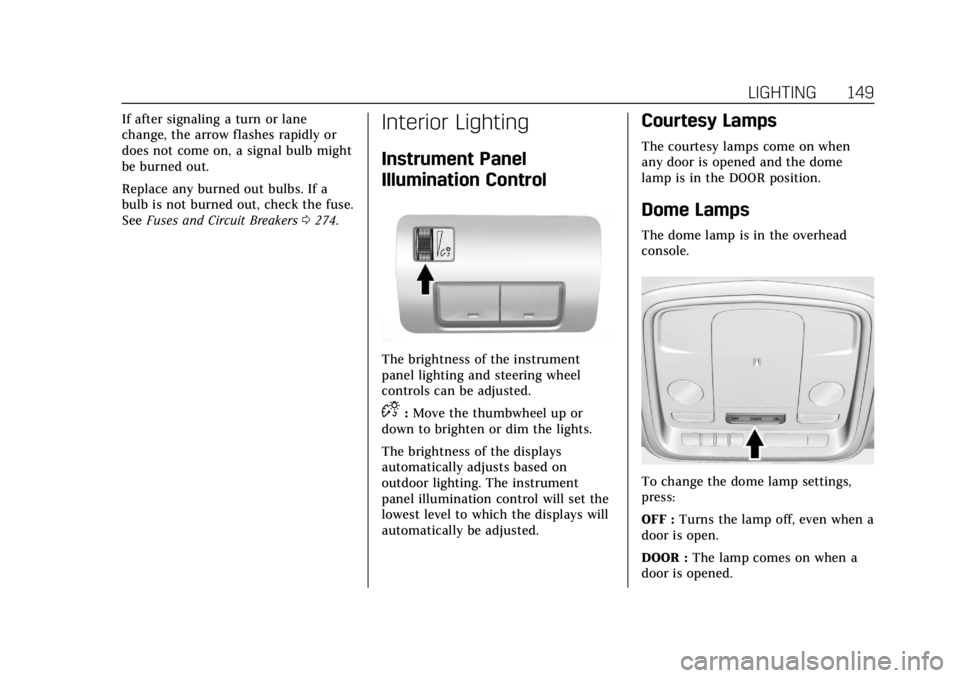
The brightness of the instrument
panel lighting and steering wheel
controls can be adjusted.
D:Move the thumbwheel up or
down to brighten or dim the lights.
The brightness of the displays
automatically adjusts based on
outdoor lighting. The instrument
panel illumination control will set the
lowest level to which the displays will
automatically be adjusted.
Courtesy Lamps
The courtesy lamps come on when
any door is opened and the dome
lamp is in the DOOR position.
Dome Lamps
The dome lamp is in the overhead
console.
To change the dome lamp settings,
press:
OFF : Turns the lamp off, even when a
door is open.
DOOR : The lamp comes on when a
door is opened.
Page 151 of 384
Cadillac ATS/ATS-V Owner Manual (GMNA-Localizing-U.S./Canada/Mexico-
12460272) - 2019 - crc - 5/8/18
150 LIGHTING
ON :Turns the lamp on.
Reading Lamps
There are front and rear reading
lamps. These lamps come on when
any door is opened.
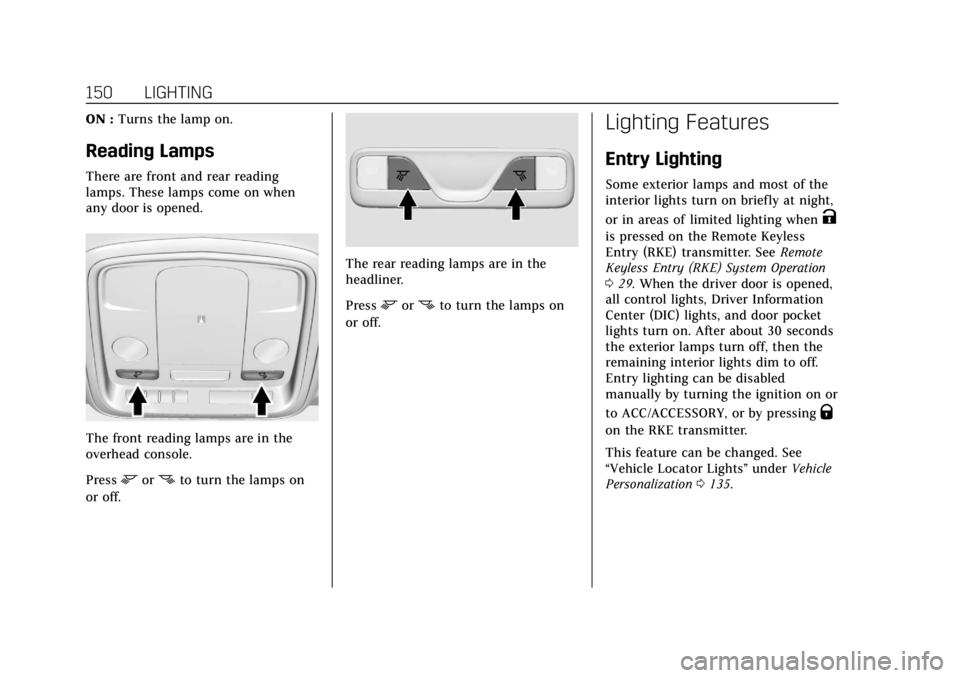
The front reading lamps are in the
overhead console.
Press
mornto turn the lamps on
or off.
The rear reading lamps are in the
headliner.
Press
mornto turn the lamps on
or off.
Lighting Features
Entry Lighting
Some exterior lamps and most of the
interior lights turn on briefly at night,
or in areas of limited lighting when
K
is pressed on the Remote Keyless
Entry (RKE) transmitter. See Remote
Keyless Entry (RKE) System Operation
0 29. When the driver door is opened,
all control lights, Driver Information
Center (DIC) lights, and door pocket
lights turn on. After about 30 seconds
the exterior lamps turn off, then the
remaining interior lights dim to off.
Entry lighting can be disabled
manually by turning the ignition on or
to ACC/ACCESSORY, or by pressing
Q
on the RKE transmitter.
This feature can be changed. See
“Vehicle Locator Lights” underVehicle
Personalization 0135.
Page 152 of 384

Cadillac ATS/ATS-V Owner Manual (GMNA-Localizing-U.S./Canada/Mexico-
12460272) - 2019 - crc - 5/8/18
LIGHTING 151
Exit Lighting
Some exterior lamps and interior
lights come on at night, or in areas
with limited lighting, when the driver
door is opened after the ignition is
turned off. The dome lamp comes on
after the ignition is turned off. The
exterior lamps and dome lamp remain
on for a set amount of time, then
automatically turn off.
The exterior lamps turn off
immediately by turning the exterior
lamp control off.
This feature can be changed. See
Vehicle Personalization0135.
Battery Power Protection
The battery saver feature is designed
to protect the vehicle's battery.
If some interior lamps are left on and
the ignition is turned off, the battery
rundown protection system
automatically turns the lamp off after
some time.
Exterior Lighting Battery
Saver
The exterior lamps turn off about
10 minutes after the ignition is turned
off, if the parking lamps or headlamps
have been manually left on. This
protects against draining the battery.
To restart the 10-minute timer, turn
the exterior lamp control to the
O
position and then back to the;or
2position.
To keep the lamps on for more than
10 minutes, the ignition must be on or
in ACC/ACCESSORY.
Page 160 of 384
Cadillac ATS/ATS-V Owner Manual (GMNA-Localizing-U.S./Canada/Mexico-
12460272) - 2019 - crc - 5/8/18
CLIMATE CONTROLS 159
Climate Control Function with Stop/
Start (If Equipped)
The climate control system depends
on other vehicle systems for heat and
power input. The climate control
system will balance Stop/Start
efficiency with air conditioning
comfort and defog operation.
The following climate control settings
result in fewer Auto Stops:
.The defrost mode
. High fan speed settings
. Extreme temperature settings
Automatic Operation
The system automatically controls the
fan speed, air delivery, air
conditioning, and recirculation in
order to heat or cool the vehicle to the
desired temperature.
When AUTO is lit, all four functions
operate automatically. Each function
can also be manually set and the
selected setting is displayed.
Functions not manually set will continue to be automatically
controlled, even if the AUTO indicator
is not lit.
For automatic operation:
1. Press AUTO.
2. Set the temperature. Allow the system time to stabilize. Then
adjust the temperature as needed
for best comfort.
To improve fuel efficiency and to cool
the vehicle faster, recirculation may be
automatically selected in warm
weather. The recirculation light will
not come on. Press
@to select
recirculation; press it again to select
outside air.
English units can be changed to
metric units through the instrument
cluster. See “Settings”under
Instrument Cluster 0113.
OFF : Press to turn the fan on or off.
When off is selected, the system will
stop air from flowing into the cabin.
If on is selected, or any other button
press occurs, the climate control
system will turn on and operate to the current setting. The temperature
control and air delivery mode can still
be adjusted.
worx:
The temperature can be
adjusted separately for the driver and
the passenger. Press to increase or
decrease the temperature. Press and
hold to rapidly increase or decrease
the temperature.
SYNC : Press SYNC to link all climate
zone settings to the driver settings.
The SYNC indicator will be lit. Adjust
the driver side temperature control to
change the linked temperature. When
the passenger settings are adjusted,
the temperatures are unlinked and the
SYNC indicator turns off.
Manual Operation
z 9or9y: Press the fan control
buttons to increase or decrease the
fan speed. Press and hold the buttons
to adjust speed more quickly. The fan
speed setting displays. Pressing either
button cancels automatic fan control
and the fan can be controlled
manually. Press AUTO to return to
automatic operation. To turn off the
fan, press OFF.
Page 161 of 384
Cadillac ATS/ATS-V Owner Manual (GMNA-Localizing-U.S./Canada/Mexico-
12460272) - 2019 - crc - 5/8/18
160 CLIMATE CONTROLS
zNy:Press the air delivery mode
buttons to change the direction of the
airf low. Selecting any of the air
delivery modes cancels automatic air
delivery control and the direction of
the airf low can be controlled
manually. Press AUTO to return to
automatic operation.
To change the current mode, select
one of the following:
Y: Air is directed to the instrument
panel outlets.
\: Air is divided between the
instrument panel outlets and the floor
outlets.
[: Air is directed to the floor
outlets, with some air to the
windshield and side windows.
-: Clears the windows of fog or
moisture. Air is directed to the
windshield, side windows, and floor
outlets. Some air may go to the rear
floor outlets.
0: Press to turn defrost on or off.
This clears the windshield of fog or
frost more quickly. Air is directed to
the windshield and side windows. A/C :
Press to turn the air
conditioning on or off. If the fan is
turned off, the air conditioner will not
run. Outside temperatures below
freezing may also prevent the air
conditioner from running.
Press AUTO to return to automatic
operation and the air conditioner runs
as needed. When the indicator light is
on, the air conditioner runs
automatically to cool the air inside
the vehicle or to dry the air needed to
defog the windshield faster.
Automatic Air Recirculation : When
the AUTO indicator light is on, the air
is automatically recirculated as
needed to help quickly cool the inside
of the vehicle.
@: Press to alternate between
recirculating air inside the vehicle or
pulling in outside air. The indicator
light on the button is lit when
recirculation mode is active. This
helps to quickly cool the air inside the
vehicle or reduce the outside air and
odors that may enter. Pressing this button cancels automatic
recirculation. Press AUTO to return to
automatic operation; recirculation
runs automatically as needed.
Manual recirculation mode is not
available when in Defrost or Defog
modes.
Auto Defog :
The climate control
system may have a sensor to
automatically detect high humidity
inside the vehicle. When high
humidity is detected, the climate
control system may adjust to outside
air supply and turn on the air
conditioner. If the climate control
system does not detect possible
window fogging, it returns to normal
operation. To turn Auto Defog off or
on, see “Climate and Air Quality”
under Vehicle Personalization 0135.
Rear Window Defogger
K:Press to turn the rear window
defogger on or off. An indicator light
on the button comes on to show that
the rear window defogger is on. The
rear window defogger only works
when the engine is running.
Page 162 of 384
Cadillac ATS/ATS-V Owner Manual (GMNA-Localizing-U.S./Canada/Mexico-
12460272) - 2019 - crc - 5/8/18
CLIMATE CONTROLS 161
The rear window defogger turns off
automatically after about 15 minutes.
At higher vehicle speeds, the rear
window defogger may stay on
continuously.
The upper gridlines on the rear
window are antenna lines and are not
intended to heat when the defogger is
activated.
The heated outside mirrors turn on
when the rear window defogger
button is on. They help to clear fog or
frost from the surface of the mirrors.
Caution
Do not try to clear frost or other
material from the inside of the
front windshield and rear window
with a razor blade or anything else
that is sharp. This may damage the
rear window defogger grid and
affect the radio's ability to pick up
stations clearly. The repairs would
not be covered by the vehicle
warranty.
J/Morz/L:If equipped, press to
heat the driver or passenger seat
cushion and seatback.
The vehicle may also have auto heated
seats that turn on when the vehicle is
on. The seats will activate at the level
required by the vehicle’s interior
temperature. Use the manual heated
seat buttons to turn auto heated seats
off. The auto heated seats feature can
be turned on or off.
See Vehicle Personalization 0135 and
Heated Front Seats 061.
Remote Start Climate Control
Operation : If equipped with the
remote vehicle start feature, the
climate control system may run when
the vehicle is started remotely. The
system uses the driver's previous
settings to heat or cool the inside of
the vehicle. See Remote Vehicle Start
0 35.
The rear window defogger turns on if
it is cold outside.
If equipped, the heated seats will turn
on if it is cold outside. The heated
seat indicator lights may not come on
during a remote start. If equipped, the heated steering wheel will come on in
a remote start if it is cold outside. The
heated steering wheel indicator light
may not come on.
Sensors
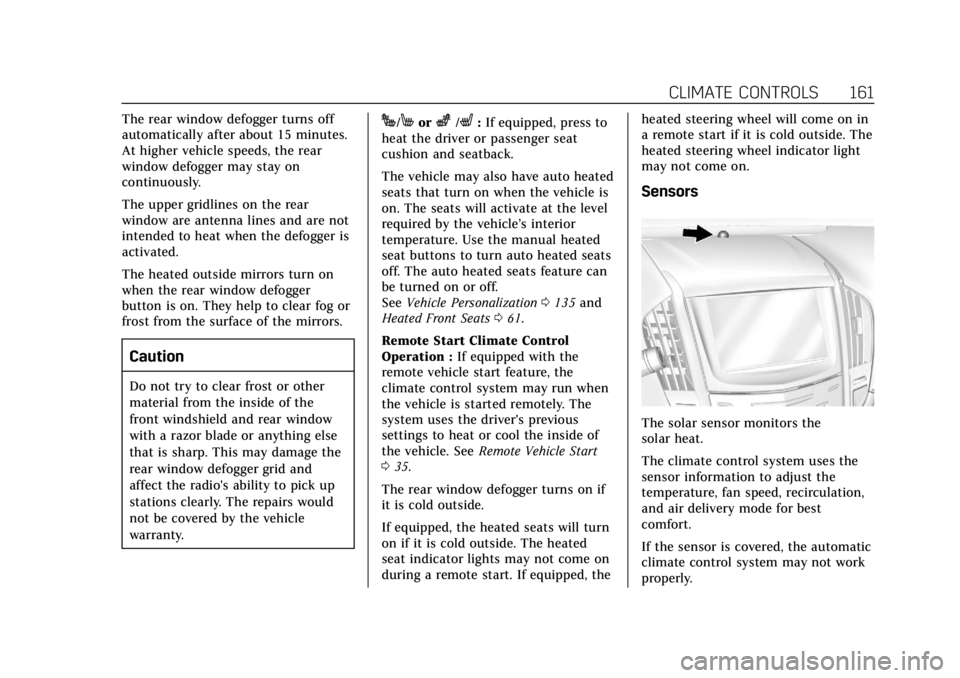
The solar sensor monitors the
solar heat.
The climate control system uses the
sensor information to adjust the
temperature, fan speed, recirculation,
and air delivery mode for best
comfort.
If the sensor is covered, the automatic
climate control system may not work
properly.
Page 164 of 384
Cadillac ATS/ATS-V Owner Manual (GMNA-Localizing-U.S./Canada/Mexico-
12460272) - 2019 - crc - 5/8/18
CLIMATE CONTROLS 163
The fan, air delivery mode, A/C mode,
driver and passenger temperatures,
and SYNC settings can be controlled
by touching CLIMATE on the
infotainment Home Page or the
climate button in the display
application tray. A selection can then
be made on the front climate control
page displayed. See the infotainment
manual.
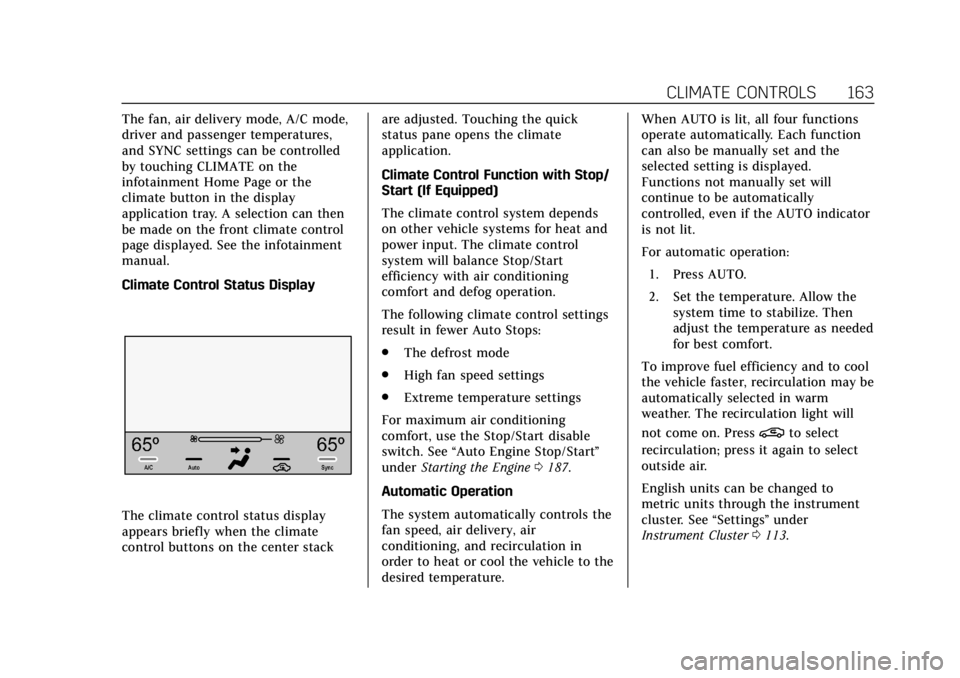
Climate Control Status Display
The climate control status display
appears briefly when the climate
control buttons on the center stackare adjusted. Touching the quick
status pane opens the climate
application.
Climate Control Function with Stop/
Start (If Equipped)
The climate control system depends
on other vehicle systems for heat and
power input. The climate control
system will balance Stop/Start
efficiency with air conditioning
comfort and defog operation.
The following climate control settings
result in fewer Auto Stops:
.
The defrost mode
. High fan speed settings
. Extreme temperature settings
For maximum air conditioning
comfort, use the Stop/Start disable
switch. See “Auto Engine Stop/Start ”
under Starting the Engine 0187.
Automatic Operation
The system automatically controls the
fan speed, air delivery, air
conditioning, and recirculation in
order to heat or cool the vehicle to the
desired temperature. When AUTO is lit, all four functions
operate automatically. Each function
can also be manually set and the
selected setting is displayed.
Functions not manually set will
continue to be automatically
controlled, even if the AUTO indicator
is not lit.
For automatic operation:
1. Press AUTO.
2. Set the temperature. Allow the system time to stabilize. Then
adjust the temperature as needed
for best comfort.
To improve fuel efficiency and to cool
the vehicle faster, recirculation may be
automatically selected in warm
weather. The recirculation light will
not come on. Press
@to select
recirculation; press it again to select
outside air.
English units can be changed to
metric units through the instrument
cluster. See “Settings”under
Instrument Cluster 0113.