warning CADILLAC ATS COUPE 2015 1.G Repair Manual
[x] Cancel search | Manufacturer: CADILLAC, Model Year: 2015, Model line: ATS COUPE, Model: CADILLAC ATS COUPE 2015 1.GPages: 443, PDF Size: 5.79 MB
Page 143 of 443
Black plate (30,1)Cadillac ATS Owner Manual (GMNA-Localizing-U.S./Canada/Mexico-
7707477) - 2015 - crc - 9/15/14
5-30 Instruments and Controls
To adjust the HUD image:
1. Adjust the driver seat to acomfortable position.
2. Start the engine.
Use the following settings to adjust
the HUD.
$(Image Adjustment): Press
down or lift up to center the HUD
image. The HUD image can only be
adjusted up and down, not side
to side.
!(Display View): Press to
select the display view. Each press
will change the display view.
D(Image Brightness): Lift up
and hold to brighten the display.
Press down and hold to dim the
display. Hold down to turn the
display off.
The HUD image will automatically
dim and brighten to compensate for
outside lighting. The HUD
brightness control can also be
adjusted as needed. The HUD image can temporarily
light up depending on the angle and
position of the sunlight on the HUD
display. This is normal.
Polarized sunglasses could make
the HUD image harder to see.
HUD Views
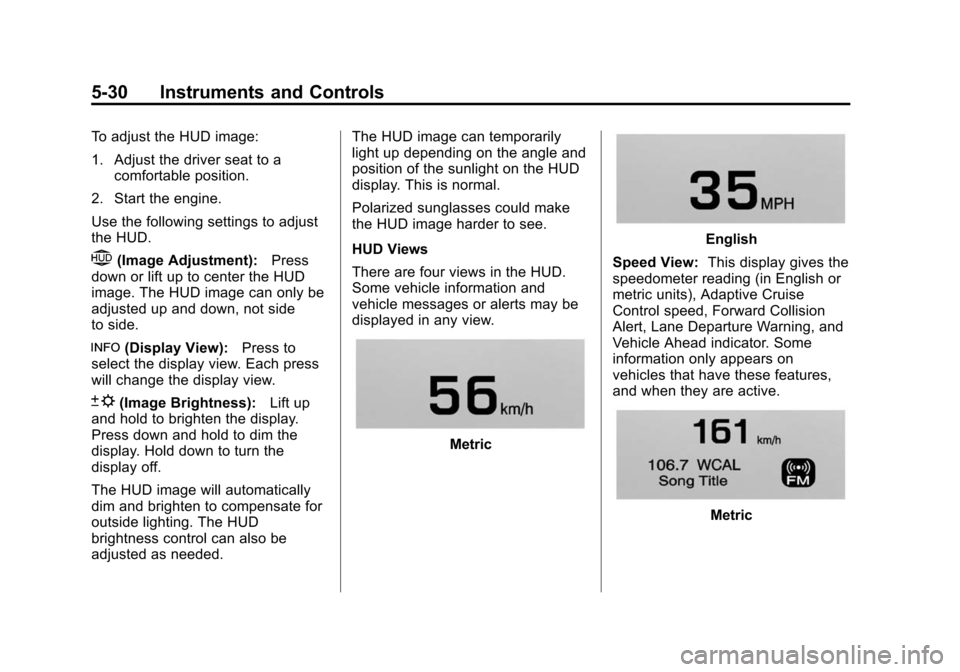
There are four views in the HUD.
Some vehicle information and
vehicle messages or alerts may be
displayed in any view.
Metric
English
Speed View: This display gives the
speedometer reading (in English or
metric units), Adaptive Cruise
Control speed, Forward Collision
Alert, Lane Departure Warning, and
Vehicle Ahead indicator. Some
information only appears on
vehicles that have these features,
and when they are active.
Metric
Page 148 of 443
Black plate (35,1)Cadillac ATS Owner Manual (GMNA-Localizing-U.S./Canada/Mexico-
7707477) - 2015 - crc - 9/15/14
Instruments and Controls 5-35
conditioning compressor turns back
on. The vehicle can continue to be
driven.
If this message continues to appear,
have the system repaired by your
dealer as soon as possible to avoid
damage to the engine.
ENGINE OVERHEATED—
IDLE ENGINE
This message displays and a chime
sounds when the engine coolant
temperature is too hot. The engine
coolant temperature warning light
will also be on. Stop and allow the
vehicle to idle until it cools down.
ENGINE OVERHEATED —
TURN VEHICLE OFF
This message displays and a
continuous chime sounds if the
engine cooling system reaches
unsafe temperatures for operation.
The engine coolant temperature
warning light will flash. Stop and
turn off the vehicle as soon as it is
safe to do so to avoid severe damage. This message clears when
the engine has cooled to a safe
operating temperature.
Engine Oil Messages
CHANGE ENGINE OIL SOON
This message displays when the
engine oil needs to be changed.
When you change the engine oil, be
sure to reset the oil life system. See
Engine Oil Life System on
page 10-12,
Driver Information
Center (DIC) on page 5-25, Engine
Oil on page 10-10, and Maintenance
Schedule on page 11-3.
ENGINE OIL HOT, IDLE
ENGINE
This message displays when the
engine oil temperature is too hot.
Stop and allow the vehicle to idle
until it cools down.
ENGINE OIL LOW —ADD OIL
On some vehicles, this message
displays when the engine oil level
may be too low. Check the oil level before filling to the recommended
level. If the oil is not low and this
message remains on, take the
vehicle to your dealer for service.
See
Engine Oil on page 10-10.
OIL PRESSURE LOW —STOP
ENGINE
This message displays if low oil
pressure levels occur. Stop the
vehicle as soon as safely possible
and do not operate it until the cause
of the low oil pressure has been
corrected. Check the oil as soon as
possible and have the vehicle
serviced by your dealer.
Engine Power Messages
ENGINE POWER IS REDUCED
This message displays when the
vehicle's engine power is reduced.
Reduced engine power can affect
the vehicle's ability to accelerate.
If this message is on, but there is no
reduction in performance, proceed
to your destination. The
performance may be reduced the
Page 151 of 443
Black plate (38,1)Cadillac ATS Owner Manual (GMNA-Localizing-U.S./Canada/Mexico-
7707477) - 2015 - crc - 9/15/14
5-38 Instruments and Controls
.Heavy rain or snow is interfering
with the radar object detection or
camera performance.
This message may also be
displayed if there is a problem with
the StabiliTrak system.
FORWARD COLLISION
ALERT OFF
This message displays when the
Forward Collision Alert has been
turned off.
FRONT CAMERA BLOCKED
CLEAN WINDSHIELD
This message displays when the
camera is blocked. Cleaning the
outside of the windshield behind the
rearview mirror may correct the
issue. The Lane Keep Assist (LKA)
and the Lane Departure Warning
(LDW) system will not operate.
Adaptive Cruise Control (ACC),
Forward Collision Alert (FCA), and
the Active Emergency Braking
System may not work or may not
work as well.
LANE CHANGE ALERT OFF
This message indicates that the
driver has turned the Side Blind
Zone Alert (SBZA) and Lane
Change Alert (LCA) systems off.
LANE KEEPING ASSIST
UNAVAILABLE
This message displays when the
Lane Keep Assist (LKA) and Lane
Departure Warning (LDW) system is
temporarily unavailable. The LKA
system does not need service.
This message could be due to the
camera being blocked. Cleaning the
outside of the windshield behind the
rearview mirror may correct the
issue.
REAR AUTO BRAKE/PARK
ASSIST OFF
This message displays when the
Parking Assist system has been
turned off or when there is a
temporary condition causing the
system to be disabled.
REAR AUTO BRAKE AND
PARK ASSIST UNAVAILABLE
This message displays when
attempting to activate the parking
and backing features of the Driver
Assistance System when they are
temporarily unavailable. The system
does not need service.
This can occur under the following
conditions:
.The radar is not clean. Keep the
radar sensors free of mud, dirt,
snow, ice, and slush. Clean the
entire front and/or rear of the
vehicle. For cleaning
instructions, see Exterior Care
on page 10-78.
.Heavy rain or snow is interfering
with the radar object detection or
camera performance.
See Driver Assistance Systems on
page 9-49.
Page 152 of 443
Black plate (39,1)Cadillac ATS Owner Manual (GMNA-Localizing-U.S./Canada/Mexico-
7707477) - 2015 - crc - 9/15/14
Instruments and Controls 5-39
SERVICE AUTOMATIC
COLLISION PREP
If this message displays, take the
vehicle to your dealer to repair the
system.
SERVICE DRIVER ASSIST
SYSTEM
If this message displays, take the
vehicle to your dealer to repair the
system.
Adaptive Cruise Control (ACC),
Forward Collision Alert (FCA),
Active Emergency Braking System,
Assistance Systems for Parking or
Backing, and/or Lane Keep Assist
(LKA) system may not work. Do not
use these systems until the vehicle
has been repaired.
SERVICE FRONT CAMERA
If this message remains on after
continued driving, take the vehicle
to your dealer for service. Do not
use the Lane Keep Assist (LKA),Lane Departure Warning (LDW),
and Forward Collision Alert (FCA)
features.
SERVICE PARK ASSIST
This message displays if there is a
problem with the Parking Assist
system. Do not use this system to
help you park. See your dealer for
service.
SERVICE REAR AUTO BRAKE
AND PARK ASSIST
This message displays if there is a
problem with the parking and
backing features of the Driver
Assistance System. Do not use this
system to help park or back the
vehicle. See your dealer for service.
SERVICE SIDE DETECTION
SYSTEM
If this message remains on after
continued driving, the vehicle needs
service. Side Blind Zone Alert
(SBZA), Lane Change Alert (LCA),and Rear Cross Traffic Alert (RCTA)
features will not work. Take the
vehicle to your dealer.
SIDE DETECTION SYSTEM
UNAVAILABLE
This message indicates that Side
Blind Zone Alert (SBZA), Lane
Change Alert (LCA), and Rear
Cross Traffic Alert (RCTA) are
disabled either because the sensor
is blocked and cannot detect
vehicles in the blind zone, or the
vehicle is passing through an open
area, such as the desert, where
there is insufficient data for
operation. This message may also
activate during heavy rain or due to
road spray. The vehicle does not
need service. For cleaning, see
"Washing the Vehicle" under
Exterior Care on page 10-78.
Page 153 of 443
Black plate (40,1)Cadillac ATS Owner Manual (GMNA-Localizing-U.S./Canada/Mexico-
7707477) - 2015 - crc - 9/15/14
5-40 Instruments and Controls
TAKE STEERING
If LKA does not detect active driver
steering, an alert and chime may be
provided. Move the steering wheel
to dismiss. SeeLane Keep Assist
(LKA) on page 9-60.
Ride Control System
Messages
ALL WHEEL DRIVE OFF
If the vehicle has the
All-Wheel-Drive (AWD) system, this
message displays when there is a
temporary condition making the
AWD system unavailable. The
vehicle will run in 2WD. This could
be caused by:
.Loss of wheel or vehicle speed
.AWD system overheat
.Certain vehicle electrical
conditions This message turns off when the
above conditions are no longer
present and the warning message is
reset.
See
All-Wheel Drive on page 9-29.
SERVICE ALL WHEEL DRIVE
This message displays if a problem
occurs with the All-Wheel-Drive
(AWD) system. The vehicle will run
in 2WD. This could be caused by:
.An electronics problem
.Worn out or overheated clutch
plates
.Various electrical issues
The system may need service. See
your dealer.
SERVICE STABILITRAK
This message displays if there is a
problem with the StabiliTrak system.
See Traction Control/Electronic
Stability Control on page 9-34.
SERVICE SUSPENSION
SYSTEM
This message displays when there
is a problem with the Magnetic Ride
Control™ system. See Driver Mode
Control on page 9-36. Have the
vehicle serviced by your dealer.
SERVICE TRACTION
CONTROL
This message displays when there
is a problem with the Traction
Control System (TCS). See Traction
Control/Electronic Stability Control
on page 9-34.
TRACTION CONTROL OFF
This message may display when the
Traction Control System (TCS) has
been turned off. See Traction
Control/Electronic Stability Control
on page 9-34.
Page 155 of 443
Black plate (42,1)Cadillac ATS Owner Manual (GMNA-Localizing-U.S./Canada/Mexico-
7707477) - 2015 - crc - 9/15/14
5-42 Instruments and Controls
SERVICE KEYLESS START
SYSTEM
This message is displayed if there is
a problem with the pushbutton start
system. Take the vehicle to your
dealer for service.
TURN STEERING WHEEL
START VEHICLE AGAIN
This message may display when
you try to start the vehicle, but the
column remains locked. Try turning
the steering wheel while starting the
vehicle to unlock the steering
column. If the vehicle still does not
start, turn the steering wheel the
other way, and try starting the
vehicle again.
Tire Messages
SERVICE TIRE MONITOR
SYSTEM
This message displays if there is a
problem with the Tire Pressure
Monitor System (TPMS). SeeTire
Pressure Monitor Operation on
page 10-50.
TIRE LEARNING ACTIVE
This message displays when the
system is learning new tires. See
Tire Pressure Monitor Operation on
page 10-50.
TIRE LOW ADD AIR TO TIRE
This message displays when the
pressure in one or more of the tires
is low.
This message also displays LEFT
FRONT, RIGHT FRONT, LEFT
REAR, or RIGHT REAR to indicate
the location of the low tire.
The low tire pressure warning light
will also come on. See Tire
Pressure Light on page 5-23. If a tire pressure message appears
on the DIC, stop as soon as you
can. Inflate the tires by adding air
until the tire pressure is equal to the
values shown on the Tire and
Loading Information label. See
Tires
on page 10-40, Vehicle Load Limits
on page 9-11, and Tire Pressure on
page 10-47.
You can receive more than one tire
pressure message at a time. The
DIC also shows the tire pressure
values. See Driver Information
Center (DIC) on page 5-25.
Transmission Messages
SERVICE TRANSMISSION
This message displays if there is a
problem with the transmission. See
your dealer.
SHIFT DENIED
This message displays when using
the Driver Shift Control (DSC) and
attempting to shift to a gear not
Page 156 of 443
Black plate (43,1)Cadillac ATS Owner Manual (GMNA-Localizing-U.S./Canada/Mexico-
7707477) - 2015 - crc - 9/15/14
Instruments and Controls 5-43
appropriate for the vehicle speed
and engine revolutions per
minute (rpm). SeeManual Mode on
page 9-26.
SHIFT TO PARK
This message displays when the
transmission needs to be shifted to
P (Park). This may appear when
turning the ignition off if the vehicle
is not in P (Park).
TRANSMISSION HOT —IDLE
ENGINE
This message displays and a chime
sounds if the transmission fluid in
the vehicle gets hot. Driving with the
transmission fluid temperature high
can cause damage to the vehicle.
Stop the vehicle and let it idle to
allow the transmission to cool. This
message clears when the fluid
temperature reaches a safe level.
Vehicle Reminder
Messages
ICE POSSIBLE DRIVE
WITH CARE
This message displays when ice
conditions are possible.
Vehicle Speed Messages
SELECTED SPEED LIMIT
EXCEEDED
This message is displayed when the
vehicle speed is greater than the set
speed. See "Speed Warning" under
Driver Information Center (DIC) on
page 5-25.
VEHICLE SPEED LIMITED
This message is displayed under
certain conditions when there is a
problem and the vehicle’s speed is
being limited.
Washer Fluid Messages
WASHER FLUID LOW ADD
FLUID
This message may display when the
washer fluid level is low. Fill the
windshield washer reservoir as soon
as possible. See Engine
Compartment Overview on
page 10-5 for the location of the
windshield washer reservoir. Also,
see Washer Fluid on page 10-22.
Page 158 of 443
Black plate (45,1)Cadillac ATS Owner Manual (GMNA-Localizing-U.S./Canada/Mexico-
7707477) - 2015 - crc - 9/15/14
Instruments and Controls 5-45
Valet Mode (If Equipped)
This will lock the infotainment
system and steering wheel controls.
It may also limit top speed, power,
and access to vehicle storage
locations (if equipped).
To enable valet mode:
1. Enter a four-digit code on thekeypad.
2. Press Enter to go to the confirmation screen.
3. Re-enter the four-digit code.
Press LOCK or UNLOCK to lock or
unlock the system. Press Back to go
back to the previous menu.
Teen Driver (If Equipped)
Press and the following may
display:
.View Report Card
.Manage Settings
.Change PIN
.Key Registration
.Clear All Teen Keys/PIN View Report Card
This allows the driver
’s driving
habits to be viewed. See Teen
Driver on page 7-31.
Manage Settings
Press and the following may
display:
.Audio Volume Limit
.Teen Driver Speed Limiter
.Teen Driver Speed Warning
Audio Volume Limit
This allows a maximum radio
volume to be set.
Select Off or On.
Teen Driver Speed Limiter
If equipped, this allows the
maximum speed limit of the vehicle
to be set.
Select Off or On.
Teen Driver Speed Warning
This allows a warning to be set
when a certain speed is exceeded. Select Off or On.
Change PIN
This allows the Personal
Identification Number (PIN) to be
changed. See
Teen Driver on
page 7-31.
Key Registration
This allows the key to be registered.
See “Register or Unregister a Key”
in Teen Driver on page 7-31.
Clear All Teen Keys/PIN
This allows all Teen Driver keys and
PIN to be cleared.
Select Continue or Cancel.
Radio
Press to display the Radio Menu
and the following may display:
.Manage Favorites
.Number of Favorites Pages
.Audible Touch Feedback
.Auto Volume
.Bose Audio Pilot
Page 160 of 443
Black plate (47,1)Cadillac ATS Owner Manual (GMNA-Localizing-U.S./Canada/Mexico-
7707477) - 2015 - crc - 9/15/14
Instruments and Controls 5-47
Auto Rear Defog
When set to On, the front defog will
automatically react to temperature
and humidity conditions that may
cause fogging.
Select Off or On.
Collision/Detection Systems
Select the Collision/Detection
Systems menu and the following
may display:
.Alert Type
.Auto Collision Preparation
.Rear Cross Traffic Alert
.Go Notifier
.Lane Change Alert
Alert Type
This feature will set crash alerts to
beeps or seat vibrations. This
setting affects all crash alerts
including:
.Forward Collision
.Lane Departure Warning
.Adaptive Cruise Control
.Parking Assist
.Backing Warning
Select Beeps or Safety Alert Seat.
Auto Collision Preparation
This feature will turn on or off the
Forward Collision Alert feature as
well as the Automatic Braking
capability of the Auto Collision
Preparation feature. With the Alert &
Brake setting, both Forward
Collision Alert as well as the
Automatic Braking capability of the
Auto Collision Preparation feature
are available. The Alert setting
disables most automatic braking
functions of the Auto Collision
Preparation feature. Some
last-second automatic braking
capability is still provided with the
Alert setting, but it is much less
likely to be triggered by most driving
conditions. Off disables all Forward
Collision Alert and Automatic
Braking capabilities of the Auto Collision Preparation feature. See
Active Emergency Braking System
on page 9-56.
Select Off, Alert & Brake, or Alert.
Rear Cross Traffic Alert
This allows the feature to be turned
on or off. See
Assistance Systems
for Parking or Backing on
page 9-49.
Select Off or On.
Go Notifier
This feature will give a reminder that
Adaptive Cruise Control provides
when it has brought the vehicle to a
complete stop behind another
stopping vehicle, and then that
vehicle drives on. See Adaptive
Cruise Control on page 9-41.
Select Off or On.
Lane Change Alert
This allows the feature to be turned
on or off. See Lane Change Alert on
page 9-58.
Select Off or On.
Page 170 of 443
Black plate (1,1)Cadillac ATS Owner Manual (GMNA-Localizing-U.S./Canada/Mexico-
7707477) - 2015 - crc - 9/15/14
Lighting 6-1
Lighting
Exterior Lighting
Exterior Lamp Controls . . . . . . . . 6-1
Exterior Lamps OffReminder . . . . . . . . . . . . . . . . . . . . 6-3
Headlamp High/Low-Beam Changer . . . . . . . . . . . . . . . . . . . . . 6-3
Flash-to-Pass . . . . . . . . . . . . . . . . . 6-4
Daytime Running Lamps (DRL) . . . . . . . . . . . . . . . . 6-4
Automatic Headlamp System . . . . . . . . . . . . . . . . . . . . . . 6-4
Adaptive Forward Lighting (AFL) . . . . . . . . . . . . . . . 6-5
Hazard Warning Flashers . . . . . 6-5
Turn and Lane-Change Signals . . . . . . . . . . . . . . . . . . . . . . 6-6
Interior Lighting
Instrument Panel IlluminationControl . . . . . . . . . . . . . . . . . . . . . . 6-6
Courtesy Lamps . . . . . . . . . . . . . . 6-7
Dome Lamps . . . . . . . . . . . . . . . . . 6-7
Reading Lamps . . . . . . . . . . . . . . . 6-7
Lighting Features
Entry Lighting . . . . . . . . . . . . . . . . . 6-8
Exit Lighting . . . . . . . . . . . . . . . . . . . 6-8
Battery Power Protection . . . . . . 6-8
Exterior Lighting Battery Saver . . . . . . . . . . . . . . . . . . . . . . . . 6-8Exterior Lighting
Exterior Lamp Controls
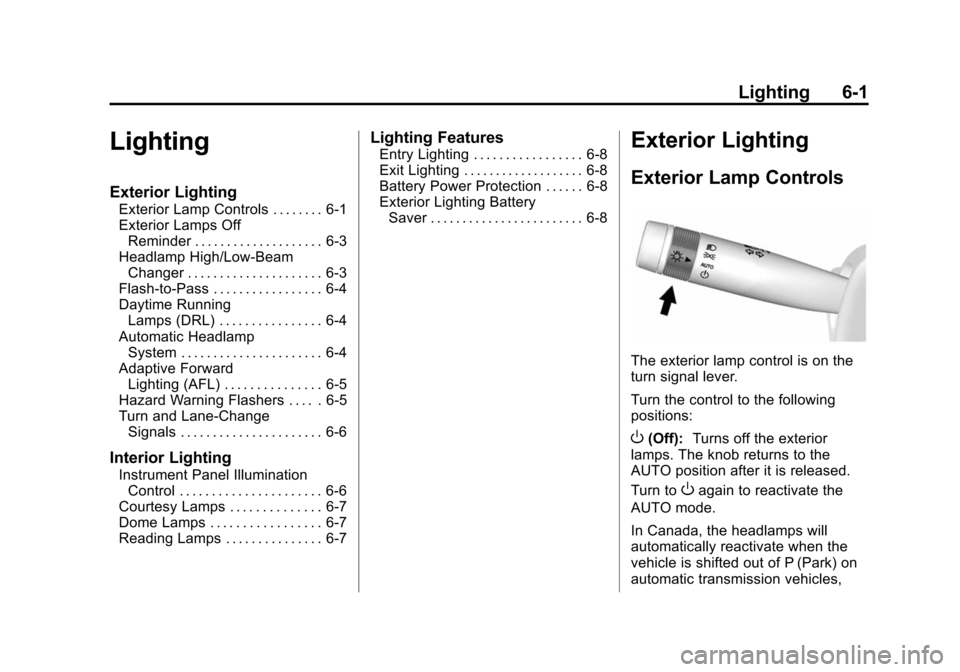
The exterior lamp control is on the
turn signal lever.
Turn the control to the following
positions:
O(Off): Turns off the exterior
lamps. The knob returns to the
AUTO position after it is released.
Turn to
Oagain to reactivate the
AUTO mode.
In Canada, the headlamps will
automatically reactivate when the
vehicle is shifted out of P (Park) on
automatic transmission vehicles,