light CADILLAC ATS COUPE 2017 1.G Workshop Manual
[x] Cancel search | Manufacturer: CADILLAC, Model Year: 2017, Model line: ATS COUPE, Model: CADILLAC ATS COUPE 2017 1.GPages: 335, PDF Size: 3.73 MB
Page 119 of 335

Cadillac ATS/ATS-V Owner Manual (GMNA-Localizing-MidEast-10287885) -
2017 - crc - 6/16/16
118 INSTRUMENTS AND CONTROLS
LKA may assist by gently turning the
steering wheel if the vehicle
approaches a detected lane marking
without using the turn signal in that
direction. The LKA light will turn
amber.
This light is amber and flashes as a
Lane Departure Warning (LDW) alert,
to indicate that the lane marking has
been crossed.
SeeLane Keep Assist (LKA) 0224.
Vehicle Ahead Indicator
If equipped, this indicator will display
green when a vehicle is detected
ahead and amber when you are
following a vehicle ahead much too
closely.
See Forward Collision Alert (FCA)
System 0218.
Traction Off Light
This light comes on briefly while
starting the engine. If it does not,
have the vehicle serviced by your
dealer. If the system is working
normally, the indicator light then
turns off.
The traction off light comes on when
the Traction Control System (TCS) has
been turned off by pressing and
releasing the TCS/StabiliTrak button.
This light and the StabiliTrak OFF
light come on when StabiliTrak is
turned off.
If the TCS is off, wheel spin is not
limited. Adjust driving accordingly.
See Traction Control/Electronic Stability
Control 0198.
StabiliTrak®OFF Light
This light comes on briefly while
starting the engine. If it does not,
have the vehicle serviced by your
dealer.
This light comes on when the
StabiliTrak system is turned off.
If StabiliTrak is off, the Traction
Control System (TCS) is also off.
If StabiliTrak and TCS are off, the
system does not assist in controlling
the vehicle. Turn on the TCS and the
StabiliTrak systems, and the warning
light turns off.
See Traction Control/Electronic Stability
Control 0198.
Page 120 of 335
Cadillac ATS/ATS-V Owner Manual (GMNA-Localizing-MidEast-10287885) -
2017 - crc - 6/16/16
INSTRUMENTS AND CONTROLS 119
Traction Control System
(TCS)/StabiliTrak®Light
This light comes on briefly when the
engine is started.
If the light does not come on, have
the vehicle serviced by your dealer.
If the system is working normally, the
indicator light turns off.
If the light is on and not flashing, the
TCS and potentially the StabiliTrak
system have been disabled. A Driver
Information Center (DIC) message
may display. Check the DIC messages
to determine which feature(s) is no
longer functioning and whether the
vehicle requires service. SeeRide
Control System Messages 0134.
If the light is on and flashing, the TCS
and/or the StabiliTrak system is
actively working. See
Traction Control/Electronic Stability
Control 0198.
Engine Coolant
Temperature Warning Light
This light comes on briefly while
starting the vehicle.
If it does not, have the vehicle
serviced by your dealer. If the system
is working normally the indicator light
goes off.
Caution
The engine coolant temperature
warning light indicates that the
vehicle has overheated. Driving with
this light on can damage the engine
and it may not be covered by the
vehicle warranty. See Engine
Overheating 0251. The engine coolant temperature
warning light comes on when the
engine has overheated.
If this happens, pull over and turn off
the engine as soon as possible. See
Engine Overheating
0251.
Tire Pressure Light
For vehicles with the Tire Pressure
Monitor System (TPMS), this light
comes on briefly when the engine is
started. It provides information about
tire pressures and the TPMS.
When the Light Is On Steady
This indicates that one or more of the
tires are significantly underinflated.
A Driver Information Center (DIC) tire
pressure message may also display.
See Tire Messages 0135. Stop as soon
as possible, and inflate the tires to the
Page 121 of 335
Cadillac ATS/ATS-V Owner Manual (GMNA-Localizing-MidEast-10287885) -
2017 - crc - 6/16/16
120 INSTRUMENTS AND CONTROLS
pressure value shown on the Tire and
Loading Information label. SeeTire
Pressure 0273.
When the Light Flashes First and
Then Is On Steady
If the light flashes for about a minute
and then stays on, there may be a
problem with the TPMS. If the
problem is not corrected, the light will
come on at every ignition cycle. See
Tire Pressure Monitor Operation 0275.
Engine Oil Pressure Light
Caution
Lack of proper engine oil
maintenance can damage the
engine. Driving with the engine oil
low can also damage the engine.
The repairs would not be covered
by the vehicle warranty. Check the
oil level as soon as possible. Add oil
if required, but if the oil level is
within the operating range and the
oil pressure is still low, have the
(Continued)
Caution (Continued)
vehicle serviced. Always follow the
maintenance schedule for changing
engine oil.
This light should come on briefly as
the engine is started. If it does not
come on, have the vehicle serviced by
your dealer.
If the light comes on and stays on, it
means that oil is not flowing through
the engine properly. The vehicle could
be low on oil and might have some
other system problem. See your dealer.
Low Fuel Warning Light
This light is near the fuel gauge and
comes on briefly when the ignition is
turned on as a check to show it is
working.
It also comes on when the fuel tank is
low on fuel. The light turns off when
fuel is added. If it does not, have the
vehicle serviced.
Security Light
The security light should come on
briefly as the engine is started. If it
does not come on, have the vehicle
Page 122 of 335
Cadillac ATS/ATS-V Owner Manual (GMNA-Localizing-MidEast-10287885) -
2017 - crc - 6/16/16
INSTRUMENTS AND CONTROLS 121
serviced by your dealer. If the system
is working normally, the indicator
light turns off.
If the light stays on and the engine
does not start, there could be a
problem with the theft-deterrent
system. SeeImmobilizer
Operation 041.
High-Beam On Light
This light comes on when the
high-beam headlamps are in use.
See Headlamp High/Low-Beam
Changer 0147.
IntelliBeam®Light
This light comes on when the
IntelliBeam system, if equipped, is
enabled.
See Exterior Lamp Controls 0145.
Adaptive Forward Lighting
(AFL) Light
This light should come on briefly as
the vehicle is started. If it does not
come on, have the vehicle serviced by
your dealer. This light comes on solid when there
is a problem with the AFL system.
It flashes when the system is
switching between lighting modes. See
Adaptive Forward Lighting (AFL)
0148.
Lamps On Reminder
This light comes on when the exterior
lamps are in use. See Exterior Lamp
Controls 0145.
Cruise Control Light
Page 123 of 335
Cadillac ATS/ATS-V Owner Manual (GMNA-Localizing-MidEast-10287885) -
2017 - crc - 6/16/16
122 INSTRUMENTS AND CONTROLS
The cruise control light is white when
the cruise control is on and ready, and
turns green when the cruise control is
set and active.
SeeCruise Control 0204.
Adaptive Cruise Control Light
This light comes on when the
Adaptive Cruise Control (if equipped)
is active. See Adaptive Cruise
Control 0207.
Information Displays
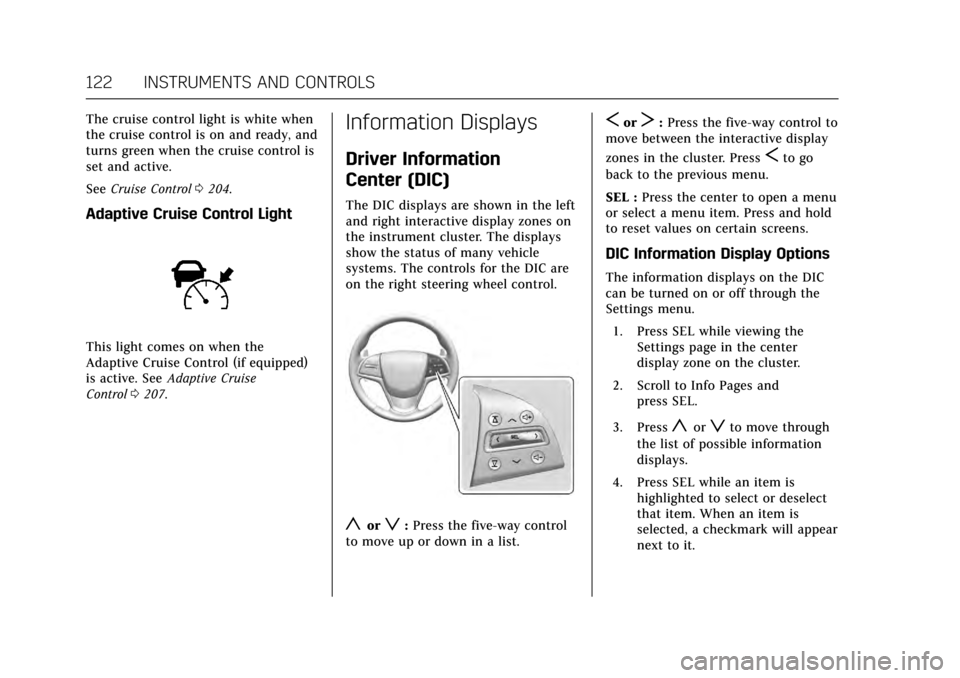
Driver Information
Center (DIC)
The DIC displays are shown in the left
and right interactive display zones on
the instrument cluster. The displays
show the status of many vehicle
systems. The controls for the DIC are
on the right steering wheel control.
yorz:Press the five-way control
to move up or down in a list.
SorT: Press the five-way control to
move between the interactive display
zones in the cluster. Press
Sto go
back to the previous menu.
SEL : Press the center to open a menu
or select a menu item. Press and hold
to reset values on certain screens.
DIC Information Display Options
The information displays on the DIC
can be turned on or off through the
Settings menu.
1. Press SEL while viewing the Settings page in the center
display zone on the cluster.
2. Scroll to Info Pages and press SEL.
3. Press
yorzto move through
the list of possible information
displays.
4. Press SEL while an item is highlighted to select or deselect
that item. When an item is
selected, a checkmark will appear
next to it.
Page 126 of 335
Cadillac ATS/ATS-V Owner Manual (GMNA-Localizing-MidEast-10287885) -
2017 - crc - 6/16/16
INSTRUMENTS AND CONTROLS 125
The HUD information can be
displayed in various languages. The
speedometer reading and other
numerical values can be displayed in
either English or metric units.
The language selection is changed
through the radio and the units of
measurement is changed through the
Driver Information Center (DIC). See
Vehicle Personalization0137 and
“Settings ”under Instrument
Cluster 0107.
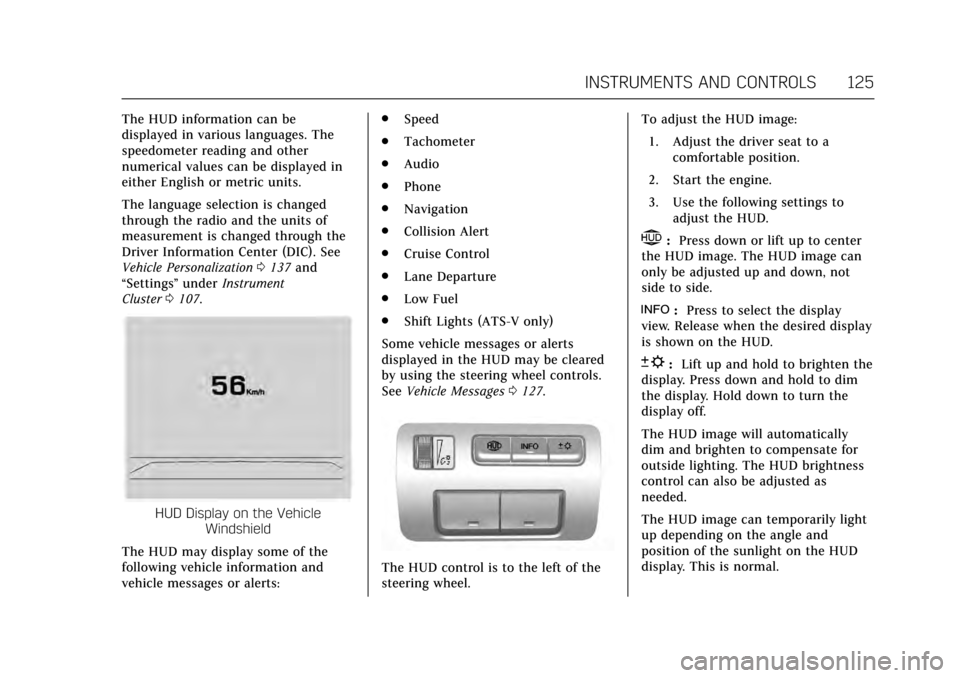
HUD Display on the Vehicle
Windshield
The HUD may display some of the
following vehicle information and
vehicle messages or alerts: .
Speed
. Tachometer
. Audio
. Phone
. Navigation
. Collision Alert
. Cruise Control
. Lane Departure
. Low Fuel
. Shift Lights (ATS-V only)
Some vehicle messages or alerts
displayed in the HUD may be cleared
by using the steering wheel controls.
See Vehicle Messages 0127.
The HUD control is to the left of the
steering wheel. To adjust the HUD image:
1. Adjust the driver seat to a comfortable position.
2. Start the engine.
3. Use the following settings to adjust the HUD.
$:Press down or lift up to center
the HUD image. The HUD image can
only be adjusted up and down, not
side to side.
!: Press to select the display
view. Release when the desired display
is shown on the HUD.
D: Lift up and hold to brighten the
display. Press down and hold to dim
the display. Hold down to turn the
display off.
The HUD image will automatically
dim and brighten to compensate for
outside lighting. The HUD brightness
control can also be adjusted as
needed.
The HUD image can temporarily light
up depending on the angle and
position of the sunlight on the HUD
display. This is normal.
Page 127 of 335
Cadillac ATS/ATS-V Owner Manual (GMNA-Localizing-MidEast-10287885) -
2017 - crc - 6/16/16
126 INSTRUMENTS AND CONTROLS
Polarized sunglasses could make the
HUD image harder to see.
Head-Up Display (HUD) Rotation
Option
This feature allows for adjusting the
angle of the HUD image.
Press SEL on the steering wheel
controls while Head-up Display
Rotation is highlighted to enter Adjust
Mode. Press
yorzto adjust the
angle of the HUD display. Press
Sor
Tto highlight OK, then press SEL to
save the setting. CANCEL can also be
selected to cancel the setting. The
vehicle must be in P (Park). See
Instrument Cluster 0107.
HUD Views
There are four views in the HUD.
Some vehicle information and vehicle
messages or alerts may be displayed
in any view.
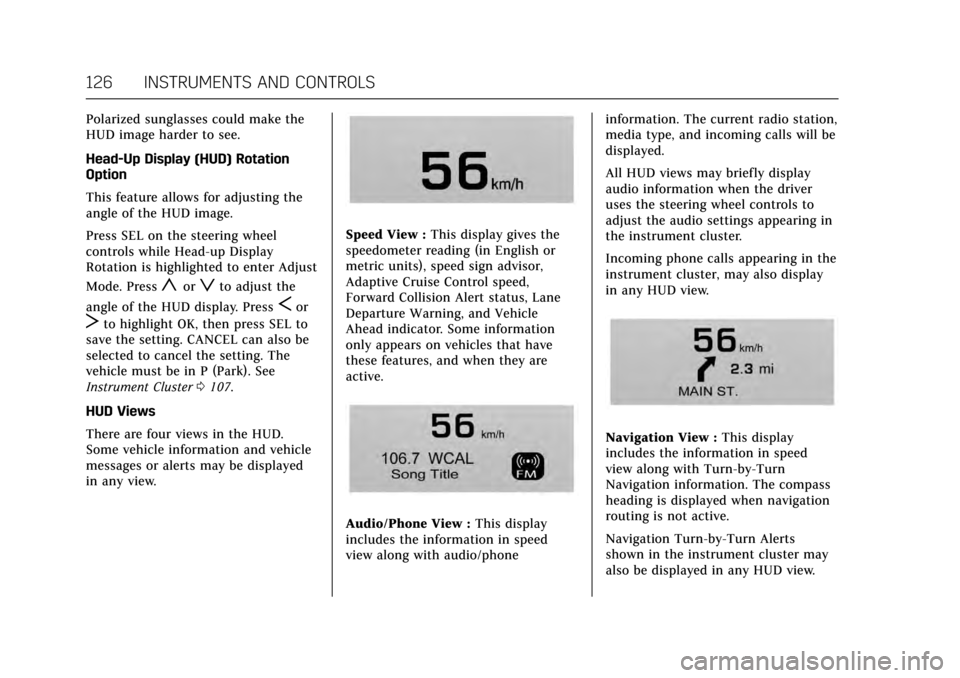
Speed View : This display gives the
speedometer reading (in English or
metric units), speed sign advisor,
Adaptive Cruise Control speed,
Forward Collision Alert status, Lane
Departure Warning, and Vehicle
Ahead indicator. Some information
only appears on vehicles that have
these features, and when they are
active.
Audio/Phone View : This display
includes the information in speed
view along with audio/phone information. The current radio station,
media type, and incoming calls will be
displayed.
All HUD views may briefly display
audio information when the driver
uses the steering wheel controls to
adjust the audio settings appearing in
the instrument cluster.
Incoming phone calls appearing in the
instrument cluster, may also display
in any HUD view.
Navigation View :
This display
includes the information in speed
view along with Turn-by-Turn
Navigation information. The compass
heading is displayed when navigation
routing is not active.
Navigation Turn-by-Turn Alerts
shown in the instrument cluster may
also be displayed in any HUD view.
Page 128 of 335
Cadillac ATS/ATS-V Owner Manual (GMNA-Localizing-MidEast-10287885) -
2017 - crc - 6/16/16
INSTRUMENTS AND CONTROLS 127
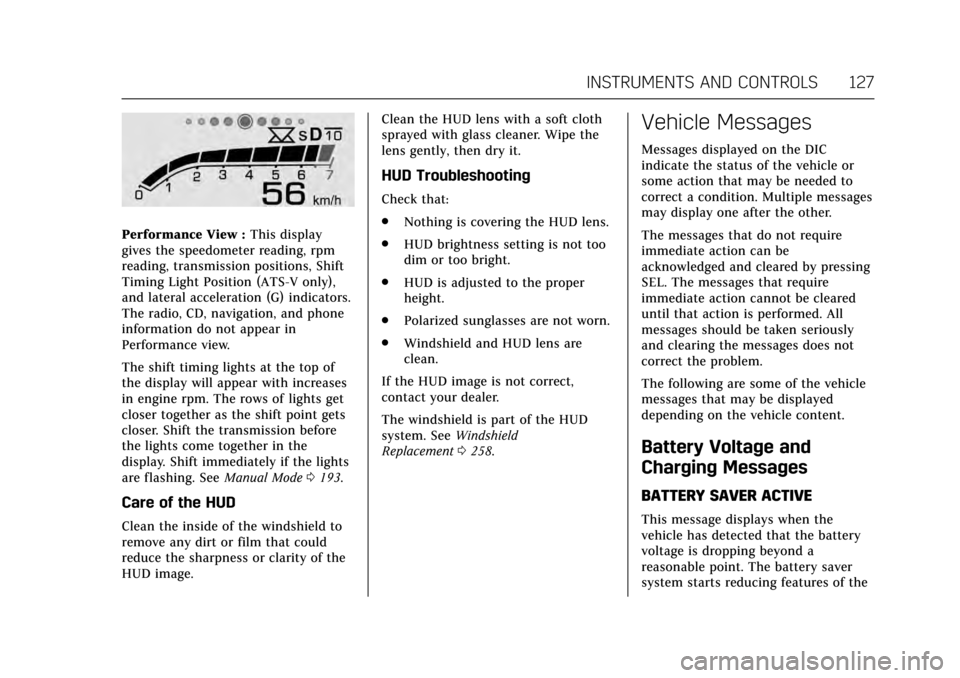
Performance View :This display
gives the speedometer reading, rpm
reading, transmission positions, Shift
Timing Light Position (ATS-V only),
and lateral acceleration (G) indicators.
The radio, CD, navigation, and phone
information do not appear in
Performance view.
The shift timing lights at the top of
the display will appear with increases
in engine rpm. The rows of lights get
closer together as the shift point gets
closer. Shift the transmission before
the lights come together in the
display. Shift immediately if the lights
are flashing. See Manual Mode0193.
Care of the HUD
Clean the inside of the windshield to
remove any dirt or film that could
reduce the sharpness or clarity of the
HUD image. Clean the HUD lens with a soft cloth
sprayed with glass cleaner. Wipe the
lens gently, then dry it.
HUD Troubleshooting
Check that:
.
Nothing is covering the HUD lens.
. HUD brightness setting is not too
dim or too bright.
. HUD is adjusted to the proper
height.
. Polarized sunglasses are not worn.
. Windshield and HUD lens are
clean.
If the HUD image is not correct,
contact your dealer.
The windshield is part of the HUD
system. See Windshield
Replacement 0258.
Vehicle Messages
Messages displayed on the DIC
indicate the status of the vehicle or
some action that may be needed to
correct a condition. Multiple messages
may display one after the other.
The messages that do not require
immediate action can be
acknowledged and cleared by pressing
SEL. The messages that require
immediate action cannot be cleared
until that action is performed. All
messages should be taken seriously
and clearing the messages does not
correct the problem.
The following are some of the vehicle
messages that may be displayed
depending on the vehicle content.
Battery Voltage and
Charging Messages
BATTERY SAVER ACTIVE
This message displays when the
vehicle has detected that the battery
voltage is dropping beyond a
reasonable point. The battery saver
system starts reducing features of the
Page 130 of 335
Cadillac ATS/ATS-V Owner Manual (GMNA-Localizing-MidEast-10287885) -
2017 - crc - 6/16/16
INSTRUMENTS AND CONTROLS 129
entire front and/or rear of the
vehicle. For cleaning instructions,
seeExterior Care 0298.
. Heavy rain or snow is interfering
with the radar object detection or
camera performance.
CRUISE SET TO XXX
This message displays when the cruise
control speed is set. See Cruise
Control 0204.
NO CRUISE BRAKING GAS PEDAL
APPLIED
This message displays when Adaptive
Cruise Control (ACC) is active and the
driver is pressing the gas pedal. When
this occurs, ACC will not brake. See
Adaptive Cruise Control 0207.
SERVICE ADAPTIVE CRUISE
CONTROL
This message displays when the
Adaptive Cruise Control (ACC) needs
service. Take the vehicle to your
dealer.
SHIFT TO PARK BEFORE EXITING
This message may display if Adaptive
Cruise Control (ACC) is engaged
holding the vehicle at a stop, and the
driver attempts to exit the vehicle. Put
the vehicle in P (Park) before exiting.
Door Ajar Messages
DOOR OPEN
A door open symbol will be displayed
on the DIC showing which door is
open. If the vehicle has been shifted
out of P (Park), a DOOR OPEN
message will also be displayed. The
DOOR OPEN message may also be
displayed if the vehicle starts to move.
Close the door completely.
HOOD OPEN
This message will display along with a
hood open symbol when the hood is
open. A chime may also sound. Close
the hood completely.
TRUNK OPEN
This message will display along with a
symbol when the trunk is open. Close
the trunk completely.
Engine Cooling System
Messages
A/C OFF ENGINE COOLANT HOT
This message displays when the
engine coolant becomes hotter than
the normal operating temperature. To
avoid added strain on a hot engine,
the air conditioning compressor
automatically turns off. When the
coolant temperature returns to
normal, the air conditioning
compressor turns back on. The vehicle
can continue to be driven.
If this message continues to appear,
have the system repaired by your
dealer as soon as possible to avoid
damage to the engine.
ENGINE OVERHEATED —IDLE
ENGINE
This message displays and a chime
sounds when the engine coolant
temperature is too hot. The engine
coolant temperature warning light will
also be on. Stop and allow the vehicle
to idle until it cools down.
Page 131 of 335
Cadillac ATS/ATS-V Owner Manual (GMNA-Localizing-MidEast-10287885) -
2017 - crc - 6/16/16
130 INSTRUMENTS AND CONTROLS
ENGINE OVERHEATED—TURN
VEHICLE OFF
This message displays and a
continuous chime sounds if the
engine cooling system reaches unsafe
temperatures for operation. The
engine coolant temperature warning
light will flash. Stop and turn off the
vehicle as soon as it is safe to do so to
avoid severe damage. This message
clears when the engine has cooled to a
safe operating temperature.
Engine Oil Messages
CHANGE ENGINE OIL SOON
This message displays when the
engine oil needs to be changed. When
you change the engine oil, be sure to
reset the oil life system. See Engine Oil
Life System 0243, Driver Information
Center (DIC) 0122, Engine Oil 0241,
and Maintenance Schedule 0307.
ENGINE OIL HOT, IDLE ENGINE
This message displays when the
engine oil temperature is too hot. Stop
and allow the vehicle to idle until it
cools down.
ENGINE OIL LOW —ADD OIL
On some vehicles, this message
displays when the engine oil level may
be too low. Check the oil level before
filling to the recommended level.
If the oil is not low and this message
remains on, take the vehicle to your
dealer for service. See Engine
Oil 0241.
OIL PRESSURE LOW —STOP
ENGINE
This message displays if low oil
pressure levels occur. Stop the vehicle
as soon as safely possible and do not
operate it until the cause of the low
oil pressure has been corrected. Check
the oil as soon as possible and have
the vehicle serviced by your dealer.
Engine Power Messages
ENGINE POWER IS REDUCED
This message displays when the
vehicle's engine power is reduced.
Reduced engine power can affect the
vehicle's ability to accelerate. If this
message is on, but there is no
reduction in performance, proceed to
your destination. The performance may be reduced the next time the
vehicle is driven. The vehicle may be
driven at a reduced speed while this
message is on, but maximum
acceleration and speed may be
reduced. Anytime this message stays
on, or displays repeatedly, the vehicle
should be taken to your dealer for
service as soon as possible.
Fuel System Messages
FUEL LEVEL LOW
This message displays when the
vehicle is low on fuel. Refuel as soon
as possible.
TIGHTEN GAS CAP
This message displays when the fuel
cap is not on tight. Tighten the
fuel cap.