steering wheel CADILLAC ATS SEDAN 2015 1.G Owner's Manual
[x] Cancel search | Manufacturer: CADILLAC, Model Year: 2015, Model line: ATS SEDAN, Model: CADILLAC ATS SEDAN 2015 1.GPages: 443, PDF Size: 5.79 MB
Page 131 of 443
Black plate (18,1)Cadillac ATS Owner Manual (GMNA-Localizing-U.S./Canada/Mexico-
7707477) - 2015 - crc - 9/15/14
5-18 Instruments and Controls
cause stalling after start-up,
stalling when the vehicle is
changed into gear, misfiring,
hesitation on acceleration,
or stumbling on acceleration.
These conditions might go away
once the engine is warmed up.
If this occurs, change the fuel brand
used. It may require at least one full
tank of the proper fuel to turn the
light off.
See Fuel on page 9-62.
If the light remains on, your dealer
can check the vehicle. The dealer
has the proper test equipment and
diagnostic tools to fix any
mechanical or electrical problems
that might have developed.
Emissions Inspection and
Maintenance Programs
Depending on where you live, your
vehicle may be required to
participate in an emission control
system inspection and maintenance
program. For the inspection, the emission system test equipment will
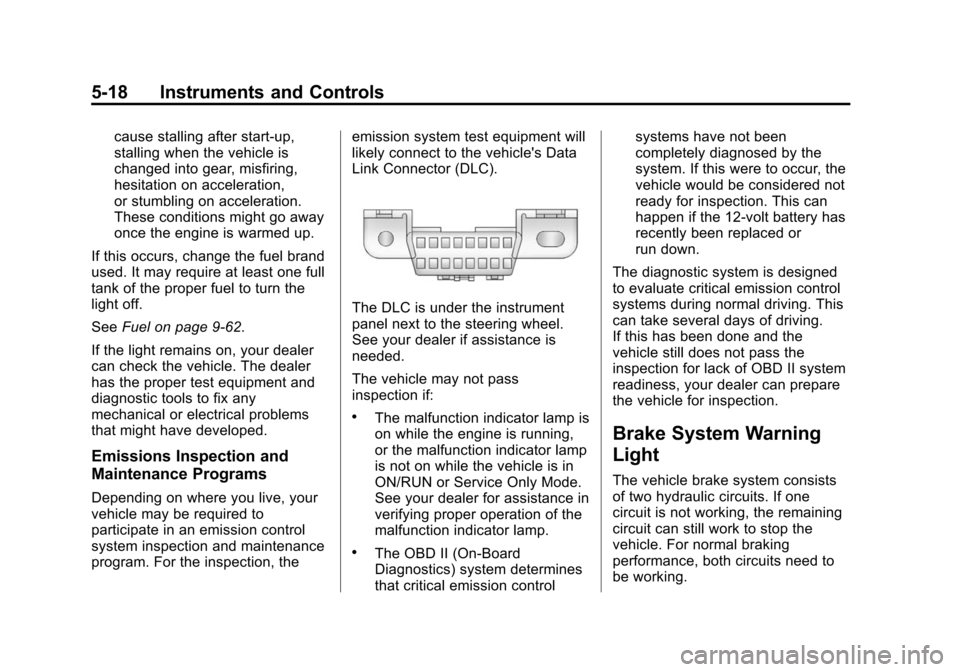
likely connect to the vehicle's Data
Link Connector (DLC).
The DLC is under the instrument
panel next to the steering wheel.
See your dealer if assistance is
needed.
The vehicle may not pass
inspection if:
.The malfunction indicator lamp is
on while the engine is running,
or the malfunction indicator lamp
is not on while the vehicle is in
ON/RUN or Service Only Mode.
See your dealer for assistance in
verifying proper operation of the
malfunction indicator lamp.
.The OBD II (On-Board
Diagnostics) system determines
that critical emission controlsystems have not been
completely diagnosed by the
system. If this were to occur, the
vehicle would be considered not
ready for inspection. This can
happen if the 12-volt battery has
recently been replaced or
run down.
The diagnostic system is designed
to evaluate critical emission control
systems during normal driving. This
can take several days of driving.
If this has been done and the
vehicle still does not pass the
inspection for lack of OBD II system
readiness, your dealer can prepare
the vehicle for inspection.
Brake System Warning
Light
The vehicle brake system consists
of two hydraulic circuits. If one
circuit is not working, the remaining
circuit can still work to stop the
vehicle. For normal braking
performance, both circuits need to
be working.
Page 133 of 443
Black plate (20,1)Cadillac ATS Owner Manual (GMNA-Localizing-U.S./Canada/Mexico-
7707477) - 2015 - crc - 9/15/14
5-20 Instruments and Controls
information for the Electric Parking
Brake underParking Brake
(Electric) on page 9-30 orParking
Brake (Manual) on page 9-32. If a
message displays in the Driver
Information Center (DIC), see Brake
System Messages on page 5-33.
Antilock Brake System
(ABS) Warning Light
This light comes on briefly when the
engine is started.
If the light does not come on, have it
fixed so it will be ready to warn if
there is a problem. If the light comes on while driving,
stop as soon as it is safely possible
and turn off the vehicle. Then start
the engine again to reset the
system. If the ABS light stays on,
or comes on again while driving, the
vehicle needs service. A chime may
also sound when the light comes on
steady.
If the ABS light is the only light on,
the vehicle has regular brakes, but
the antilock brakes are not
functioning.
If both the ABS and the brake
system warning light are on, the
vehicle's antilock brakes are not
functioning and there is a problem
with the regular brakes. See your
dealer for service.
See
Brake System Warning Light on
page 5-18 andBrake System
Messages on page 5-33.
Lane Keep Assist (LKA)
Light
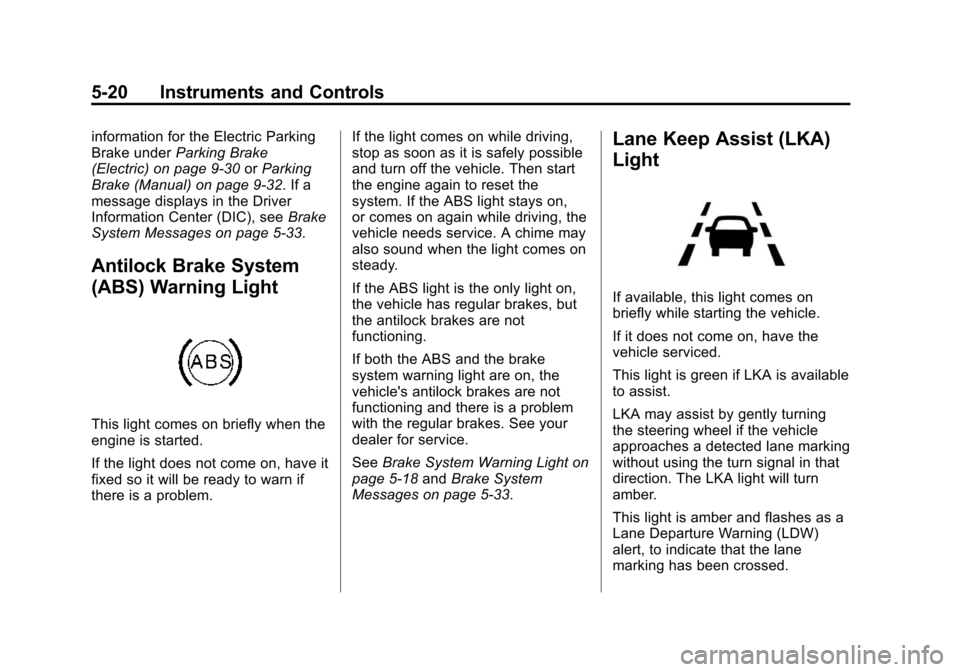
If available, this light comes on
briefly while starting the vehicle.
If it does not come on, have the
vehicle serviced.
This light is green if LKA is available
to assist.
LKA may assist by gently turning
the steering wheel if the vehicle
approaches a detected lane marking
without using the turn signal in that
direction. The LKA light will turn
amber.
This light is amber and flashes as a
Lane Departure Warning (LDW)
alert, to indicate that the lane
marking has been crossed.
Page 138 of 443
Black plate (25,1)Cadillac ATS Owner Manual (GMNA-Localizing-U.S./Canada/Mexico-
7707477) - 2015 - crc - 9/15/14
Instruments and Controls 5-25
Lamps On Reminder
This light comes on when the
exterior lamps are in use. See
Exterior Lamp Controls on page 6-1.
Cruise Control Light
The cruise control light is white
when the cruise control is on and
ready, and turns green when the
cruise control is set and active.
SeeCruise Control on page 9-38.
Adaptive Cruise Control Light
This light in the Driver Information
Center (DIC) comes on when the
Adaptive Cruise Control (if
equipped) is active. See Adaptive
Cruise Control on page 9-41.
Information Displays
Driver Information
Center (DIC)
The DIC displays are shown in the
left and right interactive display
zones on the instrument cluster. The
displays show the status of many
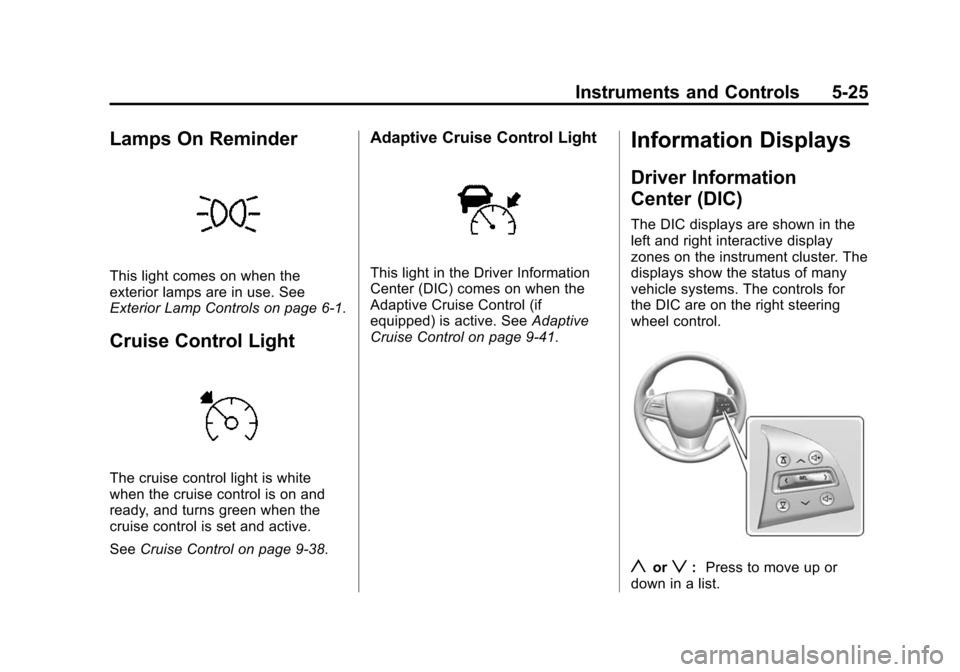
vehicle systems. The controls for
the DIC are on the right steering
wheel control.
yorz: Press to move up or
down in a list.
Page 142 of 443
Black plate (29,1)Cadillac ATS Owner Manual (GMNA-Localizing-U.S./Canada/Mexico-
7707477) - 2015 - crc - 9/15/14
Instruments and Controls 5-29
{Caution
If you try to use the HUD image
as a parking aid, you may
misjudge the distance and
damage your vehicle. Do not use
the HUD image as a parking aid.
The HUD information can be
displayed in various languages. The
speedometer reading and other
numerical values can be displayed
in either English or metric units.
The language selection is changed
through the radio and the units of
measurement is changed through
the instrument cluster. See Vehicle
Personalization on page 5-44 and
“Settings” underInstrument Cluster
on page 5-10.
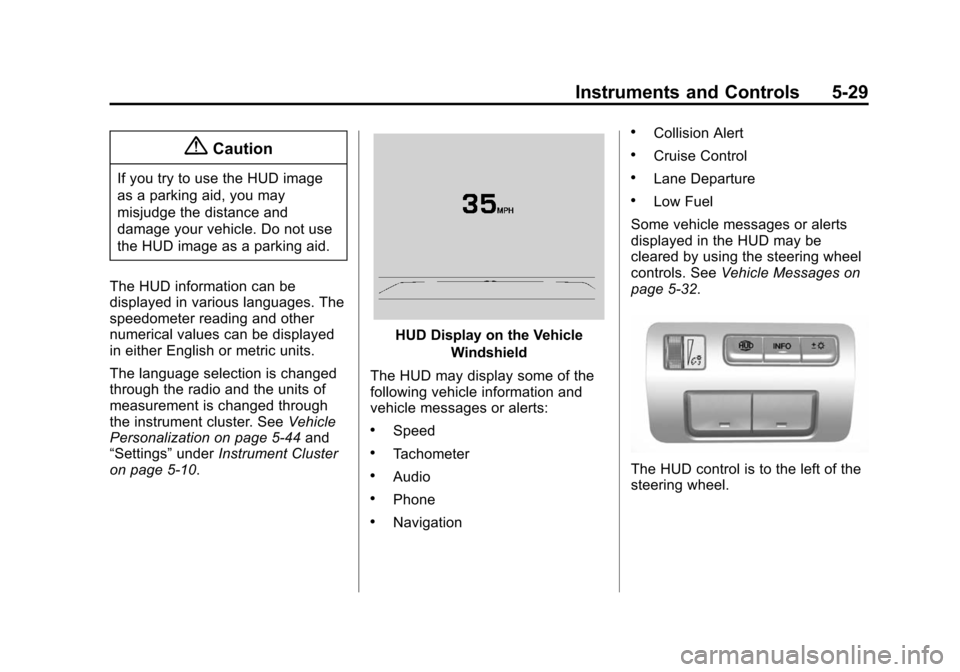
HUD Display on the Vehicle
Windshield
The HUD may display some of the
following vehicle information and
vehicle messages or alerts:
.Speed
.Tachometer
.Audio
.Phone
.Navigation
.Collision Alert
.Cruise Control
.Lane Departure
.Low Fuel
Some vehicle messages or alerts
displayed in the HUD may be
cleared by using the steering wheel
controls. See Vehicle Messages on
page 5-32.
The HUD control is to the left of the
steering wheel.
Page 144 of 443
Black plate (31,1)Cadillac ATS Owner Manual (GMNA-Localizing-U.S./Canada/Mexico-
7707477) - 2015 - crc - 9/15/14
Instruments and Controls 5-31
English
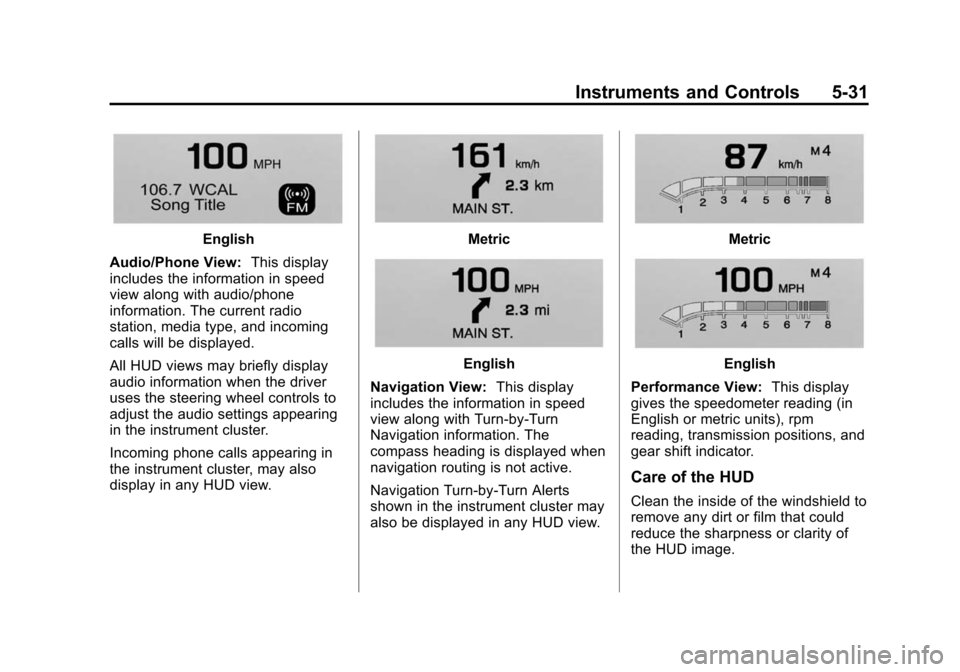
Audio/Phone View: This display
includes the information in speed
view along with audio/phone
information. The current radio
station, media type, and incoming
calls will be displayed.
All HUD views may briefly display
audio information when the driver
uses the steering wheel controls to
adjust the audio settings appearing
in the instrument cluster.
Incoming phone calls appearing in
the instrument cluster, may also
display in any HUD view.Metric
English
Navigation View: This display
includes the information in speed
view along with Turn-by-Turn
Navigation information. The
compass heading is displayed when
navigation routing is not active.
Navigation Turn-by-Turn Alerts
shown in the instrument cluster may
also be displayed in any HUD view.
Metric
English
Performance View: This display
gives the speedometer reading (in
English or metric units), rpm
reading, transmission positions, and
gear shift indicator.
Care of the HUD
Clean the inside of the windshield to
remove any dirt or film that could
reduce the sharpness or clarity of
the HUD image.
Page 153 of 443
Black plate (40,1)Cadillac ATS Owner Manual (GMNA-Localizing-U.S./Canada/Mexico-
7707477) - 2015 - crc - 9/15/14
5-40 Instruments and Controls
TAKE STEERING
If LKA does not detect active driver
steering, an alert and chime may be
provided. Move the steering wheel
to dismiss. SeeLane Keep Assist
(LKA) on page 9-60.
Ride Control System
Messages
ALL WHEEL DRIVE OFF
If the vehicle has the
All-Wheel-Drive (AWD) system, this
message displays when there is a
temporary condition making the
AWD system unavailable. The
vehicle will run in 2WD. This could
be caused by:
.Loss of wheel or vehicle speed
.AWD system overheat
.Certain vehicle electrical
conditions This message turns off when the
above conditions are no longer
present and the warning message is
reset.
See
All-Wheel Drive on page 9-29.
SERVICE ALL WHEEL DRIVE
This message displays if a problem
occurs with the All-Wheel-Drive
(AWD) system. The vehicle will run
in 2WD. This could be caused by:
.An electronics problem
.Worn out or overheated clutch
plates
.Various electrical issues
The system may need service. See
your dealer.
SERVICE STABILITRAK
This message displays if there is a
problem with the StabiliTrak system.
See Traction Control/Electronic
Stability Control on page 9-34.
SERVICE SUSPENSION
SYSTEM
This message displays when there
is a problem with the Magnetic Ride
Control™ system. See Driver Mode
Control on page 9-36. Have the
vehicle serviced by your dealer.
SERVICE TRACTION
CONTROL
This message displays when there
is a problem with the Traction
Control System (TCS). See Traction
Control/Electronic Stability Control
on page 9-34.
TRACTION CONTROL OFF
This message may display when the
Traction Control System (TCS) has
been turned off. See Traction
Control/Electronic Stability Control
on page 9-34.
Page 155 of 443
Black plate (42,1)Cadillac ATS Owner Manual (GMNA-Localizing-U.S./Canada/Mexico-
7707477) - 2015 - crc - 9/15/14
5-42 Instruments and Controls
SERVICE KEYLESS START
SYSTEM
This message is displayed if there is
a problem with the pushbutton start
system. Take the vehicle to your
dealer for service.
TURN STEERING WHEEL
START VEHICLE AGAIN
This message may display when
you try to start the vehicle, but the
column remains locked. Try turning
the steering wheel while starting the
vehicle to unlock the steering
column. If the vehicle still does not
start, turn the steering wheel the
other way, and try starting the
vehicle again.
Tire Messages
SERVICE TIRE MONITOR
SYSTEM
This message displays if there is a
problem with the Tire Pressure
Monitor System (TPMS). SeeTire
Pressure Monitor Operation on
page 10-50.
TIRE LEARNING ACTIVE
This message displays when the
system is learning new tires. See
Tire Pressure Monitor Operation on
page 10-50.
TIRE LOW ADD AIR TO TIRE
This message displays when the
pressure in one or more of the tires
is low.
This message also displays LEFT
FRONT, RIGHT FRONT, LEFT
REAR, or RIGHT REAR to indicate
the location of the low tire.
The low tire pressure warning light
will also come on. See Tire
Pressure Light on page 5-23. If a tire pressure message appears
on the DIC, stop as soon as you
can. Inflate the tires by adding air
until the tire pressure is equal to the
values shown on the Tire and
Loading Information label. See
Tires
on page 10-40, Vehicle Load Limits
on page 9-11, and Tire Pressure on
page 10-47.
You can receive more than one tire
pressure message at a time. The
DIC also shows the tire pressure
values. See Driver Information
Center (DIC) on page 5-25.
Transmission Messages
SERVICE TRANSMISSION
This message displays if there is a
problem with the transmission. See
your dealer.
SHIFT DENIED
This message displays when using
the Driver Shift Control (DSC) and
attempting to shift to a gear not
Page 158 of 443
Black plate (45,1)Cadillac ATS Owner Manual (GMNA-Localizing-U.S./Canada/Mexico-
7707477) - 2015 - crc - 9/15/14
Instruments and Controls 5-45
Valet Mode (If Equipped)
This will lock the infotainment
system and steering wheel controls.
It may also limit top speed, power,
and access to vehicle storage
locations (if equipped).
To enable valet mode:
1. Enter a four-digit code on thekeypad.
2. Press Enter to go to the confirmation screen.
3. Re-enter the four-digit code.
Press LOCK or UNLOCK to lock or
unlock the system. Press Back to go
back to the previous menu.
Teen Driver (If Equipped)
Press and the following may
display:
.View Report Card
.Manage Settings
.Change PIN
.Key Registration
.Clear All Teen Keys/PIN View Report Card
This allows the driver
’s driving
habits to be viewed. See Teen
Driver on page 7-31.
Manage Settings
Press and the following may
display:
.Audio Volume Limit
.Teen Driver Speed Limiter
.Teen Driver Speed Warning
Audio Volume Limit
This allows a maximum radio
volume to be set.
Select Off or On.
Teen Driver Speed Limiter
If equipped, this allows the
maximum speed limit of the vehicle
to be set.
Select Off or On.
Teen Driver Speed Warning
This allows a warning to be set
when a certain speed is exceeded. Select Off or On.
Change PIN
This allows the Personal
Identification Number (PIN) to be
changed. See
Teen Driver on
page 7-31.
Key Registration
This allows the key to be registered.
See “Register or Unregister a Key”
in Teen Driver on page 7-31.
Clear All Teen Keys/PIN
This allows all Teen Driver keys and
PIN to be cleared.
Select Continue or Cancel.
Radio
Press to display the Radio Menu
and the following may display:
.Manage Favorites
.Number of Favorites Pages
.Audible Touch Feedback
.Auto Volume
.Bose Audio Pilot
Page 175 of 443
Black plate (6,1)Cadillac ATS Owner Manual (GMNA-Localizing-U.S./Canada/Mexico-
7707477) - 2015 - crc - 9/15/14
6-6 Lighting
Turn and Lane-Change
Signals
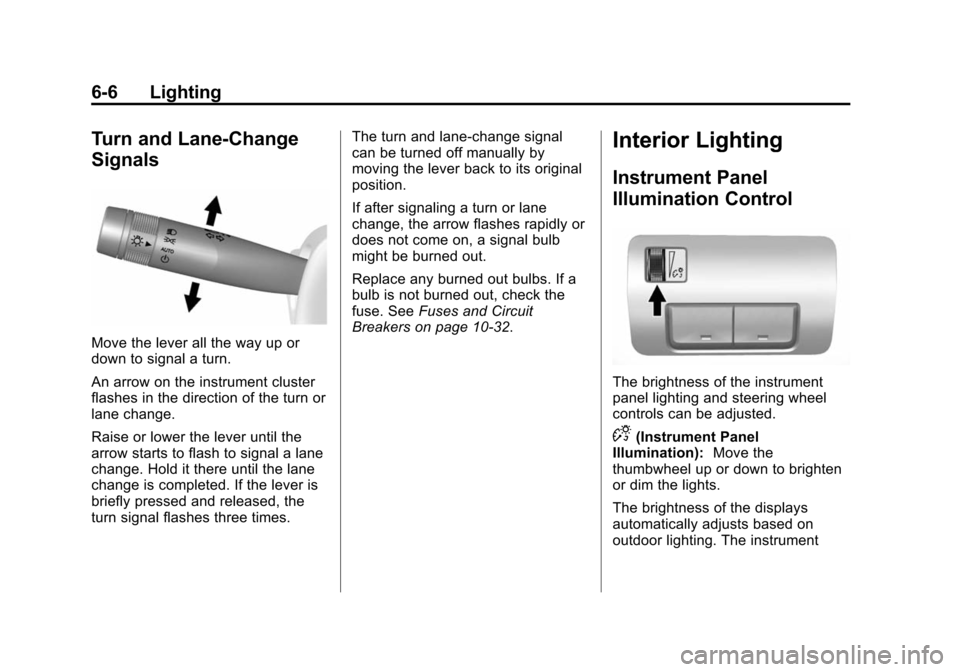
Move the lever all the way up or
down to signal a turn.
An arrow on the instrument cluster
flashes in the direction of the turn or
lane change.
Raise or lower the lever until the
arrow starts to flash to signal a lane
change. Hold it there until the lane
change is completed. If the lever is
briefly pressed and released, the
turn signal flashes three times.The turn and lane-change signal
can be turned off manually by
moving the lever back to its original
position.
If after signaling a turn or lane
change, the arrow flashes rapidly or
does not come on, a signal bulb
might be burned out.
Replace any burned out bulbs. If a
bulb is not burned out, check the
fuse. See
Fuses and Circuit
Breakers on page 10-32.
Interior Lighting
Instrument Panel
Illumination Control
The brightness of the instrument
panel lighting and steering wheel
controls can be adjusted.
D(Instrument Panel
Illumination): Move the
thumbwheel up or down to brighten
or dim the lights.
The brightness of the displays
automatically adjusts based on
outdoor lighting. The instrument
Page 179 of 443
Black plate (2,1)Cadillac ATS Owner Manual (GMNA-Localizing-U.S./Canada/Mexico-
7707477) - 2015 - crc - 9/15/14
7-2 Infotainment System
The infotainment system has built-in
features intended to help avoid
distraction by disabling some
functions when driving. These
functions may gray out when they
are unavailable. Many infotainment
features are also available through
the instrument cluster and steering
wheel controls.
Before driving:
.Become familiar with the
operation, faceplate buttons, and
screen buttons.
.Set up the audio by presetting
favorite stations, setting the
tone, and adjusting the
speakers.
.Set up phone numbers in
advance so they can be called
easily by pressing a single
button or by using a single voice
command if equipped with
Bluetooth phone capability.
See Defensive Driving on page 9-3. To play the infotainment system with
the ignition off, see
Retained
Accessory Power (RAP) on
page 9-21.
Theft-Deterrent Feature
TheftLock®is designed to
discourage theft of the vehicle's
radio by learning a portion of the
Vehicle Identification Number (VIN).
The radio does not operate if it is
stolen or moved to a different
vehicle.