brake CADILLAC CT4 2022 User Guide
[x] Cancel search | Manufacturer: CADILLAC, Model Year: 2022, Model line: CT4, Model: CADILLAC CT4 2022Pages: 464, PDF Size: 7.82 MB
Page 83 of 464
Cadillac CT4 Owner Manual (GMNA-Localizing-U.S./Canada-15283641) -
2022 - CRC - 10/12/21
82 INSTRUMENTS AND CONTROLS
Instruments and
Controls
Controls
Steering Wheel Adjustment . . . . . . . 83
Steering Wheel Controls . . . . . . . . . . 83
Heated Steering Wheel . . . . . . . . . . . . 83
Horn . . . . . . . . . . . . . . . . . . . . . . . . . . . . . . . . 83
Windshield Wiper/Washer . . . . . . . . 83
Compass . . . . . . . . . . . . . . . . . . . . . . . . . . . . 85
Clock . . . . . . . . . . . . . . . . . . . . . . . . . . . . . . . 85
Power Outlets . . . . . . . . . . . . . . . . . . . . . . 86
Wireless Charging . . . . . . . . . . . . . . . . . 86
Warning Lights, Gauges, and
Indicators
Warning Lights, Gauges, andIndicators . . . . . . . . . . . . . . . . . . . . . . . . . 89
Instrument Cluster (Base Level) . . . . . . . . . . . . . . . . . . . . . . . . . . . . . 89
Instrument Cluster (Uplevel) . . . . . 91
Speedometer . . . . . . . . . . . . . . . . . . . . . . . 95
Odometer . . . . . . . . . . . . . . . . . . . . . . . . . . . 95
Trip Odometer . . . . . . . . . . . . . . . . . . . . . 95
Tachometer . . . . . . . . . . . . . . . . . . . . . . . . 95
Fuel Gauge . . . . . . . . . . . . . . . . . . . . . . . . . 96
Engine Coolant Temperature
Gauge (Base Level) . . . . . . . . . . . . . . . 96 Engine Coolant Temperature
Gauge (Uplevel) . . . . . . . . . . . . . . . . . . 97
Seat Belt Reminders . . . . . . . . . . . . . . . 97
Airbag Readiness Light . . . . . . . . . . . . 98
Passenger Airbag Status Indicator . . . . . . . . . . . . . . . . . . . . . . . . . . 98
Charging System Light . . . . . . . . . . . . 99
Malfunction Indicator Lamp (Check Engine Light) . . . . . . . . . . . . 99
Brake System Warning Light . . . . 101
Electric Parking Brake Light . . . . . 102
Service Electric Parking Brake Light . . . . . . . . . . . . . . . . . . . . . . . . . . . . . 102
Antilock Brake System (ABS) Warning Light . . . . . . . . . . . . . . . . . . 102
Performance Shifting Light . . . . . . 103
Automatic Vehicle Hold (AVH) Light . . . . . . . . . . . . . . . . . . . . . . . . . . . . . 103
Lane Keep Assist (LKA) Light . . . 103
Automatic Emergency Braking (AEB) Disabled Light . . . . . . . . . . . 104
Vehicle Ahead Indicator . . . . . . . . . 104
Pedestrian Ahead Indicator . . . . . . 104
Traction Off Light . . . . . . . . . . . . . . . . 104
StabiliTrak OFF Light . . . . . . . . . . . . 105
Traction Control System (TCS)/ StabiliTrak Light . . . . . . . . . . . . . . . . 105
Engine Coolant Temperature Warning Light . . . . . . . . . . . . . . . . . . 105
Driver Mode Control Light . . . . . . . 106 Tire Pressure Light . . . . . . . . . . . . . . . 107
Engine Oil Pressure Light . . . . . . . . 107
Low Fuel Warning Light . . . . . . . . . 108
Security Light . . . . . . . . . . . . . . . . . . . . . 108
High-Beam On Light . . . . . . . . . . . . . 108
Lamps On Reminder . . . . . . . . . . . . . 108
Cruise Control Light . . . . . . . . . . . . . . 109
Door Ajar Light . . . . . . . . . . . . . . . . . . . 109
Information Displays
Driver Information Center (DIC)
(Base Level) . . . . . . . . . . . . . . . . . . . . . 109
Driver Information Center (DIC) (Uplevel) . . . . . . . . . . . . . . . . . . . . . . . . . 112
Head-Up Display (HUD) . . . . . . . . . 115
Vehicle Messages
Vehicle Messages . . . . . . . . . . . . . . . . . 119
Engine Power Messages . . . . . . . . . . 119
Vehicle Speed Messages . . . . . . . . . 120
Vehicle Personalization
Vehicle Personalization . . . . . . . . . . 120
Universal Remote System
Universal Remote System . . . . . . . . 125
Universal Remote System Programming . . . . . . . . . . . . . . . . . . . 125
Universal Remote System Operation . . . . . . . . . . . . . . . . . . . . . . . . 127
Page 102 of 464
Cadillac CT4 Owner Manual (GMNA-Localizing-U.S./Canada-15283641) -
2022 - CRC - 10/12/21
INSTRUMENTS AND CONTROLS 101
brand. It may require at least one
full tank of the proper fuel to turn
the light off. SeeRecommended Fuel
(LSY 2.0L L4 Turbo Engine) 0311 or
Recommended Fuel (L3B 2.7L L4
Turbo and LF4 3.6L V6 Twin Turbo
Engines) 0311.
If the light remains on, see your
dealer.
Emissions Inspection and
Maintenance Programs
If the vehicle requires an Emissions
Inspection/Maintenance test, the test
equipment will likely connect to the
vehicle's Data Link Connector (DLC).
The DLC is under the instrument
panel to the left of the steering wheel.
Connecting devices that are not used
to perform an Emissions Inspection/
Maintenance test or to service the vehicle may affect vehicle operation.
See
Add-On Electrical Equipment 0321.
See your dealer if assistance is needed.
The vehicle may not pass
inspection if:
.The light is on when the engine is
running.
.The light does not come on when
the ignition is in Service Mode.
.Critical emission control systems
have not been completely
diagnosed. If this happens, the
vehicle would not be ready for
inspection and might require
several days of routine driving
before the system is ready for
inspection. This can happen if the
12-volt battery has recently been
replaced or run down, or if the
vehicle has been recently serviced.
See your dealer if the vehicle will not
pass or cannot be made ready for
the test.
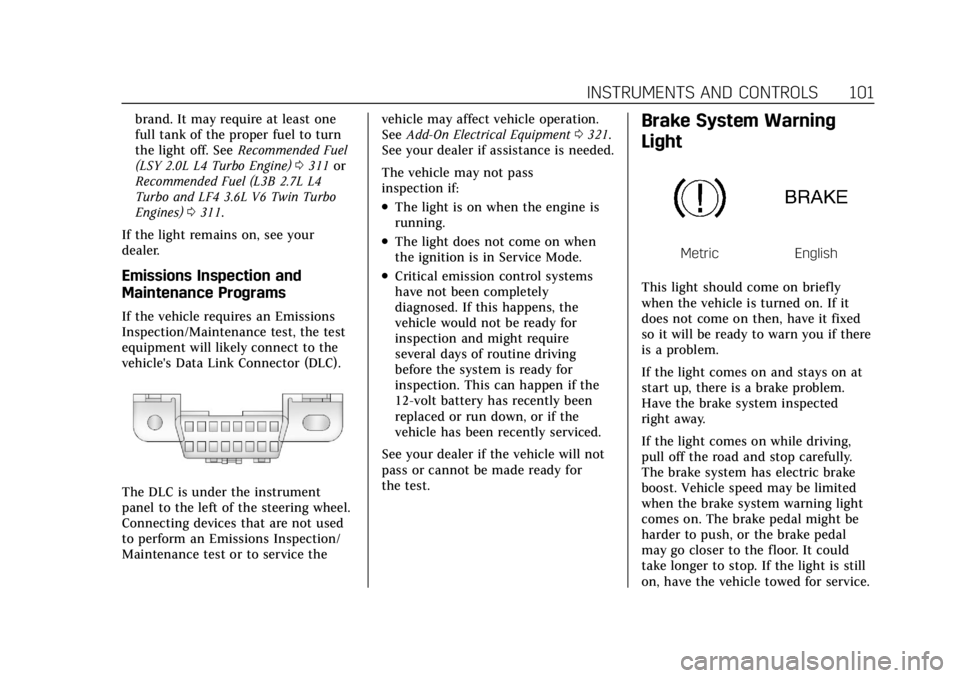
Brake System Warning
Light
MetricEnglish
This light should come on briefly
when the vehicle is turned on. If it
does not come on then, have it fixed
so it will be ready to warn you if there
is a problem.
If the light comes on and stays on at
start up, there is a brake problem.
Have the brake system inspected
right away.
If the light comes on while driving,
pull off the road and stop carefully.
The brake system has electric brake
boost. Vehicle speed may be limited
when the brake system warning light
comes on. The brake pedal might be
harder to push, or the brake pedal
may go closer to the floor. It could
take longer to stop. If the light is still
on, have the vehicle towed for service.
Page 103 of 464

Cadillac CT4 Owner Manual (GMNA-Localizing-U.S./Canada-15283641) -
2022 - CRC - 10/12/21
102 INSTRUMENTS AND CONTROLS
SeeTowing the Vehicle (Electronic
Shifter) 0393 or
Towing the Vehicle (Mechanical Shifter)
0 395.
{Warning
The brake system might not be
working properly if the brake
system warning light is on. Driving
with the brake system warning light
on can lead to a crash. If the light is
still on after the vehicle has been
pulled off the road and carefully
stopped, have the vehicle towed for
service.
Electric Parking Brake
Light
MetricEnglish
This light comes on when the parking
brake is applied. If the light continues
flashing after the parking brake is released, or while driving, there is a
problem with the Electric Parking
Brake system. A message may also
display in the Driver Information
Center (DIC).
If the light does not come on,
or remains flashing, see your dealer.
Service Electric Parking
Brake Light
This light may come on briefly when
the vehicle is turned on. If it does not
come on, have it fixed so it will be
ready to warn if there is a problem.
If this light stays on or comes on
while driving, there is a problem with
the Electric Parking Brake (EPB). Take
the vehicle to a dealer as soon as
possible. In addition to the parking
brake, other safety functions that
utilize the EPB may also be degraded.
A message may also display in the
Driver Information Center (DIC). See
Electric Parking Brake
0254.
Antilock Brake System
(ABS) Warning Light
This warning light should come on
briefly when the vehicle is turned on.
If the light does not come on, have it
fixed so it will be ready to warn if
there is a problem.
If the light comes on while driving,
safely stop as soon as it is possible
and turn off the vehicle. Then turn on
the vehicle again to reset the system.
If the ABS warning light stays on,
or comes on again while driving, the
vehicle needs service. A chime may
also sound when the light stays on.
If the ABS warning light is the only
light on, the vehicle has regular
brakes, but ABS is not functioning.
Page 104 of 464
Cadillac CT4 Owner Manual (GMNA-Localizing-U.S./Canada-15283641) -
2022 - CRC - 10/12/21
INSTRUMENTS AND CONTROLS 103
If both the ABS warning light and the
brake system warning light are on,
ABS is not functioning and there is a
problem with the regular brakes. See
your dealer for service.
SeeBrake System Warning Light 0101.
Performance Shifting Light
If equipped, this light may display
green when Sport Mode is activated
and certain driving conditions are
met. Sport Mode detects when the
vehicle is being driven in a
competitive manner, and adjusts the
shifting of the gears accordingly. See
Driver Mode Control 0258.
Automatic Vehicle Hold
(AVH) Light
This light comes on when AVH is
turned on. See Automatic Vehicle Hold
(AVH) 0256.
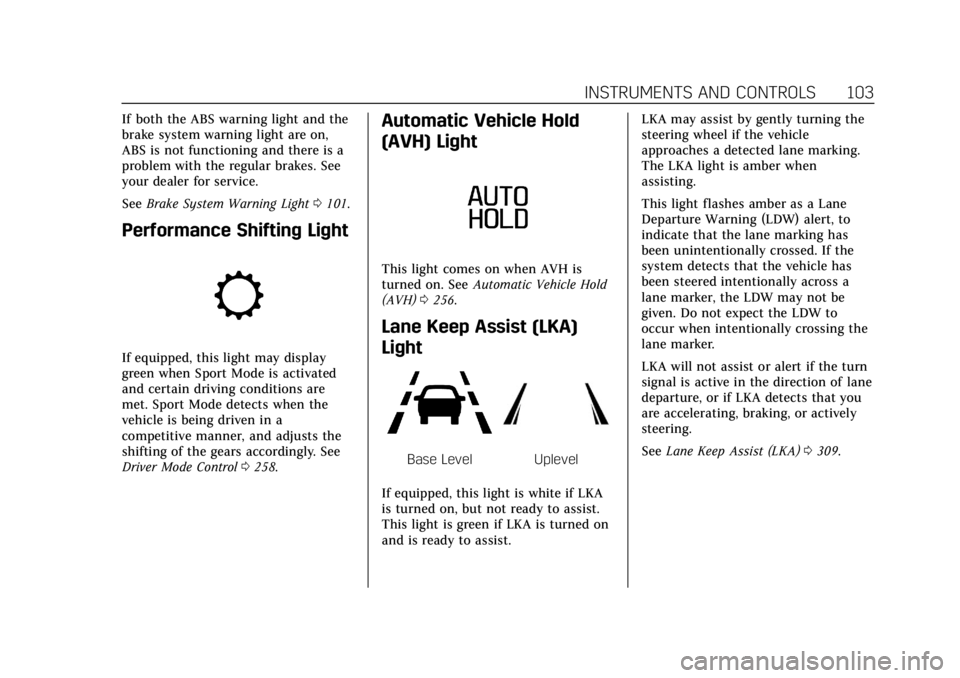
Lane Keep Assist (LKA)
Light
Base LevelUplevel
If equipped, this light is white if LKA
is turned on, but not ready to assist.
This light is green if LKA is turned on
and is ready to assist. LKA may assist by gently turning the
steering wheel if the vehicle
approaches a detected lane marking.
The LKA light is amber when
assisting.
This light flashes amber as a Lane
Departure Warning (LDW) alert, to
indicate that the lane marking has
been unintentionally crossed. If the
system detects that the vehicle has
been steered intentionally across a
lane marker, the LDW may not be
given. Do not expect the LDW to
occur when intentionally crossing the
lane marker.
LKA will not assist or alert if the turn
signal is active in the direction of lane
departure, or if LKA detects that you
are accelerating, braking, or actively
steering.
See
Lane Keep Assist (LKA) 0309.
Page 112 of 464
Cadillac CT4 Owner Manual (GMNA-Localizing-U.S./Canada-15283641) -
2022 - CRC - 10/12/21
INSTRUMENTS AND CONTROLS 111
economy over recent driving history
and the amount of fuel remaining in
the fuel tank.
Oil Life :Shows an estimate of the
oil's remaining useful life.
If REMAINING OIL LIFE 99% is
displayed, that means 99% of the
current oil life remains.
When the remaining oil life is low, the
CHANGE ENGINE OIL SOON message
will appear on the display. The oil
should be changed as soon as
possible. See Engine Oil0331. In
addition to the engine oil life system
monitoring the oil life, additional
maintenance is recommended. See
Maintenance Schedule 0408.
The Oil Life display must be reset
after each oil change. It will not reset
itself. Do not reset the Oil Life display
accidentally at any time other than
when the oil has just been changed.
It cannot be reset accurately until the
next oil change. See Engine Oil Life
System 0333.
Air Filter Life : If equipped, Shows an
estimate of the engine air filter’s
remaining useful life and the state of
the system. Engine Air Filter Life 95% means 95% of the current air filter life
remains. Messages will display based
on the engine air filter life and the
state of the system. When the
REPLACE AT NEXT OIL CHANGE
message displays, the engine air filter
should be replaced at the time of the
next oil change. When the REPLACE
SOON message displays, the engine air
filter should be replaced at the earliest
convenience.
The Air Filter Life display must be
reset after the engine air filter
replacement. To reset, see
Engine Air
Filter Life System 0335.
Brake Pad Life : If equipped, This
displays an estimate of the remaining
life of the front and rear brake pads.
Messages will display based on brake
pad wear and the state of the system.
Reset the Brake Pad Life display after
replacing the brake pads. See Brake
Pad Life System (If Equipped) 0346.
Tire Pressure : Shows the
approximate pressures of all four tires.
Tire pressure is displayed in either
kilopascal (kPa) or in pounds per
square inch (psi). If the pressure is
low, the value for that tire is shown in amber. See
Tire Pressure Monitor
System 0372 and
Tire Pressure Monitor Operation 0373.
Fuel Economy : Displays average fuel
economy, the best fuel economy over
the selected distance, and a bar graph
showing instantaneous fuel economy.
Average Speed : Displays the average
vehicle speed of the vehicle in
kilometers per hour (km/h) or miles
per hour (mph). This average is based
on the various vehicle speeds recorded
since the last reset. Reset the average
speed by pressing the thumbwheel
while this display is active to show a
confirmation window to select yes
or no.
Timer : This display can be used as a
timer. To start the timer, press the
thumbwheel while this display is
active. The display will show the
amount of time that has passed since
the timer was last reset. To stop the
timer, press the thumbwheel briefly
while this display is active and the
timer is running.
Press the thumbwheel while this
display is active to reset the timer.
Page 116 of 464
Cadillac CT4 Owner Manual (GMNA-Localizing-U.S./Canada-15283641) -
2022 - CRC - 10/12/21
INSTRUMENTS AND CONTROLS 115
state of the system. When the
REPLACE AT NEXT OIL CHANGE
message displays, the engine air filter
should be replaced at the time of the
next oil change. When the REPLACE
NOW message displays, the engine air
filter should be replaced as soon as
possible.
Engine Hours :Displays the total
number of hours the engine has run.
The display also shows the engine idle
hours.
Lifetime Revs : The display shows
total engine revolutions divided by
10,000.
Brake Pad Life : If equipped, this
displays an estimate of the remaining
life of the front and rear brake pads.
Messages are displayed based on
brake pad wear and the state of the
system. Reset the Brake Pad Life
display after replacing the brake pads.
See Brake Pad Life System (If Equipped)
0 346.Head-Up Display (HUD)
{Warning
If the HUD image is too bright or
too high in your field of view, it
may take you more time to see
things you need to see when it is
dark outside. Be sure to keep the
HUD image dim and placed low in
your field of view.
If equipped with HUD, some
information concerning the operation
of the vehicle is projected onto the
windshield. The information is
projected through the HUD lens on
the driver side of the instrument
panel and focused out toward the
front of the vehicle.
Caution
If you try to use the HUD image as
a parking aid, you may misjudge
the distance and damage your
vehicle. Do not use the HUD image
as a parking aid. The HUD information can be
displayed in various languages. The
speedometer reading and other
numerical values can be displayed in
either English or metric units.
The language selection is changed
through the radio and the units of
measurement is changed through the
instrument cluster. See
Settings0182
and “Options” underInstrument Cluster
(Base Level) 089 or
Instrument Cluster (Uplevel) 091.
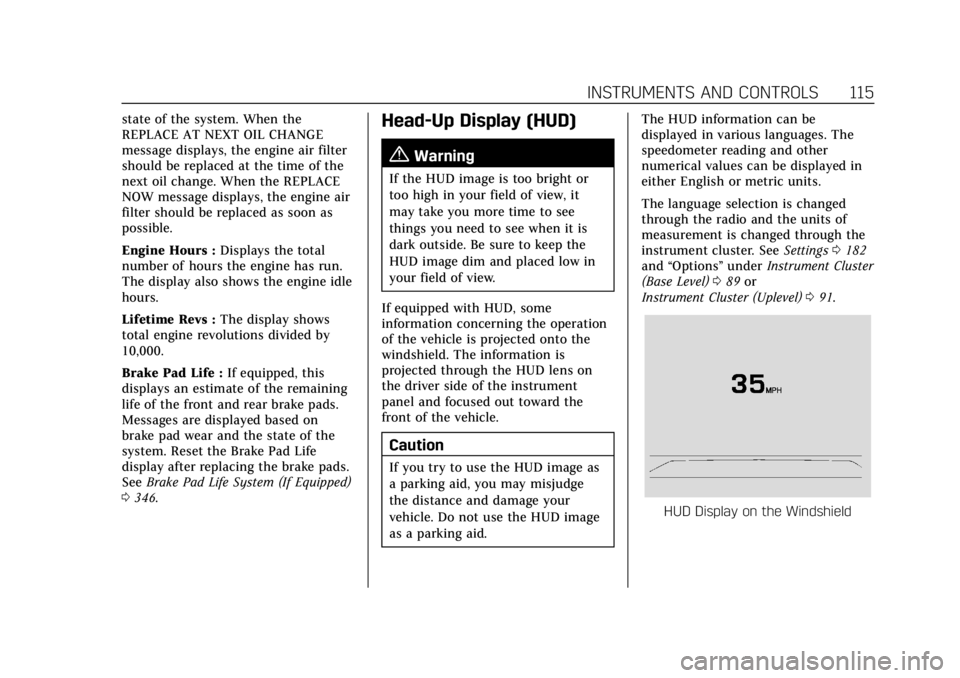
HUD Display on the Windshield
Page 120 of 464
Cadillac CT4 Owner Manual (GMNA-Localizing-U.S./Canada-15283641) -
2022 - CRC - 10/12/21
INSTRUMENTS AND CONTROLS 119
The windshield is part of the HUD
system. If windshield replacement is
required, seeWindshield Replacement
0 351.
Vehicle Messages
Messages displayed on the Driver
Information Center (DIC) indicate the
status of the vehicle or some action
that may be needed to correct a
condition. Multiple messages may
appear one after another.
The messages that do not require
immediate action can be
acknowledged and cleared by pressing
the thumbwheel. The messages that
require immediate action cannot be
cleared until that action is performed.
All messages should be taken
seriously; clearing the message does
not correct the problem.
If a SERVICE message appears, see
your dealer. Follow the instructions given in the
messages. The system displays
messages regarding the following
topics:
.Service Messages
.Fluid Levels
.Vehicle Security
.Brakes
.Steering
.Ride Control Systems
.Driver Assistance Systems
.Cruise Control
.Lighting and Bulb Replacement
.Wiper/Washer Systems
.Doors and Windows
.Seat Belts
.Airbag Systems
.Engine and Transmission
.Tire Pressure
.Battery
Engine Power Messages
REDUCED ACCELERATION DRIVE
WITH CARE
This message displays when the
vehicle's propulsion power is reduced.
A reduction in propulsion power can
affect the vehicle's ability to
accelerate. If this message is on, but
there is no observed reduction in
performance, proceed to your
destination. Under certain conditions
the performance may be reduced the
next time the vehicle is driven. The
vehicle may be driven while this
message is on, but maximum
acceleration and speed may be
reduced. Anytime this message stays
on, or displays repeatedly, the vehicle
should be taken to your dealer for
service as soon as possible.
Under certain operating conditions,
propulsion will be disabled. Try
restarting after the ignition has been
off for two minutes.
Page 121 of 464

Cadillac CT4 Owner Manual (GMNA-Localizing-U.S./Canada-15283641) -
2022 - CRC - 10/12/21
120 INSTRUMENTS AND CONTROLS
Vehicle Speed Messages
SPEED LIMITED TO
XXX KM/H (MPH)
This message shows that the vehicle
speed has been limited to the speed
displayed. The limited speed is a
protection for various propulsion and
vehicle systems, such as lubrication,
thermal, brakes, suspension, Teen
Driver if equipped, or tires.
Vehicle Personalization
The following are all possible vehicle
personalization features. Depending
on the vehicle, some may not be
available.
For System, Apps, and Personal
features and functions, seeSettings
0 182.
To access the vehicle
personalization menu: 1. Touch the Settings icon on the Home Page of the infotainment
display.
2. Touch Vehicle to display a list of available options. 3. Touch to select the desired feature
setting.
4. Touch
9orRto turn a feature off
or on.
5. Touch
zto go to the top level of
the Settings menu.
The menu may contain the following:
Rear Seat Reminder
This allows for a chime and a message
when the rear door has been opened
before or during operation of the
vehicle.
Touch Off or On.
Buckle to Drive
This feature can prevent shifting out
of Park when the driver, and if
applicable the front passenger, seat
belt is not buckled. See Buckle To Drive
0 41.
Touch Off or On.
The vehicle may need to be restarted
to activate this feature.
Driver Mode Customization
Touch and the following may display:
.My Mode
.V-Mode
.Visualization
My Mode
Touch and the following may display:
.Engine Sound
.Steering
.Suspension
.Brake Feel
For information on the range of
settings, see “Driver Mode
Customization ”in Driver Mode Control
0 258.
V-Mode
Touch and the following may display:
.Engine Sound
.Steering
.Suspension
.Brake Feel
.Powertrain
Page 123 of 464
Cadillac CT4 Owner Manual (GMNA-Localizing-U.S./Canada-15283641) -
2022 - CRC - 10/12/21
122 INSTRUMENTS AND CONTROLS
.Lane Change Alert
.Rear Cross Traffic Alert
.Super Cruise Lane Change
Alert Type
This setting specifies the type of
vehicle feedback provided, either a
beep or seat vibration, when you are
in danger of colliding with an object.
Touch Beeps or Safety Alert Seat.
Forward Collision System
This setting can alert of a potential
crash with a detected vehicle ahead
and can apply brakes to help reduce a
collision’s severity.
Touch Off, Alert, or Alert and Brake.
Front Pedestrian Detection
This feature may help avoid or reduce
the harm caused by front-end crashes
with nearby pedestrians.
See Front Pedestrian Braking (FPB)
System 0305.
Touch Off, Alert, or Alert and Brake. Adaptive Cruise Go Notifier
This setting determines if an alert will
appear when Adaptive Cruise Control
brings the vehicle to a complete stop
and the vehicle ahead of you starts
moving again. See
Adaptive Cruise
Control (Advanced) 0269.
Touch Off or On.
Lane Change Alert
This setting specifies if an alert will
display on the outside mirror to help
you avoid crashing into a vehicle in
your blind spot, or rapidly
approaching your blind spot, during a
lane change maneuver. See Lane
Change Alert (LCA) 0307.
Touch Off or On.
Rear Cross Traffic Alert
This setting specifies if an alert will
display when the vehicle detects
approaching rear cross traffic when in
R (Reverse). See Rear Cross Traffic
Alert (RCTA) System 0300.
Touch Off or On. Super Cruise Lane Change
When on, the vehicle can change
lanes while Super Cruise is active. The
vehicle will only steer to change lanes
when traffic allows .
Touch Off or On.
Comfort and Convenience
Touch and the following may display:
.Chime Volume
.Reverse Tilt Mirror
.Remote Mirror Folding
.Rain Sense Wipers
Chime Volume
This setting determines the chime
volume level.
Touch the controls on the
infotainment display to adjust the
volume.
Reverse Tilt Mirror
When on, the driver, passenger,
or both driver and passenger outside
mirrors will tilt downward when the
vehicle is shifted into R (Reverse) to
improve visibility of the ground near
the rear wheels. They may move from
Page 173 of 464

Cadillac CT4 Owner Manual (GMNA-Localizing-U.S./Canada-15283641) -
2022 - CRC - 10/12/21
172 INFOTAINMENT SYSTEM
Sport:
Displays these vehicle metrics:
.Vehicle Speed: Up to three digits are
displayed in km/h or MPH
depending on vehicle settings.
.Engine Revolutions Per Minute
(rpm): The vertical line and triangle
show current rpm’s. As the rpm’s
increase, the backfill follows.
.Transmission State (Current Gear):
Transmissions display 1, 2, etc.
.Lateral G-Force Graphic: Left and
Right G-Forces are displayed. The
graphic fills to the left or the right
depending on the measure value.
The measured G-Force displays as a
number at the top of the graphic.
.Event Odometer: This displays the
distance driven since the recording
began.
Track:
Displays these vehicle metrics:
.Vehicle Speed: Same as Sport.
.GPS Tracking Map: Shows the
vehicle’s current position relative to
a known route.
.Engine Revolutions Per Minute
(rpm): The vertical line and triangle
show current rpm’s. As the rpm’s
increase, the backfill follows.
.Transmission State (Current Gear):
Same as Sport.
.Friction Bubble Graphic: Lateral and
longitudinal G-Forces are displayed
as a dot within a bubble. A red dot
displays when the vehicle starts braking and turns green when the
vehicle accelerates. The dot is white
when the vehicle is not moving.
A white dot is the default.
.Brake and Throttle Graphic:
Displays the percentage value of
brake and throttle pedal position
from 0–100%.
.Steering Angle: The graphic fills
from the center to the left or right
depending on the direction of
steering. The numerical steering
angle displays below the graphic.
.Active Handling Active Indicator:
The graphic only displays if the
active handling systems are
activated.
.Performance Traction Management
(PTM) Mode: Displays the current
PTM mode. The options are Wet,
Dry, Sport 1, Sport 2, or Race.
.Current Lap Time: Displays the
elapsed lap time if the finish line is
defined and the vehicle has crossed
the defined finish line at least once.
.Event Odometer: This displays the
distance driven since the recording
began.