instrument panel CADILLAC CT6 2020 Owner's Guide
[x] Cancel search | Manufacturer: CADILLAC, Model Year: 2020, Model line: CT6, Model: CADILLAC CT6 2020Pages: 412, PDF Size: 7.13 MB
Page 166 of 412

Cadillac CT6 Owner Manual (GMNA-Localizing-U.S./Canada-13566829) -
2020 - CRC - 6/11/19
CLIMATE CONTROLS 165
Sync :Touch Sync on the climate
control display to link all climate zone
settings to the driver settings. When
all climate zone settings are linked,
the Sync indicator will be lit. Adjust
the driver side temperature control to
change the linked temperature. When
the front or rear passenger settings
are adjusted, the Sync indicator will
turn off.
Manual Operation
Q 9 R:Press or touch the fan
buttons on the center stack or climate
control display to increase or decrease
the fan speed. Press and hold the
buttons to adjust speed more quickly.
The fan speed setting displays.
Pressing either button cancels
automatic fan control and the fan can
be controlled manually. Press AUTO to
return to automatic operation.
Driver and Passenger Air Delivery
Mode Controls : When the climate
information is displayed, touch the
desired air delivery mode on the
climate control display to change the
direction of the airflow. The selected
air delivery mode button is lit.
Touching any of the air delivery buttons cancels automatic air delivery
control and the direction of the
airf low can be controlled manually.
Press AUTO to return to automatic
operation.
To change the current mode, select
one of the following:
Y:
Air is directed to the instrument
panel outlets.
\: Air is divided between the
instrument panel outlets and the floor
outlets.
[: Air is directed primarily to the
floor outlets. Some air Is directed to
the windshield and outboard vent
outlets.
c: Clears the windows of fog or
moisture. Air is directed to the
windshield, windshield defroster, side
window defrosters, outboard vent
outlets, and floor outlets.
0: Clears the windshield of fog or
frost more quickly. Air is directed to
the windshield. Press
0to turn on or
off. Changing the air delivery mode
also turns the defrost off. A/C :
Touch A/C on the climate
control display to turn the air
conditioning on or off. If the fan is
turned off or the outside temperature
falls below freezing, the air
conditioner will not run.
Press AUTO to return to automatic
operation and the air conditioner runs
as needed.
Automatic Air Recirculation : When
the AUTO indicator light is on, the air
is automatically recirculated as
needed to help quickly cool the inside
of the vehicle.
The climate control system may have
a sensor to detect air pollution. When
using automatic air recirculation, the
air quality control system may
operate. To adjust the sensitivity of
the air quality sensor, see “Climate
and Air Quality” underVehicle
Personalization 0140.
@:Press to alternate between
recirculating air inside the vehicle or
pulling in outside air. The indicator
light on the button is lit when
recirculation mode is active. This
Page 168 of 412

Cadillac CT6 Owner Manual (GMNA-Localizing-U.S./Canada-13566829) -
2020 - CRC - 6/11/19
CLIMATE CONTROLS 167
Remote Start Climate Control
Operation :If equipped with the
remote start feature, the climate
control system may run when the
vehicle is started remotely. The system
uses the driver’s previous settings to
heat or cool the inside of the vehicle.
The rear window defogger may come
on during remote start based on cold
ambient conditions. The rear window
defogger indicator light does not come
on during a remote start.
If equipped, the heated seats will turn
on if it is cold outside or the
ventilated seats will turn on if it is hot
outside. The heated and ventilated
seat indicator lights may not come on
during a remote start. If equipped, the
heated steering wheel will come on in
a remote start if it is cold outside. The
heated steering wheel indicator light
may not come on.
See Remote Vehicle Start 017 and
Heated and Ventilated Front Seats 051.Sensor
The solar sensor, on top of the
instrument panel near the windshield,
monitors the solar heat. The climate control system uses the
sensor information to adjust the
temperature, fan speed, recirculation,
and air delivery mode for best
comfort.
If the sensor is covered, the automatic
climate control system may not work
properly.
Page 170 of 412

Cadillac CT6 Owner Manual (GMNA-Localizing-U.S./Canada-13566829) -
2020 - CRC - 6/11/19
CLIMATE CONTROLS 169
Rear :Touch Rear on the Home Page
of the infotainment display to open
the rear climate control display. The
rear climate control settings can now
be adjusted from the front
passenger area.
O: PressOor touch On/Off on the
rear climate control display to turn
the rear climate control on or off.
Sync : Touch Sync on the rear climate
control display to match the rear
climate control temperature to the
front climate control driver
temperature. The Sync button will
be lit.
Rear Control Lockout : Touch to lock
or unlock control of the rear climate
control system from the rear seat
passengers. When locked, the rear
climate control can only be adjusted
from the front seat.
Automatic Operation
AUTO : Press to turn on or off. The
air delivery is controlled
automatically. The Auto indicator appears on the display. If the air
delivery mode is manually adjusted,
this cancels full automatic operation.
Manual Operation
9:
Press or press and hold the rear
fan button up or down to increase or
decrease the rear climate airf low. The
rear climate airf low can also be
adjusted by touching the fan controls
on the front climate control display.
Temperature Controls : Press or
press and hold the rear temperature
control buttons up or down to adjust
the rear passenger temperatures. The
rear passenger temperatures can also
be adjusted by touching
Qfor warmer
air or
Rfor cooler air on the front
climate control display.
Air Delivery Mode Control : Press or
press and hold the button up or down
to select the desired air delivery mode.
Touch the desired air delivery mode
on the rear climate control display to
change the direction of the airf low in
the rear seating area.
Air Vents
Adjustable air vents are in the center
and on the sides of the instrument
panel, on the rear of the center
console storage, and in the headliner
over the rear seats, if equipped.
Move the slider knobs to change the
direction of or to close off the airf low.
Operation Tips
. Clear away any ice, snow, or leaves
from air inlets at the base of the
windshield that could block the
flow of air into the vehicle.
Page 179 of 412

Cadillac CT6 Owner Manual (GMNA-Localizing-U.S./Canada-13566829) -
2020 - CRC - 6/14/19
178 DRIVING AND OPERATING
Winter Driving
Driving on Snow or Ice
Snow or ice between the tires and the
road creates less traction or grip, so
drive carefully. Wet ice can occur at
about 0 °C (32 °F) when freezing rain
begins to fall. Avoid driving on wet ice
or in freezing rain until roads can be
treated.
For slippery road driving:
.Accelerate gently. Accelerating too
quickly causes the wheels to spin
and makes the surface under the
tires slick.
. Turn on Traction Control. See
Traction Control/Electronic Stability
Control 0203.
. Antilock Brake System (ABS)
improves vehicle stability during
hard stops, but the brakes should
be applied sooner than when on
dry pavement. See Antilock Brake
System (ABS) 0199.
See Driver Mode Control 0204. .
Allow greater following distance
and watch for slippery spots. Icy
patches can occur on otherwise
clear roads in shaded areas. The
surface of a curve or an overpass
can remain icy when the
surrounding roads are clear. Avoid
sudden steering maneuvers and
braking while on ice.
. Turn off cruise control.
Blizzard Conditions
Stop the vehicle in a safe place and
signal for help. Stay with the vehicle
unless there is help nearby. If possible,
use Roadside Service. See Roadside
Service 0380. To get help and keep
everyone in the vehicle safe:
. Turn on the hazard warning
flashers.
. Tie a red cloth to an outside
mirror.
{Warning
Snow can trap engine exhaust
under the vehicle. This may cause
exhaust gases to get inside. Engine
exhaust contains carbon monoxide
(CO), which cannot be seen or
smelled. It can cause
unconsciousness and even death.
If the vehicle is stuck in snow:
. Clear snow from the base of
the vehicle, especially any
blocking the exhaust pipe.
. Open a window about 5 cm
(2 in) on the vehicle side that
is away from the wind, to
bring in fresh air.
. Fully open the air outlets on
or under the instrument
panel.
. Adjust the climate control
system to circulate the air
inside the vehicle and set the
(Continued)
Page 215 of 412

Cadillac CT6 Owner Manual (GMNA-Localizing-U.S./Canada-13566829) -
2020 - CRC - 6/14/19
214 DRIVING AND OPERATING
4. Remove your foot from theaccelerator pedal.
After ACC is set, it may immediately
apply the brakes if a vehicle ahead is
detected closer than the selected
following gap.
ACC can also be set while the vehicle
is stopped if ACC is on and the brake
pedal is applied.
The ACC indicator displays on the
instrument cluster and Head-Up
Display (HUD), if equipped. When ACC
is turned on, the indicator will be lit
white. When ACC is engaged, the
indicator will turn green.
Be mindful of speed limits,
surrounding traffic speeds, and
weather conditions when selecting the
set speed. Resuming a Set Speed
If ACC is set at a desired speed and
then the brakes are applied, ACC is
disengaged without erasing the set
speed from memory.
To begin using ACC again, press RES+
up briefly.
.
If the vehicle is moving, it returns
to the previous set speed.
. If the vehicle is stopped with the
brake pedal applied, press RES+
and release the brake pedal. ACC
will hold the vehicle until RES+ or
the accelerator pedal is pressed.
A green ACC indicator and the set
speed display on the instrument
cluster. The vehicle ahead indicator
may be flashing if a vehicle ahead was
present and moved. See “Approaching
and Following a Vehicle ”later in this
section.
Once ACC has resumed, if there is no
vehicle ahead, if the vehicle ahead is
beyond the selected following gap,
or if the vehicle has exited a sharp
curve, then the vehicle speed will
increase to the set speed. Increasing Speed While ACC Is at a
Set Speed
Do one of the following:
.
Use the accelerator pedal to get to
the higher speed. Press SET− and
release the accelerator pedal. The
vehicle will now cruise at the
higher speed.
When the accelerator pedal is
pressed, ACC will not brake
because it is overridden. The ACC
indicator will turn blue on the
instrument panel and heads up
display, if equipped
. Press and hold RES+ until the
desired set speed is displayed,
then release it.
. To increase speed in smaller
increments, press RES+ to the first
detent. For each press, the vehicle
goes 1 km/h (1 mph) faster.
. To increase speed in larger
increments, press RES+ to the
second detent. For each press, the
vehicle speed increases to the next
5 km/h (5 mph) mark on the
speedometer.
Page 252 of 412

Cadillac CT6 Owner Manual (GMNA-Localizing-U.S./Canada-13566829) -
2020 - CRC - 6/14/19
DRIVING AND OPERATING 251
.The headlamps are on, except
when parked.
Adjust the instrument panel
brightness to make the image no
brighter than necessary. Turn the
image off by selecting another view
on the instrument cluster.
Warm objects, such as pedestrians,
animals, and other moving vehicles,
should appear whiter on the Night
Vision display. Cold objects, such as
the sky, signs, and parked vehicles,
should appear darker. Night Vision
only shows objects that are warmer or
colder than the surroundings. It does
not detect brake lamps, turn signals,
emergency flashers, traffic lights,
or sign information.
Use this system as an aid by
occasionally glancing at the image. Do
not stare at the image or use the
image under well-lit conditions.{Warning
Do not stare at the image while
driving as this might cause
important objects ahead not to be
seen. You could crash, and you or
others could be injured.
When a pedestrian or large animal is
detected, an amber box displays
around the pedestrian or animal
on the Night Vision display and
an amber pedestrian icon,
~,
or animal icon,
!, displays on the
instrument cluster. This pedestrian
icon is also shown on the Head-Up
Display (HUD). When the system
detects the vehicle is approaching a
pedestrian much too quickly, the
amber pedestrian icon and box turns
red, and a red flashing icon,
~,
displays on the HUD with rapid
beeping or pulsing of the Safety Alert
Seat, if equipped.
System pedestrian icons, beeps, and
(if equipped) Safety Alert Seat pulses
can be set to Off through vehicle personalization by turning off the
Front Pedestrian Braking system. See
“Front Pedestrian Detection
”in
“Collision/Detection Systems” under
Vehicle Personalization 0140.
{Warning
The Night Vision system does not
automatically brake the vehicle.
It does not provide alerts unless it
detects a pedestrian or large
animal. The system may not detect
pedestrians, including children,
or animals:
. If they are less than 25 m
(82 ft) away.
. If they are not directly ahead
in the sensor coverage area,
fully visible, standing upright,
or part of a group.
. If the pedestrian or animal is
moving too quickly through
the field of view, such as a
bicyclist.
(Continued)
Page 264 of 412

Cadillac CT6 Owner Manual (GMNA-Localizing-U.S./Canada-13566829) -
2020 - CRC - 6/14/19
DRIVING AND OPERATING 263
important for your safety and that of
your passengers. Read this section
carefully before pulling a trailer.
When towing a trailer:
.Become familiar with and follow
all state and local laws that apply
to trailer towing. These
requirements vary from state to
state.
. State laws may require the use of
extended side view mirrors. Even if
not required, you should install
extended side view mirrors if your
visibility is limited or restricted
while towing.
. Do not tow a trailer during the
first 800 km (500 mi) of vehicle
use to prevent damage to the
engine, axle, or other parts.
. It is recommended to perform the
first oil change before heavy
towing.
. During the first 800 km (500 mi) of
trailer towing, do not drive over
80 km/h (50 mph) and do not
make starts at full throttle. .
Vehicles can tow in D (Drive).
If the transmission downshifts too
often, a lower gear may be
selected using M (Manual Mode).
See Manual Mode 0197.
If equipped, the following driver
assistance features should be turned
off when towing a trailer:
. Adaptive Cruise Control (ACC)
. Super Cruise Control
. Lane Keep Assist (LKA)
. Park Assist
. Automatic Parking Assist (APA)
. Reverse Automatic Braking (RAB)
If equipped, the following driver
assistance features should be turned
to alert or off when towing a trailer:
. Automatic Emergency
Braking (AEB)
. Intelligent Brake Assist (IBA)
. Front Pedestrian Braking (FPB)
If equipped with Lane Change Alert
(LCA), the LCA detection zones that
extend back from the side of the
vehicle do not move further back when a trailer is towed. Use caution
while changing lanes when towing a
trailer.
If equipped with Rear Cross Traffic
Alert (RCTA), use caution while
backing up when towing a trailer, as
the RCTA detection zones that extend
out from the back of the vehicle do
not move further back when a trailer
is towed.
{Warning
To prevent serious injury or death
from carbon monoxide (CO), when
towing a trailer:
. Do not drive with the liftgate,
trunk/hatch, or rear-most
window open.
. Fully open the air outlets on
or under the instrument
panel.
(Continued)
Page 271 of 412
Cadillac CT6 Owner Manual (GMNA-Localizing-U.S./Canada-13566829) -
2020 - CRC - 6/11/19
270 VEHICLE CARE
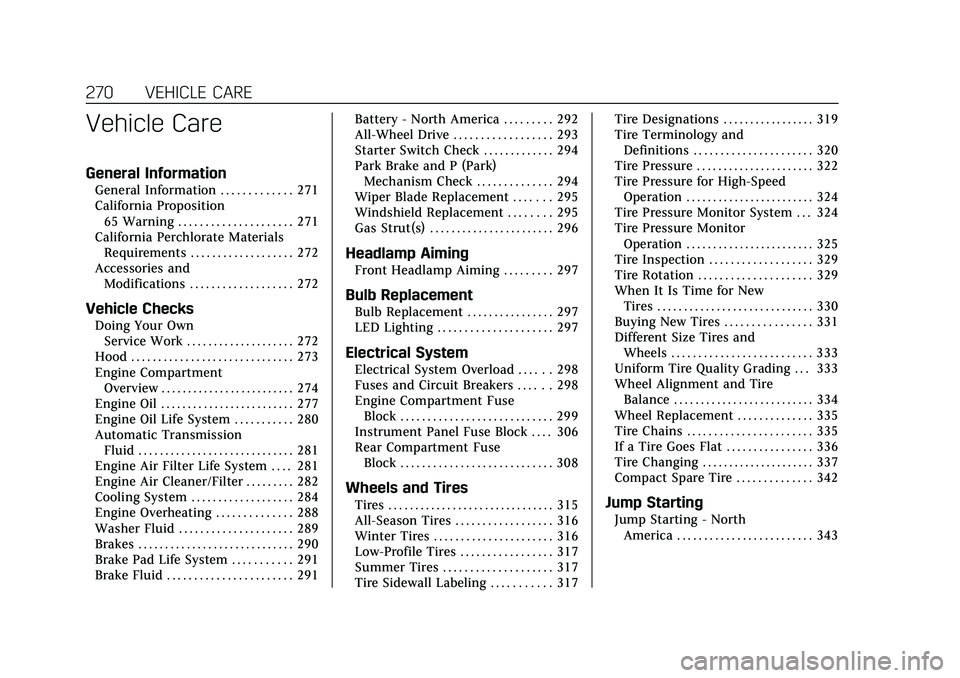
Vehicle Care
General Information
General Information . . . . . . . . . . . . . 271
California Proposition65 Warning . . . . . . . . . . . . . . . . . . . . . 271
California Perchlorate Materials Requirements . . . . . . . . . . . . . . . . . . . 272
Accessories and Modifications . . . . . . . . . . . . . . . . . . . 272
Vehicle Checks
Doing Your OwnService Work . . . . . . . . . . . . . . . . . . . . 272
Hood . . . . . . . . . . . . . . . . . . . . . . . . . . . . . . 273
Engine Compartment Overview . . . . . . . . . . . . . . . . . . . . . . . . . 274
Engine Oil . . . . . . . . . . . . . . . . . . . . . . . . . 277
Engine Oil Life System . . . . . . . . . . . 280
Automatic Transmission Fluid . . . . . . . . . . . . . . . . . . . . . . . . . . . . . 281
Engine Air Filter Life System . . . . 281
Engine Air Cleaner/Filter . . . . . . . . . 282
Cooling System . . . . . . . . . . . . . . . . . . . 284
Engine Overheating . . . . . . . . . . . . . . 288
Washer Fluid . . . . . . . . . . . . . . . . . . . . . 289
Brakes . . . . . . . . . . . . . . . . . . . . . . . . . . . . . 290
Brake Pad Life System . . . . . . . . . . . 291
Brake Fluid . . . . . . . . . . . . . . . . . . . . . . . 291 Battery - North America . . . . . . . . . 292
All-Wheel Drive . . . . . . . . . . . . . . . . . . 293
Starter Switch Check . . . . . . . . . . . . . 294
Park Brake and P (Park)
Mechanism Check . . . . . . . . . . . . . . 294
Wiper Blade Replacement . . . . . . . 295
Windshield Replacement . . . . . . . . 295
Gas Strut(s) . . . . . . . . . . . . . . . . . . . . . . . 296
Headlamp Aiming
Front Headlamp Aiming . . . . . . . . . 297
Bulb Replacement
Bulb Replacement . . . . . . . . . . . . . . . . 297
LED Lighting . . . . . . . . . . . . . . . . . . . . . 297
Electrical System
Electrical System Overload . . . . . . 298
Fuses and Circuit Breakers . . . . . . 298
Engine Compartment Fuse Block . . . . . . . . . . . . . . . . . . . . . . . . . . . . 299
Instrument Panel Fuse Block . . . . 306
Rear Compartment Fuse Block . . . . . . . . . . . . . . . . . . . . . . . . . . . . 308
Wheels and Tires
Tires . . . . . . . . . . . . . . . . . . . . . . . . . . . . . . . 315
All-Season Tires . . . . . . . . . . . . . . . . . . 316
Winter Tires . . . . . . . . . . . . . . . . . . . . . . 316
Low-Profile Tires . . . . . . . . . . . . . . . . . 317
Summer Tires . . . . . . . . . . . . . . . . . . . . 317
Tire Sidewall Labeling . . . . . . . . . . . 317 Tire Designations . . . . . . . . . . . . . . . . . 319
Tire Terminology and
Definitions . . . . . . . . . . . . . . . . . . . . . . 320
Tire Pressure . . . . . . . . . . . . . . . . . . . . . . 322
Tire Pressure for High-Speed Operation . . . . . . . . . . . . . . . . . . . . . . . . 324
Tire Pressure Monitor System . . . 324
Tire Pressure Monitor Operation . . . . . . . . . . . . . . . . . . . . . . . . 325
Tire Inspection . . . . . . . . . . . . . . . . . . . 329
Tire Rotation . . . . . . . . . . . . . . . . . . . . . 329
When It Is Time for New Tires . . . . . . . . . . . . . . . . . . . . . . . . . . . . . 330
Buying New Tires . . . . . . . . . . . . . . . . 331
Different Size Tires and Wheels . . . . . . . . . . . . . . . . . . . . . . . . . . 333
Uniform Tire Quality Grading . . . 333
Wheel Alignment and Tire Balance . . . . . . . . . . . . . . . . . . . . . . . . . . 334
Wheel Replacement . . . . . . . . . . . . . . 335
Tire Chains . . . . . . . . . . . . . . . . . . . . . . . 335
If a Tire Goes Flat . . . . . . . . . . . . . . . . 336
Tire Changing . . . . . . . . . . . . . . . . . . . . . 337
Compact Spare Tire . . . . . . . . . . . . . . 342Jump Starting
Jump Starting - North America . . . . . . . . . . . . . . . . . . . . . . . . . 343
Page 274 of 412

Cadillac CT6 Owner Manual (GMNA-Localizing-U.S./Canada-13566829) -
2020 - CRC - 6/11/19
VEHICLE CARE 273
If equipped with remote vehicle start,
open the hood before performing any
service work to prevent remote
starting the vehicle accidentally. See
Remote Vehicle Start017.
Keep a record with all parts receipts
and list the mileage and the date of
any service work performed. See
Maintenance Records 0371.
Caution
Even small amounts of
contamination can cause damage to
vehicle systems. Do not allow
contaminants to contact the fluids,
reservoir caps, or dipsticks.
Hood
{Warning
For vehicles with auto engine stop/
start, turn the vehicle off before
opening the hood. If the vehicle is
on, the engine will start when the
hood is opened. You or others could
be injured.
{Warning
Components under the hood can
get hot from running the engine. To
help avoid the risk of burning
unprotected skin, never touch these
components until they have cooled,
and always use a glove or towel to
avoid direct skin contact.
Clear any snow from the hood before
opening.
To open the hood: 1. Pull the hood release handle with the
isymbol. It is on the
lower left side of the instrument
panel between the door and the
steering wheel. Release the
handle, then pull the handle
again to fully release the hood.
2. After you have partially lifted the hood, the gas strut system will
automatically lift the hood and
hold it in the fully open position. To close the hood:
1. Before closing the hood, be sure all filler caps are on properly,
and all tools are removed.
2. Pull the hood down until the strut system is no longer holding
up the hood.
3. Allow the hood to fall. Check to make sure the hood is latched
completely. Repeat this process
with additional force if necessary.
{Warning
Do not drive the vehicle if the hood
is not latched completely. The hood
could open fully, block your vision,
and cause a crash. You or others
could be injured. Always close the
hood completely before driving.
Page 307 of 412

Cadillac CT6 Owner Manual (GMNA-Localizing-U.S./Canada-13566829) -
2020 - CRC - 6/11/19
306 VEHICLE CARE
FusesUsage
F26 Charge air coolant pump
F27 Engine control module ignition –2
F28 –
F29 –
Relays Usage
R1 Headlamp/Daytime running lamps
R2 Air conditioning control
R3 Starter motor
R4 Starter pinion
R5 Cabin heater pump
R6 Engine control module
R7 –
R8 –Instrument Panel Fuse
Block
The instrument panel fuse block is
behind the driver side instrument
panel storage compartment.
The storage compartment has a press
to open latch. To access the fuses,
open the compartment by pressing
and releasing near the top center
square.
Apply pressure to the two retaining
tabs on the sides of the compartment,
until the two retaining tabs clear the
sides of the instrument panel. Allow
the compartment to move downward,
and out of the way.
To reinstall the compartment, reverse
the steps.
The vehicle may not be equipped with
all of the fuses shown.