ignition CADILLAC CTS 2004 1.G Owner's Manual
[x] Cancel search | Manufacturer: CADILLAC, Model Year: 2004, Model line: CTS, Model: CADILLAC CTS 2004 1.GPages: 454, PDF Size: 2.87 MB
Page 98 of 454
Winter Driving Mode Button
(Automatic Transmission)
This feature provides more traction during slippery
conditions by using THIRD (3) gear when you begin to
accelerate from a stopped position.
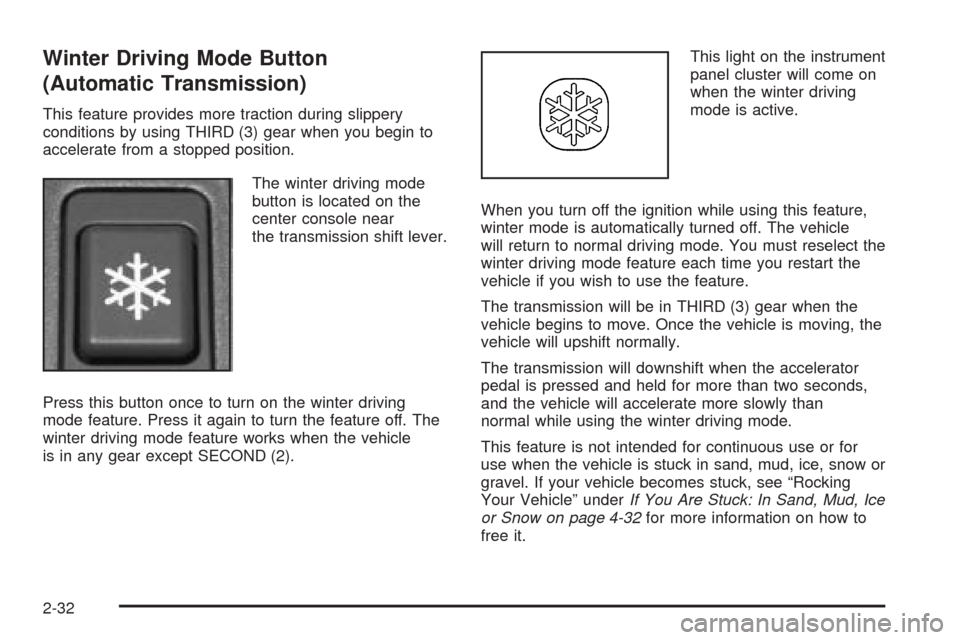
The winter driving mode
button is located on the
center console near
the transmission shift lever.
Press this button once to turn on the winter driving
mode feature. Press it again to turn the feature off. The
winter driving mode feature works when the vehicle
is in any gear except SECOND (2).This light on the instrument
panel cluster will come on
when the winter driving
mode is active.
When you turn off the ignition while using this feature,
winter mode is automatically turned off. The vehicle
will return to normal driving mode. You must reselect the
winter driving mode feature each time you restart the
vehicle if you wish to use the feature.
The transmission will be in THIRD (3) gear when the
vehicle begins to move. Once the vehicle is moving, the
vehicle will upshift normally.
The transmission will downshift when the accelerator
pedal is pressed and held for more than two seconds,
and the vehicle will accelerate more slowly than
normal while using the winter driving mode.
This feature is not intended for continuous use or for
use when the vehicle is stuck in sand, mud, ice, snow or
gravel. If your vehicle becomes stuck, see “Rocking
Your Vehicle” underIf You Are Stuck: In Sand, Mud, Ice
or Snow on page 4-32for more information on how to
free it.
2-32
Page 99 of 454

Manual Transmission Operation
If your vehicle has a manual transmission, the shift lever
is located on the center console between the front
seats. The following explains how to operate the
manual transmission.
Five-Speed (CTS)
This is the shift pattern
for the ve-speed
manual transmission.
FIRST (1):Press the clutch and shift into FIRST (1).
Then, slowly let up on the clutch pedal as you press the
accelerator pedal.
You can shift into FIRST (1) when you are going less
than 20 mph (32 km/h). If you have come to a complete
stop and it is hard to shift into FIRST (1), put the shift
lever in NEUTRAL and let up on the clutch. Press
the clutch pedal back down. Then try shifting into
FIRST (1) again.SECOND (2):Press the clutch pedal to the oor as you
let up on the accelerator pedal and shift into
SECOND (2). Then, slowly let up on the clutch pedal as
you press the accelerator pedal.
THIRD (3), FOURTH (4), and FIFTH (5):Shift into
THIRD (3), FOURTH (4) and FIFTH (5) the same way
you do for SECOND (2). Slowly let up on the clutch
pedal as you press the accelerator pedal.
To stop, let up on the accelerator pedal and press the
brake pedal. Before the vehicle comes to a complete
stop, press the clutch pedal and brake pedal, and shift
into NEUTRAL.
NEUTRAL:Use this position when you idle the engine.
REVERSE (R):Use this gear to back up. Press the
clutch pedal and shift into REVERSE (R). Slowly let up on
the clutch pedal as you press the accelerator pedal.
Use REVERSE (R), along with the parking brake, when
you park your vehicle. SeeParking Your Vehicle (Manual
Transmission) on page 2-38for more information.
If your vehicle has a manual transmission, in order for you
to remove the key from the ignition, you must press the
key release button on the ignition switch. See “Key
Release Button” underIgnition Positions on page 2-22for
more information.
2-33
Page 100 of 454
Six-Speed (CTS-V)
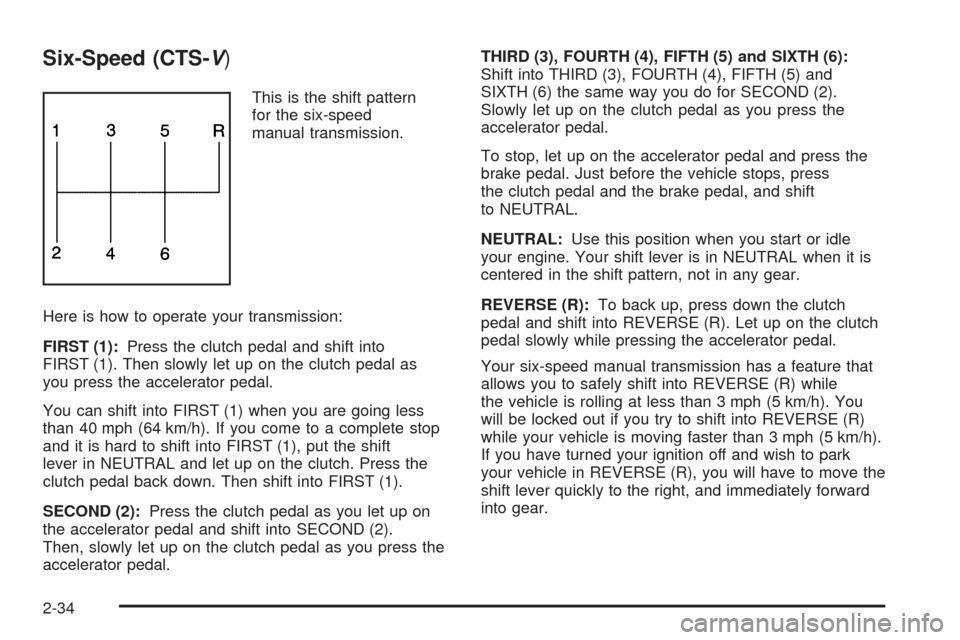
This is the shift pattern
for the six-speed
manual transmission.
Here is how to operate your transmission:
FIRST (1):Press the clutch pedal and shift into
FIRST (1). Then slowly let up on the clutch pedal as
you press the accelerator pedal.
You can shift into FIRST (1) when you are going less
than 40 mph (64 km/h). If you come to a complete stop
and it is hard to shift into FIRST (1), put the shift
lever in NEUTRAL and let up on the clutch. Press the
clutch pedal back down. Then shift into FIRST (1).
SECOND (2):Press the clutch pedal as you let up on
the accelerator pedal and shift into SECOND (2).
Then, slowly let up on the clutch pedal as you press the
accelerator pedal.THIRD (3), FOURTH (4), FIFTH (5) and SIXTH (6):
Shift into THIRD (3), FOURTH (4), FIFTH (5) and
SIXTH (6) the same way you do for SECOND (2).
Slowly let up on the clutch pedal as you press the
accelerator pedal.
To stop, let up on the accelerator pedal and press the
brake pedal. Just before the vehicle stops, press
the clutch pedal and the brake pedal, and shift
to NEUTRAL.
NEUTRAL:Use this position when you start or idle
your engine. Your shift lever is in NEUTRAL when it is
centered in the shift pattern, not in any gear.
REVERSE (R):To back up, press down the clutch
pedal and shift into REVERSE (R). Let up on the clutch
pedal slowly while pressing the accelerator pedal.
Your six-speed manual transmission has a feature that
allows you to safely shift into REVERSE (R) while
the vehicle is rolling at less than 3 mph (5 km/h). You
will be locked out if you try to shift into REVERSE (R)
while your vehicle is moving faster than 3 mph (5 km/h).
If you have turned your ignition off and wish to park
your vehicle in REVERSE (R), you will have to move the
shift lever quickly to the right, and immediately forward
into gear.
2-34
Page 102 of 454
If the ignition is on, the brake system warning light on
the instrument panel cluster should come on. If it
does not, you need to have your vehicle serviced.
SeeBrake System Warning Light on page 3-43for
more information.
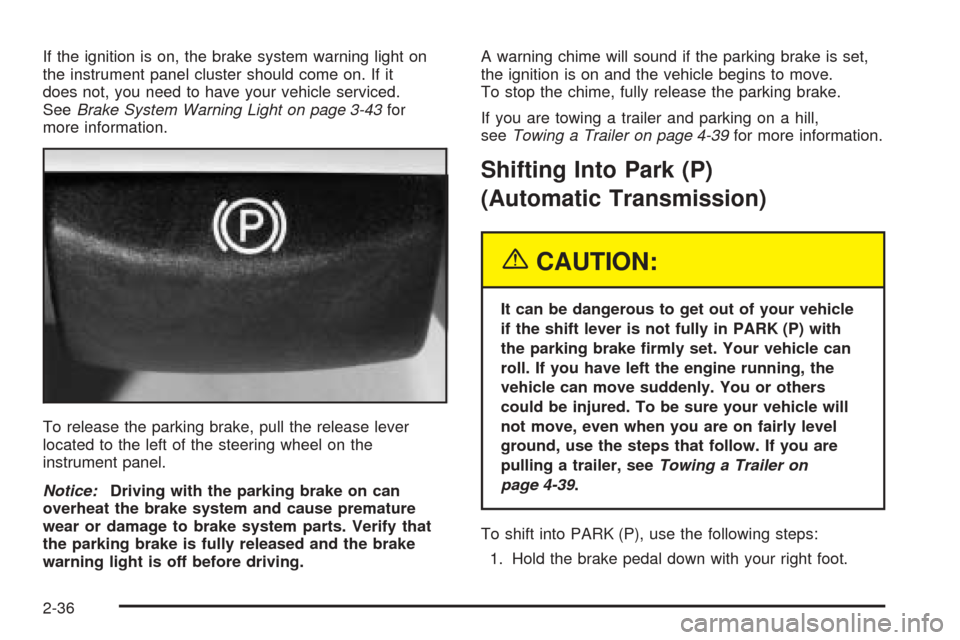
To release the parking brake, pull the release lever
located to the left of the steering wheel on the
instrument panel.
Notice:Driving with the parking brake on can
overheat the brake system and cause premature
wear or damage to brake system parts. Verify that
the parking brake is fully released and the brake
warning light is off before driving.A warning chime will sound if the parking brake is set,
the ignition is on and the vehicle begins to move.
To stop the chime, fully release the parking brake.
If you are towing a trailer and parking on a hill,
seeTowing a Trailer on page 4-39for more information.
Shifting Into Park (P)
(Automatic Transmission)
{CAUTION:
It can be dangerous to get out of your vehicle
if the shift lever is not fully in PARK (P) with
the parking brake rmly set. Your vehicle can
roll. If you have left the engine running, the
vehicle can move suddenly. You or others
could be injured. To be sure your vehicle will
not move, even when you are on fairly level
ground, use the steps that follow. If you are
pulling a trailer, seeTowing a Trailer on
page 4-39.
To shift into PARK (P), use the following steps:
1. Hold the brake pedal down with your right foot.
2-36
Page 103 of 454

2. Move the shift lever into PARK (P) like this:
Press the button on the front of the shift lever as
you push the shift lever all the way toward the
front of your vehicle into PARK (P). Release
the button.
With your right foot still holding the brake
pedal down, set the parking brake with your left
foot. SeeParking Brake on page 2-35for
more information.
3. Turn the key to OFF.
4. Remove the key from the ignition switch and take it
with you. If you can leave your vehicle with the key
in your hand, the vehicle is in PARK (P).
Leaving Your Vehicle With the Engine
Running (Automatic Transmission)
{CAUTION:
It can be dangerous to leave your vehicle with
the engine running. Your vehicle could move
suddenly if the shift lever is not fully in
PARK (P) with the parking brake rmly set.
And, if you leave the vehicle with the engine
running, it could overheat and even catch re.
You or others could be injured. Do not leave
your vehicle with the engine running.
If you have to leave your vehicle with the engine
running, be sure your vehicle is in PARK (P) and your
parking brake is rmly set before you leave it. After
you’ve moved the shift lever into PARK (P), hold
the regular brake pedal down. Then, see if you can
move the shift lever away from PARK (P) without rst
pushing the button on the shift lever. If you can, it means
that the shift lever wasn’t fully locked into PARK (P).
2-37
Page 104 of 454

Torque Lock (Automatic Transmission)
If you are parking on a hill and you don’t shift your
transmission into PARK (P) properly, the weight of the
vehicle may put too much force on the parking pawl
in the transmission. You may nd it difficult to pull the
shift lever out of PARK (P). This is called “torque
lock.” To prevent torque lock, set the parking brake and
then shift into PARK (P) properly before you leave
the driver’s seat. To nd out how, see “Shifting
Into PARK (P)” listed previously.
If torque lock does occur, you may need to have
another vehicle push yours a little uphill to take some of
the pressure from the parking pawl in the transmission,
so you can pull the shift lever out of PARK (P).
Shifting Out of Park (P)
(Automatic Transmission)
Your vehicle has an automatic transmission shift lock
control system. You have to fully apply your regular
brakes before you can shift from PARK (P) when the
ignition is in ON. SeeAutomatic Transmission Operation
on page 2-26for more information.
If you cannot shift out of PARK (P), ease the pressure
on the shift lever. Push the shift lever all the way
into PARK (P) while pushing the button on the shift leveras you maintain brake application. Then move the shift
lever into the gear you want. If you ever hold the
pedal down but still can’t shift out of PARK (P), try
the following:
1. Turn the ignition key to ACCESSORY. Open and
close the driver’s door to turn off the RAP feature.
2. Apply and hold the brake until the end of Step 4.
3. Shift to NEUTRAL (N).
4. Start the vehicle and then shift to the drive gear
you want.
5. Have the vehicle xed as soon as you can.
Parking Your Vehicle
(Manual Transmission)
Before you get out of your vehicle, place the shift
lever in REVERSE (R) and rmly apply the parking
brake. Turn the ignition key to OFF, press the release
button and remove the key. See “Key Release
Button” underIgnition Positions on page 2-22for
more information.
If you are towing a trailer, seeTowing a Trailer on
page 4-39.
2-38
Page 108 of 454

Mirror Operation
The automatic dimming feature comes on each time the
vehicle is started.
To turn the automatic dimming feature on or off, press
and release the on/off button. The indicator light will
illuminate when this feature is on.
Compass Operation
Press the on/off button once to turn the compass
on or off.
When the ignition and the compass feature are on, the
compass will show two character boxes for
approximately two seconds. After two seconds, the
mirror will display the current compass direction.
Compass Calibration
If after two seconds the display does not show a
compass direction, (N for North for example), there may
be a strong magnetic eld interfering with the compass.
Such interference may be caused by a magnetic
antenna mount, note pad holder, or similar object. If the
letter C appears in the compass window, the compass
may need to be reset or calibrated.The mirror can be calibrated by driving the vehicle in
circles at 5 mph (8 km/h) or less until the display reads
a direction.
The compass can be calibrated by pressing and
holding the on/off button until a C is shown in the
compass display.
Compass Variance
Compass variance is the difference between earth’s
magnetic north and true geographic north. If the mirror
is not adjusted for compass variance, the compass
could give false readings.
The mirror is set in zone eight upon leaving the factory.
It will be necessary to adjust the compass to
compensate for compass variance if the vehicle is
driven outside zone eight. Under certain circumstances,
such as a long distance, cross-country trip, it will be
necessary to adjust the compass variance.
To adjust for compass variance, do the following:
1. Find your current location and variance zone
number on the zone map that follows.
2-42
Page 120 of 454

If you would like the stored driving positions to be
recalled when unlocking your vehicle with the remote
keyless entry transmitter or when you place the
key in the ignition, seeDIC Vehicle Personalization on
page 3-88.
To stop recall movement of the memory feature at any
time, press one of the power seat or mirror controls.
Two personalized exit positions can also be
programmed. Use the following steps to program
exit positions:
1. Press memory seat button 1 or the button with the
unlock symbol on the remote keyless entry
transmitter with the number 1 on the back to recall
the driving position.
2. Adjust the driver’s seat to the desired exit position.
3. Press and hold the exit button located above
buttons 1 and 2 on the driver’s door armrest
for at least three seconds.
Two beeps will sound to conrm that the exit
position has been saved.
4. Repeat the procedure for a second driver using
memory seat button 2 or the remote keyless
entry transmitter with the number 2 on the back.To recall the stored exit positions, press and release the
exit button. One beep will sound, and the seat will
move to the previously stored exit position for the
currently identied driver. If an exit position has not
been stored for this driver, the seat will move all the way
back. The position of the outside mirrors is not stored
or recalled for the exit position.
If your vehicle has an automatic transmission, the
vehicle must be in PARK (P) to recall the exit positions.
For a manual transmission, the parking brake must
be set to recall the stored exit positions.
Three chimes will sound and the exit setting will not be
recalled if you press the exit button when the vehicle
is not in PARK (P) on an automatic transmission or the
parking brake is not set on a manual transmission.
If you would like your stored exit position to be recalled
when unlocking the vehicle with the remote keyless
entry transmitter or when the ignition is turned off and
the driver’s door is opened, seeDIC Vehicle
Personalization on page 3-88.
2-54
Page 133 of 454

Wiper-Activated Headlamps
This feature activates the headlamps and parking lamps
after the windshield wipers have been in use for
about six seconds. For this feature to work, the exterior
lamp control must be in AUTO.
When the exterior lamp control is off or in the parking
lamp position and the windshield wiper control is in any
position except off, the Headlamps Suggested
message will appear on the DIC display. See
“Headlamps Suggested Message” underDIC Warnings
and Messages on page 3-70.
When the ignition is turned to OFF, the wiper-activated
headlamps will immediately turn off. They will also
turn off if the windshield wiper control is turned off.
Headlamps On Reminder
A warning chime will sound if the exterior lamp control
is left on in either the headlamp or parking lamp position
and the driver’s door is opened with the ignition off.
Fog Lamps
Use the fog lamps for better vision in foggy or
misty conditions.
The fog lamp control is located on the turn
signal/multifunction lever.
-:The band with/or next to this symbol is used to
turn the fog lamps on and off.
The parking lamps must be on for the fog lamps to work.
To operate the fog lamps on the CTS:
To turn the fog lamps on, turn the fog lamp band on
the lever up to the dot and release it. The band will
return to its original position.
To turn the fog lamps off, turn the fog lamp band up
to the dot and release it. The band will return to its
original position, and the fog lamps will turn off. If you
turn on the high-beam headlamps, the fog lamps will
also turn off. They’ll turn back on again when you
switch back to low-beam headlamps.
To operate the fog lamps on the CTS-V:
To turn the fog lamps on, turn the band on the lever
up to the fog lamp symbol and release it. The band
will return to its original position.
To turn the fog lamps off, turn the band up to the fog
lamp symbol and release it. The band will return to its
original position, and the fog lamps will turn off. If you
turn on the high-beam headlamps, the fog lamps will
also turn off. They’ll turn back on again when you
switch back to low-beam headlamps.
3-13
Page 137 of 454
Ending Cruise Control
To end a cruise control session, step lightly on the
brake pedal. If your vehicle has a manual transmission,
lightly tapping the clutch will end a cruise control
session also.
Stepping on the brake or clutch pedal will end the
current cruise control session only. Move the cruise
control switch to off to turn off the system completely.
Erasing Speed Memory
When you turn off the cruise control or the ignition, your
cruise control set speed memory is erased.
Cruise Control (CTS-V)
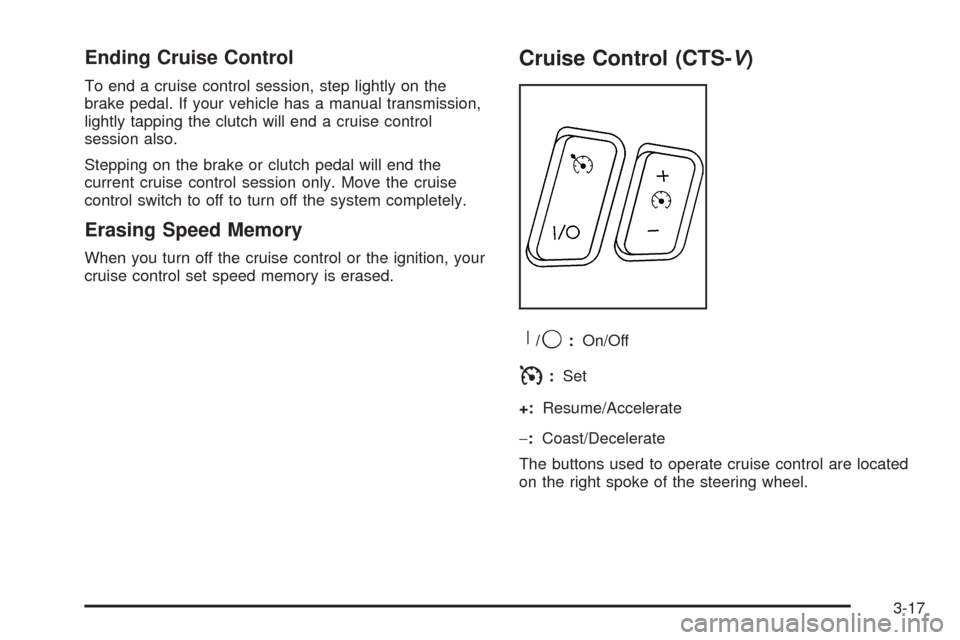
R
/9:On/Off
I:Set
+:Resume/Accelerate
−:Coast/Decelerate
The buttons used to operate cruise control are located
on the right spoke of the steering wheel.
3-17