airbag CADILLAC CTS 2007 1.G Owner's Guide
[x] Cancel search | Manufacturer: CADILLAC, Model Year: 2007, Model line: CTS, Model: CADILLAC CTS 2007 1.GPages: 518, PDF Size: 2.77 MB
Page 91 of 518
Replacing Restraint System Parts
After a Crash
{CAUTION:
A crash can damage the restraint systems
in your vehicle. A damaged restraint
system may not properly protect the
person using it, resulting in serious injury
or even death in a crash. To help make sure
your restraint systems are working
properly after a crash, have them inspected
and any necessary replacements made as
soon as possible.
If you have had a crash, do you need new belts or
LATCH system parts?
After a very minor collision, nothing may be
necessary. But if the belts were stretched, as they
would be if worn during a more severe crash,
then you need new parts.
If the LATCH system was being used during a
more severe crash, you may need new LATCH
system parts.If belts are cut or damaged, replace them.
Collision damage also may mean you will need to
have LATCH system, safety belt or seat parts
repaired or replaced. New parts and repairs may
be necessary even if the belt or LATCH system
was not being used at the time of the collision.
If an airbag inates, you will need to replace airbag
system parts. See the part on the airbag system
earlier in this section.
If the frontal airbags inate, you will also need to
replace the driver’s and right front passenger’s
safety belt buckle assembly. Be sure to do so.
Then the new buckle assembly will be there to help
protect you in a collision.
After a crash you may need to replace the
driver and front passenger’s safety belt buckle
assemblies, even if the frontal airbags have
not deployed. The driver and front passenger’s
safety belt buckle assemblies contain the
safety belt pretensioners. Have your safety belt
pretensioners checked if your vehicle has been in
a collision, or if your airbag readiness light
stays on after you start your vehicle or while you
are driving. SeeAirbag Readiness Light on
page 201.
91
Page 136 of 518

Mirrors
Automatic Dimming Rearview Mirror
with OnStar
®
The vehicle may have an automatic dimming
inside rearview mirror with OnStar®controls.
For more information about OnStar®, seeOnStar®
System on page 142.
O(On/Off):The on/off button, located on the
lower left side of the mirror, is used for the
automatic dimming functions of the rearview mirror.
Mirror Operation
The automatic dimming feature comes on each
time the vehicle is started. Automatic dimming
reduces the glare of lights from behind the vehicle.
To turn the automatic dimming feature on or off,
press and release the on/off button. The indicator
light will come on when this feature is on.
Passenger Airbag Indicator
The mirror may have a passenger airbag indicator
on the mirror glass, just above the buttons.
If the vehicle has this feature, the mirror will
display the word ON, or an airbag symbol
in Canada, when the passenger airbag is enabled.
SeePassenger Sensing System on page 82for
more information.
Cleaning the Mirror
When cleaning the mirror, use a paper towel or
similar material dampened with glass cleaner.
Do not spray glass cleaner directly on the mirror
as that may cause the liquid cleaner to enter
the mirror housing.
136
Page 139 of 518

2. Press and hold the on/off button until a zone
number appears on the display.
3. Once the zone number appears on the
display, press the on/off button quickly
until you reach the correct zone number.
If C appears in the compass window,
the compass may need calibration. See
“Compass Calibration” listed previously.
Passenger Airbag Indicator
The mirror has a passenger airbag indicator on
the mirror glass, just above the buttons. The mirror
will display the word ON, or an airbag symbol in
Canada, when the passenger airbag is enabled.
SeePassenger Sensing System on page 82
for more information.
Cleaning the Mirror
When cleaning the mirror, use a paper towel or
similar material dampened with glass cleaner.
Do not spray glass cleaner directly on the mirror
as that may cause the liquid cleaner to enter
the mirror housing.
139
Page 142 of 518
OnStar®System
OnStar®uses several innovative technologies and
live advisors to provide you with a wide range
of safety, security, information, and convenience
services. If your airbags deploy, the system is
designed to make an automatic call to OnStar
®
Emergency advisors who can request emergency
services be sent to your location. If you lock
your keys in the vehicle, call OnStar
®at
1-888-4-ONSTAR and they can send a signal to
unlock your doors. If you need roadside
assistance, press the OnStar
®button and they
can contact Roadside Service for you.OnStar
®service is provided to you subject to the
OnStar®Terms and Conditions. You may
cancel your OnStar®service at any time by
contacting OnStar®as provided below. A complete
OnStar®Owners Guide and the OnStar®Terms
and Conditions are included in the vehicle’s
OnStar
®Subscriber glove box literature. For more
information, visit onstar.com or onstar.ca,
contact OnStar
®at 1-888-4-ONSTAR
(1-888-466-7827) or TTY 1-877-248-2080, or
press the OnStar
®button to speak with an
OnStar®advisor 24 hours a day, 7 days a week.
Not all OnStar
®features are available on all
vehicles. To check if your vehicle is equipped to
provide the services described below, or for a
full description of OnStar
®services and system
limitations, see the OnStar®Owner’s Guide in your
glove box or visit onstar.com.
142
Page 143 of 518

OnStar®Services
For new vehicles with OnStar®, the Safe & Sound
Plan, or the Directions & Connections®Plan is
included for one year from the date of purchase.
You can extend this plan beyond the rst year,
or upgrade to the Directions & Connections
®Plan.
For more information, press the OnStar®button
to speak with an advisor. Some OnStar®services
(such as Remote Door Unlock or Stolen Vehicle
Location Assistance) may not be available
until you register with OnStar
®.
Available Services with Safe & Sound®Plan
Automatic Notication of Airbag Deployment
Advanced Automatic Crash Notication (AACN)
(If equipped)
Link to Emergency Services
Roadside Assistance
Stolen Vehicle Location Assistance
AccidentAssist
Remote Door Unlock/Vehicle Alert
OnStar®Vehicle Diagnostics
GM Goodwrench®On Demand Diagnostics
OnStar®Hands-Free Calling with
30 complimentary minutes
OnStar®Virtual Advisor (U.S. Only)
Available Services included with
Directions & Connections®Plan
All Safe and Sound Plan Services
Driving Directions - Advisor delivered or
OnStar®Turn-by-Turn Navigation (If equipped)
RideAssist
Information and Convenience Services
143
Page 144 of 518
OnStar®Hands-Free Calling
OnStar®Hands-Free Calling allows eligible
OnStar®subscribers to make and receive calls
using voice commands. Hands-Free Calling is fully
integrated into the vehicle, and can be used
with OnStar
®Pre-Paid Minute Packages.
Hands-Free Calling may also be linked to a
Verizon Wireless service plan in the U.S. or a
Bell Mobility service plan in Canada, depending
on eligibility. To nd out more, refer to the
OnStar
®Owners Guide in the vehicle’s glove box,
visit www.onstar.com or www.onstar.ca, or
speak with an OnStar
®advisor by pressing the
OnStar®button or calling 1-888-4-ONSTAR
(1-888-466-7827).
OnStar®Virtual Advisor
OnStar®Virtual Advisor is a feature of OnStar®
Hands-Free Calling that uses your minutes to
access location-based weather, local traffic reports,
and stock quotes. By pressing the phone button
and giving a few simple voice commands, you can
browse through the various topics. See the OnStar
®
Owners Guide for more information (Only available
in the continental U.S.).
OnStar®Steering Wheel Controls
Your vehicle may have a Talk/Mute button that can
be used to interact with OnStar®Hands-Free
Calling. SeeAudio Steering Wheel Controls (CTS)
on page 279orAudio Steering Wheel Controls
(CTS-V) on page 280for more information.
On some vehicles, you may have to hold the
button for a few seconds and give the command
“ONSTAR” in order to activate the OnStar
®
Hands-Free Calling feature.
On some vehicles, the mute button can be used to
dial numbers into voicemail systems, or to dial
phone extensions. See the OnStar
®Owner’s
Guide for more information.
How OnStar®Service Works
In order to provide you with OnStar®services,
your vehicle’s OnStar®system has the capability
of recording and transmitting vehicle information.
This information is automatically sent to an
OnStar
®Call Center at the time of an OnStar®
button press, Emergency button press or if
your airbags or AACN system deploys.
144
Page 163 of 518

Instrument Panel Overview........................ 166
Hazard Warning Flashers.......................... 168
Other Warning Devices............................. 168
Horn.......................................................... 168
Tilt Wheel.................................................. 169
Recongurable Steering Wheel
Controls (SWC) (CTS)........................... 169
Turn Signal/Multifunction Lever.................. 171
Turn and Lane-Change Signals................. 171
Headlamp High/Low-Beam Changer.......... 172
Flash-to-Pass............................................ 172
Windshield Wipers..................................... 173
Windshield Washer.................................... 174
Headlamp Washer..................................... 175
Cruise Control........................................... 176
Headlamps................................................ 180
Wiper Activated Headlamps....................... 180
Headlamps on Reminder........................... 181
Daytime Running Lamps (DRL)................. 181
Fog Lamps................................................ 183
Exterior Lighting Battery Saver.................. 183
Instrument Panel Brightness...................... 184
Entry Lighting............................................ 184Parade Dimming........................................ 185
Reading Lamps......................................... 185
Electric Power Management...................... 185
Battery Run-Down Protection..................... 186
Accessory Power Outlet(s)........................ 186
Ashtray(s) and Cigarette Lighter................ 188
Climate Controls......................................... 189
Dual Climate Control System..................... 189
Outlet Adjustment...................................... 194
Passenger Compartment Air Filter............. 195
Steering Wheel Climate Controls (CTS)..... 196
Warning Lights, Gages, and Indicators..... 197
Instrument Panel Cluster........................... 198
Speedometer and Odometer...................... 200
Trip Odometers......................................... 200
Tachometer............................................... 200
Engine Speed Limiter................................ 201
Safety Belt Reminder Light........................ 201
Airbag Readiness Light............................. 201
Passenger Airbag Status Indicator............. 202
Charging System Light.............................. 204
Brake System Warning Light..................... 205
Section 3 Instrument Panel
163
Page 201 of 518
Engine Speed Limiter
This feature prevents the engine from operating at
too many revolutions per minute (rpm). When
the engine’s rpms are too high, the throttle
is closed to reduce speed. If this is not sufficient,
then the fuel supply to the engine will be
limited. When the rpms return to normal, the fuel
supply will return to normal. This helps prevent
damage to the engine.
Safety Belt Reminder Light
When the key is turned to ON or START, a chime
will come on for several seconds to remind
people to fasten their safety belts.
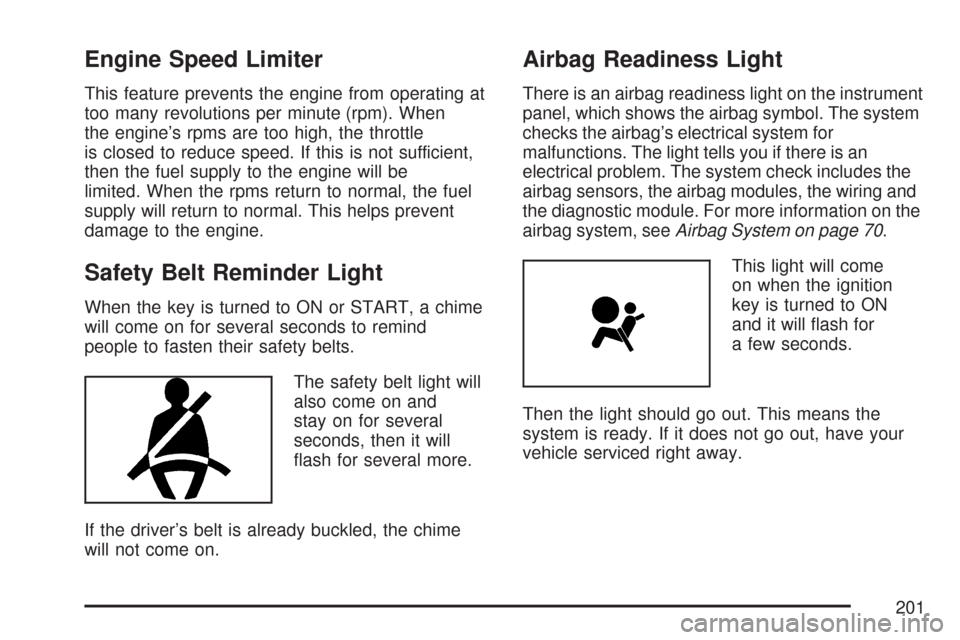
The safety belt light will
also come on and
stay on for several
seconds, then it will
ash for several more.
If the driver’s belt is already buckled, the chime
will not come on.
Airbag Readiness Light
There is an airbag readiness light on the instrument
panel, which shows the airbag symbol. The system
checks the airbag’s electrical system for
malfunctions. The light tells you if there is an
electrical problem. The system check includes the
airbag sensors, the airbag modules, the wiring and
the diagnostic module. For more information on the
airbag system, seeAirbag System on page 70.
This light will come
on when the ignition
key is turned to ON
and it will ash for
a few seconds.
Then the light should go out. This means the
system is ready. If it does not go out, have your
vehicle serviced right away.
201
Page 202 of 518

If the airbag readiness light stays on after you
start the vehicle or comes on while you are driving,
your airbag system may not work properly.
Have your vehicle serviced right away.
{CAUTION:
If the airbag readiness light stays on after
you start your vehicle, it means the airbag
system may not be working properly. The
airbags in your vehicle may not inate in
a crash, or they could even inate without
a crash. To help avoid injury to yourself
or others, have your vehicle serviced right
away if the airbag readiness light stays on
after you start your vehicle.
If there is a problem with the airbag system in
your vehicle, the Service Air Bag message
will appear on the Driver Information Center (DIC)
display. SeeDIC Warnings and Messages on
page 232for more information.
Passenger Airbag Status Indicator
Your rearview mirror has a passenger airbag
status indicator.
When the ignition key is turned to ON or START,
the passenger airbag status indicator will light
ON and OFF, or the symbol for on and off,
for several seconds as a system check.
United States
Canada
202
Page 203 of 518
Then, after several more seconds, the status
indicator will light either ON or OFF, or either the
on or off symbol to let you know the status of
the right front passenger’s frontal airbag.
If the word ON or the on symbol is lit on the
passenger airbag status indicator, it means that
the right front passenger’s frontal airbag is enabled
(may inate).
{CAUTION:
If the on indicator comes on when you have
a rear-facing child restraint installed in the
right front passenger’s seat, it means that
the passenger sensing system has not
turned off the passenger’s frontal airbag. A
child in a rear-facing child restraint can be
seriously injured or killed if the right front
passenger’s airbag inates. This is
because the back of the rear-facing child
restraint would be very close to the
inating airbag. Do not use a rear-facing
child restraint in the right front passenger’s
seat if the airbag is turned on.Your vehicle has a rear seat that will accommodate
a rear-facing child restraint. A label on your sun
visor says, “Never put a rear-facing child seat
in the front.” This is because the risk to the
rear-facing child is so great, if the airbag deploys.
{CAUTION:
Even though the passenger sensing
system is designed to turn off the right
front passenger’s frontal airbag if the
system detects a rear-facing child restraint,
no system is fail-safe, and no one can
guarantee that an airbag will not deploy
under some unusual circumstance, even
though it is turned off. We recommend that
rear-facing child restraints be secured in
the rear seat, even if the airbag is off.
If the word OFF or the off symbol is lit on the
airbag status indicator, it means that the
passenger sensing system has turned off the right
front passenger’s frontal airbag. SeePassenger
Sensing System on page 82for more on this,
including important safety information.
203