light CADILLAC CTS 2008 2.G User Guide
[x] Cancel search | Manufacturer: CADILLAC, Model Year: 2008, Model line: CTS, Model: CADILLAC CTS 2008 2.GPages: 490, PDF Size: 2.59 MB
Page 94 of 490
Remote Vehicle Start
This vehicle may have a remote starting feature that
starts the engine from outside of the vehicle. It may also
start the vehicle’s automatic climate control system.
When the remote start system is active, the climate
control system heats and cools the inside of the vehicle
according to the previous settings of the system
before turning the vehicle off. The windshield defroster
or rear window defogger turn on if it is cold outside.
If the vehicle has heated seats, they also turn on. See
Heated and Ventilated Seats on page 1-6for additional
information. Normal operation of the climate control
system returns after the ignition is turned to ON/RUN.
SeeDual Climate Control System on page 3-24.
Laws in some communities may restrict the use of
remote starters. For example, some laws may require a
person using remote start to have the vehicle in view
when doing so. Check local regulations for any
requirements on remote starting of vehicles.
Do not use the remote start feature if the vehicle is low
on fuel. The vehicle may run out of fuel.
If this vehicle has the remote start feature, the RKE
transmitter functions have an increased range of
operation. However, the range may be less while
the vehicle is running.There are other conditions which can affect the
performance of the transmitter, seeRemote Keyless
Entry (RKE) System on page 2-6orKeyless Access
System on page 2-9for additional information.
/(Remote Start):Press and release the lock button
and then press and hold this button to use the remote
start feature.
To start the vehicle using the remote start feature:
1. Aim the transmitter at the vehicle.
2. Press and release the transmitter’s lock button,
then immediately press and hold the transmitter’s
remote start button until the turn signal lights ash or
if the vehicle’s lights are not visible, press and hold
the remote start button for at least four seconds.
The vehicle’s doors lock. Pressing the remote start
button again after the vehicle has started turns off
the ignition.
When the vehicle starts, the parking lamps turn on
and remain on while the vehicle is running.
3. If it is the rst remote start since the vehicle has
been driven, repeat these steps, while the engine is
still running, to extend the engine running time by
10 minutes. Remote start can be extended one time.
After entering the vehicle during a remote start, press
the brake pedal and turn the ignition to ON/RUN to drive
the vehicle.
2-16
Page 101 of 490
Close the trunk by pulling on the handle. Do not use the
handle as a tie-down.
Rear-Seat Pass Through
If your vehicle has the rear seat-pass through door,
you can access the trunk without opening the trunk lid.
This is especially useful when transporting long items.
To open the door, pull down the rear seat armrest.
Then pull the lever all the way down to release the door.
To close the door, push it up and back into place.
Then try to open the door without pulling up on the
lever to make sure it is locked into place.
Emergency Trunk Release Handle
Notice:Do not use the emergency trunk release
handle as a tie-down or anchor point when securing
items in the trunk as it could damage the handle.
The emergency trunk release handle is only
intended to aid a person trapped in a latched trunk,
enabling them to open the trunk from the inside.
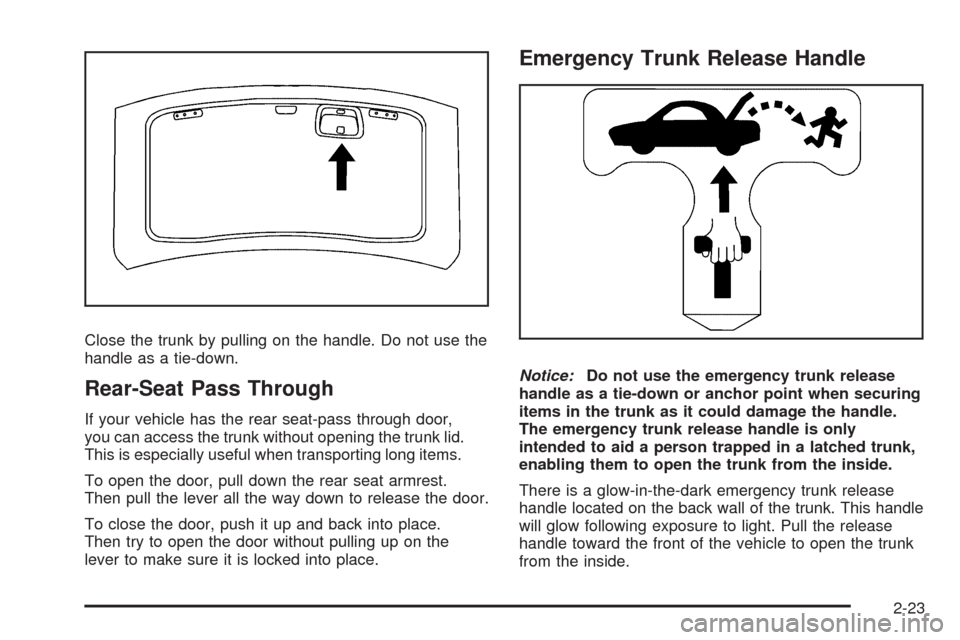
There is a glow-in-the-dark emergency trunk release
handle located on the back wall of the trunk. This handle
will glow following exposure to light. Pull the release
handle toward the front of the vehicle to open the trunk
from the inside.
2-23
Page 105 of 490
Express Window Anti-Pinch Override
{CAUTION:
If express override is activated, the window
will not reverse automatically. You or others
could be injured and the window could be
damaged. Before you use express override,
make sure that all people and obstructions
are clear of the window path.
In an emergency, the anti-pinch feature can be
overridden in a supervised mode. Hold the window
switch all the way up to the second position. The window
will rise for as long as the switch is held. Once the
switch is released, the express mode is re-activated.
In this mode, the window can still close on an object in
its path. Use care when using the override mode.
Window Lockout
o
(Window Lockout):The rear window lockout
button is located on the driver’s door near the window
switches.
Press the right side of the button to disable the rear
window controls. The light on the button will illuminate,
indicating the feature is in use. The rear windows still can
be raised or lowered using the driver’s window switches
when the lockout feature is active.
To restore power to the rear windows, press the button
again. The light on the button will go out.
Sun Visors
Swing down the primary visor to block out glare. It can
also be detached from the center mount and moved
to the side to block glare from that direction.
The driver’s visor may also have buttons for a built-in
garage door opener. SeeUniversal Home Remote
System on page 2-58for more information.
Lighted Visor Vanity Mirror
Pull the visor down and lift the cover to access the
mirror. A light comes on when the cover is lifted and
goes out when it is closed.
2-27
Page 106 of 490
Theft-Deterrent Systems
Vehicle theft is big business, especially in some cities.
This vehicle has theft-deterrent features, however,
they do not make it impossible to steal.
Theft-Deterrent System
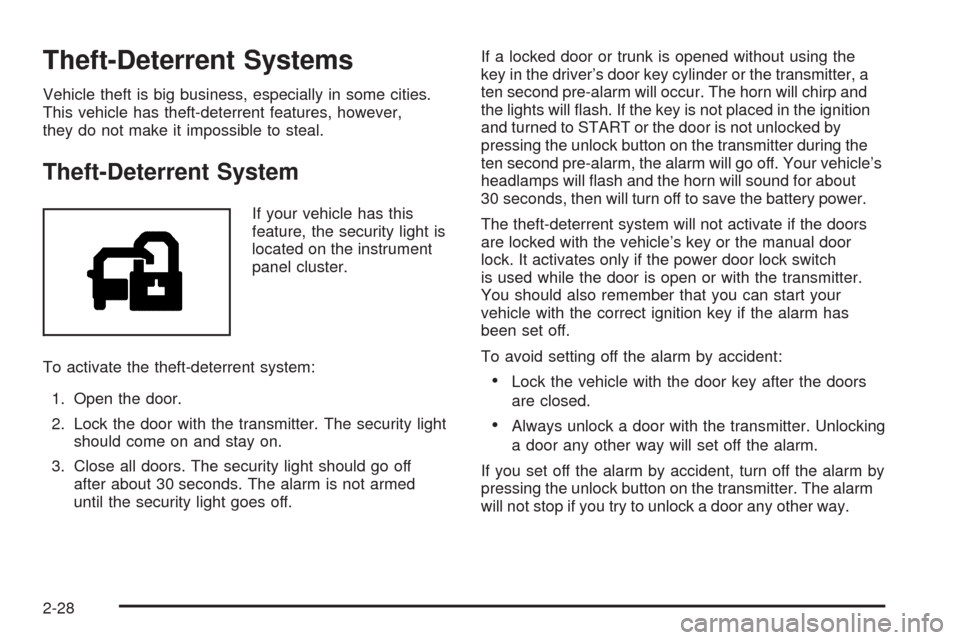
If your vehicle has this
feature, the security light is
located on the instrument
panel cluster.
To activate the theft-deterrent system:
1. Open the door.
2. Lock the door with the transmitter. The security light
should come on and stay on.
3. Close all doors. The security light should go off
after about 30 seconds. The alarm is not armed
until the security light goes off.If a locked door or trunk is opened without using the
key in the driver’s door key cylinder or the transmitter, a
ten second pre-alarm will occur. The horn will chirp and
the lights will ash. If the key is not placed in the ignition
and turned to START or the door is not unlocked by
pressing the unlock button on the transmitter during the
ten second pre-alarm, the alarm will go off. Your vehicle’s
headlamps will ash and the horn will sound for about
30 seconds, then will turn off to save the battery power.
The theft-deterrent system will not activate if the doors
are locked with the vehicle’s key or the manual door
lock. It activates only if the power door lock switch
is used while the door is open or with the transmitter.
You should also remember that you can start your
vehicle with the correct ignition key if the alarm has
been set off.
To avoid setting off the alarm by accident:
Lock the vehicle with the door key after the doors
are closed.
Always unlock a door with the transmitter. Unlocking
a door any other way will set off the alarm.
If you set off the alarm by accident, turn off the alarm by
pressing the unlock button on the transmitter. The alarm
will not stop if you try to unlock a door any other way.
2-28
Page 107 of 490
Testing the Alarm
The alarm can be tested by following these steps:
1. From inside the vehicle, lower the driver’s window
and open the driver’s door.
2. Activate the system by locking the doors with the
transmitter.
3. Get out of the vehicle, close the door and wait for
the security light to go out.
4. Then reach in through the window, unlock the door
with the manual door lock and open the door.
This should set off the alarm.
While the alarm is set, the power door unlock switch will
not work.
If the alarm does not sound when it should but the
headlamps ash, check to see if the horn works.
The horn fuse may be blown. To replace the fuse,
seeFuses and Circuit Breakers on page 5-123
Fuses and Circuit Breakers.
If the alarm does not sound or the headlamps do
not ash, the vehicle should be serviced by your
dealer/retailer.
Immobilizer
This device complies with Part 15 of the FCC Rules.
Operation is subject to the following two conditions:
1. This device may not cause interference.
2. This device must accept any interference received,
including interference that may cause undesired
operation.
This device complies with RSS-210 of Industry Canada.
Operation is subject to the following two conditions:
1. This device may not cause interference.
2. This device must accept any interference received,
including interference that may cause undesired
operation of the device.
Changes or modications to this system by other than
an authorized service facility could void authorization to
use this equipment.
2-29
Page 108 of 490
Immobilizer Operation (Key Access)
Your vehicle has a passive theft-deterrent system.
The system is automatically armed when the key
is removed from the ignition.
The theft-deterrent system is disarmed when the key is
turned to ON/RUN.
You do not have to manually arm or disarm the system.
The security light will come on if there is a problem
with arming or disarming the theft-deterrent system.
The key uses a transponder that matches an immobilizer
control unit in your vehicle and automatically disarms
the system. Only the correct key will start the vehicle.
If the key is ever damaged, you may not be able to start
your vehicle.
When trying to start the vehicle, if the engine does not
start and the security light comes on, there may be
a problem with your theft-deterrent system. Turn
the ignition off and try again.
If the engine still does not start, and the key appears
to be undamaged, try another ignition key. At this time,
you may also want to check the fuse. SeeFuses
and Circuit Breakers on page 5-123. If the engine still
does not start with the other key, your vehicle needs
service. If your vehicle does start, the rst key may be
faulty. See your dealer/retailer who can service the
theft-deterrent system and have a new key made.It is possible for the theft-deterrent system decoder to
learn the transponder value of a new or replacement
key. Up to 10 keys can be programmed for the vehicle.
The following procedure is for programming additional
keys only.
To program a new key do the following:
1. Verify that the new key has
1stamped on it.
2. Insert the current driver’s key in the ignition and
start the engine. If the engine will not start see
your dealer/retailer for service.
3. After the engine has started, turn the key to
LOCK/OFF, and remove the key.
4. Insert the key to be programmed and turn it to
ON/RUN within ve seconds of the ignition being
turned to LOCK/OFF in Step 3.
5. The security light will turn off once the key has
been programmed. It may not be apparent that
the security light went on due to how quickly the
key is programmed.
6. Repeat the Steps 1 through 4 if additional keys are
to be programmed.
In an emergency, contact Cadillac Roadside Service.
SeeRoadside Service on page 7-7.
Do not leave the key or device that disarms or
deactivates the theft deterrent system in the vehicle.
2-30
Page 109 of 490
Immobilizer Operation
(Keyless Access)
Your vehicle has a passive theft-deterrent system.
The system is automatically armed when the ignition
control knob is turned to LOCK/OFF.
The immobilization system is disarmed when the ignition
control knob is pushed in and a valid transmitter is
found in the vehicle.
You do not have to manually arm or disarm the system.
The security light will come on if there is a problem
with arming or disarming the theft-deterrent system.
The system has one or more keyless access
transmitters that are matched to an immobilizer control
unit in your vehicle. Only a correctly matched keyless
access transmitter will start the vehicle. If the keyless
access transmitter is ever damaged, you may not
be able to start your vehicle.
When trying to start the vehicle, if the engine does not
start and the security light comes on, there may be
a problem with your immobilizer system. Turn the
ignition control knob off and try again.If the ignition control knob does not rotate, and the
keyless access transmitter appears to be undamaged,
try another keyless access transmitter. Or, you may try
placing the transmitter in the transmitter pocket located in
the center console. See “Electronic Key Not Detected”
underDIC Warnings and Messages on page 3-56. At this
time, you may also want to check the fuse. SeeFuses
and Circuit Breakers on page 5-123. If the ignition control
knob still does not rotate with the other transmitter, your
vehicle needs service. If the ignition control knob does
rotate, the rst transmitter may be faulty. See your
dealer/retailer who can service the theft-deterrent system
and have a new keyless access transmitter programmed
to the vehicle.
It is possible for the immobilizer system to learn new or
replacement keyless access transmitters. Up to 4 keyless
access transmitters can be programmed for the vehicle.
To program additional transmitters, see “Matching
transmitter(s) to Your Vehicle” underKeyless Access
System Operation on page 2-10.
Do not leave the key or device that disarms or
deactivates the theft deterrent system in the vehicle.
2-31
Page 121 of 490

Shift Speeds (Manual Transmission)
{CAUTION:
If you skip a gear when you downshift, you
could lose control of your vehicle. You could
injure yourself or others. Do not shift down
more than one gear at a time when you
downshift.
Notice:If you skip more than one gear when you
downshift, or if you race the engine when you
release the clutch pedal while downshifting, you
could damage the engine, clutch, driveshaft or
the transmission. Do not skip gears or race
the engine when downshifting.
If the vehicle speed drops below 20 mph (32 km/h),
or if the engine is not running smoothly, you should
downshift to the next lower gear. You may have
to downshift two or more gears to keep the engine
running smoothly or for good performance.
Up-Shift Light
Vehicles with a manual
transmission may have
an up-shift light on the
instrument panel. This light
will show you when to shift
to the next higher gear for
the best fuel economy.
When this light comes on, you can shift to the next
higher gear if weather, road, and traffic conditions allow.
For the best fuel economy, accelerate slowly and
shift when the light comes on.
While you accelerate, it is normal for the light to go
on and off if you quickly change the position of
the accelerator. Ignore the light when you downshift.
2-43
Page 122 of 490
Parking Brake
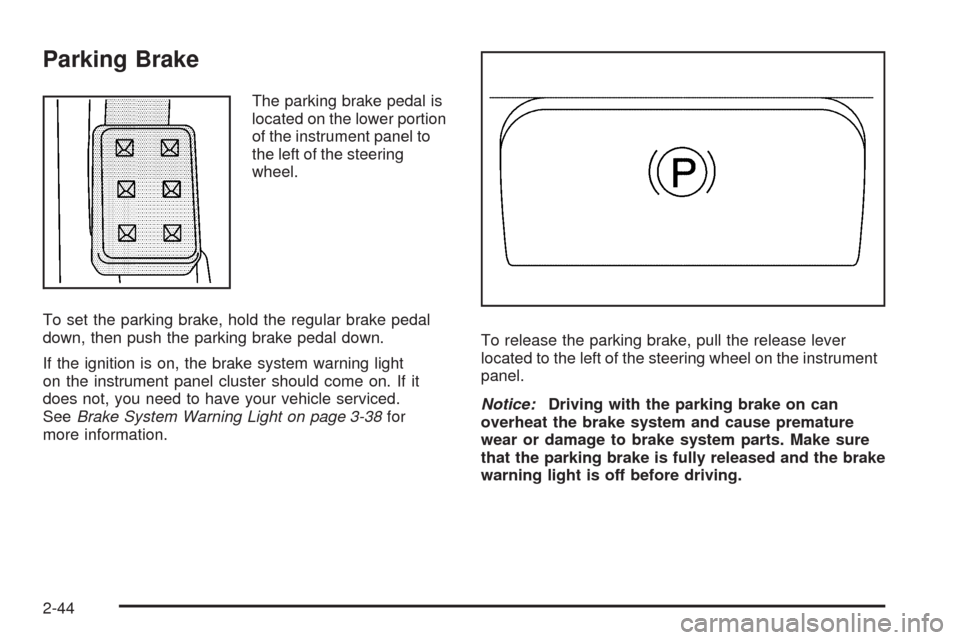
The parking brake pedal is
located on the lower portion
of the instrument panel to
the left of the steering
wheel.
To set the parking brake, hold the regular brake pedal
down, then push the parking brake pedal down.
If the ignition is on, the brake system warning light
on the instrument panel cluster should come on. If it
does not, you need to have your vehicle serviced.
SeeBrake System Warning Light on page 3-38for
more information.To release the parking brake, pull the release lever
located to the left of the steering wheel on the instrument
panel.
Notice:Driving with the parking brake on can
overheat the brake system and cause premature
wear or damage to brake system parts. Make sure
that the parking brake is fully released and the brake
warning light is off before driving.
2-44
Page 128 of 490
Mirrors
Automatic Dimming Rearview Mirror
with OnStar
®
This vehicle has an automatic dimming inside rearview
mirror with OnStar®controls. For more information
about OnStar®, seeOnStar®System on page 2-55.
O(On/Off):The on/off button on the lower left side of
the mirror, is used for the automatic dimming functions
of the rearview mirror.
Mirror Operation
The automatic dimming feature comes on each time
the vehicle is started. Automatic dimming reduces
the glare of lights from behind the vehicle.
To turn the automatic dimming feature on or off, press
and release the on/off button. The indicator light
comes on when this feature is on.
Cleaning the Mirror
While cleaning the mirror, use a paper towel or similar
material dampened with glass cleaner. Do not spray
glass cleaner directly on the mirror as that may cause
the liquid cleaner to enter the mirror housing.
Outside Power Mirrors
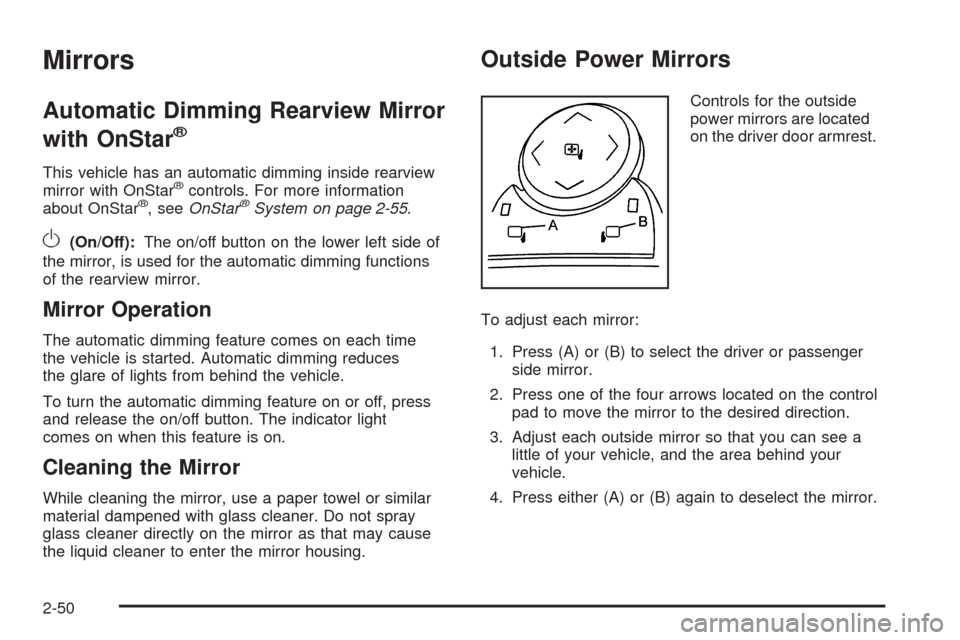
Controls for the outside
power mirrors are located
on the driver door armrest.
To adjust each mirror:
1. Press (A) or (B) to select the driver or passenger
side mirror.
2. Press one of the four arrows located on the control
pad to move the mirror to the desired direction.
3. Adjust each outside mirror so that you can see a
little of your vehicle, and the area behind your
vehicle.
4. Press either (A) or (B) again to deselect the mirror.
2-50