roof CADILLAC CTS 2008 2.G User Guide
[x] Cancel search | Manufacturer: CADILLAC, Model Year: 2008, Model line: CTS, Model: CADILLAC CTS 2008 2.GPages: 490, PDF Size: 2.59 MB
Page 141 of 490
Instrument Panel Storage
Your vehicle has a storage area located below the
climate control systems. To access, push on the lid.
Center Console Storage
Your vehicle has a center console with an upper and
lower storage area. To access the upper storage area,
lift the driver side lever on the front of the console
and lift the cover. To access the lower storage area,
lift the passenger side lever on the center console.
There is an additional storage area behind the center
console. To access, push the cover.
Convenience Net
Your vehicle may have a convenience net in the rear of
the vehicle. Put small loads behind the net. It can also be
positioned into an envelope style to hold smaller items.
The net is not for heavier loads. Store them as far forward
as you can.
Sunroof
If your vehicle has a power sunroof it will only operate
when the ignition is turned on, or in ACC/ACCESSORY,
or when Retained Accessory Power (RAP) is active.
SeeRetained Accessory Power (RAP) on page 2-35.
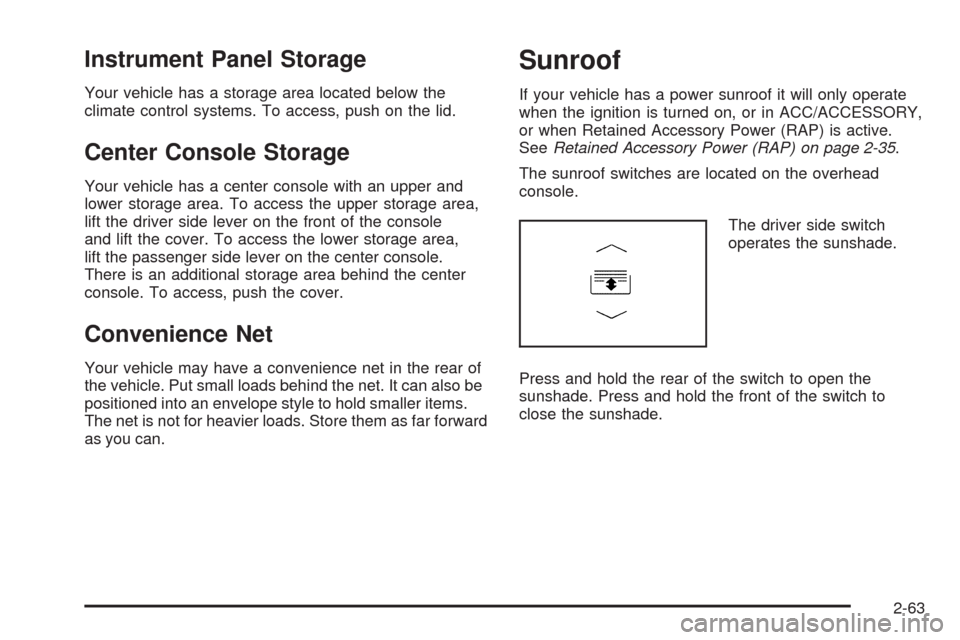
The sunroof switches are located on the overhead
console.
The driver side switch
operates the sunshade.
Press and hold the rear of the switch to open the
sunshade. Press and hold the front of the switch to
close the sunshade.
2-63
Page 142 of 490
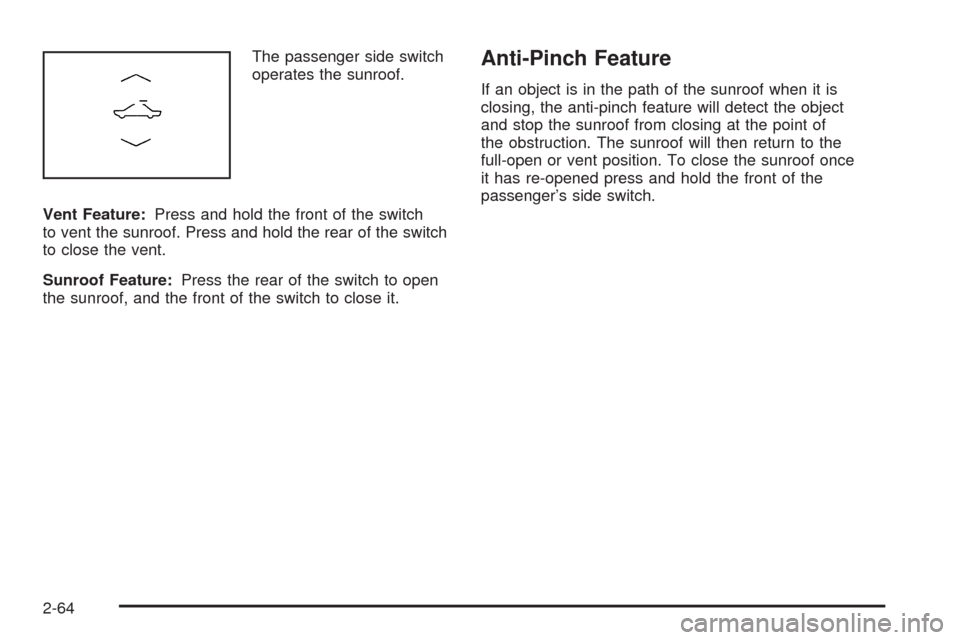
The passenger side switch
operates the sunroof.
Vent Feature:Press and hold the front of the switch
to vent the sunroof. Press and hold the rear of the switch
to close the vent.
Sunroof Feature:Press the rear of the switch to open
the sunroof, and the front of the switch to close it.Anti-Pinch Feature
If an object is in the path of the sunroof when it is
closing, the anti-pinch feature will detect the object
and stop the sunroof from closing at the point of
the obstruction. The sunroof will then return to the
full-open or vent position. To close the sunroof once
it has re-opened press and hold the front of the
passenger’s side switch.
2-64
Page 197 of 490

Compass Calibration
The compass can be manually calibrated. Only calibrate
the compass in a magnetically clean and safe location,
such as an open parking lot, where driving the vehicle
in circles is not a danger. It is suggested to calibrate
away from tall buildings, utility wires, manhole covers, or
other industrial structures, if possible.
If CAL should ever appear in the DIC display, the
compass should be calibrated.
If the DIC display does not show a heading, for example,
N for North, or the heading does not change after
making turns, there may be a strong magnetic eld
interfering with the compass. Such interference may
be caused by a magnetic CB or cell phone antenna
mount, a magnetic emergency light, magnetic note
pad holder, or any other magnetic item. Turn off
the vehicle, move the magnetic item, then turn on
the vehicle and calibrate the compass.To calibrate the compass, use the following procedure:Compass Calibration Procedure
1. Before calibrating the compass, make sure the
compass zone is set to the variance zone in
which the vehicle is located. See “Compass
Variance (Zone) Procedure” earlier in this section.
Do not operate any switches such as window,
sunroof, climate controls, seats, etc. during
the calibration procedure.
2. Press the vehicle information button until
Press
VTo Calibrate Compass displays.
3. Press the set/reset button to start the compass
calibration.
4. The DIC will display Calibrating Drive In Circles.
Drive the vehicle in tight circles at less than
5 mph (8 km/h) to complete the calibration. The DIC
will display Calibration Complete for a few seconds
when the calibration is complete. The DIC display
will then return to Press
VTo Calibrate Compass.
3-55
Page 268 of 490
XM™ Satellite Radio Service
XM™ Satellite Radio Service gives digital radio
reception from coast-to-coast in the 48 contiguous
United States, and in Canada. Just as with FM,
tall buildings or hills can interfere with satellite radio
signals, causing the sound to fade in and out.
In addition, traveling or standing under heavy foliage,
bridges, garages, or tunnels may cause loss of XM
signal for a period of time. The radio may display
No XM Signal to indicate interference.
Cellular Phone Usage
Cellular phone usage may cause interference with your
vehicle’s radio. This interference may occur when
making or receiving phone calls, charging the phone’s
battery, or simply having the phone on. This interference
causes an increased level of static while listening to
the radio. If static is received while listening to the radio,
unplug the cellular phone and turn it off.
Backglass Antenna
The AM-FM antenna is integrated with the rear window
defogger, located in the rear window. Make sure that
the inside surface of the rear window is not scratched
and that the grid lines on the glass are not damaged.
If the inside surface is damaged, it could interfere
with radio reception.Notice:Using a razor blade or sharp object to clear
the inside rear window may damage the rear window
antenna and/or the rear window defogger. Repairs
would not be covered by your warranty. Do not clear
the inside rear window with sharp objects.
Notice:Do not apply aftermarket glass tinting
with metallic lm. The metallic lm in some tinting
materials will interfere with or distort the incoming
radio reception. Any damage caused to your
backglass antenna due to metallic tinting materials
will not be covered by your warranty.
Because this antenna is built into the rear window,
there is a reduced risk of damage caused by car washes
and vandals.
XM™ Satellite Radio Antenna System
The XM Satellite Radio antenna is located on the roof of
the vehicle. Keep this antenna clear of snow and ice
build up for clear radio reception.
If the vehicle has a sunroof, the performance of the
XM system may be affected if the sunroof is open.
Loading items onto the roof of the vehicle can interfere
with the performance of the XM system. Make sure
the XM Satellite Radio antenna is not obstructed.
3-126
Page 434 of 490
Relays Usage
RT/POS/LP Right Position Lamp
SPARE Spare
STOP/LP Stoplamp
TRUNK/RELSE Trunk Release
UNLCK Unlock
Fuses Usage
AIRBAG Airbag System
AMP Amplier
AUX/OUTLET Auxiliary Power Outlet
CNSTR/VENT Canister Vent
DR/LCK Door Lock
ECM Engine Control Module (ECM)
FUEL/PUMP Fuel Pump
LT/POS/LP Left Position Lamp
LT/REAR/
WNDWLeft Rear Window
MSM Memory Seat Module
Fuses Usage
ONSTAR OnStar®System
PDM Passenger Door Module
RDO Audio System
RDO/SPKR Audio Speakers
REAR/FOG Not Used
REAR/WNDW Rear Window
RKE/
PASS-KEY/
MDLRemote Keyless Entry System,
Pass-Key Theft Deterrent Feature
Module
RT/POS/LP Right Position Lamp
RT/POS/LP Right Position Lamp
RVC/SNSR Regulated Voltage Control Sensor
S/ROOF Sunroof
SPARE Spare
SPARE Spare
STOP/LP Stoplamp
THEFT/UGDOTheft Deterrent System, Universal
Home Remote System
TRUNK/RELSE Trunk Release
5-128
Page 488 of 490
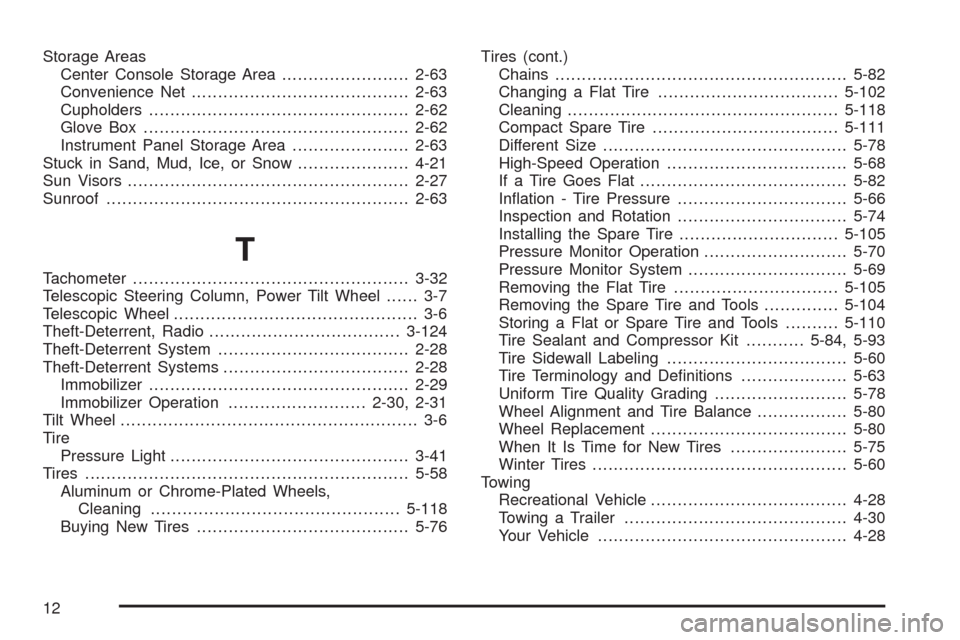
Storage Areas
Center Console Storage Area........................2-63
Convenience Net.........................................2-63
Cupholders.................................................2-62
Glove Box..................................................2-62
Instrument Panel Storage Area......................2-63
Stuck in Sand, Mud, Ice, or Snow.....................4-21
Sun Visors.....................................................2-27
Sunroof.........................................................2-63
T
Tachometer....................................................3-32
Telescopic Steering Column, Power Tilt Wheel...... 3-7
Telescopic Wheel.............................................. 3-6
Theft-Deterrent, Radio....................................3-124
Theft-Deterrent System....................................2-28
Theft-Deterrent Systems...................................2-28
Immobilizer.................................................2-29
Immobilizer Operation..........................2-30, 2-31
Tilt Wheel........................................................ 3-6
Tire
Pressure Light.............................................3-41
Tires.............................................................5-58
Aluminum or Chrome-Plated Wheels,
Cleaning...............................................5-118
Buying New Tires........................................5-76Tires (cont.)
Chains.......................................................5-82
Changing a Flat Tire..................................5-102
Cleaning...................................................5-118
Compact Spare Tire...................................5-111
Different Size..............................................5-78
High-Speed Operation..................................5-68
If a Tire Goes Flat.......................................5-82
Ination - Tire Pressure................................5-66
Inspection and Rotation................................5-74
Installing the Spare Tire..............................5-105
Pressure Monitor Operation...........................5-70
Pressure Monitor System..............................5-69
Removing the Flat Tire...............................5-105
Removing the Spare Tire and Tools..............5-104
Storing a Flat or Spare Tire and Tools..........5-110
Tire Sealant and Compressor Kit...........5-84, 5-93
Tire Sidewall Labeling..................................5-60
Tire Terminology and Denitions....................5-63
Uniform Tire Quality Grading.........................5-78
Wheel Alignment and Tire Balance.................5-80
Wheel Replacement.....................................
5-80
When It Is Time for New Tires......................5-75
Winter Tires................................................5-60
Towing
Recreational Vehicle.....................................4-28
Towing a Trailer..........................................4-30
Your Vehicle...............................................4-28
12