power steering CADILLAC CTS 2009 2.G User Guide
[x] Cancel search | Manufacturer: CADILLAC, Model Year: 2009, Model line: CTS, Model: CADILLAC CTS 2009 2.GPages: 490, PDF Size: 2.68 MB
Page 229 of 490

Park Tilt Mirrors
If the vehicle has this feature, it allows you to select
whether or not the outside mirror(s) will automatically tilt
down when the vehicle is shifted into R (Reverse).
SeePark Tilt Mirrors on page 2-53for more information.
Press the customization button until Park Tilt Mirrors
appears on the DIC display. Press the set/reset button
once to access the settings for this feature. Then press
the menu up/down button to scroll through the following
settings:
Off (default):Neither outside mirror will be tilted down
when the vehicle is shifted into R (Reverse).
Driver Mirror:The driver’s outside mirror will be tilted
down when the vehicle is shifted into R (Reverse).
Passenger Mirror:The passenger’s outside mirror
will be tilted down when the vehicle is shifted into
R (Reverse).
Both Mirrors:The driver’s and passenger’s outside
mirrors will be tilted down when the vehicle is shifted
into R (Reverse).
No Change:No change will be made to this feature.
The current setting will remain.
To select a setting, press the set/reset button while the
desired setting is displayed on the DIC.
Easy Exit Recall
If the vehicle has this feature, it allows you to select
your preference for the automatic easy exit seat feature.
SeeMemory Seat, Mirrors and Steering Wheel on
page 1-8for more information.
Press the customization button until Easy Exit Recall
appears on the DIC display. Press the set/reset button
once to access the settings for this feature. Then press
the menu up/down button to scroll through the following
settings:
Door Button Only:No automatic seat exit recall will
occur. The recall will only occur after pressing the easy
exit seat button.
Button And Automatic (Keyless Access default):
If the features are enabled though the Easy Exit Setup
menu, the driver’s seat will move back, and if the vehicle
has the power tilt wheel and telescopic steering feature,
the power steering column will move up and forward
when the vehicle is parked and the driver door is opened,
or after pressing the easy exit seat button.
The automatic easy exit seat movement will only occur
one time after the driver door is opened. If the automatic
movement has already occurred, and you close and then
open the driver door, the seat and steering column will
stay in the original exit position, unless a memory recall
took place prior to opening the driver door again.
3-81
Page 230 of 490

Button And Automatic (Key Access default):If the
features are enabled though the Easy Exit Setup menu,
the driver’s seat will move back, and if the vehicle
has the power tilt wheel and telescopic steering feature,
the power steering column will move up and forward
when the key is removed from the ignition or after
pressing the easy exit seat button. The automatic easy
exit seat movement will only occur one time after
the key is removed from the ignition. If the automatic
movement has already occurred, and you put the
key back in the ignition and remove it again, the seat
and steering column will stay in the original exit position,
unless a memory recall took place prior to removing
the key again.
No Change:No change will be made to this feature.
The current setting will remain.
To select a setting, press the set/reset button while the
desired setting is displayed on the DIC.
Easy Exit Setup
If the vehicle has this feature, it allows you to select
which areas will recall with the automatic easy exit seat
feature. It also allows you to turn off the automatic
easy exit feature. SeeMemory Seat, Mirrors and
Steering Wheel on page 1-8and “Easy Exit Recall”
earlier for more information.Press the customization button until Easy Exit Setup
appears on the DIC display. Press the set/reset button
once to access the settings for this feature. Then press
the menu up/down button to scroll through the following
settings:
Off:No automatic seat exit will recall.
Seat Only:The driver’s seat will recall.
Tilt Only:The steering wheel tilt feature will recall.
Telescope Only:The steering column telescope
feature will recall.
Seat/Tilt:The driver’s seat and the steering wheel tilt
feature will recall.
Seat/Telescope:The driver’s seat and the steering
column telescope feature will recall.
Tilt/Telescope:The steering wheel tilt and steering
column telescope features will recall.
All (default):The driver’s seat and the steering wheel
tilt and steering column telescope features will recall,
if the vehicle has this option.
No Change:No change will be made to this feature.
The current setting will remain.
To select a setting, press the set/reset button while the
desired setting is displayed on the DIC.
3-82
Page 231 of 490

Memory Seat Recall
If the vehicle has this feature, it allows you to select
your preference for the remote memory seat recall
feature. SeeMemory Seat, Mirrors and Steering Wheel
on page 1-8for more information.
Press the customization button until Memory Seat Recall
appears on the DIC display. Press the set/reset button
once to access the settings for this feature. Then press
the menu up/down button to scroll through the following
settings:
Off (default):No remote memory seat recall will occur.
On:The driver’s seat and outside mirrors will
automatically move to the stored driving position when
the unlock button on the Remote Keyless Entry (RKE)
or keyless access transmitter is pressed. The steering
column will also move on vehicles with the power tilt
and telescopic steering feature. SeePower Tilt Wheel
and Telescopic Steering Column on page 3-7for
more information. See “Relearn Remote Key” under
DIC Operation and Displays on page 3-51for more
information on matching transmitters to driver
ID numbers.
No Change:No change will be made to this feature.
The current setting will remain.
To select a setting, press the set/reset button while the
desired setting is displayed on the DIC.
Remote Start
If the vehicle has this feature, it allows you to turn the
remote start feature off or on. The remote start feature
allows you to start the engine from outside of the vehicle
using the Remote Keyless Entry (RKE) or keyless access
transmitter. SeeRemote Vehicle Start on page 2-14for
more information.
Press the customization button until Remote Start
appears in the DIC display. Press the set/reset button
once to access the settings for this feature. Then press
the menu up/down button to scroll through the following
settings:
Off:The remote start feature will be disabled.
On (default):The remote start feature will be enabled.
No Change:No change will be made to this feature.
The current setting will remain.
To select a setting, press the set/reset button while the
desired setting is displayed on the DIC.
3-83
Page 281 of 490
If there is a problem with
ABS, this warning light will
stay on. SeeAntilock Brake
System (ABS) Warning
Light on page 3-40.
Let us say the road is wet and you are driving safely.
Suddenly, an animal jumps out in front of you. You slam
on the brakes and continue braking. Here is what
happens with ABS:
A computer senses that the wheels are slowing down.
If one of the wheels is about to stop rolling, the computer
will separately work the brakes at each wheel.
ABS can change the brake pressure to each wheel, as
required, faster than any driver could. This can help
you steer around the obstacle while braking hard.
As you brake, the computer keeps receiving updates on
wheel speed and controls braking pressure accordingly.
Remember: ABS does not change the time you need to
get your foot up to the brake pedal or always decrease
stopping distance. If you get too close to the vehicle in
front of you, you will not have time to apply the brakes
if that vehicle suddenly slows or stops. Always leave
enough room up ahead to stop, even though you
have ABS.Using ABS
Do not pump the brakes. Just hold the brake pedal down
rmly and let antilock work for you. You might hear the
antilock pump or motor operate, and feel the brake pedal
pulsate, but this is normal.
Braking in Emergencies
With ABS, you can steer and brake at the same time.
In many emergencies, steering can help more than even
the very best braking.
Brake Assist (Except CTS-V)
This vehicle has a Brake Assist feature designed to
assist the driver in stopping or decreasing vehicle speed
in emergency driving conditions. This feature uses the
stability system hydraulic brake control module to
supplement the power brake system under conditions
where the driver has quickly and forcefully applied
the brake pedal in an attempt to quickly stop or slow
down the vehicle. The stability system hydraulic
brake control module increases brake pressure at each
corner of the vehicle until the ABS activates. Minor
brake pedal pulsations or pedal movement during this
time is normal and the driver should continue to
apply the brake pedal as the driving situation dictates
The Brake Assist feature will automatically disengage
when the brake pedal is released or brake pedal
pressure is quickly decreased.
4-5
Page 282 of 490

StabiliTrak®System
The vehicle has an electronic stability control system
called StabiliTrak. It is an advanced computer controlled
system that assists with directional control of the vehicle
in difficult driving conditions.
StabiliTrak activates when the computer senses a
discrepancy between your intended path and the
direction the vehicle is actually traveling. StabiliTrak
selectively applies braking pressure at any one of the
vehicle’s brakes to help steer the vehicle in the direction
which you are steering.
When the system activates, the Traction Control System
(TCS)/StabiliTrak warning light on the instrument panel
cluster ashes. You may also hear a noise or feel
vibration in the brake pedal. This is normal. Continue
to steer the vehicle in the direction you want it to go.
If there is a problem detected with StabiliTrak, a Service
Stability System message displays on the Driver
Information Center (DIC) and the TCS/StabiliTrak
warning light on the instrument panel cluster comes on.
When this message and warning light displays, the
system is not operational. Driving should be adjusted
accordingly. SeeDIC Warnings and Messages on
page 3-58andWarning Lights, Gages, and Indicators
on page 3-30for more information.StabiliTrak comes on automatically whenever the vehicle
is started. The system should be left on to help assist with
directional control of the vehicle. If StabiliTrak needs to
be turned off, press the TC (traction control) on/off button.
SeeTraction Control System (TCS) on page 4-6.
If cruise control is being used when the StabiliTrak
activates, the cruise control will automatically disengage.
When road conditions allow, reengage the cruise control.
SeeCruise Control on page 3-14for more information.
Traction Control System (TCS)
The vehicle has a Traction Control System (TCS) that
limits wheel spin. This is especially useful in slippery
road conditions. On a rear-wheel-drive vehicle, the
system operates if it senses that one or both of the rear
wheels are spinning or beginning to lose traction. On an
All-Wheel-Drive (AWD) vehicle, the system will operate if
it senses that any of the wheels are spinning or beginning
to lose traction. When this happens, the system brakes
the spinning wheel(s) and/or reduces engine power to
limit wheel spin.
The system may be heard or felt while it is working, but
this is normal.
The TCS/StabiliTrak
®warning light will ash when the
traction control system is limiting wheel spin.
4-6
Page 285 of 490

Press and release this
button, located in the
center of the instrument
panel, to change modes.
Limited-Slip Rear Axle
Vehicles with a limited-slip rear axle can give more
traction on snow, mud, ice, sand or gravel. It works like
a standard axle most of the time, but when traction
is low, this feature allows the drive wheel with the most
traction to move the vehicle.
All-Wheel Drive (AWD) System
With this feature, the AWD system will automatically
monitor and adjust engine power to the front and
rear wheels for the best traction and handling. If there is
a loss of traction or stability, the AWD system works
with the electronic stability control system to increase
power to the front wheels as necessary.
If the spare tire is on the vehicle, there may be a slight
reduction in performance of the AWD system.
SeeDIC Warnings and Messages on page 3-58for
AWD related DIC messages.
Steering
Power Steering
If you lose power steering assist because the engine
stops or the system is not functioning, you can steer but
it will take much more effort.
Speed Variable Assist Steering
Your vehicle has a steering system that varies the
amount of effort required to steer the vehicle in relation
to the speed of the vehicle.
The amount of steering effort required is less at slower
speeds to make the vehicle more maneuverable and
easier to park. At faster speeds, the steering effort
increases to provide a sport-like feel to the steering.
This provides maximum control and stability.
If your vehicle seems harder to steer than normal when
parking or driving slowly, there may be a problem
with the system. You will still have power steering, but
steering will be stiffer than normal at slow speeds.
See your dealer/retailer for service.
4-9
Page 311 of 490
Service............................................................5-3
Accessories and Modications..........................5-3
California Proposition 65 Warning.....................5-4
California Perchlorate Materials Requirements.....5-4
Doing Your Own Service Work.........................5-4
Adding Equipment to the Outside of the
Vehicle......................................................5-5
Fuel................................................................5-5
Gasoline Octane............................................5-6
Gasoline Specications....................................5-6
California Fuel...............................................5-7
Additives.......................................................5-7
Fuels in Foreign Countries...............................5-8
Filling the Tank..............................................5-8
Filling a Portable Fuel Container.....................5-11
Checking Things Under the Hood....................5-12
Hood Release..............................................5-12
Engine Compartment Overview.......................5-14
Engine Oil...................................................5-18
Engine Oil Life System..................................5-21
Engine Cover...............................................5-23
Engine Air Cleaner/Filter................................5-25
Automatic Transmission Fluid.........................5-29
Manual Transmission Fluid.............................5-29
Hydraulic Clutch...........................................5-30
Cooling System............................................5-31
Engine Coolant.............................................5-32Coolant Surge Tank Pressure Cap..................5-37
Engine Overheating.......................................5-37
Overheated Engine Protection
Operating Mode.........................................5-39
Power Steering Fluid.....................................5-40
Windshield Washer Fluid................................5-41
Brakes........................................................5-42
Battery........................................................5-45
Jump Starting...............................................5-46
All-Wheel Drive..............................................5-51
Rear Axle.......................................................5-52
Headlamp Aiming...........................................5-53
Bulb Replacement..........................................5-57
High Intensity Discharge (HID) Lighting............5-57
Halogen Bulbs..............................................5-57
Front Turn Signal and Fog Lamps...................5-58
License Plate Lamp......................................5-59
Replacement Bulbs.......................................5-59
Windshield Wiper Blade Replacement..............5-59
Tires..............................................................5-61
Winter Tires.................................................5-62
Tire Sidewall Labeling...................................5-63
Tire Terminology and Denitions.....................5-66
Ination - Tire Pressure.................................5-69
High-Speed Operation...................................5-70
Tire Pressure Monitor System.........................5-71
Section 5 Service and Appearance Care
5-1
Page 325 of 490

A. Windshield Washer Fluid Reservoir. See “Adding
Washer Fluid” underWindshield Washer Fluid
on page 5-41.
B.Underhood Fuse Block (CTS) on page 5-115or
Underhood Fuse Block (CTS-V) on page 5-119.
C. Remote Positive (+) Terminal. SeeJump Starting on
page 5-46.
D. Remote Negative (+) Terminal. SeeJump Starting
on page 5-46.
E. Passenger Compartment Air Filter. SeePassenger
Compartment Air Filter on page 3-29.
F. Engine Cooling Fan. SeeCooling System on
page 5-31.G. Power Steering Fluid Reservoir (Under Engine
Cover). SeePower Steering Fluid on page 5-40.
H. Engine Oil Fill Cap. SeeEngine Oil on page 5-18.
I. Engine Oil Dipstick (Out of View). SeeEngine Oil on
page 5-18.
J. Hydraulic Clutch Reservoir (If Equipped) (Not
Shown). See “When to Check and What to Use”
underHydraulic Clutch on page 5-30.
K. Brake Master Cylinder Reservoir (Out of View).
SeeBrakes on page 5-42.
L. Engine Coolant Surge Tank and Pressure Cap.
SeeCooling System on page 5-31.
M.Engine Air Cleaner/Filter on page 5-25.
5-15
Page 327 of 490
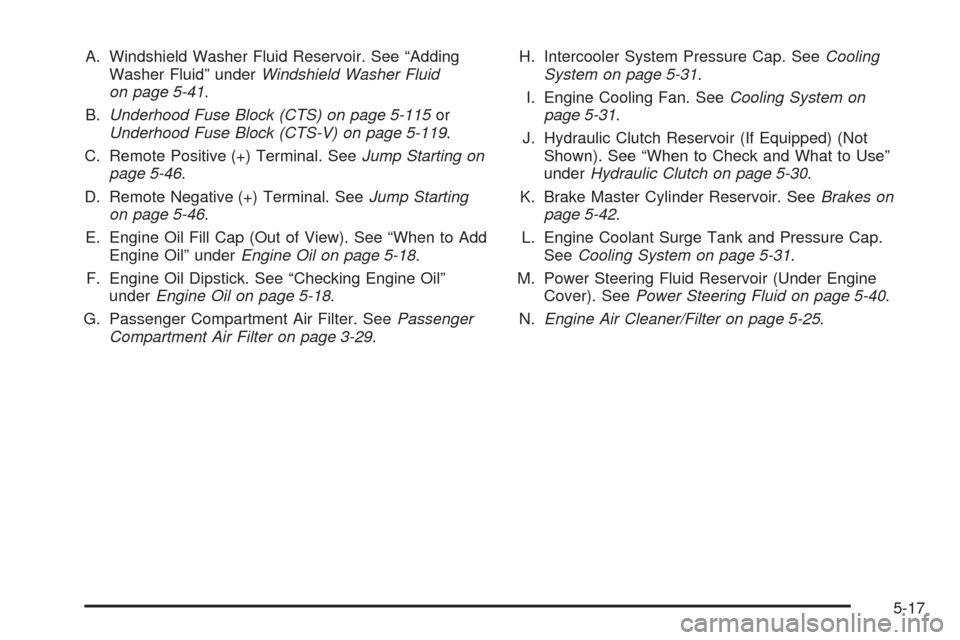
A. Windshield Washer Fluid Reservoir. See “Adding
Washer Fluid” underWindshield Washer Fluid
on page 5-41.
B.Underhood Fuse Block (CTS) on page 5-115or
Underhood Fuse Block (CTS-V) on page 5-119.
C. Remote Positive (+) Terminal. SeeJump Starting on
page 5-46.
D. Remote Negative (+) Terminal. SeeJump Starting
on page 5-46.
E. Engine Oil Fill Cap (Out of View). See “When to Add
Engine Oil” underEngine Oil on page 5-18.
F. Engine Oil Dipstick. See “Checking Engine Oil”
underEngine Oil on page 5-18.
G. Passenger Compartment Air Filter. SeePassenger
Compartment Air Filter on page 3-29.H. Intercooler System Pressure Cap. SeeCooling
System on page 5-31.
I. Engine Cooling Fan. SeeCooling System on
page 5-31.
J. Hydraulic Clutch Reservoir (If Equipped) (Not
Shown). See “When to Check and What to Use”
underHydraulic Clutch on page 5-30.
K. Brake Master Cylinder Reservoir. SeeBrakes on
page 5-42.
L. Engine Coolant Surge Tank and Pressure Cap.
SeeCooling System on page 5-31.
M. Power Steering Fluid Reservoir (Under Engine
Cover). SeePower Steering Fluid on page 5-40.
N.Engine Air Cleaner/Filter on page 5-25.
5-17
Page 334 of 490

Engine Cover (CTS-V)To remove: The engine cover consists of two pieces.
Only the larger piece needs to be removed to access the
engine oil and power steering ll caps.
1. Raise the front of engine cover (A) to release from
the ball studs (B).
2. Pull the engine cover forward until clear of the
smaller piece.
3. Lift and remove the engine cover.
4. Reverse Steps 1 through 3 to reinstall engine
cover.
5-24