automatic transmission CADILLAC CTS 2011 2.G User Guide
[x] Cancel search | Manufacturer: CADILLAC, Model Year: 2011, Model line: CTS, Model: CADILLAC CTS 2011 2.GPages: 496, PDF Size: 7.71 MB
Page 147 of 496
Black plate (7,1)Cadillac CTS/CTS-V Owner Manual - 2011
Instruments and Controls 5-7
Headlamp Washer
For vehicles with headlamp washers
they clear debris from the headlamp
lenses.
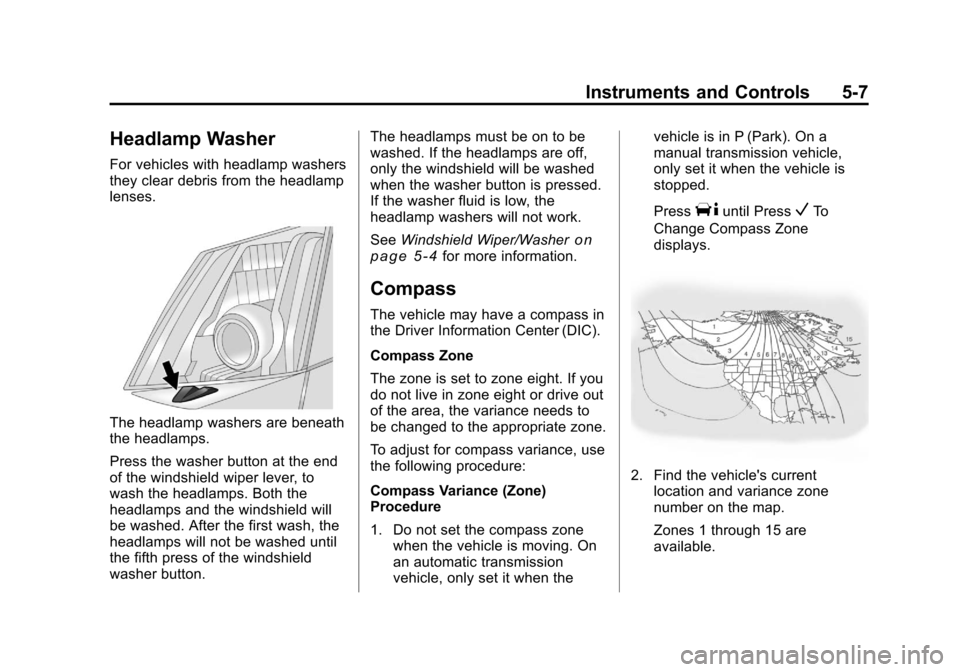
The headlamp washers are beneath
the headlamps.
Press the washer button at the end
of the windshield wiper lever, to
wash the headlamps. Both the
headlamps and the windshield will
be washed. After the first wash, the
headlamps will not be washed until
the fifth press of the windshield
washer button.The headlamps must be on to be
washed. If the headlamps are off,
only the windshield will be washed
when the washer button is pressed.
If the washer fluid is low, the
headlamp washers will not work.
See
Windshield Wiper/Washer
on
page 5‑4for more information.
Compass
The vehicle may have a compass in
the Driver Information Center (DIC).
Compass Zone
The zone is set to zone eight. If you
do not live in zone eight or drive out
of the area, the variance needs to
be changed to the appropriate zone.
To adjust for compass variance, use
the following procedure:
Compass Variance (Zone)
Procedure
1. Do not set the compass zone when the vehicle is moving. On
an automatic transmission
vehicle, only set it when the vehicle is in P (Park). On a
manual transmission vehicle,
only set it when the vehicle is
stopped.
Press
Tuntil PressVTo
Change Compass Zone
displays.
2. Find the vehicle's current location and variance zone
number on the map.
Zones 1 through 15 are
available.
Page 153 of 496

Black plate (13,1)Cadillac CTS/CTS-V Owner Manual - 2011
Instruments and Controls 5-13
Speedometer
The speedometer shows the
vehicle's speed in either kilometers
per hour (km/h) or miles per
hour (mph).
Odometer
The odometer shows how far the
vehicle has been driven, in either
kilometers or miles.
This vehicle has a tamper‐resistant
odometer. The digital odometer will
read 999,999 if it is turned back.
If the vehicle needs a new odometer
installed, it must be set to the
mileage total of the old odometer.
If that is not possible, then it must
be set at zero and a label must be
put on the driver door to show the
old mileage reading when the new
odometer was installed.
Trip Odometer
The trip odometer can record the
number of kilometers or miles
traveled for up to two trips.The trip odometer is part of the
Driver Information Center (DIC); for
more information see
Driver
Information Center (DIC)
on
page 5‑27.
For vehicles that have the
navigation system, see the
Navigation System manual for more
information.
Tachometer
The tachometer displays the engine
speed in revolutions per
minute (rpm).
Notice: If the engine is operated
with the tachometer in the shaded
warning area, the vehicle could
be damaged, and the damages
would not be covered by the
vehicle warranty. Do not operate
the engine with the tachometer in
the shaded warning area.
The CTS-V tachometer has tracer
lights that follow the movement of
the tachometer indicator. The tracer
lights also flash when it is time to
up-shift to avoid the engine speed limit. See
Automatic Transmission
on page 9‑26orManual
Transmissionon page 9‑30for
more information.
Fuel Gauge
When the ignition is on, the fuel
gauge indicates how much fuel is
left in the tank.
An arrow on the fuel gauge
indicates the side of the vehicle the
fuel door is on.
Page 155 of 496
Black plate (15,1)Cadillac CTS/CTS-V Owner Manual - 2011
Instruments and Controls 5-15
Engine Speed Limiter
This feature prevents the engine
speed from reaching an unsafe
level. If the level is too high, the
throttle closes or limits the fuel
supply until the engine speed
returns to a safe level. Throttle
operation and fuel supply return to
normal when engine speed is
lowered.
For the CTS-V, the tachometer
tracer lights flash prior to reaching
engine speed limit. The tracer lights
also flash on automatic transmission
vehicles while in the DSC or Tap
Shift modes.
Engine Oil Pressure
Gauge
English
Metric
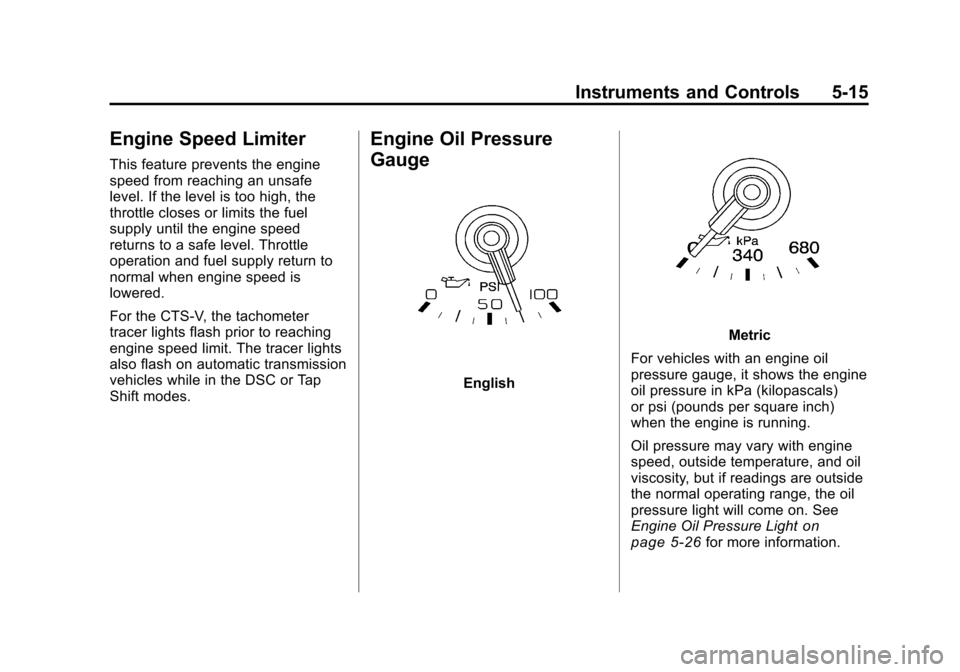
For vehicles with an engine oil
pressure gauge, it shows the engine
oil pressure in kPa (kilopascals)
or psi (pounds per square inch)
when the engine is running.
Oil pressure may vary with engine
speed, outside temperature, and oil
viscosity, but if readings are outside
the normal operating range, the oil
pressure light will come on. See
Engine Oil Pressure Light
on
page 5‑26for more information.
Page 164 of 496

Black plate (24,1)Cadillac CTS/CTS-V Owner Manual - 2011
5-24 Instruments and Controls
If the regular brake system warning
light is not on, the vehicle still has
brakes, but not antilock brakes.
If the regular brake system warning
light is also on, the vehicle does not
have antilock brakes and there is a
problem with the regular brakes.
SeeBrake System Warning Light
on page 5‑22.
For vehicles with a Driver
Information Center (DIC), see Driver
Information Center (DIC)
on
page 5‑27for all brake related DIC
messages.
Up-Shift Light
The vehicle may have an up-shift
light. It indicates when to shift to the
next higher gear for best fuel
economy. See
Manual Transmission
on
page 9‑30for more information.
For the CTS-V, the tracer lights
function as a performance up-shift
light.
The tracers flash to indicate
when to shift to the next higher gear
to avoid the engine speed limit.
See Automatic Transmission
on
page 9‑26or Manual Transmissionon page 9‑30for more information.
Traction Control System
(TCS)/StabiliTrak®Light
The Traction Control System (TCS)/
StabiliTrak warning light should
come on briefly when the engine is
started. If it does not, have the vehicle
serviced by your dealer. If the
system is working normally, the
indicator light then goes off.
If the light comes on or stays on
while driving, there may be a
problem with the TCS/StabiliTrak
and the vehicle may need service.
When this warning light is on, the
system does not limit wheel spin.
Adjust driving accordingly.
See
Traction Control System (TCS)
on page 9‑37andStabiliTrak
Systemon page 9‑38for more
information.
Page 173 of 496
Black plate (33,1)Cadillac CTS/CTS-V Owner Manual - 2011
Instruments and Controls 5-33
Press Brake To Start Engine
(Automatic Transmission Only)
If the vehicle has the keyless
access system, this message
displays if you try to start the engine
without having the brake pressed.
The brake needs to be pressed
when starting the engine. See
Ignition Positions (Key Access)
on
page 9‑16or Ignition Positions
(Keyless Access)on page 9‑18for
more information.
Release Park Brake Switch
For vehicles with the Electric
Parking Brake, this message
displays if the Park Brake switch is
pulled while the vehicle is moving.
See the Electric Parking Brake
information under Parking Brake
(Manual)
on page 9‑33or Parking
Brake (Electric)on page 9‑34for
more information.
Service Brake Assist
This message displays if there is a
problem with the brake system. The
brake system warning light and the
antilock brake system (ABS)
warning light may also display on
the instrument panel cluster. See
Brake System Warning Light
on
page 5‑22and Antilock Brake
System (ABS) Warning Lighton
page 5‑23for more information.
Stop as soon as possible and turn
off the vehicle. Restart the vehicle
and check for the message on the
DIC display. If the message displays
immediately or again after you begin
driving, the brake system needs
service. See your dealer as soon as
possible. See Antilock Brake
System (ABS)
on page 9‑32for
more information.
Service Brake System
This message displays, while the
ignition is on, when the brake fluid
level is low. The brake system
warning light on the instrument
panel cluster also comes on. See Brake System Warning Light
on
page 5‑22for more information.
This message may also be
displayed for other brake system
problems. Have the brake system
serviced by your dealer as soon as
possible.
Service Park Brake
For vehicles with the Electric
Parking Brake, this message
displays if a problem is detected
with the electric parking brake
system. See your dealer for service.
Step On Brake To Release
Park Brake
For vehicles with the Electric
Parking Brake, this message
displays if you try to release the
park brake system without first
pressing the brake pedal. See the
Electric Parking Brake information
under Parking Brake (Manual)
on
page 9‑33or Parking Brake
(Electric)on page 9‑34for more
information.
Page 184 of 496
Black plate (44,1)Cadillac CTS/CTS-V Owner Manual - 2011
5-44 Instruments and Controls
If a tire pressure message appears
on the DIC, stop as soon as you
can. Inflate the tires by adding air
until the tire pressure is equal to the
values shown on the Tire Loading
Information label. SeeTires
on
page 10‑66, Vehicle Load Limitson
page 9‑11, and Tire Pressureon
page 10‑74.
If the vehicle does not have a spare
tire, the message will display “Use
Inflator Kit in Trunk”. Use the inflator
kit to inflate the tires to the correct
pressure. See Tire Sealant and
Compressor Kit
on page 10‑92for
more information.
More than one tire pressure
message can be received at a time.
To read the other messages, press
the set/reset button.
The DIC display also shows the tire
pressure values. See Driver
Information Center (DIC)
on
page 5‑27.
Transmission Messages
Differential Hot, Reduce Speed
(CTS-V Only)
This message displays and a chime
sounds if the differential fluid
temperature exceeds 150°C
(300°F). Driving aggressively or at
high speeds can cause the
differential fluid temperature to be
higher than normal. If this message
appears, you may continue to drive
at a slower speed. If you have been
operating the vehicle under normal
driving conditions, the vehicle may
need service. See your dealer for an
inspection.
To acknowledge the message,
press
V. The message reappears
and a chime sounds every
two minutes until this condition
changes. If you do not clear the
message, it will remain on until the
condition changes.
Service Transmission
This message displays when there
is a problem with the vehicle's
transmission. Have the vehicle
serviced by your dealer.
Shift To Park (Automatic
Transmission Only)
If the vehicle has the keyless
access system, this message
displays if the vehicle is not in
P (Park) while the engine is being
turned off. The vehicle will be in
ACC/ACCESSORY. Once the shift
lever is moved to P (Park), the
ignition needs to be turned off. If the
ignition is not turned off, the vehicle
will remain in ACC/ACCESSORY.
To avoid draining the battery, turn
the ignition to off before leaving the
vehicle.
Page 185 of 496
Black plate (45,1)Cadillac CTS/CTS-V Owner Manual - 2011
Instruments and Controls 5-45
Sport Mode
This message displays when the
vehicle is in sport mode. The
transmission gear position will also
be displayed when DSC is in use.
See“Driver Shift Control (DSC)”
under Automatic Transmission
on
page 9‑26for more information.
Transmission Hot Idle Engine
This message displays when the
transmission fluid in the vehicle is
too hot. Stop the vehicle and allow it
to idle until the transmission cools
down or until this message is
removed.
Vehicle Speed Messages
Ice Possible Drive With Care
This message displays when the
outside temperature is cold enough
to create icy road conditions. Adjust
your driving accordingly.
Speed Limited To
XXX MPH (km/h)
This message displays when the
vehicle speed is limited to 80 mph
(128 km/h) because the vehicle
detects a problem in the speed
variable assist steering, magnetic
ride control, or automatic leveling
control systems. Have the vehicle
serviced by your dealer.
Washer Fluid Messages
Washer Fluid Low Add Fluid
This message displays when the
vehicle is low on windshield washer
fluid. Refill the windshield washer
fluid reservoir as soon as possible.
See Washer Fluid
on page 10‑26for
more information.
Vehicle
Personalization
Vehicle customization allows certain
features to be programmed for one
preferred setting.
Only the customization options
available will be displayed on
the DIC.
The default settings were preset
when the vehicle left the factory, but
may have been changed.
The customization preferences are
automatically recalled.
To change customization
preferences, use the following
procedure.
Page 187 of 496

Black plate (47,1)Cadillac CTS/CTS-V Owner Manual - 2011
Instruments and Controls 5-47
Press the customization button until
Auto Door Lock appears on the DIC
display. Press the set/reset button
once to access the settings for this
feature. Then press the menu up/
down button to scroll through the
following settings:
Shift Out Of Park (default on
Automatic Transmission)
(Automatic Transmission Only):
The vehicle's doors automatically
lock when the doors are closed and
the vehicle is shifted out of P (Park).
At Vehicle Speed (default on
Manual Transmission):The
vehicle's doors automatically lock
when the vehicle speed is above
5 mph (8 km/h) for three seconds.
No Change: No change will be
made to this feature. The current
setting will remain.
To select a setting, press the set/
reset button while the desired
setting is displayed on the DIC. Auto Door Unlock
This feature allows you to select
whether or not the door(s) will
automatically unlock. It also allows
you to select which doors and when
they will automatically unlock. See
Automatic Door Locks
on
page 2‑15for more information.
Press the customization button until
Auto Door Unlock appears on the
DIC display. Press the set/reset
button once to access the settings
for this feature. Then press the
menu up/down button to scroll
through the following settings:
Off: None of the doors will
automatically unlock.
Driver Only At Off: Only the driver
door will unlock when the ignition is
turned off.
All At Off (default on Manual
Transmission): All of the doors will
unlock when the ignition is
turned off. All In Park (default on Automatic
Transmission) (Automatic
Transmission Only):
All of the
doors will unlock when the vehicle is
shifted into P (Park).
No Change: No change will be
made to this feature. The current
setting will remain.
To select a setting, press the set/
reset button while the desired
setting is displayed on the DIC.
Remote Door Lock Feedback
This feature allows you to select the
type of feedback you will receive
when locking the vehicle with the
Remote Keyless Entry (RKE) or
keyless access transmitter, or when
the vehicle is automatically locked
using the Keyless Locking feature.
You will not receive feedback when
locking the vehicle with the
transmitter if the doors are open.
See Remote Keyless Entry (RKE)
System Operation (Key Access)
on
page 2‑5or Remote Keyless Entry
(RKE) System Operation (Keyless
Page 201 of 496

Black plate (3,1)Cadillac CTS/CTS-V Owner Manual - 2011
Lighting 6-3
Daytime Running
Lamps (DRL)
Daytime Running Lamps (DRL) can
make it easier for others to see the
front of your vehicle during the day.
Fully functional daytime running
lamps are required on all vehicles
first sold in Canada.
The DRL system will make either
the reduced intensity low‐beam
headlamps or dedicated DRLs come
on when the following conditions
are met:
.It is still daylight and the ignition
is in ON/RUN or START.
.The exterior lamp control is in off
or AUTO and the headlamps
are off.
.The automatic transmission is
not in P (Park).
When DRLs are on, only the
reduced intensity low‐beam
headlamps or dedicated DRLs will be on. The other exterior lamps and
the instrument panel cluster will not
be on.
When the exterior lamp control is in
AUTO and it is dark enough outside,
the DRL turns off and the low-beam
headlamps will turn on. When it is
bright enough outside, the low-beam
headlamps will go off, and the DRL
will turn back on. If the vehicle is
started in a dark garage, the
automatic headlamp system comes
on immediately. Once the vehicle
leaves the garage, it takes about
one minute for the automatic
headlamp system to change to DRL
if it is light outside. During that
delay, the instrument panel cluster
may not be as bright as usual. Make
sure the instrument panel brightness
lever is in the full bright position.
See
Instrument Panel Illumination
Control on page 6‑5.
Turning the exterior lamp control to
off or to the low-beam headlamp
position will turn off the DRL. If the parking lamps or the fog lamps were
turned on instead, the DRL will still
turn off.
This will work regardless of gear
position and whether or not the
parking brake is set.
Automatic Headlamp
System
When it is dark enough outside and
the exterior lamps control is in the
automatic position, the headlamps
come on automatically. See
Exterior
Lamp Controls on page 6‑1.
The vehicle has a light sensor
located on top of the instrument
panel. Make sure it is not covered,
or the headlamps will be on when
they are not needed.
The system may also turn on the
headlamps when driving through a
parking garage or tunnel.
Page 202 of 496
Black plate (4,1)Cadillac CTS/CTS-V Owner Manual - 2011
6-4 Lighting
Adaptive Forward
Lighting (AFL)
The Adaptive Forward Lighting
System (AFL) pivots the headlamps
horizontally to provide greater road
illumination while turning. To enable
AFL, set the exterior lamp switch on
the multifunction lever to the AUTO
position. Moving the switch out of
the AUTO position will deactivate
the system. AFL will operate when
the vehicle speed is greater than
3 km/h (2 mph). AFL will not operate
when the transmission is in
R (Reverse). AFL is not immediately
operable after starting the vehicle;
driving a short distance is required
to calibrate the AFL. SeeExterior
Lamp Controls on page 6‑1.
Hazard Warning Flashers
|
Hazard Warning Flasher:
Press this button located on the
instrument panel near the audio
system, to make the front and rear
turn signal lamps flash on and off.
This warns others that you are
having trouble. Press again to turn
the flashers off.
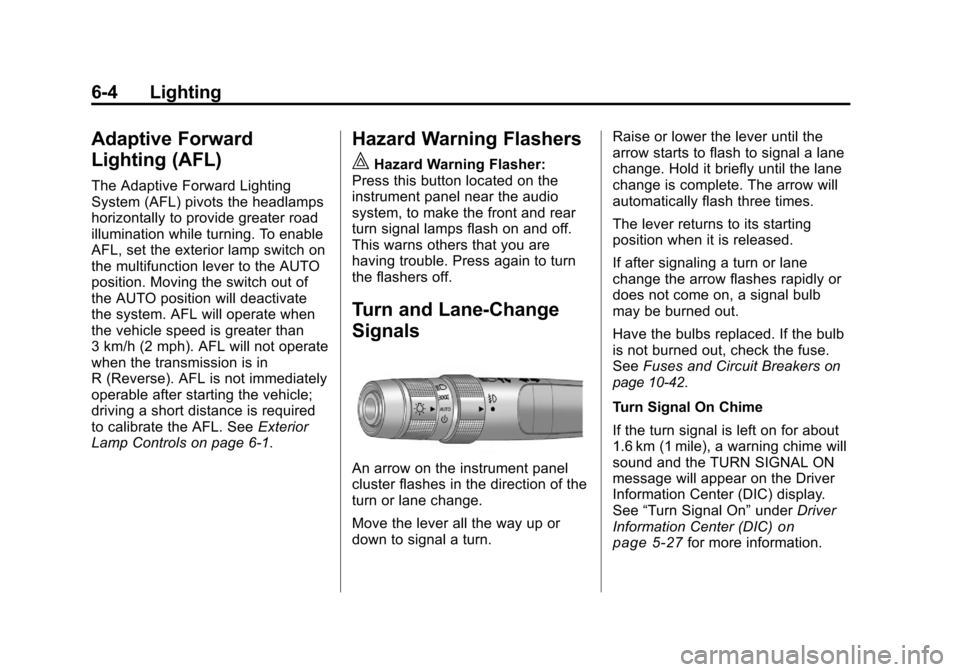
Turn and Lane-Change
Signals
An arrow on the instrument panel
cluster flashes in the direction of the
turn or lane change.
Move the lever all the way up or
down to signal a turn. Raise or lower the lever until the
arrow starts to flash to signal a lane
change. Hold it briefly until the lane
change is complete. The arrow will
automatically flash three times.
The lever returns to its starting
position when it is released.
If after signaling a turn or lane
change the arrow flashes rapidly or
does not come on, a signal bulb
may be burned out.
Have the bulbs replaced. If the bulb
is not burned out, check the fuse.
See
Fuses and Circuit Breakers
on
page 10‑42.
Turn Signal On Chime
If the turn signal is left on for about
1.6 km (1 mile), a warning chime will
sound and the TURN SIGNAL ON
message will appear on the Driver
Information Center (DIC) display.
See “Turn Signal On” underDriver
Information Center (DIC)
on
page 5‑27for more information.