change time CADILLAC CTS 2011 2.G User Guide
[x] Cancel search | Manufacturer: CADILLAC, Model Year: 2011, Model line: CTS, Model: CADILLAC CTS 2011 2.GPages: 496, PDF Size: 7.71 MB
Page 193 of 496

Black plate (53,1)Cadillac CTS/CTS-V Owner Manual - 2011
Instruments and Controls 5-53
.Entry/Exit Steering Only:Easy
Exit will automatically move the
steering column to a full up and
full forward position when the
key is removed from the ignition
on Key Access vehicles,
or when the ignition is turned off
and the driver door opened on
Keyless Access vehicles. This
movement will also occur when
the door mounted EXIT button is
pressed.
Easy Entry will automatically
recall the driver seat, outside
mirrors and steering column
memory positions of the current
driver (1 or 2) when the ignition
is turned on.
No Change: No change will be
made to this feature. The current
setting will remain.Exiting the Feature
Settings Menu
The feature settings menu will be
exited when any of the following
occurs:
.The vehicle is no longer in
ON/RUN.
.The trip/fuel or vehicle
information DIC buttons are
pressed.
.The end of the feature settings
menu is reached and exited.
.A 40 second time period has
elapsed with no selection made.
Universal Remote
System
See Radio Frequency Statementon
page 13‑18for information
regarding Part 15 of the Federal
Communications Commission (FCC)
rules and Industry Canada
Standards RSS-210/220/310.
Universal Remote System
Programming
This system provides a way to
replace up to three remote control
transmitters used to activate
devices such as garage door
openers, security systems, and
home automation devices.
Page 199 of 496
Black plate (1,1)Cadillac CTS/CTS-V Owner Manual - 2011
Lighting 6-1
Lighting
Exterior Lighting
Exterior Lamp Controls . . . . . . . . 6-1
Exterior Lamps OffReminder . . . . . . . . . . . . . . . . . . . . 6-2
Headlamp High/Low-Beam Changer . . . . . . . . . . . . . . . . . . . . . 6-2
Flash-to-Pass . . . . . . . . . . . . . . . . . 6-2
Daytime Running Lamps (DRL) . . . . . . . . . . . . . . . . 6-3
Automatic Headlamp System . . . . . . . . . . . . . . . . . . . . . . 6-3
Adaptive Forward Lighting (AFL) . . . . . . . . . . . . . . . 6-4
Hazard Warning Flashers . . . . . 6-4
Turn and Lane-Change Signals . . . . . . . . . . . . . . . . . . . . . . 6-4
Fog Lamps . . . . . . . . . . . . . . . . . . . . 6-5
Interior Lighting
Instrument Panel Illumination Control . . . . . . . . . . . . . . . . . . . . . . 6-5
Reading Lamps . . . . . . . . . . . . . . . 6-5
Lighting Features
Entry Lighting . . . . . . . . . . . . . . . . . 6-6
Parade Dimming . . . . . . . . . . . . . . 6-6
Battery Load Management . . . . 6-6
Battery Power Protection . . . . . . 6-7
Exterior Lighting Battery Saver . . . . . . . . . . . . . . . . . . . . . . . . 6-7
Exterior Lighting
Exterior Lamp Controls
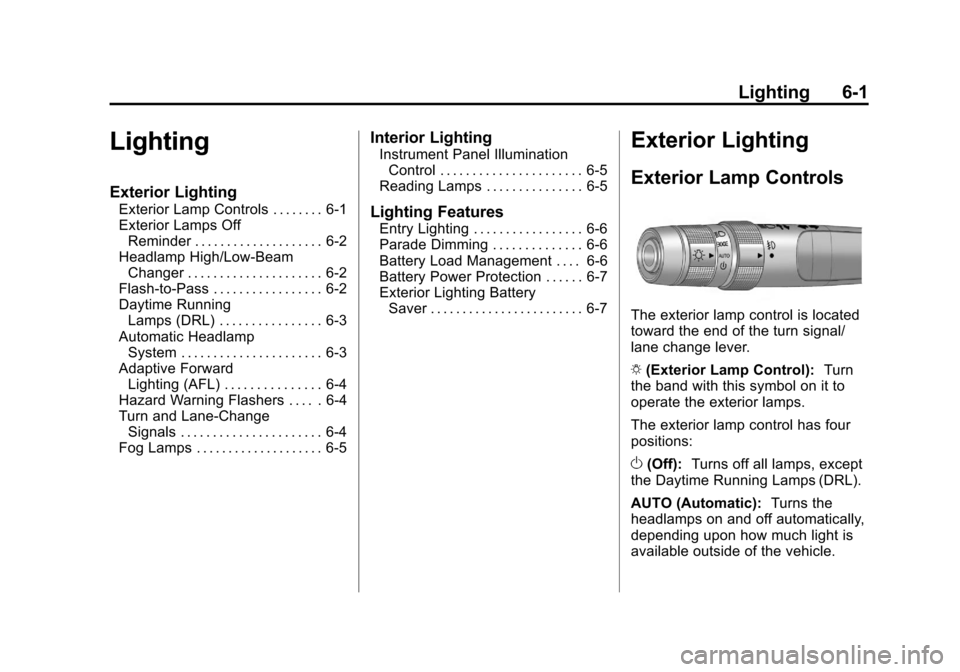
The exterior lamp control is located
toward the end of the turn signal/
lane change lever.
O (Exterior Lamp Control): Turn
the band with this symbol on it to
operate the exterior lamps.
The exterior lamp control has four
positions:
O (Off): Turns off all lamps, except
the Daytime Running Lamps (DRL).
AUTO (Automatic): Turns the
headlamps on and off automatically,
depending upon how much light is
available outside of the vehicle.
Page 200 of 496
Black plate (2,1)Cadillac CTS/CTS-V Owner Manual - 2011
6-2 Lighting
;(Parking Lamps): Turns on the
parking lamps together with the
following:
.Sidemarker Lamps
.Taillamps
.License Plate Lamps
.Instrument Panel Lights
5 (Headlamps): Turns on the
headlamps, together with the
previously listed lamps and lights.
Exterior Lamps Off
Reminder
A warning chime will sound if the
exterior lamp control is left on in
either the headlamp or parking lamp
position and the driver door is
opened with the ignition off.
Headlamp High/
Low-Beam Changer
Push the turn signal/lane change
lever away from you to turn the high
beams on. Pull the lever toward you
and then release it to return to low
beams.
If the vehicle is turned off while the
highbeams are on, they will come
on the next time the vehicle is
started.
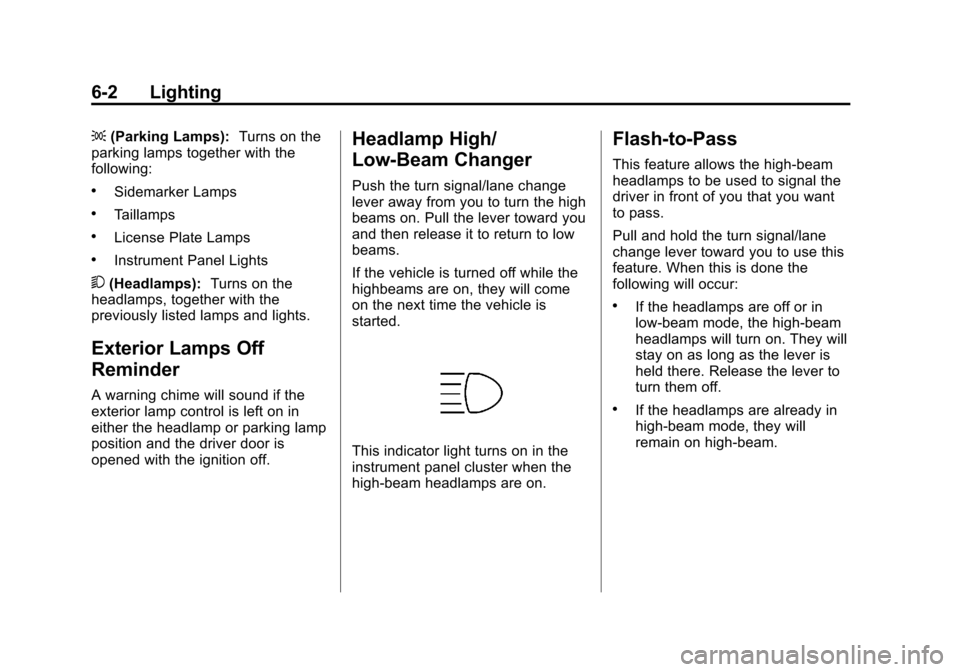
This indicator light turns on in the
instrument panel cluster when the
high‐beam headlamps are on.
Flash-to-Pass
This feature allows the high-beam
headlamps to be used to signal the
driver in front of you that you want
to pass.
Pull and hold the turn signal/lane
change lever toward you to use this
feature. When this is done the
following will occur:
.If the headlamps are off or in
low-beam mode, the high-beam
headlamps will turn on. They will
stay on as long as the lever is
held there. Release the lever to
turn them off.
.If the headlamps are already in
high-beam mode, they will
remain on high‐beam.
Page 201 of 496

Black plate (3,1)Cadillac CTS/CTS-V Owner Manual - 2011
Lighting 6-3
Daytime Running
Lamps (DRL)
Daytime Running Lamps (DRL) can
make it easier for others to see the
front of your vehicle during the day.
Fully functional daytime running
lamps are required on all vehicles
first sold in Canada.
The DRL system will make either
the reduced intensity low‐beam
headlamps or dedicated DRLs come
on when the following conditions
are met:
.It is still daylight and the ignition
is in ON/RUN or START.
.The exterior lamp control is in off
or AUTO and the headlamps
are off.
.The automatic transmission is
not in P (Park).
When DRLs are on, only the
reduced intensity low‐beam
headlamps or dedicated DRLs will be on. The other exterior lamps and
the instrument panel cluster will not
be on.
When the exterior lamp control is in
AUTO and it is dark enough outside,
the DRL turns off and the low-beam
headlamps will turn on. When it is
bright enough outside, the low-beam
headlamps will go off, and the DRL
will turn back on. If the vehicle is
started in a dark garage, the
automatic headlamp system comes
on immediately. Once the vehicle
leaves the garage, it takes about
one minute for the automatic
headlamp system to change to DRL
if it is light outside. During that
delay, the instrument panel cluster
may not be as bright as usual. Make
sure the instrument panel brightness
lever is in the full bright position.
See
Instrument Panel Illumination
Control on page 6‑5.
Turning the exterior lamp control to
off or to the low-beam headlamp
position will turn off the DRL. If the parking lamps or the fog lamps were
turned on instead, the DRL will still
turn off.
This will work regardless of gear
position and whether or not the
parking brake is set.
Automatic Headlamp
System
When it is dark enough outside and
the exterior lamps control is in the
automatic position, the headlamps
come on automatically. See
Exterior
Lamp Controls on page 6‑1.
The vehicle has a light sensor
located on top of the instrument
panel. Make sure it is not covered,
or the headlamps will be on when
they are not needed.
The system may also turn on the
headlamps when driving through a
parking garage or tunnel.
Page 202 of 496
Black plate (4,1)Cadillac CTS/CTS-V Owner Manual - 2011
6-4 Lighting
Adaptive Forward
Lighting (AFL)
The Adaptive Forward Lighting
System (AFL) pivots the headlamps
horizontally to provide greater road
illumination while turning. To enable
AFL, set the exterior lamp switch on
the multifunction lever to the AUTO
position. Moving the switch out of
the AUTO position will deactivate
the system. AFL will operate when
the vehicle speed is greater than
3 km/h (2 mph). AFL will not operate
when the transmission is in
R (Reverse). AFL is not immediately
operable after starting the vehicle;
driving a short distance is required
to calibrate the AFL. SeeExterior
Lamp Controls on page 6‑1.
Hazard Warning Flashers
|
Hazard Warning Flasher:
Press this button located on the
instrument panel near the audio
system, to make the front and rear
turn signal lamps flash on and off.
This warns others that you are
having trouble. Press again to turn
the flashers off.
Turn and Lane-Change
Signals
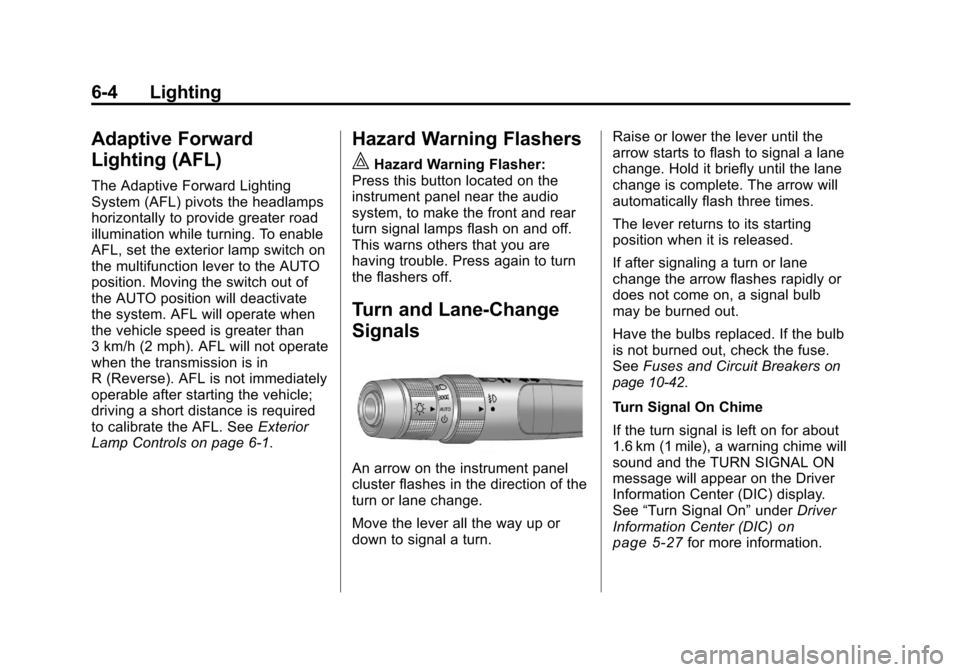
An arrow on the instrument panel
cluster flashes in the direction of the
turn or lane change.
Move the lever all the way up or
down to signal a turn. Raise or lower the lever until the
arrow starts to flash to signal a lane
change. Hold it briefly until the lane
change is complete. The arrow will
automatically flash three times.
The lever returns to its starting
position when it is released.
If after signaling a turn or lane
change the arrow flashes rapidly or
does not come on, a signal bulb
may be burned out.
Have the bulbs replaced. If the bulb
is not burned out, check the fuse.
See
Fuses and Circuit Breakers
on
page 10‑42.
Turn Signal On Chime
If the turn signal is left on for about
1.6 km (1 mile), a warning chime will
sound and the TURN SIGNAL ON
message will appear on the Driver
Information Center (DIC) display.
See “Turn Signal On” underDriver
Information Center (DIC)
on
page 5‑27for more information.
Page 215 of 496
Black plate (9,1)Cadillac CTS/CTS-V Owner Manual - 2011
Infotainment System 7-9
Gracenote is not obligated to
provide you with new enhanced or
additional data types or categories
that Gracenote may provide in the
future and is free to discontinue its
services at any time.
GRACENOTE DISCLAIMS ALL
WARRANTIES EXPRESS OR
IMPLIED, INCLUDING, BUT
NOT LIMITED TO, IMPLIED
WARRANTIES OF
MERCHANTABILITY, FITNESS
FOR A PARTICULAR PURPOSE,
TITLE, AND NON-INFRINGEMENT.
GRACENOTE DOES NOT
WARRANT THE RESULTS THAT
WILL BE OBTAINED BY YOUR
USE OF THE GRACENOTE
SOFTWARE OR ANY
GRACENOTE SERVER. IN
NO CASE WILL GRACENOTE
BE LIABLE FOR ANY
CONSEQUENTIAL OR
INCIDENTAL DAMAGES OR
FOR ANY LOST PROFITS OR
LOST REVENUES.Radio
AM-FM Radio
Control Buttons
The buttons used to control the
radio are:
FM/AM:Press to choose between
FM and AM.
TUNE: Turn to search for stations.
MENU/SELECT: Turn clockwise or
counterclockwise to scroll through
the station list. Press the MENU/
SELECT knob to select the desired
station.
INFO: Press to display additional
information that may be available for
the current song. When information
is not available, No Information
displays.
¨SEEK or©SEEK: Press to go to
the previous or to the next radio
station and stay there. The radio only tunes into stations
with a strong signal that are in the
selected band.
FAV:
Press to change the
favorites page.
Softkeys: Press to select preset
stations.
Radio Data System (RDS)
The audio system has a Radio Data
System (RDS) feature. RDS is
available for use only on FM
stations that broadcast RDS
information. This system relies upon
receiving specific information from
these stations and only works when
the information is available. While
the radio is tuned to an FM-RDS
station, the station name or call
letters display. In rare cases, a radio
station can broadcast incorrect
information that causes the radio
features to work improperly. If this
happens, contact the radio station.
Page 217 of 496
Black plate (11,1)Cadillac CTS/CTS-V Owner Manual - 2011
Infotainment System 7-11
The number of favorites pages can
be set up using the CONFIG button.
To set up the number of favorites
pages, perform the following steps:
1. Press the CONFIG button todisplay the radio setup menu.
2. Press the softkey located below the FAV label.
3. Select the desired number of favorites pages by pressing the
softkey located below the
displayed page numbers.
4. Press the FAV button, or let the menu time out, to return to the
original main radio screen
showing the radio station
frequency labels and to begin
the process of programming
favorites for the chosen number
of pages.Time-shifting —Pause and
Rewind Live FM and AM
The Radio with DVD Audio, HDD,
and USB has the ability to rewind
60 minutes of FM and AM content.
While listening to the radio, the
content from the current station is
always being buffered to the HDD.
Press
r/j(play/pause) to pause
the radio. The radio display will
show the Time Shift buffer status
bar. The status bar shows the
amount of content stored in the
buffer and the current pause point.
To resume playback from the
current pause point, press
r/j
again. The radio will no longer be
playing “live”radio. Instead, time
shifted content is being played from
the buffer. When the radio is playing
time shifted content from the buffer,
a buffer status bar shows below the
station number on the left side of
screen. Press and hold the REV or FWD
buttons to rewind or fast forward
through the time shift buffer. Hold
FWD until the end of the currently
recorded buffer to resume
“live”
radio playback. With “live”radio
playing, the radio display will no
longer show the buffer bar below
the station number.
On FM or AM, press the REV or
FWD button multiple times to rewind
or fast forward. Each press will
rewind or fast forward 30 seconds of
content.
When the radio station is changed,
the buffer is cleared and
automatically restarted for the
current station. You cannot rewind
to content from a previously tuned
station.
Time shifting of FM or AM is not
available while recording or while
other sources of playback are
selected.
Page 220 of 496
Black plate (14,1)Cadillac CTS/CTS-V Owner Manual - 2011
7-14 Infotainment System
The number of favorites pages can
be set up using the CONFIG button.
To set up the number of favorites
pages, perform the following steps:
1. Press the CONFIG button todisplay the radio setup menu.
2. Press the softkey located below the FAV label.
3. Select the desired number of favorites pages by pressing the
softkey located below the
displayed page numbers.
4. Press the FAV button, or let the menu time out, to return to the
original main radio screen
showing the radio station
frequency labels and to begin
the process of programming
favorites for the chosen number
of pages.Time-shifting —Pause and
Rewind Live XM
The Radio with DVD Audio, HDD,
and USB has the ability to rewind
60 minutes of XM content. While
listening to the radio, the content
from the current station is always
being buffered to the HDD.
Press
r/j(play/pause) To pause
the radio. The radio display will
show the Time Shift buffer status
bar. The status bar shows the
amount of content that is stored in
the buffer and the current pause
point.
To resume playback from the
current pause point, press
r/j
again. The radio will no longer be
playing “live”radio. Instead, time
shifted content is being played from
the buffer. When the radio is playing
time shifted content from the buffer,
a buffer status bar shows below the
station number on the left side of
screen. Press and hold the REV or FWD
buttons to rewind or fast forward
through the time shift buffer. Hold
FWD until the end of the currently
recorded buffer to resume
“live”
radio playback. With “live”radio
playing, the radio display will no
longer show the buffer bar below
the station number.
Press the REV or FWD button
multiple time to jump to the previous
or next song or commercial.
When the radio station is changed,
the buffer is cleared and
automatically restarted for the
current station. You cannot rewind
to content from a previously tuned
station.
Time shifting of XM is not available
while recording or while other
sources of playback are selected.
Page 225 of 496
Black plate (19,1)Cadillac CTS/CTS-V Owner Manual - 2011
Infotainment System 7-19
Inserting a CD (Six-Disc CD
Player)
^(Load):Press to load CDs into
the CD player. This CD player holds
up to six CDs.
To insert one CD:
1. Press and release the load button.
2. Wait for the message to insert the disc.
3. Load a CD. Insert the CD partway into the slot, label side
up. The player pulls the CD in.
A Shuffle tab and the DISC icon
display.
4. Press the softkey located below the Shuffle tab to play the tracks
of a current disc in random
order. Press the softkey again to
turn Shuffle off. Shuffle Off
displays.
5. The CD resumes normal playback. To insert multiple CDs:
1. Press and hold the^button
for five seconds. A beep sounds
and Load All Discs displays.
2. Follow the displayed instruction on when to insert the discs. The
CD player takes up to six CDs.
3. Press the
^button again to
cancel loading more CDs.
If the ignition or radio is turned off
while a CD is in the player, it stays
in the player. When the ignition or
radio is turned on, the CD starts
playing where it stopped, if it was
the last selected audio source.
When a CD is inserted, the disc
number displays on the upper right
side of the screen and the track
number displays at the left and
center of the screen. The Shuffle
and Disc labels appear below. Press
the softkeys located under the Disc
tab to change to another disc. The
CD begins playback of the first track
on the selected disc. As each new track starts to play, the track number
displays in the left and center of the
screen.
Playing a CD
Selecting a CD Track
Tracks can be selected using the
seek buttons, TUNE/TONE knob,
or the MENU/SELECT knob.
To use the seek buttons:
Press the
©SEEK button to go to
the start of the current track, if more
than five seconds have played.
Press the
¨SEEK button to go to
the next track. If
©SEEK or¨SEEK
is held, or pressed multiple times,
the player continues moving
backward or forward through the
tracks on the CD.
Page 228 of 496
Black plate (22,1)Cadillac CTS/CTS-V Owner Manual - 2011
7-22 Infotainment System
sREV (Fast Reverse):In CD or
MP3 playback mode, press and
hold to reverse playback quickly
within a track. Sound is heard at a
reduced volume. When released,
normal playback resumes and the
elapsed time of the track displays.
In DVD‐Audio playback mode, press
once to change playback to a speed
of 2X. Each successive press
changes playback to a speed of 4X,
10X, or 21X. Press
r/jto
resume normal playback.
\FWD (Fast Forward): In CD or
MP3 playback mode, press and
hold to advance playback quickly
within a track. Sound is heard at a
reduced volume. When released,
normal playback resumes and the
elapsed time of the track displays.
In DVD‐Audio playback mode, press
once to change playback to a speed
of 2X. Each successive press
changes playback to a speed of 4X,
10X, or 21X. Press
r/jto
resume normal playback.
Z(Eject): Press to eject the disc.
Inserting a Disc
With the printed side facing up,
insert a disc into the audio CD/DVD
slot until it is drawn in. The disc
track number and a Shuffle tab
display and playback begins.
If the ignition or radio is turned off
while a disc is in the player, it stays
in the player. When the ignition or
radio is turned on, the disc starts
playing where it stopped, if it was
the last selected audio source.
Playing a CD
Selecting a CD Track
Tracks can be selected using the
seek buttons, TUNE/TONE knob,
or the MENU/SELECT knob.
To use the seek buttons:
Press the
©SEEK button to go to
the start of the current track, if more
than five seconds have played.
Press the
¨SEEK button to go to the next track. If
©SEEK or¨SEEK
is held, or pressed multiple times,
the player continues moving
backward or forward through the
tracks on the CD.
To use the TUNE/TONE knob:
Turn the TUNE/TONE knob to
highlight the desired track, then
press the TUNE/TONE knob to
select the track.
To use the MENU/SELECT knob:
Turn the MENU/SELECT knob to
highlight the desired track, then
press the MENU/SELECT knob to
select the track.
Fast Forward and Rewind
sREV (Fast Reverse): Press
and hold to reverse playback quickly
within a track. Sound is heard at a
reduced volume and the elapsed
time of the track displays. Release
to resume playing the track.