automatic transmission CADILLAC CTS 2012 2.G User Guide
[x] Cancel search | Manufacturer: CADILLAC, Model Year: 2012, Model line: CTS, Model: CADILLAC CTS 2012 2.GPages: 496, PDF Size: 6.36 MB
Page 74 of 496

Black plate (8,1)Cadillac CTS/CTS-V Owner Manual (Include Mex) - 2012
3-8 Seats and Restraints
Memory Seats
On vehicles with the memory
feature, memory buttons 1 and 2 on
the driver door are used to save and
recall memory settings for the driver
seat cushion and seatback, outside
mirrors, and the steering column
position, if the vehicle is equipped
with the power tilt and telescopic
steering column.
1:Saves and recalls for driver 1.
2: Saves and recalls for driver 2.
B(Exit Button): Moves the driver
seat and/or power steering column
to the exit position. See “Exit Recall”
later in this section for more
information.
Storing Memory Positions
To save into memory:
1. Adjust the driver seat, outside mirrors, and the power steering
column, if equipped, to the
desired driving positions.
2. Press and hold “1”until two
beeps sound.
3. Repeat for a second driver using “2.”
The vehicle comes with two
Remote Keyless Entry (RKE)
transmitters. Each transmitter has
a number “1”or“2” on it. These
numbers correspond to “1”and “2”
on the driver door. The current
driver is identified when
Kon the
RKE transmitter is pressed, or when
“1” or“2” on the driver door is
pressed. To recall memory positions, press
and release
“1”or“2.” The vehicle
must be in P (Park) for an automatic
transmission, or the parking brake
must be applied for a manual
transmission. A single beep will
sound when the button is pressed.
The seat, outside mirrors, and/or
power steering column will move to
the position previously stored for the
identified driver.
Automatic Entry Recall
If entry/exit recall is programmed on
in the vehicle personalization menu,
automatic entry recall occurs when
the ignition is turned on. See “Entry/
Exit Recall” underVehicle
Personalization on page 5‑46 for
more information.
To stop recall movement, press one
of the power seat, memory,
or outside mirror buttons, or the
power steering column switch,
if equipped.
If something has blocked the driver
seat or the steering column while
recalling a memory position, the
Page 75 of 496

Black plate (9,1)Cadillac CTS/CTS-V Owner Manual (Include Mex) - 2012
Seats and Restraints 3-9
recall may stop. Remove the
obstruction; then press the
appropriate control for the area that
is not recalling for two seconds. Try
recalling the memory position again
by pressing the appropriate memory
button. If the memory position is still
not recalling, see your dealer for
service.
Exit Recall
B(Exit Button):Press to move
the driver seat back a preset
distance and/or the power steering
column, if equipped, up and forward.
A single beep sounds when the exit
feature activates. The vehicle must
be in P (Park) for an automatic
transmission, or the parking brake
must be applied for a manual
transmission.
If entry/exit recall is programmed on
in the vehicle personalization menu,
automatic seat and/or steering
column movement occurs upon
leaving the vehicle, if the following conditions are met. See
Vehicle
Personalization on page 5‑46 for
more information.
.For vehicles with Remote
Keyless Entry (RKE), automatic
exit recall movements occur
when the ignition key is
removed.
.For vehicles with Remote
Keyless Access, automatic exit
recall movements occur when
the following steps are
completed:
1. The ignition is turned on for vehicles with an automatic
transmission, or the engine
is started on vehicles with a
manual transmission.
2. The automatic transmission is shifted out of P (Park),
or the parking brake is
released on vehicles with a
manual transmission. 3. The automatic transmission
is shifted back into P (Park),
or the parking brake is
re-engaged on vehicles
with a manual transmission.
4. The ignition is turned off.
5. The driver door is opened.
Steps 2 and 3 are intended to reflect
that the vehicle has been moved.
If the vehicle is not moved or the
steps above are not performed,
automatic exit recall movement will
not occur. In this case, press
Bto
activate exit recall movements.
If something has blocked the driver
seat while recalling the exit position,
the recall may stop. Remove the
obstruction; then press and hold the
power seat control rearward for
two seconds. Try recalling the exit
position again. If the exit position is
still not recalling, see your dealer for
service.
Page 135 of 496

Black plate (7,1)Cadillac CTS/CTS-V Owner Manual (Include Mex) - 2012
Instruments and Controls 5-7
Headlamp Washer
For vehicles with headlamp washers
they clear debris from the headlamp
lenses.
The headlamp washers are beneath
the headlamps.
Press the washer button at the end
of the windshield wiper lever to
wash the headlamps. Both the
headlamps and the windshield will
be washed. After the first wash, the
headlamps will not be washed until
the fifth press of the windshield
washer button.The headlamps must be on to be
washed. If the headlamps are off,
only the windshield will be washed
when the washer button is pressed.
If the washer fluid is low, the
headlamp washers will not work.
See
Windshield Wiper/Washer on
page 5‑4 for more information.
Compass
The vehicle may have a compass in
the Driver Information Center (DIC).
Compass Zone
The zone is set to zone eight. If you
do not live in zone eight or drive out
of the area, the variance needs to
be changed to the appropriate zone.
To adjust for compass variance, use
the following procedure:
Compass Variance (Zone)
Procedure
1. Do not set the compass zone
when the vehicle is moving. On
an automatic transmission
vehicle, only set it when the vehicle is in P (Park). On a
manual transmission vehicle,
only set it when the vehicle is
stopped.
Press
Tuntil PRESSVTO
CHANGE COMPASS ZONE
displays.
2. Find the vehicle's current location and variance zone
number on the map.
Zones 1 through 15 are
available.
Page 141 of 496

Black plate (13,1)Cadillac CTS/CTS-V Owner Manual (Include Mex) - 2012
Instruments and Controls 5-13
Speedometer
The speedometer shows the
vehicle's speed in either kilometers
per hour (km/h) or miles per
hour (mph).
Odometer
The odometer shows how far the
vehicle has been driven, in either
kilometers or miles.
This vehicle has a tamper‐resistant
odometer. The digital odometer will
read 999,999 if it is turned back.
If the vehicle needs a new odometer
installed, it must be set to the
mileage total of the old odometer.
If that is not possible, then it must
be set at zero and a label must be
put on the driver door to show the
old mileage reading when the new
odometer was installed.
Trip Odometer
The trip odometer can record the
number of kilometers or miles
traveled for up to two trips.The trip odometer is part of the
Driver Information Center (DIC); for
more information see
Driver
Information Center (DIC) on
page 5‑27.
For vehicles that have the
navigation system, see the
navigation manual for more
information.
Tachometer
The tachometer displays the
engine speed in revolutions per
minute (rpm).
Notice: If the engine is operated
with the tachometer in the shaded
warning area, the vehicle could
be damaged, and the damages
would not be covered by the
vehicle warranty. Do not operate
the engine with the tachometer in
the shaded warning area.
The CTS-V tachometer has tracer
lights that follow the movement of
the tachometer indicator. The tracer
lights also flash when it is time to
up-shift to avoid the engine speed limit. See
Automatic Transmission
on page 9‑27 orManual
Transmission on page 9‑31 for more
information.
Fuel Gauge
When the ignition is on, the fuel
gauge indicates how much fuel is
left in the tank.
An arrow on the fuel gauge
indicates the side of the vehicle
the fuel door is on.
Page 143 of 496

Black plate (15,1)Cadillac CTS/CTS-V Owner Manual (Include Mex) - 2012
Instruments and Controls 5-15
For the CTS-V, the tachometer
tracer lights flash prior to reaching
engine speed limit. The tracer lights
also flash on automatic transmission
vehicles while in the DSC or Tap
Shift modes.
Engine Oil Pressure
Gauge
Metric
English
For vehicles with an engine oil
pressure gauge, it shows the engine
oil pressure in kPa (kilopascals)
or psi (pounds per square inch)
when the engine is running.
Oil pressure may vary with engine
speed, outside temperature, and oil
viscosity, but if readings are outside
the normal operating range, the oil
pressure light will come on. See
Engine Oil Pressure Light on
page 5‑25 for more information. A reading outside the normal
operating range may be caused
by a dangerously low oil level or
some other problem causing low oil
pressure. Oil should be checked as
soon as possible. See Oil Pressure
Low Stop Engine under
Engine Oil
Messages on page 5‑35 andEngine
Oil on page 10‑10.
{WARNING
Do not keep driving if the oil
pressure is low. The engine can
become so hot that it catches fire.
Someone could be burned. Check
the oil as soon as possible and
have the vehicle serviced.
Notice: Lack of proper engine oil
maintenance can damage the
engine. The repairs would not be
covered by the vehicle warranty.
Always follow the maintenance
schedule for changing engine oil.
Page 151 of 496
Black plate (23,1)Cadillac CTS/CTS-V Owner Manual (Include Mex) - 2012
Instruments and Controls 5-23
SeeBrake Assist (Except CTS-V)
on page 9‑37 for more information.
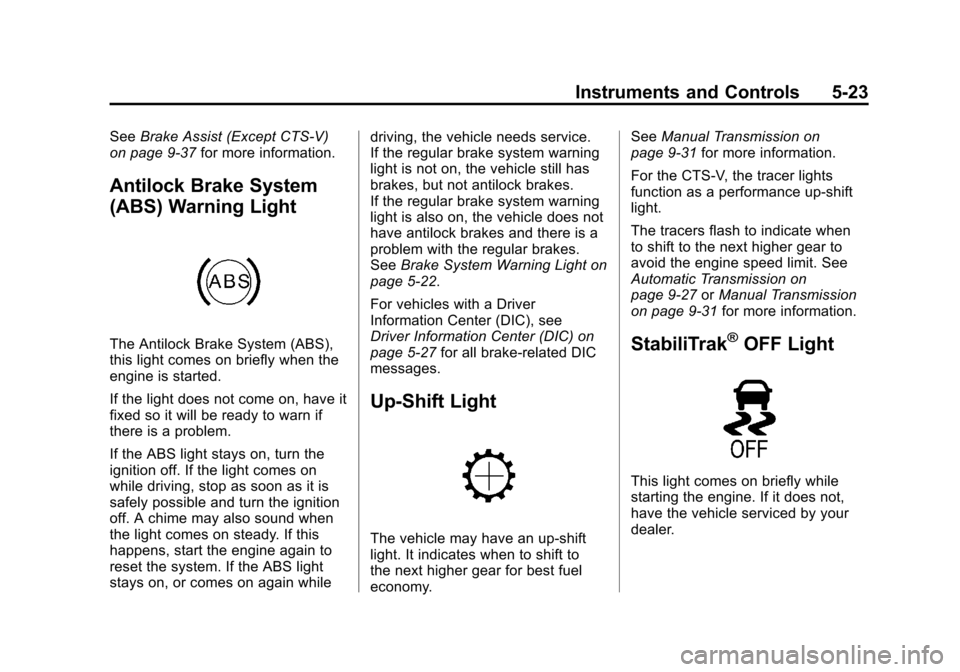
Antilock Brake System
(ABS) Warning Light
The Antilock Brake System (ABS),
this light comes on briefly when the
engine is started.
If the light does not come on, have it
fixed so it will be ready to warn if
there is a problem.
If the ABS light stays on, turn the
ignition off. If the light comes on
while driving, stop as soon as it is
safely possible and turn the ignition
off. A chime may also sound when
the light comes on steady. If this
happens, start the engine again to
reset the system. If the ABS light
stays on, or comes on again while driving, the vehicle needs service.
If the regular brake system warning
light is not on, the vehicle still has
brakes, but not antilock brakes.
If the regular brake system warning
light is also on, the vehicle does not
have antilock brakes and there is a
problem with the regular brakes.
See
Brake System Warning Light on
page 5‑22.
For vehicles with a Driver
Information Center (DIC), see
Driver Information Center (DIC) on
page 5‑27 for all brake-related DIC
messages.
Up-Shift Light
The vehicle may have an up-shift
light. It indicates when to shift to
the next higher gear for best fuel
economy. See
Manual Transmission on
page 9‑31 for more information.
For the CTS-V, the tracer lights
function as a performance up-shift
light.
The tracers flash to indicate when
to shift to the next higher gear to
avoid the engine speed limit. See
Automatic Transmission on
page 9‑27 orManual Transmission
on page 9‑31 for more information.
StabiliTrak®OFF Light
This light comes on briefly while
starting the engine. If it does not,
have the vehicle serviced by your
dealer.
Page 161 of 496

Black plate (33,1)Cadillac CTS/CTS-V Owner Manual (Include Mex) - 2012
Instruments and Controls 5-33
PRESS BRAKE TO START
ENGINE (AUTOMATIC
TRANSMISSION ONLY)
If the vehicle has the keyless
access system, this message
displays if you try to start the engine
without having the brake pressed.
The brake needs to be pressed
when starting the engine. See
Ignition Positions (Key Access) on
page 9‑16orIgnition Positions
(Keyless Access) on page 9‑18 for
more information.
RELEASE PARK BRAKE
SWITCH
For vehicles with the electric parking
brake, this message displays if the
switch is pulled while the vehicle is
moving. See the electric parking
brake information under Parking
Brake (Manual) on page 9‑34 or
Parking Brake (Electric) on
page 9‑35 for more information.
SERVICE BRAKE ASSIST
This message displays if there is a
problem with the brake system. The
brake system warning light and the
antilock brake system (ABS)
warning light may also display on
the instrument panel cluster. See
Brake System Warning Light on
page 5‑22andAntilock Brake
System (ABS) Warning Light on
page 5‑23 for more information.
Stop as soon as possible and turn
off the vehicle. Restart the vehicle
and check for the message on the
DIC display. If the message displays
immediately or again after you begin
driving, the brake system needs
service. See your dealer as soon as
possible. See Antilock Brake
System (ABS) on page 9‑33 for
more information.
SERVICE BRAKE SYSTEM
This message displays, while the
ignition is on, when the brake fluid
level is low. The brake system
warning light on the instrument
panel cluster also comes on. See
Brake System Warning Light on
page 5‑22 for more information. This
message may also be displayed for
other brake system problems. Have
the brake system serviced by your
dealer as soon as possible.
SERVICE PARK BRAKE
For vehicles with the electric parking
brake, this message displays if a
problem is detected with the electric
parking brake system. See your
dealer for service.
STEP ON BRAKE TO
RELEASE PARK BRAKE
For vehicles with the electric parking
brake, this message displays if you
try to release the park brake system
without first pressing the brake
pedal. See the electric parking
brake information under Parking
Brake (Manual) on page 9‑34 or
Parking Brake (Electric) on
page 9‑35 for more information.
Page 173 of 496
Black plate (45,1)Cadillac CTS/CTS-V Owner Manual (Include Mex) - 2012
Instruments and Controls 5-45
SERVICE TRANSMISSION
This message displays when there
is a problem with the vehicle's
transmission. Have the vehicle
serviced by your dealer.
SHIFT TO PARK (AUTOMATIC
TRANSMISSION ONLY)
If the vehicle has the keyless
access system, this message
displays if the vehicle is not in
P (Park) while the engine is being
turned off. The vehicle will be in
ACC/ACCESSORY. Once the shift
lever is moved to P (Park), the
ignition needs to be turned off. If the
ignition is not turned off, the vehicle
will remain in ACC/ACCESSORY.
To avoid draining the battery, turn
the ignition off before leaving the
vehicle.
SPORT MODE
This message displays when the
vehicle is in sport mode. The
transmission gear position will also
be displayed when DSC is in use.
SeeManual Mode on page 9‑29 for
more information.
TRANSMISSION HOT IDLE
ENGINE
This message displays when the
transmission fluid in the vehicle is
too hot. Stop the vehicle and allow it
to idle until the transmission cools
down or until this message is
removed.
Vehicle Speed Messages
ICE POSSIBLE DRIVE
WITH CARE
This message displays when the
outside temperature is cold enough
to create icy road conditions. Adjust
your driving accordingly.
SPEED LIMITED TO
XXX KM/H (MPH)
This message displays when the
vehicle speed is limited to 128 km/h
(80 mph) because the vehicle
detects a problem in the speed
variable assist steering or magnetic
ride control systems. Have the
vehicle serviced by your dealer.
Washer Fluid Messages
WASHER FLUID LOW ADD
FLUID
This message displays when the
vehicle is low on windshield washer
fluid. Refill the windshield washer
fluid reservoir as soon as possible.
See Washer Fluid on page 10‑25 for
more information.
Page 175 of 496

Black plate (47,1)Cadillac CTS/CTS-V Owner Manual (Include Mex) - 2012
Instruments and Controls 5-47
No Change:No change will be
made to this feature. The current
setting will remain.
To select a setting, press the set/
reset button while the desired
setting is displayed on the DIC.
Auto Door Lock
This feature allows you to select
when the vehicle's doors will
automatically lock. See Automatic
Door Locks on page 2‑17 for more
information.
Press the customization button until
Auto Door Lock appears on the DIC
display. Press the set/reset button
once to access the settings for this
feature. Then press the menu up/
down button to scroll through the
following settings.
Shift Out Of Park (default on
Automatic Transmission)
(Automatic Transmission Only):
The vehicle's doors automatically
lock when the doors are closed and
the vehicle is shifted out of P (Park). At Vehicle Speed (default on
Manual Transmission):
The
vehicle's doors automatically lock
when the vehicle speed is above
8 km/h (5 mph) for three seconds.
No Change: No change will be
made to this feature. The current
setting will remain.
To select a setting, press the set/
reset button while the desired
setting is displayed on the DIC.
Auto Door Unlock
This feature allows you to select
whether or not the door(s) will
automatically unlock. It also allows
you to select which doors and when
they will automatically unlock. See
Automatic Door Locks on page 2‑17
for more information.
Press the customization button until
Auto Door Unlock appears on the
DIC display. Press the set/reset
button once to access the settings
for this feature. Then press the
menu up/down button to scroll
through the following settings. Off:
None of the doors will
automatically unlock.
Driver Only At Off: Only the driver
door will unlock when the ignition is
turned off.
All At Off (default on Manual
Transmission): All of the doors
will unlock when the ignition is
turned off.
All In Park (default on Automatic
Transmission) (Automatic
Transmission Only): All of the
doors will unlock when the vehicle
is shifted into P (Park).
No Change: No change will be
made to this feature. The current
setting will remain.
To select a setting, press the set/
reset button while the desired
setting is displayed on the DIC.
Remote Door Lock Feedback
This feature allows you to select the
type of feedback you will receive
when locking the vehicle with the
Remote Keyless Entry (RKE) or
Page 189 of 496

Black plate (3,1)Cadillac CTS/CTS-V Owner Manual (Include Mex) - 2012
Lighting 6-3
Daytime Running
Lamps (DRL)
Daytime Running Lamps (DRL) can
make it easier for others to see the
front of your vehicle during the day.
Fully functional daytime running
lamps are required on all vehicles
first sold in Canada.
The DRL system will make either
the reduced intensity low‐beam
headlamps or dedicated DRLs come
on when the following conditions
are met:
.It is still daylight and the ignition
is in ON/RUN or START.
.The exterior lamp control is inPor AUTO and the headlamps
are off.
.The automatic transmission is
not in P (Park). When DRLs are on, only the
reduced intensity low‐beam
headlamps or dedicated DRLs will
be on. The other exterior lamps and
the instrument panel cluster will not
be on.
When the exterior lamp control is in
AUTO and it is dark enough outside,
the DRL turn off and the low-beam
headlamps will turn on. When it is
bright enough outside, the low-beam
headlamps will go off, and the DRL
will turn back on. If the vehicle is
started in a dark garage, the
automatic headlamp system comes
on immediately. Once the vehicle
leaves the garage, it takes about
one minute for the automatic
headlamp system to change to DRL
if it is light outside. During that
delay, the instrument panel cluster
may not be as bright as usual. Make
sure the instrument panel brightness
lever is in the full bright position.
See
Instrument Panel Illumination
Control on page 6‑7.
Turning the exterior lamp control to
off or to the low-beam headlamp
position will turn off the DRL. If the
parking lamps or the fog lamps were
turned on instead, the DRL will still
turn off.
This will work regardless of gear
position and whether or not the
parking brake is set.