ABS CADILLAC CTS 2012 2.G Owners Manual
[x] Cancel search | Manufacturer: CADILLAC, Model Year: 2012, Model line: CTS, Model: CADILLAC CTS 2012 2.GPages: 496, PDF Size: 6.36 MB
Page 5 of 496

Black plate (5,1)Cadillac CTS/CTS-V Owner Manual (Include Mex) - 2012
Introduction v
Vehicle Symbol Chart
Here are some additional symbols
that may be found on the vehicle
and what they mean. For more
information on the symbol, refer to
the Index.
9:Airbag Readiness Light
#:Air Conditioning
!:Antilock Brake System (ABS)
%:Audio Steering Wheel Controls
or OnStar®
$: Brake System Warning Light
":Charging System
I:Cruise Control
B: Engine Coolant Temperature
O:Exterior Lamps
#:Fog Lamps
.: Fuel Gauge
+:Fuses
3: Headlamp High/Low-Beam
Changer
(: Heated Steering Wheel
j:LATCH System Child
Restraints
*: Malfunction Indicator Lamp
::Oil Pressure
}:Power
/:Remote Vehicle Start
>:Safety Belt Reminders
7:Tire Pressure Monitor
d:Traction Control/Stabilitrak®
M:Windshield Washer Fluid
Page 22 of 496

Black plate (16,1)Cadillac CTS/CTS-V Owner Manual (Include Mex) - 2012
1-16 In Brief
Transmission
Automatic Transmission
Driver Shift Control (DSC) or Tap
Shift
Driver Shift Control (DSC) allows
shifting an automatic transmission
similar to a manual transmission.
DSC can be enabled through the
shift lever or the Tap Shift controls,
located on the back of the steering
wheel (if equipped). SeeManual
Mode on page 9‑29.
Manual Transmission
Skip Shift (CTS‐V)
Under light acceleration, the
transmission will only allow shifting
from 1 (First) to 4 (Fourth). This
helps improve fuel mileage. Under
harder acceleration, Skip Shift is
disabled, and all gears are
available. See Manual Transmission
on page 9‑31.
Vehicle Features
Radio(s)
VOL/O: Press to turn the system
on and off. Turn to increase or
decrease the volume.
FM/AM: Press to select between
FM or AM.
m: Press to select XM™,
if equipped.
TUNE/TONE: Turn to select radio
stations.
¨SEEK or©SEEK: Press to seek
the next or previous station.
INFO: Press to display additional
information that may be available for
the current song. When information
is not available, No Information
displays.
For more information about these
and other radio features, see
Operation on page 7‑3.
Storing a Favorite Station
A maximum of 36 stations can be
programmed as favorites using the
six softkeys below the radio station
frequency tabs on the display and
by using the radio favorites page
button (FAV button). Press the FAV
button to go through up to six pages
of favorites, each having six favorite
stations available per page. Each
page of favorites can contain any
combination of AM, FM, or XM
stations.
For more information, see AM-FM
Radio on page 7‑8.
Setting the Clock
The analog clock is located on the
instrument panel above the radio.
The clock is not connected with any
other vehicle system and runs by
itself. To adjust the clock:
1. Locate the adjustment buttons
directly below the clock face.
2. Push and hold the right adjustment button to move the
clock hands forward, or the left
Page 129 of 496

Black plate (1,1)Cadillac CTS/CTS-V Owner Manual (Include Mex) - 2012
Instruments and Controls 5-1
Instruments and
Controls
Controls
Steering Wheel Adjustment . . . 5-2
Steering Wheel Controls . . . . . . 5-3
Heated Steering Wheel . . . . . . . 5-4
Horn . . . . . . . . . . . . . . . . . . . . . . . . . . 5-4
Windshield Wiper/Washer . . . . . 5-4
Rear Window Wiper/Washer . . . . . . . . . . . . . . . . . . . . . . 5-6
Headlamp Washer . . . . . . . . . . . . 5-7
Compass . . . . . . . . . . . . . . . . . . . . . 5-7
Clock . . . . . . . . . . . . . . . . . . . . . . . . . 5-8
Power Outlets . . . . . . . . . . . . . . . . . 5-9
Cigarette Lighter . . . . . . . . . . . . . . 5-9
Ashtrays . . . . . . . . . . . . . . . . . . . . . 5-10
Warning Lights, Gauges, and
Indicators
Warning Lights, Gauges, and Indicators . . . . . . . . . . . . . . . . . . 5-10
Instrument Cluster . . . . . . . . . . . 5-11
Speedometer . . . . . . . . . . . . . . . . 5-13
Odometer . . . . . . . . . . . . . . . . . . . . 5-13
Trip Odometer . . . . . . . . . . . . . . . 5-13
Tachometer . . . . . . . . . . . . . . . . . . 5-13 Fuel Gauge . . . . . . . . . . . . . . . . . . 5-13
Boost Gauge . . . . . . . . . . . . . . . . 5-14
Engine Speed Limiter . . . . . . . . 5-14
Engine Oil Pressure
Gauge . . . . . . . . . . . . . . . . . . . . . . 5-15
Engine Coolant Temperature Gauge . . . . . . . . . . . . . . . . . . . . . . 5-16
Safety Belt Reminders . . . . . . . 5-16
Airbag Readiness Light . . . . . . 5-17
Passenger Airbag Status Indicator . . . . . . . . . . . . . . . . . . . . 5-18
Charging System Light . . . . . . 5-19
Malfunction Indicator Lamp . . . . . . . . . . . . . 5-19
Brake System Warning Light . . . . . . . . . . . . . . . . . . . . . . . 5-22
Antilock Brake System (ABS) Warning Light . . . . . . . . . . . . . . 5-23
Up-Shift Light . . . . . . . . . . . . . . . . 5-23
StabiliTrak
®OFF Light . . . . . . . 5-23
Traction Control System (TCS)/StabiliTrak
®Light . . . . 5-24
Engine Coolant Temperature Warning Light . . . . . . . . . . . . . . 5-24
Tire Pressure Light . . . . . . . . . . 5-25
Engine Oil Pressure Light . . . . 5-25
Security Light . . . . . . . . . . . . . . . . 5-26
High-Beam On Light . . . . . . . . . 5-26 Front Fog Lamp Light . . . . . . . . 5-26
Lamps On Reminder . . . . . . . . . 5-26
Cruise Control Light . . . . . . . . . 5-27
Information Displays
Driver Information
Center (DIC) . . . . . . . . . . . . . . . 5-27
Vehicle Messages
Vehicle Messages . . . . . . . . . . . 5-31
Battery Voltage and ChargingMessages . . . . . . . . . . . . . . . . . . 5-31
Brake System Messages . . . . 5-32
Compass Messages . . . . . . . . . 5-34
Cruise Control Messages . . . . 5-34
Door Ajar Messages . . . . . . . . . 5-34
Engine Cooling System Messages . . . . . . . . . . . . . . . . . . 5-35
Engine Oil Messages . . . . . . . . 5-35
Engine Power Messages . . . . 5-36
Fuel System Messages . . . . . . 5-36
Key and Lock Messages . . . . . 5-37
Lamp Messages . . . . . . . . . . . . . 5-39
Object Detection System Messages . . . . . . . . . . . . . . . . . . 5-39
Ride Control System Messages . . . . . . . . . . . . . . . . . . 5-40
Airbag System Messages . . . . 5-43
Page 151 of 496
Black plate (23,1)Cadillac CTS/CTS-V Owner Manual (Include Mex) - 2012
Instruments and Controls 5-23
SeeBrake Assist (Except CTS-V)
on page 9‑37 for more information.
Antilock Brake System
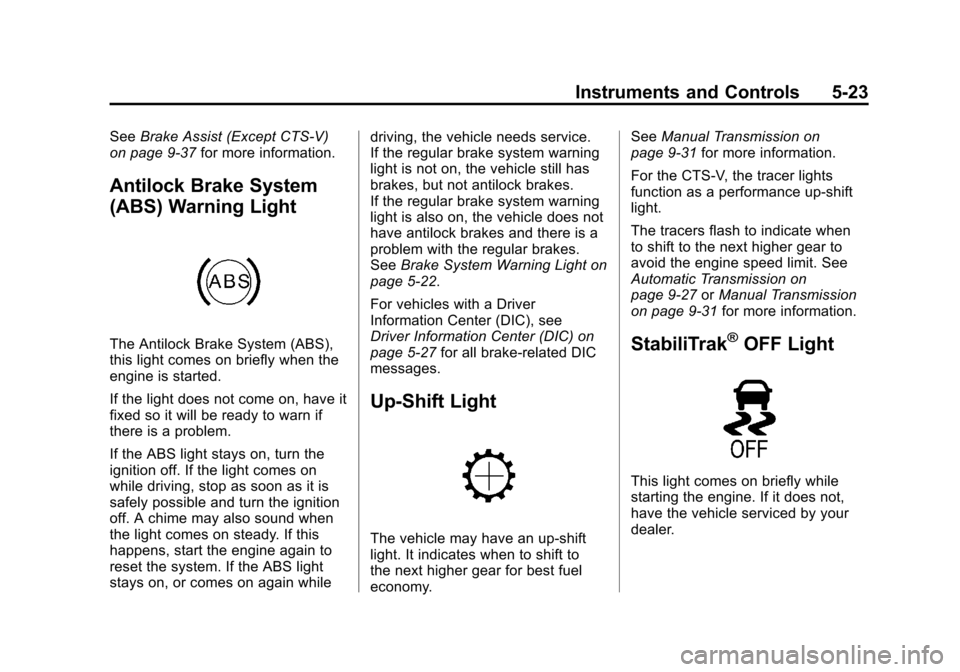
(ABS) Warning Light
The Antilock Brake System (ABS),
this light comes on briefly when the
engine is started.
If the light does not come on, have it
fixed so it will be ready to warn if
there is a problem.
If the ABS light stays on, turn the
ignition off. If the light comes on
while driving, stop as soon as it is
safely possible and turn the ignition
off. A chime may also sound when
the light comes on steady. If this
happens, start the engine again to
reset the system. If the ABS light
stays on, or comes on again while driving, the vehicle needs service.
If the regular brake system warning
light is not on, the vehicle still has
brakes, but not antilock brakes.
If the regular brake system warning
light is also on, the vehicle does not
have antilock brakes and there is a
problem with the regular brakes.
See
Brake System Warning Light on
page 5‑22.
For vehicles with a Driver
Information Center (DIC), see
Driver Information Center (DIC) on
page 5‑27 for all brake-related DIC
messages.
Up-Shift Light
The vehicle may have an up-shift
light. It indicates when to shift to
the next higher gear for best fuel
economy. See
Manual Transmission on
page 9‑31 for more information.
For the CTS-V, the tracer lights
function as a performance up-shift
light.
The tracers flash to indicate when
to shift to the next higher gear to
avoid the engine speed limit. See
Automatic Transmission on
page 9‑27 orManual Transmission
on page 9‑31 for more information.
StabiliTrak®OFF Light
This light comes on briefly while
starting the engine. If it does not,
have the vehicle serviced by your
dealer.
Page 161 of 496

Black plate (33,1)Cadillac CTS/CTS-V Owner Manual (Include Mex) - 2012
Instruments and Controls 5-33
PRESS BRAKE TO START
ENGINE (AUTOMATIC
TRANSMISSION ONLY)
If the vehicle has the keyless
access system, this message
displays if you try to start the engine
without having the brake pressed.
The brake needs to be pressed
when starting the engine. See
Ignition Positions (Key Access) on
page 9‑16orIgnition Positions
(Keyless Access) on page 9‑18 for
more information.
RELEASE PARK BRAKE
SWITCH
For vehicles with the electric parking
brake, this message displays if the
switch is pulled while the vehicle is
moving. See the electric parking
brake information under Parking
Brake (Manual) on page 9‑34 or
Parking Brake (Electric) on
page 9‑35 for more information.
SERVICE BRAKE ASSIST
This message displays if there is a
problem with the brake system. The
brake system warning light and the
antilock brake system (ABS)
warning light may also display on
the instrument panel cluster. See
Brake System Warning Light on
page 5‑22andAntilock Brake
System (ABS) Warning Light on
page 5‑23 for more information.
Stop as soon as possible and turn
off the vehicle. Restart the vehicle
and check for the message on the
DIC display. If the message displays
immediately or again after you begin
driving, the brake system needs
service. See your dealer as soon as
possible. See Antilock Brake
System (ABS) on page 9‑33 for
more information.
SERVICE BRAKE SYSTEM
This message displays, while the
ignition is on, when the brake fluid
level is low. The brake system
warning light on the instrument
panel cluster also comes on. See
Brake System Warning Light on
page 5‑22 for more information. This
message may also be displayed for
other brake system problems. Have
the brake system serviced by your
dealer as soon as possible.
SERVICE PARK BRAKE
For vehicles with the electric parking
brake, this message displays if a
problem is detected with the electric
parking brake system. See your
dealer for service.
STEP ON BRAKE TO
RELEASE PARK BRAKE
For vehicles with the electric parking
brake, this message displays if you
try to release the park brake system
without first pressing the brake
pedal. See the electric parking
brake information under Parking
Brake (Manual) on page 9‑34 or
Parking Brake (Electric) on
page 9‑35 for more information.
Page 200 of 496

Black plate (4,1)Cadillac CTS/CTS-V Owner Manual (Include Mex) - 2012
7-4 Infotainment System
Partial View of Radio with DVD Audio, Hard Drive Device (HDD),and USB
The vehicle may have one of these
radios as its audio system.
If the vehicle does not have one of
these radio systems, it may have a
navigation radio system. See the
navigation manual for more
information on the navigation audio
system.
Turning the System On or Off
VOL/P(Volume/Power): Press to
turn the system on and off.
Volume Control
VOL/P(Volume/Power): Turn
clockwise or counterclockwise to
increase or decrease the volume.
Setting the Tone (Bass/
Midrange/Treble)
BASS/MID/TREB (Bass, Midrange,
or Treble): To adjust bass,
midrange, or treble:
1. Press the TUNE/TONE knob until the tone control tabs
display.
2. Continue pressing the TUNE/ TONE knob, or press the softkey
under the desired tab to highlight
the desired tone setting.
3. To increase the highlighted setting, do one of the following:
.Turn the TUNE/TONE knob
clockwise.
.Turn the MENU/SELECT
knob clockwise.
.Press the\FWD button.
.Press the¨SEEK button.
Page 201 of 496
Black plate (5,1)Cadillac CTS/CTS-V Owner Manual (Include Mex) - 2012
Infotainment System 7-5
4. To decrease the highlightedsetting, do one of the following:
.Turn the TUNE/TONE knob
counterclockwise.
.Turn the MENU/SELECT
knob counterclockwise.
.Press thesREV button.
.Press the©SEEK button.
To quickly adjust bass, midrange,
or treble to the middle position,
press the softkey under the BASS,
MID, or TREB tab for more than
two seconds.
To quickly adjust all tone and
speaker controls to the middle
position, press the TUNE/TONE
knob for more than two seconds.
Adjusting the Speakers
(Balance/Fade)
BAL/FADE (Balance/Fade): To
adjust balance or fade:
1. Press the TUNE/TONE knob until the speaker control tabs
display.
2. Continue pressing the TUNE/ TONE knob, or press the softkey
under the desired tab to highlight
the desired tone setting.
3. To increase the highlighted setting, do one of the following:
.Turn the TUNE/TONE knob
clockwise.
.Turn the MENU/SELECT
knob clockwise.
.Press the\FWD button.
.Press the¨SEEK button. 4. To decrease the highlighted
setting, do one of the following:
.Turn the TUNE/TONE knob
counterclockwise.
.Turn the MENU/SELECT
knob counterclockwise.
.Press thesREV button.
.Press the©SEEK button.
To quickly adjust balance or fade
to the middle position, press the
softkey under the BAL or FADE tab
for more than two seconds.
To quickly adjust all speaker and
tone controls to the middle position,
press the TUNE/TONE knob for
more than two seconds.
Adjusting the Equalizer (EQ)
If the radio has this feature, the EQ
can be adjusted between talk and
manual.
To choose an EQ setting:
1. Press the TUNE/TONE knob.
2. Select EQ.
Page 202 of 496

Black plate (6,1)Cadillac CTS/CTS-V Owner Manual (Include Mex) - 2012
7-6 Infotainment System
3. Select Talk or Manual.
4. Press the Back button to goback to the Tone Settings menu.
Digital Signal
Processing (DSP)
If the radio has this feature, it has
either a Bose®sound system or a
Bose®5.1 Cabin Surround®sound
system. DSP is used to provide a
choice of different listening
experiences.
To choose a DSP setting:
1. Press the TUNE/TONE knob to display the tone/speaker and
DSP tabs.
2. Press the softkey under the DSP tab.
3. Press the softkey below the Back tab to return to the original
tone/speaker display, or wait for
the display to time out. The DSP settings available are:
.Normal: Select for normal mode;
this provides the best sound
quality for all seating positions.
.Driver: Select to adjust the
audio for the driver to receive
the best possible sound quality.
.Rear: Select to adjust the audio
for the rear seat passengers to
receive the best possible sound
quality.
.Centerpoint®: Select to enable
Bose®Centerpoint signal
processing circuitry. Centerpoint
creates a Bose
®surround sound
listening experience from stereo
CDs, MP3s, and satellite radio.
As a result, vehicle owners enjoy
a surround sound listening
experience from many audio
sources. Simply turn it on, and it
operates automatically.
This feature is not available in
AM/FM radio mode. If the vehicle is equipped with
the Bose 5.1 Cabin Surround
sound system, the radio can
support the playback of
5.1 surround sound DVD-A discs
or DTS 5.1 surround sound CD
discs. When a 5.1 surround
sound formatted disc is playing,
DSP options available are:
‐
5.1 Surround + Normal: Best
for all seating positions.
‐ 5.1 Surround + Rear: Best for
the rear seating positions.
System Settings
CONFIG: Press to adjust the
number of favorites pages, auto
volume, XM (if equipped), and HDD
(if available) settings. The FAV,
AUTO VOL, XM (if equipped), and
HDD (if available) tabs display. The
display will time out after
approximately 10 seconds.
Page 203 of 496

Black plate (7,1)Cadillac CTS/CTS-V Owner Manual (Include Mex) - 2012
Infotainment System 7-7
Configuring the Number of
Favorite Pages
The number of favorite pages can
be set up using the CONFIG button.
To set up the number of favorite
pages:
1. Press the CONFIG button todisplay the radio setup menu.
2. Press the softkey located below the FAV tab.
3. Select the desired number of favorite pages by pressing the
softkey located below the
displayed page numbers.
4. Press the FAV button, or let the menu time out, to return to
the original main radio screen
showing the radio station
frequency tabs and to begin
the process of programming
favorites for the chosen number
of pages. Speed Compensated
Volume (SCV)
A radio with SCV automatically
adjusts the sound to compensate for
road and wind noise as the vehicle
speeds up or slows down, so that
the volume is consistent while
driving. To activate SCV:
1. Set the radio volume to the
desired level.
2. Press the CONFIG button to display the radio setup menu.
3. Press the softkey under the AUTO VOL tab on the radio
display.
4. Press the softkey under the desired Speed Compensated
Volume setting (OFF, Low, Med,
or High) to select the level of
radio volume compensation.
The display times out after
approximately 10 seconds. Each
higher setting allows for more
radio volume compensation at
faster vehicle speeds. Noise Compensation Technology
If the vehicle has the radio with DVD
Audio, HDD, and USB, it has Bose
AudioPilot
®noise compensation
technology.
When turned on, AudioPilot
continuously adjusts the audio
system equalization, to compensate
for background noise.
To activate AudioPilot:
1. Press the CONFIG button to display the radio setup menu.
2. Press the softkey under the AUTO VOL tab on the radio
display.
3. Press the softkey below the On or Off tab located under the
AUTO VOL display to turn this
feature on or off. The display
times out after approximately
10 seconds.
Page 205 of 496

Black plate (9,1)Cadillac CTS/CTS-V Owner Manual (Include Mex) - 2012
Infotainment System 7-9
Selecting a Station
Seek Tuning
If the radio station is not known:
Briefly press
¨SEEK or©SEEK.
The radio will search for the next
receivable station. If the radio does
not find a station, it switches
automatically to a more sensitive
search level. If it still does not find a
station, the frequency that was last
active begins to play and “None
Found” displays.
If the radio station is known:
Press and hold
¨SEEK or©SEEK
until the desired station on the
pop‐up frequency display is almost
reached, then release the button.
Manual Tuning
Turn the TUNE knob to select the
frequency on the pop‐up display. Station List
Turn the MENU/SELECT knob to
display the station list. To create a
list of available stations, select
“Refresh AM Station List”
or
“Refresh FM Station List,”
depending on which band is
being used.
In FM, RDS information may be
utilized to categorize the stations
by genre.
In both AM and FM, the stations are
arranged in frequency order.Storing a Radio Station as a
Favorite
Drivers are encouraged to set up
their radio station favorites while the
vehicle is stopped. Tune to favorite
stations using the presets, favorites
button, and steering wheel controls,
if the vehicle has this feature.
FAV (Favorites): A maximum of
36 stations can be programmed
as favorites using the six softkeys
below the radio station frequency
tabs on the display and by using the radio favorites page button (FAV
button). Press the FAV button to go
through up to six pages of favorites,
each having six favorite stations
available per page. Each page
of favorites can contain any
combination of AM, FM, or XM
stations.
To store a station as a favorite:
1. Tune to the desired radio station.
2. Press the FAV button to display
the page where the station is to
be stored.
3. Press and hold one of the six softkeys until a beep sounds
and “Favorite Saved” displays.
When that softkey is pressed
and released, the radio recalls
the station that was set.
4. Repeat the steps for each radio station to be stored as a favorite.
The number of favorites pages can
be set up using the CONFIG button.