start stop button CADILLAC CTS 2016 3.G User Guide
[x] Cancel search | Manufacturer: CADILLAC, Model Year: 2016, Model line: CTS, Model: CADILLAC CTS 2016 3.GPages: 354, PDF Size: 3.56 MB
Page 198 of 354
Cadillac CTS/CTS-V Owner Manual (GMNA-Localizing-MidEast-9369309) -
2016 - crc - 7/30/15
Driving and Operating 197
.The outside temperature is not
in the required operating range.
Typically below −10 °C (14 °F) or
above 50 °C (122 °F).
. The shift lever is in any gear
other than D (Drive).
. The battery has been recently
disconnected.
. The battery charge is low.
. The interior comfort level has not
reached the required level for
the climate control system or
defog settings. See Dual
Automatic Climate Control
System 0169.
. The Auto Stop time is greater
than two minutes.
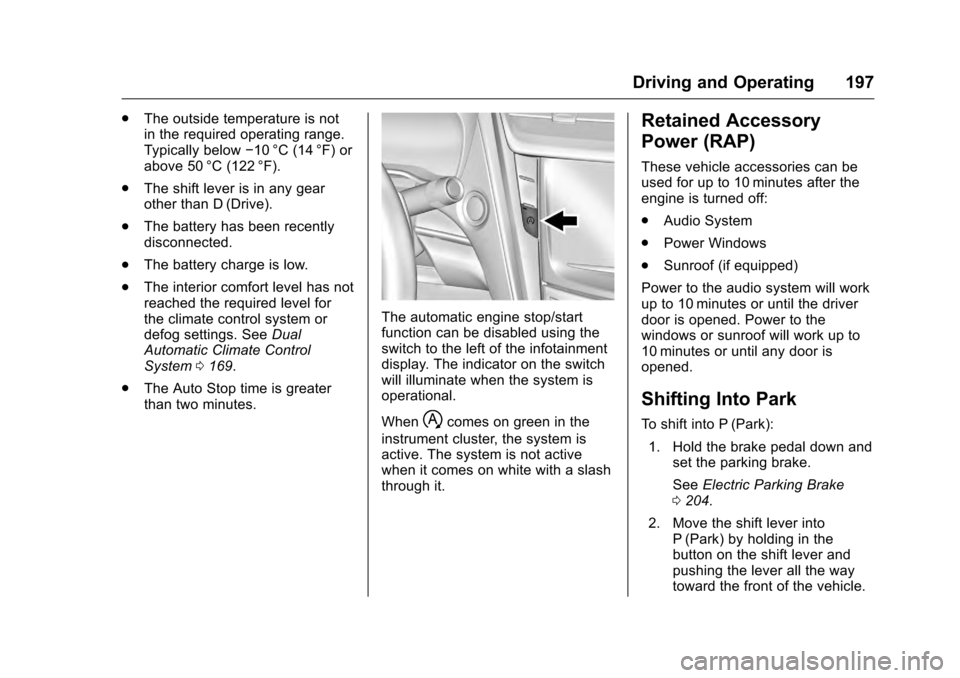
The automatic engine stop/start
function can be disabled using the
switch to the left of the infotainment
display. The indicator on the switch
will illuminate when the system is
operational.
When
hcomes on green in the
instrument cluster, the system is
active. The system is not active
when it comes on white with a slash
through it.
Retained Accessory
Power (RAP)
These vehicle accessories can be
used for up to 10 minutes after the
engine is turned off:
. Audio System
. Power Windows
. Sunroof (if equipped)
Power to the audio system will work
up to 10 minutes or until the driver
door is opened. Power to the
windows or sunroof will work up to
10 minutes or until any door is
opened.
Shifting Into Park
To shift into P (Park):
1. Hold the brake pedal down and set the parking brake.
See Electric Parking Brake
0 204.
2. Move the shift lever into P (Park) by holding in the
button on the shift lever and
pushing the lever all the way
toward the front of the vehicle.
Page 202 of 354
Cadillac CTS/CTS-V Owner Manual (GMNA-Localizing-MidEast-9369309) -
2016 - crc - 7/30/15
Driving and Operating 201
ON/RUN. If you cannot shift out of
P (Park), ease pressure on the shift
lever and push the shift lever all the
way into P (Park) as you maintain
brake application. Then press the
shift lever button and move the shift
lever into another gear. SeeShifting
out of Park 0198.
Caution
Shifting to R (Reverse) while the
vehicle is moving forward could
damage the transmission. The
repairs would not be covered by
the vehicle warranty. Shift to
R (Reverse) only after the vehicle
is stopped.
R : Use this gear to back up.
At low vehicle speeds, R (Reverse)
can be used to rock the vehicle
back and forth to get out of snow,
ice, or sand without damaging your
transmission. See If the Vehicle Is
Stuck 0189.
N : In this position, the engine does
not connect with the wheels. To
restart when the vehicle is already moving, use N (Neutral) only. You
can also use N (Neutral) when the
vehicle is being towed.
{Warning
Shifting into a drive gear while the
engine is running at high speed is
dangerous. Unless your foot is
firmly on the brake pedal, the
vehicle could move very rapidly.
You could lose control and hit
people or objects. Do not shift
into a drive gear while the engine
is running at high speed.
Caution
Shifting out of P (Park) or
N (Neutral) with the engine
running at high speed may
damage the transmission. The
repairs would not be covered by
the vehicle warranty. Be sure the
engine is not running at high
speed when shifting the vehicle.
D :
This position is for normal
driving. It provides the best fuel
economy. If you need more power
for passing, and you are:
. Going less than 55 km/h
(35 mph), push the accelerator
pedal about halfway down.
. Going about 55 km/h (35 mph) or
more, push the accelerator all
the way down.
The transmission will shift down
to a lower gear and have more
power.
Downshifting the transmission in
slippery road conditions could result
in skidding. See “Skidding”under
Loss of Control 0182.
M : This mode can be entered with
the shift lever in the D (Drive)
position by pressing the M (Manual
Mode) button on the top of the shift
lever. M (Manual Mode) allows the
driver to select gears appropriate for
current driving conditions.
M (Manual Mode) can be exited with
a second press of the M (Manual
Mode) button. See Manual Mode
0 202.
Page 208 of 354
Cadillac CTS/CTS-V Owner Manual (GMNA-Localizing-MidEast-9369309) -
2016 - crc - 7/30/15
Driving and Operating 207
The indicator light for both systems
is in the instrument cluster. This
light will:
.Flash when TCS is limiting
wheel spin.
. Flash when StabiliTrak is
activated.
. Turn on and stay on when either
system is not working.
If either system fails to turn on or to
activate, a message displays in the
Driver Information Center (DIC),
and
dcomes on and stays on to
indicate that the system is inactive
and is not assisting the driver in
maintaining control. The vehicle is
safe to drive, but driving should be
adjusted accordingly.
If
dcomes on and stays on:
1. Stop the vehicle.
2. Turn the engine off and wait 15 seconds.
3. Start the engine. Drive the vehicle. if
dcomes on
and stays on, the vehicle may need
more time to diagnose the problem.
If the condition persists, see your
dealer.
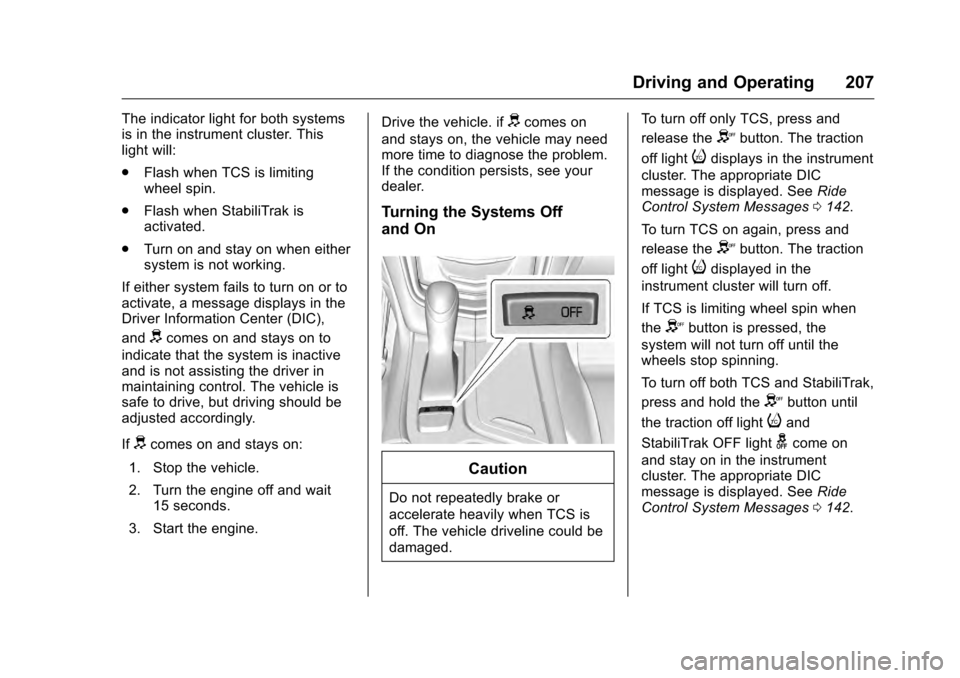
Turning the Systems Off
and On
Caution
Do not repeatedly brake or
accelerate heavily when TCS is
off. The vehicle driveline could be
damaged. To turn off only TCS, press and
release the
Ybutton. The traction
off light
idisplays in the instrument
cluster. The appropriate DIC
message is displayed. See Ride
Control System Messages 0142.
To turn TCS on again, press and
release the
Ybutton. The traction
off light
idisplayed in the
instrument cluster will turn off.
If TCS is limiting wheel spin when
the
Ybutton is pressed, the
system will not turn off until the
wheels stop spinning.
To turn off both TCS and StabiliTrak,
press and hold the
Ybutton until
the traction off light
iand
StabiliTrak OFF light
gcome on
and stay on in the instrument
cluster. The appropriate DIC
message is displayed. See Ride
Control System Messages 0142.
Page 212 of 354

Cadillac CTS/CTS-V Owner Manual (GMNA-Localizing-MidEast-9369309) -
2016 - crc - 7/30/15
Driving and Operating 211
.Snow/Ice –The transmission will
use 2 (Second) gear instead of
1 (First) gear when accelerating
from a stop. The vehicle will
upshift normally when the
vehicle is moving. The
transmission will also shift
differently to assist in
maintaining traction.
Steering (Assist Effort)
Adjusts from a lighter steering feel
in Tour mode to reduced assist in
Sport and Track mode for more
steering feel.
Magnetic Ride Control (if
equipped)
Adjusts the shock dampening
firmness from a comfort tune in Tour
mode to an optimized
responsiveness tune in Sport and
Track.
Launch Control
Available only in Track mode for
maximum “off-the-line” acceleration
when in Competitive Driving Mode
or PTM. Stability Control
.
Competitive mode allows less
computer control to permit some
slide and drift and is selected
with the button –only available
in Track mode.
. StabiliTrak can be turned off by
pressing and holding the button
for five seconds.
PTM (Performance Traction
Management) (if equipped)
. Available in Track Mode.
. There are five selectable
settings.
Competitive Driving Mode
(V-Series Only)
To select this optional handling
mode, press the
Ybutton quickly
two times and the DIC will display
the appropriate message. While in
the Competitive Driving Mode, the
traction off light
iand StabiliTrak
OFF light
gwill come on in the
instrument cluster. TCS does not
limit wheel spin, the Electronic Limited-Slip Differential (ELSD)
allows increased vehicle agility, and
more effort is required to turn the
steering wheel. See
“Limited-Slip
Differential (V-Series Only)” later in
this section. Adjust your driving
accordingly.
Press the
Ybutton again, or turn
the ignition to ACC/ACCESSORY
and restart the vehicle, to turn TCS
back on. The traction off light
iand
StabiliTrak OFF light
gwill go out in
the instrument cluster.
Caution
When traction control is turned
off, or Competitive Driving Mode
is active, it is possible to lose
traction.
Performance Traction
Management (V-Series Only)
Performance Traction Management
(PTM) integrates the Traction
Control, StabiliTrak, and Selective
Ride Control systems to provide
improved and consistent