air condition CADILLAC CTS 2017 3.G User Guide
[x] Cancel search | Manufacturer: CADILLAC, Model Year: 2017, Model line: CTS, Model: CADILLAC CTS 2017 3.GPages: 352, PDF Size: 3.99 MB
Page 147 of 352

Cadillac CTS/CTS-V Owner Manual (GMNA-Localizing-MidEast-10293089) -
2017 - crc - 6/22/16
146 INSTRUMENTS AND CONTROLS
When this message is displayed, the
vehicle’s handling capabilities will be
reduced during severe maneuvers.
StabiliTrak will be affected. See
Traction Control/Electronic Stability
Control0209.
SERVICE STABILITRAK
This message displays if there is a
problem with the StabiliTrak system.
See Traction Control/Electronic Stability
Control 0209.
SERVICE SUSPENSION SYSTEM
This message displays when there is a
problem with the Magnetic Ride
Control system. See Driver Mode
Control 0211. Have the vehicle
serviced by your dealer.
SERVICE TRACTION CONTROL
This message displays when there is a
problem with the Traction Control
System (TCS). See Traction Control/
Electronic Stability Control 0209.
TRACTION CONTROL OFF
This message may display when the
Traction Control System (TCS) has
been turned off. See Traction Control/
Electronic Stability Control 0209.
TRACTION CONTROL ON
This message may display when the
Traction Control System (TCS) has
been turned on. See Traction Control/
Electronic Stability Control 0209.
Airbag System Messages
SERVICE AIRBAG
This message displays if there is a
problem with the airbag system. See
your dealer for service.
Safety Belt Messages
AUTOMATIC SEATBELT
TIGHTENING UNAVAILABLE
This message displays when the
Automatic Safety Belt Tightening
System, if equipped, becomes
unavailable. This could be caused by a
temporary condition. If the message
continues to display, see your dealer.
SERVICE AUTOMATIC SEATBELT
TIGHTENING SYSTEM
If this message displays, take the
vehicle to your dealer to repair the
Automatic Safety Belt Tightening
System, if equipped.
Security Messages
THEFT ATTEMPTED
This message displays if the vehicle
detects a tamper condition.
Service Vehicle Messages
SERVICE AC SYSTEM
This message displays if there is a
problem with the air conditioning
system. Take the vehicle to your
dealer for service.
SERVICE POWER STEERING
This message displays and a chime
may sound when there may be a
problem with the power steering
system. If this message displays and a
reduction in steering performance or
loss of power steering assistance is
noticed, see your dealer.
Page 152 of 352

Cadillac CTS/CTS-V Owner Manual (GMNA-Localizing-MidEast-10293089) -
2017 - crc - 6/22/16
INSTRUMENTS AND CONTROLS 151
Climate and Air Quality
Select and the following may display:
.Auto Fan Max Speed
. Air Quality Sensor
. Auto Heated Seats
. Auto Defog
. Auto Rear Defog
Auto Fan Max Speed
This feature will set the maximum
auto fan speed.
Select Low, Medium, or High.
Air Quality Sensor
This allows for selection of air quality
sensor operation at high or low
sensitivity.
Select Off, Low Sensitivity, or High
Sensitivity.
Auto Heated Seats
When enabled, this feature will
automatically activate the heated
seats at the level required by the
interior temperature. The auto heated seats can be turned off by using the
heated seat buttons on the center
stack.
Select Off or On.
Auto Defog
When set to On, the front defog will
automatically react to temperature
and humidity conditions that may
cause fogging.
Select Off or On.
Auto Rear Defog
When set to On, this feature will
automatically turn on the rear window
defogger when it is cold outside.
Select Off or On.
Collision/Detection Systems
Select the Collision/Detection Systems
menu and the following may display:
.
Alert Type
. Forward Collision System
. Park Assist
. Go Notifier
. Rear Cross Traffic Alert
. Lane Change Alert Alert Type
This feature will set crash alerts to
beeps or seat vibrations. This setting
affects all crash alerts including:
.
Forward Collision
. Lane Departure Warning
. Adaptive Cruise Control
. Parking Assist
. Backing Warning
Select Beeps or Safety Alert Seat.
Forward Collision System
This feature will turn on or off the
Forward Collision Alert (FCA) and
Forward Automatic Braking (FAB).
The Off setting disables all FCA and
FAB functions. With the Alert and
Brake setting, both FCA and FAB are
available. The Alert setting disables
FAB. See Forward Automatic Braking
(FAB) 0237.
Select Off, Alert and Brake, or Alert.
Page 159 of 352
Cadillac CTS/CTS-V Owner Manual (GMNA-Localizing-MidEast-10293089) -
2017 - crc - 6/22/16
158 LIGHTING
IntelliBeam®System
If equipped, this system turns the
vehicle's high-beam headlamps on and
off according to surrounding traffic
conditions.
The system turns the high-beam
headlamps on when it is dark enough
and there is no other traffic present.
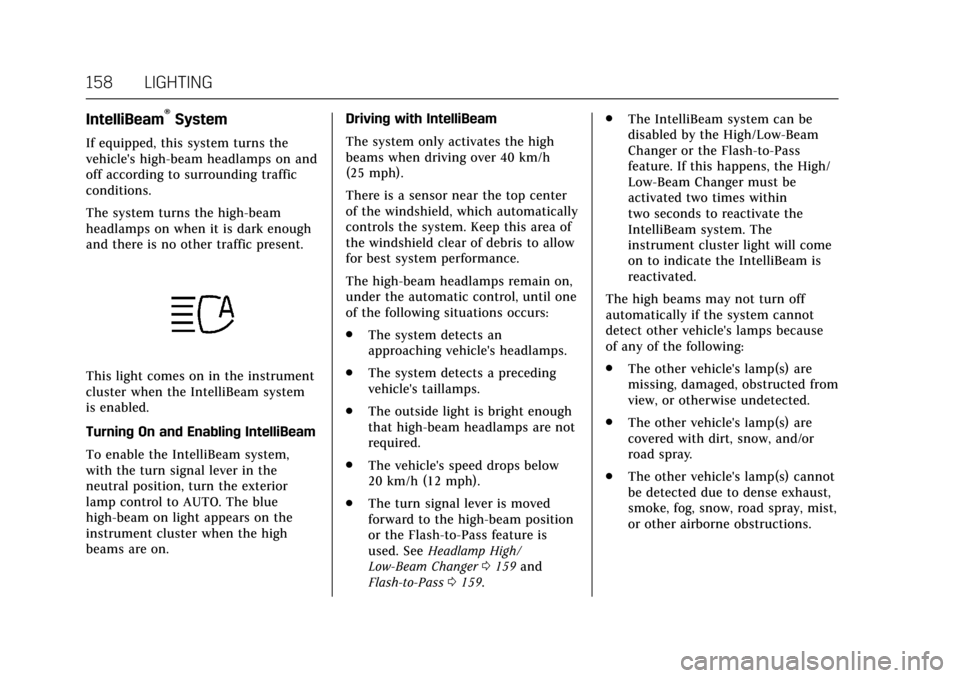
This light comes on in the instrument
cluster when the IntelliBeam system
is enabled.
Turning On and Enabling IntelliBeam
To enable the IntelliBeam system,
with the turn signal lever in the
neutral position, turn the exterior
lamp control to AUTO. The blue
high-beam on light appears on the
instrument cluster when the high
beams are on.Driving with IntelliBeam
The system only activates the high
beams when driving over 40 km/h
(25 mph).
There is a sensor near the top center
of the windshield, which automatically
controls the system. Keep this area of
the windshield clear of debris to allow
for best system performance.
The high-beam headlamps remain on,
under the automatic control, until one
of the following situations occurs:
.
The system detects an
approaching vehicle's headlamps.
. The system detects a preceding
vehicle's taillamps.
. The outside light is bright enough
that high-beam headlamps are not
required.
. The vehicle's speed drops below
20 km/h (12 mph).
. The turn signal lever is moved
forward to the high-beam position
or the Flash-to-Pass feature is
used. See Headlamp High/
Low-Beam Changer 0159 and
Flash-to-Pass 0159. .
The IntelliBeam system can be
disabled by the High/Low-Beam
Changer or the Flash-to-Pass
feature. If this happens, the High/
Low-Beam Changer must be
activated two times within
two seconds to reactivate the
IntelliBeam system. The
instrument cluster light will come
on to indicate the IntelliBeam is
reactivated.
The high beams may not turn off
automatically if the system cannot
detect other vehicle's lamps because
of any of the following:
. The other vehicle's lamp(s) are
missing, damaged, obstructed from
view, or otherwise undetected.
. The other vehicle's lamp(s) are
covered with dirt, snow, and/or
road spray.
. The other vehicle's lamp(s) cannot
be detected due to dense exhaust,
smoke, fog, snow, road spray, mist,
or other airborne obstructions.
Page 174 of 352

Cadillac CTS/CTS-V Owner Manual (GMNA-Localizing-MidEast-10293089) -
2017 - crc - 6/22/16
CLIMATE CONTROLS 173
Climate Touch Screen Controls
1. Outside Temperature Display
2. Driver and Passenger Temperature Controls
3. Fan Control
4. SYNC (Synchronized Temperature)
5. A/C Mode (Air Conditioning)
6. Climate Control Selection (Application Tray Button)
7. Rear (Rear Climate Control Touch Screen)
8. Air Delivery Mode Control Climate Control Touch Screen
The fan, air delivery mode, air
conditioning, driver and passenger
temperatures, and SYNC settings can
be controlled by pressing CLIMATE on
the infotainment home screen or the
climate button in the touch screen
application tray. A selection can then
be made on the front climate control
page displayed. See the infotainment
manual.
Climate Control Status Screen
The climate control status screen
appears briefly when the climate
control buttons on the faceplate are adjusted. The air delivery mode can be
adjusted on the climate control status
screen.
Climate Control Function with Stop/
Start (If Equipped)
The climate control system depends
on other vehicle systems for heat and
power input. The climate control
system will balance stop/start
efficiency with air conditioning
comfort and defog operation. Certain
climate control settings can result in
fewer Auto Stops.
The following are climate control
settings that result in fewer Auto
Stops:
.
The defrost mode.
. High fan speed settings.
. Extreme temperature settings.
For maximum air conditioning
comfort, use the stop/start disable
switch. See “Auto Engine Stop/Start ”
under Starting the Engine 0198.
Page 175 of 352

Cadillac CTS/CTS-V Owner Manual (GMNA-Localizing-MidEast-10293089) -
2017 - crc - 6/22/16
174 CLIMATE CONTROLS
Automatic Operation
The system automatically controls the
fan speed, air delivery, air
conditioning, and recirculation in
order to heat or cool the vehicle to the
desired temperature.
When the indicator light is on or
AUTO is displayed on the touch
screen, the system is in full automatic
operation. If the air delivery mode or
fan setting is manually adjusted, the
auto indicator turns off and the
display will show the selected settings.
Auto operation can be turned off
individually for climate settings.
For automatic operation:1. Press AUTO.
2. Set the temperature. Allow the system time to stabilize. Then
adjust the temperature as needed
for best comfort.
To improve fuel efficiency and to cool
the vehicle faster, recirculation may be
automatically selected in warm
weather. The recirculation light will
not come on. Press
@to select
recirculation; press it again to select
outside air. English units can be changed to
metric units through the instrument
cluster. See
“Cluster Options Menu ”
under Instrument Cluster 0114.
OFF : Press to turn the fan on or off.
The temperature control and air
delivery mode can still be adjusted.
w/x: The temperature can be
adjusted separately for the driver and
the passenger. Press to increase or
decrease the temperature. Press and
hold to rapidly increase or decrease
the temperature.
The driver and passenger
temperatures can also be adjusted by
pressing the controls on the touch
screen.
SYNC : Press SYNC on the touch
screen to link all climate zone settings
to the driver settings. Adjust the
driver side temperature control to
change the linked temperature. When
the passenger settings are adjusted,
the SYNC button is displayed when
the temperatures are unlinked.
Rear : If equipped, press this button
on the front climate control touch
screen to open the rear climate control screen. The rear climate
control settings can now be adjusted
from the front passenger area.
Manual Operation
z 9 y:
Press the fan control
buttons or the touch screen fan
control, to increase or decrease the
fan speed. Press and hold the buttons
or the touch screen control to adjust
speed more quickly. The fan speed
setting displays. Pressing either button
cancels automatic fan control and the
fan can be controlled manually. Press
AUTO to return to automatic
operation. To turn off the fan and
climate control system, press and hold
the fan down button or touch screen
fan control until it is off.
Air Delivery Mode Control : When
the climate information is displayed,
press the desired air delivery mode on
the touch screen to change the
direction of the airflow. The selected
air delivery mode button is lit.
Pressing any of the air delivery
buttons cancels automatic air delivery
control and the direction of the
Page 176 of 352

Cadillac CTS/CTS-V Owner Manual (GMNA-Localizing-MidEast-10293089) -
2017 - crc - 6/22/16
CLIMATE CONTROLS 175
airf low can be controlled manually.
Press AUTO to return to automatic
operation.
To change the current mode, select
one of the following:
Y:Air is directed to the instrument
panel outlets.
\: Air is divided between the
instrument panel outlets and the floor
outlets.
[: Air is directed to the floor
outlets.
-: Clears the windows of fog or
moisture. Air is directed to the
windshield and floor outlets.
0: Clears the windshield of fog or
frost more quickly. Air is directed to
the windshield. Press the
0button
to turn on or off. Changing the air
delivery mode also turns the
defrost off.
A/C : Press the AC Mode touch screen
control to turn the automatic air
conditioning on or off. If the fan is
turned off, the air conditioner will not run. Outside temperatures below
freezing may also prevent the air
conditioner from running.
Press AUTO to return to automatic
operation and the air conditioner runs
as needed.
Automatic Air Recirculation :
When
the AUTO indicator light is on, the air
is automatically recirculated as
needed to help quickly cool the inside
of the vehicle.
The climate control system may have
a sensor to detect air pollution. When
using automatic air recirculation, the
air quality control system may
operate. To adjust the sensitivity of
the air quality sensor, see “Climate
and Air Quality” underVehicle
Personalization 0149.@:Press to alternate between
recirculating air inside the vehicle or
pulling in outside air. The indicator
light on the button is lit when
recirculation mode is active. This
helps to quickly cool the air inside the
vehicle or reduce the outside air and
odors that might enter. Pressing this button cancels automatic
recirculation. Press AUTO to return to
automatic operation; recirculation
runs automatically as needed.
Manual recirculation mode is not
available when in Defrost or Defog
modes.
Auto Defog :
The climate control
system may have a sensor to
automatically detect high humidity
inside the vehicle. When high
humidity is detected, the climate
control system may adjust to outside
air supply and turn on the air
conditioner. If the climate control
system does not detect possible
window fogging, it returns to normal
operation. To turn Auto Defog off or
on, see “Climate and Air Quality”
under Vehicle Personalization 0149.Rear Window Defogger
=:Press to turn the rear window
defogger on or off. An indicator light
on the button comes on to show that
the rear window defogger is on.
Page 177 of 352
Cadillac CTS/CTS-V Owner Manual (GMNA-Localizing-MidEast-10293089) -
2017 - crc - 6/22/16
176 CLIMATE CONTROLS
The rear window defogger can be set
to automatic operation. See“Climate
and Air Quality” underVehicle
Personalization 0149. When Auto Rear
Defog is selected, the rear window
defogger turns on automatically when
the interior temperature is about 4 °C
(40 °F) and below.
The upper gridlines on the rear
window are antenna lines and are not
intended to heat when the defogger is
activated.
The heated outside rearview mirrors
turn on when the rear window
defogger button is on and help to
clear fog or frost from the surface of
the mirrors.
Caution
Do not try to clear frost or other
material from the inside of the
front windshield and rear window
with a razor blade or anything else
that is sharp. This may damage the
rear window defogger grid and
affect the radio's ability to pick up
(Continued)
Caution (Continued)
stations clearly. The repairs would
not be covered by the vehicle
warranty.
Driver and Passenger Heated and
Ventilated Seats : If equipped, press
Jorzto heat the driver or
passenger seat cushion and seatback.
Press
Cor{to ventilate the driver
or passenger seat.
The vehicle also has auto heated seats
that turn on when the vehicle is on.
The seats will activate at the level
required by the vehicle’s interior
temperature. To turn off, press
Jor
z. The auto heated seats can be
turned on or off. See Vehicle
Personalization 0149 and Heated and
Ventilated Seats 013.
Remote Start Climate Control
Operation : If equipped with the
remote start feature, the climate
control system may run when the
vehicle is started remotely. The system
uses the driver’s previous settings to heat or cool the inside of the vehicle.
The rear defog may come on during
remote start based on cold ambient
conditions. The rear defog indicator
light does not come on during a
remote start. If equipped with heated
or ventilated seats, they may come on
during a remote start. See
Remote
Vehicle Start 034 and Heated and
Ventilated Seats 013.
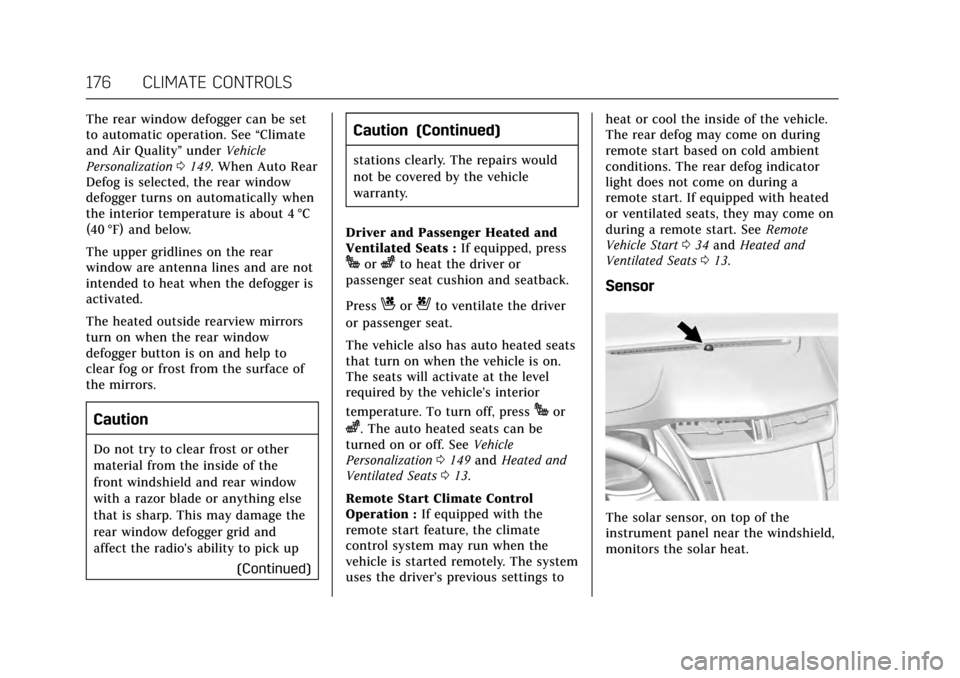
Sensor
The solar sensor, on top of the
instrument panel near the windshield,
monitors the solar heat.
Page 178 of 352

Cadillac CTS/CTS-V Owner Manual (GMNA-Localizing-MidEast-10293089) -
2017 - crc - 6/22/16
CLIMATE CONTROLS 177
The climate control system uses the
sensor information to adjust the
temperature, fan speed, recirculation,
and air delivery mode for best
comfort.
If the sensor is covered, the automatic
climate control system may not work
properly.
Air Quality Sensor
If equipped with an air quality sensor,
the climate control system adjusts to
limit some exhaust fumes from being
pulled inside the vehicle.
Press the AUTO button on the climate
control to activate the air quality
sensor. Recirculation is automatically
selected when poor quality air is
detected. The air quality sensor will
not maintain recirculation for an
extended period to prevent the air
inside the vehicle from becoming too
dry or stuffy.
Under certain conditions, the air
quality sensor will not activate, such
as during cold weather or with
extreme odors. Press
@to activate
recirculation. The air quality sensor system does not
protect against carbon monoxide (CO),
which you cannot see or smell. See
Engine Exhaust
0202. The air quality
sensor operation can be adjusted, See
“Climate and Air Quality” under
Vehicle Personalization 0149.
Rear Climate Control
System
If equipped, the rear climate control
system is on the rear of the center
console. The settings can be adjusted
with the rear climate control buttons
and the touch screen.
Rear Climate Control Buttons
1. Heated Rear Seats (If Equipped) 2. AUTO (Automatic Operation)
3. Temperature Control
4.
O(On/Off)
5. MODE (Air Delivery Mode Control)
Rear Climate Touch Screen Controls
1. Outside Temperature Display
2. Rear Climate Temperature Control
3. SYNC (Synchronized Temperatures)
4. REAR
O(On/Off)
5. Rear AUTO (Automatic Operation)
Page 181 of 352

Cadillac CTS/CTS-V Owner Manual (GMNA-Localizing-MidEast-10293089) -
2017 - crc - 6/22/16
180 CLIMATE CONTROLS
Maintenance
Passenger Compartment
Air Filter
The filter reduces dust, pollen, and
other airborne irritants from outside
air that is pulled into the vehicle. The
filter should be replaced as part of
routine scheduled maintenance. See
Maintenance Schedule0324.
See your dealer regarding replacement
of the filter.
Service
All vehicles have a label underhood
that identifies the refrigerant used in
the vehicle. The refrigerant system
should only be serviced by trained and
certified technicians. The air
conditioning evaporator should never
be repaired or replaced by one from a
salvage vehicle. It should only be
replaced by a new evaporator to
ensure proper and safe operation.
During service, all refrigerants should
be reclaimed with proper equipment.
Venting refrigerants directly to the
atmosphere is harmful to the environment and may also create
unsafe conditions based on inhalation,
combustion, frostbite, or other
health-based concerns.
Page 186 of 352
Cadillac CTS/CTS-V Owner Manual (GMNA-Localizing-MidEast-10293089) -
2017 - crc - 6/22/16
DRIVING AND OPERATING 185
to a lower gear. Any sudden
changes could cause the tires to
slide.
Remember: Antilock brakes help avoid
only the braking skid.
Track Events and
Competitive Driving
Track events and competitive driving
may affect the vehicle warranty. See
the warranty manual before using the
vehicle for competitive driving.
Caution
If the vehicle is used for track
events and competitive driving, the
engine may use more oil than it
would with normal use. Low oil
levels can damage the engine.
Check the oil level often and
maintain the proper level. See
Engine Oil 0257.
Engine Oil
2.0L (LTG) Engine
This is not available with a track
package option and is not
recommended for track use.
3.6L Twin Turbo (LF3) Engine
This requires premium fuel, and
comes standard with a 6.63 L (7 qt)
sump, integrated oil cooler, and other
powertrain and powertrain cooling
components in preparation for
track use.
3.6L (LGX) Engine
.
With Oil Cooler: Confirm the oil
level is at the upper mark that
shows the proper operating range
on the engine oil dipstick.
. Without Oil Cooler: Do not use for
track events and competitive
driving.
6.2L Supercharged (LT4) Engine
Change the engine oil to 0W-40 or
5W-40 that meets the dexos2™
specification. If this oil is not
available, the following oils can be
used as an alternative: Valvoline
®
SYNPOWER MST 5W-40, Mobil®1
ESP Formula M 5W-40. See Capacities
and Specifications 0336.
This requires premium fuel, and
comes standard with a 10 qt sump,
air/oil separator, integrated oil cooler,
and other powertrain and powertrain
cooling components in preparation for
track use.
Check the oil level often during track
events and competitive driving and
keep the oil level at or near the
upper mark.
Automatic Transmission Fluid
Have the transmission fluid set to the
track specific oil level prior to track
usage. Transmission fluid should be
changed after 30 hours of track usage.
Any transmission level set or change
should be performed at your dealer.
Axle Fluid
Axles must have 805 km (500 mi)
before being used in track driving.
The front, if equipped with AWD, and
rear axle fluid temperatures may be
higher than when driving in severe
conditions. Drain and refill with new