ECO mode CADILLAC CTS 2018 Owner's Guide
[x] Cancel search | Manufacturer: CADILLAC, Model Year: 2018, Model line: CTS, Model: CADILLAC CTS 2018Pages: 394, PDF Size: 6.48 MB
Page 212 of 394
Cadillac CTS/CTS-V Owner Manual (GMNA-Localizing-U.S./Canada/Mexico-
11349156) - 2018 - CRC - 9/29/17
DRIVING AND OPERATING 211
hold lower gears when not using
paddles. The shifts are also firmer to
increase the quickness of shifting.
Steering (Assist Effort)
Adjusts from a lighter steering feel in
Tour Mode to reduced assist in Sport
and Track Mode for more
steering feel.
Magnetic Ride Control (if equipped)
Adjusts the shock dampening
firmness from a comfort tune in Tour
Mode to an optimized responsiveness
tune in Sport and Track.
Launch Control (V-Series Only)
Available only in Track Mode for
maximum“off–the–line ”acceleration
when in Competitive or PTM Modes.
Stability Control
. Competitive Mode allows less
computer control to permit some
slide and drift and is selected with
the button –only available in
Track Mode.
. StabiliTrak can be turned off by
pressing and holding the button
for five seconds.Driver Mode Customization
The Engine Sound Management,
steering, and suspension drive modes
can be set to the driver’s preference.
See “Driving Mode ”under Vehicle
Personalization 0144.
When in the Track main vehicle mode,
you cannot overwrite the Steering or
Suspension settings. These settings
are designed to interact with the
advanced functions in the Track Mode
and cannot be overwritten.
The selections made in the Driving
Mode menu overwrite the main
vehicle mode selection via the buttons
or switch on the center console. In
order to customize and overwrite,
select one of the three settings by
touching the infotainment display.
When in the customization screen for
each system, select one of the
available options:
. Auto (Follows the MODE switch)
. Tour
. Sport
. Track The default will be to follow the
vehicle MODE switch settings, but the
main vehicle mode selection for the
currently selected system can be
overwritten using this menu. The
settings selected in this menu will set
the vehicle behavior in all selected
vehicle modes, and will be retained
over each ignition cycle. They do not
have to be reset each time the vehicle
is started.
Competitive Driving Mode
(V-Sport Only)
To select this optional handling mode,
press
Yquickly two times and the
DIC will display COMPETITIVE MODE
ON. While in the Competitive Driving
Mode, the traction off light
iand
StabiliTrak OFF light
gwill come on
in the instrument cluster. TCS does
not limit wheel spin, the Electronic
Limited-Slip Differential (eLSD) allows
increased vehicle agility, and more
effort is required to turn the steering
wheel. See “Limited-Slip Differential
Page 213 of 394
Cadillac CTS/CTS-V Owner Manual (GMNA-Localizing-U.S./Canada/Mexico-
11349156) - 2018 - CRC - 9/29/17
212 DRIVING AND OPERATING
(V-Sport and V-Series Only)”later in
this section. Adjust your driving
accordingly.
Press
Yagain, or turn the ignition to
ACC/ACCESSORY and restart the
vehicle, to turn TCS back on. The
traction off light
iand StabiliTrak
OFF light
gwill go out in the
instrument cluster.
Caution
When traction control is turned off,
or Competitive Driving Mode is
active, it is possible to lose traction.
Performance Traction
Management (V-Series Only)
Performance Traction Management
(PTM) integrates the Traction Control,
StabiliTrak, and Selective Ride Control
systems to provide improved and
consistent performance when
cornering. The amount of available
engine power is based on the mode
selected, track conditions, driver skill,
and the radius of each corner.
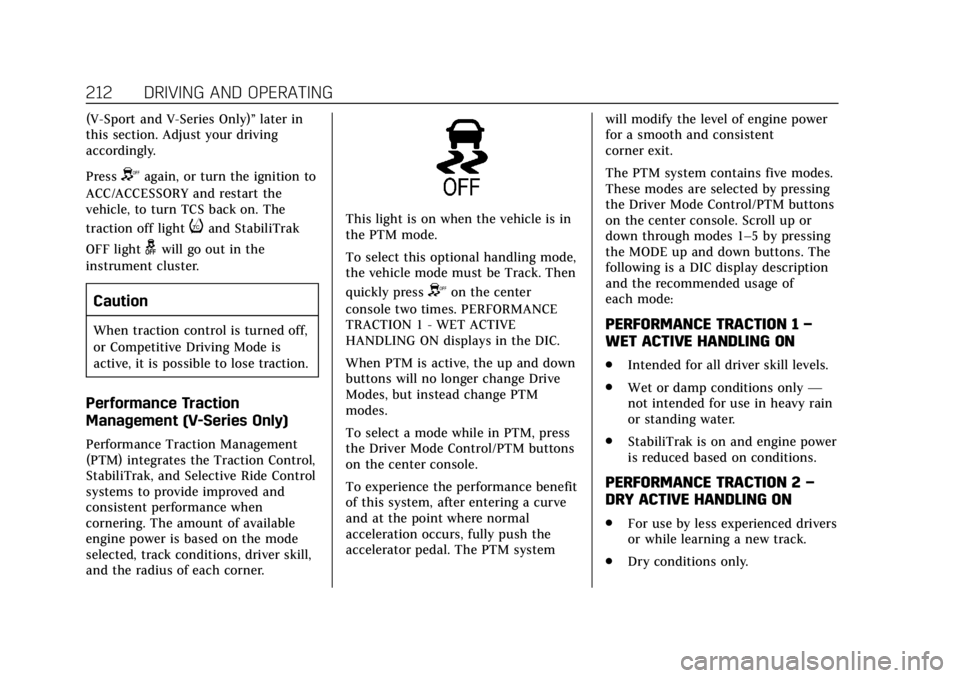
This light is on when the vehicle is in
the PTM mode.
To select this optional handling mode,
the vehicle mode must be Track. Then
quickly press
Yon the center
console two times. PERFORMANCE
TRACTION 1 - WET ACTIVE
HANDLING ON displays in the DIC.
When PTM is active, the up and down
buttons will no longer change Drive
Modes, but instead change PTM
modes.
To select a mode while in PTM, press
the Driver Mode Control/PTM buttons
on the center console.
To experience the performance benefit
of this system, after entering a curve
and at the point where normal
acceleration occurs, fully push the
accelerator pedal. The PTM system will modify the level of engine power
for a smooth and consistent
corner exit.
The PTM system contains five modes.
These modes are selected by pressing
the Driver Mode Control/PTM buttons
on the center console. Scroll up or
down through modes 1–5 by pressing
the MODE up and down buttons. The
following is a DIC display description
and the recommended usage of
each mode:
PERFORMANCE TRACTION 1
–
WET ACTIVE HANDLING ON
. Intended for all driver skill levels.
. Wet or damp conditions only —
not intended for use in heavy rain
or standing water.
. StabiliTrak is on and engine power
is reduced based on conditions.
PERFORMANCE TRACTION 2 –
DRY ACTIVE HANDLING ON
. For use by less experienced drivers
or while learning a new track.
. Dry conditions only.
Page 217 of 394
Cadillac CTS/CTS-V Owner Manual (GMNA-Localizing-U.S./Canada/Mexico-
11349156) - 2018 - CRC - 9/29/17
216 DRIVING AND OPERATING
Once the vehicle speed reaches about
40 km/h (25 mph) or more, press +RES
up to the first detent briefly. The
vehicle returns to the previous set
speed.
Increasing Speed While Cruise
Control is at a Set Speed
If the cruise control system is already
activated:
.Press and hold +RES up until the
desired speed is reached, then
release it.
. To increase vehicle speed in small
increments, briefly press +RES up
to the first detent. For each press,
the vehicle goes about 1 km/h
(1 mph) faster.
. To increase vehicle speed in larger
increments, briefly press +RES up
to the second detent. For each
press, the vehicle speed increases
to the next 5 km/h (5 mph) mark
on the speedometer. The speedometer reading can be
displayed in either English or metric
units. See
Instrument Cluster 0118.
The increment value used depends on
the units displayed.
Reducing Speed While Cruise
Control is at a Set Speed
If the cruise control system is already
activated:
. Press and hold SET− down until
the desired lower speed is reached,
then release it.
. To decrease the vehicle speed in
small increments, briefly press
SET− down to the first detent. For
each press, the vehicle goes about
1 km/h (1 mph) slower.
. To decrease the vehicle speed in
larger increments, briefly press
SET− down to the second detent.
For each press, the vehicle speed
decreases to the next 5 km/h
(5 mph) mark on the speedometer.
The cruise control system may
automatically brake to slow the
vehicle down (CTS model only). The speedometer reading can be
displayed in either English or metric
units. See
Instrument Cluster 0118.
The increment value used depends on
the units displayed.
Passing Another Vehicle While
Using Cruise Control
Use the accelerator pedal to increase
the vehicle speed. When you take your
foot off the pedal, the vehicle will slow
down to the previously set cruise
speed. While pressing the accelerator
pedal or shortly following the release
to override cruise control, briefly
pressing SET– will result in cruise
control set to the current vehicle
speed.
Using Cruise Control on Hills
How well the cruise control will work
on hills depends upon the vehicle
speed, load, and the steepness of the
hills. When going up steep hills, you
might have to step on the accelerator
pedal to maintain the vehicle speed.
When going downhill, the cruise
control system may automatically
brake to slow the vehicle down (CTS
model only). Also, you may have to
Page 236 of 394

Cadillac CTS/CTS-V Owner Manual (GMNA-Localizing-U.S./Canada/Mexico-
11349156) - 2018 - CRC - 9/29/17
DRIVING AND OPERATING 235
Following Distance Indicator
The following distance to a moving
vehicle ahead in your path is indicated
in following time in seconds on the
Driver Information Center (DIC). See
Driver Information Center (DIC)0137.
The minimum following time is
0.5 seconds away. If there is no vehicle
detected ahead, or the vehicle ahead is
out of sensor range, dashes will be
displayed.
Unnecessary Alerts
FCA may provide unnecessary alerts
for turning vehicles, vehicles in other
lanes, objects that are not vehicles,
or shadows. These alerts are normal
operation and the vehicle does not
need service.
Cleaning the System
If the FCA system does not seem to
operate properly, this may correct the
issue:
. Clean the outside of the
windshield in front of the rearview
mirror. .
Clean the entire front of the
vehicle.
. Clean the headlamps.
Forward Automatic
Braking (FAB)
If the vehicle has Adaptive Cruise
Control (ACC), it also has FAB, which
includes Intelligent Brake Assist (IBA).
When the system detects a vehicle
ahead in your path that is traveling in
the same direction that you may be
about to crash into, it can provide a
boost to braking or automatically
brake the vehicle. This can help avoid
or lessen the severity of crashes when
driving in a forward gear. Depending
on the situation, the vehicle may
automatically brake moderately or
hard. This forward automatic braking
can only occur if a vehicle is detected.
This is shown by the FCA vehicle
ahead indicator being lit. See Forward
Collision Alert (FCA) System 0232.
The system works when driving in a
forward gear above 4 km/h (2 mph).
It can detect vehicles up to
approximately 60 m (197 ft).
{Warning
FAB is an emergency crash
preparation feature and is not
designed to avoid crashes. Do not
rely on FAB to brake the vehicle.
FAB will not brake outside of its
operating speed range and only
responds to detected vehicles.
FAB may not: . Detect a vehicle ahead on
winding or hilly roads.
. Detect all vehicles, especially
vehicles with a trailer,
tractors, muddy vehicles, etc.
. Detect a vehicle when
weather limits visibility, such
as in fog, rain, or snow.
. Detect a vehicle ahead if it is
partially blocked by
pedestrians or other objects.
Complete attention is always
required while driving, and you
should be ready to take action and
apply the brakes and/or steer the
vehicle to avoid crashes.
Page 301 of 394
Cadillac CTS/CTS-V Owner Manual (GMNA-Localizing-U.S./Canada/Mexico-
11349156) - 2018 - CRC - 9/29/17
300 VEHICLE CARE
GAWR RR:Gross Axle Weight
Rating for the rear axle. See
Vehicle Load Limits 0188.
Intended Outboard Sidewall
:
The side of an asymmetrical tire
that must always face outward
when mounted on a vehicle.
Kilopascal (kPa)
:The metric unit
for air pressure.
Light Truck (LT-Metric) Tire
:A
tire used on light duty trucks and
some multipurpose passenger
vehicles.
Load Index
:An assigned number
ranging from 1 to 279 that
corresponds to the load carrying
capacity of a tire.
Maximum Inf lation Pressure
:
The maximum air pressure to
which a cold tire can be inflated.
The maximum air pressure is
molded onto the sidewall. Maximum Load Rating
:The load
rating for a tire at the maximum
permissible inflation pressure for
that tire.
Maximum Loaded Vehicle
Weight
:The sum of curb weight,
accessory weight, vehicle capacity
weight, and production options
weight.
Normal Occupant Weight
:The
number of occupants a vehicle is
designed to seat multiplied by
68 kg (150 lb). See Vehicle Load
Limits 0188.
Occupant Distribution
:
Designated seating positions.
Outward Facing Sidewall
:The
side of an asymmetrical tire that
has a particular side that faces
outward when mounted on a
vehicle. The side of the tire that
contains a whitewall, bears white
lettering, or bears manufacturer,
brand, and/or model name molding that is higher or deeper
than the same moldings on the
other sidewall of the tire.
Passenger (P-Metric) Tire
:A tire
used on passenger cars and some
light duty trucks and
multipurpose vehicles.
Recommended Inf lation
Pressure
:Vehicle manufacturer's
recommended tire inflation
pressure as shown on the tire
placard. See Tire Pressure 0301
and Vehicle Load Limits 0188.
Radial Ply Tire
:A pneumatic tire
in which the ply cords that extend
to the beads are laid at 90 degrees
to the centerline of the tread.
Rim
:A metal support for a tire
and upon which the tire beads are
seated.
Sidewall
:The portion of a tire
between the tread and the bead.
Page 366 of 394

Cadillac CTS/CTS-V Owner Manual (GMNA-Localizing-U.S./Canada/Mexico-
11349156) - 2018 - CRC - 9/29/17
CUSTOMER INFORMATION 365
Repair Facility
GM also recommends that you choose
a collision repair facility that meets
your needs before you ever need
collision repairs. Your dealer may have
a collision repair center with
GM-trained technicians and
state-of-the-art equipment, or be able
to recommend a collision repair center
that has GM-trained technicians and
comparable equipment.
Insuring the Vehicle
Protect your investment in the GM
vehicle with comprehensive and
collision insurance coverage. There are
significant differences in the quality of
coverage afforded by various
insurance policy terms. Many
insurance policies provide reduced
protection to the GM vehicle by
limiting compensation for damage
repairs by using aftermarket collision
parts. Some insurance companies will
not specify aftermarket collision parts.
When purchasing insurance, we
recommend that you ensure that the
vehicle will be repaired with GM
original equipment collision parts.If such insurance coverage is not
available from your current insurance
carrier, consider switching to another
insurance carrier.
If the vehicle is leased, the leasing
company may require you to have
insurance that ensures repairs with
Genuine GM Original Equipment
Manufacturer (OEM) parts or Genuine
Manufacturer replacement parts. Read
the lease carefully, as you may be
charged at the end of the lease for
poor quality repairs.If a Crash Occurs
If there has been an injury, call
emergency services for help. Do not
leave the scene of a crash until all
matters have been taken care of. Move
the vehicle only if its position puts
you in danger, or you are instructed to
move it by a police officer.
Give only the necessary information
to police and other parties involved in
the crash.
For emergency towing see
Roadside
Service 0361. Gather the following information:
.
Driver name, address, and
telephone number
. Driver license number
. Owner name, address, and
telephone number
. Vehicle license plate number
. Vehicle make, model, and
model year
. Vehicle Identification
Number (VIN)
. Insurance company and policy
number
. General description of the damage
to the other vehicle
Choose a reputable repair facility that
uses quality replacement parts. See
“Collision Parts ”earlier in this section.
If the airbag has inflated, see What
Will You See after an Airbag Inf lates?
0 81.
Page 367 of 394

Cadillac CTS/CTS-V Owner Manual (GMNA-Localizing-U.S./Canada/Mexico-
11349156) - 2018 - CRC - 9/29/17
366 CUSTOMER INFORMATION
Managing the Vehicle Damage
Repair Process
In the event that the vehicle requires
damage repairs, GM recommends that
you take an active role in its repair.
If you have a pre-determined repair
facility of choice, take the vehicle
there, or have it towed there. Specify
to the facility that any required
replacement collision parts be original
equipment parts, either new Genuine
GM parts or recycled original GM
parts. Remember, recycled parts will
not be covered by the GM vehicle
warranty.
Insurance pays the bill for the repair,
but you must live with the repair.
Depending on your policy limits, your
insurance company may initially value
the repair using aftermarket parts.
Discuss this with the repair
professional, and insist on Genuine
GM parts. Remember, if the vehicle is
leased, you may be obligated to have
the vehicle repaired with Genuine GM
parts, even if your insurance coverage
does not pay the full cost.If another party's insurance company
is paying for the repairs, you are not
obligated to accept a repair valuation
based on that insurance company's
collision policy repair limits, as you
have no contractual limits with that
company. In such cases, you can have
control of the repair and parts choices
as long as the cost stays within
reasonable limits.
Service Publications
Ordering Information
Service Manuals
Service Manuals have the diagnosis
and repair information on the engines,
transmission, axle, suspension, brakes,
electrical, steering, body, etc.
Owner Information
Owner publications are written
specifically for owners and intended
to provide basic operational
information about the vehicle. The
Owner’s Manual includes the
Maintenance Schedule for all models.
In-Portfolio: Includes a Portfolio,
Owner’s Manual, and Warranty
Manual.
RETAIL SELL PRICE: $35.00
–
$40.00 (U.S.) plus handling and
shipping fees.
Without Pouch: Owner’s Manual only.
RETAIL SELL PRICE:
$25.00 (U.S.) plus handling and
shipping fees.
Current and Past Models
Service and Owner publications are
available for many current and past
model year GM vehicles.
ORDER TOLL FREE: 1-800-551-4123
Monday –Friday 8:00 AM –6:00 PM
Eastern Time
For Credit Card Orders Only
(VISA-MasterCard-Discover), see Helm,
Inc. at: www.helminc.com.
Or write to:
Helm, Incorporated
Attention: Customer Service
47911 Halyard Drive
Plymouth, MI 48170
Page 385 of 394

Cadillac CTS/CTS-V Owner Manual (GMNA-Localizing-U.S./Canada/Mexico-
11349156) - 2018 - CRC - 9/29/17
384 INDEX
Climate Control Systems (cont'd)Rear . . . . . . . . . . . . . . . . . . . . . . . . . . . . . . . . 172
Clock . . . . . . . . . . . . . . . . . . . . . . . . . . . . . . . . . 113
Cluster, Instrument . . . . . . . . . . . . . . . . . 118
Collision Damage Repair . . . . . . . . . . . 364
Compartments Storage . . . . . . . . . . . . . . . . . . . . . . . . . . . . 106
Compass . . . . . . . . . . . . . . . . . . . . . . . . . . . . . 113
Competitive Driving Mode . . . . . . . . . 211
Composite Materials . . . . . . . . . . . . . . . . 192
Compressor Kit, Tire Sealant . . . . . . . 315
Connections OnStar . . . . . . . . . . . . . . . . . . . . . . . . . . . . . 374
Control
Traction and ElectronicStability . . . . . . . . . . . . . . . . . . . . . . . . . . 206
Control of a Vehicle . . . . . . . . . . . . . . . . 178
Convenience Net . . . . . . . . . . . . . . . . . . . . 108
Convex Mirrors . . . . . . . . . . . . . . . . . . . . . . 47
Coolant Engine Temperature Gauge . . . . . . 124
Engine Temperature WarningLight . . . . . . . . . . . . . . . . . . . . . . . . . . . . . 133
Cooling . . . . . . . . . . . . . . . . . . . . . . . . .167, 172
Cooling System . . . . . . . . . . . . . . . . . . . . . 269
Courtesy Lamps . . . . . . . . . . . . . . . . . . . . . 158
Courtesy Transportation Program . . . . . . . . . . . . . . . . . . . . . . . . . . . . 363 Cruise Control . . . . . . . . . . . . . . . . . . . . . . . 214
Light . . . . . . . . . . . . . . . . . . . . . . . . . . . . . . . 136
Cruise Control, Adaptive . . . . . . . . . . . 217
Cupholders . . . . . . . . . . . . . . . . . . . . . . . . . . 107
Customer Assistance . . . . . . . . . . . . . . . 359 Offices . . . . . . . . . . . . . . . . . . . . . . . . . . . . . 359
Text Telephone (TTY) Users . . . . . 359
Customer Information Service Publications OrderingInformation . . . . . . . . . . . . . . . . . . . . . . 366
Customer Satisfaction
Procedure . . . . . . . . . . . . . . . . . . . . . . . . . . 357
D
Damage Repair, Collision . . . . . . . . . . . 364
Danger, Warning, and Caution . . . . . . . . 3
Data CollectionInfotainment System . . . . . . . . . . . . . 370
OnStar . . . . . . . . . . . . . . . . . . . . . . . . . . . . . 370
Data Recorder Performance . . . . . . . . . . . . . . . . . . . . . . . 161
Data Recorders, Event . . . . . . . . . . . . . . 369
Daytime Running Lamps (DRL) . . . 155
Defensive Driving . . . . . . . . . . . . . . . . . . . 178
Delayed Locking . . . . . . . . . . . . . . . . . . . . . 40
Diagnostics OnStar . . . . . . . . . . . . . . . . . . . . . . . . . . . . . 376
Differential, Limited-Slip . . . . . . . . . . . 214 Distracted Driving . . . . . . . . . . . . . . . . . . 177
Dome Lamps . . . . . . . . . . . . . . . . . . . . . . . . 158
Door
Ajar Light . . . . . . . . . . . . . . . . . . . . . . . . . 136
Delayed Locking . . . . . . . . . . . . . . . . . . . . 40
Locks . . . . . . . . . . . . . . . . . . . . . . . . . . . . . . . . 38
Power Locks . . . . . . . . . . . . . . . . . . . . . . . . . 40
Rear Seat Pass-Through . . . . . . . . . . . . 69
Drive Belt Routing, Engine . . . . . . . . . 356
Drive Systems All-Wheel Drive . . . . . . . . . . . . . . 203, 279
Driver Assistance Systems . . . . . . . . . 225
Driver Information Center (DIC) . . . . . . . . . . . . . . . . . . . . . . . 137
Driver Mode Control . . . . . . . . . . . . . . . . 208
Driver Mode Control Light . . . . . . . . . 133
Driving Assistance Systems . . . . . . . . . . . . . . . 232
Characteristics andTowing Tips . . . . . . . . . . . . . . . . . . . . . 246
Competitive . . . . . . . . . . . . . . . . . . . . . . . 211
Defensive . . . . . . . . . . . . . . . . . . . . . . . . . . 178
Drunk . . . . . . . . . . . . . . . . . . . . . . . . . . . . . . 178
For Better Fuel Economy . . . . . . . . . . . 28
Hill and Mountain Roads . . . . . . . . 185
If the Vehicle is Stuck . . . . . . . . . . . . 187
Loss of Control . . . . . . . . . . . . . . . . . . . . 180
Off-Road Recovery . . . . . . . . . . . . . . . . 179
Page 389 of 394

Cadillac CTS/CTS-V Owner Manual (GMNA-Localizing-U.S./Canada/Mexico-
11349156) - 2018 - CRC - 9/29/17
388 INDEX
M
MaintenanceRecords . . . . . . . . . . . . . . . . . . . . . . . . . . . . 351
Maintenance and Care Additional . . . . . . . . . . . . . . . . . . . . . . . . . 345
Maintenance Schedule . . . . . . . . . . . . . 339 Recommended Fluids andLubricants . . . . . . . . . . . . . . . . . . . . . . . 348
Malfunction Indicator Lamp . . . . . . . 128
Manual Mirrors . . . . . . . . . . . . . . . . . . . . . . 47
Manual Mode . . . . . . . . . . . . . . . . . . . . . . . 202
Memory Features . . . . . . . . . . . . . . . . . . . . 13
Memory Seats . . . . . . . . . . . . . . . . . . . . . . . . 62
Messages Engine Power . . . . . . . . . . . . . . . . . . . . . 143
Vehicle . . . . . . . . . . . . . . . . . . . . . . . . . . . . . 143
Vehicle Speed . . . . . . . . . . . . . . . . . . . . . 144
Mirror Rear Camera . . . . . . . . . . . . . . . . . . . . . . . . 48
Mirrors Automatic Dimming . . . . . . . . . . . . . . . . 48
Automatic Dimming Rearview . . . . . 48
Convex . . . . . . . . . . . . . . . . . . . . . . . . . . . . . . . 47
Folding . . . . . . . . . . . . . . . . . . . . . . . . . . . . . . 47
Heated . . . . . . . . . . . . . . . . . . . . . . . . . . . . . . . 47
Manual . . . . . . . . . . . . . . . . . . . . . . . . . . . . . . 47
Power . . . . . . . . . . . . . . . . . . . . . . . . . . . . . . . . 47
Tilt in Reverse . . . . . . . . . . . . . . . . . . . . . . 48 Mirrors, Interior Rearview . . . . . . . . . . . 48
Mode . . . . . . . . . . . . . . . . . . . . . . . . . . . . . . . . 208
Driver Control . . . . . . . . . . . . . . . . . . . . . 208
Monitor System, Tire Pressure . . . . . 303
N
Navigation OnStar . . . . . . . . . . . . . . . . . . . . . . . . . . . . . 373
Net, Convenience . . . . . . . . . . . . . . . . . . . 108
New Vehicle Break-In . . . . . . . . . . . . . . . 191
O
Odometer . . . . . . . . . . . . . . . . . . . . . . . . . . . . 122 Trip . . . . . . . . . . . . . . . . . . . . . . . . . . . . . . . . 122
Off-Road Recovery . . . . . . . . . . . . . . . . . . . . . . . . . . . 179
Oil
Engine . . . . . . . . . . . . . . . . . . . . . . . . . . . . . 263
Engine Oil Life System . . . . . . . . . . . 265
Pressure Light . . . . . . . . . . . . . . . . . . . . . 134
Older Children, Restraints . . . . . . . . . . . 88
Online Owner Center . . . . . . . . . . . . . . . 360
OnStar . . . . . . . . . . . . . . . . . . . . . . . . . . . . . . . 370
OnStar Additional Information . . . . 377
OnStar Connections . . . . . . . . . . . . . . . . 374
OnStar Diagnostics . . . . . . . . . . . . . . . . . 376
OnStar Emergency . . . . . . . . . . . . . . . . . . 372
OnStar Navigation . . . . . . . . . . . . . . . . . . 373
OnStar Overview . . . . . . . . . . . . . . . . . . . . 371 OnStar Security . . . . . . . . . . . . . . . . . . . . . 373
Ordering
Service Publications . . . . . . . . . . . . . . 366
Outlets Power . . . . . . . . . . . . . . . . . . . . . . . . . . . . . . 113
Overheating, Engine . . . . . . . . . . . . . . . . 274
P
Park Shifting Into . . . . . . . . . . . . . . . . . . . . . . 197
Shifting Out of . . . . . . . . . . . . . . . . . . . . 198
Parking
Brake and P (Park)Mechanism Check . . . . . . . . . . . . . . . 280
Extended . . . . . . . . . . . . . . . . . . . . . . . . . . 199
Over Things That Burn . . . . . . . . . . . 199
Parking Assist . . . . . . . . . . . . . . . . . . . . . . . 226
Parking or Backing
Assistance Systems . . . . . . . . . . . . . . . 226
Passenger Airbag Status Indicator . . . . . . . . . . . . . . . . . . . . . . . . . . . 126
Passenger Compartment Air Filter . . . . . . . . . . . . . . . . . . . . . . . . . . . . . . . 175
Passenger Sensing System . . . . . . . . . . 82
Perchlorate Materials Requirements, California . . . . . . . . . 254
Performance Data Recorder (PDR) . . . . . . . . . . . . . . . . . . . . 161