ignition CADILLAC CTS 2019 Owner's Guide
[x] Cancel search | Manufacturer: CADILLAC, Model Year: 2019, Model line: CTS, Model: CADILLAC CTS 2019Pages: 401, PDF Size: 6.85 MB
Page 112 of 401

Cadillac CTS/CTS-V Owner Manual (GMNA-Localizing-U.S./Canada/Mexico-
12460273) - 2019 - CRC - 5/8/18
INSTRUMENTS AND CONTROLS 111
Auto Heated Steering Wheel
When enabled in vehicle
personalization, this feature will
automatically activate the heated
steering wheel and heated seats,
if equipped, at the level required by
the interior temperature. The auto
heated steering wheel can be turned
off by using the heated steering wheel
control button. SeeHeated and
Ventilated Front Seats 063
Remote Start Heated Steering
Wheel
During a remote start, the heated
steering wheel and heated seats,
if equipped, can be turned on
automatically. When it is cold outside,
the heated steering wheel turns on.
The heated steering wheel is canceled
when the ignition is turned on. Press
the heated steering wheel control
button to enable use after the vehicle
is started. The heated steering wheel
indicator light may not turn on during
a remote start. See Remote Vehicle
Start 035Horn
Pressaon the steering wheel pad to
sound the horn.
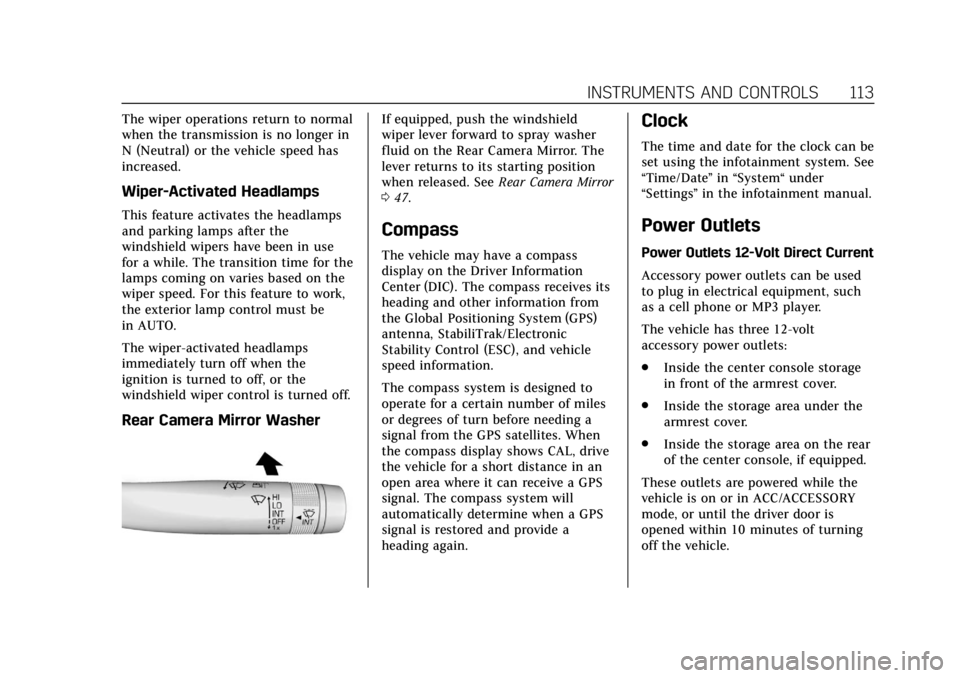
Windshield Wiper/Washer
With the ignition on or in ACC/
ACCESSORY, move the windshield
wiper lever to select the wiper speed.
HI : Use for fast wipes.
LO : Use for slow wipes.
INT : Use this setting for intermittent
wipes or for Rainsense wipes, when
Rainsense is enabled. For intermittent
wipes, move the lever up to INT, then
turn the
xINT band up for more
frequent wipes or down for less
frequent wipes. If Rainsense is
enabled, see “Rainsense”later in this
section.
If the windshield wipers are in use for
a while when driving, the exterior
lamps come on automatically if the
exterior lamp control is in AUTO. See
“Wiper-Activated Headlamps” later in
this section.
OFF : Use to turn the wipers off.
1X : For a single wipe, briefly move
the wiper lever down. For several
wipes, hold the wiper lever down.
n L: Pull the windshield wiper lever
toward you to spray windshield
washer fluid and activate the wipers.
The wipers will continue until the
lever is released or the maximum
wash time is reached. When the
windshield wiper lever is released,
additional wipes may occur depending
on how long the windshield washer
Page 113 of 401

Cadillac CTS/CTS-V Owner Manual (GMNA-Localizing-U.S./Canada/Mexico-
12460273) - 2019 - CRC - 5/8/18
112 INSTRUMENTS AND CONTROLS
had been activated. SeeWasher Fluid
0 280 for information on filling the
windshield washer fluid reservoir.
{Warning
In freezing weather, do not use the
washer until the windshield is
warmed. Otherwise the washer fluid
can form ice on the windshield,
blocking your vision.
Clear snow and ice from the wiper
blades and windshield before using
them. If frozen to the windshield,
carefully loosen or thaw them.
Damaged blades should be replaced.
See Wiper Blade Replacement 0286.
Heavy snow or ice can overload the
wiper motor. See Electrical System
Overload 0291.
Wiper Parking
If the ignition is turned off while the
wipers are on LO, HI, or INT, they will
immediately stop. If the windshield wiper lever is then
moved to OFF before the driver door is
opened or within 10 minutes, the
wipers will restart and move to the
base of the windshield.
If the ignition is turned off while the
wipers are performing wipes due to
windshield washing or Rainsense
wipes, the wipers continue to run
until they reach the base of the
windshield.
Rainsense
If equipped, there is a sensor near the
top center of the windshield detects
the amount of water on the
windshield and controls the frequency
of the windshield wiper. To turn this
feature on or off, see
“Rain Sense
Wipers ”under Vehicle Personalization
0 145.
Keep this area of the windshield clear
of debris to allow for best system
performance.
INT : When enabled, move the
windshield wiper lever to INT. Turn
the
xINT band on the wiper lever
to adjust the sensitivity.
. Turn the band up for more
sensitivity to moisture.
. Turn the band down for less
sensitivity to moisture.
. Move the windshield wiper lever
out of the INT position to
deactivate Rainsense.
Wiper Arm Assembly Protection
If equipped with wiper arm assembly
protection, when using an automatic
car wash, move the windshield wiper
lever to OFF. This disables the
automatic Rainsense windshield
wipers.
With Rainsense, if the transmission is
in N (Neutral) and the vehicle speed is
very slow, the wipers will
automatically stop at the base of the
windshield.
Page 114 of 401
Cadillac CTS/CTS-V Owner Manual (GMNA-Localizing-U.S./Canada/Mexico-
12460273) - 2019 - CRC - 5/8/18
INSTRUMENTS AND CONTROLS 113
The wiper operations return to normal
when the transmission is no longer in
N (Neutral) or the vehicle speed has
increased.
Wiper-Activated Headlamps
This feature activates the headlamps
and parking lamps after the
windshield wipers have been in use
for a while. The transition time for the
lamps coming on varies based on the
wiper speed. For this feature to work,
the exterior lamp control must be
in AUTO.
The wiper-activated headlamps
immediately turn off when the
ignition is turned to off, or the
windshield wiper control is turned off.
Rear Camera Mirror Washer
If equipped, push the windshield
wiper lever forward to spray washer
fluid on the Rear Camera Mirror. The
lever returns to its starting position
when released. SeeRear Camera Mirror
0 47.
Compass
The vehicle may have a compass
display on the Driver Information
Center (DIC). The compass receives its
heading and other information from
the Global Positioning System (GPS)
antenna, StabiliTrak/Electronic
Stability Control (ESC), and vehicle
speed information.
The compass system is designed to
operate for a certain number of miles
or degrees of turn before needing a
signal from the GPS satellites. When
the compass display shows CAL, drive
the vehicle for a short distance in an
open area where it can receive a GPS
signal. The compass system will
automatically determine when a GPS
signal is restored and provide a
heading again.
Clock
The time and date for the clock can be
set using the infotainment system. See
“Time/Date ”in “System“ under
“Settings ”in the infotainment manual.
Power Outlets
Power Outlets 12-Volt Direct Current
Accessory power outlets can be used
to plug in electrical equipment, such
as a cell phone or MP3 player.
The vehicle has three 12-volt
accessory power outlets:
.
Inside the center console storage
in front of the armrest cover.
. Inside the storage area under the
armrest cover.
. Inside the storage area on the rear
of the center console, if equipped.
These outlets are powered while the
vehicle is on or in ACC/ACCESSORY
mode, or until the driver door is
opened within 10 minutes of turning
off the vehicle.
Page 116 of 401

Cadillac CTS/CTS-V Owner Manual (GMNA-Localizing-U.S./Canada/Mexico-
12460273) - 2019 - CRC - 5/8/18
INSTRUMENTS AND CONTROLS 115
An indicator light on the outlet turns
on to show it is in use. The light
comes on when the ignition is on,
equipment requiring less than 150
watts is plugged into the outlet, and
no system fault is detected.
The indicator light does not come on
when the ignition is off or if the
equipment is not fully seated into the
outlet.
If equipment is connected using more
than 150 watts or a system fault is
detected, a protection circuit shuts off
the power supply and the indicator
light turns off. To reset the circuit,
unplug the item and plug it back in or
turn the Retained Accessory Power(RAP) off and then back on. See
Retained Accessory Power (RAP)
0198.
The power restarts when equipment
using 150 watts or less is plugged into
the outlet and a system fault is not
detected.
The power outlet is not designed for
the following and may not work
properly, if this equipment is
plugged in:
. Equipment with high initial peak
wattage such as:
compressor-driven refrigerators
and electric power tools
. Other equipment requiring an
extremely stable power supply
such as: microcomputer-controlled
electric blankets, touch sensor
lamps, etc.
. Medical equipment.
Wireless Charging
The vehicle may have wireless
charging in the storage behind the
climate control system. See Instrument
Panel Storage 0106. The system
operates at 145 kHz and wirelessly
charges one Qi compatible smartphone. The power output of the
system is capable of charging at a rate
up to 3 amp (15W), as requested by
the compatible smartphone. See
Radio
Frequency Statement 0373.
{Warning
Wireless charging can affect the
operation of an implanted
pacemaker or other medical devices.
If you have one, it is recommended
to consult with your doctor before
using the wireless charging system.
The vehicle must be on, in ACC/
ACCESSORY, or Retained Accessory
Power (RAP) must be active. The
wireless charging feature may not
correctly indicate charging when the
vehicle is in RAP. See Retained
Accessory Power (RAP) 0198.
The operating temperature is −20 °C
(−4 °F) to 60 °C (140 °F) for the
charging system and 0 °C (32 °F) to
35 °C (95 °F) for the smartphone.
Page 124 of 401

Cadillac CTS/CTS-V Owner Manual (GMNA-Localizing-U.S./Canada/Mexico-
12460273) - 2019 - CRC - 5/8/18
INSTRUMENTS AND CONTROLS 123
Open Source Software :Press SEL
while Open Source Software is
highlighted to display open source
software information.
Speedometer
The speedometer shows the vehicle's
speed in either kilometers per hour
(km/h) or miles per hour (mph).
Odometer
The odometer shows how far the
vehicle has been driven, in either
kilometers or miles.
Trip Odometer
The trip odometer shows how far the
vehicle has been driven since the trip
odometer was last reset.
The trip odometer is accessed and
reset through the Driver Information
Center (DIC). See Driver Information
Center (DIC) 0138.
Tachometer
The tachometer displays the engine
speed in revolutions per minute (rpm). On the base cluster, if the vehicle has
the Stop/Start system, when the
ignition is on, the tachometer
indicates the vehicle status. When
pointing to AUTO STOP, the engine is
off but the vehicle is on and can
move. The engine could auto start at
any time. When the indicator points
to OFF, the vehicle is off.
When the engine is on, the
tachometer will indicate the engine’s
revolutions per minute (rpm). The
tachometer may vary by several
hundred rpm’s, during Auto Stop
mode, when the engine is shutting off
and restarting.
Caution
If the engine is operated with the
rpm’s in the warning area at the
high end of the tachometer, the
vehicle could be damaged, and the
damage would not be covered by
the vehicle warranty. Do not operate
the engine with the rpm’s in the
warning area.
Fuel Gauge
Base Level
Uplevel Balanced Configuration
Page 125 of 401
Cadillac CTS/CTS-V Owner Manual (GMNA-Localizing-U.S./Canada/Mexico-
12460273) - 2019 - CRC - 5/8/18
124 INSTRUMENTS AND CONTROLS
When the ignition is on, the fuel
gauge indicates about how much fuel
is left in the tank.
There is an arrow near the fuel gauge
pointing to the side of the vehicle the
fuel door is on.
When the indicator nears empty, the
low fuel light comes on. There still is
a little fuel left, but the vehicle should
be refueled soon.
Here are four things that some owners
ask about. None of these show a
problem with the fuel gauge:
.At the service station, the fuel
pump shuts off before the gauge
reads full.
. It takes a little more or less fuel to
fill up than the gauge indicated.
For example, the gauge may have
indicated the tank was half full,
but it actually took a little more or
less than half the tank's capacity
to fill the tank.
. The gauge moves a little while
turning a corner or speeding up. .
The gauge takes a few seconds to
stabilize after the ignition is
turned on, and goes back to empty
when the ignition is turned off.
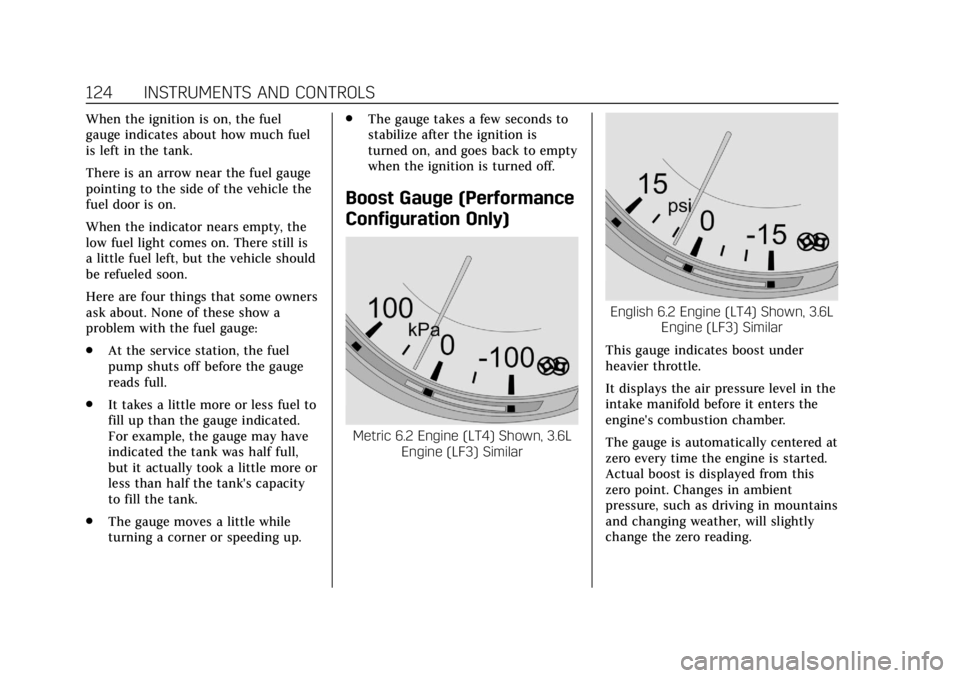
Boost Gauge (Performance
Configuration Only)
Metric 6.2 Engine (LT4) Shown, 3.6L
Engine (LF3) Similar
English 6.2 Engine (LT4) Shown, 3.6L Engine (LF3) Similar
This gauge indicates boost under
heavier throttle.
It displays the air pressure level in the
intake manifold before it enters the
engine's combustion chamber.
The gauge is automatically centered at
zero every time the engine is started.
Actual boost is displayed from this
zero point. Changes in ambient
pressure, such as driving in mountains
and changing weather, will slightly
change the zero reading.
Page 129 of 401

Cadillac CTS/CTS-V Owner Manual (GMNA-Localizing-U.S./Canada/Mexico-
12460273) - 2019 - CRC - 5/8/18
128 INSTRUMENTS AND CONTROLS
United States
Canada and Mexico
When the vehicle is started, the
passenger airbag status indicator will
light ON and OFF, or the symbols for
on and off for several seconds as a
system check. Then, after several more
seconds, the status indicator will light
either ON or OFF, or the on or off
symbol to let you know the status of
the front outboard passenger frontal
airbag and knee airbag. If the word ON or the on symbol is lit
on the passenger airbag status
indicator, it means that the front
outboard passenger frontal airbag and
knee airbag are allowed to inflate.
If the word OFF or the off symbol is lit
on the airbag status indicator, it
means that the passenger sensing
system has turned off the front
outboard passenger frontal airbag and
knee airbag.
If, after several seconds, both status
indicator lights remain on, or if there
are no lights at all, there may be a
problem with the lights or the
passenger sensing system. See your
dealer for service.
{Warning
If the airbag readiness light ever
comes on and stays on, it means
that something may be wrong with
the airbag system. To help avoid
injury to yourself or others, have
the vehicle serviced right away. See
(Continued)
Warning (Continued)
Airbag Readiness Light0127 for
more information, including
important safety information.
Charging System Light
On some vehicles the charging system
light comes on briefly when the
ignition is turned on, but the engine is
not running, as a check to show the
light is working. It should go out when
the engine is started. For vehicles with
a reconfigurable cluster, this light may
not come on when the ignition is
turned on.
If the light stays on, or comes on
while driving, there may be a problem
with the electrical charging system.
Page 130 of 401
Cadillac CTS/CTS-V Owner Manual (GMNA-Localizing-U.S./Canada/Mexico-
12460273) - 2019 - CRC - 5/8/18
INSTRUMENTS AND CONTROLS 129
Have it checked by your dealer.
Driving while this light is on could
drain the battery.
When this light comes on, or is
flashing, the Driver Information
Center (DIC) also displays a message.
If a short distance must be driven
with the light on, be sure to turn off
all accessories, such as the radio and
air conditioner.
Malfunction Indicator Lamp
(Check Engine Light)
This light is part of the vehicle’s
emission control on-board diagnostic
system. If this light is on while the
engine is running, a malfunction has
been detected and the vehicle may
require service. The light should come
on to show that it is working when
the ignition is in Service Mode. See
Ignition Positions0193.
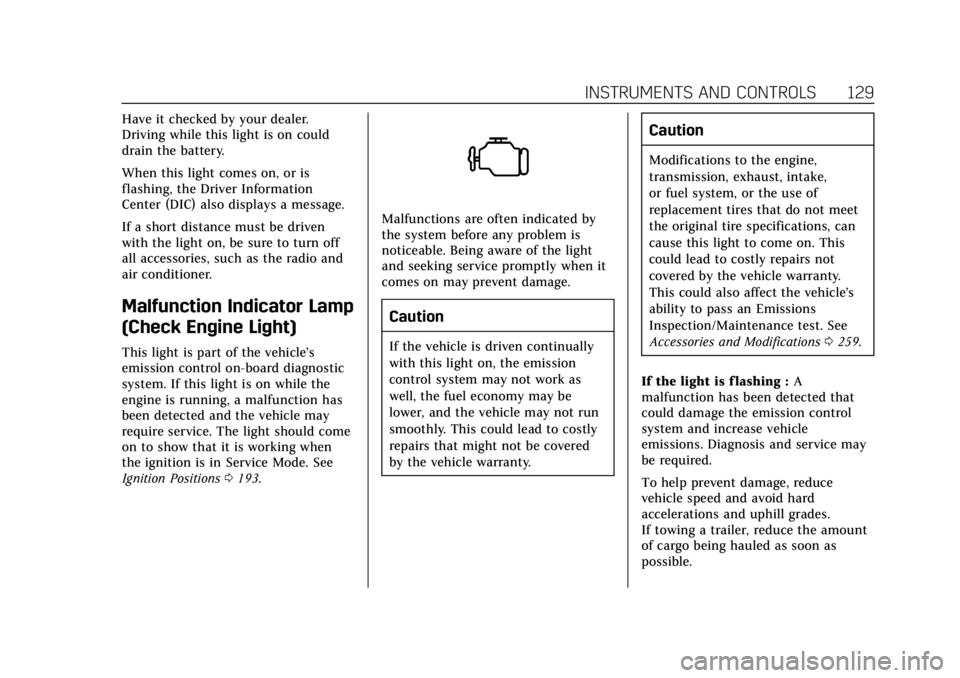
Malfunctions are often indicated by
the system before any problem is
noticeable. Being aware of the light
and seeking service promptly when it
comes on may prevent damage.
Caution
If the vehicle is driven continually
with this light on, the emission
control system may not work as
well, the fuel economy may be
lower, and the vehicle may not run
smoothly. This could lead to costly
repairs that might not be covered
by the vehicle warranty.
Caution
Modifications to the engine,
transmission, exhaust, intake,
or fuel system, or the use of
replacement tires that do not meet
the original tire specifications, can
cause this light to come on. This
could lead to costly repairs not
covered by the vehicle warranty.
This could also affect the vehicle’s
ability to pass an Emissions
Inspection/Maintenance test. See
Accessories and Modifications 0259.
If the light is f lashing : A
malfunction has been detected that
could damage the emission control
system and increase vehicle
emissions. Diagnosis and service may
be required.
To help prevent damage, reduce
vehicle speed and avoid hard
accelerations and uphill grades.
If towing a trailer, reduce the amount
of cargo being hauled as soon as
possible.
Page 131 of 401

Cadillac CTS/CTS-V Owner Manual (GMNA-Localizing-U.S./Canada/Mexico-
12460273) - 2019 - CRC - 5/8/18
130 INSTRUMENTS AND CONTROLS
If the light continues to flash, find a
safe place to park. Turn the vehicle off
and wait at least 10 seconds before
restarting the engine. If the light is
still flashing, follow the previous
guidelines and see your dealer for
service as soon as possible.
If the light is on steady :A
malfunction has been detected.
Diagnosis and service may be
required.
Check the following:
. If fuel has been added to the
vehicle using the capless fuel
funnel adapter, make sure that it
has been removed. See “Filling the
Tank with a Portable Gas Can ”
under Filling the Tank 0246. The
diagnostic system can detect if the
adapter has been left installed in
the vehicle, allowing fuel to
evaporate into the atmosphere.
A few driving trips with the
adapter removed may turn off the
light.
. Poor fuel quality can cause
inefficient engine operation and
poor driveability, which may go away once the engine is warmed
up. If this occurs, change the fuel
brand. It may require at least one
full tank of the proper fuel to turn
the light off. See
Recommended
Fuel (LGX 3.6L V6 Engine) 0245 or
Recommended Fuel (LTG 2.0L L4
Engine) 0245 orRecommended
Fuel (LF3 3.6L V6 Twin Turbo and
LT4 6.2L V8 Engines) 0245.
If the light remains on, see your
dealer.
Emissions Inspection and
Maintenance Programs
If the vehicle requires an Emissions
Inspection/Maintenance test, the test
equipment will likely connect to the
vehicle's Data Link Connector (DLC).
The DLC is under the instrument
panel to the left of the steering wheel.
Connecting devices that are not used to perform an Emissions Inspection/
Maintenance test or to service the
vehicle may affect vehicle operation.
See
Add-On Electrical Equipment 0255.
See your dealer if assistance is needed.
The vehicle may not pass
inspection if:
. The light is on when the engine is
running.
. The light does not come on when
the ignition is in Service Mode.
. Critical emission control systems
have not been completely
diagnosed. If this happens, the
vehicle would not be ready for
inspection and might require
several days of routine driving
before the system is ready for
inspection. This can happen if the
12-volt battery has recently been
replaced or run down, or if the
vehicle has been recently serviced.
See your dealer if the vehicle will not
pass or cannot be made ready for
the test.
Page 134 of 401
Cadillac CTS/CTS-V Owner Manual (GMNA-Localizing-U.S./Canada/Mexico-
12460273) - 2019 - CRC - 5/8/18
INSTRUMENTS AND CONTROLS 133
SeeForward Collision Alert (FCA)
System 0234.
Traction Off Light
This light comes on briefly while
starting the engine. If it does not,
have the vehicle serviced by your
dealer. If the system is working
normally, the indicator light then
turns off. For vehicles with a
reconfigurable cluster, this light is in
the display area and it may not come
on when the ignition is turned on.
The traction off light comes on when
the Traction Control System (TCS) has
been turned off by pressing and
releasing the TCS/StabiliTrak/ESC
button.
This light and the StabiliTrak/ESC OFF
light come on when StabiliTrak/
Electronic Stability Control (ESC) is
turned off. If the TCS is off, wheel spin is not
limited. Adjust driving accordingly.
See
Traction Control/Electronic Stability
Control 0207.
StabiliTrak OFF Light
This light comes on briefly while
starting the engine. If it does not,
have the vehicle serviced by your
dealer.
This light comes on when the
StabiliTrak/Electronic Stability Control
(ESC) system is turned off.
If StabiliTrak/ESC is off, the Traction
Control System (TCS) is also off.
If StabiliTrak/ESC and TCS are off, the
system does not assist in controlling
the vehicle. Turn on the TCS and the
StabiliTrak/ESC systems, and the
warning light turns off. See
Traction Control/Electronic Stability
Control 0207.
Traction Control System
(TCS)/StabiliTrak Light
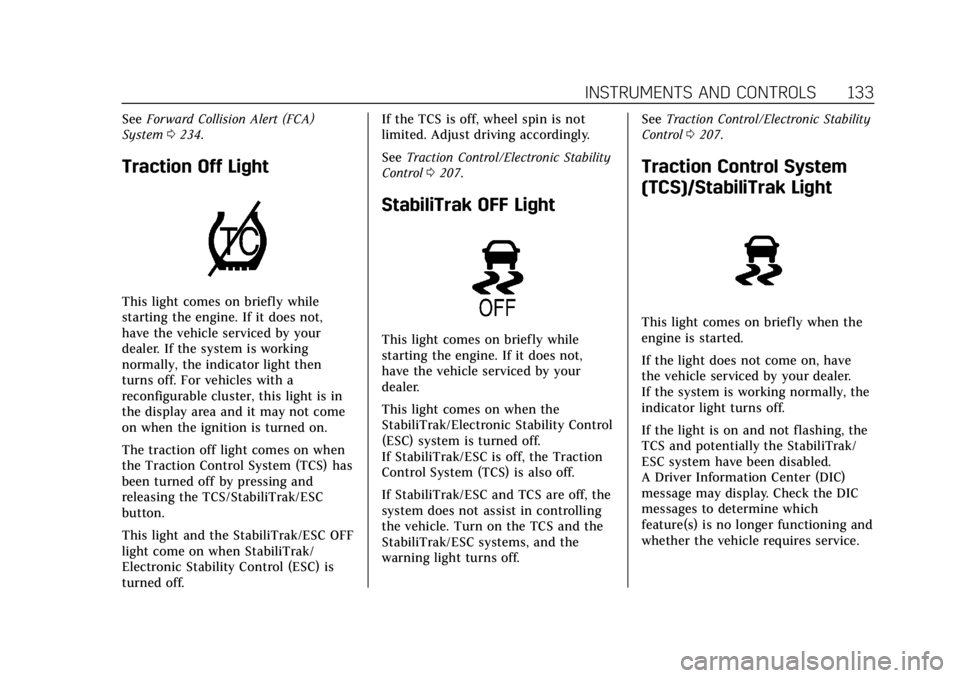
This light comes on briefly when the
engine is started.
If the light does not come on, have
the vehicle serviced by your dealer.
If the system is working normally, the
indicator light turns off.
If the light is on and not flashing, the
TCS and potentially the StabiliTrak/
ESC system have been disabled.
A Driver Information Center (DIC)
message may display. Check the DIC
messages to determine which
feature(s) is no longer functioning and
whether the vehicle requires service.