parking brake CADILLAC CTS SEDAN 2015 3.G Owners Manual
[x] Cancel search | Manufacturer: CADILLAC, Model Year: 2015, Model line: CTS SEDAN, Model: CADILLAC CTS SEDAN 2015 3.GPages: 401, PDF Size: 4.46 MB
Page 10 of 401

Black plate (3,1)Cadillac CTS Owner Manual (GMNA-Localizing-U.S./Canada/Mexico-
7707478) - 2015 - crc - 10/1/14
In Brief 1-3
1.Air Vents on page 8-8.
2. Turn Signal Lever. See Turn and
Lane-Change Signals on
page 6-6.
3. Manual Mode on page 9-25 (If
Equipped).
4. Instrument Cluster on page 5-10.
5. Windshield Wiper/Washer on
page 5-3.
6. Hazard Warning Flashers on
page 6-5.
Lane Keep Assist (LKA) on
page 9-59 (If Equipped).
7. Light Sensor (If Equipped). See Automatic Headlamp System on
page 6-4.
Solar Sensor. See Dual
Automatic Climate Control
System on page 8-1.
8. Infotainment on page 7-1. 9. Glove Box Button. See
Glove
Box on page 4-1.
Automatic Parking Assist (If
Equipped). See Assistance
Systems for Parking or Backing
on page 9-46.
Parking Assist Button. See
Assistance Systems for Parking
or Backing on page 9-46.
10. Parking Brake Release Switch. SeeElectric Parking Brake on
page 9-28.
11. Hood Release. See Hood on
page 10-4.
12. Data Link Connector (DLC) (Out of View). See Malfunction
Indicator Lamp on page 5-19.
13. Head-Up Display (HUD) on
page 5-32 (If Equipped).
14. Instrument Panel Illumination
Control on page 6-6. 15.
Cruise Control on page 9-34 (If
Equipped).
Adaptive Cruise Control on
page 9-37 (If Equipped).
Forward Collision Alert (FCA)
System on page 9-52 (If
Equipped).
Heated Steering Wheel on
page 5-3 (If Equipped).
16. Steering Wheel Adjustment on
page 5-2.
17. Horn on page 5-3.
18. Steering Wheel Controls on
page 5-3.
Driver Information Center (DIC)
Controls. See Driver
Information Center (DIC) on
page 5-29.
19. ENGINE START/STOP Button. SeeIgnition Positions on
page 9-16.
20. Heated and Ventilated Front
Seats on page 3-8 (If
Equipped).
Page 12 of 401
Black plate (5,1)Cadillac CTS Owner Manual (GMNA-Localizing-U.S./Canada/Mexico-
7707478) - 2015 - crc - 10/1/14
In Brief 1-5
PressXtwice quickly to release
the trunk.
Press
7and release to initiate
vehicle locator.
Press and hold
7for more than
three seconds to sound the panic
alarm.
Press
7again to cancel the panic
alarm.
Press and release
Qand then press
and hold
/for at least
four seconds to start the engine
from outside the vehicle using the
RKE transmitter.
See Keys on page 2-1 andRemote
Keyless Entry (RKE) System
Operation on page 2-2.
Remote Vehicle Start
The engine can be started from
outside of the vehicle.
Starting the Vehicle
1. Press and releaseQon the
transmitter.
2. Immediately after completing Step 1, press and hold
/for at
least four seconds or until the
turn signal lamps flash.
3. Press the brake pedal and select ON/RUN/START ignition mode
to drive the vehicle.
When the vehicle starts, the parking
lamps will turn on and remain on as
long as the engine is running. The
doors will be locked and the climate
control system may come on.
The engine will continue to run for
10 minutes. After 30 seconds,
repeat the steps if a 10-minute
extension is desired. Remote start
can be extended only once.
Canceling a Remote Start
To cancel a remote start do any of
the following:
.Press and hold/until the
parking lamps turn off.
.Turn on the hazard warning
flashers.
.Turn the vehicle on and then off.
See Remote Vehicle Start on
page 2-9.
Door Locks
Keyless Access
Press the button on the door handle
and pull the handle when the
Remote Keyless Entry (RKE)
transmitter is within range. See
Remote Keyless Entry (RKE)
System Operation on page 2-2.
Manual Operation
From outside, use the key in the
driver door. The key cylinder is
covered by a cap. See Door Locks
on page 2-10.
Page 25 of 401
Black plate (18,1)Cadillac CTS Owner Manual (GMNA-Localizing-U.S./Canada/Mexico-
7707478) - 2015 - crc - 10/1/14
1-18 In Brief
When the vehicle speed is below
30 km/h (18 mph), press the APA
button,
O, to enable the system.
See “Automatic Parking Assist
(APA)” underAssistance Systems
for Parking or Backing on
page 9-46.
Rear Automatic Braking
(RAB) System
If the vehicle has Adaptive Cruise
Control (ACC) it also has the Rear
Automatic Braking (RAB) system,
which is designed to help avoid or
reduce the harm caused by backing
crashes when the vehicle is shifted
into R (Reverse). If the system
detects the vehicle is backing too
fast to avoid a crash with a detected
object behind your vehicle in your
path, it may automatically brake
hard to a stop.
See Assistance Systems for Parking
or Backing on page 9-46.
Active Emergency
Braking System
If the vehicle has Adaptive Cruise
Control (ACC) it also has the Active
Emergency Braking System, which
includes Intelligent Brake
Assist (IBA) and the Automatic
Collision Preparation (ACP) System.
These systems can provide a boost
to braking or automatically brake the
vehicle to help avoid or lessen the
severity of crashes when driving in a
forward gear.
See Active Emergency Braking
System on page 9-54.
Power Outlets
Accessory power outlets can be
used to plug in electrical equipment,
such as a cell phone or MP3 player.
The vehicle has three 12-volt
accessory power outlets:
.Inside the center console
storage in front of the armrest
cover.
.Inside the storage area under
the armrest cover.
.On the rear of the center
console, if equipped.
These outlets are powered while the
vehicle is in ON/RUN/START or
ACC/ACCESSORY mode, or until
the driver door is opened within
10 minutes of turning off the vehicle.
Lift the cover to access the
accessory power outlet.
See Power Outlets on page 5-6.
Page 38 of 401
Black plate (9,1)Cadillac CTS Owner Manual (GMNA-Localizing-U.S./Canada/Mexico-
7707478) - 2015 - crc - 10/1/14
Keys, Doors, and Windows 2-9
Remote Vehicle Start
This feature allows the engine to be
started from outside the vehicle.
/(Remote Vehicle Start):This
button will be on the RKE
transmitter if the vehicle has remote
start.
The climate control system will use
the previous settings during a
remote start. The rear window
defogger may come on during
remote start based on cold ambient
conditions. The rear defog indicator
light does not come on during
remote start.
If equipped, the heated and
ventilated front seats may also
come on when the vehicle
personalization setting is enabled.
See Heated and Ventilated Front
Seats on page 3-8.
Laws in some local communities
may restrict the use of remote
starters. For example, some laws
may require a person using remote start to have the vehicle in view.
Check local regulations for any
requirements.
If your vehicle is low on fuel, do not
use the remote start feature. The
vehicle may run out of fuel.
The RKE transmitter range may be
shorter while the vehicle is running.
Other conditions can affect the
performance of the transmitter. See
Remote Keyless Entry (RKE)
System on page 2-2.
Starting the Engine Using Remote
Start
1. Press and release
Qon the
RKE transmitter. 2. Immediately press and hold
/
for at least four seconds or until
the turn signal lamps flash. This
confirms the request to remote
start the vehicle has been
received.
During the remote start, the
doors will be locked and the
parking lamps will remain on as
long as the engine is running.
The engine will shut off after
10 minutes unless a time
extension is done or the ignition
is put in ON/RUN/START.
3. Press the brake pedal and select the ON/RUN/START ignition
mode to drive the vehicle.
Extending Engine Run Time
The engine run time can also be
extended by another 10 minutes,
if during the first 10 minutes
Steps 1–2 are repeated while the
engine is still running. An extension
can be requested, 30 seconds after
starting. This provides a total of
20 minutes.
Page 114 of 401
Black plate (1,1)Cadillac CTS Owner Manual (GMNA-Localizing-U.S./Canada/Mexico-
7707478) - 2015 - crc - 10/1/14
Instruments and Controls 5-1
Instruments and
Controls
Controls
Steering Wheel Adjustment . . . 5-2
Steering Wheel Controls . . . . . . 5-3
Heated Steering Wheel . . . . . . . 5-3
Horn . . . . . . . . . . . . . . . . . . . . . . . . . . 5-3
Windshield Wiper/Washer . . . . . 5-3
Compass . . . . . . . . . . . . . . . . . . . . . 5-5
Clock . . . . . . . . . . . . . . . . . . . . . . . . . 5-5
Power Outlets . . . . . . . . . . . . . . . . . 5-6
Warning Lights, Gauges, and
Indicators
Warning Lights, Gauges, andIndicators . . . . . . . . . . . . . . . . . . . . 5-9
Instrument Cluster . . . . . . . . . . . 5-10
Speedometer . . . . . . . . . . . . . . . . 5-14
Odometer . . . . . . . . . . . . . . . . . . . . 5-14
Trip Odometer . . . . . . . . . . . . . . . 5-14
Tachometer . . . . . . . . . . . . . . . . . . 5-14
Fuel Gauge . . . . . . . . . . . . . . . . . . 5-14
Engine Coolant Temperature Gauge . . . . . . . . . . . . . . . . . . . . . . 5-16
Safety Belt Reminders . . . . . . . 5-16
Airbag Readiness Light . . . . . . 5-17 Passenger Airbag Status
Indicator . . . . . . . . . . . . . . . . . . . . 5-18
Charging System Light . . . . . . 5-19
Malfunction Indicator Lamp . . . . . . . . . . . . . 5-19
Brake System Warning Light . . . . . . . . . . . . . . . . . . . . . . . 5-22
Parking Brake Light . . . . . . . . . . 5-22
Service Electric Parking Brake Light . . . . . . . . . . . . . . . . . . . . . . . 5-23
Antilock Brake System (ABS) Warning Light . . . . . . . . . . . . . . 5-23
Lane Keep Assist (LKA) Light . . . . . . . . . . . . . . . . . . . . . . . 5-23
Vehicle Ahead Indicator . . . . . . 5-24
Traction Off Light . . . . . . . . . . . . 5-24
StabiliTrak
®OFF Light . . . . . . . 5-24
Traction Control System (TCS)/StabiliTrak
®Light . . . . 5-25
Engine Coolant Temperature Warning Light . . . . . . . . . . . . . . 5-25
Tire Pressure Light . . . . . . . . . . 5-26
Engine Oil Pressure Light . . . . 5-26
Low Fuel Warning Light . . . . . . 5-27
Security Light . . . . . . . . . . . . . . . . 5-27
High-Beam On Light . . . . . . . . . 5-27
Adaptive Forward Lighting (AFL) Light . . . . . . . . . . . . . . . . . 5-28 Lamps On Reminder . . . . . . . . . 5-28
Cruise Control Light . . . . . . . . . 5-28
Door Ajar Light . . . . . . . . . . . . . . 5-29
Information Displays
Driver Information
Center (DIC) . . . . . . . . . . . . . . . 5-29
Head-Up Display (HUD) . . . . . 5-32
Vehicle Messages
Vehicle Messages . . . . . . . . . . . 5-36
Battery Voltage and Charging Messages . . . . . . . . . . . . . . . . . . 5-36
Brake System Messages . . . . 5-36
Compass Messages . . . . . . . . . 5-37
Cruise Control Messages . . . . 5-37
Door Ajar Messages . . . . . . . . . 5-38
Engine Cooling System Messages . . . . . . . . . . . . . . . . . . 5-38
Engine Oil Messages . . . . . . . . 5-39
Engine Power Messages . . . . 5-39
Fuel System Messages . . . . . . 5-39
Key and Lock Messages . . . . . 5-39
Lamp Messages . . . . . . . . . . . . . 5-40
Object Detection System Messages . . . . . . . . . . . . . . . . . . 5-41
Ride Control System Messages . . . . . . . . . . . . . . . . . . 5-43
Airbag System Messages . . . . 5-44
Page 135 of 401
Black plate (22,1)Cadillac CTS Owner Manual (GMNA-Localizing-U.S./Canada/Mexico-
7707478) - 2015 - crc - 10/1/14
5-22 Instruments and Controls
system readiness, your dealer
can prepare the vehicle for
inspection.
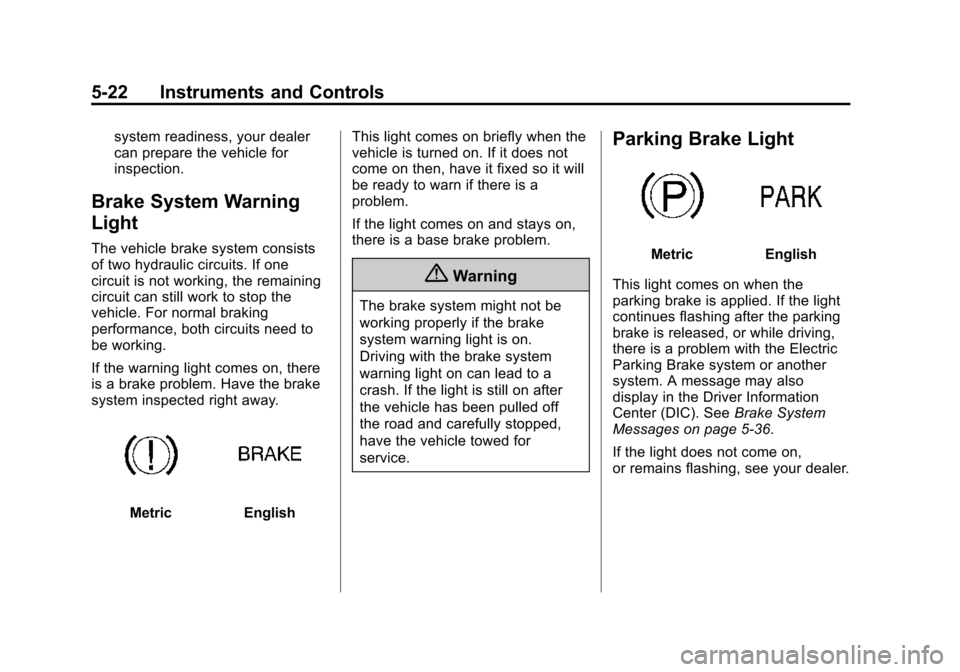
Brake System Warning
Light
The vehicle brake system consists
of two hydraulic circuits. If one
circuit is not working, the remaining
circuit can still work to stop the
vehicle. For normal braking
performance, both circuits need to
be working.
If the warning light comes on, there
is a brake problem. Have the brake
system inspected right away.
MetricEnglishThis light comes on briefly when the
vehicle is turned on. If it does not
come on then, have it fixed so it will
be ready to warn if there is a
problem.
If the light comes on and stays on,
there is a base brake problem.
{Warning
The brake system might not be
working properly if the brake
system warning light is on.
Driving with the brake system
warning light on can lead to a
crash. If the light is still on after
the vehicle has been pulled off
the road and carefully stopped,
have the vehicle towed for
service.
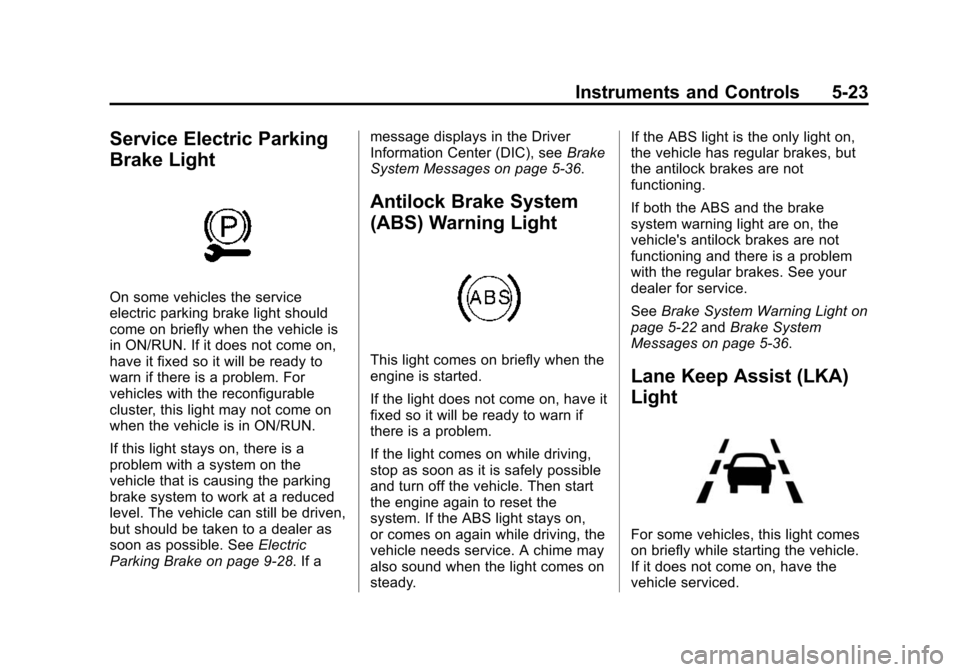
Parking Brake Light
MetricEnglish
This light comes on when the
parking brake is applied. If the light
continues flashing after the parking
brake is released, or while driving,
there is a problem with the Electric
Parking Brake system or another
system. A message may also
display in the Driver Information
Center (DIC). See Brake System
Messages on page 5-36.
If the light does not come on,
or remains flashing, see your dealer.
Page 136 of 401
Black plate (23,1)Cadillac CTS Owner Manual (GMNA-Localizing-U.S./Canada/Mexico-
7707478) - 2015 - crc - 10/1/14
Instruments and Controls 5-23
Service Electric Parking
Brake Light
On some vehicles the service
electric parking brake light should
come on briefly when the vehicle is
in ON/RUN. If it does not come on,
have it fixed so it will be ready to
warn if there is a problem. For
vehicles with the reconfigurable
cluster, this light may not come on
when the vehicle is in ON/RUN.
If this light stays on, there is a
problem with a system on the
vehicle that is causing the parking
brake system to work at a reduced
level. The vehicle can still be driven,
but should be taken to a dealer as
soon as possible. SeeElectric
Parking Brake on page 9-28. If a message displays in the Driver
Information Center (DIC), see
Brake
System Messages on page 5-36.
Antilock Brake System
(ABS) Warning Light
This light comes on briefly when the
engine is started.
If the light does not come on, have it
fixed so it will be ready to warn if
there is a problem.
If the light comes on while driving,
stop as soon as it is safely possible
and turn off the vehicle. Then start
the engine again to reset the
system. If the ABS light stays on,
or comes on again while driving, the
vehicle needs service. A chime may
also sound when the light comes on
steady. If the ABS light is the only light on,
the vehicle has regular brakes, but
the antilock brakes are not
functioning.
If both the ABS and the brake
system warning light are on, the
vehicle's antilock brakes are not
functioning and there is a problem
with the regular brakes. See your
dealer for service.
See
Brake System Warning Light on
page 5-22 andBrake System
Messages on page 5-36.
Lane Keep Assist (LKA)
Light
For some vehicles, this light comes
on briefly while starting the vehicle.
If it does not come on, have the
vehicle serviced.
Page 149 of 401
Black plate (36,1)Cadillac CTS Owner Manual (GMNA-Localizing-U.S./Canada/Mexico-
7707478) - 2015 - crc - 10/1/14
5-36 Instruments and Controls
Vehicle Messages
Messages displayed on the DIC
indicate the status of the vehicle or
some action that may be needed to
correct a condition. Multiple
messages may display one after the
other.
The messages that do not require
immediate action can be
acknowledged and cleared by
pressing SEL. The messages that
require immediate action cannot be
cleared until that action is
performed. All messages should be
taken seriously and clearing the
messages does not correct the
problem.
The following are some of the
vehicle messages that may be
displayed depending on the vehicle
content.
Battery Voltage and
Charging Messages
BATTERY SAVER ACTIVE
This message displays when the
vehicle has detected that the battery
voltage is dropping beyond a
reasonable point. The battery saver
system starts reducing features of
the vehicle that may be noticed. At
the point that features are disabled,
this message displays. Turn off
unnecessary accessories to allow
the battery to recharge.
LOW BATTERY
This message is displayed when the
battery voltage is low. SeeBattery
on page 10-25.
SERVICE BATTERY
CHARGING SYSTEM
This message is displayed when
there is a fault in the battery
charging system. Take the vehicle to
your dealer for service.
TRANSPORT MODE ON
This message is displayed when the
vehicle is in transport mode. Some
features can be disabled while in
this mode, including Remote
Keyless Entry (RKE), remote start,
and the vehicle alarm system. Take
the vehicle to your dealer for service
to turn transport mode off.
Brake System Messages
BRAKE FLUID LOW
This message displays when the
brake fluid level is low. See Brake
Fluid on page 10-24.
RELEASE PARKING BRAKE
This message displays if the electric
parking brake is on while the vehicle
is in motion. Release it before
attempting to drive. See Electric
Parking Brake on page 9-28.
SERVICE BRAKE ASSIST
This message displays when there
is a problem with the brake boost
system. When this message
Page 150 of 401
Black plate (37,1)Cadillac CTS Owner Manual (GMNA-Localizing-U.S./Canada/Mexico-
7707478) - 2015 - crc - 10/1/14
Instruments and Controls 5-37
displays, the brake pedal may be
harder to push and the stopping
distance may be longer. Take the
vehicle to your dealer for service.
SERVICE PARKING BRAKE
This message displays when there
is a problem with the parking brake.
Take the vehicle to your dealer for
service.
STEP ON BRAKE TO
RELEASE PARK BRAKE
This message displays when
attempting to release the electric
parking brake without the brake
pedal applied. SeeElectric Parking
Brake on page 9-28.
Compass Messages
Dashes may be displayed if the
vehicle temporarily loses
communication with the Global
Positioning System (GPS).
Cruise Control Messages
ADAPTIVE CRUISE SET
TO XXX
This message displays when the
Adaptive Cruise Control (ACC)
speed is set. See Adaptive Cruise
Control on page 9-37.
ADAPTIVE CRUISE
TEMPORARILY UNAVAILABLE
This message displays when
attempting to activate Adaptive
Cruise Control (ACC) when it is
temporarily unavailable. The ACC
system does not need service.
This can occur under the following
conditions:
.The radar is not clean. Keep the
radar sensors free of mud, dirt,
snow, ice, and slush. Clean the
entire front and/or rear of the
vehicle. For cleaning
instructions, see Exterior Care
on page 10-71.
.Heavy rain or snow is interfering
with the radar object detection or
camera performance.
CRUISE SET TO XXX
This message displays when the
cruise control speed is set. See
Cruise Control on page 9-34.
NO CRUISE BRAKING GAS
PEDAL APPLIED
This message displays when
Adaptive Cruise Control (ACC) is
active and the driver is pressing the
gas pedal. When this occurs, ACC
will not brake. See Adaptive Cruise
Control on page 9-37.
SERVICE ADAPTIVE CRUISE
CONTROL
This message displays when the
Adaptive Cruise Control (ACC)
needs service. Take the vehicle to
your dealer.
Page 155 of 401
Black plate (42,1)Cadillac CTS Owner Manual (GMNA-Localizing-U.S./Canada/Mexico-
7707478) - 2015 - crc - 10/1/14
5-42 Instruments and Controls
LANE CHANGE ALERT OFF
This message indicates that the
driver has turned the Side Blind
Zone Alert (SBZA) and Lane
Change Alert (LCA) systems off.
LANE KEEPING ASSIST
UNAVAILABLE
This message displays when the
Lane Keep Assist (LKA) and Lane
Departure Warning (LDW) system is
temporarily unavailable. The LKA
system does not need service.
This message could be due to the
camera being blocked. Cleaning the
outside of the windshield behind the
rearview mirror may correct the
issue.
REAR AUTO BRAKE/PARK
ASSIST OFF
This message displays when the
Parking Assist system has been
turned off or when there is a
temporary condition causing the
system to be disabled.
REAR AUTO BRAKE AND
PARK ASSIST UNAVAILABLE
This message displays when
attempting to activate the parking
and backing features of the Driver
Assistance System when they are
temporarily unavailable. The system
does not need service.
This can occur under the following
conditions:
.The radar is not clean. Keep the
radar sensors free of mud, dirt,
snow, ice, and slush. Clean the
entire front and/or rear of the
vehicle. For cleaning
instructions, seeExterior Care
on page 10-71.
.Heavy rain or snow is interfering
with the radar object detection or
camera performance.
See Driver Assistance Systems on
page 9-45.
SERVICE AUTOMATIC
COLLISION PREP
If this message displays, take the
vehicle to your dealer to repair the
system.
SERVICE DRIVER ASSIST
SYSTEM
If this message displays, take the
vehicle to your dealer to repair the
system.
Adaptive Cruise Control (ACC),
Forward Collision Alert (FCA),
Active Emergency Braking System,
Assistance Systems for Parking or
Backing, and/or Lane Keep Assist
(LKA) system may not work. Do not
use these systems until the vehicle
has been repaired.
SERVICE FRONT CAMERA
If this message remains on after
continued driving, take the vehicle
to your dealer for service. Do not
use the Lane Keep Assist (LKA),