service CADILLAC CTS SEDAN 2015 3.G Owners Manual
[x] Cancel search | Manufacturer: CADILLAC, Model Year: 2015, Model line: CTS SEDAN, Model: CADILLAC CTS SEDAN 2015 3.GPages: 401, PDF Size: 4.46 MB
Page 3 of 401

Black plate (2,1)Cadillac CTS Owner Manual (GMNA-Localizing-U.S./Canada/Mexico-
7707478) - 2015 - crc - 10/1/14
2015 Cadillac CTS Owner ManualM
Jump Starting . . . . . . . . . . . . . . . 10-65
Towing the Vehicle . . . . . . . . . . 10-68
Appearance Care . . . . . . . . . . . 10-71
Service and Maintenance . . . 11-1
General Information . . . . . . . . . . 11-1
Cadillac Premium Care Maintenance . . . . . . . . . . . . . . . . 11-3
Maintenance Schedule . . . . . . . 11-3
Special Application Services . . . . . . . . . . . . . . . . . . . . 11-9
Additional Maintenance and Care . . . . . . . . . . . . . . . . . . . 11-10
Recommended Fluids, Lubricants, and Parts . . . . . . 11-13
Maintenance Records . . . . . . . 11-16
Technical Data . . . . . . . . . . . . . . . 12-1
Vehicle Identification . . . . . . . . . 12-1
Vehicle Data . . . . . . . . . . . . . . . . . . 12-2 Customer Information
. . . . . . . 13-1
Customer Information . . . . . . . . 13-1
Reporting Safety Defects . . . . 13-12
Vehicle Data Recording and
Privacy . . . . . . . . . . . . . . . . . . . . 13-13
OnStar . . . . . . . . . . . . . . . . . . . . . . . 14-1
OnStar Overview . . . . . . . . . . . . . 14-1
OnStar Services . . . . . . . . . . . . . . 14-2
OnStar Additional
Information . . . . . . . . . . . . . . . . . . 14-6
Index . . . . . . . . . . . . . . . . . . . . . i-1
Page 4 of 401
Black plate (3,1)Cadillac CTS Owner Manual (GMNA-Localizing-U.S./Canada/Mexico-
7707478) - 2015 - crc - 10/1/14
Introduction iii
The names, logos, emblems,
slogans, vehicle model names, and
vehicle body designs appearing in
this manual including, but not limited
to, GM, the GM logo, CADILLAC,
the CADILLAC Emblem, and CTS
are trademarks and/or service
marks of General Motors LLC, its
subsidiaries, affiliates, or licensors.
For vehicles first sold in Canada,
substitute the name“General
Motors of Canada Limited” for
Cadillac Motor Car Division
wherever it appears in this manual. This manual describes features that
may or may not be on the vehicle
because of optional equipment that
was not purchased on the vehicle,
model variants, country
specifications, features/applications
that may not be available in your
region, or changes subsequent to
the printing of this owner manual.
Refer to the purchase
documentation relating to your
specific vehicle to confirm the
features.
Keep this manual in the vehicle for
quick reference.
Canadian Vehicle Owners
Propriétaires Canadiens
A French language manual can be
obtained from your dealer, at
www.helminc.com, or from:
On peut obtenir un exemplaire de
ce guide en français auprès du
concessionnaire ou à l'adresse
savant:
Helm, Incorporated
Attention: Customer Service
47911 Halyard Drive
Plymouth, MI 48170
Using this Manual
To quickly locate information about
the vehicle, use the Index in the
back of the manual. It is an
alphabetical list of what is in the
manual and the page number where
it can be found.
Litho in U.S.A.
Part No. 22866698 B Second Printing©2014 General Motors LLC. All Rights Reserved.
Page 5 of 401
Black plate (4,1)Cadillac CTS Owner Manual (GMNA-Localizing-U.S./Canada/Mexico-
7707478) - 2015 - crc - 10/1/14
iv Introduction
Danger, Warnings, and
Cautions
Warning messages found on vehicle
labels and in this manual describe
hazards and what to do to avoid or
reduce them.
{Danger
Danger indicates a hazard with a
high level of risk which will result
in serious injury or death.
{Warning
Warning indicates a hazard that
could result in injury or death.
{Caution
Caution indicates a hazard that
could result in property or vehicle
damage.
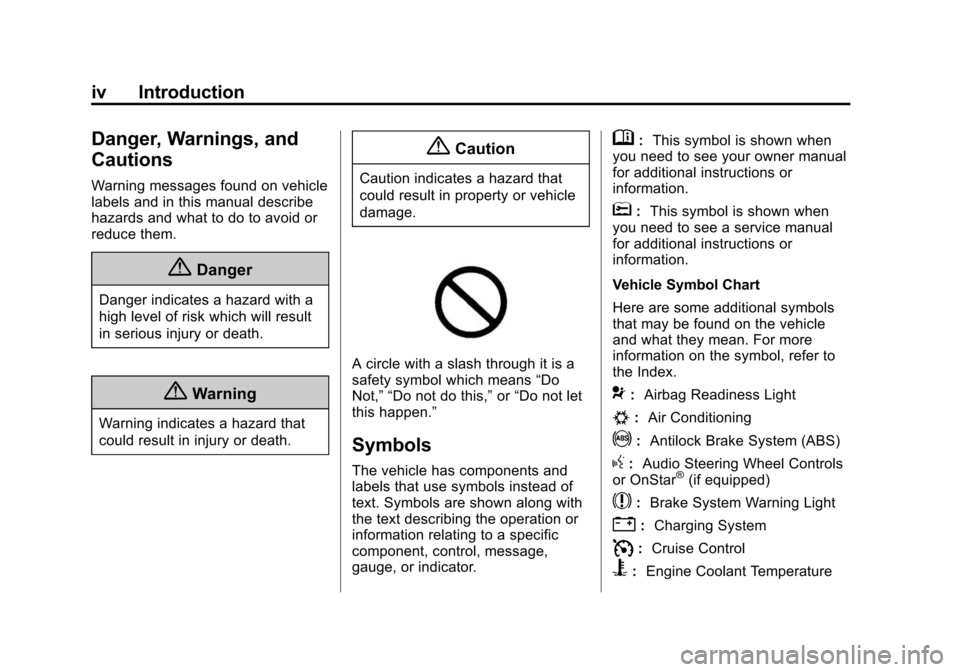
A circle with a slash through it is a
safety symbol which means“Do
Not,” “Do not do this,” or“Do not let
this happen.”
Symbols
The vehicle has components and
labels that use symbols instead of
text. Symbols are shown along with
the text describing the operation or
information relating to a specific
component, control, message,
gauge, or indicator.
M: This symbol is shown when
you need to see your owner manual
for additional instructions or
information.
*: This symbol is shown when
you need to see a service manual
for additional instructions or
information.
Vehicle Symbol Chart
Here are some additional symbols
that may be found on the vehicle
and what they mean. For more
information on the symbol, refer to
the Index.
9: Airbag Readiness Light
#:Air Conditioning
!:Antilock Brake System (ABS)
g:Audio Steering Wheel Controls
or OnStar®(if equipped)
$: Brake System Warning Light
":Charging System
I:Cruise Control
B: Engine Coolant Temperature
Page 8 of 401
Black plate (1,1)Cadillac CTS Owner Manual (GMNA-Localizing-U.S./Canada/Mexico-
7707478) - 2015 - crc - 10/1/14
In Brief 1-1
In Brief
Instrument Panel
Instrument Panel . . . . . . . . . . . . . . 1-2
Initial Drive Information
Initial Drive Information . . . . . . . . 1-4
Starting the Engine . . . . . . . . . . . 1-4
Remote Keyless Entry (RKE)System . . . . . . . . . . . . . . . . . . . . . . 1-4
Remote Vehicle Start . . . . . . . . . 1-5
Door Locks . . . . . . . . . . . . . . . . . . . 1-5
Trunk . . . . . . . . . . . . . . . . . . . . . . . . . 1-6
Windows . . . . . . . . . . . . . . . . . . . . . . 1-6
Seat Adjustment . . . . . . . . . . . . . . 1-7
Memory Features . . . . . . . . . . . . . 1-8
Heated and Ventilated Seats . . . . . . . . . . . . . . . . . . . . . . . . 1-8
Head Restraint Adjustment . . . . 1-9
Safety Belts . . . . . . . . . . . . . . . . . . . 1-9
Passenger Sensing System . . . . . . . . . . . . . . . . . . . . . 1-10 Mirror Adjustment . . . . . . . . . . . . 1-10
Steering Wheel
Adjustment . . . . . . . . . . . . . . . . . 1-11
Interior Lighting . . . . . . . . . . . . . . 1-11
Exterior Lighting . . . . . . . . . . . . . 1-12
Windshield Wiper/Washer . . . . 1-13
Climate Controls . . . . . . . . . . . . . 1-14
Transmission . . . . . . . . . . . . . . . . 1-15
Vehicle Features
Infotainment System . . . . . . . . . 1-15
Steering Wheel Controls . . . . . 1-15
Cruise Control . . . . . . . . . . . . . . . 1-15
Driver Information Center (DIC) . . . . . . . . . . . . . . . 1-16
Forward Collision Alert (FCA) System . . . . . . . . . . . . . . . . . . . . . 1-16
Lane Keep Assist (LKA) . . . . . 1-16
Lane Change Alert (LCA) . . . . 1-17
Rear Vision Camera (RVC) . . . . . . . . . . . . . 1-17
Rear Cross Traffic Alert (RCTA) System . . . . . . . . . . . . 1-17 Parking Assist . . . . . . . . . . . . . . . 1-17
Automatic Parking
Assist (APA) . . . . . . . . . . . . . . . . 1-17
Rear Automatic Braking (RAB) System . . . . . . . . . . . . . . . . . . . . . 1-18
Active Emergency Braking System . . . . . . . . . . . . . . . . . . . . . 1-18
Power Outlets . . . . . . . . . . . . . . . 1-18
Universal Remote System . . . 1-19
Sunroof . . . . . . . . . . . . . . . . . . . . . . 1-19Performance and Maintenance
Traction Control/Electronic Stability Control . . . . . . . . . . . . 1-20
Tire Pressure Monitor . . . . . . . . 1-20
Engine Oil Life System . . . . . . 1-21
Driving for Better Fuel Economy . . . . . . . . . . . . . . . . . . . 1-22
Roadside Service . . . . . . . . . . . . 1-22
OnStar
®. . . . . . . . . . . . . . . . . . . . . 1-22
Page 29 of 401
Black plate (22,1)Cadillac CTS Owner Manual (GMNA-Localizing-U.S./Canada/Mexico-
7707478) - 2015 - crc - 10/1/14
1-22 In Brief
Driving for Better Fuel
Economy
Driving habits can affect fuel
mileage. Here are some driving tips
to get the best fuel economy
possible.
.Avoid fast starts and accelerate
smoothly.
.Brake gradually and avoid
abrupt stops.
.Avoid idling the engine for long
periods of time.
.When road and weather
conditions are appropriate, use
cruise control.
.Always follow posted speed
limits or drive more slowly when
conditions require.
.Keep vehicle tires properly
inflated.
.Combine several trips into a
single trip.
.Replace the vehicle's tires with
the same TPC Spec number
molded into the tire's sidewall
near the size.
.Follow recommended scheduled
maintenance.
Roadside Service
U.S.: 1-800-224-1400
Canada: 1-800-882-1112
TTY Users (U.S. Only):
1-888-889-2438
New Cadillac owners are
automatically enrolled in the
Roadside Service Program.
SeeRoadside Service on
page 13-5.
OnStar®
This vehicle may be equipped with a
comprehensive, in-vehicle system
that can connect to a live OnStar
Advisor for Emergency, Security,
Navigation, Connection, and
Diagnostic Services. OnStar
services may require a paid
subscription. See OnStar Overview
on page 14-1.
Page 31 of 401
Black plate (2,1)Cadillac CTS Owner Manual (GMNA-Localizing-U.S./Canada/Mexico-
7707478) - 2015 - crc - 10/1/14
2-2 Keys, Doors, and Windows
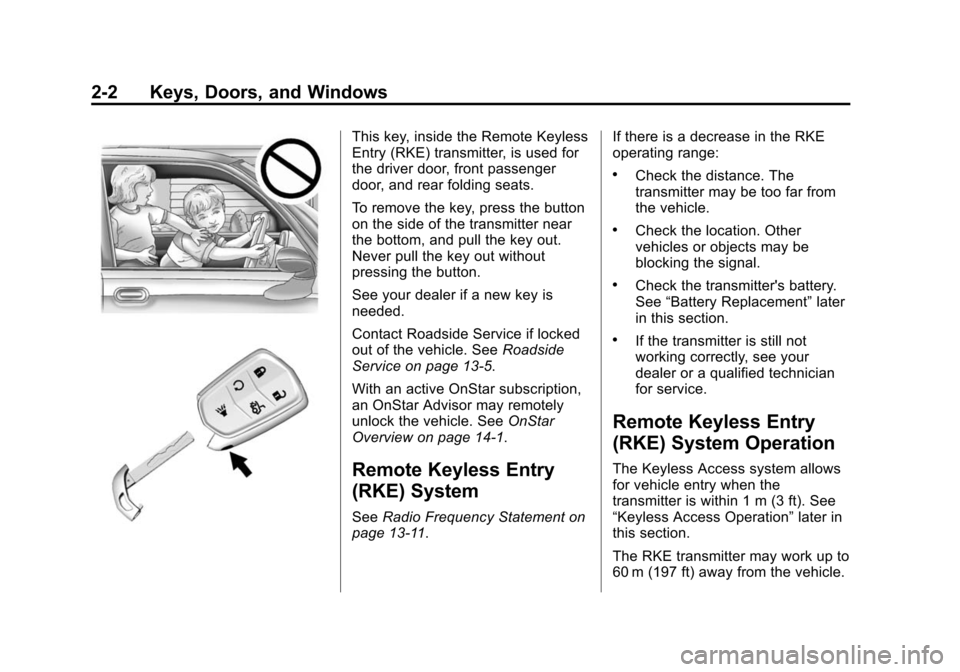
This key, inside the Remote Keyless
Entry (RKE) transmitter, is used for
the driver door, front passenger
door, and rear folding seats.
To remove the key, press the button
on the side of the transmitter near
the bottom, and pull the key out.
Never pull the key out without
pressing the button.
See your dealer if a new key is
needed.
Contact Roadside Service if locked
out of the vehicle. SeeRoadside
Service on page 13-5.
With an active OnStar subscription,
an OnStar Advisor may remotely
unlock the vehicle. See OnStar
Overview on page 14-1.
Remote Keyless Entry
(RKE) System
See Radio Frequency Statement on
page 13-11. If there is a decrease in the RKE
operating range:
.Check the distance. The
transmitter may be too far from
the vehicle.
.Check the location. Other
vehicles or objects may be
blocking the signal.
.Check the transmitter's battery.
See
“Battery Replacement” later
in this section.
.If the transmitter is still not
working correctly, see your
dealer or a qualified technician
for service.
Remote Keyless Entry
(RKE) System Operation
The Keyless Access system allows
for vehicle entry when the
transmitter is within 1 m (3 ft). See
“Keyless Access Operation” later in
this section.
The RKE transmitter may work up to
60 m (197 ft) away from the vehicle.
Page 47 of 401
Black plate (18,1)Cadillac CTS Owner Manual (GMNA-Localizing-U.S./Canada/Mexico-
7707478) - 2015 - crc - 10/1/14
2-18 Keys, Doors, and Windows
The inclination sensor can set off
the alarm if it senses movement of
the vehicle, such as a change in
vehicle orientation.
Immobilizer
SeeRadio Frequency Statement on
page 13-11.
Immobilizer Operation
This vehicle has a passive
theft-deterrent system.
The system does not have to be
manually armed or disarmed.
The vehicle is automatically
immobilized when the vehicle is
turned off.
The immobilization system is
disarmed when the pushbutton start
is activated to enter the ACC/
ACCESSORY mode or the ON/
RUN/START mode and a valid
transmitter is present in the vehicle.
The security light, in the instrument
cluster, comes on if there is a
problem with arming or disarming
the theft-deterrent system.
The system has one or more RKE
transmitters matched to an
immobilizer control unit in the
vehicle. Only a correctly matched
RKE transmitter will start the
vehicle. If the transmitter is ever
damaged, you may not be able to
start your vehicle.
When trying to start the vehicle, the
security light may come on briefly
when the ignition is turned on. If the engine does not start and the
security light stays on, there is a
problem with the system. Turn the
ignition off and try again.
If the vehicle will not change ignition
modes (ACC/ACCESSORY, ON/
RUN/START, OFF), and the RKE
transmitter appears to be
undamaged, try another transmitter.
Or, you may try placing the
transmitter in the transmitter pocket
located in the center console. See
Key and Lock Messages on
page 5-39.
If the ignition modes will not change
with the other transmitter, your
vehicle needs service. If the ignition
does change modes, the first
transmitter may be faulty. See your
dealer.
Page 63 of 401
Black plate (8,1)Cadillac CTS Owner Manual (GMNA-Localizing-U.S./Canada/Mexico-
7707478) - 2015 - crc - 10/1/14
3-8 Seats and Restraints
Easy Exit recall automatically
activates when one of the following
occurs:
.The vehicle is turned off and the
driver door is opened within a
short time.
.The vehicle is turned off with the
driver door open.
Obstructions
If something has blocked the driver
seat and/or the power tilt and
telescoping steering column while
recalling a memory position, the
recall may stop. Remove the
obstruction. Then do one of the
following:
.If manually recalling the position,
press and hold the appropriate
manual control for the memory
item that is not recalling for
two seconds. Try recalling again
by pressing the appropriate
memory button.
.If automatically recalling the
position, press and hold the
appropriate manual control for the memory item that is not
recalling for two seconds. Try
recalling again by opening the
driver door and pressing
Kon
the RKE transmitter.
.If recalling the exit position,
press and hold the appropriate
manual control for the exit
feature not recalling for
two seconds. Then try recalling
the exit position again.
If the memory position is still not
recalling, see your dealer for
service.
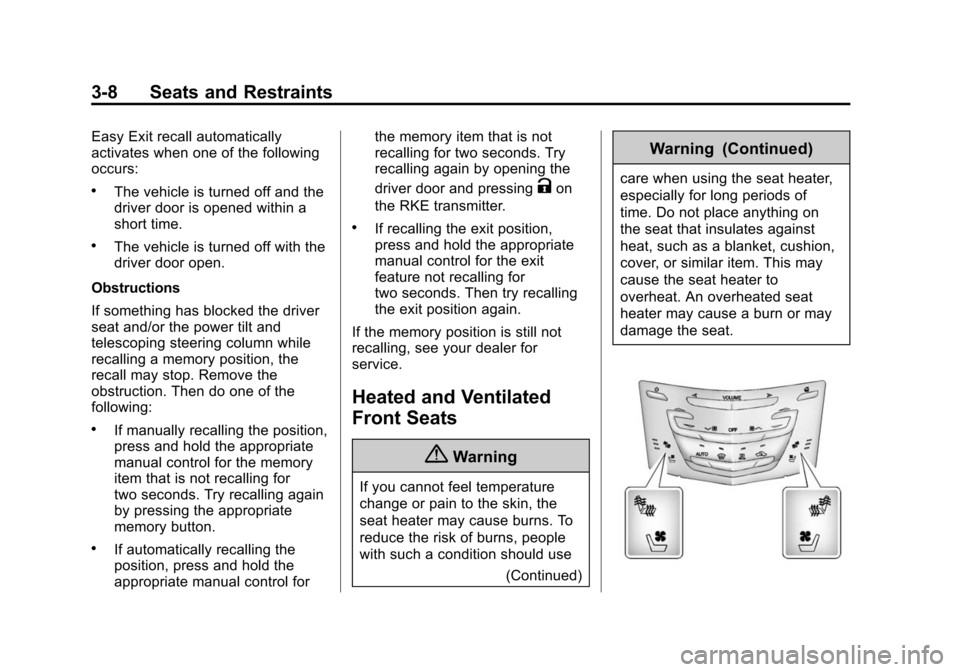
Heated and Ventilated
Front Seats
{Warning
If you cannot feel temperature
change or pain to the skin, the
seat heater may cause burns. To
reduce the risk of burns, people
with such a condition should use (Continued)
Warning (Continued)
care when using the seat heater,
especially for long periods of
time. Do not place anything on
the seat that insulates against
heat, such as a blanket, cushion,
cover, or similar item. This may
cause the seat heater to
overheat. An overheated seat
heater may cause a burn or may
damage the seat.
Page 84 of 401
Black plate (29,1)Cadillac CTS Owner Manual (GMNA-Localizing-U.S./Canada/Mexico-
7707478) - 2015 - crc - 10/1/14
Seats and Restraints 3-29
other parts. The service manual
for the vehicle covers the need
to replace other parts.
.The vehicle has a crash sensing
and diagnostic module which
records information after a
crash. SeeVehicle Data
Recording and Privacy on
page 13-13 andEvent Data
Recorders on page 13-14.
.Let only qualified technicians
work on the airbag systems.
Improper service can mean that
an airbag system will not work
properly. See your dealer for
service.
Passenger Sensing
System
The vehicle has a passenger
sensing system for the front
outboard passenger position. The
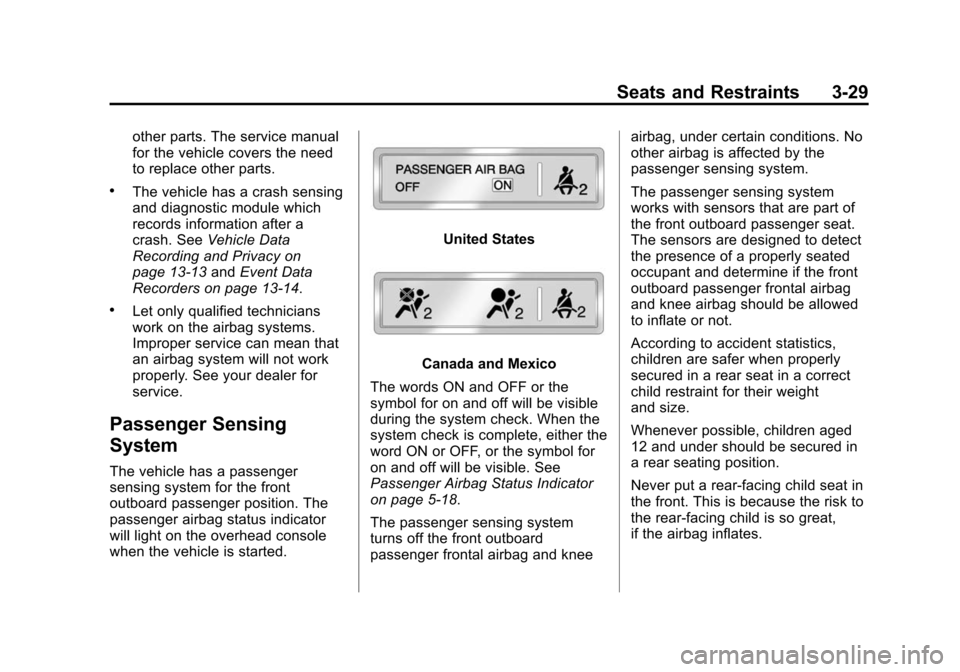
passenger airbag status indicator
will light on the overhead console
when the vehicle is started.
United States
Canada and Mexico
The words ON and OFF or the
symbol for on and off will be visible
during the system check. When the
system check is complete, either the
word ON or OFF, or the symbol for
on and off will be visible. See
Passenger Airbag Status Indicator
on page 5-18.
The passenger sensing system
turns off the front outboard
passenger frontal airbag and knee airbag, under certain conditions. No
other airbag is affected by the
passenger sensing system.
The passenger sensing system
works with sensors that are part of
the front outboard passenger seat.
The sensors are designed to detect
the presence of a properly seated
occupant and determine if the front
outboard passenger frontal airbag
and knee airbag should be allowed
to inflate or not.
According to accident statistics,
children are safer when properly
secured in a rear seat in a correct
child restraint for their weight
and size.
Whenever possible, children aged
12 and under should be secured in
a rear seating position.
Never put a rear-facing child seat in
the front. This is because the risk to
the rear-facing child is so great,
if the airbag inflates.
Page 86 of 401
Black plate (31,1)Cadillac CTS Owner Manual (GMNA-Localizing-U.S./Canada/Mexico-
7707478) - 2015 - crc - 10/1/14
Seats and Restraints 3-31
off the front outboard passenger
frontal airbag and knee airbag,
depending upon the person’s
seating posture and body build.
Everyone in the vehicle who has
outgrown child restraints should
wear a safety belt properly—
whether or not there is an airbag for
that person.
{Warning
If the airbag readiness light ever
comes on and stays on, it means
that something may be wrong
with the airbag system. To help
avoid injury to yourself or others,
have the vehicle serviced right
away. See Airbag Readiness
Light on page 5-17 for more
information, including important
safety information.
If the On Indicator Is Lit for a
Child Restraint
The passenger sensing system is
designed to turn off the front
outboard passenger frontal airbag
and knee airbag if the system
determines that an infant is present
in a child restraint. If a child restraint
has been installed and the on
indicator is lit:
1. Turn the vehicle off.
2. Remove the child restraint from the vehicle.
3. Remove any additional items from the seat such as blankets,
cushions, seat covers, seat
heaters, or seat massagers.
4. Reinstall the child restraint following the directions provided
by the child restraint
manufacturer and refer to
Securing Child Restraints (Front
Passenger Seat) on page 3-52
orSecuring Child Restraints
(Rear Seat) on page 3-49. 5. If, after reinstalling the child
restraint and restarting the
vehicle, the on indicator is still lit,
turn the vehicle off. Then slightly
recline the vehicle seatback and
adjust the seat cushion,
if adjustable, to make sure that
the vehicle seatback is not
pushing the child restraint into
the seat cushion.
Also make sure the child
restraint is not trapped under the
vehicle head restraint. If this
happens, adjust the head
restraint. See Head Restraints
on page 3-2.
6. Restart the vehicle.
The passenger sensing system
may or may not turn off the
airbags for a child in a child
restraint depending upon the
child's size. It is better to secure
a child restraint in a rear seat.