light CADILLAC CTS V 2004 1.G User Guide
[x] Cancel search | Manufacturer: CADILLAC, Model Year: 2004, Model line: CTS V, Model: CADILLAC CTS V 2004 1.GPages: 454, PDF Size: 2.87 MB
Page 83 of 454

Window Lockout
This feature allows you to disable the passenger
window switches.
The passenger window
lockout button is located
below the power window
switches on the driver’s
door armrest.
Press the button to disable the passenger window
controls. The light on the button will illuminate, indicating
that the feature is in use. The passenger windows still
can be raised or lowered using the driver’s window
switches when the lockout feature is active.To restore power to the passenger windows, press the
button again. The light on the button will go out.
You can program this feature to disable all
passenger windows or only the rear passenger
windows. SeeDIC Vehicle Personalization on
page 3-88for more information.
Sun Visors
Swing down the primary visor to block out glare. It can
also be detached from the center mount and moved
to the side to block glare from that direction.
The driver’s sunshade may also have buttons for a
built-in garage door opener. SeeHomeLink
®Transmitter
on page 2-46for more information.
Lighted Visor Vanity Mirror
Pull the visor down and lift the cover. The light will
automatically come on. The light will go out when you
close the cover.
2-17
Page 84 of 454

Theft-Deterrent Systems
Vehicle theft is big business, especially in some cities.
Although your vehicle has a number of theft-deterrent
features, we know that nothing we put on it can make it
impossible to steal.
Theft-Deterrent System
If your vehicle has this
feature, the security light is
located on the instrument
panel cluster.
If the ignition is off and a door is open, the security
light will ash, reminding you to arm the
theft-deterrent system.
To arm the system, do the following:
1. Lock the door using the remote keyless entry
transmitter or the power door lock switch.
2. Close all the doors. The security light will illuminate.
It should go off within approximately 30 seconds.
Your security system is now armed.If a door or a trunk is opened without a key or a remote
keyless entry transmitter, the horn will sound and the
lamps will ash for up to 30 seconds.
The theft-deterrent system won’t arm if you lock the
doors with a key or use the manual door lock. It
activates only if you use the remote keyless entry
transmitter or the power lock on the door.
To avoid activating the alarm by accident do
the following:The vehicle should be locked with the door key or
the manual door lock after the doors are closed if
you don’t want to arm the theft-deterrent system.
Always unlock a door with a key or use the remote
keyless entry transmitter. Pressing the unlock
button on the remote keyless entry transmitter
disables the theft-deterrent system. Unlocking a
door any other way will activate the alarm when a
door or the trunk is opened.
If you activate the alarm by accident, unlock the driver’s
door with your key. You can also turn off the alarm by
using the unlock button on the remote keyless entry
transmitter, or by starting the vehicle with a valid key.
2-18
Page 85 of 454
Testing the Alarm
1. From inside the vehicle, roll down the window, then
get out of the vehicle, keeping the door open.
2. From outside of the vehicle, with the door open,
lock the vehicle using the power door lock switch
or the remote keyless entry transmitter and
close the door. Wait approximately 30 seconds until
the security light goes off.
3. Reach in and unlock the door using the manual
lock and open the door. The horn will sound and
the exterior lamps will ash.
You can turn off the alarm by unlocking the driver’s door
with your key, using the unlock button on the remote
keyless entry transmitter or by starting the car with
a valid key.
If the alarm does not sound when it should, check to
see if the horn works. The horn fuse may be blown. To
replace the fuse, seeFuses and Circuit Breakers on
page 5-100. If the fuse does not need to be replaced, you
may need to have your vehicle serviced.
To reduce the possibility of theft, always arm the
theft-deterrent system when leaving your vehicle.
Immobilizer
This device complies with Part 15 of the FCC Rules.
Operation is subject to the following two conditions:
1. this device may not cause interference, and
2. this device must accept any interference
received, including interference that may cause
undesired operation.
This device complies with RSS-210 of Industry Canada.
Operation is subject to the following two conditions:
1. this device may not cause interference, and
2. this device must accept any interference received,
including interference that may cause undesired
operation of the device.
Changes or modications to this system by other than
an authorized service facility could void authorization to
use this equipment.
2-19
Page 86 of 454

Immobilizer Operation
Your vehicle is equipped
with a passive
theft-deterrent system.
The system works when you turn the key to ON. The
key uses a transponder that matches an immobilizer
control unit in your vehicle. The correct key will start
the vehicle.
Your vehicle has a special key that works with the
theft-deterrent system. There is a transponder in the key
head. If the key is ever damaged, you may not be
able to start your vehicle.When trying to start the vehicle, if the engine does not
start and the security light comes on, the key may
have a damaged transponder. Turn the ignition off and
try again.
If the engine still does not start, and the key appears to
be undamaged, try another ignition key. At this time,
you may also want to check the fuse. SeeFuses
and Circuit Breakers on page 5-100. If the engine still
does not start with the other key, your vehicle needs
service. If your vehicle does start, the rst key may be
faulty. See your dealer who can service the
theft-deterrent system to have a new key made.
It is possible for the theft-deterrent system decoder to
learn the transponder value of a new or replacement
key. Up to 10 additional keys may be programmed for
the vehicle. This procedure is for learning additional
keys only.
Canadian Owners:If you lose or damage your keys,
only a GM dealer can service the theft-deterrent system
to have new keys made. To program additional keys
you will require two current driver’s keys. You must add
a step to the following procedure. After Step 2, repeat
Steps 1 and 2 with the second current driver’s key.
Then continue with Step 3.
2-20
Page 87 of 454

To program a new key do the following:
1. Verify that the new key has PK3+ stamped on it.
2. Insert the current driver’s key in the ignition
and start the engine. If the engine will not start see
your dealer for service.
3. After the engine has started, turn the key to OFF,
and remove the key.
4. Insert the key to be programmed and turn it to ON
within ten seconds of removing the previous key.
5. The security light will turn off once the key has been
programmed. It may not be apparent that the
security light went on due to how quickly the key
is programmed.
6. Repeat the Steps 1 through 4 if additional keys are
to be programmed.
If you are ever driving and the security light comes on
and stays on, you will be able to restart your engine
if you turn it off. The theft-deterrent system, however,
is not working properly and must be serviced by
your dealer. Your vehicle is not protected by the
theft-deterrent system at this time.
In an emergency, contact Cadillac Roadside Assistance.
SeeRoadside Service on page 7-6.Starting and Operating
Your Vehicle
New Vehicle Break-In
Notice:Your vehicle does not need an elaborate
“break-in.” But it will perform better in the long
run if you follow these guidelines for the rst
500 miles (805 km):
Do not drive at any one speed — fast or slow.
Do not exceed 70 mph (113 km/h).
Do not make full-throttle starts; also refrain
from using the full throttle while driving.
If these procedures are not followed, your engine,
axle or other parts could be damaged.
Avoid making hard stops for the rst 200 miles
(322 km) or so. During this time your new brake
linings are not yet broken in. Hard stops with new
linings can mean premature wear and earlier
replacement. Follow this break-in guideline every
time you get new linings.
Do not tow a trailer during break-in. SeeTowing a
Trailer on page 4-39for more information.
2-21
Page 97 of 454
Sport Mode Button
(Automatic Transmission)
This button allows you to change the driving mode of
the vehicle from the normal driving mode to a sportier
driving mode. In sport mode the vehicle will have rmer
shifting and increased performance.
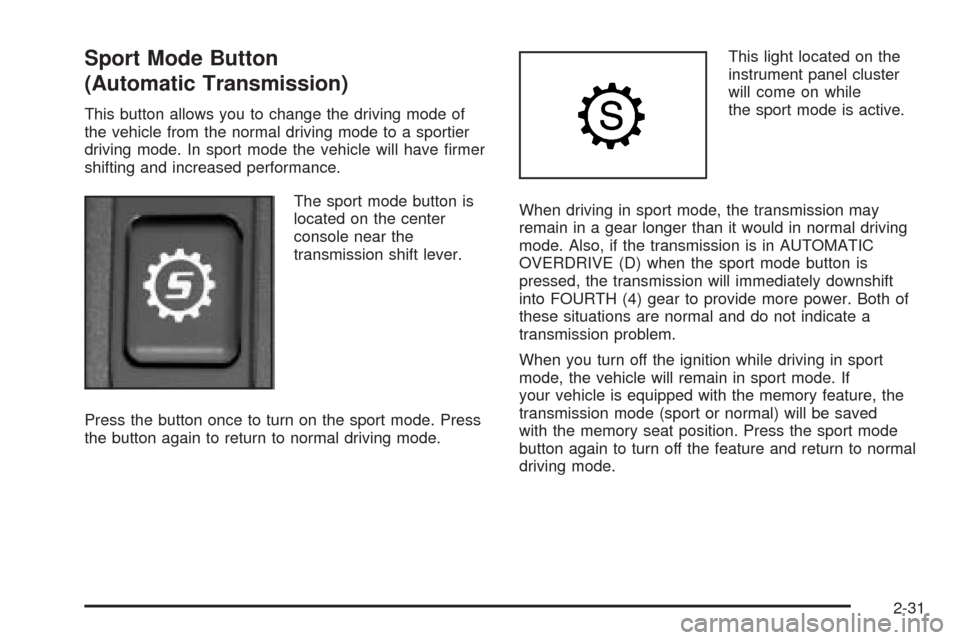
The sport mode button is
located on the center
console near the
transmission shift lever.
Press the button once to turn on the sport mode. Press
the button again to return to normal driving mode.This light located on the
instrument panel cluster
will come on while
the sport mode is active.
When driving in sport mode, the transmission may
remain in a gear longer than it would in normal driving
mode. Also, if the transmission is in AUTOMATIC
OVERDRIVE (D) when the sport mode button is
pressed, the transmission will immediately downshift
into FOURTH (4) gear to provide more power. Both of
these situations are normal and do not indicate a
transmission problem.
When you turn off the ignition while driving in sport
mode, the vehicle will remain in sport mode. If
your vehicle is equipped with the memory feature, the
transmission mode (sport or normal) will be saved
with the memory seat position. Press the sport mode
button again to turn off the feature and return to normal
driving mode.
2-31
Page 98 of 454

Winter Driving Mode Button
(Automatic Transmission)
This feature provides more traction during slippery
conditions by using THIRD (3) gear when you begin to
accelerate from a stopped position.
The winter driving mode
button is located on the
center console near
the transmission shift lever.
Press this button once to turn on the winter driving
mode feature. Press it again to turn the feature off. The
winter driving mode feature works when the vehicle
is in any gear except SECOND (2).This light on the instrument
panel cluster will come on
when the winter driving
mode is active.
When you turn off the ignition while using this feature,
winter mode is automatically turned off. The vehicle
will return to normal driving mode. You must reselect the
winter driving mode feature each time you restart the
vehicle if you wish to use the feature.
The transmission will be in THIRD (3) gear when the
vehicle begins to move. Once the vehicle is moving, the
vehicle will upshift normally.
The transmission will downshift when the accelerator
pedal is pressed and held for more than two seconds,
and the vehicle will accelerate more slowly than
normal while using the winter driving mode.
This feature is not intended for continuous use or for
use when the vehicle is stuck in sand, mud, ice, snow or
gravel. If your vehicle becomes stuck, see “Rocking
Your Vehicle” underIf You Are Stuck: In Sand, Mud, Ice
or Snow on page 4-32for more information on how to
free it.
2-32
Page 101 of 454

Shift Speeds (Manual Transmission)
{CAUTION:
If you skip a gear when you downshift, you
could lose control of your vehicle. You could
injure yourself or others. Don’t shift down more
than one gear at a time when you downshift.
Notice:If you skip more than one gear when you
downshift, or if you race the engine when you
release the clutch pedal while downshifting, you
could damage the engine, clutch, driveshaft or the
transmission. Do not skip gears or race the
engine when downshifting.
If the vehicle speed drops below 20 mph (32 km/h), or if
the engine is not running smoothly, you should
downshift to the next lower gear. You may have to
downshift two or more gears to keep the engine running
smoothly or for good performance.
Skip Shift (CTS-V)
1r4:This may appear in the message center in the
speedometer during light throttle, low speed maneuvers.
You must complete the shift into FOURTH (4) to turn
off this feature. This helps you get the best possible
fuel economy.
Parking Brake
The parking brake pedal is
located on the lower
portion of the instrument
panel to the left of the
steering wheel.
To set the parking brake, hold the regular brake pedal
down with your right foot and push the parking brake
pedal down with your left foot.
2-35
Page 102 of 454

If the ignition is on, the brake system warning light on
the instrument panel cluster should come on. If it
does not, you need to have your vehicle serviced.
SeeBrake System Warning Light on page 3-43for
more information.
To release the parking brake, pull the release lever
located to the left of the steering wheel on the
instrument panel.
Notice:Driving with the parking brake on can
overheat the brake system and cause premature
wear or damage to brake system parts. Verify that
the parking brake is fully released and the brake
warning light is off before driving.A warning chime will sound if the parking brake is set,
the ignition is on and the vehicle begins to move.
To stop the chime, fully release the parking brake.
If you are towing a trailer and parking on a hill,
seeTowing a Trailer on page 4-39for more information.
Shifting Into Park (P)
(Automatic Transmission)
{CAUTION:
It can be dangerous to get out of your vehicle
if the shift lever is not fully in PARK (P) with
the parking brake rmly set. Your vehicle can
roll. If you have left the engine running, the
vehicle can move suddenly. You or others
could be injured. To be sure your vehicle will
not move, even when you are on fairly level
ground, use the steps that follow. If you are
pulling a trailer, seeTowing a Trailer on
page 4-39.
To shift into PARK (P), use the following steps:
1. Hold the brake pedal down with your right foot.
2-36
Page 107 of 454

Mirrors
Automatic Dimming Rearview Mirror
with OnStar
®
The vehicle may have an automatic dimming inside
rearview mirror. The mirror also has OnStar®controls.
For more information about OnStar®, seeOnStar®
System on page 2-45.
O(On/Off):This is the on/off button, located on the
lower left side of the mirror, used for the automatic
dimming functions of the rearview mirror.
Mirror Operation
The automatic dimming feature comes on each time the
vehicle is started.
To turn the automatic dimming feature on or off, press
and release the on/off button. The indicator light will
illuminate when this feature is on.
Cleaning the Mirror
When cleaning the mirror, use a paper towel or similar
material dampened with glass cleaner. Do not spray
glass cleaner directly on the mirror as that may cause
the liquid cleaner to enter the mirror housing.
Automatic Dimming Rearview Mirror
with OnStar
®and Compass
The vehicle may have an automatic dimming inside
rearview mirror with a compass. The mirror also
has OnStar
®controls. For more information about
OnStar®, seeOnStar®System on page 2-45.
The mirror has an eight-point compass display in the
upper right corner of the mirror. When on, the compass
automatically calibrates, or sets the driving direction,
as the vehicle is driven.
O(On/Off):This is the on/off button, located on the
lower left side of the mirror, for the automatic dimming
and compass functions of the rearview mirror.
2-41