automatic transmission CADILLAC CTS V 2006 1.G User Guide
[x] Cancel search | Manufacturer: CADILLAC, Model Year: 2006, Model line: CTS V, Model: CADILLAC CTS V 2006 1.GPages: 442, PDF Size: 2.57 MB
Page 111 of 442
Leaving Your Vehicle With the Engine
Running (Automatic Transmission)
{CAUTION:
It can be dangerous to leave your vehicle with
the engine running. Your vehicle could move
suddenly if the shift lever is not fully in
PARK (P) with the parking brake rmly set.
And, if you leave the vehicle with the engine
running, it could overheat and even catch re.
You or others could be injured. Do not leave
your vehicle with the engine running.
If you have to leave your vehicle with the engine
running, be sure your vehicle is in PARK (P) and your
parking brake is rmly set before you leave it. After you
have moved the shift lever into PARK (P), hold the
regular brake pedal down. Then, see if you can move
the shift lever away from PARK (P) without rst pushing
the button on the shift lever. If you can, it means that
the shift lever was not fully locked into PARK (P).
Torque Lock (Automatic Transmission)
If you are parking on a hill and you do not shift your
transmission into PARK (P) properly, the weight of the
vehicle may put too much force on the parking pawl
in the transmission. You may nd it difficult to pull the
shift lever out of PARK (P). This is called “torque
lock.” To prevent torque lock, set the parking brake and
then shift into PARK (P) properly before you leave
the driver’s seat. To nd out how, see “Shifting
Into PARK (P)” listed previously.
If torque lock does occur, you may need to have
another vehicle push yours a little uphill to take some of
the pressure from the parking pawl in the transmission,
so you can pull the shift lever out of PARK (P).
2-35
Page 112 of 442
Shifting Out of Park (P)
(Automatic Transmission)
Your vehicle has an automatic transmission shift lock
control system. You have to fully apply your regular
brakes before you can shift from PARK (P) when the
ignition is in ON. SeeAutomatic Transmission Operation
on page 2-27for more information.
If you cannot shift out of PARK (P), release the button
on the shift lever and ease the pressure on the shift
lever. Push the shift lever all the way into PARK (P)
while pushing the button on the shift lever as you
maintain brake application. Then move the shift lever
into the desired gear.
Parking Your Vehicle
(Manual Transmission)
Before you get out of your vehicle, place the shift lever in
REVERSE (R) and rmly apply the parking brake. Turn
the ignition key to OFF, press the release button and
remove the key. See “Key Release Button” underIgnition
Positions on page 2-22for more information.
If you are towing a trailer, seeTowing a Trailer on
page 4-39.
2-36
Page 114 of 442
Running the Engine While Parked
It is better not to park with the engine running. But if you
ever have to, here are some things to know.
{CAUTION:
Idling the engine with the climate control
system off could allow dangerous exhaust into
your vehicle. See the earlier caution under
Engine Exhaust on page 2-37.
Also, idling in a closed-in place can let deadly
carbon monoxide (CO) into your vehicle even if
the climate control fan is at the highest setting.
One place this can happen is a garage.
Exhaust — with CO — can come in easily.
NEVER park in a garage with the engine
running.
Another closed-in place can be a blizzard. See
Winter Driving on page 4-27.
{CAUTION:
It can be dangerous to get out of your vehicle
if the automatic transmission shift lever is not
fully in PARK (P) with the parking brake rmly
set. Your vehicle can roll. Do not leave your
vehicle when the engine is running unless you
have to. If you have left the engine running,
the vehicle can move suddenly. You or others
could be injured. To be sure your vehicle will
not move, even when it is on fairly level
ground, always set the parking brake and
move the automatic transmission shift lever to
PARK (P), or the manual transmission shift
lever to NEUTRAL.
Follow the proper steps to be sure your vehicle will not
move. SeeShifting Into Park (P) (Automatic
Transmission) on page 2-34andParking Your Vehicle
(Manual Transmission) on page 2-36.
If you are parking on a hill and if you are pulling a
trailer, seeTowing a Trailer on page 4-39.
2-38
Page 128 of 442
Anti-Pinch Feature Override
A condition may exist that causes the anti-pinch feature
of the sunroof to activate due to weather or an
obstruction. In an emergency, the anti-pinch feature can
be overridden in a supervised mode.
To override the anti-pinch feature rotate the sunroof
control to the closed position, then press the control
upward and continue pressing upward until the sunroof
reaches the desired position.
In this mode, the sunroof can still close on an object in
its path. Use care when using the override mode.
Vehicle Personalization
In addition to the following features, your vehicle may
also have features that can be programmed through the
Driver Information Center (DIC). SeeDIC Vehicle
Personalization on page 3-70for more information.
Memory Seat and Mirrors
If your vehicle has the memory feature, you can
program and recall memory settings for the driver’s
seating and outside rearview mirror driving positions for
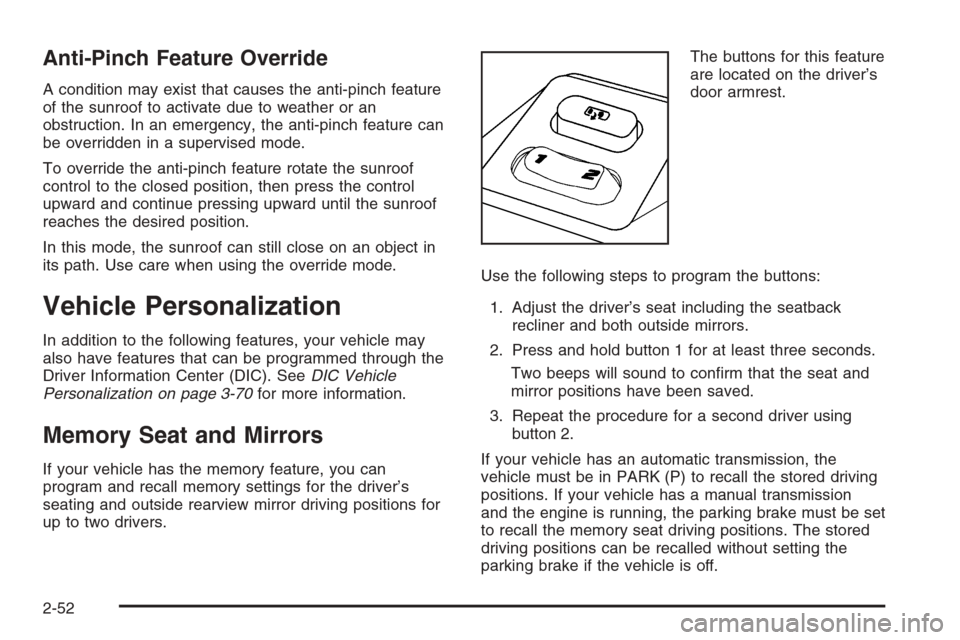
up to two drivers.The buttons for this feature
are located on the driver’s
door armrest.
Use the following steps to program the buttons:
1. Adjust the driver’s seat including the seatback
recliner and both outside mirrors.
2. Press and hold button 1 for at least three seconds.
Two beeps will sound to conrm that the seat and
mirror positions have been saved.
3. Repeat the procedure for a second driver using
button 2.
If your vehicle has an automatic transmission, the
vehicle must be in PARK (P) to recall the stored driving
positions. If your vehicle has a manual transmission
and the engine is running, the parking brake must be set
to recall the memory seat driving positions. The stored
driving positions can be recalled without setting the
parking brake if the vehicle is off.
2-52
Page 129 of 442

Press one of the numbered memory buttons to recall
the stored setting. Each time a memory button is
pressed, a single beep will sound.
Three chimes will sound and the setting will not be
recalled if you press button 1 or 2 when the vehicle is
not in PARK (P) on an automatic transmission or
the parking brake is not set on a manual transmission.
If you would like the stored driving positions to be
recalled when unlocking your vehicle with the remote
keyless entry transmitter or when you place the
key in the ignition, seeDIC Vehicle Personalization on
page 3-70.
To stop recall movement of the memory feature at any
time, press one of the power seat or mirror controls.
Two personalized exit positions can also be
programmed. Use the following steps to program exit
positions:
1. Press memory seat button 1 or the button with the
unlock symbol on the remote keyless entry
transmitter with the number 1 on the back to recall
the driving position.
2. Adjust the driver’s seat to the desired exit position.
3. Press and hold the exit button located above
buttons 1 and 2 on the driver’s door armrest
for at least three seconds.
Two beeps will sound to conrm that the exit
position has been saved.4. Repeat the procedure for a second driver using
memory seat button 2 or the remote keyless
entry transmitter with the number 2 on the back.
To recall the stored exit positions, press and release the
exit button. One beep will sound, and the seat will
move to the previously stored exit position for the
currently identied driver. If an exit position has not
been stored for this driver, the seat will move all the way
back. The position of the outside mirrors is not stored
or recalled for the exit position.
If your vehicle has an automatic transmission, the
vehicle must be in PARK (P) to recall the exit positions.
For a manual transmission, the parking brake must
be set to recall the stored exit positions.
Three chimes will sound and the exit setting will not be
recalled if you press the exit button when the vehicle
is not in PARK (P) on an automatic transmission or the
parking brake is not set on a manual transmission.
If you would like your stored exit position to be recalled
when unlocking the vehicle with the remote keyless
entry transmitter or when the ignition is turned off and
the driver’s door is opened, seeDIC Vehicle
Personalization on page 3-70.
2-53
Page 132 of 442
Malfunction Indicator Lamp.............................3-41
Oil Pressure Light.........................................3-44
Sport Mode Light (Automatic
Transmission/CTS).....................................3-45
Security Light...............................................3-45
Fog Lamp Light............................................3-45
Lights On Reminder......................................3-45
Cruise Control Light......................................3-46
Highbeam On Light.......................................3-46
Fuel Gage...................................................3-46
Message Center.............................................3-47
Message Center (CTS-V)...............................3-47
Transmission Fluid Hot Message.....................3-50
Hot Coolant Temperature Warning Message.....3-50
Check Engine Oil Pressure Message...............3-51
Oil Temperature Warning Message..................3-51
Tire Pressure Warning Message.....................3-52
One-to-Four Shift Message.............................3-52Driver Information Center (DIC).......................3-53
System Controls...........................................3-53
Status of Vehicle Systems.............................3-54
DIC Main Menu ............................................3-57
DIC Warnings and Messages.........................3-61
DIC Vehicle Personalization............................3-70
Audio System(s).............................................3-83
Setting the Time...........................................3-85
Radio with CD..............................................3-85
Navigation/Radio System..............................3-101
Theft-Deterrent Feature................................3-101
Audio Steering Wheel Controls (CTS)............3-102
Radio Reception.........................................3-102
Care of Your CDs.......................................3-103
Care of the CD Player.................................3-104
Diversity Antenna System.............................3-104
XM™ Satellite Radio Antenna System............3-104
Section 3 Instrument Panel
3-2
Page 135 of 442
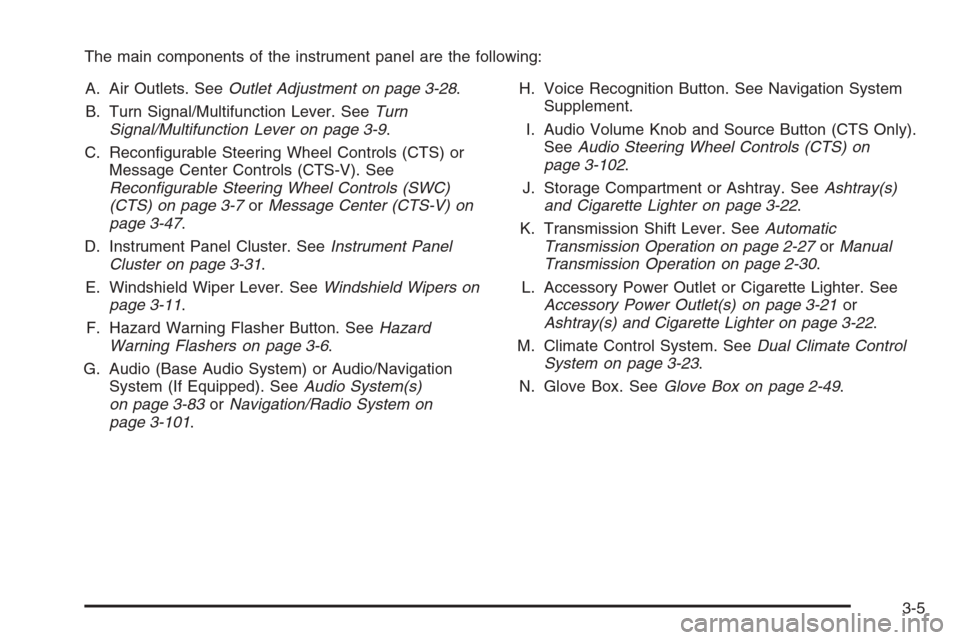
The main components of the instrument panel are the following:
A. Air Outlets. SeeOutlet Adjustment on page 3-28.
B. Turn Signal/Multifunction Lever. SeeTurn
Signal/Multifunction Lever on page 3-9.
C. Recongurable Steering Wheel Controls (CTS) or
Message Center Controls (CTS-V). See
Recongurable Steering Wheel Controls (SWC)
(CTS) on page 3-7orMessage Center (CTS-V) on
page 3-47.
D. Instrument Panel Cluster. SeeInstrument Panel
Cluster on page 3-31.
E. Windshield Wiper Lever. SeeWindshield Wipers on
page 3-11.
F. Hazard Warning Flasher Button. SeeHazard
Warning Flashers on page 3-6.
G. Audio (Base Audio System) or Audio/Navigation
System (If Equipped). SeeAudio System(s)
on page 3-83orNavigation/Radio System on
page 3-101.H. Voice Recognition Button. See Navigation System
Supplement.
I. Audio Volume Knob and Source Button (CTS Only).
SeeAudio Steering Wheel Controls (CTS) on
page 3-102.
J. Storage Compartment or Ashtray. SeeAshtray(s)
and Cigarette Lighter on page 3-22.
K. Transmission Shift Lever. SeeAutomatic
Transmission Operation on page 2-27orManual
Transmission Operation on page 2-30.
L. Accessory Power Outlet or Cigarette Lighter. See
Accessory Power Outlet(s) on page 3-21or
Ashtray(s) and Cigarette Lighter on page 3-22.
M. Climate Control System. SeeDual Climate Control
System on page 3-23.
N. Glove Box. SeeGlove Box on page 2-49.
3-5
Page 146 of 442

Using Cruise Control on Hills
How well your cruise control will work on hills depends
upon your speed, load, and the steepness of the hills.
When going up steep hills, you may have to step on the
accelerator pedal to maintain your speed. When going
downhill, you may have to brake or shift to a lower gear
to keep the speed reduced. Applying the brake or shifting
into a lower gear will take you out of cruise control.
If you need to apply the brake or shift to a lower gear
due to the grade of the downhill slope, you may not
want to use the cruise control feature.
Ending Cruise Control
To end a cruise control session, step lightly on the
brake pedal. If your vehicle has a manual transmission,
lightly tapping the clutch pedal will also end a cruise
control session.
Stepping on the brake or clutch pedal will only end the
current cruise control session. Move the cruise
control switch to off to completely turn off the system.
Erasing Speed Memory
When you turn off the cruise control or the ignition, the
cruise control set speed memory is erased.
Headlamps
The exterior lamp control is located in the middle of the
turn signal/multifunction lever. SeeTurn Signal/
Multifunction Lever on page 3-9.
O(Exterior Lamp Control):Turn the control with this
symbol on it to operate the exterior lamps.
The exterior lamp control has the following
four positions:
9(Off):Turning the control to this position turns off
all lamps except the Daytime Running Lamps (DRL).
;(Parking Lamps):Turning the control to this
position turns on the parking lamps together with the
following:
Sidemarker Lamps
Taillamps
License Plate Lamps
Instrument Panel Lights
5(Headlamps):Turning the control to this position
turns on the headlamps, together with the previously
listed lamps and lights.
AUTO (Automatic):Turning the control to this position
puts the headlamps in automatic mode. AUTO mode
will turn the exterior lamps on and off depending
upon how much light is available outside of the vehicle.
3-16
Page 147 of 442

Wiper Activated Headlamps
This feature activates the headlamps and parking
lamps after the windshield wipers have been in use
for about six seconds. For this feature to work,
the exterior lamp control must be in AUTO.
When the exterior lamp control is off or in the parking
lamp position and the windshield wiper control is
in any position except off, the Headlamps Suggested
message will appear on the DIC display. See
“Headlamps Suggested Message” underDIC Warnings
and Messages on page 3-61for more information.
When the ignition is turned to OFF, the wiper-activated
headlamps will immediately turn off. They will also
turn off if the windshield wiper control is turned off.
Headlamps on Reminder
A warning chime will sound if the exterior lamp control
is left on in either the headlamp or parking lamp position
and the driver’s door is opened with the ignition off.
SeeLights On Reminder on page 3-45for additional
information.
Daytime Running Lamps (DRL)
Daytime Running Lamps (DRL) can make it easier for
others to see the front of your vehicle during the
day. DRL can be helpful in many different driving
conditions, but they can be especially helpful in the short
periods after dawn and before sunset. Fully functional
daytime running lamps are required on all vehicles
rst sold in Canada.
The DRL system will make the turn signal lamps come
on when the following conditions are met:
It is still daylight and the ignition is in ON
or START.
The exterior lamp control is in off or AUTO and the
headlamps are off.
The automatic transmission is not in PARK (P).
When DRL are on, only your front turn signal lamps will
be on. No other exterior lamps will be on. Your
instrument panel cluster will not be lit up either.
3-17
Page 163 of 442

Speedometer and Odometer
The speedometer lets you see your speed in either
miles per hour (mph) or kilometers per hour (km/h).
The odometer shows how far your vehicle has been
driven, in either miles (used in the United States)
or kilometers (used in Canada).
If your vehicle has to have a new odometer installed,
the new one may read the correct mileage. This is
because your vehicle’s computer has stored the mileage
in memory.
While the Driver Shift Control (DSC) feature is active,
the odometer will change to show the gear range.
SeeAutomatic Transmission Operation on page 2-27for
more information.
Trip Odometers
The trip odometer can record the number of miles or
kilometers traveled for up to two trips.
The trip odometer is part of the Driver Information
Center (DIC), for more information seeStatus of Vehicle
Systems on page 3-54.
For vehicles that have the navigation system, see your
Navigation System manual for more information.
Tachometer
This gage indicates the engine speed in Revolutions
Per Minute (RPM).
Notice:If you operate the engine with the
tachometer in the shaded warning area, your vehicle
could be damaged, and the damages would not
be covered by your warranty. Do not operate
the engine with the tachometer in the shaded
warning area.
Engine Speed Limiter
This feature prevents the engine from operating at too
many revolutions per minute (rpm). When the engine’s
rpms are too high, the throttle is closed to reduce
speed. If this is not sufficient, then the fuel supply
to the engine will be limited. When the rpms return
to normal, the fuel supply will return to normal.
This helps prevent damage to the engine.
3-33