ECU CADILLAC DEVILLE 1994 7.G User Guide
[x] Cancel search | Manufacturer: CADILLAC, Model Year: 1994, Model line: DEVILLE, Model: CADILLAC DEVILLE 1994 7.GPages: 399, PDF Size: 20.97 MB
Page 72 of 399
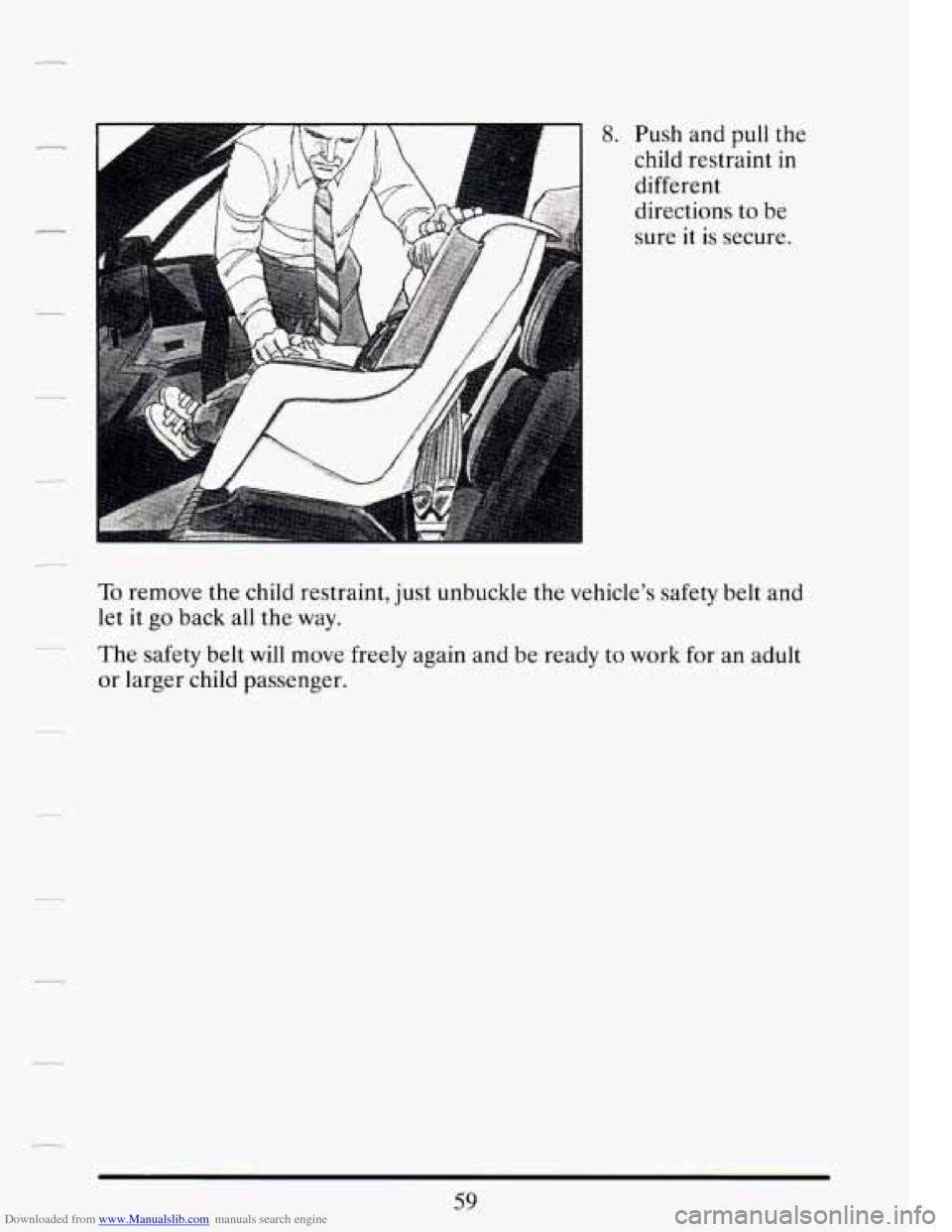
Downloaded from www.Manualslib.com manuals search engine 8. Push and pull the
child restraint
.in
different
directions to be
sure it
is secure.
To remove the child restraint, just unbuckle the vehicle’s safety belt and
let it go back all the way.
The safety belt
will move freely again and be ready to work for an adult
or larger child passenger.
Page 83 of 399
Downloaded from www.Manualslib.com manuals search engine Power Door Locks
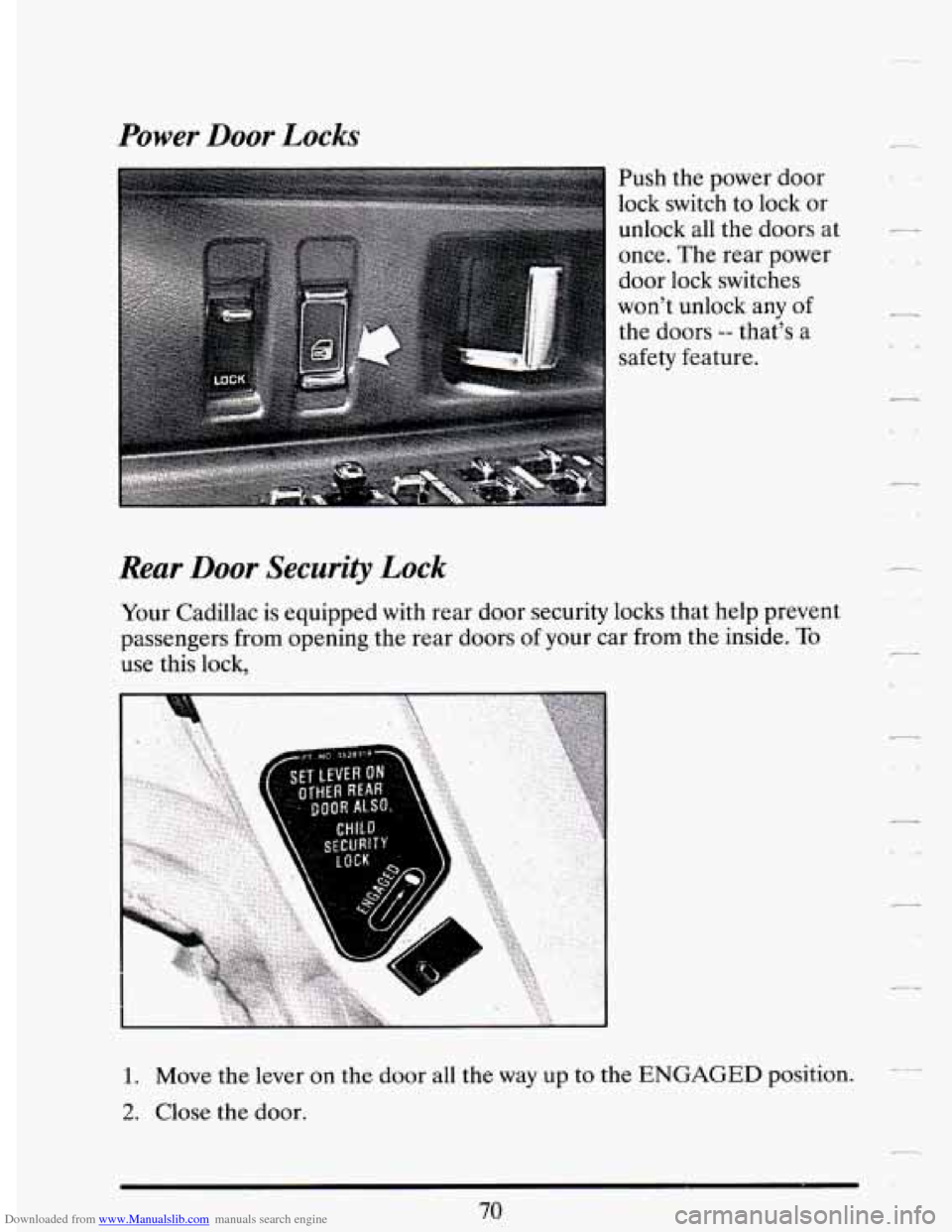
Push the power door
lock switch to lock or
unlock all the doors at
once. The rear power
door lock switches
won't unlock any of
the doors
-- that's a
safety feature.
Rear Door Security Lock
Your Cadillac is equipped with rear door security locks that help prevent
passengers from opening the rear doors of your car from
the inside. To
use this lock,
1. Move the lever on the door all the way up to the ENGAGED position.
2. Close the door.
70
Page 84 of 399

Downloaded from www.Manualslib.com manuals search engine .-
3. Do the same thing to the other rear door lock.
The rear doors of your vehicle cannot be opened from the inside when
this feature
is in use.
When you want to open
a rear door when the security lock is on:
1. Unlock the door from the inside.
2. Then open the door from the outside.
To cancel the rear door lock:
1. Unlock the door from the inside and open the door from the outside.
2. Move the lever all the way down.
3. Do the same for the other rear door.
The rear door locks
will now work normally.
Automatic Door Locks
Just close your doors and turn on the ignition. Every time you move your
shift lever out of
‘‘Y (Park) all of the doors will lock. And, every time you
stop and move your shift lever into “P” (Park), your doors
will unlock. If
someone needs to get out while you’re not
in “P77 (Park), have that person
use the manual or power lock. When the door
is closed again, it will not
lock automatically. Just use the manual or power lock to lock the door
again.
You can also have this feature changed where the doors
will stay locked
when you shift back into “P” (Park), ask your dealership for details.
Leaving Your Whicle
If you are leaving the vehicle, set the locks from inside, get out and close
the door.
Central Door Unlocking System
Your vehicle may be equipped with this feature. When unlocking either
door, you can unlock the other doors
by holding the key in the turned
position for
a few seconds.
Page 90 of 399

Downloaded from www.Manualslib.com manuals search engine The glove box is directly in front of the front passenger seat. To unlock
the door, insert the round key into the lock cylinder and turn it to the left.
To lock the door, turn the key to the right and remove the key. The key
may be removed in the locked or unlocked position.
Trunk Security Override
Inside the glove box ik an override switch that is useful if you want to
leave valuables in the trunk when using a commercial parking lot.
Push the button to disable the Remote Trunk Release button. Then lock
your glove box with the door
key. If you have your door key with you, this
will help keep someone from getting into your trunk. Push the button
again to make the power trunk release button usable.
You can still use your Remote Keyless Entry transmitter to open the
trunk even
if the override button is pushed in.
Page 91 of 399

Downloaded from www.Manualslib.com manuals search engine Convenience Net (Optional)
Your vehicle has a convenience net. You can see it ju
wall of the trunk. .st
inside th
Us the net to secure small loads like grocery bags. It can help keep them
from falling over during sharp turns or quick starts and stops. e
back
Page 92 of 399

Downloaded from www.Manualslib.com manuals search engine When not using the net, hook the net to the two tabs securing it to the sill
plate.
The net is not for larger, heavier loads store such loads in the trunk as far
forward as
you can.
- .-
REMOTE TRUNK RELEASE
You’ll find the button
here, in the Headlight
Control Panel. Push
the button
to release
the trunk lid.
__ The shift lever must in “P” (Park) with the ignition in the “Run” position
or in Retained Accessory Power mode.
79
Page 95 of 399
Downloaded from www.Manualslib.com manuals search engine Parking at Night
Park in a lighted spot, close all windows and lock your vehicle. Remember
to keep your valuables out of sight. Put them
in a storage area, or take
them with you.
Parking Lots
If you park in a lot where someone will be watching your vehicle, it’s best -
to lock it up and take your keys. But what if you have to leave your k,
ignition key? What if you have to leave something valuable in your
vehicle?
Put your valuables in a storage area, like your trunk or glove box.
Lock the glove box.
Push the Trunk Security Override switch in the glove box.
0 Do not leave the Remote Keyless Entry key fob, take it with you.
0 Lock all the doors except the driver’s.
0 Then take the door key with you.
THEFT DETERRENT (OPTION)
If your Cadillac has this
option,
it has a Theft
Deterrent Alarm
System. With this
system, the
“SECURITY” light
will flash as you open
the door (if your
ignition is off).
82
Page 96 of 399
Downloaded from www.Manualslib.com manuals search engine This light reminds you to arm the theft deterrent system. Here’s how to
do it:
1. Open the door.
2. Lock the door with the power door lock switch or Keyless Entry
System. The “SECURITY” light should come
on and stay on.
3. Close all doors. The “SECURITY” light should go off.
If a door
is opened without the key or Keyless Entry System, the alarm
will go off. It
will also go off if the trunk lock is damaged. Your vehicle’s
lights will flash and the horn
will sound for 3 minutes, then will go off to
save battery power.
Remember, the theft deterrent system won’t arm
if you lock the doors
with a key or manual door lock. It arms only
if you use a power door lock
switch
or Keyless Entry System.
Here’s how to avoid setting
off the alarm by accident:
__ If you don’t want to arm the theft deterrent system, the vehicle should
be locked with the door
key after the doors are closed.
Always unlock a door with a key, or use the Keyless Entry System.
Unlocking a door any other way
will set off the alarm.
If you set off the alarm by accident, unlock any door with your key. You
can also turn
off the alarm by using the Keyless Entry System. The alarm
won’t stop
if you try to unlock a door any other way.
How to Test The Alarm
From outside the vehicle, roll down your window and lock the vehicle
using the power door lock or the Keyless
Entry System and close the
door.
door. The horn will sound and your headlights will flash.
0 Reach in and unlock the door using the manual lock, and open the
If the alarm does not sound when
it should, check to see if the horn
works. The horn fuse may be blown.
To replace the fuse, see “Fuses and
Circuit Breakers”
in the Index.
To reduce the possibility of theft, always arm the theft deterrent system
when leaving your vehicle.
83
Page 97 of 399
Downloaded from www.Manualslib.com manuals search engine PASS-KEY’II
Your vehicle is equipped with the PASS-Key’II (Personalized
Automotive Security System) theft deterrent system. PASS-Key% is a
passive theft deterrent system. This means you don’t have to do anything
different to arm or disarm the system. It works when you insert or remove
the key from the ignition. PASS-Key’II uses a resistor pellet in the
ignition key that matches a decoder in your vehicle.
When the PASS-Key% system senses that someone is using the wrong
key, it shuts down the vehicle’s starter and fuel systems. For about three
minutes, the starter won’t work and fuel won’t go to the engine.
If
someone tries to start your vehicle again or uses another key during this
time, the vehicle
will not start. This discourages someone from randomly
trying different keys with different resistor pellets
in an attempt to make a
match.
The ignition key must be clean and dry before it’s inserted in the ignition
or the engine may not start.
If the engine does not start and the -
STARTING DISABLED DUE TO THEFT SYSTEM REMOVE L1
IGNITION KEY messgge is displayed the key may be dirty or wet. Turn
the ignition
off.
Clean and dry the key. Wait about three minutes and try again. The
SECURITY light
will remain on during this time. If the starter still won’t
work, and the key appears to be clean and dry, wait about three minutes
and try the other ignition key. At this time, you may also want to check
the fuses (see “Fuses and Circuit Breakers” in the Index). If the starter
won’t work with the other key, your vehicle needs service.
If your vehicle
does start, the first ignition key may be faulty. See your Cadillac dealer or
a locksmith who can service the PASS-K@II.
If you accidentally use a key that has a damaged or missing resistor pellet,
the starter won’t work, you don’t have to wait three minutes before trying
one
of the other ignition keys.
See your Cadillac dealer
or a locksmith who can service the PASS-Key@II
to have
a new key made.
Page 158 of 399
Downloaded from www.Manualslib.com manuals search engine FUEL LEVEL VERY LOW - 11
This message serves as a warning that the fuel level in your tank is
critically low.
It means you should stop for fuel immediately.
7 SERVICE NC SYSTEM A/C COMPRESSOR OFF - 14
This message appears when the electronic sensors that control the A/C
and heating system are no longer working. You may notice a drop in
Climate Control system serviced if this message appears.
- heating and A/C efficiency when this message appears. Have your
STARTING DISABLED DUE TO THEFT SYSTEM REMOVE
IGNITION KEY - 33
This message will a ear when the Personalized Automotive Security
System (PASS-Key
gp 11) senses that an improper ignition key is being used
to
try to start the vehicle. Check the ignition key for damage. If it is
damaged,
it may need to be replaced. If you see no damage, clean the
pellet contacts with a soft cloth or napkin. Remove the ignition key and
The Instrument Panel Cluster will then run a timer and change the
messages to “WAIT
2 MINUTES ”, “WAIT 1 MINUTE”, and then
“START CAR”. When the
“START CAR’ message is displayed, try again
to start the engine.
- wait for the Driver Information Center to display “WAIT 3 MINUTES ”.
SERVICE NOW - REFER TO OWNERS MANUAL - 02
This message appears if you have a problem with the Powertrain Control
Module (PCM).
To correct this problem have your vehicle serviced at
your Cadillac dealership.
-
SERVICE RIDE CONTROL - 84
This message is displayed to indicate that the Suspension System is not
your Cadillac dealership at your earliest convenience.
I_ operating properly. To correct this problem have your vehicle serviced at
STOP ENGINE ENGINE OVERHEATED - 42
--- This message will appear when your engine has overheated. Stop and
turn your engine
off immediately to avoid severe engine damage. See
“Engine Overheating” in the Index.