ECU CADILLAC DEVILLE 1997 7.G User Guide
[x] Cancel search | Manufacturer: CADILLAC, Model Year: 1997, Model line: DEVILLE, Model: CADILLAC DEVILLE 1997 7.GPages: 386, PDF Size: 21.61 MB
Page 57 of 386

Downloaded from www.Manualslib.com manuals search engine 4. Run the vehicle’s safety belt through or around the
restraint, The child restraint instructions will show
you how.
5.
6.
7.
Buckle the belt. Make sure the release button is
positioned so you would be able to unbuckle the
safety belt quickly if you ever had to.
To tighten the belt, pull its free end while you push
down on the child restraint.
Push and pull the child restraint in different
directions to be sure it is secure. If it isn’t, secure the
restraint in a different place in the vehicle and
contact the child restraint maker for their advice
about how to attach the child restraint properly.
To remove the child restraint, just unbuckle the vehicle’s
safety belt. It will be ready to work for
an adult or larger
child passenger.
1-42
Page 58 of 386

Downloaded from www.Manualslib.com manuals search engine Securing a Child Restraint in the Right
Front Seat Position
Your vehicle has a right front passenger air bag. Never
put a rear-facing child restraint in this seat. Here’s why:
A CAUTION:
A child in a rearfacing child restraint can be
seriously injured if the right front passenger’s air
bag inflates. This is because the back of a rear-facing child restraint would be very close to
the inflating air bag. Always secure a rearfacing
child restraint in the rear seat.
You’ll be using the lap-shoulder belt. See the earlier part
about the top strap if the child restraint has one.
1. Because your vehicle has a right front passenger air
bag, always move the seat as
far back as it will go
before securing a forward-facing child restraint. (See
“Seats”
in the Index.)
2. Put the restraint on the seat. Follow the instructions
for the child restraint.
3. Secure the child in the child restraint as the
instructions say.
4. Pick up the latch plate, and run the lap and shoulder
portions of the vehicle’s safety belt through or
around the restraint. The child restraint instructions
will show you how.
If the shoulder belt goes in front of the child’s face or
neck, put it behind the child restraint.
Page 60 of 386

Downloaded from www.Manualslib.com manuals search engine 7. To tighten the belt, feed the lap belt back into the
8. Push and pull the child restraint in different
To remove the child restraint, just unbuckle the vehicle's
safety belt and let it go back all the way. The safety belt
will move freely again and be ready to work for an adult
or larger child passenger. retractor while you push down
on the child restraint.
Children who have outgrown child restraints should
wear the vehicle's safety belts. If you have the choice, a child should sit next to a
window
so the child can wear a lap-shoulder belt and
get the additional restraint a shoulder belt can provide.
directions to
be sure
it is secure.
Page 71 of 386

Downloaded from www.Manualslib.com manuals search engine A “yes”, “no” or “skip” response must be made after
each prompt is displayed in order to continue on to the
next prompt
or personalization feature. Press the TRIP
SET (TRIP RESET) button to choose yes, press the
RESET (INFO RESET) button to choose no or press the
INFORMATION
(INFO) button to “skip” to the next
personalization feature.
FEAWRE ON appears when a “yes” response is made
and FEATURE
OFF appears with a “no” response.
If a no response is made after the DOORS LOCK IN
GEAR prompt is displayed, FEATURE
OFF will appear.
The automatic door locking system has been disabled
and no other door lock messages will be displayed.
REMOTE
FLASH LIGHTS, which is the next available
personalization feature to display, will appear next.
See “Remote Confirmation” in the Index for
more information.
If a yes response is made after the DOORS LOCK IN
GEAR prompt is displayed, FEATURE
ON appears.
The automatic door locking system
is enabled and
allows the DOORS UNLOCK IN PARK prompt
to appear. Choosing this prompt advances you to
REMOTE FLASH LIGHTS whereas a no response will
display the DRIVR UNLOCK
IN PARK prompt. A yes
or no response here automatically brings up the
REMOTE FLASH LIGHTS feature.
2-6
~ ~
Rear Door Security Locks
Your Cadillac is equipped
with rear door security
locks that help prevent
passengers from opening
the rear doors
of your
vehicle from the inside.
To use this lock:
1.
2.
3.
Move the lever on the door all the way up to the
ENGAGED position.
Close the door,
Do the same thing to the other rear door lock.
The rear doors of your vehicle cannot be opened from
the inside when this feature is in use.
Page 72 of 386
Downloaded from www.Manualslib.com manuals search engine When you want to open a rear door when the security
lock is on:
1. Unlock the door from the inside.
2. Then open the door from the outside.
To cancel the rear door lock:
1. Unlock the door from the inside and open the door
from the outside.
2. Move the lever all the way down.
3. Do the same for the other rear door.
The rear door locks will now work normally.
Anti-Lockout Featur--
Leaving your key in any ignition position with any
door open will disable the use of the power door lock
switches. The anti-lockout feature is disabled when the
ignition
is on. If you close the doors, you can lock them
using the RKE system. It
is always recommended that
you remove the ignition key when locking your vehicle.
Note that the anti-lockout feature can be overridden by
holding the power door lock switch for three seconds
or longer.
Leaving Your Vehicle
If you are leaving the vehicle, open the door, set the
locks from the inside, get out and close the door.
Remote Keyless Entry (RKE) System
With this feature, you can
lock and unlock the doors,
unlock the trunk, open the
fuel door and turn on your
vehicle’s interior lamps
from about
10 feet (3 m)
away using the RKE
transmitter supplied
with your vehicle.
Your
RKE system operates on a radio frequency subject
to Federal Communications Commission (FCC) Rules
and with Industry and Science Canada.
2-7
Page 79 of 386
Downloaded from www.Manualslib.com manuals search engine Trunk Storage System (Option)
ACCESSPANEL
RETAINER
TRUNK STORAGE UNIT
SPARE TIRE COVER
SPARE TIRE
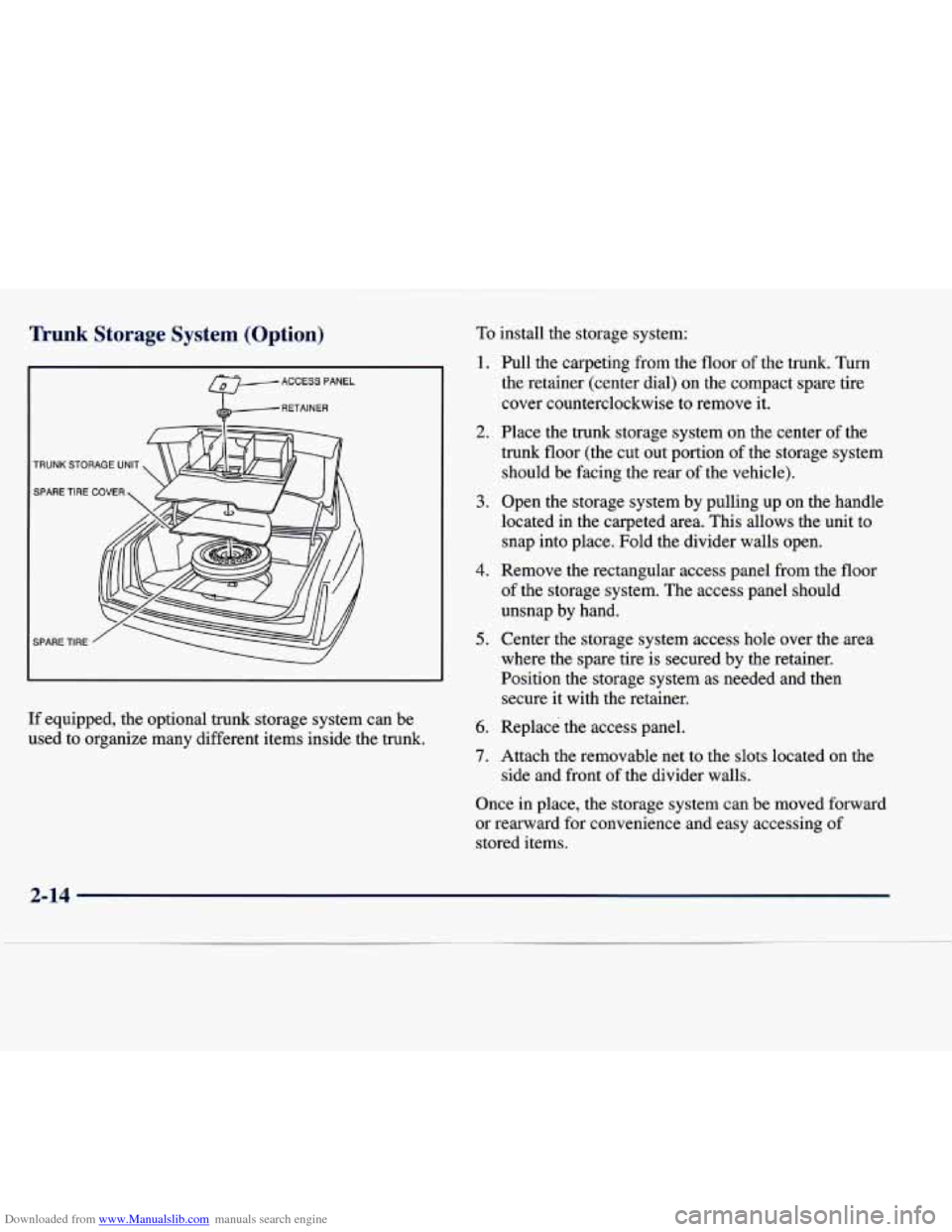
If equipped, the optional trunk storage system can be
used to organize many different items inside the trunk.
To install the storage system:
1. Full the carpeting from the floor of the trunk. Turn
the retainer (center dial) on the compact spare tire
cover counterclockwise to remove it.
2. Place the trunk storage system on the center of the
trunk floor (the cut out portion
of the storage system
should be facing the rear
of the vehicle).
3. Open the storage system by pulling up on the handle
located in the carpeted area. This allows the unit to
snap into place. Fold the divider walls open.
4. Remove the rectangular access panel from the floor
of the storage system. The access panel should
unsnap by hand.
5. Center the storage system access hole over the area
where the spare tire is secured by the retainer.
Position the storage system as needed and then secure it with the retainer.
6. Replace the access panel.
7. Attach the removable net to the slots located on the
side and front of the divider walls.
Once in place, the storage system can be moved forward
or rearward for convenience and easy accessing of
stored items.
2-14
Page 80 of 386
Downloaded from www.Manualslib.com manuals search engine The following steps explain how to remove the trunk
storage system for cleaning or in case you need to access
the spare tire. Follow
all of these steps if the storage
system
is in the closed position. Begin with Step 2 if the
system is already open.
1. Open the storage system by pulling up on the handle
located in the carpeted area. This allows the unit to
snap into place.
Fold the divider walls open.
2. Remove the rectangular access panel from the floor
of the storage system. The access panel should
unsnap by hand.
3. Center the storage system access hole over the area
where the spare tire
is secured by the retainer.
Position the storage system as needed and then
remove the retainer (turn the retainer
counterclockwise to remove it).
4. Replace the access panel and remove the
storage system.
Trunk Lid Automatic Pull-Down Feature
' A CAUTION:
Your car has an automatic pull-down feature that
helps close the trunk electronically. Your fingers can be trapped under the trunk lid as it goes
down. Your fingers could be injured, and you
would need someone
to help you free them. Keep
your fingers away from the trunk lid as you close
it and as it is going down.
With the automatic pull-down feature, you never have to
slam the trunk lid in order to close the trunk. Instead,
gently lower the trunk lid until
it is nearly shut -- the
automatic pull-down unit will take over and lock the
trunk firmly.
2-15
Page 82 of 386
Downloaded from www.Manualslib.com manuals search engine But what if you have to leave your ignition key? What if
you have to leave something valuable in your vehicle?
Put your valuables in a storage area, like your trunk
Lock the glove box.
Lock all the doors except the driver’s.
Then take the door key and remote keyless entry
or
glove box.
transmitter with you.
Theft-Deterrent System (If Equipped)
SECURITY
If the ignition is off and
any door is open, the
SECURITY light will flash,
reminding you to activate
the system (the light will
also flash if the battery
has been disconnected
and reconnected).
1. Open the door.
2. Lock the door using the power door lock or the RKE
system. The
SECURITY light should come on and
stay on.
3. Close all the doors. The SECURITY light should go
off within approximately 30 seconds.
The horn will sound and the lamps
will flash for about
30 seconds when the door or trunk is opened without the
key or RKE system. The horn also sounds if the locks
are damaged.
Remember, the theft-deterrent system won’t activate if
you lock the doors with a key or
use the manual door
lock. It activates only
if you use a power door lock
switch or the RKE system.
To avoid activating the alarm by accident:
The vehicle should be locked with the door key after
the doors are closed if you don’t want to activate the
theft-deterrent system.
Always unlock a door with a key or use the RKE
system. (Pressing the unlock button on the RKE
transmitter disables the theft-deterrent system.)
Unlocking a door any other way will activate the
alarm. Cycling
the ignition without disarming the
theft-deterrent system will also activate the alarm.
If you activate the alarm by accident, unlock any door
with your key. You can also turn off the alarm by using
the RKE system. The alarm won’t stop
if you try to
unlock a door any other way.
2-17
Page 83 of 386
Downloaded from www.Manualslib.com manuals search engine Testing the Alarm
1. From inside the vehicle, roll down the window, then
get out of the vehicle, keeping the door open.
2. From outside of the vehicle, with the door open, lock
the vehicle using the power door lock or the RKE system and close the door. Wait
30 seconds until the
SECURITY lamp goes off.
3. Reach in and unlock the door using the manual lock
and open the door. The horn will sound and the
headlamps will flash.
If the alarm does not sound when it should, check to see
if the horn works. The horn fuse may be blown. To
replace the fuse, see “Fuses and Circuit Breakers” in the\
Index.
If the fuse does not need to be replaced, you may
need to have your Cadillac serviced.
To reduce the possibility of theft, always activate the
theft-deterrent system when leaving your vehicle.
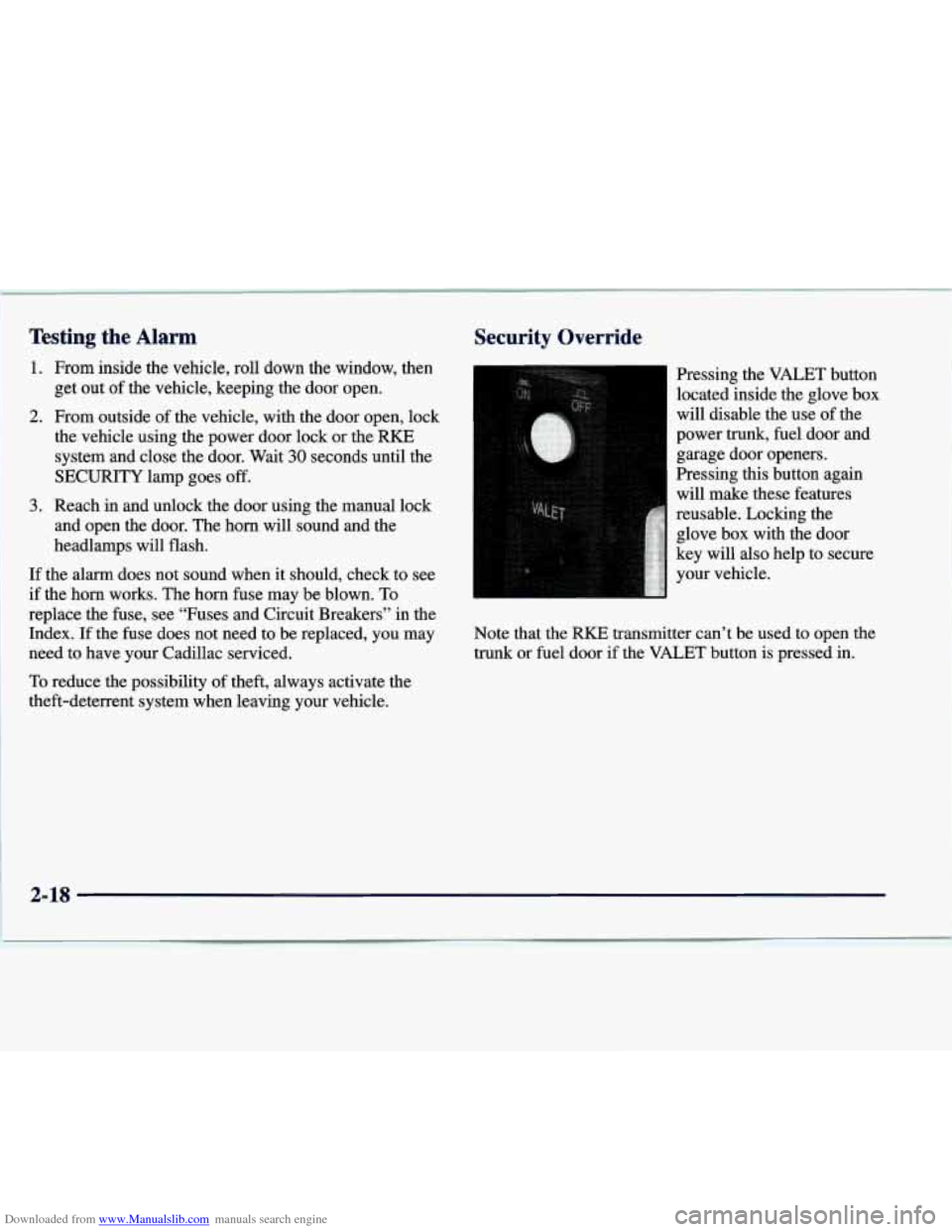
Security Override
Pressing the VALET button
located inside the glove box
will disable the use
of the
power
trunk, fuel door and
garage door openers.
Pressing this button again will make these features
reusable. Locking the glove box with the door
key will also help to secure
your vehicle.
Note that the RKE transmitter can’t be used to open the
trunk or fuel door if the VALET button is pressed in.
Page 125 of 386

Downloaded from www.Manualslib.com manuals search engine Center Console Storage Area
(DeVille Concours Only)
The full console includes a storage compartment for
CDs or tapes, an optional phone, an armrest and a
cupholder. The cupholder can be opened by pressing on
the surface panel located in front
of the armrest. Close
the lid
to secure.
Rear Storage Armrest (If Equipped)
cupholder that unfolds for use. To open, lift the front
edge. This feature
is available on vehicles with leather
interiors only.
Convenience Net
The convenience net is inside the back wall of the trunk.
Put small loads, like grocery bags, behind the
net. It can
help keep them from falling over during sharp turns or
quick starts and stops.
Your vehicle may be equipped with a rear seat armrest The
net is not for larger, heavier loads. Store them in the
which includes an open storage compartment and a dual trunk as far forward as
you can. When not using the net,
hook the
net to the tabs securing it to the sill plate.
2-60
.-