ignition CADILLAC DEVILLE 1997 7.G Owner's Guide
[x] Cancel search | Manufacturer: CADILLAC, Model Year: 1997, Model line: DEVILLE, Model: CADILLAC DEVILLE 1997 7.GPages: 386, PDF Size: 21.61 MB
Page 118 of 386

Downloaded from www.Manualslib.com manuals search engine To begin programming, press the INFORMATION
(INFO) and RESET (INFO RESET) buttons at the same
time for about two seconds. The first message to appear
is DOORS LOCK
IN GEAR. Press the INFORMATION
(INFO) button after this prompt is displayed until
STORAGE MODE prompt appears on the DIC. Press
the
TRIP SET (TRIP RESET) button to answer “yes” or
press the RESET
(INFO RESET) button to indicate a
“no” response.
FEATURE
ON appears when a yes response is made
and FEATURE
OFF shows when a no response is made.
Since this is the last personalization feature available, a
yes or no response will end out of the
DIC display.
Once the battery guard has been programmed, your
vehicle will enter the storage mode about
20 minutes
after the ignition key has been turned off. The RKE will
also be disabled at
this point. The RKE will reactivate
when a door or the
trunk is opened, however, if your
vehicle is left inactive for another
20 minutes, the RKE
will re-enter the storage mode.
Your vehicle will stay in the storage mode until the
ignition key is turned out of LOCK. The system will
“wake-up” when the door key is inserted into the door,
however, your vehicle will remain in the storage mode.
The ignition must be out of LOCK before the battery
guard is disabled.
Mirrors
Inside Daymight Manual Rearview Mirror
When you are sitting in a comfortable driving position,
adjust the mirror
so you can see clearly behind your car.
Grip the
mirror in the center to move it up or down and
side to side. The day-night adjustment allows you to
adjust the mirror to avoid glare from the headlamps
behind you. Pull the tab forward for daytime use. Push it
back for night use.
Page 122 of 386

Downloaded from www.Manualslib.com manuals search engine Compass Calibration
Once the comp& is calibrated, it does not need to be
recalibrated.
To calibrate the compass:
1. Set the switch on the mirror control to C/M.
2. Turn the vehicle ignition switch on. The letter C
should be displayed in the mirror compass window.
If not, hold the CAL switch (on the bottom of the
mirror) for more than
10 seconds, and the letter C
will appear. To hold in the CAL switch, insert a
paper clip into the small hole on the bottom
of the
mirror housing. The display will show a number
first, but keep holding until the letter
C appears.
360-degree circle at less than
5 mph (8 km/h) until
the display reads a compass direction. For normal
calibration, drive the vehicle
on your everyday
routine, and the compass will eventually calibrate.
3. For quick calibration, drive the vehicle in a
Compass Variance
Page 126 of 386

Downloaded from www.Manualslib.com manuals search engine Ashtrays and Cigarette Lighter
With the full center console (available on DeVille
Concours only), press on the cover, which
is located
below the climate control system, to reveal the front
ashtray.
To clean this ashtray, lift it out by gripping the
sides. For vehicles without the center console, pull the
tray out to reveal the ashtray. The tray is located beneath
the radio.
To clean this ashtray, lift it out by pulling on
the snuffer.
To use the rear ashtray, lift the lid.
NOTICE:
Don’t put papers or other flammable items
into your ashtrays. Hot cigarettes
or other
smoking materials could ignite them, causing
a
damaging fire. The cigarette lighter
is located near the ashtray. Press it
all the way in
and release. It will pop back by itself
when it’s ready to light. You may also have
a lighter
located at the rear seat air outlet.
Note that power to the cigarette lighter will shut off
10 minutes after the ignition is turned off. This helps to
prevent battery drainage. For more information, see
“Inadvertent Battery Saver” earlier in this section.
NOTICE:
Don’t hold a cigarette lighter in with your hand
while
it is heating. If you do, it won’t be able to
back away from the heating element when it’s
ready. That can make it overheat, damaging the
lighter and the heating element.
Page 129 of 386

Downloaded from www.Manualslib.com manuals search engine Astroroof (Option) ventilation. It includes a sliding glass panel and a sliding sunshade. The control switch
only works when the
ignition
is on or when the RAP is active.
Press the switch rearward and release to express-open
the glass panel and sunshade. The sunshade can also be
opened by hand. If
you want to stop the roof in a
partially opened position, press the switch in either
direction. Press and release the switch again to open
it fully.
Press and hold the switch forward to close the glass
panel. The sunshade can only be closed by hand.
To vent, press the switch forward when the glass panel
is closed. Open the sunshade by hand. To close the vent,
press the switch rearward.
The express-open astroroof provides an airy, spacious
feel to your vehicle's interior and can also increase
2-64
Page 140 of 386

Downloaded from www.Manualslib.com manuals search engine Air Bag Readiness Light
There is an air bag readiness light on the instrument
panel, which shows AIR BAG. The system checks the
air bag’s electrical system
for malfunctions. The light
tells you
if there is an electrical problem. The system
check includes the air bag sensors, the air bag modules,
the wiring and the crash sensing and diagnostic module.
For more information on the air bag system, see “Air
Bag” in the Index.
AIR BAG
This light will come on
when you start your engine, and it will flash for a few
seconds. Then the light
should go out. This means
the system is ready. The
air bag readiness light should flash for a
few
seconds when you turn the ignition key to RUN. If the
light doesn’t come on then, have it fixed
so it will be
ready to warn you if there
is a problem.
Charging System Indicator Light
When you turn the key to
RUN, this light will come
on briefly
to show that
the generator and battery charging systems
are working.
If this light stays on, you need service and you should
take your Cadillac to the dealer at once.
To save your
battery until you get there, turn
off all accessories.
If the air bag readiness light stays on after you start the
engine or comes on when you
are driving, your air bag
system may not work properly. Have your vehicle
serviced right away.
2-75
Page 141 of 386

Downloaded from www.Manualslib.com manuals search engine Brake System Warning Light
Your Cadillac’s hydraulic brake system is divided into
two parts. If one part isn’t working, the other
part can
still work and stop you. For good braking though, you
ueed both parts working well.
If the warning light comes
on, there could be a brake
problem. Have your brake system inspected right away.
BRAKE
This light should come on
briefly when you turn the
’ ignition key to RUN. If it
doesn’t come
on then, have
1 it fixed so it will be ready to
warn
you if there’s a
problem.
If the light comes on while you
are driving, pull off the
road and stop carefully. You may notice that the pedal is
harder to push. Or, the pedal may go closer to the floor.
It may take longer to stop. If the light is still on, have the
vehicle towed
for service. (See “Towing Your Vehicle”
in the Index.)
I- 4
Your brake system may not be working properly
if the brake system warning light
is on. Driving
with the brake system warning light on can lead
to an accident. If the light is still on after you’ve
pulled off the road and stopped carefully, have
the vehicle towed for service.
I I
When the ignition is on, the brake system warning light
will also come on when you set your parking brake. The
light will stay on
if your parking brake doesn’t release
fully. If it stays on after your parking brake is fully
released, it means you have a brake problem.
Page 142 of 386
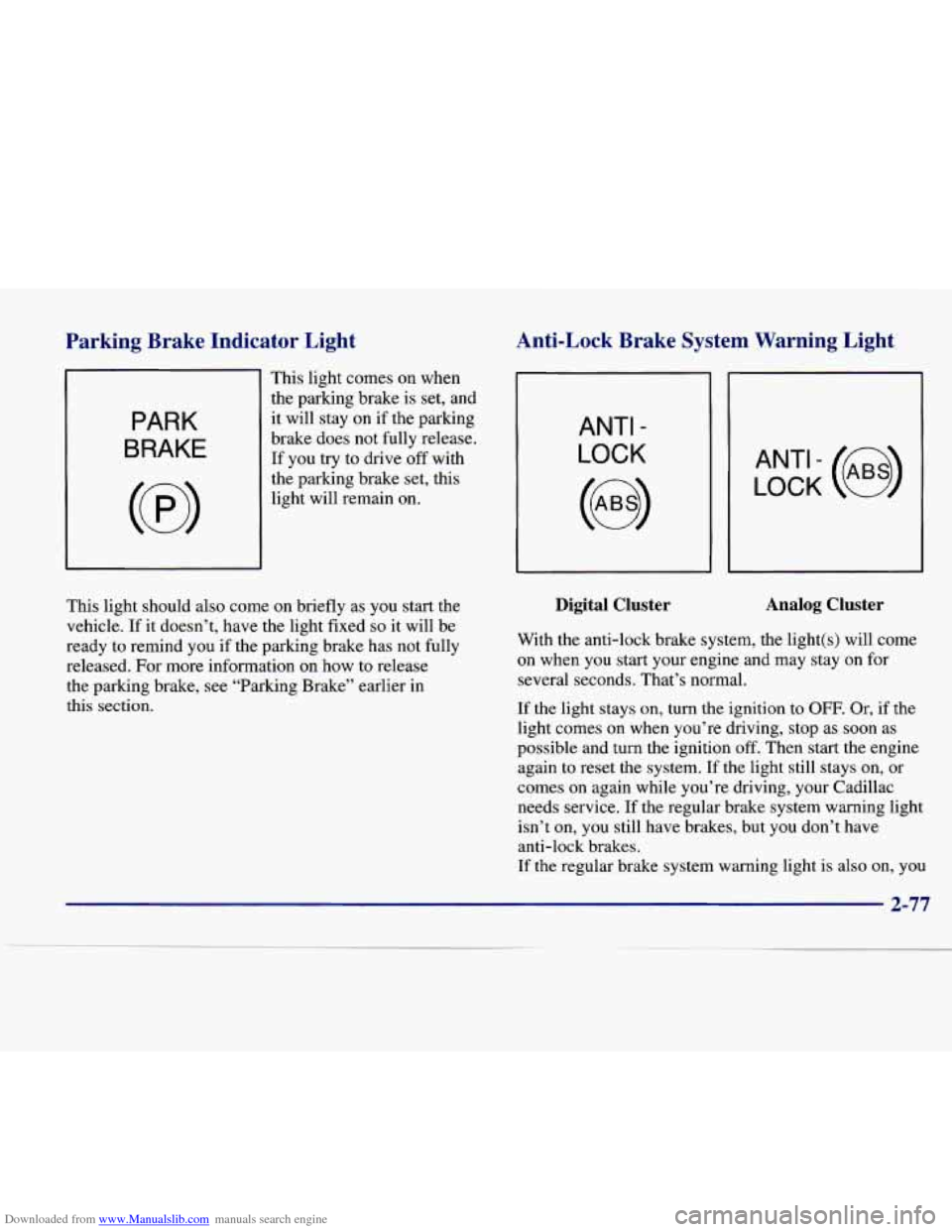
Downloaded from www.Manualslib.com manuals search engine Parkine Brake Indicator Light Anti-Lock Brake System Warning Light
PARK
BRAKE
This light comes on when
the parking brake is set, and
it will stay on if the parking
brake does not fully release.
If you try to drive off with
the parking brake set, this
light will remain on.
ANTI -
LOCK
LOCK (e)
This light should also come on briefly as you start the
vehicle.
If it doesn’t, have the light fixed so it will be
ready to remind you if the parking brake has not fully
released. For more information on how to release
the parking brake, see “Parking Brake” earlier in
this section.
Digital Cluster Analog Cluster
With the anti-lock brake system, the light(s) will come
on when you start your engine and may stay on for
several seconds. That’s normal.
If the light stays on, turn the ignition to OFF. Or, if the
light comes on when you’re driving, stop as soon as
possible and turn the ignition
off. Then start the engine
again to reset the system.
If the light still stays on, or
comes on again while you’re driving, your Cadillac
needs service. If the regular brake system warning light
isn’t on, you still have brakes, but you don’t have
anti-lock brakes.
If the regular brake system warning light is also on, you
2-77
Page 143 of 386
Downloaded from www.Manualslib.com manuals search engine don’t have anti-lock brakes and there’s a problem with
your regular brakes. See “Brake System Warning Light”
earlier in this section.
The anti-lock brake system warning light should come
on briefly when you turn the ignition key to
RUN. If the
light doesn’t come on then, have it fixed
so it will be
ready to warn you if there is a problem.
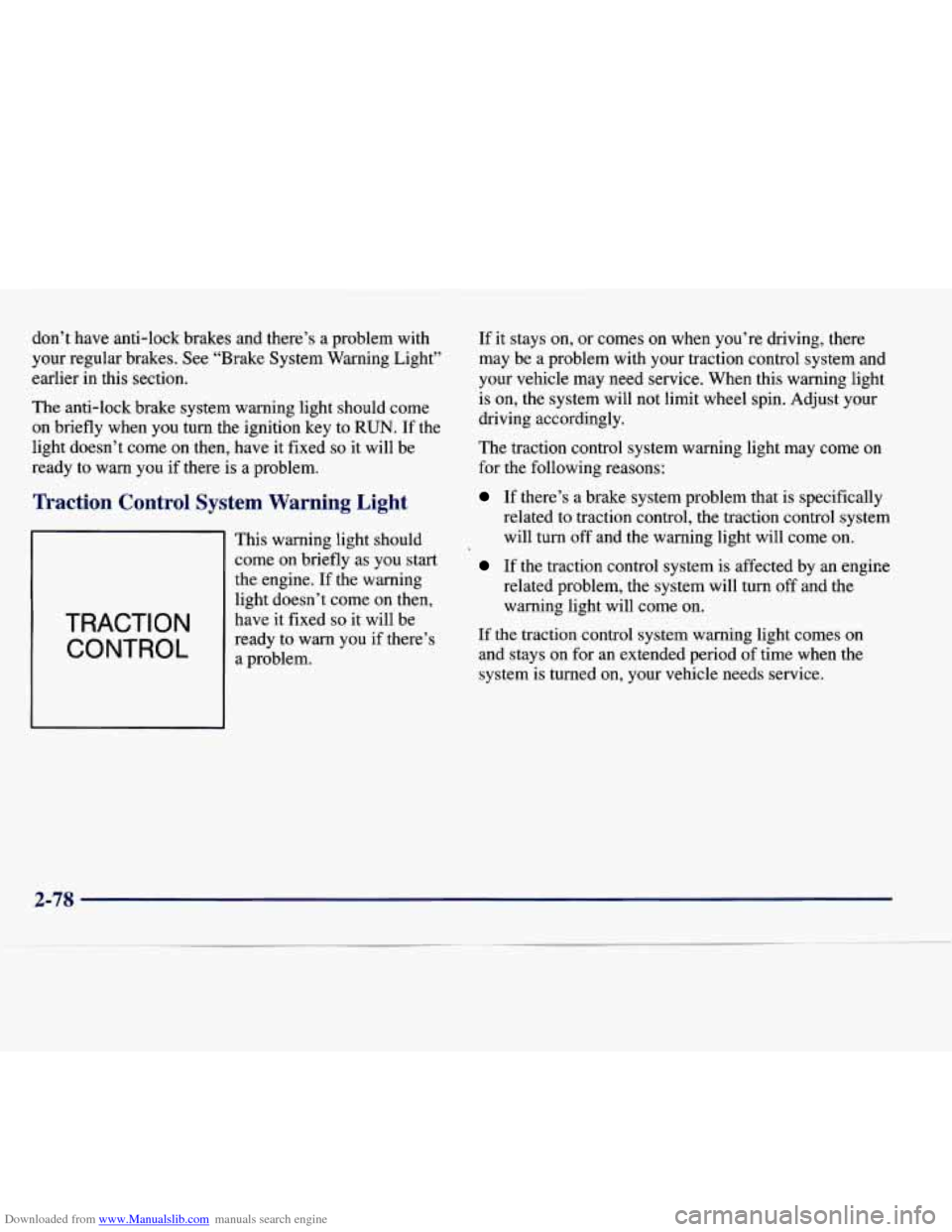
I Control System Warning Light
TRACTION
CONTROL
This warning light should
come on briefly as you start
the engine. If the warning
light doesn’t come on then,
have
it fixed so it will be
ready to warn you if there’s
a problem. If
it stays on, or comes on when you’re driving, there
may be a problem with your traction control system and
your vehicle may need service. When this warning light
is on, the system will not limit wheel spin. Adjust your
driving accordingly.
The traction control system warning light may come
on
for the following reasons:
If there’s a brake system problem that is specifically
related to traction control, the traction control system
will turn off and the warning light will come on.
If the traction control system is affected by an engice
related problem, the system will turn
off and the
warning light will come on.
If the traction control system warning light comes on
and stays on for an extended period of time when the
system is turned on, your vehicle needs service.
2-78
Page 145 of 386

Downloaded from www.Manualslib.com manuals search engine Malfunction Indicator Lamp (Service Engine Soon Light)
SERVICE
ENGINE
SOON
Your Cadillac is equipped
with a computer which
monitors operation of the
fuel, ignition and emission
control systems.
This system
is called OBD I1 (On-Board
Diagnostics-Second Generation) and is intended to
assure that emissions are at acceptable levels for the life
of the vehicle, helping
to produce a cleaner
environment. (In Canada, OBD
I1 is replaced by
Enhanced Diagnostics.) The SERVICE
ENGINE SOON
light comes on and a chime will sound to indicate that
there is a problem and service is required. Malfunctions
often will be indicated by the system before any
problem is apparent. This may prevent more serious
damage to your vehicle. This system is also designed to
assist your service technician in correctly diagnosing
any malfunction.
I NOTICE:
~
If you keep driving your vehicle with this light
on, after a while, your emission controls may not
work as well, your fuel economy may not be as
good and your engine may not run as smoothly.
This could lead to costly repairs that may not be
covered by your warranty.
This light should come on, as a check to show you it is
working, when the ignition is on and the engine
is not
running. If the light doesn’t come on, have it repaired.
This light will also come on during a malfunction in one
of two ways:
0 Light Flashing -- A misfire condition has been
detected.
A misfire increases vehicle emissions and
may damage the emission control system on your
vehicle. Dealer or qualified service center diagnosis and service is required.
Light On Steady -- An emission control system
malfunction has been detected on your vehicle.
Dealer or qualified service center diagnosis and
service may be required.
2-80
Page 148 of 386
Downloaded from www.Manualslib.com manuals search engine Fuel Gage
PREMIUM UNLEADED FUEL
ONLY
Digital Cluster
I
Analog Cluster
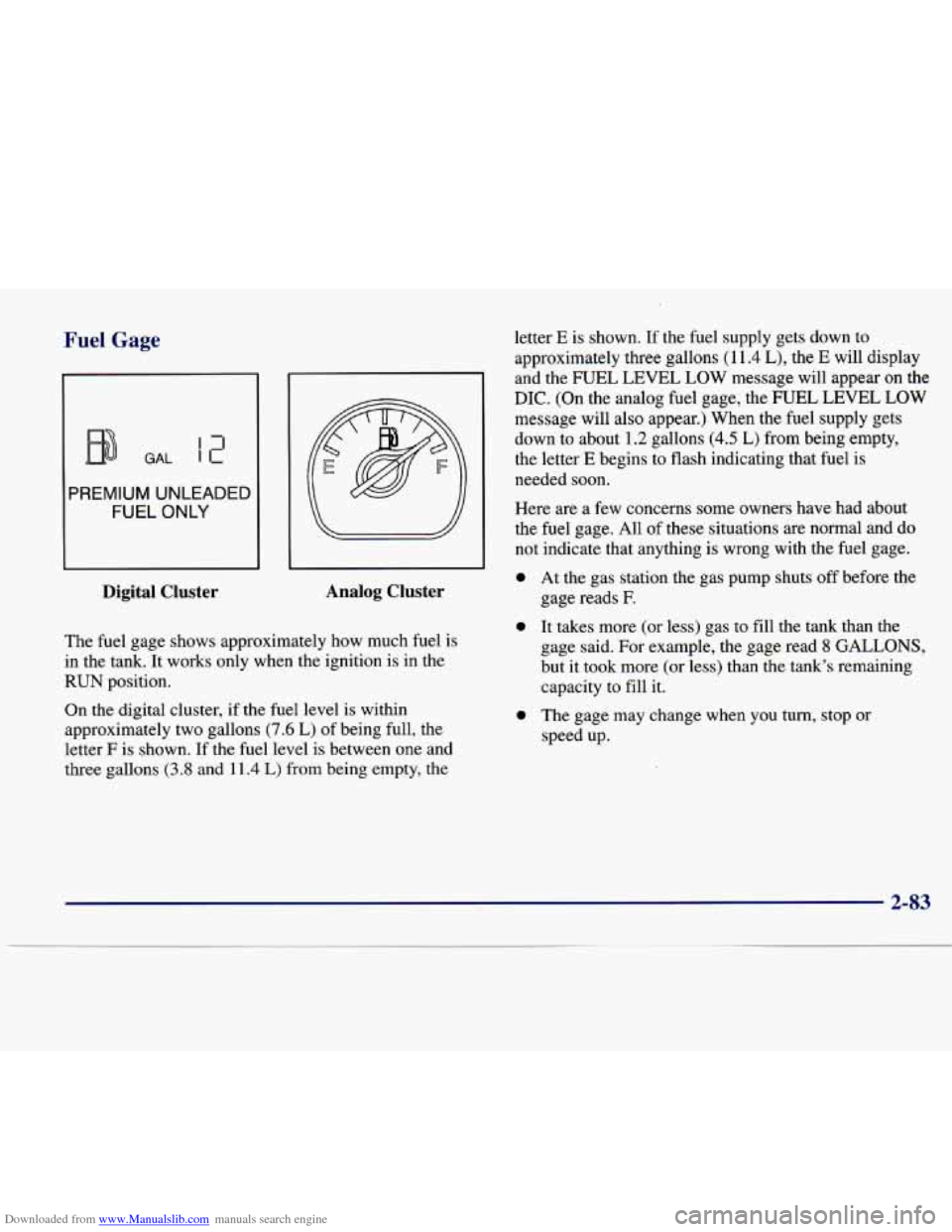
The fuel gage shows approximately how much fuel is
in the tank. It works only when the ignition is in the
RUN position.
On
the digital cluster, if the fuel level is within
approximately two gallons
(7.6 L) of being full, the
letter
F is shown. If the fuel level is between one and
three gallons
(3.8 and 11.4 L) from being empty, the letter
E is shown. If the fuel supply gets down to
approximately three gallons
(1 1.4 L), the E will display
and the FUEL LEVEL LOW message will appear on
the
DIC. (On the analog fuel gage, the FUEL LEVEL LOW
message will also appear.) When the fuel supply gets
down to about
1.2 gallons (4.5 L) from being empty,
the letter
E begins to flash indicating that fuel is
needed soon.
Here are a few concerns some owners have had about
the fuel gage. All of these situations are normal and do
not indicate that anything
is wrong with the fuel gage.
0 At the gas station the gas pump shuts off before the
gage reads
F.
0 It takes more (or less) gas to fill the tank than the
gage said. For example, the gage read
8 GALLONS,
but it took more (or less) than the tank’s remaining
capacity to fill it.
0 The gage may change when you turn, stop or
speed up.