door lock CADILLAC DEVILLE 2003 8.G User Guide
[x] Cancel search | Manufacturer: CADILLAC, Model Year: 2003, Model line: DEVILLE, Model: CADILLAC DEVILLE 2003 8.GPages: 423, PDF Size: 2.91 MB
Page 79 of 423
Lockout Protection
Leaving your key in any ignition position with any door
open will disable the power door lock switches as
well as the lock button on the remote keyless entry
transmitter. If you close the doors, you can lock them
using the remote keyless entry transmitter. It is
always recommended that you remove the ignition key
when locking your vehicle.
The anti-lockout feature can be overridden by holding
the power door lock switch for three seconds or longer.
Leaving Your Vehicle
If you are leaving your vehicle, open the door, set the
locks from the inside, get out and close the door.
Trunk
{CAUTION:
It can be dangerous to drive with the trunk lid
open because carbon monoxide (CO) gas can
come into your vehicle. You can't see or smell
CO. It can cause unconsciousness and even
death. If you must drive with the trunk lid open
or if electrical wiring or other cable
connections must pass through the seal
between the body and the trunk lid:
·Make sure all other windows are shut.
·Turn the fan on your heating or cooling
system to its highest speed and select the
control setting that will force outside air
into your vehicle. See ªClimate Control
Systemº in the Index.
·If you have air outlets on or under the
instrument panel, open them all the way.
See ªEngine Exhaustº in the Index.
2-11
Page 85 of 423
Anti-Pinch Feature
If a hand, an arm or another object is above the middle of
the window and is in the path of the window when the
express-up feature is active, the window will stop at the
obstruction and express-open to a preset factory position.
{CAUTION:
Pressing and holding the power window
control will turn off the anti-pinch feature. If
this happens, a power window won't stop if
something gets in the way. You or others
could be injured, and your window could be
damaged. Be careful not to press and hold the
power window control.
Window Lockout
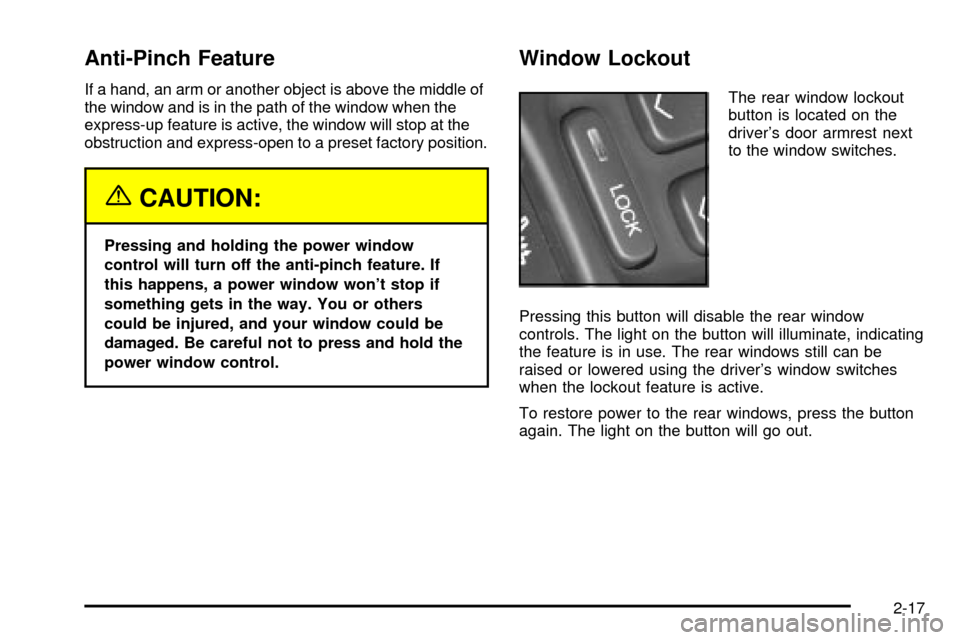
The rear window lockout
button is located on the
driver's door armrest next
to the window switches.
Pressing this button will disable the rear window
controls. The light on the button will illuminate, indicating
the feature is in use. The rear windows still can be
raised or lowered using the driver's window switches
when the lockout feature is active.
To restore power to the rear windows, press the button
again. The light on the button will go out.
2-17
Page 87 of 423

Never store objects on the rear shelf because they may
get caught in the sunshade or be tossed about in
your vehicle.
Manual Rear Side Door Sunshade
Your vehicle may have manual rear side door
sunshades. To use the sunshades, lower the side
windows and hook the top edge of the retractable
sunshades over the edge of the windows and raise the
windows. To remove the shades, lower the windows
and the hooks will disengage automatically.
Theft-Deterrent Systems
Vehicle theft is big business, especially in some cities.
Although your vehicle has a number of theft-deterrent
features, we know that nothing we put on it can make it
impossible to steal.
The SECURITY light is
located on the instrument
panel cluster.
If the ignition is off and any door is open, the SECURITY
light will ¯ash, reminding you to arm the system.To arm the system, do the following:
1. Open the door.
2. Lock the door using the power door lock switch with
the door open or the remote keyless entry
transmitter. The SECURITY light should come on
and stay on.
3. Close all the doors. The SECURITY light should go
off within approximately 30 seconds.
If a door or the trunk is opened without a key or a
remote keyless entry transmitter, the horn will sound
and the lamps will ¯ash for about 30 seconds.
Remember, the theft-deterrent system won't arm if you
lock the doors with a key or use the manual door
lock. It activates only if you use a power door lock with
the door open or the remote keyless entry transmitter.
To avoid activating the alarm by accident do the
following:
·The vehicle should be locked with the door key or
the manual door lock after the doors are closed if
you don't want to arm the theft-deterrent system.
·Always unlock a door with a key or use the remote
keyless entry transmitter system. Pressing the
unlock button on the remote keyless entry
transmitter disables the theft-deterrent system.
Unlocking a door any other way will activate
the alarm when a door or the trunk is opened.
2-19
Page 88 of 423

If you activate the alarm by accident, unlock the driver's
door with your key. You can also turn off the alarm by
using the unlock button on the remote keyless entry
transmitter system, or by starting the car with a valid key.
Changes or modi®cations made to this system by other
than an authorized service facility could void
authorization to use the theft system.
Testing the Alarm
1. From inside the vehicle, roll down the window, then
get out of the vehicle, keeping the door open.
2. From outside of the vehicle, with the door open, lock
the vehicle using the power door lock or the remote
keyless entry system and close the door. Wait 30
seconds until the SECURITY lamp goes off.
3. Reach in and unlock the door using the manual
lock and open the door. The horn will sound and
the hazard lights will ¯ash.
You can turn off the alarm by unlocking the driver's door
with your key, using the unlock button on the remote
keyless entry transmitter or by starting the car with
a valid key.
If the alarm does not sound when it should, check to
see if the horn works. The horn fuse may be blown.
To replace the fuse, see
Fuses and Circuit Breakers on
page 5-94. If the fuse does not need to be replaced,
you may need to have your vehicle serviced.To reduce the possibility of theft, always arm the
theft-deterrent system when leaving your vehicle.
Valet Lockout Switch
The valet lockout switch
is located inside the
glove box.
Press the switch to ON to disable the use of the trunk,
fuel door, garage door opener and optional cellular
telephone. The remote keyless entry transmitter cannot
open the trunk if the valet lockout switch is in ON.
Press this switch to OFF to enable the use of the trunk,
fuel door, garage door opener and optional cellular
telephone.
Locking the glove box with your key will also help to
secure your vehicle.
2-20
Page 92 of 423

Notice:If your key seems stuck in OFF and you
can't turn it, be sure you are using the correct key;
if so, is it all the way in? If it is, then turn the
steering wheel left and right while you turn the key
hard. Turn the key only with your hand. Using a
tool to force it could break the key or the ignition
switch. If none of these works, then your vehicle
needs service.
A (OFF):This is the only position in which you can
insert or remove the key. This position locks the ignition,
steering wheel and transaxle. It's a theft-deterrent
feature.
B (ACCESSORY):This position allows you to use
things like the radio and the windshield wipers when the
engine is off. This position will allow you to turn off
the engine, but still turn the steering wheel. If your
vehicle has a column shifter, you will still be able to
move the shift lever. Use ACCESSORY if you must have
your vehicle in motion while the engine is off (for
example, if your vehicle is being pushed or towed).
C (ON):This position is for driving. If your vehicle has a
console shifter and you turn off the engine, the
transaxle will lock. If you need to shift the transaxle out
of PARK (P), the ignition key has to be in ON.
D (START):This position starts the engine.Retained Accessory Power (RAP)
The following accessories on your vehicle may be used
for up to 10 minutes after the ignition key is turned
from ON to OFF:
·Cellular Telephone
·Radio
·Power Windows
·Audio Steering Wheel Controls
·Sunroof
Power to these accessories stops after 10 minutes or if
a door is opened. If you want power for another 10
minutes, close all the doors and turn the ignition key to
ON and then back to OFF. If the cellular phone is
being used while retained accessory power is active,
the timer is suspended to avoid interruption of the call.
The timer resets to 10 minutes at the end of the call.
2-24
Page 100 of 423
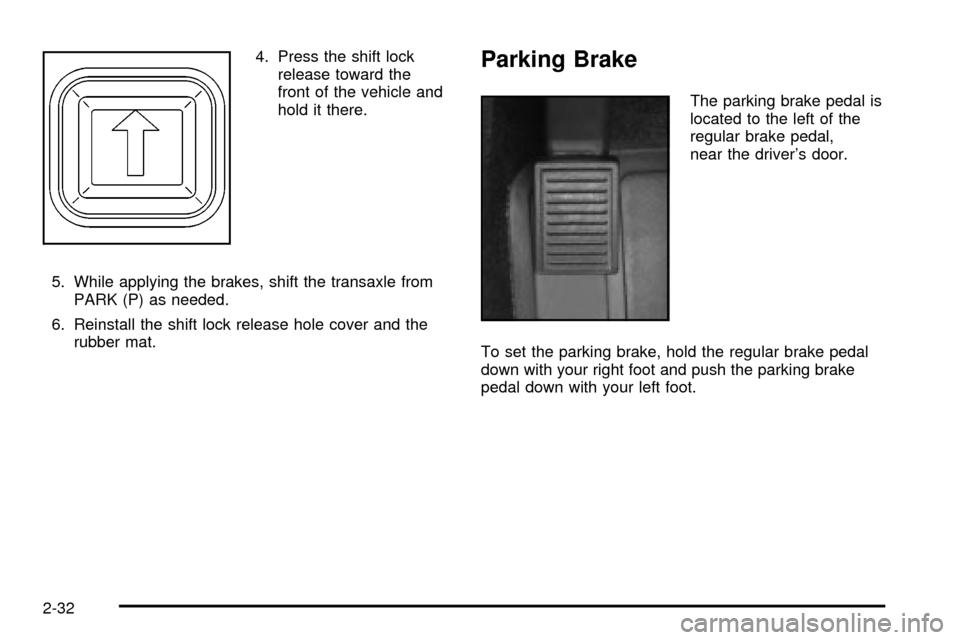
4. Press the shift lock
release toward the
front of the vehicle and
hold it there.
5. While applying the brakes, shift the transaxle from
PARK (P) as needed.
6. Reinstall the shift lock release hole cover and the
rubber mat.Parking Brake
The parking brake pedal is
located to the left of the
regular brake pedal,
near the driver's door.
To set the parking brake, hold the regular brake pedal
down with your right foot and push the parking brake
pedal down with your left foot.
2-32
Page 105 of 423

Torque Lock
If you are parking on a hill and you don't shift your
transaxle into PARK (P) properly, the weight of
the vehicle may put too much force on the parking pawl
in the transaxle. You may ®nd it difficult to pull the
shift lever out of PARK (P). This is called ªtorque lock.º
To prevent torque lock, set the parking brake and
then shift into PARK (P) properly before you leave the
driver's seat. To ®nd out how, see
Shifting Into Park (P)
on page 2-34.
If torque lock does occur, you may need to have
another vehicle push yours a little uphill to take some of
the pressure from the parking pawl in the transaxle,
so you can pull the shift lever out of PARK (P).
Shifting Out of Park (P)
Your vehicle has an automatic transaxle shift lock
control system. You have to fully apply your regular
brakes before you can shift from PARK (P) when
the ignition is ON. See
Automatic Transaxle Operation
on page 2-27.
If you cannot shift out of PARK (P), ease the pressure
on the shift lever. Push the shift lever all the way
into PARK (P) as you maintain brake application. Then
move the shift lever into the gear you want. If you
ever hold the pedal down but still can't shift out of
PARK (P), try the following:
1. Turn the ignition key to ACCESSORY. Open and
close the driver's door to turn off the RAP feature.
2. Apply and hold the brake until the end of Step 4.
3. Shift to NEUTRAL (N).
4. Start the vehicle and then shift to the drive gear you
want.
5. Have the vehicle ®xed as soon as you can.
2-37
Page 113 of 423

OnStaržSystem
OnStaržuses global positioning system (GPS) satellite
technology, wireless communications, and call centers
to provide you with a wide range of safety, security,
information and convenience services. An OnStar
ž
subscription plan is included in the price of your vehicle.
You can upgrade or extend your OnStaržservices to
meet your needs.
A complete OnStar
žuser's guide and the terms and
conditions of the OnStaržSubscription Service
Agreement are included in your vehicle's glove box
literature. For more information, visit www.onstar.com,
contact OnStar
žat 1-888-4-ONSTAR (1-888-466-7827),
or press the blue OnStaržbutton to speak to an
OnStaržadvisor 24 hours a day, 7 days a week.
OnStaržServices
OnStaržprovides a number of service plans. Some of
the services currently provided by OnStaržare:
·Automatic Noti®cation of Air Bag Deployment
·Emergency Services
·Roadside Assistance Stolen Vehicle Tracking
·AccidentAssist
·Remote Door Unlock
·Remote Diagnostics
·Online and Personal Concierge Services
·Route Support
·RideAssist
·Information and Convenience Services
OnStaržPersonal Calling
With OnStaržPersonal Calling, you have a safer way to
stay connected while driving. It's a hands-free wireless
phone that's integrated into your vehicle. You can place
calls nationwide using voice-activated dialing with no
contracts, no roaming charges and no access fees.
To ®nd out more about OnStar
žPersonal Calling, refer
to the OnStaržuser's guide in your vehicle's glove
box, or call OnStaržat 1-888-4-ONSTAR
(1-888-466-7827).
2-45
Page 115 of 423

HomeLinkžTransmitter
HomeLinkž, a combined universal transmitter and
receiver, provides a way to replace up to three
hand-held transmitters used to activate devices such as
gate operators, garage door openers, entry door
locks, security systems and home lighting. Additional
Homelink
žinformation can be found on the internet at
www.homelink.com or by calling 1-800-355-3515.If your vehicle is equipped with the HomeLink
ž
Transmitter, it complies with Part 15 of the FCC Rules.
Operation is subject to the following two conditions:
(1) this device may not cause harmful interference, and
(2) this device must accept any interference received,
including interference that may cause undesired
operation.
This device complies with RSS-210 of Industry Canada.
Operation is subject to the following two conditions:
(1) this device may not cause interference, and (2) this
device must accept any interference, including
interference that may cause undesired operation of the
device.
Changes and modi®cations to this system by other than
an authorized service facility could void authorization
to use this equipment.
2-47
Page 119 of 423

Storage Areas
Glove Box
The glove box is located in front of the passenger's seat
on the instrument panel. To lock the glove box door,
insert the master key into the lock cylinder and
turn it clockwise. Turn the key counterclockwise to
unlock the door.
Instrument Panel Storage Area
This storage compartment is located in the center of the
instrument panel below the radio. Pull the door out to
reveal the accessory power outlet and storage
compartment. To clean the storage compartment, lift out
while pulling on the sides.
Cellular Telephone
Your vehicle may have been prewired for dealer
installation of a portable cellular telephone system. The
system has steering wheel telephone controls and
information output through the Driver Information Center
(DIC). Voice activation with remote record and
hands-free operation are standard features. For more
information, contact your dealer. A user's guide is
provided with the telephone.
Front Storage Area
If your vehicle is equipped with the front storage area, it
comes with a coinholder, a storage compartment for
CDs or tapes, an optional cellular telephone and a dual
cupholder.
Full Floor Console Storage Area
If your vehicle is equipped with the full ¯oor console, it
has an upper and lower storage area. The upper
storage area is available for the optional cellular
telephone. The lower storage area has two removable
bins that can hold tapes and/or CDs.
To open the console, pull up on either lever to open the
upper or lower storage area.
There is also a removable coinholder that attaches to
the side of one of the bins. A dual cupholder is located in
front of the console. Open and close by pressing on
the cupholder.
Center Console Storage Area
If your vehicle is equipped with the center console, it
comes with a storage tray, a storage compartment for
CDs or tapes, a dual cupholder that unfolds, a coinholder,
an optional phone and an armrest. The cupholder can be
opened by pressing on the surface panel located in front
of the armrest and unfolding it. Close the lid to secure it.
2-51