wheel CADILLAC DEVILLE 2005 8.G Owner's Manual
[x] Cancel search | Manufacturer: CADILLAC, Model Year: 2005, Model line: DEVILLE, Model: CADILLAC DEVILLE 2005 8.GPages: 420, PDF Size: 2.63 MB
Page 127 of 420
Power Tilt Wheel and Telescopic
Steering Column
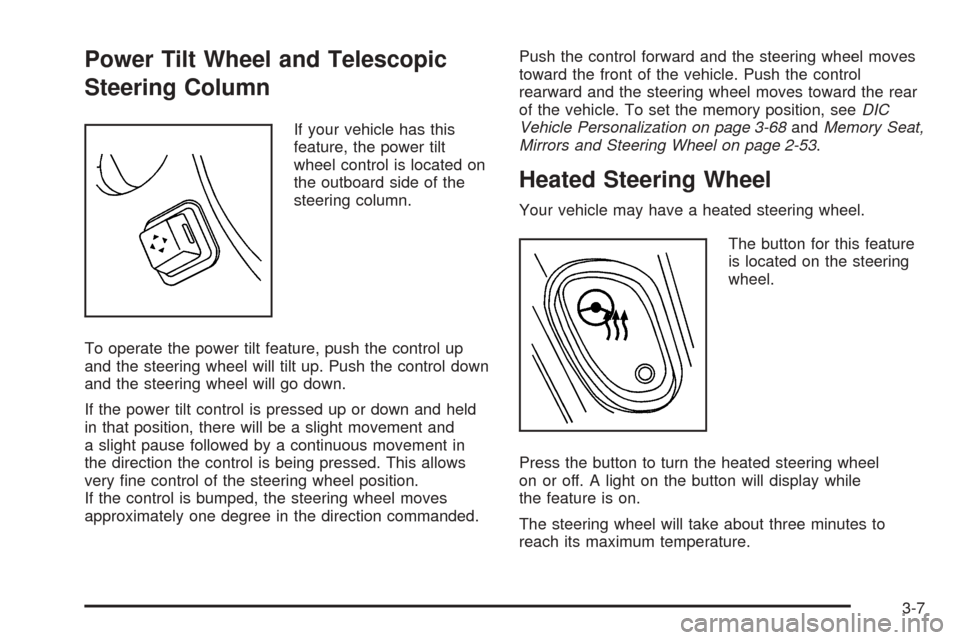
If your vehicle has this
feature, the power tilt
wheel control is located on
the outboard side of the
steering column.
To operate the power tilt feature, push the control up
and the steering wheel will tilt up. Push the control down
and the steering wheel will go down.
If the power tilt control is pressed up or down and held
in that position, there will be a slight movement and
a slight pause followed by a continuous movement in
the direction the control is being pressed. This allows
very ne control of the steering wheel position.
If the control is bumped, the steering wheel moves
approximately one degree in the direction commanded.Push the control forward and the steering wheel moves
toward the front of the vehicle. Push the control
rearward and the steering wheel moves toward the rear
of the vehicle. To set the memory position, seeDIC
Vehicle Personalization on page 3-68andMemory Seat,
Mirrors and Steering Wheel on page 2-53.
Heated Steering Wheel
Your vehicle may have a heated steering wheel.
The button for this feature
is located on the steering
wheel.
Press the button to turn the heated steering wheel
on or off. A light on the button will display while
the feature is on.
The steering wheel will take about three minutes to
reach its maximum temperature.
3-7
Page 132 of 420

Cruise Control
With cruise control, you can maintain a speed of
approximately 25 mph (40 km/h) or more without keeping
your foot on the accelerator. This is helpful on long trips.
Cruise control does not work at speeds below about
25 mph (40 km/h). When cruise control is on, you will see
a CRUISE light on the instrument panel cluster.
When you apply your brakes, the cruise control shuts off.
{CAUTION:
Cruise control can be dangerous where you
cannot drive safely at a steady speed. So, do
not use your cruise control on winding roads
or in heavy traffic.
Cruise control can be dangerous on slippery
roads. On such roads, fast changes in tire
traction can cause needless wheel spinning,
and you could lose control. Do not use cruise
control on slippery roads.If your vehicle is in cruise control when the traction
control system begins to limit wheel spin, the cruise
control will automatically disengage. SeeTraction
Control System (TCS) on page 4-8. When road
conditions allow you to safely use it again, you may turn
the cruise control back on.
Setting Cruise Control
{CAUTION:
If you leave your cruise control on when you
are not using cruise, you might hit a button
and go into cruise when you do not want to.
You could be startled and even lose control.
Keep the cruise control switch off until you
want to use cruise control.
3-12
Page 133 of 420

The buttons to operate cruise control are located on the
steering wheel.
1. Press the CRUISE ON/OFF button, located on the
bottom left of the steering wheel, to turn cruise
control on. An indicator light will come on to show
that the cruise control is on.
2. Get up to the speed you want.
3. Press the SET/CST (coast) button located on the
bottom right of the steering wheel. The CRUISE
light will display on the instrument panel cluster.
4. Remove your foot from the accelerator pedal.
Resuming a Set Speed
Suppose you set your cruise control at a desired speed
and then you apply the brake. This shuts off the
cruise control. But you do not need to reset it.
Once the vehicle is traveling approximately 25 mph
(40 km/h) or more, you can press the RES/ACC
(resume/accelerate) button to return to your desired
preset speed. The CRUISE light will be displayed again.
The vehicle will return to and stay at your preset
speed. If you press and hold the RES/ACC button,
the vehicle speed will increase until you release
the button or apply the brake. Unless you want to go
faster, do not press and hold the RES/ACC button.
3-13
Page 134 of 420

Increasing Speed While Using Cruise
Control
There are two ways to go to a higher speed:
Use the accelerator pedal to get to the higher
speed. Press the SET/CST button, then release the
button and the accelerator pedal. You will now
cruise at the higher speed.
Press the RES/ACC button. Hold it there until you get
up to the speed that you want, and then release the
button. To increase your speed in very small
amounts, briey press the RES/ACC button and then
release it. Each time you do this, your vehicle will
speed up approximately 1 mph (1.6 km/h).
The accelerate feature will only work after you have set
the cruise control speed by pressing the SET/CST button.
Reducing Speed While Using Cruise
Control
There are two ways to reduce your speed while using
cruise control:
Press the SET/CST button until you reach the lower
speed you want, then release it.
To slow down in very small amounts, push the
SET/CST button briey. Each time you do this,
the vehicle will slow down approximately
1 mph (1.6 km/h).
Passing Another Vehicle While Using
Cruise Control
Use the accelerator pedal to increase your speed.
When you take your foot off the pedal, your vehicle will
slow down to the cruise control speed you set earlier.
Using Cruise Control on Hills
How well your cruise control will work on hills depends
upon your speed, load and the steepness of the
hills. When going up steep hills, you may have to step
on the accelerator pedal to maintain your speed.
When going downhill, you may have to brake or shift to
a lower gear to keep your speed down. Applying the
brake or shifting into a lower gear will take you out
of cruise control. If you need to apply the brake or shift
to a lower gear due to the grade of the downhill
slope, you may not want to attempt to use your cruise
control feature.
Ending Cruise Control
To turn off the cruise control, step lightly on the brake
pedal, or press the CRUISE ON/OFF button on the
steering wheel.
Erasing Speed Memory
When you turn off the cruise control or the ignition, your
cruise control set speed memory is erased.
3-14
Page 135 of 420
Exterior Lamps
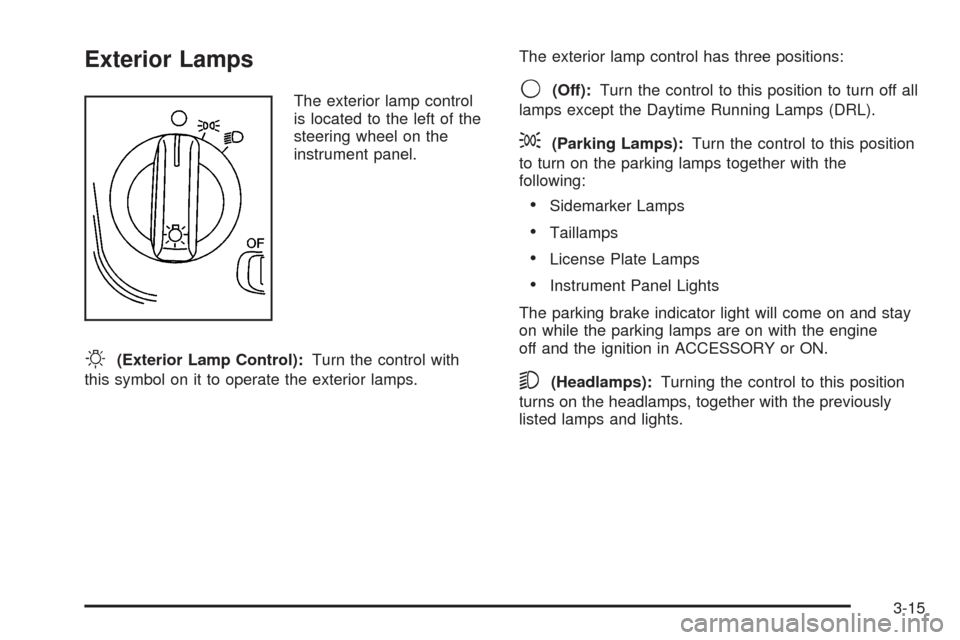
The exterior lamp control
is located to the left of the
steering wheel on the
instrument panel.
O(Exterior Lamp Control):Turn the control with
this symbol on it to operate the exterior lamps.The exterior lamp control has three positions:
9(Off):Turn the control to this position to turn off all
lamps except the Daytime Running Lamps (DRL).
;(Parking Lamps):Turn the control to this position
to turn on the parking lamps together with the
following:
Sidemarker Lamps
Taillamps
License Plate Lamps
Instrument Panel Lights
The parking brake indicator light will come on and stay
on while the parking lamps are on with the engine
off and the ignition in ACCESSORY or ON.
5(Headlamps):Turning the control to this position
turns on the headlamps, together with the previously
listed lamps and lights.
3-15
Page 138 of 420

Fog Lamps
If your vehicle has fog lamps, use them for better vision
in foggy or misty conditions.
The fog lamp button is
located to the left of the
steering wheel on the
instrument panel.
When you press the fog lamp button, a fog lamp symbol
in the button and the fog lamp light on the instrument
panel cluster will come on to indicate that the fog lamps
and the parking lamps are on.
Press the button again to turn them off.
If you turn on the high-beam headlamps, the fog lamps
will turn off. They will turn back on again when you
switch to low-beam headlamps.When the Twilight Sentinel
®is on and the fog lamps are
turned on, the fog lamps, headlamps and parking
lamps will remain on.
The ignition must be on for the fog lamps to operate.
Cornering Lamps
The cornering lamps come on when the headlamps or
parking lamps are on and you signal a turn with the
multifunction lever. They provide more light for cornering.
Twilight Sentinel®
This lever is located next
to the exterior lamp
control. It automatically
turns the lamps on and off
by sensing how dark it
is outside.
To operate the Twilight Sentinel
®, leave the exterior
lamp control in the off position and move the TWILIGHT
lever to any position but OFF.
3-18
Page 144 of 420
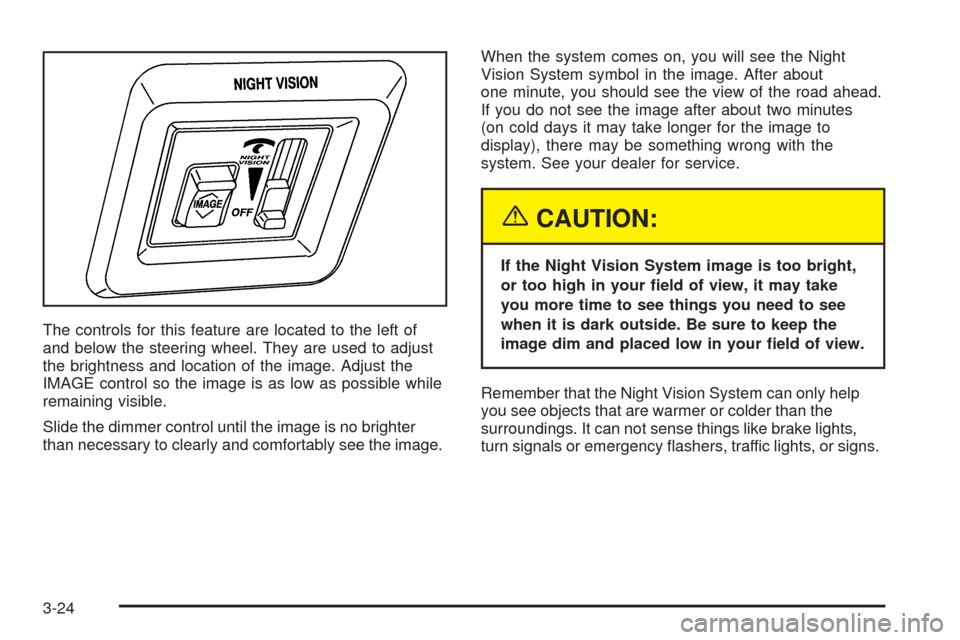
The controls for this feature are located to the left of
and below the steering wheel. They are used to adjust
the brightness and location of the image. Adjust the
IMAGE control so the image is as low as possible while
remaining visible.
Slide the dimmer control until the image is no brighter
than necessary to clearly and comfortably see the image.When the system comes on, you will see the Night
Vision System symbol in the image. After about
one minute, you should see the view of the road ahead.
If you do not see the image after about two minutes
(on cold days it may take longer for the image to
display), there may be something wrong with the
system. See your dealer for service.
{CAUTION:
If the Night Vision System image is too bright,
or too high in your eld of view, it may take
you more time to see things you need to see
when it is dark outside. Be sure to keep the
image dim and placed low in your eld of view.
Remember that the Night Vision System can only help
you see objects that are warmer or colder than the
surroundings. It can not sense things like brake lights,
turn signals or emergency ashers, traffic lights, or signs.
3-24
Page 154 of 420

1FRONT (Defrost):Pressing FRONT directs most of
the air to the windshield and the side window outlets, with
some air directed to the oor outlets. In this mode, the
system will automatically turn off recirculation and run
the air-conditioning compressor, unless the outside
temperature is at or below freezing. Recirculation cannot
be selected while in the defrost mode. Do not drive the
vehicle until all the windows are clear.
Rear Window Defogger
The rear window defogger uses a warming grid to
remove fog or frost from the rear window.
The rear window defogger will only work when the
ignition is in ON.
=REAR:Press this button to turn the rear window
defogger on or off. Be sure to clear as much snow from
the rear window as possible.
The rear window defogger will turn off approximately
10 minutes after the button is pressed. If turned on
again, the defogger will only run for approximately
ve minutes before turning off. The defogger can also
be turned off by pressing the button again or by turning
off the engine.The heated outside rearview mirrors will heat to help
clear fog or frost from the surface of the mirror when the
REAR button is pressed.
Notice:Using a razor blade or sharp object to clear
the inside rear window may damage the rear
window defogger. Repairs would not be covered by
your warranty. Do not clear the inside of the rear
window with sharp objects.
Outlet Adjustment
Use the lever located in the center of each outlet to
change the direction of the airow. Use the thumbwheel
located next to the outlets to turn them on and off.
Operation Tips
Clear away any ice, snow or leaves from the air
inlets at the base of the windshield that may
block the ow of air into your vehicle.
Use of non-GM approved hood deectors may
adversely affect the performance of the system.
Keep the path under the front seats clear of objects
to help circulate the air inside of your vehicle more
effectively.
3-34
Page 158 of 420

3. To remove the air lter, insert a tool between the air
lter and the compartment wall on the outboard
side of the vehicle. Then, push in to atten the pin
holding the air lter in place. Gently remove the
air lter and any loose debris that may be inside the
air lter compartment.
4. Insert the new air lter by pushing until you hear a
click. Then, reinstall the push pin and snap the
cover into place.
Steering Wheel Climate Controls
You can adjust the temperature using the steering wheel
controls.
The control for the
temperature is located on
the left side of the
steering wheel.
yTEMPz(Temperature):Press the up or down
arrow on this control to increase or decrease the
temperature.
3-38
Page 159 of 420

Climate Controls Personalization
If your vehicle is equipped with this feature, you
can store and recall climate control settings for the
temperature, the fan speed and the direction of
the airow.
Memory buttons 1 and 2 are located on the driver’s door
panel and correspond to the numbers 1 or 2 found on
the back of each remote keyless entry transmitter.
To recall the climate control settings last stored on your
transmitter, press the unlock button on your remote
keyless entry transmitter and put the ignition in
ACCESSORY or ON. The settings will be recalled.To change the stored settings, do the following:
1. Select the desired temperature, fan speed and
airow mode. If desired, a separate temperature
setting may also be selected for the front seat
passenger. For information on how to do this,
seeDual Climate Control System on page 3-30.
2. Locate memory buttons 1 and 2 on the driver’s
door panel.
3. Press the memory button on the door panel that
corresponds to the number on the back of the
transmitter you are programming, until you hear
two beeps. The beeps conrm that your selection
has been saved and can now be recalled. For more
information on the memory feature, seeMemory
Seat, Mirrors and Steering Wheel on page 2-53.
Follow these steps each time you want to change the
stored settings.
3-39