brake CADILLAC DTS 2006 1.G Owner's Guide
[x] Cancel search | Manufacturer: CADILLAC, Model Year: 2006, Model line: DTS, Model: CADILLAC DTS 2006 1.GPages: 450, PDF Size: 2.55 MB
Page 216 of 450
SERVICE BRAKE ASSIST
This message will display if there is a problem with the
brake system. The brake system warning light and the
anti-lock brake system warning light may also be
displayed on the instrument panel cluster. SeeBrake
System Warning Light on page 3-62andAnti-Lock Brake
System Warning Light on page 3-63for more information.
If this happens, stop as soon as possible and turn off the
vehicle. Restart the vehicle and check for the message
on the DIC display. If the message is displayed or
appears again when you begin driving, the brake system
needs service. See your GM dealer as soon as possible.
SeeBrakes on page 5-35for more information.
SERVICE BRAKE SYSTEM
This message will display if the ignition is on to inform
the driver that the brake uid level is low. Have the
brake system serviced by your GM dealer as soon
as possible.
SERVICE PARKING ASSIST
If your vehicle has the Ultrasonic Front and Rear
Parking Assist (UFRPA) system, this message will
display if there is a problem with the UFRPA system.
Do not use this system to help you park. SeeUltrasonic
Front and Rear Parking Assist (UFRPA) on page 3-38
for more information. See your GM dealer for service.
SERVICE POWER STEERING
Your vehicle may have a speed variable assist steering
system. SeeSteering on page 4-11.
This message will display if a problem is detected with
the speed variable assist steering system. When this
message is displayed, you may notice that the effort
required to steer the vehicle decreases or feels lighter,
but you will still be able to steer the vehicle.
SERVICE RADAR CRUISE
This message will display when the Adaptive Cruise
Control (ACC) system and the Forward Collision
Alert (FCA) system are disabled and need service.
See your GM dealer.
3-84
Page 230 of 450
Here are some ways in which you can help avoid
distraction while driving.
While your vehicle is parked:
Familiarize yourself with all of its controls.
Familiarize yourself with its operation.
Set up your audio system by presetting your
favorite radio stations, setting the tone, and
adjusting the speakers. Then, when driving
conditions permit, you can tune to your favorite
radio stations using the presets and steering wheel
controls if the vehicle has them.
Notice:Before adding any sound equipment to
your vehicle, such as an audio system, CD player,
CB radio, mobile telephone, or two-way radio, make
sure that it can be added by checking with your
dealer. Also, check federal rules covering mobile
radio and telephone units. If sound equipment can
be added, it is very important to do it properly.
Added sound equipment may interfere with
the operation of your vehicle’s engine, radio, or
other systems, and even damage them. Your
vehicle’s systems may interfere with the operation
of sound equipment that has been added.Notice:The chime signals related to safety belts,
parking brake, and other functions of your vehicle
operate through the radio/entertainment system.
If that equipment is replaced or additional equipment
is added to your vehicle, the chimes may not
work. Make sure that replacement or additional
equipment is compatible with your vehicle before
installing it. SeeAccessories and Modifications
on page 5-3.
Your vehicle has a feature called Retained Accessory
Power (RAP). With RAP, the audio system can be
played even after the ignition is turned off. SeeRetained
Accessory Power (RAP) on page 2-24for more
information.
Setting the Time (Radio with Single
CD Player)
Enabling the Digital Radio Clock
Your vehicle has an analog clock as well as the digital
radio clock. At the time of new vehicle delivery, the
digital radio clock display should be disabled. If
you decide to use the digital radio clock as well as the
analog clock, you can change the setting to enable
the radio clock display.
3-98
Page 259 of 450
Your Driving, the Road, and Your Vehicle..........4-2
Defensive Driving...........................................4-2
Drunken Driving.............................................4-3
Control of a Vehicle........................................4-5
Braking.........................................................4-6
Anti-Lock Brake System (ABS).........................4-7
Braking in Emergencies...................................4-8
Traction Control System (TCS).........................4-9
Magnetic Ride Control...................................4-10
StabiliTrak
®System......................................4-10
Panic Brake Assist........................................4-11
Steering......................................................4-11
Off-Road Recovery.......................................4-13
Passing.......................................................4-14
Loss of Control.............................................4-15
Driving at Night............................................4-17Driving in Rain and on Wet Roads..................4-18
City Driving..................................................4-21
Freeway Driving...........................................4-22
Before Leaving on a Long Trip.......................4-23
Highway Hypnosis........................................4-24
Hill and Mountain Roads................................4-24
Winter Driving..............................................4-26
If Your Vehicle is Stuck in Sand, Mud,
Ice, or Snow.............................................4-30
Rocking Your Vehicle to Get It Out.................4-31
Loading Your Vehicle....................................4-31
Towing..........................................................4-37
Towing Your Vehicle.....................................4-37
Recreational Vehicle Towing...........................4-37
Towing a Trailer...........................................4-38
Section 4 Driving Your Vehicle
4-1
Page 263 of 450

Statistics show that the chance of being in a collision
increases sharply for drivers who have a BAC of
0.05 percent or above. A driver with a BAC level of
0.06 percent has doubled his or her chance of having a
collision. At a BAC level of 0.10 percent, the chance
of this driver having a collision is 12 times greater; at a
level of 0.15 percent, the chance is 25 times greater!
The body takes about an hour to rid itself of the alcohol
in one drink. No amount of coffee or number of cold
showers will speed that up. “I will be careful” is not the
right answer. What if there is an emergency, a need to
take sudden action, as when a child darts into the street?
A person with even a moderate BAC might not be able to
react quickly enough to avoid the collision.
There is something else about drinking and driving that
many people do not know. Medical research shows that
alcohol in a person’s system can make crash injuries
worse, especially injuries to the brain, spinal cord, or
heart. This means that when anyone who has been
drinking — driver or passenger — is in a crash, that
person’s chance of being killed or permanently disabled
is higher than if the person had not been drinking.
{CAUTION:
Drinking and then driving is very dangerous.
Your reexes, perceptions, attentiveness, and
judgment can be affected by even a small
amount of alcohol. You can have a serious — or
even fatal — collision if you drive after drinking.
Please do not drink and drive or ride with a
driver who has been drinking. Ride home in a
cab; or if you are with a group, designate a
driver who will not drink.
Control of a Vehicle
You have three systems that make your vehicle go
where you want it to go. They are the brakes, the
steering, and the accelerator. All three systems have to
do their work at the places where the tires meet the road.
Sometimes, as when you are driving on snow or ice, it
is easy to ask more of those control systems than
the tires and road can provide. That means you can lose
control of your vehicle. SeeTraction Control System
(TCS) on page 4-9.
Adding non-GM accessories can affect your vehicle’s
performance. SeeAccessories and Modications
on page 5-3.
4-5
Page 264 of 450
Braking
SeeBrake System Warning Light on page 3-62.
Braking action involves perception time and
reaction time.
First, you have to decide to push on the brake pedal.
That is perception time. Then you have to bring up your
foot and do it. That is reaction time.
Average reaction time is about three-fourths of a
second. But that is only an average. It might be less
with one driver and as long as two or three seconds or
more with another. Age, physical condition, alertness,
coordination, and eyesight all play a part. So do alcohol,
drugs, and frustration. But even in three-fourths of a
second, a vehicle moving at 60 mph (100 km/h) travels
66 feet (20 m). That could be a lot of distance in an
emergency, so keeping enough space between
your vehicle and others is important.
And, of course, actual stopping distances vary greatly
with the surface of the road, whether it is pavement
or gravel; the condition of the road, whether it is
wet, dry, or icy; tire tread; the condition of your brakes;
the weight of the vehicle; and the amount of brake
force applied.Avoid needless heavy braking. Some people drive
in spurts — heavy acceleration followed by heavy
braking — rather than keeping pace with traffic. This is a
mistake. Your brakes may not have time to cool between
hard stops. Your brakes will wear out much faster if you
do a lot of heavy braking. If you keep pace with the traffic
and allow realistic following distances, you will eliminate a
lot of unnecessary braking. That means better braking
and longer brake life.
If your engine ever stops while you are driving, brake
normally but do not pump your brakes. If you do,
the pedal may get harder to push down. If your engine
stops, you will still have some power brake assist.
But you will use it when you brake. Once the power
assist is used up, it may take longer to stop and
the brake pedal will be harder to push.
Adding non-GM accessories can affect your vehicle’s
performance. SeeAccessories and Modications
on page 5-3.
4-6
Page 265 of 450
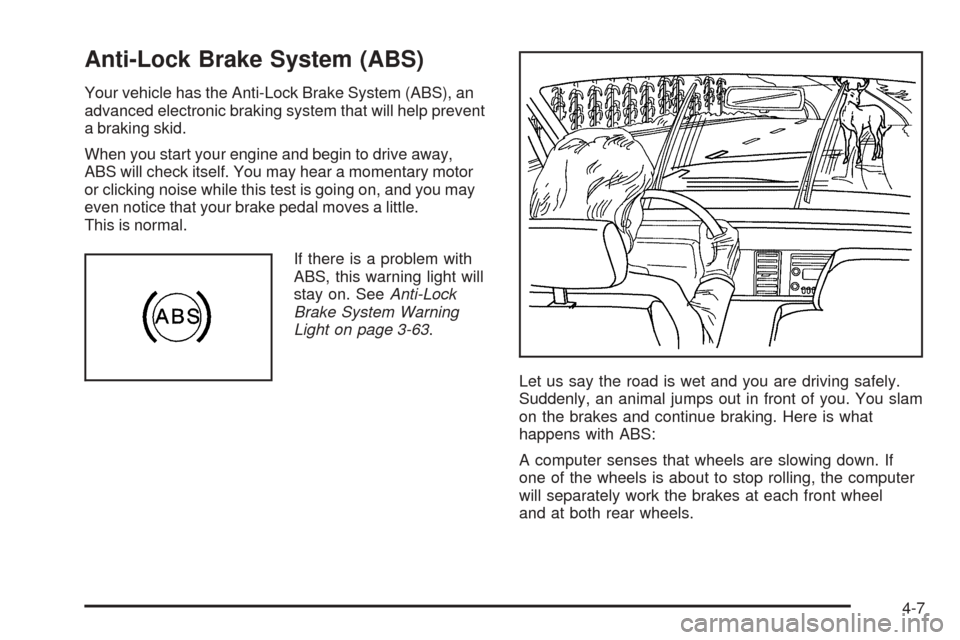
Anti-Lock Brake System (ABS)
Your vehicle has the Anti-Lock Brake System (ABS), an
advanced electronic braking system that will help prevent
a braking skid.
When you start your engine and begin to drive away,
ABS will check itself. You may hear a momentary motor
or clicking noise while this test is going on, and you may
even notice that your brake pedal moves a little.
This is normal.
If there is a problem with
ABS, this warning light will
stay on. SeeAnti-Lock
Brake System Warning
Light on page 3-63.
Let us say the road is wet and you are driving safely.
Suddenly, an animal jumps out in front of you. You slam
on the brakes and continue braking. Here is what
happens with ABS:
A computer senses that wheels are slowing down. If
one of the wheels is about to stop rolling, the computer
will separately work the brakes at each front wheel
and at both rear wheels.
4-7
Page 266 of 450
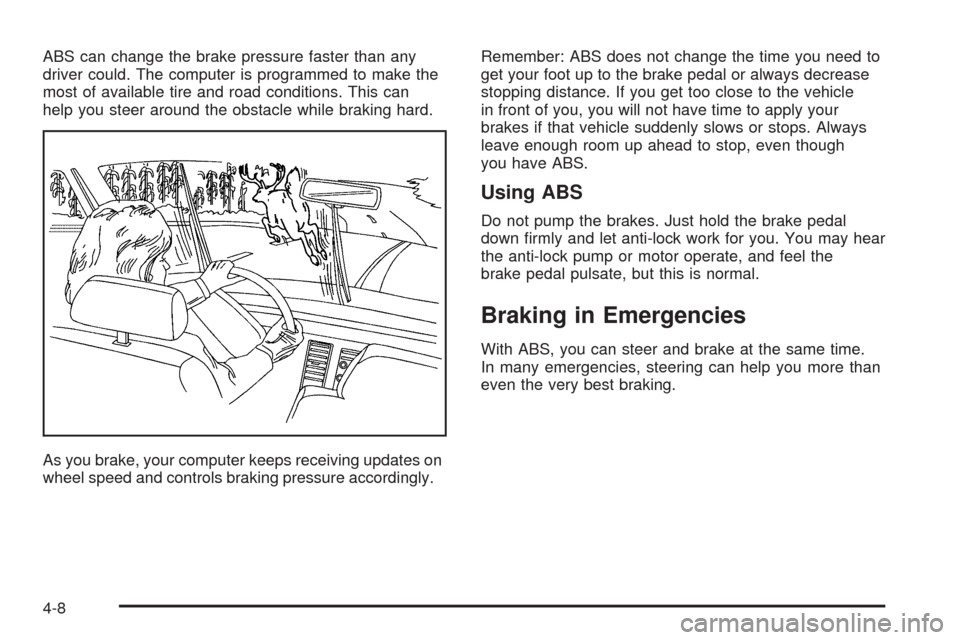
ABS can change the brake pressure faster than any
driver could. The computer is programmed to make the
most of available tire and road conditions. This can
help you steer around the obstacle while braking hard.
As you brake, your computer keeps receiving updates on
wheel speed and controls braking pressure accordingly.Remember: ABS does not change the time you need to
get your foot up to the brake pedal or always decrease
stopping distance. If you get too close to the vehicle
in front of you, you will not have time to apply your
brakes if that vehicle suddenly slows or stops. Always
leave enough room up ahead to stop, even though
you have ABS.
Using ABS
Do not pump the brakes. Just hold the brake pedal
down rmly and let anti-lock work for you. You may hear
the anti-lock pump or motor operate, and feel the
brake pedal pulsate, but this is normal.
Braking in Emergencies
With ABS, you can steer and brake at the same time.
In many emergencies, steering can help you more than
even the very best braking.
4-8
Page 267 of 450
Traction Control System (TCS)
Your vehicle has a traction control system that limits
wheel spin. This is especially useful in slippery road
conditions. The system operates only if it senses that the
front wheels are spinning too much or beginning to lose
traction. When this happens, the system works the front
brakes and reduces engine power (by closing the throttle
and managing engine spark) to limit wheel spin.
The traction control system and StabiliTrak
®warning
light will ash when the traction control system is limiting
wheel spin. SeeTraction Control System (TCS)
Warning Light on page 3-64andStabiliTrak
®Indicator
Light on page 3-64for more information. You may feel or
hear the system working, but this is normal.
If your vehicle is in cruise control when the traction
control system begins to limit wheel spin, the cruise
control will automatically disengage. When road
conditions allow you to safely use it again, you may
re-engage the cruise control. SeeCruise Control
on page 3-16orAdaptive Cruise Control on page 3-19
for more information.The SERVICE TRACTION CONTROL message, the
traction control system warning light and the StabiliTrak
®
warning light will come on to let you know if there is a
problem with the traction control system. SeeDIC
Warnings and Messages on page 3-76.
When this light and the SERVICE TRACTION
CONTROL message are on, the system will not limit
wheel spin. Adjust your driving accordingly.
The traction control system automatically comes on
whenever you start your vehicle. To limit wheel
spin, especially in slippery road conditions, you should
always leave the system on. But you can turn the
traction control system off if you ever need to.
You can turn the system on or off at any time by
pressing the traction control system button located on
the console or on the end of the column shifter. The DIC
will display TRACTION CONTROL OFF when you
press the button.
Adding non-GM accessories can affect your vehicle’s
performance. SeeAccessories and Modications
on page 5-3for more information.
4-9
Page 268 of 450
Magnetic Ride Control
Your vehicle may have a feature called Magnetic Ride
Control that automatically adjusts the ride of your
vehicle. Automatic ride control is achieved through a
computer used to control and monitor the suspension
system. The controller receives input from various
sensors to determine the proper system response. If the
controller detects a problem within the system, the
DIC will display a SERVICE SUSPENSION SYS
message. SeeDIC Warnings and Messages on
page 3-76for more information. If this message appears,
have your vehicle serviced at your dealership.
Electronically Controlled Air Ride
Suspension
If you have a Cadillac Professional Vehicle, you may
have a feature called Electronically Controlled Air
Suspension. Air ride control is achieved through a
computer used to control and monitor the system. The
controller receives input from two height sensors to
determine the proper system response. If the controller
detects a problem with the system, the Driver
Information Center (DIC) will display a SERVICE
SUSPENSION SYS message. If this message appears,
have your vehicle serviced at your dealership.
StabiliTrak®System
Your vehicle may have this feature. The StabiliTrak®
system is an advanced computer controlled system that
helps the driver maintain directional control of the
vehicle in difficult driving conditions. This is
accomplished by selectively applying any one of the
vehicle’s brakes and reducing engine power.
The StabiliTrak
®system comes on automatically
whenever you start your vehicle. The system cannot be
turned off.
The STABILITRAK NOT READY message may be
displayed in the DIC and the traction control system and
StabiliTrak
®warning light on the instrument panel
cluster will be on after rst driving the vehicle and
exceeding 30 mph 48 (km/h) for 30 seconds. The
StabiliTrak
®system is off until the light has turned off.
This could take up to 15 minutes.
The traction control system and StabiliTrak
®warning
light on the instrument panel cluster will ash when the
system is operating. SeeTraction Control System
(TCS) Warning Light on page 3-64and
StabiliTrak
®Indicator Light on page 3-64for more
information. You may also feel or hear the system
working. This is normal.
4-10
Page 269 of 450
The SERVICE STABILITRAK message will be displayed
and the traction control system and StabiliTrak®warning
light on the instrument panel cluster will come on if there
is a problem with the system. When this light and the
SERVICE STABILITRAK message are on, the system is
not operational. Adjust your driving accordingly.
Panic Brake Assist
Your vehicle has a panic brake assist system that
monitors the intention of the driver while braking. If the
system senses that the driver has applied hard/fast
pressure to the brake pedal, the system will generate
additional pressure, making it easier for the driver to
maintain brake application. When this happens the brake
pedal will feel easier to push. Just hold the brake pedal
down rmly and let the system work for you. You may feel
the brakes vibrate, or you may notice some noise but this
is normal. The brakes will return to normal operation after
the brake pedal has been released.
Steering
Power Steering
If you lose power steering assist because the engine
stops or the system is not functioning, you can steer but
it will take much more effort.
Magnetic Speed Variable Assist
Steering System
This system continuously adjusts the effort you feel
when steering at all vehicle speeds. It provides ease
when parking, yet a rm, solid feel at highway speeds.
Steering Tips
It is important to take curves at a reasonable speed.
A lot of the “driver lost control” accidents mentioned on
the news happen on curves. Here is why:
Experienced driver or beginner, each of us is subject to
the same laws of physics when driving on curves.
The traction of the tires against the road surface makes
it possible for the vehicle to change its path when
you turn the front wheels. If there is no traction, inertia
will keep the vehicle going in the same direction. If
you have ever tried to steer a vehicle on wet ice, you
will understand this.
The traction you can get in a curve depends on the
condition of your tires and the road surface, the angle at
which the curve is banked, and your speed. While
you are in a curve, speed is the one factor you
can control.
4-11