lock CADILLAC DTS 2006 1.G Workshop Manual
[x] Cancel search | Manufacturer: CADILLAC, Model Year: 2006, Model line: DTS, Model: CADILLAC DTS 2006 1.GPages: 450, PDF Size: 2.55 MB
Page 178 of 450
h(AUTO RECIRCULATION):If the AUTO position
is selected on either the fan or mode control, the
system will automatically control the air inlet to supply
fresh outside air or recirculate the interior air to cool
the car faster. The indicator light on the recirculation
button will light whenever the system switches to
recirculation. You may force outside air by pressing the
button when the light is lit. The next time AUTO fan
or mode is selected, the air inlet will reset back to
AUTO operation.
Manual Operation
9(Fan):Turn the left knob either to the left or right to
adjust the fan speed. Turning this control completely
counterclockwise will turn on the automatic fan
operation. Turning this control to the “O” position will
turn the climate control system off. If the airow seems
low when the fan speed is at the highest setting, the
passenger compartment air lter may need to be
replaced. SeePassenger Compartment Air Filter on
page 3-53.
9(Off):Turn the left control to this position to turn
the entire climate control system off.
To change the current mode, select one of the following
positions using the right control:
AUTO:Turn the control to this position to turn on the
automatic delivery mode operation.
F(Vent):Turn the control to this mode to direct air to
the instrument panel outlets.
*(Bi-Level):Turn the control to this mode to direct
approximately half of the air to the instrument panel
outlets and most of the remaining air to the oor outlets.
In automatic operation, cooler air is directed to the
upper outlets and warmer air to the oor outlets.
7(Floor):Turn the control to this mode to direct most
of the air to the oor outlets with some air directed to
the side window outlets and the windshield.
The mode control can also be used to select the
oor/defog mode. Information on defogging and
defrosting can be found later in this section.
3-46
Page 182 of 450
Rear Window Defogger
The rear window defogger uses a warming grid to
remove fog or frost from the rear window.
<(Rear Defogger):Press the center of the control
to turn the rear window defogger on or off. Be sure
to clear as much snow from the rear window as possible.
The rear window defogger will turn off approximately
20 minutes after the button is pressed if your vehicle is
moving at slower vehicle speeds. At higher vehicle
speeds, the rear defogger may stay on continuously.
Each additional press will run the defogger for
approximately 10 minutes.
The heated outside rearview mirrors will heat to help
clear fog or frost from the surface of the mirror when the
rear window defogger is on.
Notice:Do not use a razor blade or sharp object
to clear the inside rear window. Do not adhere
anything to the defogger grid lines in the rear glass.
These actions may damage the rear defogger.
Repairs would not be covered by your warranty.
Outlet Adjustment
For the front outlets, use the thumbwheel located below
each outlet to change the direction of the airow. Use the
thumbwheel located next to the outlets to shut the airow
or to open the outlets and re-direct the air.
For the rear outlets, slide the lever left or right and up
or down to change the direction of the airow.
Operation Tips
Clear away any ice, snow or leaves from the air
inlets at the base of the windshield that may
block the ow of air into your vehicle.
Use of non-GM approved hood deectors may
adversely affect the performance of the system.
Keep the path under the front seats clear of objects
to help circulate the air inside of your vehicle more
effectively.
3-50
Page 195 of 450
Anti-Lock Brake System
Warning Light
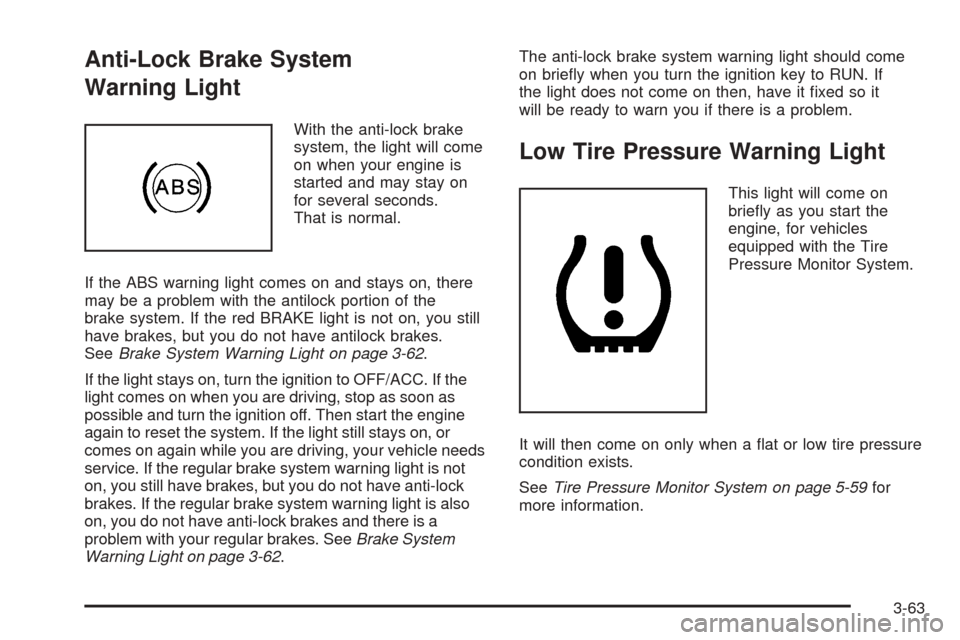
With the anti-lock brake
system, the light will come
on when your engine is
started and may stay on
for several seconds.
That is normal.
If the ABS warning light comes on and stays on, there
may be a problem with the antilock portion of the
brake system. If the red BRAKE light is not on, you still
have brakes, but you do not have antilock brakes.
SeeBrake System Warning Light on page 3-62.
If the light stays on, turn the ignition to OFF/ACC. If the
light comes on when you are driving, stop as soon as
possible and turn the ignition off. Then start the engine
again to reset the system. If the light still stays on, or
comes on again while you are driving, your vehicle needs
service. If the regular brake system warning light is not
on, you still have brakes, but you do not have anti-lock
brakes. If the regular brake system warning light is also
on, you do not have anti-lock brakes and there is a
problem with your regular brakes. SeeBrake System
Warning Light on page 3-62.The anti-lock brake system warning light should come
on briey when you turn the ignition key to RUN. If
the light does not come on then, have it xed so it
will be ready to warn you if there is a problem.
Low Tire Pressure Warning Light
This light will come on
briey as you start the
engine, for vehicles
equipped with the Tire
Pressure Monitor System.
It will then come on only when a at or low tire pressure
condition exists.
SeeTire Pressure Monitor System on page 5-59for
more information.
3-63
Page 208 of 450
RELEARN REMOTE KEY
This display allows you to match the remote keyless
entry transmitter to your vehicle. To match a remote
keyless entry transmitter to your vehicle, do the
following:
1. Press the vehicle information button until RELEARN
REMOTE KEY displays.
2. Press the set/reset button.
The message REMOTE KEY LEARNING ACTIVE
will display.
3. Press and hold the lock and unlock buttons on the
rst transmitter at the same time for approximately
15 seconds.
A chime will sound indicating that the transmitter
is matched.
4. To match additional transmitters at this time,
repeat Step 3.
Each vehicle can have a maximum of
eight transmitters matched to it.
5. To exit the programming mode, you must cycle the
key to OFF.
Blank Display
This display shows no information.
DIC Warnings and Messages
These messages will appear if there is a problem
detected in one of your vehicle’s systems.
You must acknowledge a message to clear it from the
screen for further use. To clear a message, press
the set/reset button.
Be sure to take any message that appears on the
screen seriously and remember that clearing the
message will only make the message disappear,
not the problem.
AUTOMATIC LIGHT CONTROL OFF
This message will display when the automatic
headlamps are turned off. SeeExterior Lamps on
page 3-30for more information.
AUTOMATIC LIGHT CONTROL ON
This message will display when the automatic
headlamps are turned on. SeeExterior Lamps on
page 3-30for more information.
3-76
Page 210 of 450

CLEAN RADAR
When this message displays, it means that the Adaptive
Cruise Control (ACC) system and the Forward Collision
Alert (FCA) system are disabled because the radar
is blocked and cannot detect vehicles in your path.
It may also activate during heavy rain or due to road
spray. To clean the system, see “Cleaning the System”
underAdaptive Cruise Control on page 3-19.
CRUISE SET TO XXX MPH (km/h)
This message will display whenever the cruise control
is set. SeeCruise Control on page 3-16andAdaptive
Cruise Control on page 3-19for more information.
If your vehicle has Adaptive Cruise Control (ACC), after
a few seconds, this message will clear and the message
“SET SPD XX” will display at the bottom of the DIC. See
“SET SPD (Speed)” later in this section.
DRIVER DOOR OPEN
This symbol appears with
this message.
This message will display when the driver’s door is not
closed completely. You should make sure that the
driver’s door is closed completely.
ENGINE HOT – A/C
(Air Conditioning) OFF
This message will display when the engine coolant
becomes hotter than the normal operating temperature.
SeeEngine Coolant Temperature Gage on page 3-65.
To avoid added strain on a hot engine, the air
conditioning compressor automatically turns off. When
the coolant temperature returns to normal, the air
conditioning compressor will turn back on. You can
continue to drive your vehicle.
If this message continues to appear, have the system
repaired by your GM dealer as soon as possible to avoid
damage to your engine.
3-78
Page 216 of 450
SERVICE BRAKE ASSIST
This message will display if there is a problem with the
brake system. The brake system warning light and the
anti-lock brake system warning light may also be
displayed on the instrument panel cluster. SeeBrake
System Warning Light on page 3-62andAnti-Lock Brake
System Warning Light on page 3-63for more information.
If this happens, stop as soon as possible and turn off the
vehicle. Restart the vehicle and check for the message
on the DIC display. If the message is displayed or
appears again when you begin driving, the brake system
needs service. See your GM dealer as soon as possible.
SeeBrakes on page 5-35for more information.
SERVICE BRAKE SYSTEM
This message will display if the ignition is on to inform
the driver that the brake uid level is low. Have the
brake system serviced by your GM dealer as soon
as possible.
SERVICE PARKING ASSIST
If your vehicle has the Ultrasonic Front and Rear
Parking Assist (UFRPA) system, this message will
display if there is a problem with the UFRPA system.
Do not use this system to help you park. SeeUltrasonic
Front and Rear Parking Assist (UFRPA) on page 3-38
for more information. See your GM dealer for service.
SERVICE POWER STEERING
Your vehicle may have a speed variable assist steering
system. SeeSteering on page 4-11.
This message will display if a problem is detected with
the speed variable assist steering system. When this
message is displayed, you may notice that the effort
required to steer the vehicle decreases or feels lighter,
but you will still be able to steer the vehicle.
SERVICE RADAR CRUISE
This message will display when the Adaptive Cruise
Control (ACC) system and the Forward Collision
Alert (FCA) system are disabled and need service.
See your GM dealer.
3-84
Page 222 of 450

FRANCAIS (French):All messages will appear
in French.
ESPANOL (Spanish):All messages will appear
in Spanish.
JAPANESE:All messages will appear in Japanese.
NO CHANGE:No change will be made to this feature.
The current setting will remain.
Choose one of the available settings and press the
set/reset button while it is displayed on the DIC to
select it.
AUTO DOOR LOCK
This feature allows you to select when the vehicle’s
doors will automatically lock. SeeProgrammable
Automatic Door Locks on page 2-11for more
information.
Press the customization button until AUTO DOOR
LOCK appears on the DIC display. Press the set/reset
button to access the settings for this feature. Then
press the menu up/down button to scroll through the
following settings:
SHIFT OUT OF PARK (default):The vehicle’s doors
automatically lock when the doors are closed and
the vehicle is shifted out of PARK (P).AT VEHICLE SPEED:The vehicle’s doors automatically
lock when the vehicle speed is above 5 mph (8 km/h)
for three seconds.
NO CHANGE:No change will be made to this feature.
The current setting will remain.
Choose one of the available settings and press the
set/reset button while it is displayed on the DIC to
select it.
AUTO DOOR UNLOCK
This feature allows you to select whether or not the
door(s) will automatically unlock. It also allows you to
select which doors and when they will automatically
unlock. SeeProgrammable Automatic Door Locks on
page 2-11for more information.
Press the customization button until AUTO DOOR
UNLOCK appears on the DIC display. Press the
set/reset button to access the settings for this feature.
Then press the menu up/down button to scroll through
the following settings:
OFF:None of the doors will automatically unlock.
DRIVER AT KEY OUT:Only the driver’s door will
unlock when the key is taken out of the ignition.
DRIVER IN PARK:Only the driver’s door will unlock
when the vehicle is shifted into PARK (P).
3-90
Page 223 of 450

ALL AT KEY OUT:All of the doors will unlock when
the key is taken out of the ignition.
ALL IN PARK (default):All of the doors will unlock
when the vehicle is shifted into PARK (P).
NO CHANGE:No change will be made to this feature.
The current setting will remain.
Choose one of the available settings and press the
set/reset button while it is displayed on the DIC to
select it.
REMOTE DOOR LOCK
This feature allows you to select the type of feedback
you will receive when locking the vehicle with the remote
keyless entry transmitter. You will not receive feedback
when locking the vehicle with the remote keyless
entry transmitter if the doors are open. SeeRemote
Keyless Entry System Operation on page 2-5for more
information.
Press the customization button until REMOTE DOOR
LOCK appears on the DIC display. Press the set/reset
button to access the settings for this feature. Then
press the menu up/down button to scroll through the
following settings:
OFF:There will be no feedback when you press the
lock button on the remote keyless entry transmitter.LIGHTS ONLY:The exterior lamps will ash when you
press the lock button on the remote keyless entry
transmitter.
HORN ONLY:The horn will sound on the second press
of the lock button on the remote keyless entry
transmitter.
HORN & LIGHTS (default):The exterior lamps
will ash when you press the lock button on the remote
keyless entry transmitter, and the horn will sound
when the lock button is pressed again within
ve seconds of the previous command.
NO CHANGE:No change will be made to this feature.
The current setting will remain.
Choose one of the available settings and press the
set/reset button while it is displayed on the DIC to
select it.
REMOTE DOOR UNLOCK
This feature allows you to select the type of feedback
you will receive when unlocking the vehicle with
the remote keyless entry transmitter. You will not receive
feedback when unlocking the vehicle with the remote
keyless entry transmitter if the doors are open. See
Remote Keyless Entry System Operation on page 2-5
for more information.
3-91
Page 224 of 450

Press the customization button until REMOTE DOOR
UNLOCK appears on the DIC display. Press the
set/reset button to access the settings for this feature.
Then press the menu up/down button to scroll through
the following settings:
LIGHTS OFF:The exterior lamps will not ash when
you press the unlock button on the remote keyless entry
transmitter.
LIGHTS ON (default):The exterior lamps will ash
when you press the unlock button on the remote keyless
entry transmitter.
NO CHANGE:No change will be made to this feature.
The current setting will remain.
Choose one of the available settings and press the
set/reset button while it is displayed on the DIC to
select it.
DELAY DOOR LOCK
This feature allows you to select whether or not the
locking of the vehicle’s doors will be delayed. The
locking of the vehicle’s doors is delayed for up to
10 seconds after a power door lock switch is pressed
when a door is open, or after the lock button on
the remote keyless entry transmitter is pressed while a
door is open. The key must be out of the ignition for
this feature to work.Press the customization button until DELAY DOOR
LOCK appears on the DIC display. Press the set/reset
button to access the settings for this feature. Then
press the menu up/down button to scroll through the
following settings:
OFF:There will be no delayed locking of the
vehicle’s doors.
ON (default):The locking of the vehicle’s doors will be
delayed by 10 seconds after a power door lock switch
is pressed when a door is open, or the lock button
on the remote keyless entry transmitter is pressed while
a door is open.
NO CHANGE:No change will be made to this feature.
The current setting will remain.
Choose one of the available settings and press the
set/reset button while it is displayed on the DIC to
select it.EXIT LIGHTING
If it is dark enough outside, this feature allows you to
select the amount of time you want the exterior lamps to
remain on. This happens after the vehicle is unlocked
using the remote keyless entry transmitter or if the
vehicle key is turned to OFF from RUN.
3-92
Page 225 of 450

Press the customization button until EXIT LIGHTING
appears on the DIC display. Press the set/reset button
to access the settings for this feature. Then press the
menu up/down button to scroll through the following
settings:
OFF:The exterior lamps will not turn on.
30 SECONDS (default):The exterior lamps will stay on
for 30 seconds.
1 MINUTE:The exterior lamps will stay on for
one minute.
2 MINUTES:The exterior lamps will stay on for
two minutes.
NO CHANGE:No change will be made to this feature.
The current setting will remain.
Choose one of the available settings and press the
set/reset button while it is displayed on the DIC to
select it.
APPROACH LIGHTING
This feature allows you to select whether or not to have
the exterior lights turn on briey during low light periods
after unlocking the vehicle using the remote keyless entry
transmitter.Press the customization button until APPROACH
LIGHTING appears on the DIC display. Press the
set/reset button to access the settings for this feature.
Then press the menu up/down button to scroll through
the following settings:
OFF:The exterior lights will not turn on when you
unlock the vehicle with the remote keyless entry
transmitter.
ON (default):If it is dark enough outside, the exterior
lights will turn on briey when you unlock the vehicle
with the remote keyless entry transmitter.
The lights will remain on for 20 seconds or until the
lock button on the remote keyless entry transmitter is
pressed, or the vehicle is no longer off. SeeRemote
Keyless Entry System Operation on page 2-5for more
information.
NO CHANGE:No change will be made to this feature.
The current setting will remain.
Choose one of the available settings and press the
set/reset button while it is displayed on the DIC to
select it.
3-93