brake light CADILLAC DTS 2010 1.G Owners Manual
[x] Cancel search | Manufacturer: CADILLAC, Model Year: 2010, Model line: DTS, Model: CADILLAC DTS 2010 1.GPages: 480, PDF Size: 17.56 MB
Page 4 of 480
Safety Warnings and Symbols
Warning Messages found on vehicle labels and in thismanual describe hazards and what to do to avoidor reduce them.
Dangerindicates a hazard with a high level of riskwhich will result in serious injury or death.
WarningorCautionindicates a hazard that could resultin injury or death.
{WARNING:
These mean there is something that could hurt
you or other people.
Notice:This means there is something that couldresult in property or vehicle damage. This would notbe covered by the vehicle’s warranty.
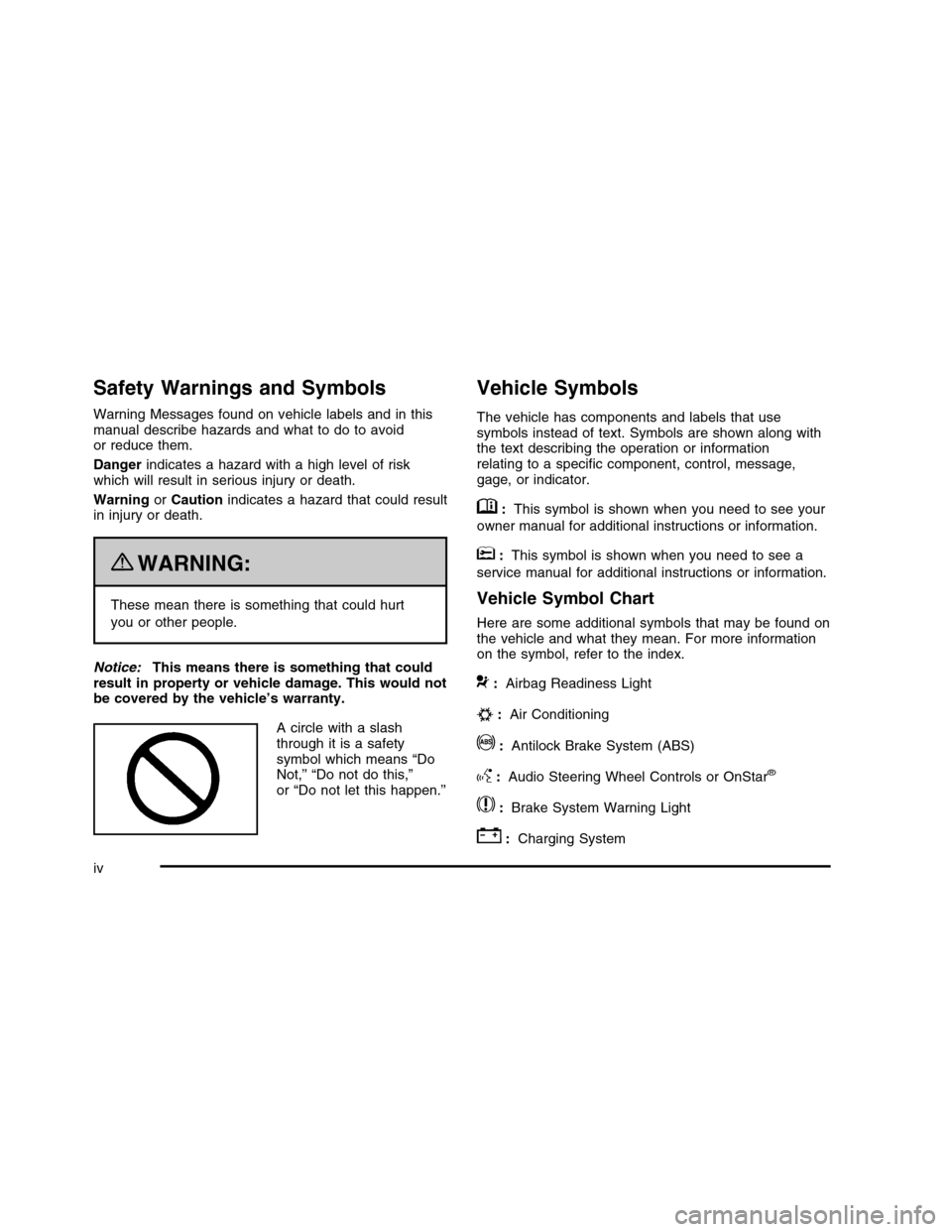
A circle with a slashthrough it is a safetysymbol which means “DoNot,” “Do not do this,”or “Do not let this happen.”
Vehicle Symbols
The vehicle has components and labels that usesymbols instead of text. Symbols are shown along withthe text describing the operation or informationrelating to a specific component, control, message,gage, or indicator.
M:This symbol is shown when you need to see your
owner manual for additional instructions or information.
*:This symbol is shown when you need to see a
service manual for additional instructions or information.
Vehicle Symbol Chart
Here are some additional symbols that may be found onthe vehicle and what they mean. For more informationon the symbol, refer to the index.
9:Airbag Readiness Light
#:Air Conditioning
!:Antilock Brake System (ABS)
g:Audio Steering Wheel Controls or OnStar®
$:Brake System Warning Light
":Charging System
iv
Page 130 of 480

See your dealer/retailer or a locksmith who can servicePASS-Key®III+ to get a new key blank that is cutexactly as the ignition key that operates the system.
To program the new key:
1. Verify that the new key has a1stamped on it.
2. Insert the original, already programmed, key in theignition and start the engine. If the engine will notstart, see your dealer/retailer for service.
3. After the engine has started, turn the key toLOCK/OFF, and remove the key.
4. Insert the new key to be programmed and turn it tothe ON/RUN position within five seconds of turningthe original key to LOCK/OFF.
The security light will turn off once the key hasbeen programmed.
5. Repeat Steps 1 through 4 if additional keys are tobe programmed.
If you lose or damage your PASS-Key®III+ key, seeyour dealer/retailer or a locksmith who can servicePASS-Key®III+ to have a new key made.
Do not leave the key or device that disarms ordeactivates the theft deterrent system in the vehicle.
Starting and Operating Your
Vehicle
New Vehicle Break-In
Notice:The vehicle does not need an elaboratebreak-in. But it will perform better in the long run ifyou follow these guidelines:
•Do not drive at any one constant speed, fast or
slow, for the first 500 miles (805 km). Do notmake full-throttle starts. Avoid downshifting tobrake or slow the vehicle.
•Avoid making hard stops for the first 200 miles
(322 km) or so. During this time the new brakelinings are not yet broken in. Hard stopswith new linings can mean premature wear andearlier replacement. Follow this breaking-inguideline every time you get new brake linings.
•Do not tow a trailer during break-in. SeeTowing
a Trailer on page 5-26for the trailer towingcapabilities of your vehicle and moreinformation.
Following break-in, engine speed and load can begradually increased.
3-22
Page 138 of 480

Parking Brake
The parking brake pedal islocated to the left of theregular brake pedal,near the driver door.
To set the parking brake, hold the regular brake pedaldown, then push the parking brake pedal down.
If the ignition is on, the brake system warning light onthe instrument panel cluster should come on. If itdoes not, you need to have the vehicle serviced.
A warning chime will sound if the parking brake is set,the ignition is on, and the vehicle speed is greaterthan 5 mph (8 km/h). The brake light will come on andstay on until the parking brake is released. SeeBrake System Warning Light on page 4-52for moreinformation.
To release the parking brake, hold the regular brakepedal down, then push the parking brake pedal down.When you lift your foot off the parking brake pedal,the pedal will follow your foot to the released position.
Notice:Driving with the parking brake on canoverheat the brake system and cause prematurewear or damage to brake system parts. Make surethat the parking brake is fully released and the brakewarning light is off before driving.
If you are towing a trailer and are parking on any hill,seeTowing a Trailer on page 5-26.
3-30
Page 151 of 480
When the System Does Not Seem to
Work Properly
If the URPA system will not activate due to a temporarycondition, the message PARK ASSIST OFF will bedisplayed on the DIC and a red light will be shown onthe rear URPA display when the shift lever is moved intoR (Reverse). This occurs under the following conditions:
•The driver disables the system.
•The ultrasonic sensors are not clean. Keep the
vehicle’s rear bumper free of mud, dirt, snow,ice and slush. For cleaning instructions, seeWashing Your Vehicle on page 6-95.
•A trailer was attached to the vehicle, or a bicycle or
an object was hanging out of the trunk during thelast drive cycle, the red light may illuminate inthe rear display. Once the attached object isremoved, URPA will return to normal operation.
•A tow bar is attached to the vehicle.
•The vehicle’s bumper is damaged. Take the vehicle
to your dealer/retailer to repair the system.
•Other conditions may affect system performance,
such as vibrations from a jackhammer or thecompression of air brakes on a very large truck.
If the system is still disabled after driving forward atleast 25 km/h (15 mph), take the vehicle to yourdealer/retailer.
Side Blind Zone Alert (SBZA)
The vehicle may have a Side Blind Zone Alert (SBZA)system. Read this entire section before using the system.
{WARNING:
SBZA is only a lane changing aid and does not
replace driver vision. SBZA does not detect:
•Vehicles outside the side blind zones which
may be rapidly approaching.
•Pedestrians, bicyclists, or animals.
Failure to use proper care when changing lanesmay result in damage to the vehicle, injury, ordeath. Always check the outside and rearviewmirrors, glance over your shoulder, and use theturn signal before changing lanes.
When the system detects a vehicle in the side blindzone, amber SBZA displays will light up in the sidemirrors. This indicates that it may be unsafe to changelanes. Before making a lane change, always checkthe SBZA display, check the outside and rearviewmirrors, look over your shoulder for vehicles andhazards, and use the turn signal.
3-43
Page 168 of 480

Charging System Light . . . . . . . . . . . . . . . . . . . . . . . . . . . . . . . . . .4-52Brake System Warning Light . . . . . . . . . . . . . . . . . . . . . . . . . .4-52Antilock Brake System (ABS) Warning Light . . . . .4-53Traction Control System (TCS) Warning Light . . . . . .4-54StabiliTrak®Indicator Light . . . . . . . . . . . . . . . . . . . . . . . . . . . . .4-54Lane Departure Warning (LDW) Light . . . . . . . . . . . . . .4-55Engine Coolant Temperature Warning Light . . . . . .4-55Engine Coolant Temperature Gage . . . . . . . . . . . . . . . . . .4-56Tire Pressure Light . . . . . . . . . . . . . . . . . . . . . . . . . . . . . . . . . . . . . . .4-56Malfunction Indicator Lamp . . . . . . . . . . . . . . . . . . . . . . . . . . . . .4-57Oil Pressure Light . . . . . . . . . . . . . . . . . . . . . . . . . . . . . . . . . . . . . . . . .4-59Security Light . . . . . . . . . . . . . . . . . . . . . . . . . . . . . . . . . . . . . . . . . . . . . . .4-60Fog Lamp Light . . . . . . . . . . . . . . . . . . . . . . . . . . . . . . . . . . . . . . . . . . . .4-60Lights On Reminder . . . . . . . . . . . . . . . . . . . . . . . . . . . . . . . . . . . . . .4-60Cruise Control Light . . . . . . . . . . . . . . . . . . . . . . . . . . . . . . . . . . . . . .4-60Highbeam On Light . . . . . . . . . . . . . . . . . . . . . . . . . . . . . . . . . . . . . . .4-61Fuel Gage . . . . . . . . . . . . . . . . . . . . . . . . . . . . . . . . . . . . . . . . . . . . . . . . . . .4-61
Driver Information Center (DIC). . . . . . . . . . . . . . . . . . . . . . .4-61DIC Operation and Displays . . . . . . . . . . . . . . . . . . . . . . . . . . .4-62DIC Warnings and Messages . . . . . . . . . . . . . . . . . . . . . . . . .4-67DIC Vehicle Customization . . . . . . . . . . . . . . . . . . . . . . . . . . . . .4-80
Audio System(s). . . . . . . . . . . . . . . . . . . . . . . . . . . . . . . . . . . . . . . . . . . . .4-88Setting the Clock . . . . . . . . . . . . . . . . . . . . . . . . . . . . . . . . . . . . . . . . . .4-89Radio(s) (MP3) . . . . . . . . . . . . . . . . . . . . . . . . . . . . . . . . . . . . . . . . . . . . .4-92Using an MP3 . . . . . . . . . . . . . . . . . . . . . . . . . . . . . . . . . . . . . . . . . . . .4-102XM Radio Messages . . . . . . . . . . . . . . . . . . . . . . . . . . . . . . . . . . .4-107Navigation/Radio System . . . . . . . . . . . . . . . . . . . . . . . . . . . . . .4-108Bluetooth®. . . . . . . . . . . . . . . . . . . . . . . . . . . . . . . . . . . . . . . . . . . . . . . . .4-108Theft-Deterrent Feature . . . . . . . . . . . . . . . . . . . . . . . . . . . . . . . .4-119Audio Steering Wheel Controls . . . . . . . . . . . . . . . . . . . . . .4-119Radio Reception . . . . . . . . . . . . . . . . . . . . . . . . . . . . . . . . . . . . . . . . .4-120Backglass Antenna . . . . . . . . . . . . . . . . . . . . . . . . . . . . . . . . . . . . . .4-121XM™ Satellite Radio Antenna System . . . . . . . . . . . .4-121
Section 4 Instrument Panel
4-2
Page 178 of 480

Cruise Control
With cruise control, a speed of approximately 40 km/h(25 mph) or more can be maintained without keepingyour foot on the accelerator. Cruise control does not workat speeds below about 40 km/h (25 mph). A cruise controllight appears in the instrument panel cluster when thecruise control is on.
When the brakes are applied, the cruise controlshuts off.
{WARNING:
Cruise control can be dangerous where you
cannot drive safely at a steady speed. So, do not
use the cruise control on winding roads or in
heavy traffic.
Cruise control can be dangerous on slippery roads.
On such roads, fast changes in tire traction can
cause excessive wheel slip, and you could lose
control. Do not use cruise control on slippery roads.
If your vehicle is in cruise control when the TractionControl System (TCS) begins to limit wheel spin,the cruise control automatically turns off. SeeTractionControl System (TCS) on page 5-6. When roadconditions let you safely use it again, the cruise controlcan be turned back on.
Setting Cruise Control
{WARNING:
If you leave your cruise control on when you are
not using cruise, you might hit a button and go
into cruise when you do not want to. You could be
startled and even lose control. Keep the cruise
control switch off until you want to use cruise
control.
4-12
Page 179 of 480

The cruise control buttonsare located on left side ofthe steering wheel.
I(On):Turns on the cruise control system.
+ RES (Resume/Accelerate):Press to make thevehicle accelerate or resume to a previously set speed.
SET– (Set):Press to set the speed.
[(Cancel):Press to cancel cruise control.
Cruise control will not work if the parking brake is set, orif the master cylinder brake fluid level is low.
If the brakes are applied, the cruise control shuts off.
The cruise light on the instrument panel cluster comeson after the cruise control has been set to the desiredspeed.
1. PressI.
2. Get up to the desired speed.
3. Press the SET– button located on the steeringwheel and release it.
4. Take your foot off the accelerator.
Resuming a Set Speed
Suppose the cruise control is set at a desired speedand then the brakes are applied. This shuts off thecruise control. But it does not need to be reset.
Once the vehicle is traveling approximately 40 km/h(25 mph) or more, press the +RES (resume/accelerate)button to return to the desired preset speed. Thecruise light displays again.
The vehicle returns to and stays at the preset speed. Ifyou press and hold the +RES button, the vehicle speedincreases until the button is released or the brake isapplied. Do not hold in the +RES button, if you do notwant the vehicle speed to increase.
4-13
Page 181 of 480

Using Cruise Control on Hills
How well your cruise control works on hills dependsupon the vehicle speed, load, and the steepness of thehills. When going up steep hills, you might have tostep on the accelerator pedal to maintain the vehicle’sspeed. When going downhill, you might have to brake orshift to a lower gear to keep the vehicle’s speeddown. Applying the brake or shifting into a lower gearends cruise control. If you need to apply the brakeor shift to a lower gear due to the grade of the downhillslope, you might not want to attempt to use thecruise control feature.
Ending Cruise Control
To turn off the cruise control, step lightly on the brakepedal, or press the cancel button on the steering wheel.
Erasing Speed Memory
The cruise control set speed memory is erased whenthe cruise control or the ignition is turned off.
Adaptive Cruise Control
For vehicles with this feature, be sure to read this entiresection before using it.
The system operates on a radio frequency subject toFederal Communications Commission (FCC) Rules andwith Industry Canada.
This device complies with Part 15 of the FCC Rules.Operation is subject to the following two conditions:
1. This device may not cause interference.
2. This device must accept any interference received,including interference that may cause undesiredoperation of the device.
This device complies with RSS-210 of Industry Canada.Operation is subject to the following two conditions:
1. This device may not cause interference.
2. This device must accept any interference received,including interference that may cause undesiredoperation of the device.
Changes or modifications to this system by other thanan authorized service facility could void authorization touse this equipment.
Adaptive Cruise Control (ACC) is an enhancement totraditional cruise control. It allows you to keep cruisecontrol engaged in moderate traffic conditions withouthaving to constantly reset your cruise control.ACC uses radar to detect a vehicle directly ahead inyour path, within a distance of 100 m (330 ft), andoperates at speeds above 40 km/h (25 mph). When it isengaged by the driver, the system can apply limitedbraking or acceleration of the vehicle automatically tomaintain a selected follow distance to the vehicle ahead.Braking is limited to 2.45 m/sec2 (0.25 g’s) ofdeceleration, which is comparable to moderate
4-15
Page 187 of 480

If this symbol does not appear, or disappears briefly,ACC will not respond to vehicles you may see ahead.
{WARNING:
When the Adaptive Cruise Control radar is blocked
by snow, ice, or dirt, it may not detect a vehicle
ahead. Adaptive Cruise Control may not have time
to slow your vehicle enough to avoid a collision.
Do not use Adaptive Cruise Control when the
radar is blocked by snow, ice, or dirt. Keep your
radar clean. See “Cleaning the System” later in
this section.
ACC automatically slows your vehicle down whenapproaching a slower moving vehicle. It then adjustsyour vehicle speed to follow the vehicle in front atthe selected follow distance. Your vehicle speedincreases or decreases to follow the vehicle in front ofyou, but will not exceed the set speed. It may applylimited braking, if necessary. When braking is active,your brake lights will come on. Braking may feelor sound different than if you were applying the brakesyourself. This is normal.
Stationary or Very Slow-Moving Objects
{WARNING:
Adaptive Cruise Control may not detect and react
to stationary or slow-moving vehicles or other
objects ahead of you. You could crash into an
object ahead of you. Do not use Adaptive Cruise
Control when approaching stationary or
slow-moving vehicles or other objects.
{WARNING:
Adaptive Cruise Control may not detect and react
to stationary or slow-moving vehicles or other
objects ahead of you. Your vehicle may accelerate
toward objects, such as a stopped vehicle that
suddenly appears after the lead vehicle changes
lanes. Your complete attention is always required
while driving and you should be ready to take
action and apply the brakes.
4-21
Page 192 of 480

AUTO (Automatic):Automatically turns on theheadlamps at normal brightness, together with thefollowing:
•Parking Lamps
•Instrument Panel Lights
•IntelliBeam™
;(Parking Lamps):Turns on the parking lamps
together with the following:
•Instrument Panel Lights
•License Plate Lamps
•Taillamps
•Side Marker Lamps
The parking brake indicator light comes on and stays onwhile the parking lamps are on with the engine offand the ignition in ACC/ACCESSORY or ON/RUN.
2(Headlamps):Turns on the headlamps together with
the previously listed lamps. A warning chime soundsif the driver’s door is opened while the ignition switch isoff and the headlamps are on.
#(Fog Lamps):Press the exterior lamps control to
turn on the fog lamps. SeeFog Lamps on page 4-30.
IntelliBeam™ Intelligent High-Beam
Headlamp Control System
For vehicles with this feature, be sure to read this entiresection before using it.
IntelliBeam is an enhancement to the vehicle’sheadlamp system. Using a digital light sensor on therearview mirror, this system turns the vehicle’shigh-beam headlamps on and off according tosurrounding traffic conditions.
The IntelliBeam system turns the high-beam headlampson when it is dark enough, there is no other trafficpresent, and the IntelliBeam system is enabled.
Turning On and Enabling IntelliBeam™
Press and release the IntelliBeam button on the insiderear view mirror. The IntelliBeam indicator on themirror turns on to indicate the system is on. Once thesystem has been turned on, it remains on each time thevehicle is started, but the IntelliBeam system must beenabled.
To enable the IntelliBeam system, turn the exterior lampcontrol to AUTO, with the turn signal/multifunctionlever in its neutral position. The High-Beam On Lightappears on the instrument panel cluster when thehigh-beams are on. SeeHighbeam On Light onpage 4-61.
4-26