instrument panel CADILLAC DTS 2010 1.G Owners Manual
[x] Cancel search | Manufacturer: CADILLAC, Model Year: 2010, Model line: DTS, Model: CADILLAC DTS 2010 1.GPages: 480, PDF Size: 17.56 MB
Page 1 of 480

In Brief. . . . . . . . . . . . . . . . . . . . . . . . . . . . . . . . . . . . . . . . . . . . . . . . . . . . . . . . . . . 1-1
Instrument Panel. . . . . . . . . . . . . . . . . . . . . . . . . . . . . . . . . . . . . . . . 1-2
Initial Drive Information. . . . . . . . . . . . . . . . . . . . . . . . . . . . . . . 1-4
Vehicle Features. . . . . . . . . . . . . . . . . . . . . . . . . . . . . . . . . . . . . . 1-15
Performance and Maintenance. . . . . . . . . . . . . . . . . . . 1-21
Seats and Restraint System. . . . . . . . . . . . . . . . . . . . . . . . . . . . . 2-1
Head Restraints. . . . . . . . . . . . . . . . . . . . . . . . . . . . . . . . . . . . . . . . . 2-2
Front Seats. . . . . . . . . . . . . . . . . . . . . . . . . . . . . . . . . . . . . . . . . . . . . . . 2-3
Rear Seats. . . . . . . . . . . . . . . . . . . . . . . . . . . . . . . . . . . . . . . . . . . . . . 2-10
Safety Belts. . . . . . . . . . . . . . . . . . . . . . . . . . . . . . . . . . . . . . . . . . . . . 2-12
Child Restraints. . . . . . . . . . . . . . . . . . . . . . . . . . . . . . . . . . . . . . . 2-33
Airbag System. . . . . . . . . . . . . . . . . . . . . . . . . . . . . . . . . . . . . . . . . 2-58
Restraint System Check. . . . . . . . . . . . . . . . . . . . . . . . . . . . 2-74
Features and Controls. . . . . . . . . . . . . . . . . . . . . . . . . . . . . . . . . . . . . 3-1
Keys. . . . . . . . . . . . . . . . . . . . . . . . . . . . . . . . . . . . . . . . . . . . . . . . . . . . . . . . 3-3
Doors and Locks. . . . . . . . . . . . . . . . . . . . . . . . . . . . . . . . . . . . . . . 3-9
Windows. . . . . . . . . . . . . . . . . . . . . . . . . . . . . . . . . . . . . . . . . . . . . . . . . 3-14
Theft-Deterrent Systems. . . . . . . . . . . . . . . . . . . . . . . . . . . . 3-18
Starting and Operating Your Vehicle. . . . . . . . . . . 3-22
Mirrors. . . . . . . . . . . . . . . . . . . . . . . . . . . . . . . . . . . . . . . . . . . . . . . . . . . . 3-36
Object Detection Systems. . . . . . . . . . . . . . . . . . . . . . . . . . 3-40
Universal Home Remote System. . . . . . . . . . . . . . . . 3-48
Storage Areas. . . . . . . . . . . . . . . . . . . . . . . . . . . . . . . . . . . . . . . . . 3-55
Sunroof. . . . . . . . . . . . . . . . . . . . . . . . . . . . . . . . . . . . . . . . . . . . . . . . . . 3-57
Instrument Panel. . . . . . . . . . . . . . . . . . . . . . . . . . . . . . . . . . . . . . . . . . . . . 4-1
Instrument Panel Overview. . . . . . . . . . . . . . . . . . . . . . . . . . 4-3
Climate Controls. . . . . . . . . . . . . . . . . . . . . . . . . . . . . . . . . . . . . . 4-36
Warning Lights, Gages, and Indicators. . . . . . . . 4-46
Driver Information Center (DIC). . . . . . . . . . . . . . . . . . 4-61
Audio System(s). . . . . . . . . . . . . . . . . . . . . . . . . . . . . . . . . . . . . . . 4-88
Driving Your Vehicle. . . . . . . . . . . . . . . . . . . . . . . . . . . . . . . . . . . . . . . 5-1
Your Driving, the Road, and the Vehicle. . . . . . . 5-2
Towing. . . . . . . . . . . . . . . . . . . . . . . . . . . . . . . . . . . . . . . . . . . . . . . . . . . 5-24
Service and Appearance Care. . . . . . . . . . . . . . . . . . . . . . . . . . 6-1
Service. . . . . . . . . . . . . . . . . . . . . . . . . . . . . . . . . . . . . . . . . . . . . . . . . . . . . 6-3
Fuel. . . . . . . . . . . . . . . . . . . . . . . . . . . . . . . . . . . . . . . . . . . . . . . . . . . . . . . . . 6-5
Checking Things Under the Hood. . . . . . . . . . . . . . . 6-10
Headlamp Aiming. . . . . . . . . . . . . . . . . . . . . . . . . . . . . . . . . . . . . 6-40
2010 Cadillac DTS Owner ManualM
Page 7 of 480

Instrument Panel. . . . . . . . . . . . . . . . . . . . . . . . . . . . . . . . . . . . . . . . . . . . . .1-2
Initial Drive Information. . . . . . . . . . . . . . . . . . . . . . . . . . . . . . . . . . . .1-4Remote Keyless Entry (RKE) System . . . . . . . . . . . . . . . .1-4Remote Vehicle Start . . . . . . . . . . . . . . . . . . . . . . . . . . . . . . . . . . . . . .1-5Door Locks . . . . . . . . . . . . . . . . . . . . . . . . . . . . . . . . . . . . . . . . . . . . . . . . . . . .1-5Trunk Release . . . . . . . . . . . . . . . . . . . . . . . . . . . . . . . . . . . . . . . . . . . . . . .1-6Windows . . . . . . . . . . . . . . . . . . . . . . . . . . . . . . . . . . . . . . . . . . . . . . . . . . . . . . .1-6Seat Adjustment . . . . . . . . . . . . . . . . . . . . . . . . . . . . . . . . . . . . . . . . . . . . .1-7Heated and Ventilated Seats . . . . . . . . . . . . . . . . . . . . . . . . . . . .1-8Head Restraint Adjustment . . . . . . . . . . . . . . . . . . . . . . . . . . . . . . .1-8Safety Belt . . . . . . . . . . . . . . . . . . . . . . . . . . . . . . . . . . . . . . . . . . . . . . . . . . . .1-9Sensing System for Passenger Airbag . . . . . . . . . . . . . . .1-9Mirror Adjustment . . . . . . . . . . . . . . . . . . . . . . . . . . . . . . . . . . . . . . . . .1-10Steering Wheel Adjustment . . . . . . . . . . . . . . . . . . . . . . . . . . . .1-11Interior Lighting . . . . . . . . . . . . . . . . . . . . . . . . . . . . . . . . . . . . . . . . . . . .1-12Exterior Lighting . . . . . . . . . . . . . . . . . . . . . . . . . . . . . . . . . . . . . . . . . . .1-12Windshield Wiper/Washer . . . . . . . . . . . . . . . . . . . . . . . . . . . . . . .1-13Climate Controls . . . . . . . . . . . . . . . . . . . . . . . . . . . . . . . . . . . . . . . . . . .1-14
Vehicle Features. . . . . . . . . . . . . . . . . . . . . . . . . . . . . . . . . . . . . . . . . . . . .1-15Radio(s) . . . . . . . . . . . . . . . . . . . . . . . . . . . . . . . . . . . . . . . . . . . . . . . . . . . . . .1-15Satellite Radio . . . . . . . . . . . . . . . . . . . . . . . . . . . . . . . . . . . . . . . . . . . . . .1-17Portable Audio Devices . . . . . . . . . . . . . . . . . . . . . . . . . . . . . . . . . .1-17Steering Wheel Controls . . . . . . . . . . . . . . . . . . . . . . . . . . . . . . . .1-17Bluetooth®. . . . . . . . . . . . . . . . . . . . . . . . . . . . . . . . . . . . . . . . . . . . . . . . . . .1-18Navigation System . . . . . . . . . . . . . . . . . . . . . . . . . . . . . . . . . . . . . . . .1-18Driver Information Center (DIC) . . . . . . . . . . . . . . . . . . . . . . .1-18Cruise Control . . . . . . . . . . . . . . . . . . . . . . . . . . . . . . . . . . . . . . . . . . . . . .1-20Power Outlets . . . . . . . . . . . . . . . . . . . . . . . . . . . . . . . . . . . . . . . . . . . . . .1-20
Performance and Maintenance. . . . . . . . . . . . . . . . . . . . . . . . .1-21Traction Control System (TCS) . . . . . . . . . . . . . . . . . . . . . . .1-21StabiliTrak®. . . . . . . . . . . . . . . . . . . . . . . . . . . . . . . . . . . . . . . . . . . . . . . . . .1-21Tire Pressure Monitor . . . . . . . . . . . . . . . . . . . . . . . . . . . . . . . . . . . .1-21Tire Sealant and Compressor Kit . . . . . . . . . . . . . . . . . . . .1-22Engine Oil Life System . . . . . . . . . . . . . . . . . . . . . . . . . . . . . . . . . .1-22Driving for Better Fuel Economy . . . . . . . . . . . . . . . . . . . . .1-22Roadside Service . . . . . . . . . . . . . . . . . . . . . . . . . . . . . . . . . . . . . . . . . .1-23OnStar®. . . . . . . . . . . . . . . . . . . . . . . . . . . . . . . . . . . . . . . . . . . . . . . . . . . . . .1-23
Section 1 In Brief
1-1
Page 8 of 480

Instrument Panel
Console-Shift Model shown, Column-Shift Model similar
1-2
Page 9 of 480

A.Outlet Adjustment on page 4-41.
B. Driver Information Center (DIC) Buttons. SeeDriverInformation Center (DIC) on page 4-61.
C.Exterior Lamps on page 4-25.
D.Instrument Panel Cluster on page 4-47.
E.Horn on page 4-3.
F.Audio Steering Wheel Controls on page 4-119.
G.Ultrasonic Front and Rear Parking Assist (UFRPA)on page 3-40andAdaptive Cruise Control onpage 4-15(If Equipped).
H.Analog Clock on page 4-35.
I.Hazard Warning Flashers on page 4-3.
J.Audio System(s) on page 4-88.
K. Trunk Release Button. SeeTrunk on page 3-12.
L.Instrument Panel Brightness on page 4-31.
M.Lane Departure Warning (LDW) on page 3-46.
N.Turn Signal/Multifunction Lever on page 4-5.
O.Hood Release on page 6-11.
P.Parking Brake on page 3-30.
Q.Heated Steering Wheel on page 4-4(If Equipped).
R.Cruise Control on page 4-12orAdaptive CruiseControl on page 4-15.
S.Tilt Wheel on page 4-3.Power Tilt Wheel andTelescopic Steering Column on page 4-4(If Equipped).
T.Dual Climate Control System on page 4-36.
U. Traction Control System Button (Console-ShiftVehicles). SeeTraction Control System (TCS) onpage 5-6.
V. Shift Lever. SeeAutomatic Transmission Operationon page 3-27.
W.Accessory Power Outlet(s) on page 4-34.
X.Glove Box on page 3-55.Valet Lockout Switch onpage 3-18.
1-3
Page 12 of 480

Power Door Locks
On vehicles with power door locks, the switches arelocated on the front doors.
"(Unlock):Press to unlock the doors.
Q(Lock):Remove the key from the ignition and press
to lock the doors.
For more information, see:
•Door Locks on page 3-9.
•Power Door Locks on page 3-10.
•Remote Keyless Entry (RKE) System Operation on
page 3-4.
Trunk Release
In addition to the trunk release button on the RKE
transmitter, there is a remote releaseVbutton located
to the left of the steering wheel next to the instrumentpanel brightness control. Press to open the trunk.
SeeTrunk on page 3-12.
Windows
On vehicles with power windows, the switches are onthe driver door armrest. Each passenger door hasa switch that controls only that window.
Press the switch to lower the window. Pull the switch upto raise it.
For more information, seePower Windows onpage 3-15.
1-6
Page 18 of 480

Interior Lighting
Courtesy Lamps
The courtesy lamps are located on the headliner abovethe rear seat. These lamps come on by turning theinstrument panel brightness knob fully clockwise or whenany door is opened and it is dark outside.
Reading Lamps
The reading lamps are located on the overhead consoleon the headliner and in the rear door opening. Theselamps come on automatically when any door is openedand it is dark outside.
For manual operation, press the button to turn them onor off.
If the reading lamps are left on, they automatically shutoff 10 minutes after the ignition has been turned off.
For more information, see:
•Instrument Panel Brightness on page 4-31.
•Entry Lighting on page 4-31.
•Parade Dimming on page 4-31.
•Footwell Lamps on page 4-32.
Exterior Lighting
This control is located onthe instrument panel, tothe left of the steeringwheel.
P:Turns off the exterior lamps, except Daytime
Running Lamps (DRL).
AUTO:Automatic operation of the headlamps at normalbrightness, other exterior lamps and IntelliBeam™.
;:Manual operation of the parking lamps and other
exterior lamps.
2:Manual operation of the headlamps and other
exterior lamps.
#:Press to turn on the fog lamps.
For more information, see:
•Exterior Lamps on page 4-25.
•Daytime Running Lamps (DRL) on page 4-29.
•Fog Lamps on page 4-30.
•Wiper Activated Headlamps on page 4-29.
1-12
Page 24 of 480

SRCE:Press to switch between the radio, CD, and forvehicles with, DVD, front auxiliary, and rear auxiliary.
¨:Press seek the next radio station, or to select
tracks on a CD or DVD.
For more information, seeAudio Steering WheelControls on page 4-119.
Bluetooth®
For vehicles with an in-vehicle Bluetooth system, itallows users with a Bluetooth enabled cell phoneto make and receive hands-free calls using the vehicle’saudio system and controls.
The Bluetooth enabled cell phone must be paired withthe in-vehicle Bluetooth system before it can be used inthe vehicle. Not all phones will support all functions.For more information visit www.gm.com/bluetooth.
For more information, seeBluetooth®on page 4-108.
Navigation System
The vehicle’s navigation system provides detailed mapsof most major freeways and roads throughout theUnited States and Canada. After a destination has beenset, the system provides turn-by-turn instructions forreaching the destination. In addition, the systemcan help locate a variety of points of interest (POI),such as banks, airports, restaurants, and more.
See the vehicle’s Navigation System manual for moreinformation.
Driver Information Center (DIC)
The DIC display is located at the bottom of theinstrument panel cluster. It shows the status of manyvehicle systems and enables access to thepersonalization menu.
1-18
Page 25 of 480

The DIC buttons are located on the instrument panel tothe left of the steering wheel.
3:Press to scroll through the trip and fuel displays.
T:Press to scroll through the vehicle information
displays.
U:Press to customize the feature settings on your
vehicle. SeeDIC Vehicle Customization on page 4-80for more information.
V:Press to reset certain DIC features and to
acknowledge DIC warning messages and clear themfrom the DIC display.
yz:Press to scroll up and down the menu items.
For more information, seeDriver Information Center(DIC) on page 4-61.
Vehicle Customization
Some vehicle features can be programmed by using theDIC buttons on the instrument panel to the left of thesteering wheel. These features include:
•Language
•Door Lock and Unlock Settings
•Lighting
•Chime Volume
•Memory Settings
•Remote Start
SeeDIC Vehicle Customization on page 4-80.
1-19
Page 47 of 480
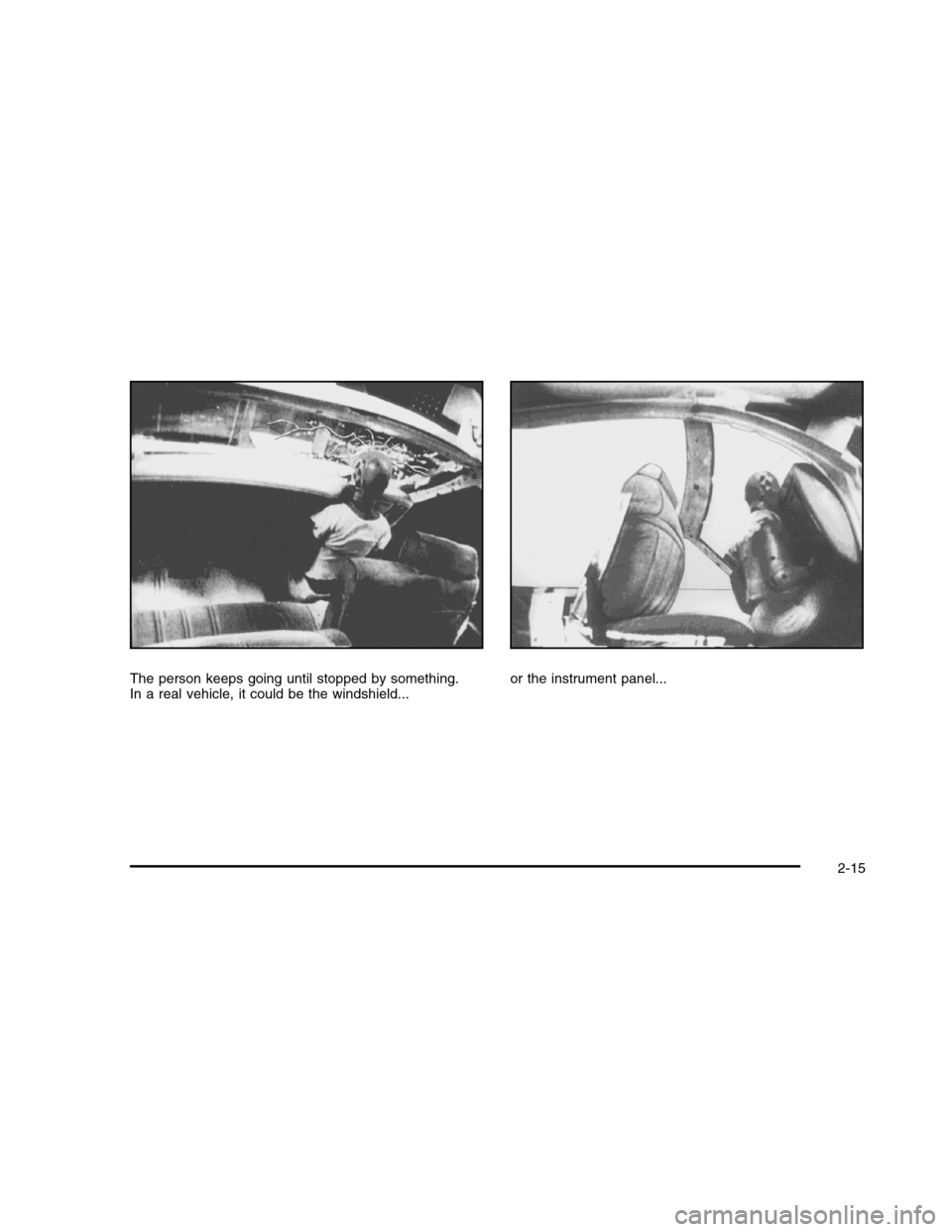
The person keeps going until stopped by something.In a real vehicle, it could be the windshield...or the instrument panel...
2-15
Page 90 of 480

Airbag System
The vehicle has the following airbags:
•A frontal airbag for the driver.
•A frontal airbag for the right front passenger.
•A seat-mounted side impact airbag for the driver.
•A seat-mounted side impact airbag for the right front
passenger.
The vehicle may also have the following airbags:
•A roof-rail airbag for the driver and the passenger
seated directly behind the driver.
•A roof-rail airbag for the right front passenger and
the passenger seated directly behind the rightfront passenger.
All of the airbags in your vehicle will have the wordAIRBAG embossed in the trim or on an attached labelnear the deployment opening.
For frontal airbags, the word AIRBAG will appear on themiddle part of the steering wheel for the driver andon the instrument panel for the right front passenger.
With seat-mounted side impact airbags, the wordAIRBAG will appear on the side of the seatback closestto the door.
With roof-rail airbags, the word AIRBAG will appearalong the headliner or trim.
Airbags are designed to supplement the protectionprovided by safety belts. Even though today’s airbagsare also designed to help reduce the risk of injuryfrom the force of an inflating bag, all airbags must inflatevery quickly to do their job.
2-58