ignition CADILLAC DTS 2011 1.G Owners Manual
[x] Cancel search | Manufacturer: CADILLAC, Model Year: 2011, Model line: DTS, Model: CADILLAC DTS 2011 1.GPages: 470, PDF Size: 4.72 MB
Page 11 of 470
Black plate (5,1)Cadillac DTS Owner Manual - 2011
When the vehicle starts, the parking lamps will turn on
and remain on as long as the engine is running. The
doors will be locked and the climate control system may
come on.
The engine will continue to run for 10 minutes. Repeat
the steps for a 10-minute time extension. Remote start
can be extended only once.
Canceling a Remote Start
To cancel a remote start:
.Aim the RKE transmitter at the vehicle and press
and hold
/until the parking lamps turn off.
.Turn on the hazard warning flashers.
.Turn the ignition on and then back off.
See Remote Vehicle Start on page 3‑7.
Door Locks
From the outside, unlock the door using either the key
or the RKE transmitter.
From the inside, use the power door lock switches or
manual lock knobs located at the top of the door panel
near the window.
Power Door Locks
On vehicles with power door locks, the switches are
located on the front doors.
"(Unlock): Press to unlock the doors.
Q(Lock):Remove the key from the ignition and press
to lock the doors.
For more information, see:
.Door Locks on page 3‑9.
.Power Door Locks on page 3‑10.
.Remote Keyless Entry (RKE) System Operationon page 3‑4.
Trunk Release
In addition to the trunk release button on the RKE
transmitter, there is a remote release
Vbutton
located to the left of the steering wheel, next to the
instrument panel brightness control. Press to open the
trunk.
See Trunk on page 3‑12.
1-5
Page 15 of 470

Black plate (9,1)Cadillac DTS Owner Manual - 2011
Heated and Ventilated Seats
On vehicles with heated and ventilated seats, the
buttons are on the front doors. The ignition must be on
to use this feature.
J:Press to heat the seat and seatback.
I: Press to heat the seatback.
H:Press to cool the seat and seatback.
For more information see Heated and Ventilated Seats
on page 2‑5.
Head Restraint Adjustment
The vehicle's front seats have adjustable head
restraints in the outboard seating positions.
Do not drive until the head restraints for all occupants
are installed and adjusted properly.
To achieve a comfortable seating position, change the
seatback recline angle as little as necessary while
keeping the seat and the head restraint height in the
proper position.
For more information seeHead Restraints
on
page 2‑2and Power Seats on page 2‑3.
1-9
Page 19 of 470
Black plate (13,1)Cadillac DTS Owner Manual - 2011
Interior Lighting
Courtesy Lamps
The courtesy lamps are located on the headliner above
the rear seat. These lamps come on by turning the
instrument panel brightness knob fully clockwise or
when any door is opened and it is dark outside.
Reading Lamps
The reading lamps are located on the overhead console
on the headliner and in the rear door opening. These
lamps come on automatically when any door is opened
and it is dark outside.
For manual operation, press the button to turn them on
or off.
If the reading lamps are left on, they automatically shut
off 10 minutes after the ignition has been turned off.
For more information, see:
.Instrument Panel Brightness on page 4‑30.
.Entry Lighting on page 4‑30.
.Parade Dimming on page 4‑31.
.Footwell Lamps on page 4‑31.
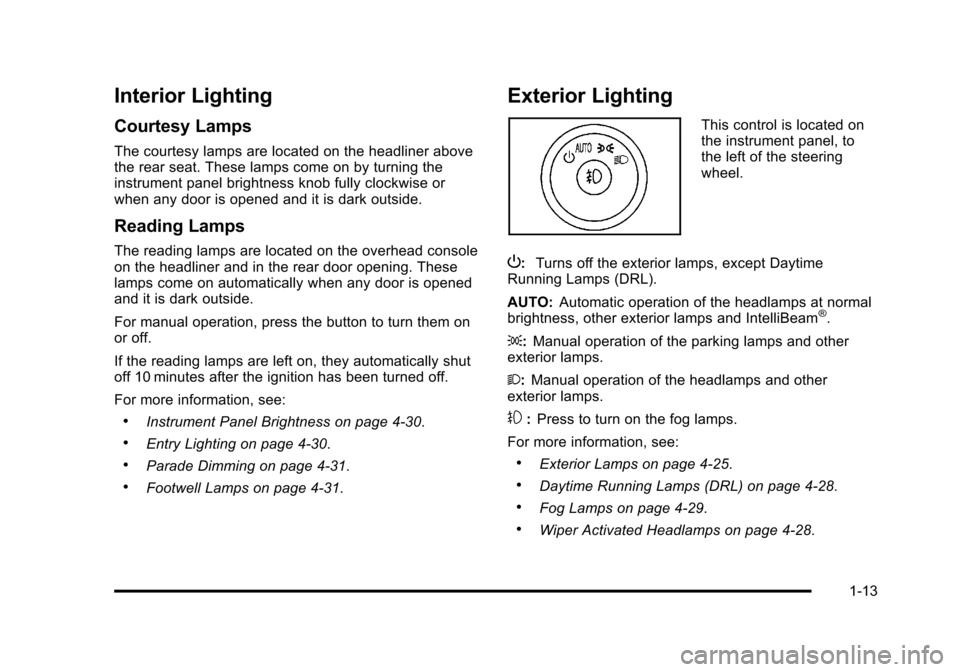
Exterior Lighting
This control is located on
the instrument panel, to
the left of the steering
wheel.
P: Turns off the exterior lamps, except Daytime
Running Lamps (DRL).
AUTO: Automatic operation of the headlamps at normal
brightness, other exterior lamps and IntelliBeam
®.
;: Manual operation of the parking lamps and other
exterior lamps.
2: Manual operation of the headlamps and other
exterior lamps.
#: Press to turn on the fog lamps.
For more information, see:
.Exterior Lamps on page 4‑25.
.Daytime Running Lamps (DRL) on page 4‑28.
.Fog Lamps on page 4‑29.
.Wiper Activated Headlamps on page 4‑28.
1-13
Page 28 of 470

Black plate (22,1)Cadillac DTS Owner Manual - 2011
Tire Sealant and Compressor Kit
This vehicle may come with a jack and spare tire or a
tire sealant and compressor kit. The kit can be used to
seal small punctures in the tread area of the tire.
SeeTire Sealant and Compressor Kit
on page 6‑75for
complete operating information.
If the vehicle came with a jack and spare tire, see
Changing a Flat Tire on page 6‑83.
Engine Oil Life System
The engine oil life system calculates engine oil life
based on vehicle use and displays a DIC message
when it is necessary to change the engine oil and filter.
The oil life system should be reset to 100% only
following an oil change.
Resetting the Oil Life System
1. Turn the ignition to ON/RUN, with the engine off.
2. Press the DIC INFO button until OIL LIFE REMAINING displays.
3. Press and hold the DIC INFO RESET button until 100% displays.
4. Turn the key to LOCK/OFF.
See Engine Oil Life System on page 6‑18.
Driving for Better Fuel Economy
Driving habits can affect fuel mileage. Here are some
driving tips to get the best fuel economy possible.
.Avoid fast starts and accelerate smoothly.
.Brake gradually and avoid abrupt stops.
.Avoid idling the engine for long periods of time.
.When road and weather conditions are
appropriate, use cruise control, if equipped.
.Always follow posted speed limits or drive more
slowly when conditions require.
.Keep vehicle tires properly inflated.
.Combine several trips into a single trip.
.Replace the vehicle's tires with the same TPC
Spec number molded into the tire's sidewall near
the size.
.Follow recommended scheduled maintenance.
1-22
Page 36 of 470
Black plate (4,1)Cadillac DTS Owner Manual - 2011
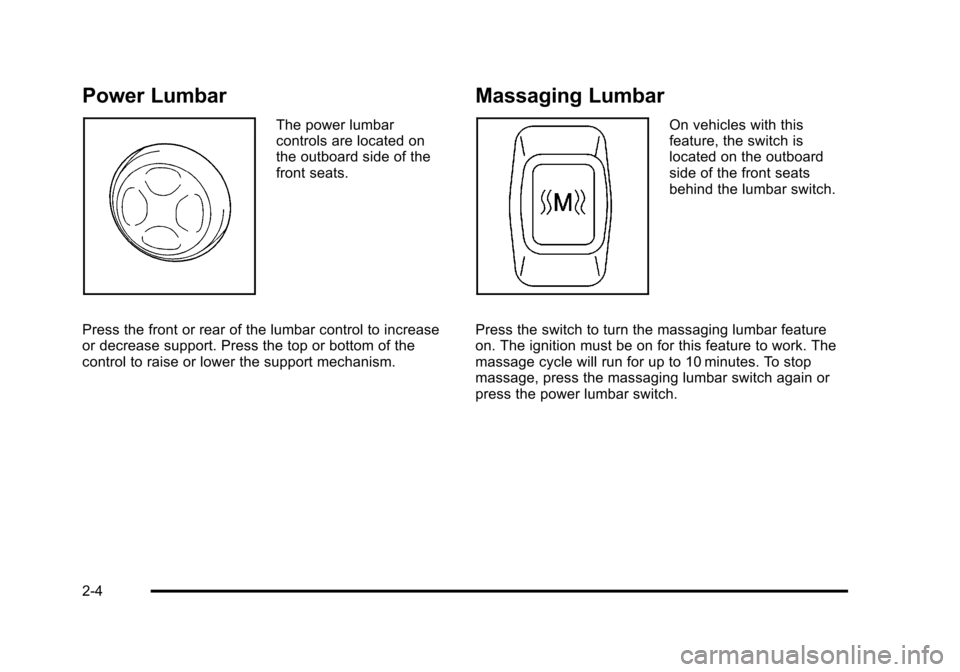
Power Lumbar
The power lumbar
controls are located on
the outboard side of the
front seats.
Press the front or rear of the lumbar control to increase
or decrease support. Press the top or bottom of the
control to raise or lower the support mechanism.
Massaging Lumbar
On vehicles with this
feature, the switch is
located on the outboard
side of the front seats
behind the lumbar switch.
Press the switch to turn the massaging lumbar feature
on. The ignition must be on for this feature to work. The
massage cycle will run for up to 10 minutes. To stop
massage, press the massaging lumbar switch again or
press the power lumbar switch.
2-4
Page 37 of 470

Black plate (5,1)Cadillac DTS Owner Manual - 2011
Heated and Ventilated Seats
{WARNING:
If you cannot feel temperature change or pain to
the skin, the seat heater may cause burns even at
low temperatures. To reduce the risk of burns,
people with such a condition should use care
when using the seat heater, especially for long
periods of time. Do not place anything on the seat
that insulates against heat, such as a blanket,
cushion, cover or similar item. This may cause the
seat heater to overheat. An overheated seat
heater may cause a burn or may damage
the seat.
To operate the heated and ventilated seats, the ignition
must be on.
Driver Side Buttons Shown On vehicles with this
feature, the buttons are
on the front doors.
J (Heated Seat Cushion and Seatback): Press this
button to heat the seat cushion and seatback.
I (Heated Seatback): Press this button to heat the
seatback.
H (Ventilated Seat Cushion and Seatback): Press this
button to cool the seat cushion and seatback.
Press the desired button once to turn this feature on at
the highest setting. A light on the button turns on to
show which feature is on.
The column of three lights near the buttons shows the
current temperature setting. With each press of the
button, the seat will change to the next lower setting,
and then to the off setting. The lights indicate three for
the highest setting and one for the lowest.
2-5
Page 38 of 470

Black plate (6,1)Cadillac DTS Owner Manual - 2011
Remote Start Heated Front Seats
During a remote start, the front heated seats can be
turned on automatically. They are canceled when the
ignition is turned on. Press the button to use the heated
seats after the vehicle is started.
The heated seat indicator lights on the button do not
turn on during a remote start.
The temperature performance of an unoccupied seat
may be reduced. This is normal.
SeeRemote Vehicle Start
on page 3‑7for more
information.
Memory Seat, Mirrors and Steering
Wheel
On vehicles with the memory feature, the controls on
the driver door are used to program and recall memory
settings for the driver seat, outside mirrors, and the
steering wheel position if the vehicle has the power tilt
wheel and telescopic steering feature.
Storing Memory Positions
To save into memory:
1. Adjust the driver seat, including the seatback recliner and lumbar, both outside mirrors, and the
steering column.
2. Press and hold “1”until two beeps sound.
3. Repeat for a second driver position using “2.”
To recall the memory positions, press and release “1”
or “2.” The vehicle must be in P (Park). A single beep
will sound. The seat, outside mirrors, and steering
wheel will move to the position previously stored for the
identified driver.
Memory Remote Recall
The memory feature can recall the driver seat, outside
mirrors, and power steering column, if available, to
stored positions when entering the vehicle.
To activate memory remote recall, unlock the driver
door with the Remote Keyless Entry (RKE) transmitter.
The driver seat, outside mirrors, and adjustable pedals
will move to the memory position associated with the
transmitter used to unlock the vehicle.
The automatic recall feature can be turned on or off
using the vehicle customization menu. See “Memory
Seat Recall” DIC Vehicle Customization
on page 4‑77for more information.
2-6
Page 39 of 470

Black plate (7,1)Cadillac DTS Owner Manual - 2011
To stop recall movement, press one of the power seat
controls, memory or power mirror buttons, or the power
tilt wheel control.
If something has blocked the driver seat and/or the
steering column while recalling a memory position, the
recall may stop. Remove the obstruction; then press
and hold the appropriate manual control for the memory
item that is not recalling for two seconds. Try recalling
the memory position again by pressing the appropriate
memory button. If the memory position is still not
recalling, see your dealer for service.
Easy Exit Driver Seat
The easy exit driver seat feature can move the seat
rearward and the power steering column, if equipped,
up and forward to allow extra room to exit the vehicle.
S(Easy Exit Driver Seat):Press to recall the easy exit
seat position. The vehicle must be in P (Park). If the easy exit seat feature is programmed on in the
vehicle customization menu, automatic seat and
steering column movement occur when the ignition key
is removed.
A single beep sounds. The driver seat will move
back, and if the vehicle has the power tilt wheel and
telescopic steering feature, the power telescopic
steering column will move up and forward.
If something has blocked the driver seat while recalling
the exit position, the recall may stop. Remove the
obstruction; then press and hold the power seat control
rearward for two seconds. Try recalling the exit position
again. If the exit position is still not recalling, see your
dealer for service.
See
“Easy Exit Recall” and“Easy Exit Setup” under
DIC Vehicle Customizationon page 4‑77for more
information.
2-7
Page 42 of 470
Black plate (10,1)Cadillac DTS Owner Manual - 2011
Rear Seats
Heated Seats
{WARNING:
If you cannot feel temperature change or pain to
the skin, the seat heater may cause burns even at
low temperatures. See the Warning underHeated
and Ventilated Seats on page 2‑5.
Your vehicle may have heated rear seats.
To operate the rear heated seats, the ignition must
be on.
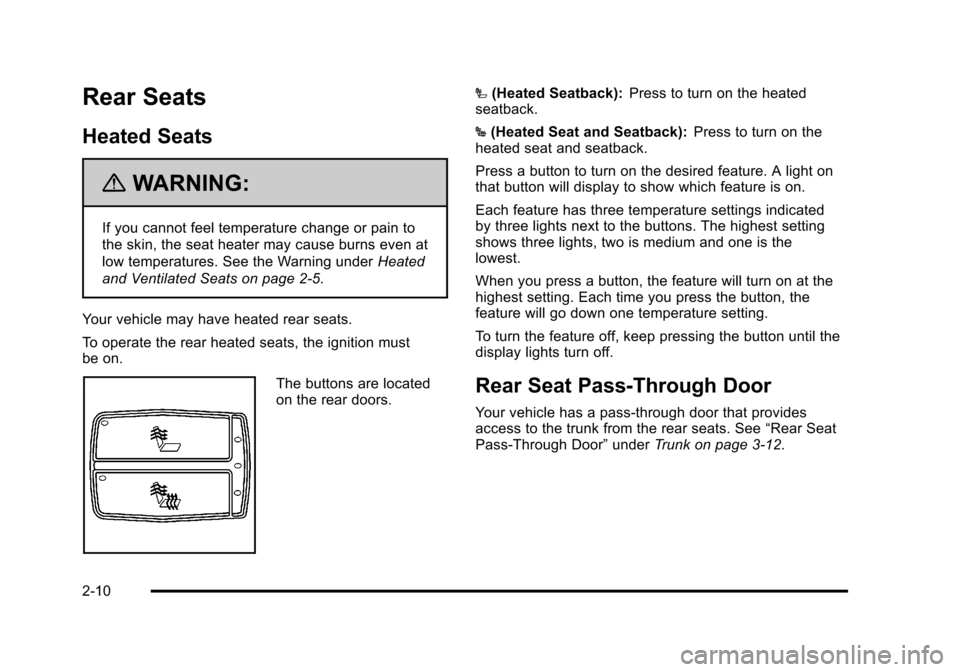
The buttons are located
on the rear doors. I
(Heated Seatback): Press to turn on the heated
seatback.
J (Heated Seat and Seatback): Press to turn on the
heated seat and seatback.
Press a button to turn on the desired feature. A light on
that button will display to show which feature is on.
Each feature has three temperature settings indicated
by three lights next to the buttons. The highest setting
shows three lights, two is medium and one is the
lowest.
When you press a button, the feature will turn on at the
highest setting. Each time you press the button, the
feature will go down one temperature setting.
To turn the feature off, keep pressing the button until the
display lights turn off.Rear Seat Pass-Through Door
Your vehicle has a pass‐through door that provides
access to the trunk from the rear seats. See “Rear Seat
Pass‐Through Door” underTrunk on page 3‑12.
2-10
Page 100 of 470
Black plate (68,1)Cadillac DTS Owner Manual - 2011
A thick layer of additional material, such as a blanket
or cushion, or aftermarket equipment such as seat
covers, seat heaters, and seat massagers can affect
how well the passenger sensing system operates. We
recommend that you not use seat covers or other
aftermarket equipment except when approved by
GM for your specific vehicle. SeeAdding Equipment to
Your Airbag-Equipped Vehicle
on page 2‑69for more
information about modifications that can affect how the
system operates.
{WARNING:
Stowing of articles under the passenger seat
or between the passenger seat cushion and
seatback may interfere with the proper operation
of the passenger sensing system.
Servicing Your Airbag-Equipped
Vehicle
Airbags affect how the vehicle should be serviced.
There are parts of the airbag system in several places
around the vehicle. Your dealer and the service manual
have information about servicing the vehicle and the
airbag system. To purchase a service manual, see
Service Publications Ordering Information
on
page 8‑15.
{WARNING:
For up to 10 seconds after the ignition is turned off
and the battery is disconnected, an airbag can still
inflate during improper service. You can be injured
if you are close to an airbag when it inflates. Avoid
yellow connectors. They are probably part of the
airbag system. Be sure to follow proper service
procedures, and make sure the person performing
work for you is qualified to do so.
2-68