seats CADILLAC DTS PROFESSIONAL 2006 1.G Owner's Manual
[x] Cancel search | Manufacturer: CADILLAC, Model Year: 2006, Model line: DTS PROFESSIONAL, Model: CADILLAC DTS PROFESSIONAL 2006 1.GPages: 450, PDF Size: 2.55 MB
Page 169 of 450

Reading Lamps
The reading lamps are located on the overhead console
on the headliner and in the rear door opening. These
lamps come on automatically when any door is opened
and it is dark outside.
For manual operation, press the button to turn them on.
Press it again to turn them off.
If the reading lamps are left on, they automatically shut
off 10 minutes after the ignition has been turned off.
Battery Load Management
The battery load management feature is designed to
monitor the vehicle’s electrical load and determine when
the battery is in a heavy discharge condition. During
times of high electrical loading, the engine may idle
at a higher revolutions per minute (rpm) setting
than normal to make sure the battery charges. High
electrical loads may occur when several of the following
are on: headlamps, high beams, fog lamps, rear
window defogger, the climate control fan at high speeds,
heated seats and engine cooling fans.If the battery continues to discharge, even with the
engine idling at a higher rpm setting, some electrical
loads will automatically be reduced. When this occurs,
the rear window defogger may take slightly longer
to clear the glass, the heated seats may not get as warm
as they usually do and the climate control fan may cut
back to a lower speed. For more battery saving
information, see “Battery Saver Active Message” under
DIC Warnings and Messages on page 3-76.
Inadvertent Power Battery Saver
This feature is designed to protect your vehicle’s battery
against drainage from the interior lamps, trunk lamp,
glove box lamp, or the garage door opener. When the
ignition is turned off, the power to these features will
automatically turn off after 10 minutes (three minutes if
a new car has 15 miles (24 km) or less). Power will
be restored for an additional 10 minutes if any door is
opened, the trunk is opened or the courtesy lamp switch
is turned on.
3-37
Page 182 of 450
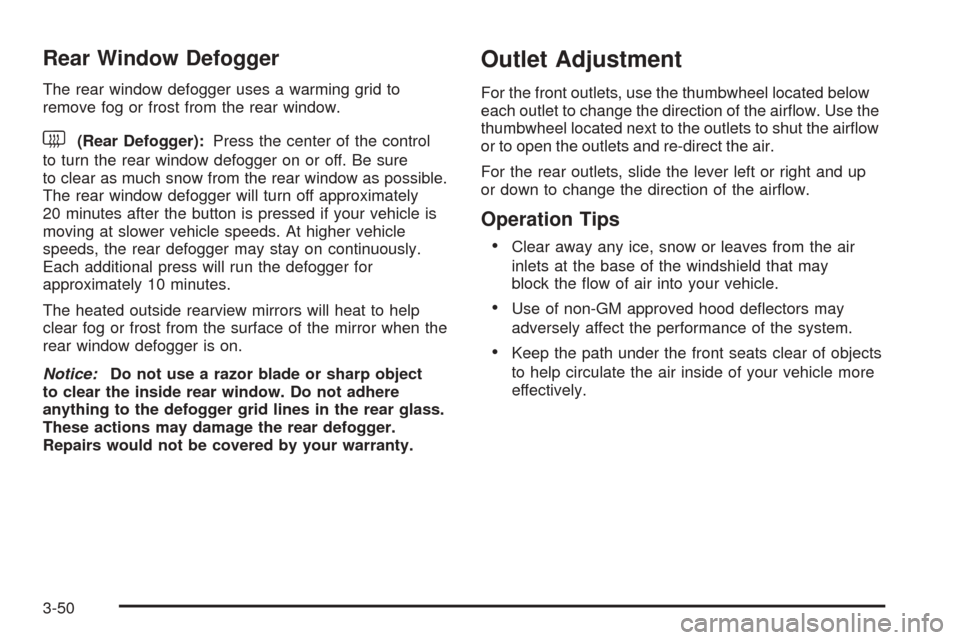
Rear Window Defogger
The rear window defogger uses a warming grid to
remove fog or frost from the rear window.
<(Rear Defogger):Press the center of the control
to turn the rear window defogger on or off. Be sure
to clear as much snow from the rear window as possible.
The rear window defogger will turn off approximately
20 minutes after the button is pressed if your vehicle is
moving at slower vehicle speeds. At higher vehicle
speeds, the rear defogger may stay on continuously.
Each additional press will run the defogger for
approximately 10 minutes.
The heated outside rearview mirrors will heat to help
clear fog or frost from the surface of the mirror when the
rear window defogger is on.
Notice:Do not use a razor blade or sharp object
to clear the inside rear window. Do not adhere
anything to the defogger grid lines in the rear glass.
These actions may damage the rear defogger.
Repairs would not be covered by your warranty.
Outlet Adjustment
For the front outlets, use the thumbwheel located below
each outlet to change the direction of the airow. Use the
thumbwheel located next to the outlets to shut the airow
or to open the outlets and re-direct the air.
For the rear outlets, slide the lever left or right and up
or down to change the direction of the airow.
Operation Tips
Clear away any ice, snow or leaves from the air
inlets at the base of the windshield that may
block the ow of air into your vehicle.
Use of non-GM approved hood deectors may
adversely affect the performance of the system.
Keep the path under the front seats clear of objects
to help circulate the air inside of your vehicle more
effectively.
3-50
Page 184 of 450

Automatic Operation
«A ª(Fan):Press this button until AUTO appears
on the display to place the system in automatic mode.
When automatic operation is active, the system will
automatically control the fan speed. If in auto fan mode,
pressing the up arrow button will cancel automatic
operation and places the system in manual mode. If in
auto mode, pressing the down arrow will turn the
rear climate control system off.
«Nª(Mode):Press the this button until AUTO
appears on the display to place the system in automatic
mode. When automatic operation is active, the system
will automatically control the air delivery mode.
Manual Operation
«A ª(Fan):Press these up or down arrow
buttons to increase or decrease the fan speed.
«bª(Temperature):Press these up or down
arrow buttons to increase or decrease the temperature
for the rear seat passengers. Once the rear setting
temperature is altered from following the front setting
temperature, it will no longer follow changes to the front
setting temperature until the front climate control
AUX button resets it.
«Nª(Mode):Press these buttons to change the
air delivery mode. If in AUTO air delivery mode, pressing
the up arrow button will cancel automatic operation
and place the system in manual mode.
Y(Vent):This mode directs air to the upper outlets.
%(Bi-Level):This mode directs half the air to
the upper outlets, and the other half to the oor outlets.
[(Floor):This mode directs the air to the oor
outlets.
For more information on how to use the front climate
control system, seeDual Climate Control System
on page 3-44.
For more information on the air outlets, seeOutlet
Adjustment on page 3-50. Be sure to keep the area
under the front seats clear of any objects so that the air
inside of your vehicle can circulate effectively.
3-52
Page 294 of 450

If you put things inside your vehicle, like suitcases,
tools, packages, or anything else, they will go as fast as
the vehicle goes. If you have to stop or turn quickly,
or if there is a crash, they will keep going.
{CAUTION:
Things you put inside your vehicle can strike
and injure people in a sudden stop or turn, or
in a crash.
Put things in the trunk of your vehicle. In a
trunk, put them as far forward as you can.
Try to spread the weight evenly.
Never stack heavier things, like suitcases,
inside the vehicle so that some of them
are above the tops of the seats.
Do not leave an unsecured child restraint
in your vehicle.
When you carry something inside the
vehicle, secure it whenever you can.
Automatic Level Control
This feature keeps the rear of your vehicle level as the
load changes. It is automatic, you do not need to
adjust anything.
This type of level control is fully automatic and will
provide a better leveled riding position as well as better
handling under a variety of passenger and loading
conditions. An air compressor connected to the rear
shocks will raise or lower the rear of the vehicle
to maintain proper vehicle height. The system is
activated when the ignition key is turned to RUN and
will automatically adjust vehicle height thereafter.
The system may exhaust (lower vehicle height) for up to
ten minutes after the ignition key has been turned to
OFF. You may hear the air compressor operating when
the height is being adjusted.
4-36
Page 355 of 450

Tire Size
The following illustration shows an example of a tire size.
(A) P-Metric Tire:The United States version of a
metric tire sizing system. The letter P as the rst
character in the tire size means a passenger vehicle tire
engineered to standards set by the U. S. Tire and
Rim Association.
(B) Tire Width:The three-digit number indicates the
tire section width in millimeters from sidewall to sidewall.
(C) Aspect Ratio:A two-digit number that indicates
the tire height-to-width measurements. For example, if
the tire size aspect ratio is 60, as shown in item C of the
illustration, it would mean that the tire’s sidewall is
60 percent as high as it is wide.
(D) Construction Code:A letter code is used to
indicate the type of ply construction in the tire. The
letter R means radial ply construction; the letter D means
diagonal or bias ply construction; and the letter B means
belted-bias ply construction.(E) Rim Diameter:Diameter of the wheel in inches.
(F) Service Description:These characters represent
the load range and speed rating of the tire. The load
index represents the load carry capacity a tire is certied
to carry. The load index can range from 1 to 279. The
speed rating is the maximum speed a tire is certied
to carry a load. Speed ratings range from A to Z.
Tire Terminology and Denitions
Air Pressure:The amount of air inside the tire pressing
outward on each square inch of the tire. Air pressure
is expressed in pounds per square inch (psi) or
kilopascal (kPa).
Accessory Weight:This means the combined weight
of optional accessories. Some examples of optional
accessories are, automatic transmission, power steering,
power brakes, power windows, power seats, and air
conditioning.
Aspect Ratio:The relationship of a tire’s height to
its width.
Belt:A rubber coated layer of cords that is located
between the plies and the tread. Cords may be made
from steel or other reinforcing materials.
Bead:The tire bead contains steel wires wrapped by
steel cords that hold the tire onto the rim.
5-53
Page 395 of 450

Power Windows and Other Power
Options
Circuit breakers protect the power windows and power
seats. When the current load is too heavy, the circuit
breaker opens and closes, protecting the circuit until the
problem is xed or goes away.
Fuses and Circuit Breakers
The wiring circuits in your vehicle are protected from
short circuits by a combination of fuses and circuit
breakers. This greatly reduces the chance of res
caused by electrical problems.
Look at the silver-colored band inside the fuse. If the
band is broken or melted, replace the fuse. Be sure you
replace a bad fuse with a new one of the identical
size and rating. If a fuse should blow, see your dealer
for service immediately.If you ever have a problem on the road and do not have
a spare fuse, you can “borrow” one that has the same
amperage. Pick some feature of your vehicle that
you can get along without — like the radio or cigarette
lighter — and use its fuse, if it is the correct amperage.
Replace it as soon as you can.
The fuses are located in two fuse blocks, one located in
the engine compartment, and the other under the
rear seat. If a fuse should blow, have your vehicle
serviced by your dealer immediately.
Underhood Fuse Block
The underhood fuse block is located on the passenger’s
side of the engine compartment. Remove the fuse
cover and secondary service cover to access the fuse
block.
5-93
Page 398 of 450

Relays Usage
R1 Cooling Fan 1
R2 Cooling Fan
R3 Crank
R4 Powertrain
R5 Spare
R6 Run/Crank
R7 Cooling Fan 2
R8 Windshield Wiper
R9 Air Pump
R10 Windshield Wiper High
R11 Air Conditioning
R12 Air Solenoid
Rear Underseat Fuse Block
The rear fuse block is located under the rear seat on
the driver’s side. The rear seat cushion must be
removed to access the rear fuse block.
Removing the Rear Seat Cushion
Notice:If you touch the exposed wires with the
metal on the seat cushion, you could cause a short
that could damage the battery and or wires.Avoid contact between the rear seat and the fuse
center whenever you remove or reinstall the rear
seat. Do not remove covers from any of the covered
parts, and do not store anything under the seats.
To remove the rear seat cushion, do the following:
1. Pull up on the front of the cushion to release the
front hooks.
2. Pull the cushion up and out toward the front of the
vehicle.
To access the fuse block, pull out and lift up on the
cover latch, located at the end of the fuse block, near
the battery cable.
5-96
Page 401 of 450

Fuses Usage
F9 Door Unlatch (Option)
F10 Switch Dimmer
F11 Fuel Pump
F12 Body Control Module Logic
F13 Airbag
F14 Auxiliary Power Outlets
F15 Driver’s Side Turn Signal
F16 Passenger Side Rear Turn Signal
F17 Not Used
F18Center High-Mounted Stoplamp,
Back-up Lamps
F19 Rear Door Locks
F20 Stoplamp (Option)
F21 Radio
F22 OnStar
®(Option)
F23Auxiliary Power Outlet, Cigarette
Lighter, Console
F24 Driver Door Module
F25 Passenger Door Module
F26 Trunk Release (Option)
F27 Heated/Cooled Seats (Option)
F28Engine Control Module,
Transmission Control Module
(ECM/TCM)
Fuses Usage
F29 Regulated Voltage Control Sense
F30 Not Used
F31 Instrument Panel Harness Module
F32 Rear Heated Seats (Option)
F33 Not Used
F34 Steering Wheel Illumination
F35 Body Harness Module
F36Memory Seat Module Logic, Right
Front Massage (Option)
F37 Object Detection Sensor
F38 Sunroof
F40 Shifter Solenoid (Option)
F41Retained Accessory Power,
Miscellaneous
F42 Driver’s Side Park Lamp
F43 Passenger’s Side Park Lamp
F44 Heated Steering Wheel (Option)
F45 Rear Climate Control
F46 Not Used
F47Heated/Cooled Seats, Ignition 3
(Option)
F48 Ignition Switch
F49 Not Used
5-99
Page 439 of 450
Center Seat..................................................... 1-7
Chains, Tire...................................................5-70
Charging System Light....................................3-61
Check
Engine Light...............................................3-66
Checking Things Under the Hood......................5-10
Chemical Paint Spotting...................................5-89
Child Restraints
Child Restraint Systems...............................1-36
Infants and Young Children...........................1-33
Lower Anchors and Tethers for Children............1-41
Older Children.............................................1-30
Securing a Child Restraint in a
Rear Seat Position...................................1-48
Securing a Child Restraint in the
Center Front Seat Position........................1-50
Securing a Child Restraint in the
Right Front Seat Position..........................1-51
Where to Put the Restraint...........................1-40
Cigarette Lighter.............................................3-43
Cleaning
Aluminum or Chrome-Plated Wheels..............5-88
Exterior Lamps/Lenses.................................5-86
Fabric/Carpet..............................................5-84
Finish Care.................................................5-87
Inside of Your Vehicle..................................5-83
Instrument Panel, Vinyl, and Other
Plastic Surfaces.......................................5-85Cleaning (cont.)
Leather......................................................5-85
Speaker Covers..........................................5-86
Tires..........................................................5-88
Underbody Maintenance...............................5-89
Washing Your Vehicle...................................5-86
Weatherstrips..............................................5-86
Windshield and Wiper Blades........................5-87
Wood Panels..............................................5-85
Climate Control System
Air Filter, Passenger Compartment.................3-53
Dual..........................................................3-44
Outlet Adjustment........................................3-50
Rear..........................................................3-51
Clock............................................................3-44
Coinholder(s)..................................................2-49
Collision Damage Repair..................................7-10
Comfort Guides, Rear Safety Belt.......................1-27
Compass................................1-8, 2-35, 2-37, 2-39
Content Theft-Deterrent....................................2-19
Control of a Vehicle.......................................... 4-5
Convenience Net............................................2-50
Coolant
Engine Temperature Gage............................3-65
Engine Temperature Warning Light.................3-65
Heater, Engine............................................2-25
Surge Tank Pressure Cap.............................5-25
Cooled Seats................................................... 1-3
3
Page 442 of 450
Fuel (cont.)
Gage.........................................................3-70
Gasoline Octane........................................... 5-5
Gasoline Specications.................................. 5-6
Fuses
Fuses and Circuit Breakers...........................5-93
Rear Underseat Fuse Block..........................5-96
Underhood Fuse Block.................................5-93
Windshield Wiper.........................................5-92
G
Gage
Engine Coolant Temperature.........................3-65
Fuel..........................................................3-70
Speedometer..............................................3-57
Tachometer.................................................3-57
Garage Door Opener.......................................2-45
Gasoline
Octane........................................................ 5-5
Specications............................................... 5-6
Glove Box.....................................................2-49
GM Mobility Reimbursement Program.................. 7-5
H
Hazard Warning Flashers................................... 3-6
Head Restraints............................................... 1-6
Headlamp
Aiming.......................................................5-44
Headlamp Wiring............................................5-92
Headlamps
Bulb Replacement.......................................5-47
Daytime Running Lamps...............................3-34
Flash-to-Pass..............................................3-13
High Intensity Discharge (HID) Lighting...........5-47
High/Low Beam Changer................................ 3-9
On Reminder..............................................3-34
Wiper Activated...........................................3-34
Heated Seats................................................... 1-3
Heated Steering Wheel..................................... 3-7
Heater...........................................................3-44
Highbeam On Light.........................................3-70
Highway Hypnosis...........................................4-24
Hill and Mountain Roads..................................4-24
Hood
Checking Things Under................................5-10
Release.....................................................5-11
Horn............................................................... 3-6
How to Use This Manual...................................... ii
How to Wear Safety Belts Properly...................1-14
6