warning CADILLAC ELDORADO 1993 10.G User Guide
[x] Cancel search | Manufacturer: CADILLAC, Model Year: 1993, Model line: ELDORADO, Model: CADILLAC ELDORADO 1993 10.GPages: 398, PDF Size: 20.66 MB
Page 140 of 398
Downloaded from www.Manualslib.com manuals search engine tire. If the warning light stays on after you replace the compact spare wlrn
a full-size tire, or if it comes on again when you’re driving, your Cadillac
needs service.
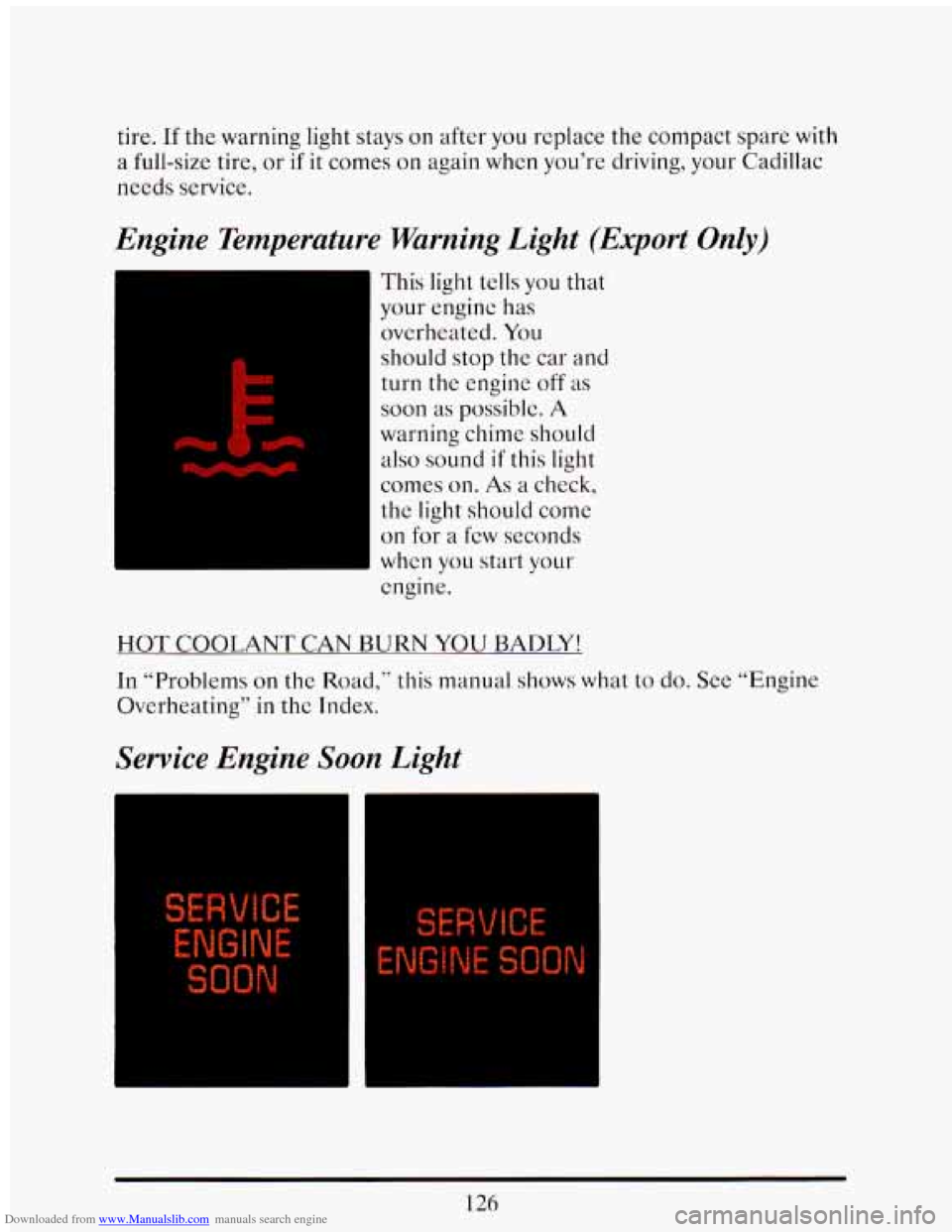
Engine Temperature Warning Light (Export Only)
This light tells you that
your engine has
overheated.
You
should stop the car and
turn the engine off as
soon as possible. A
warning chime should
also sound if this light
comes
011. As a check,
the light should come
on for a few seconds
whcn you start your
engine.
HOT COOLANT CAN BURN YOU BADLY!
In “Problems on the
Road,” this manual shows what to do. See “Engine
Overheating”
in the Index.
Service Engine Soon Light
I ENGINE
SOON
126
Page 146 of 398
Downloaded from www.Manualslib.com manuals search engine When you get down to 40 miles to go (or, in metric 64 km) the range
display will show
66L~7’.
Your computer needs enough data for the “RANGE” reading to work,
however,
so it will read “Lo”for a while when your vehicle is brand new
(under
25 miles). Also, it will show for a while if your battery has
been disconnected.
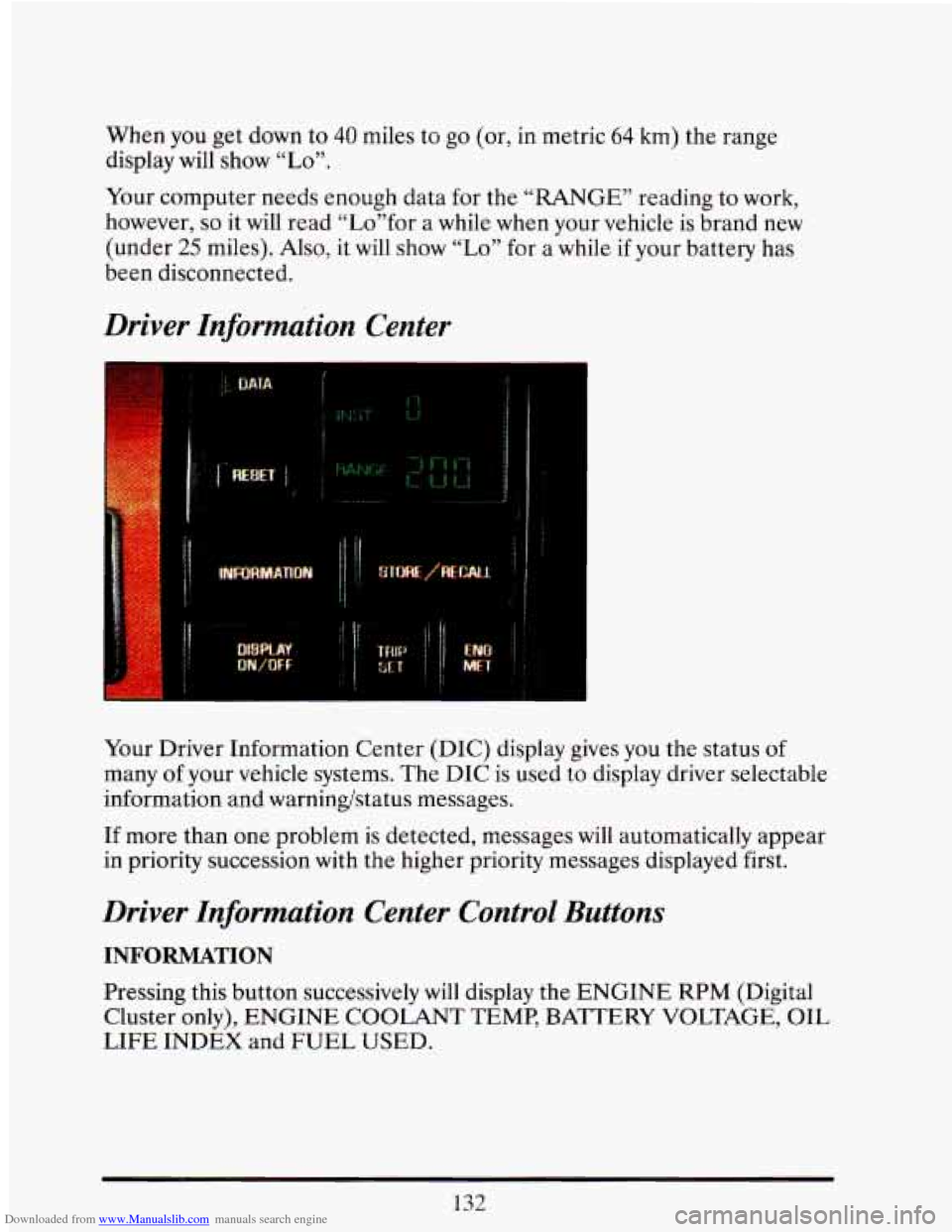
Driver Information Center
Your Driver Information Center (DIC) display gives you the status of
many
of your vehicle systems. The DIC is used to display driver selectable
information and warningstatus messages.
If more than one problem is detected, messages will automatically appear
in priority succession with the higher priority messages displayed first.
Driver Information Center Control Buttons
INFORMATION
Pressing this button successively will display the ENGINE RPM (Digital
Cluster only), ENGINE COOLANT TEMP, BATTERY VOLTAGE, OIL
LIFE INDEX and FUEL USED.
132
Page 147 of 398
Downloaded from www.Manualslib.com manuals search engine STORE/RECALL
Pressing this button will store any currently displayed message that is
indicating a system problem. Once a message has been stored the next
message
of normal information is displayed.
When
a message is stored it is saved in the computer, but once the
ignition
is turned off the message is lost. All messages stored when your
engine is running can be viewed one at a time by pressing
“STORE/RECALIY button.
FUEL USED RESET
Display the fuel used, then press and hold the STORE/RECALL button
until
0 is displayed.
DISPLAY ON/OFF
Pressing this button will turn off the Driver Information Center,
Electronic Climate Control and Fuel Data Center displays. While
displays are
off, pressing the “INFORMATION” button will turn on only
the Driver Information Center. If any other button is pressed or a driving
warning message needs
to be displayed, or fuel level falls below 4 gallons,
all the displays will come back on.
TRIP SET
Press and hold this button to set the Trip Odometer back to zero.
ENG/MET (English/Metric)
Press this button to switch from English (miles) to metric (kilometers).
Driver Information Center Messages
These messages will appear if there is a problem sensed in one of your
vehicle’s systems. Vehicles that
are first sold in Canada or are export
vehicles will have a number after each message. This number helps to
identify that message, which is only displayed in English.
APPLY BRAKE TO SHIFT
This message will appear if your vehicle is in “P” (Park) for about 5
seconds and the brake is not depressed. If you do not want this message
to appear, you can cancel this message by pressing the
OFF and the Blue
(cooler) button on the Electronic Climate control panel. Push \
the same
2
buttons again to have this message displayed again.
133
Page 149 of 398
Downloaded from www.Manualslib.com manuals search engine CHANGE TRANS FLUID (Northstar Only)
This message will appear when it is time to replace the transaxle fluid.
See your maintenance booklet for the proper fluid and change i\
ntervals.
CHECK BRAKE FLUID
This message is displayed to inform the driver that the brake reservoir
fluid level
is low. Check the brake reservoir level and add as needed.
Have the brake system serviced by
a Cadillac technician as soon as
possible.
If the brake warning light is on, follow the directions in that
section.
CHECK COOLANT LEVEL (Northstar Only)
This message will appear when there is a low level of engine coolant.
Have the cooling system serviced by a Cadillac technician as soon as
possible.
CHECK FUEL GAGE
This message will appear when your fuel supply is less than 4 gallons and
your display is turned
off.
CHECK OIL LEVEL (Northstar Only)
This message will appear when your engine oil is approximately a quart
low. If this message is displayed, check the oil and add as needed.
CHANGE OIL SOON
This message will appear when your engine oil is less than 10 percent or
the mileage since the last oil change is more than 6750 miles.
CHANGE ENGINE OIL
135
This means that the life of your engine oil has expired and it should be
changed immediately. See engine
oil and filter recommendations in the
Maintenance Schedule. After an
oil change, the Oil Life Index must be
reset. See “Oil Life Indicator”
in the index on how to reset it.
Page 150 of 398
Downloaded from www.Manualslib.com manuals search engine ENGINE COOLANT HOT IDLE ENGINE
This message will appear when your engine coolant temperature is over
126°C
(248’F). To avoid added strain on a hot engine, turn off your
Climate Control system and stop and allow your vehicle to idle until it
cools down or the mcssage is removed. If it does not cool down, turn off
your engine and have it serviccd before driving it again. Severe enginc
damage can result from an overheated engine. See “Engine Overheating”
in the Index.
ENGINE HOT - A/C COMPRESSOR OFF
This message will appear when the Climate Control is in “Auto” or
Defrost and the engine coolant
is hotter than the normal operating
temperature.
To avoid added strain on a hot engine the air conditioning
compressor
is automatically turned off. When that happens, air
conditioned air is not delivered.
Tf the coolant temperature returns to
normal,
you must select “AUTO”, “DEFOG” or Defrost to return to a
normal
A/C compressor operation.
FUEL LEVEL VERY LOW
This message. serves as a warning that the fuel level in your tank is
critically low.
It means you should stop for fuel immediately.
LOW A/C REFRIGERANT - SERVICE A/C SOON
This message will appear when the A/C refrigerant is so low that it no
longer can cool well. This message shows that some of the refrigerant has
leaked out
of the system, and that the A/C needs recharging. If you do
not have it recharged,
the system may not cool at all.
CHECK WASHER FLUID
This message shows that the washer fluid reservoir is nearly empty.
REDUCE ENGINE POWER (Northstar Only)
This message will appear if the engine starts to cut cylinders to reduce
power, If this message is ever displayed have your vehicle serviced as soon
as possible.
136
Page 178 of 398
Downloaded from www.Manualslib.com manuals search engine Color of Road Signs
A
A
STOP1
L A
A
I Y
WRONG
WAY
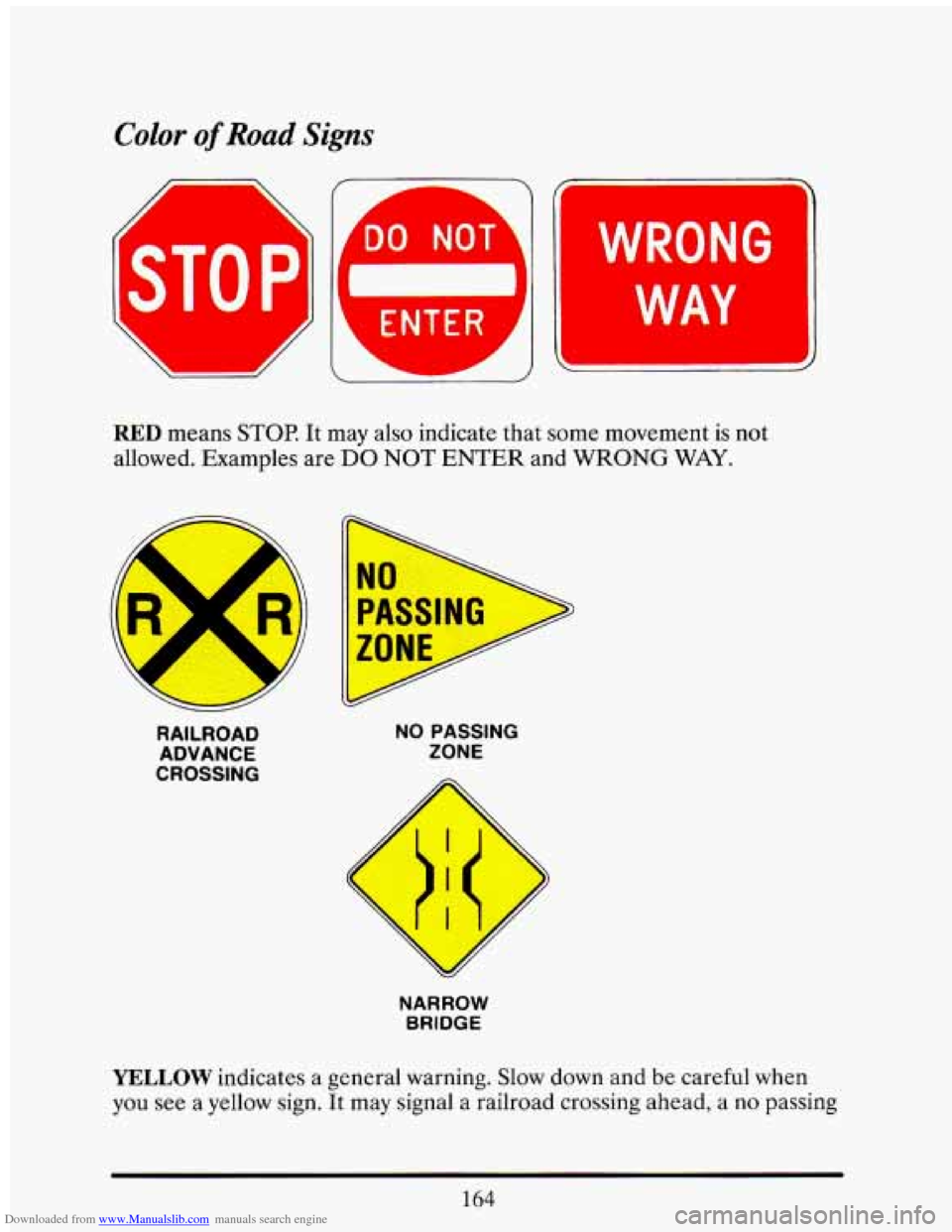
RED means STOP. It may also indicate that some movement is not
allowed. Examples are
DO NOT ENTER and WRONG WAY.
.
RAILROAD
ADVANCE
CROSSING NO PASSING
ZONE
NARROW
BRIDGE
YELLOW indicates a general warning. Slow down and be careful when
you
see a yellow sign. It may signal a railroad crossing ahead, a no passing
164
Page 181 of 398
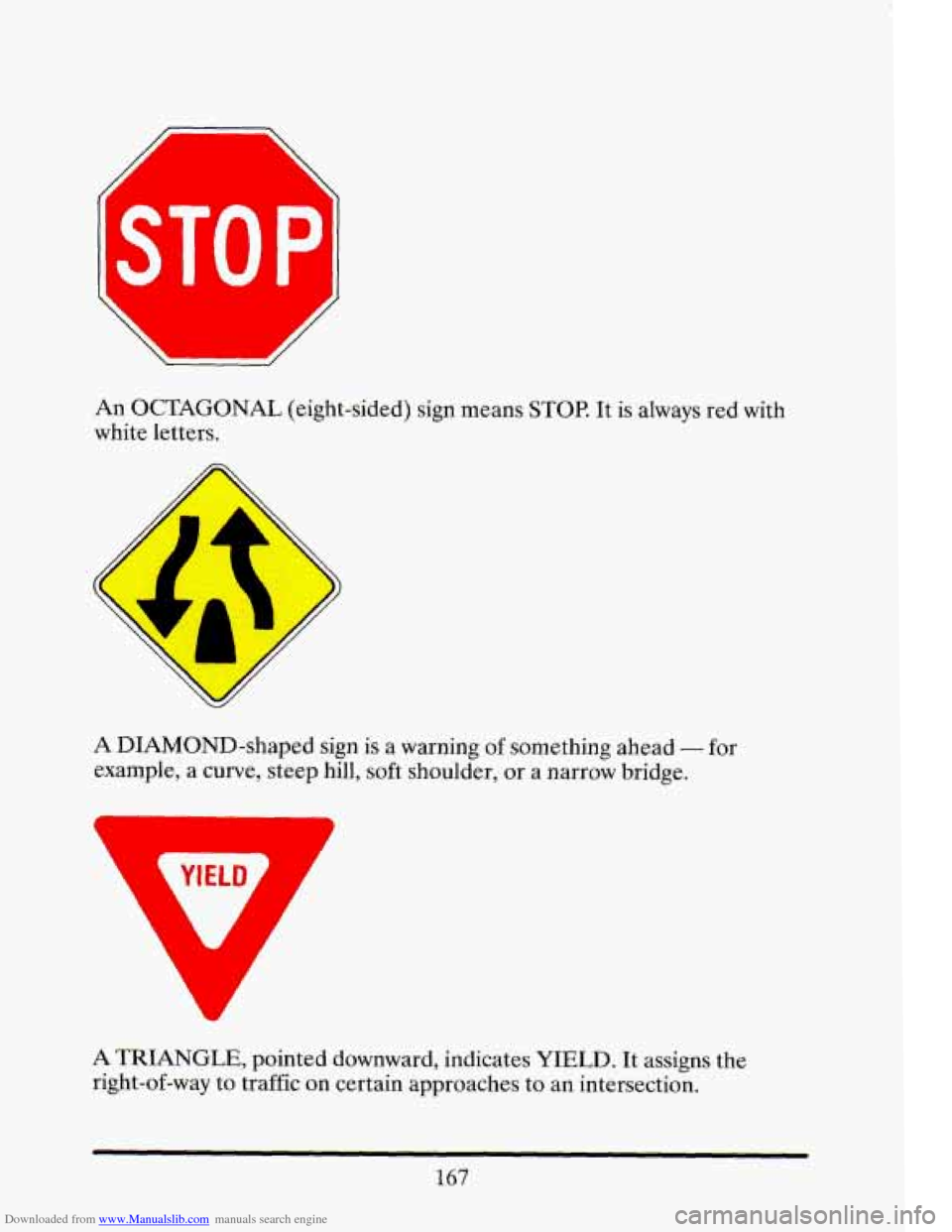
Downloaded from www.Manualslib.com manuals search engine An OCTAGONAL (eight-sided) sign means STOP. It is always red with
white letters.
A DIAMOND-shaped sign is
a warning of something ahead - for
example, a curve, steep hill, soft shoulder, or a narrow bridge.
A TRIANGLE, pointed downward, indicates YIELD. It assigns the
right-of-way to traffic on certain approaches to an intersection.
167
Page 185 of 398
Downloaded from www.Manualslib.com manuals search engine Many city roads and expressways, and even bridges, use reversible-lane
traffic control during rush hours. A red
X light above a lane means no
driving in that lane at that time.
A green arrow means you may drive in
that lane.
Look for the signs posted to warn drivers what hours and days
these systems are in effect.
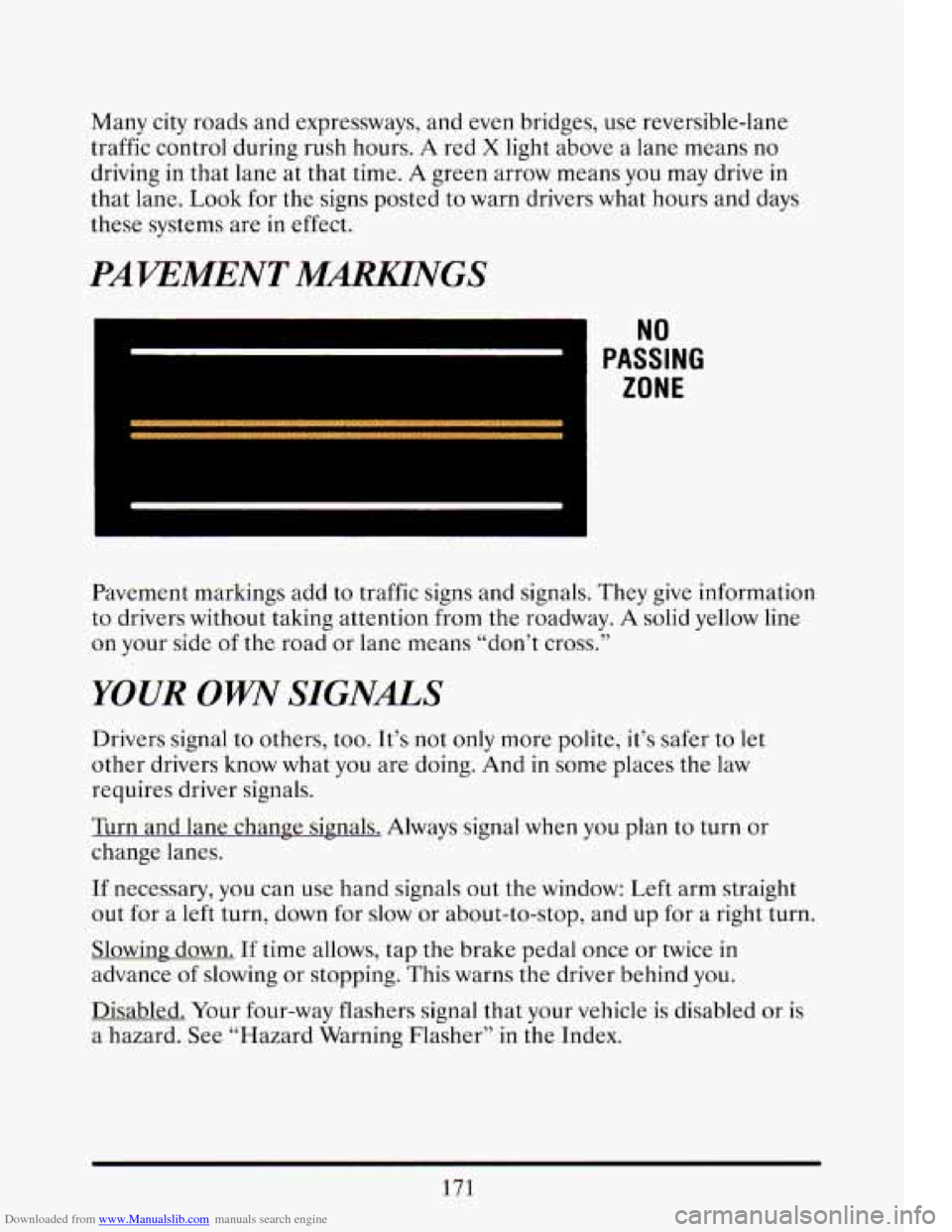
PAWMENT MmNGS
I NU
PASSING
ZONE
Pavement markings add to traffic signs and signals. They give information
to drivers without taking attention from the roadway. A solid yellow line
on your side of the road or lane means “don’t cross.’’
YOUR OW SIGNALS
Drivers signal to others, too. It’s not only more polite, it’s safer to let
other drivers know what you are doing. And in some places the law
requires driver signals.
Turn and lane change signals. Always signal when
you plan to turn or
change lanes.
If necessary, you can use hand signals out the window: Left arm straight
out for a left turn, down for slow
or about-to-stop, and up for a right turn.
Slowing down.
If time allows, tap the brake pedal once or twice in
advance
of slowing or stopping. This warns the driver behind you.
Disabled. Your four-way flashers signal that your vehicle is disabled or is
a hazard.
See “Hazard Warning Flasher” in the Index.
171
Page 193 of 398
Downloaded from www.Manualslib.com manuals search engine If you keep pace with the traffic and allow realistic following distances,
you
will eliminate a lot of unnecessary braking. That means better
braking and longer brake life.
If your engine ever stops while you’re driving, brake normally but
don’t pump your brakes.
If you do, the pedal may get harder to push
down.
If your engine. stops, you will still have some power brake assist.
But you
will use it when you brake. Once the power assist is used up, it
may take longer to stop and the brake pedal will be harder to push.
Anti-Lock Brakes (ABS)
Your Cadillac has an advanced electronic braking system that will help
prevent skidding.
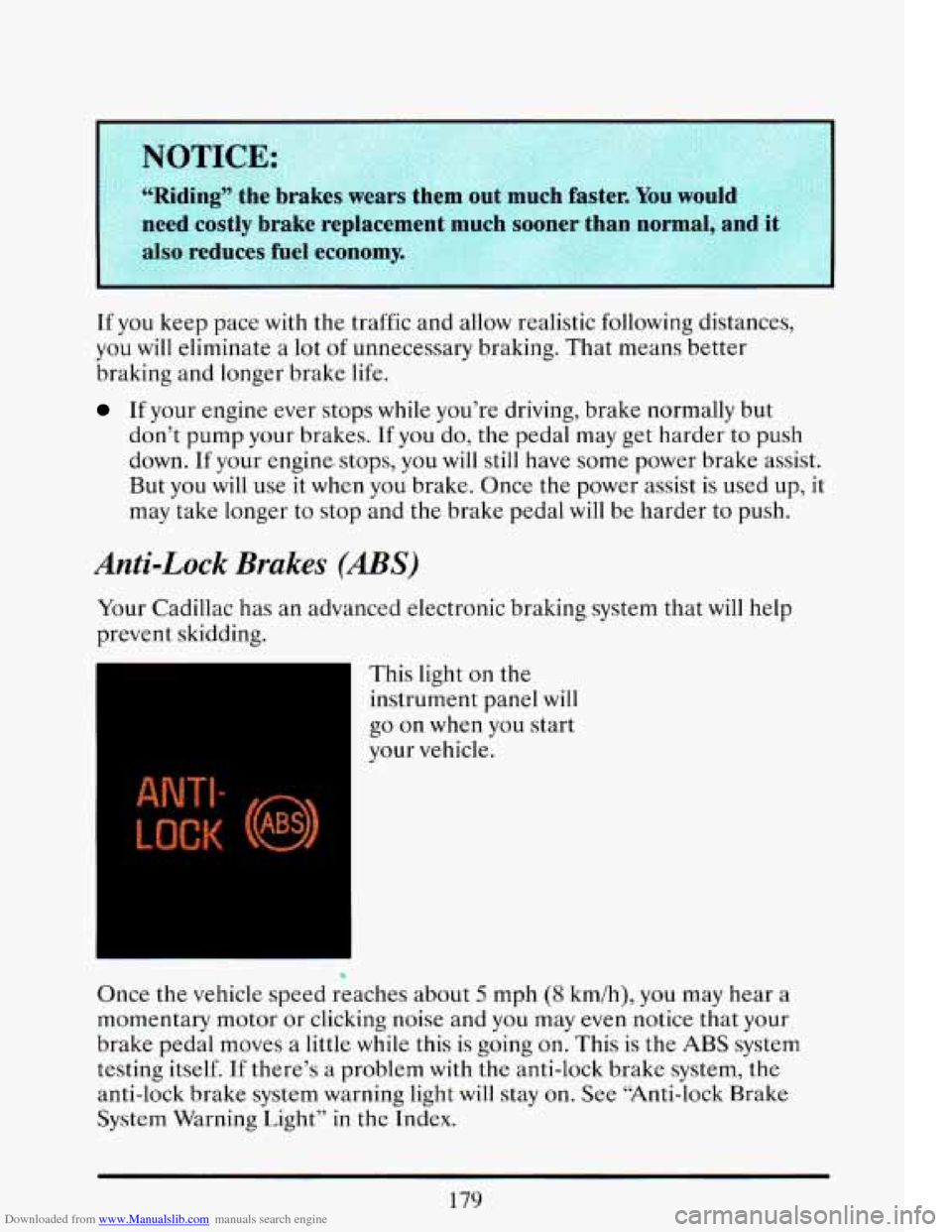
This light on the
instrument panel
will
go on when you start
your vehicle.
hear a
Once the vehicle speed reaches about
5 mph (8 km/h), you may
momentary motor or c1,icking noise and you may
even notice that your
brake pedal moves a little
while this is going on. This is the ABS system
testing itself.
If there’s a problem with the anti-lock brake system, the
anti-lock brake system warning light will stay on. See “Anti-lock Brake
System Warning Light” in the Index.
179
Page 195 of 398
Downloaded from www.Manualslib.com manuals search engine I
A CAUTION:
Anti-lock doesn’t change the time you need to get your foot up to
the brake pedal. If you get too close
to the vehicle in front of
you, you won’t have time to apply your brakes
if that vehicle
suddenly slows or stops.
Always leave enough room up ahead to
stop, even though you have anti-lock brakes.
I
To Use Anti-Lock:
Don’t pump the brakes. Just hold the brake pedal down and let anti-lock
work for you.
You may hear the anti-lock pump or motor operate. and
feel the brake pedal pulsate, but this is normal.
Disc Brake Wear Indicators
Your Cadillac has four-wheel disc brakes.
Disc brake pads have built-in wear indicators that make a high-pitched
warning sound when the brake pads are worn and new pads are needed.
The sound may come and
go or be heard all the time your vehicle is
moving (except when you
are pushing on the brake pedal firmly).
UJTION:
The brake wear warning sound means that sooner or later YL-,
brakes won’t work well. That could lead to an accident. When
you hear the brake wear warning sound, have your vehicle
serviced.
NOTICE:
181