heating CADILLAC ELDORADO 1995 10.G User Guide
[x] Cancel search | Manufacturer: CADILLAC, Model Year: 1995, Model line: ELDORADO, Model: CADILLAC ELDORADO 1995 10.GPages: 395, PDF Size: 20.17 MB
Page 168 of 395
Downloaded from www.Manualslib.com manuals search engine i.
Temperature
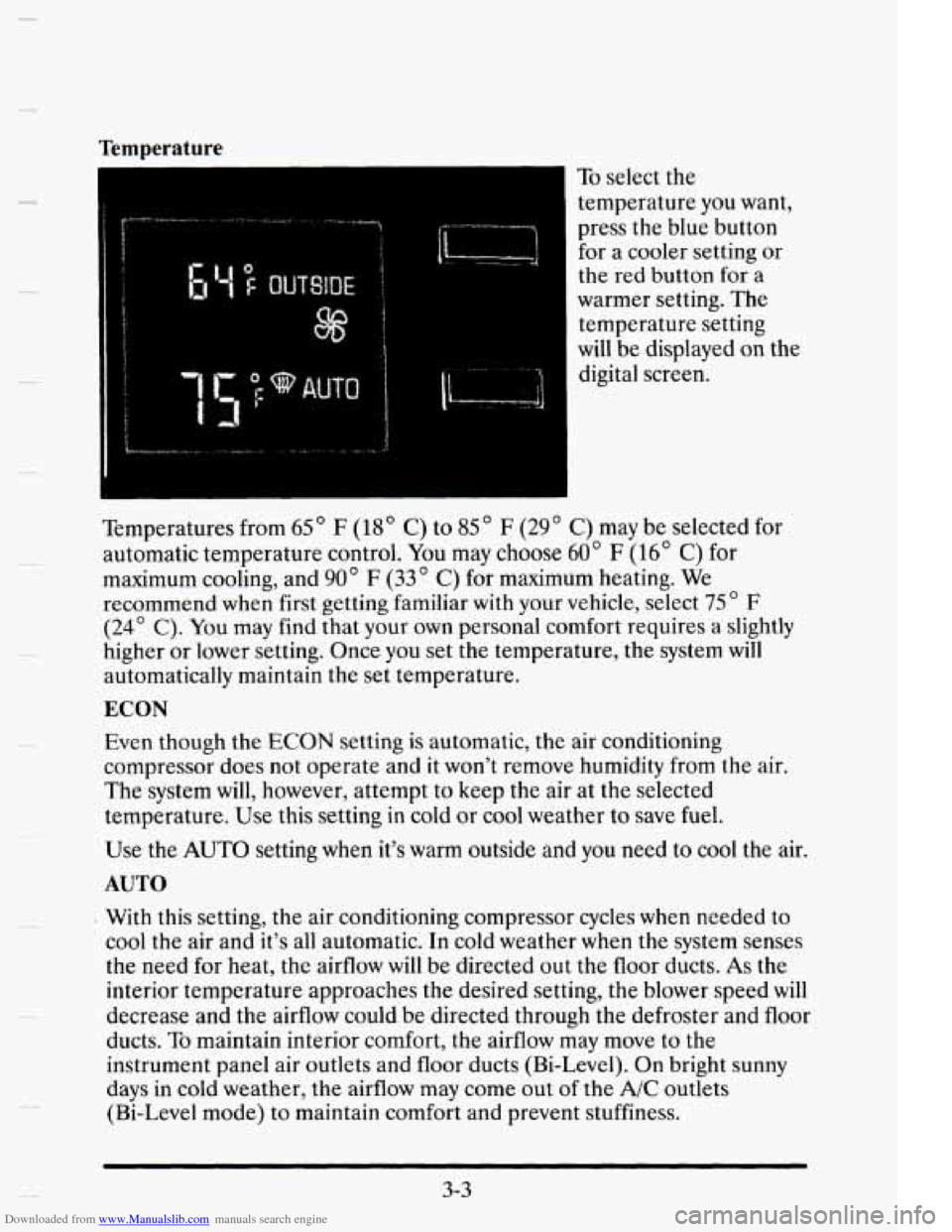
To select the
temperature you want,
press the blue button
for a cooler setting or
the red button for a
warmer setting.
The
temperature setting
will be displayed on the
digital screen.
Temperatures from
65 ' F (18' C) to 85 " F (29 ' C) may be selected for
automatic temperature control.
You may choose 60" F (16' C) for
maximum cooling, and
90' F (33" C) for maximum heating. We
recommend when first getting familiar with your vehicle, select
75 ' F
(24' C). You may find that your own personal comfort requires a slightly
higher or lower setting. Once you set the temperature, the system will
automatically maintain the set temperature.
ECON
Evert though the ECON setting is automatic, the air conditioning
compressor does not operate and it won't remove humidity from the air.
The system will, however, attempt to
keep the air at the selected
temperature.
Use this setting in cold or cool weather to save fuel.
Use the AUTO setting when it's warm outside and you need to cool the air.
AUTO
With this setting, the air conditioning compressor cycles when needed to
cool the air and it's all automatic. In cold weather when the system senses
the need for heat, the airflow will be directed out the floor ducts.
As the
interior tempcrature approaches the desired setting, the blower speed
will
decrease and the airflow could be directed through the defroster and floor
ducts.
To maintain interior comfort, the airflow may move to the
instrument panel air outlets and floor ducts (Bi-Level). On bright sunny
days in cold weather, the airflow may come out
of the A/C outlets
(Bi-Level mode) to maintain comfort and prevent stuffiness.
3-3
Page 171 of 395
Downloaded from www.Manualslib.com manuals search engine In some cold start conditions, the AUTO blower fan speed may be limited
until the engine cooling system warms up. This is normal to prevent
windshield fogging.
It will help if you first clear any ice and snow from the hood and the air
inlet (it’s between the hood and the windshield).
REAR DEFOGGER
-1 Press this button to
turn on the rear
defogger.
With it, your rear window and both outside rearview mirrors are heated.
The system will automatically shut off after 10 minutes. If further
defogging is desired, simply press the button again.
NOTICE:
Scraping the inside of your rear window could cut and damage
the heating grids. Your warranty would not cover this damage.
And don’t put decals there; you might have
to scrape them off.
3-6
Page 173 of 395
Downloaded from www.Manualslib.com manuals search engine Heated Windshield (Option)
Front De-Ice
Here’s how to use your heated windshield in cold weather to remove ice
or frost quickly:
1. If any snow is piled up on the windshield, brush it away.
2. Start your Cadillac and leave it in PARK (P).
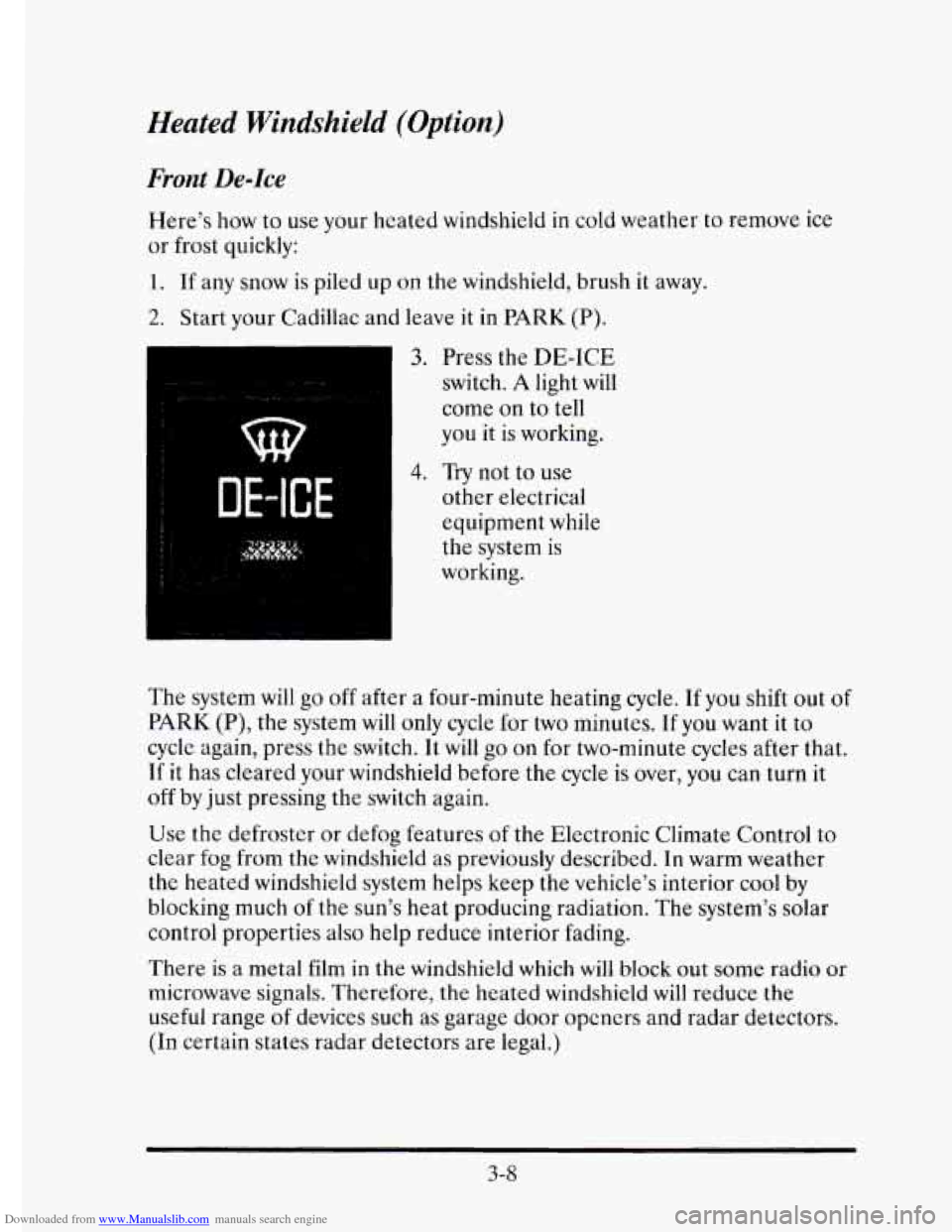
3. Press the DE-ICE
switch. A light will
come on to tell
you it is working.
DE-ICE
4. Try not to use
other electrical
equipment while
the system
is
working.
The system will
go off after a four-minute heating cycle. If you shift out of
PARK (P), the system will only cycle for two minutes. If you want it to
cycle again, press the switch. It will go on for two-minute cycles after that.
If it has cleared your windshield before the
cycle is over, you can turn it
off by just pressing the switch again.
Use the defroster or defog features of the Electronic Climate Control to
clear fog from the windshield as previously described. In warm weather
the heated windshield system helps keep the vehicle’s interior cool by
blocking much
of the sun’s heat producing radiation. The system’s solar
control properties also
help reduce interior fading.
There
is a metal film in the windshield which will block out some radio or
microwave signals. Therefore, the heated windshield
will reduce the
useful range
of devices such as garage door opcners and radar detectors.
(In certain states radar detectors are legal.)
3-8
Page 239 of 395
Downloaded from www.Manualslib.com manuals search engine ENGINE OKEMEATING
The Driver Information Center will display either ENGINE COOLANT
HOT-IDLE ENGINE or
STOP ENGINE ENGINE OVERHEATING.
In addition you will find the warning light about a hot engine on your
instrument panel on Canadian vehicles.
Overheated Engine Protection Operating Mode
Should a low coolant condition exist and the message STOP ENGINE
ENGINE OVERHEATING is displayed, an overheat protection mode
which alternates firing groups of four cylinders helps prevent engine
damage. This operating
mode allows your vehicle to be driven to a safe
place
in an emergency; you may drive up to 50 miles (80 km). Towing a
trailer in the overheat protection mode should be avoided.
NOTICE:
After driving in the “Overheated Engine Protection Operating
Mode,” to avoid engine damage, allow the engine
to cool before
attempting any repair. The engine oil may be severely degraded.
Change the oil and reset the
oil life indicator. See “Engine Oil,
When
to Change” in the Index.
5-12
Page 243 of 395
Downloaded from www.Manualslib.com manuals search engine If the coolant inside the coolant surge tank is boiling, don’t do anything
else until
it cools down.
A CAUTION
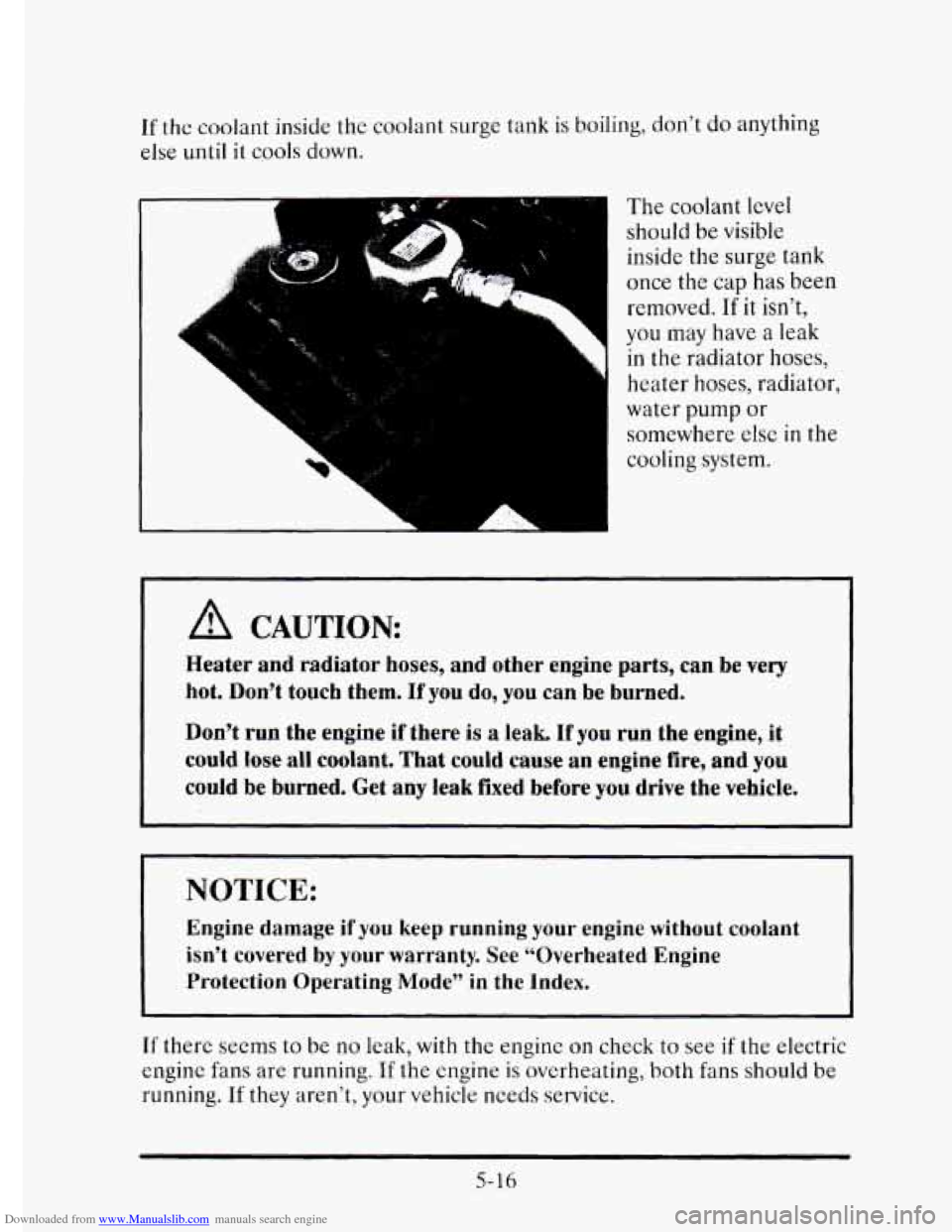
The coolant level
should be visible
inside
the surge tank
once the cap
has been
removed.
If it isn’t,
you may have a leak
in the radiator hoses,
heater
hoses, radiator,
water pump or
somewhere
else in the
cooling system.
Heater and radiator hoses, and other engine parts, can be very
hot. Don’t
touch them. If you do, you can be burned.
Don’t run the engine if there
is a leak. If you run the engine, it
could lose all coolant. That could cause an engine fire, and you
could be burned. Get any leak fixed before you drive the vehicle.
I NOTICE:
Engine damage if you keep running your engine without coolant
isn’t covered
by your warranty. See “Overheated Engine
Protection Operating Mode”
in the Index.
If there seems to be no leak, with the engine on check to see if the electric
engine fans are running.
If the engine is overheating, both fans should be
running. If they aren’t, your vehicle needs service.
5-16
Page 282 of 395
Downloaded from www.Manualslib.com manuals search engine C
ENGINE COOLANT
The following explains your cooling system and how to add coolant when
it is low. If you have a problem with engine overheating, see “Engine
Overheating”
in the Index.
The proper coolant for your Cadillac
will:
Give freezing protection down to -34’F (-37OC).
0 Give boiling protection up to 262’F (128OC).
Protect against rust and corrosion.
Help keep the proper engine temperature.
0 Let the warning lights work as they should.
What to Use
Use a mixture of one-half clean water (preferably distilled) and one-half
antifreeze that meets
“GM Specification 1825M,” which won’t damage
aluminum parts. You can also use
a recycled coolant conforming to GM
Specification 1825M with a complete coolant flush and refill. Use GM
Engine Coolant Supplement (sealer) with any complete coolant flush and
refill. If you use this
mixture, you don’t need to add anything else.
6-23
Page 284 of 395
Downloaded from www.Manualslib.com manuals search engine To Check Coolant
When your engine is cold, the coolant level shouId be at the proper fill
level, which is two and a half inches (60 mm) below the base of the fill
neck. Use a flashlight as necessary to see into the tank.
To Add Coolant
If you need more coolant, add the proper mix at the surge tank, but only
when the engine is cool.
When replacing
the pressure cap, make sure it is tight.
SURGE TANK PRESSURE CAP
-~
NOTICE:
Your surge tank cap is a 15 psi (105 kPa) pressure-type cap and
must be tightly installed to prevent coolant
loss and possible
engine damage
from overheating. Be sure the arrows on the cap
line up with the overflow tube on the radiator filler neck.
If your surge tank pressure cap needs to be replaced an AC@ cap is
recommended.
6-25
Page 301 of 395
Downloaded from www.Manualslib.com manuals search engine 6. Reinstall the new insert by aligning the bladc housing tabs and the
edge
of the insert, starting with the second set from the outer edge.
Make sure that the insert is connected to all of the housing tabs and
that it moves freely back and forth.
7. To install the wiper blade, align the wiper arm pin with the hole on the
wiper blade assembly and snap
it into place. Return thc wipers to their
normal position.
TIRES
We don’t make tires. Your Cadillac comes with high-quality tires made by
a leading tire manufacturer. If you ever have questions about your tire
warranty
and where to obtain service, see your Cadillac Warranty booklet
for details.
~~ -~
A CAUTION:
Poorly maintained and improperly used tires are dangerous.
0
0 Overloading your tires can cause overheating as a result of
too much friction. You could have an air-out and a serious
accident. See “Loading Your Vehicle”
in the Index.
Underinflated tires pose the same danger as overloaded tires.
The resulting accident could cause serious
injury. Check all
tires frequently
to maintain the recommended pressure. Tire
pressure should be checked when your tires are
cold.
Overinflated tires are more likely to be cut, punctured, or
broken by a sudden impact, such as when you hit a pothole.
Keep tires
at the recommended pressure.
Worn, old tires can cause accidents. If your tread is badly
worn, or if your tires have been damaged, replace them. . .
See (‘Inflation - Tire Pressure” in this section for inflation
pressure adjustment for higher speed
driving.
6-42
Page 383 of 395
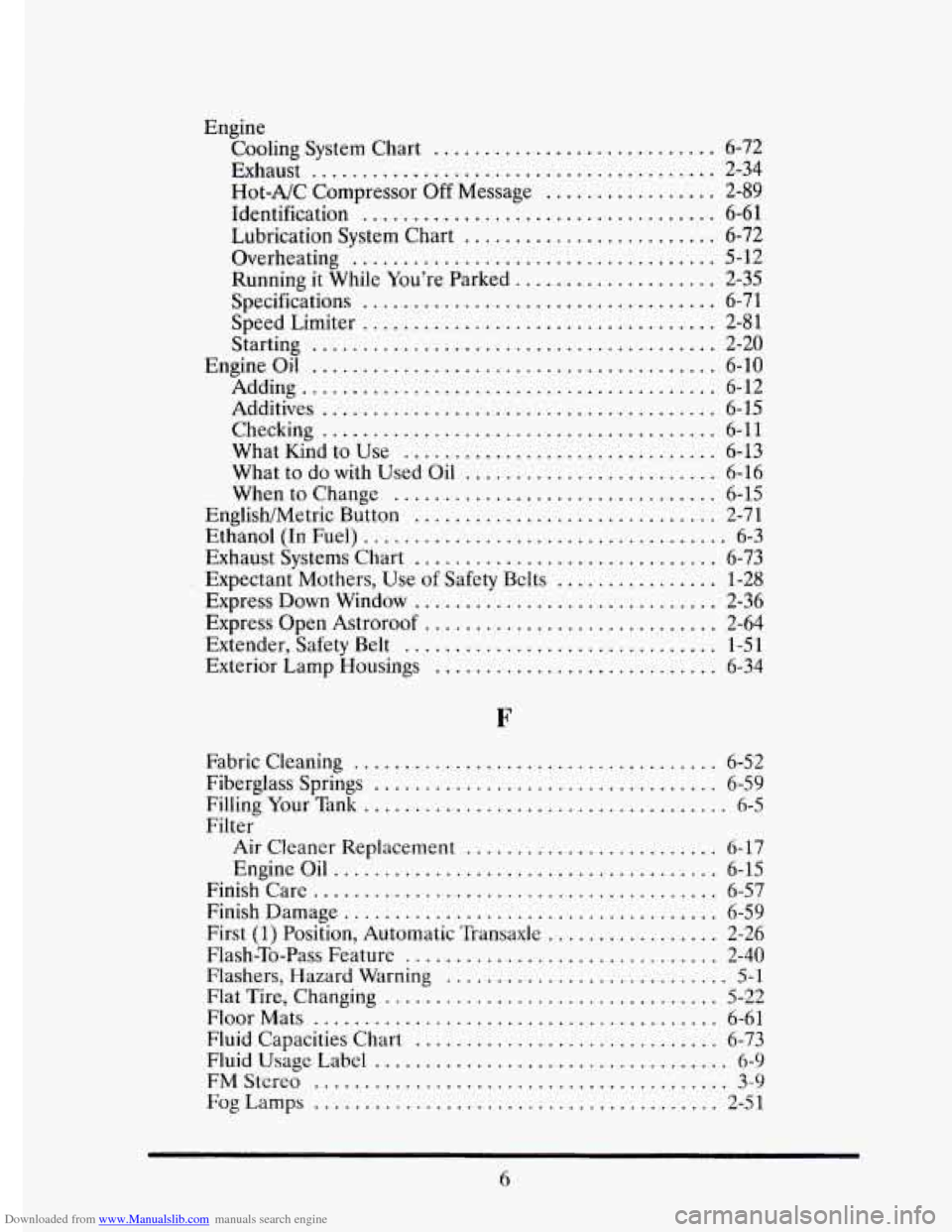
Downloaded from www.Manualslib.com manuals search engine Engine Cooling System Chart
............................ 6-72
Exhaust
........................................ 2-34
Hot-A/C Compressor Off Message ................. 2-89
Identification ................................... 6-61
Lubrication System Chart ......................... 6-72
Running
it While You’re Parked .................... 2-35
Specifications
................................... 6-71
Speed Limiter
................................... 2-81
Starting
........................................ 2-20
Engine Oil ........................................ 6-10
Adding ......................................... 6-12
Additives
....................................... 6-15
Checking ....................................... 6-11
What Kmd to Use
............................... 6-13
What to do
with Used Oil ......................... 6-16
When
to Change ................................ 6-15
Overheating
.................................... 5-12
English/Metric B&on
...........
Ethanol (In Fuel) ................
Exhaust Systems Chart ...........
Expectant Mothers. Use of Safety Be
Express Down Window ...........
Express Open Astroroof ..........
.................. 2-71
................... 6-3
.................. 6-73
ts
................ 1-28
.................. 2-36
.................. 2-64
Exiender. ‘Safety Belt ............................... 1-51
Exterior Lamp Housings
............................ 6-34
Fabric Cleaning .................................... 6-52
Filling Your Tank .................................... 6-5
Fiberglass Springs
.................................. 6-59
Filter Air Cleaner Replacement
......................... 6-17
Engine Oil
...................................... 6-15
Finish Care
........................................ 6-57
Finish Damage
..................................... 6-59
First (1) Position, Automatic Transaxle ................. 2-26
Flash-To-Pass Feature
............................... 2-40
Flashers. Hazard Warning ............................ 5-1
Flat Tire. Changing ................................. 5-22
Floor Mats ........................................ 6-61
Fluid Capacities Chart
.............................. 6-73
Fluid
Usage Label ................................... 6-9
FMStcreo ......................................... 3-9
FogLamps ........................................ 2-51
6
Page 384 of 395
Downloaded from www.Manualslib.com manuals search engine .
.
n
.
.
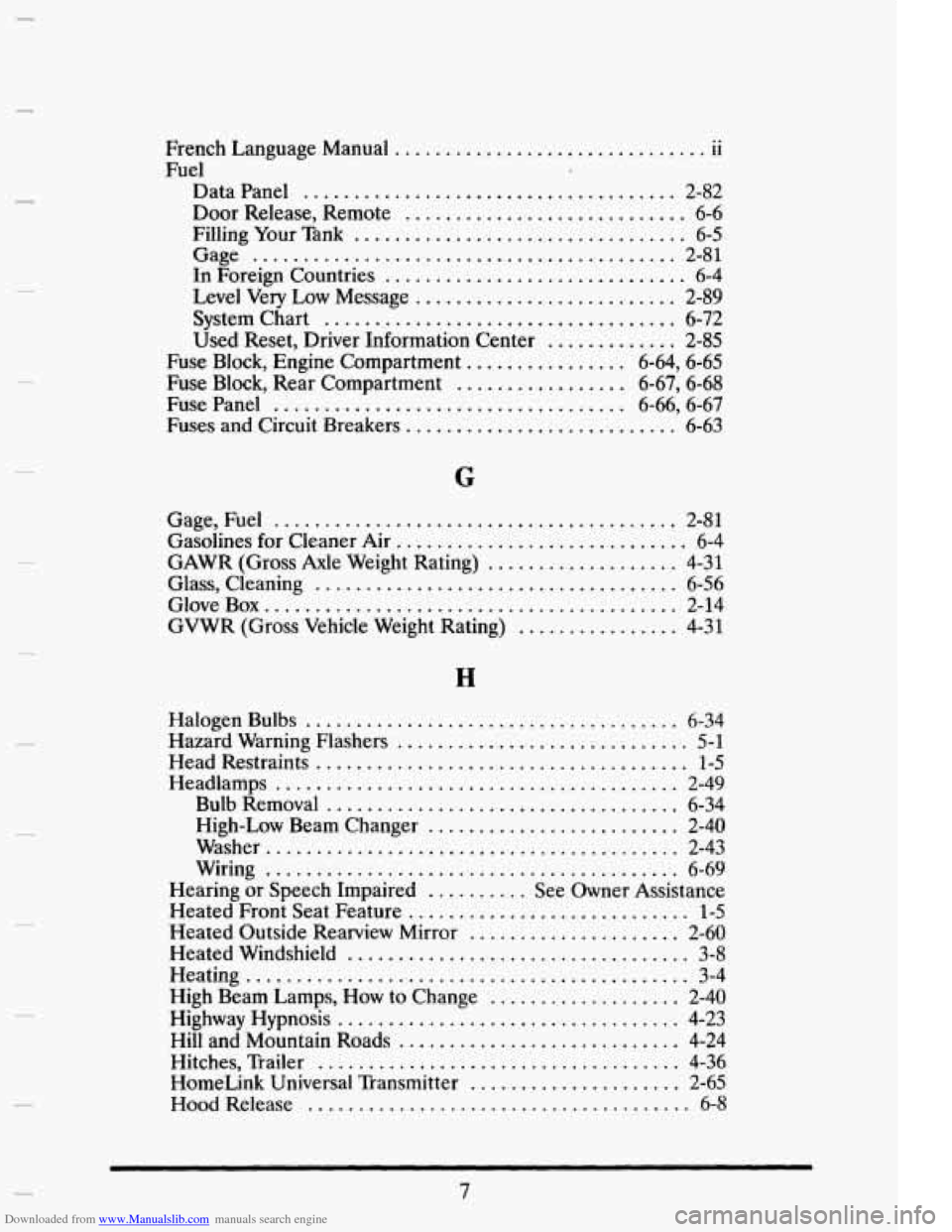
French Language Manual 11
Fuel
Data Panel ..................................... 2-82
Door Release. Remote ............................ 6-6
Filling Your Tank ................................. 6-5
Gage .......................................... 2-81
In Foreign Countries .............................. 6-4
Level Very Low Message .......................... 2-89
System Chart ................................... 6-72
Used Reset. Driver Information Center ............. 2-85
Fuse Block. Engine Compartment ................ 6.64. 6.65
Fuse Block. Rear Compartment ................. 6.67. 6.68
Fuse Panel ................................... 6.66. 6.67
Fuses and Circuit Breakers ........................... 6-63
.. ...............................
.
Gage. Fuel ........................................ 2-81
Gasolines for Cleaner Air ............................. 6-4
GAWR (Gross Axle Weight Rating) ................... 4-31
Glass. Cleaning .................................... 6-56
Glove Box ......................................... 2-14
GVWR (Gross Vehicle Weight Rating) ................ 4-31
.
H
.
.
.
.
.
Halogen Bulbs ..................................... 6-34
Hazard Warning Flashers ............................. 5-1
Head Restraints ..................................... 1-5
Headiamps ........................................ 2-49
Bulb Removal ................................... 6-34
High-Low Beam Changer ......................... 2-40
Washer ......................................... 2-43
Wiring ......................................... 6-69
Hearing or Speech Impaired .......... See Owner Assistance
Heated Front Seat Feature
............................ 1-5
Heated Outside Rearview Mirror ..................... 2-60
Heated Windshield .................................. 3-8
High Beam Lamps. How to Change ................... 2-40
Highway Hypnosis .................................. 4-23
Hill and Mountain Roads ............................ 4-24
Hitches. Trailer .................................... 4-36
HomeLink Universal Transmitter ..................... 2-65
Hood Release ....................................... 6-8
Heating ............................................ 3-4
.
.
7