display CADILLAC ELDORADO 1996 10.G Owner's Manual
[x] Cancel search | Manufacturer: CADILLAC, Model Year: 1996, Model line: ELDORADO, Model: CADILLAC ELDORADO 1996 10.GPages: 354, PDF Size: 19.33 MB
Page 147 of 354
Downloaded from www.Manualslib.com manuals search engine The DIC may display a CHECK OIL LEVEL message.
Always keep a written record of the mileage and date
when you changed your oil. For more information, see
the Cadillac Maintenance Schedule booklet. If you see
CHECK
OIL LEVEL, it means that you have less than
10% of the oil life left and you should consider
changing your engine
oil. If you see CHANGE
ENGINE
OIL, it. means the oil life is gone and you
should change the oil right away.
The system should indicate changing the oil between
3,000 miles (5 000 km) and 7,500 miles (12 500 km).
It may indicate changing the oil before 3,000 miles
(5 000 km) depending on your driving habits. If the
vehicle has been driven
7,500 miles (12 500 km) it will
indicate
to change the oil. If you drive in a dusty area,
you should change your oil every 3,000 miles
(5 000 km) or three months (whichever comes first)
unless the display indicates changing it sooner. The
system doesn’t check
how nzuch oil you have, so you’ll
still have to check for that. To see
how, see “Engine Oil”
in the
Index.
When new oil is added, you’ll need to reset the system.
To reset, display the
Oil Life Indicator by pressing the
INFORMATION button. Then press and hold the
RESET button until the display shows 100% OIL
LIFF
T ,EFT.
This feature keeps the rear of your vehicle level as the
load changes. It’s automatic
-- you don’t need to
adjust anything.
2-86
Page 149 of 354
Downloaded from www.Manualslib.com manuals search engine n Rmttn
'l'he button with the fan symbol adjusts the fan speed.
Press the up arrow to increase fan speed and the down
arrow to decrease fan speed.
mperature Butt
The red and blue temperature buttons adjust the air
temperature coming through the system. Press the blue
button for
a cooler setting or the red button for a warmer
setting. The outside temperature is always displayed
when your vehicle is running.
You can change it from
Fahrenheit to Celsius by pressing
the ENG/MET
(English/metric) button on the DIC.
2C ntrols
The AUTO/ECON button automatically controls the
direction
of air delivery for air conditioning and non-air
conditioning modes.
Automatic Operation
When the system is set for AUTO, sensors will control
the air delivery mode. Air
will come from the floor,
middle or windshield outlets. The i'an speed
will vary as
the system maintains the selected temperature setting. Be careful not to put anything over the solar sensor
located
in the middle of the instrument panel near the
windshield. This sensor is used by the automatic system
to regulate temperature.
To
find your comfort zone, start with 75°F (24°C)
setting, allow about 20 minutes for the system to
regulate. Press the red or blue temperature buttons to
adjust the temperature if necessary. If you choose
60°F
(lb"C), the system will remain at that maximum cooling
setting and
will not regulate fan speed. If you choose the
temperature of
90°F (32"C), the system will remain at
that maximum heating setting and
will not regulate fan
speed. Choosing either maximum setting
will not cause
the system to heat or cool any faster.
With this setting, the air conditioning compressor
automatically cycles when needed to cool the air. In
cold weather, when the system senses the need for
heat, the airflow will
be directed out the floor outlets.
As the interior temperature approaches a desired setting,
the blower speed will decrease. To maintain interior
comfort. the airflow may move to the instrument panel
air outlets and floor outlets
(BI-LEVEL mode). On
bright,
sunny days in cold weather, the airflow may
come out
of the A/C outlets (A/C mode) to maintain
comfort and prevent stuffiness.
Page 150 of 354
Downloaded from www.Manualslib.com manuals search engine If your vehicle is sitting out on a hot day and you have it
set on AUTO, the air will first flow out the floor air
outlets for a few seconds. That is normal. This
is to
expel hot air in the air outlets. As the air is cooled, the
airflow will move through the
A/C outlets. If you start
your vehicle with the fan setting on
HI, it will skip the
A/C Purge.
To avoid blowing cold air in cold weather, the system
will delay turning on the fan until warm air is available.
The length of delay depends on the outside air
temperature, engine coolant temperature or the time
since the engine was last started.
As the coolant warms
up, the blower fan speed will gradually increase and
air will flow from the heater outlets, with some airflow
to the windshield
to prevent fogging under most
normal conditions.
If you leave your vehicle, the system will remember the
control setting the next time you start your engine,
except for recirculation and defrost. Each ignition cycle
cancels recirculation, whereas,
DEFROST will change
to AUTO when the ignition is shut
off and then turned
back on.
Manual Operation
RECIRCULATION: Press this button to limit the
amount of fresh air entering your vehicle. This
is helpful
when you are trying to cool the air quickly or limit odors
entering your vehicle. In the AUTO mode, the system
will use recirculation as necessary to cool the air.
Pressing the recirculation button will change the
operation
to a manual mode and the air will recirculate
non-stop. Press this button again
to turn off the
recirculation feature.
If you notice the windows fogging, press the
recirculation button to exit the recirculation mode.
OFF: Press this button to turn the system off. Fresh air
will continue
to flow through the vehicle, and the
system will try to maintain the previously set
temperature. The outside temperature will show in the
display when the system is off.
DE-ICE (Option): Pressing this button helps to
remove ice or frost from the windshield. See “Heated
Windshield” later in this section.
3-3
Page 151 of 354
Downloaded from www.Manualslib.com manuals search engine DEFOG: Press this button to divide the air between the
windshield and the heater outlets. This is useful when
fog appears
on the windshield or side glass due to
sudden rain or snowy conditions. This feature is not
available with the heated windshield option.
AUTO/ECON: Press this button to switch between
AUTO and ECON. The ECON setting attempts to
keep air at a selected temperature, however,
it does
not remove humidity from the air. Use this setting in
cold or cool weather to save fuel. The AUTO setting is
used when it’s warm outside and you need to cool the
air in order to maintain a selected temperature and
blower speed.
8 FAN SPEEDS: Press the button with the fan
symbol until AUTO is displayed on the screen. At this
setting, the fan speed is automatically controlled.
If it is
cold outside, the blower may not run in
the maximum
high fan speed right away.
The system checks the temperature
of the
engine coolant to assure it is warm
enough to provide heat. When the engine coolant is
warm, the controller allows the fan to gradually increase
to a higher speed. This prevents cold air from blowing
into the passenger compartment.
If you want the blower
fan at a high speed, press the up arrow button until you
see
HI on the display. If you want the fan speed to be
automatic, but you like the fan speed to be higher than
the AUTO setting, press the fan symbol button until
HI
AUTO is shown on the display. If you want the blower
fan at a low speed, press the down arrow button until
LO is shown on the display. If you want the fan speed to
run lower than the AUTO setting, press the button until AUTO
LO is shown on the display.
DEFROST Press this button to quickly remove
fog or frost from the windshield. This setting sends most
of
the airflow to the windshield with only a small
amount to the floor outlets.
Page 153 of 354
Downloaded from www.Manualslib.com manuals search engine The TEMP knob adjusts the air temperature coming
through the system.
Turn the TEMP knob clockwise to
increase the temperature and counterclockwise
to
decrease the temperature. The outside temperature is
always displayed when your vehicle is running.
Modt :ton
Press this button to deliver air through the floor, middle
or windshield outlets. The system will stay
in the
selected mode until the
MODE button is pushed again.
Press the up or down arrow to cycle through the
available modes.
When the system is set for AUTO, sensors will control
the air delivery mode. Air will come from the floor,
middle or windshield outlets. The fan speed will vary
as
the system maintains the selected temperature setting.
Be careful
not to put anything over the solar sensor
located in the middle of
the instrument panel near the
windshield. This sensor is used by the automatic system
to regulate temperature.
To find your comfort zone, start with
75°F (24°C)
setting, allow about
20 minutes for the system to
regulate. Press the red or blue temperature buttons to
adjust the temperature if necessary. If you choose 60°F
(16"C), the system will remain at that maximum cooling
setting and will not regulate fan speed.
If you choose the
temperature of 90°F (32"C), the system will remain at
that maximum heating setting and will not regulate fan
speed. Choosing either lnaximum setting will not cause
the system to heat or cool any faster.
With this setting, the air conditioning compressor
automatically cycles when needed to cool the air.
In cold
weather, when the system senses the need for heat, the
airflow will be directed out the floor outlets.
As the
interior temperature approaches a desired setting, the
blower speed will decrease.
To maintain interior
comfort, the airflow may move to the instrument panel
air outlets and floor outlets (BI-LEVEL mode). On
bright, sunny days in cold weather, the airflow may
come out of the
A/C outlets (AC mode) to maintain
comfort and prevent stuffiness.
If your vehicle is sitting out
on a hot day and you have it
set
on AUTO, the air will first flow out the floor air
outlets for a few seconds. That is normal. This is
to
expel hot air in the air outlets. As the air is cooled, the
airflow will move through the A/C outlets. If you start
your vehicle
with the fan setting on HI it will skip the
A/C Purge.
Page 155 of 354
Downloaded from www.Manualslib.com manuals search engine sf FAN SPEEDS: Press the button with the fan
symbol until AUTO is displayed on the screen. At this
setting, the fan speed is automatically controlled. If
it is
cold outside, the blower may not run in the maximum
high fan speed right away.
The system checks the
temperature of the engine coolant to assure it is warm
enough
to provide heat. When the engine coolant is
warm, the controller allows the fan to gradually increase
to a higher speed. This prevents cold air from blowing
into the passenger compartment.
If you want the blower
fan at a high speed, press the up arrow button until you
see
HIGH on the display. If you want the fan speed to be
automatic, but you like the
fm speed to be higher than
the AUTO setting, press the fan symbol button until
HIGH AUTO is shown on the display. If you want the
blower fan at a low speed, press the down arrow button
until
LOW is shown on the display. If you want the fan
speed to run lower than the AUTO setting, press the
button until
LOW AUTO is shown on the display.
OFF: Press this button to turn the system off. Fresh
air will continue
to flow through the vehicle, and the
system will try to maintain the previously set
temperature. The outside temperature will show
on
the display when the system is OFF.
AC: Press this button to turn the air conditioning on and
off. The system will cool and dehumidify the air inside
the vehicle. In the AUTO mode, the display will show
that AC is active, but the air conditioning compressor
only operates when the system determines
it is needed.
RECIRCULATION: Press this button to limit the
amount
of fresh air entering your vehicle. This is helpful
when you are trying to cool the air quickly or limit odors
entering your vehicle. In the AUTO mode, the system
will use recirculation as necessary
to cool the air.
Pressing the recirculation button will change the
operation to
a manual mode and the air will recirculate
non-stop. Press this button again to turn
off the
recirculation feature.
If you notice the windows fogging, press the
recirculation button to exit the recirculation mode.
DUAL TEMPERATURE CONTROL: With
this feature, the right front passenger can control the
temperature of heated air for his/her own zone. The
passenger can select
a four degree warmer or cooler
temperature from the driver's setting.
To turn the system
on, press the PASS/TEMP button. Press the up arrow
to increase the temperature and press the down arrow
to
decrease the climate setting. Pressing the OFF button
will turn
off the dual-zone Function.
Page 160 of 354
Downloaded from www.Manualslib.com manuals search engine Steering Wheel Controls for
Climate Control
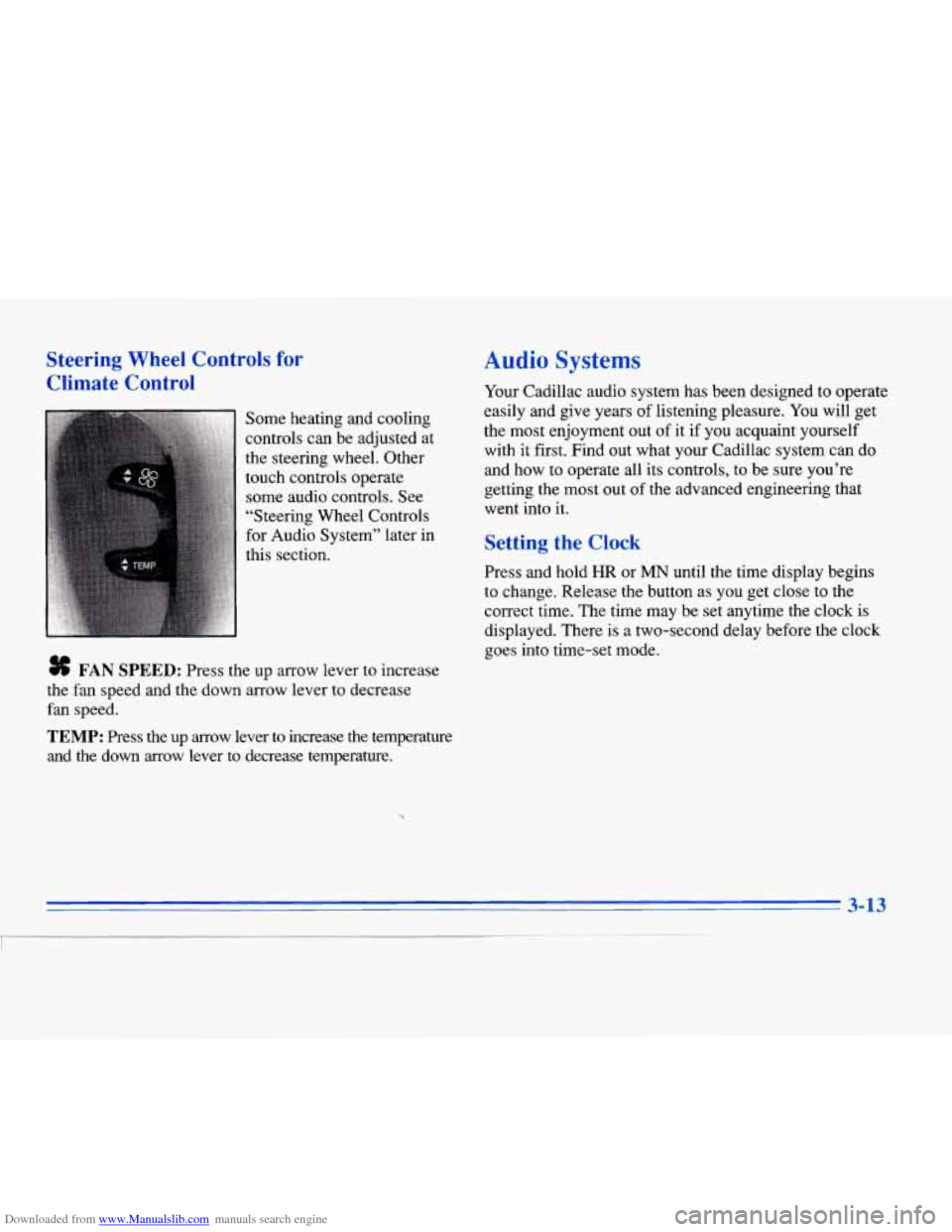
Some heating and cooling
controls can be adjusted at
the steering wheel. Other
touch controls operate some audio controls. See
“Steering Wheel Controls
for Audio System” later in
this section.
# FAN SPEED: Press the up arrow lever to increase
the fan speed and the down arrow lever to decrease
fan speed.
TEMP: Press the up arrow lever to increase the temperature
and the down arrow lever
to decrease temperature.
Audio Systems
Your Cadillac audio system has been designed to operate
easily and give years of listening pleasure.
You will get
the most enjoyment out of
it if you acquaint yourself
with it first. Find out what your Cadillac system can do
and how to operate all its controls, to be sure you’re
getting the most out of the advanced engineering that
went into
it.
Setting the Clock
Press and hold HR or MN until the time display begins
to change. Release the button as you get close to the
correct time. The time may be set anytime the clock
is
displayed. There is a two-second delay before the clock
goes into time-set mode.
3-13
I
Page 161 of 354
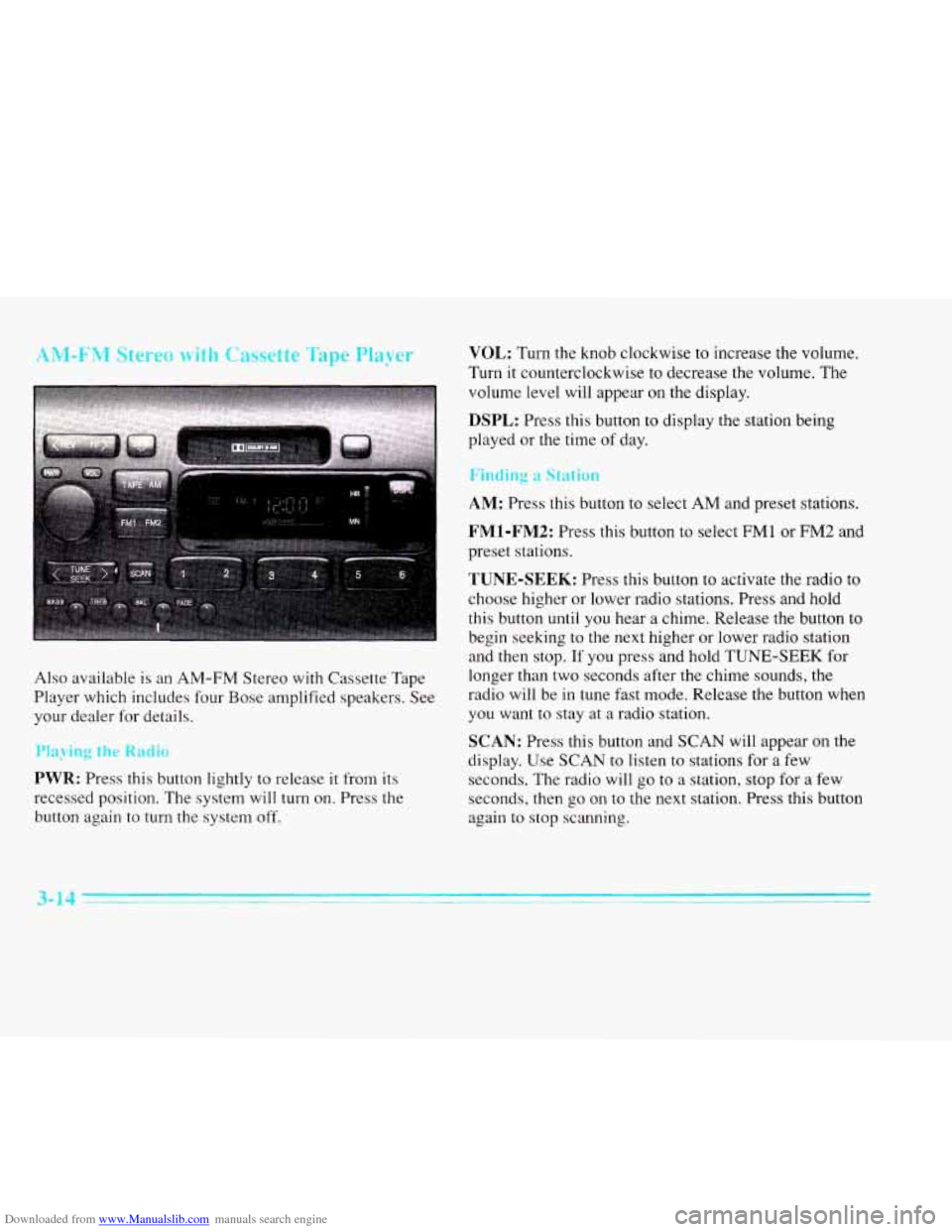
Downloaded from www.Manualslib.com manuals search engine AM-FM Stereo with Cassette Tape Player
Also available is an AM-FM Stereo with Cassette Tape
Player which includes four Bose amplified speakers. See
your dealer for details.
Playing the Radio
PWR: Press this button lightly to release it from its
recessed position.
The system will turn on. Press the
button again to turn the system off.
VOL: Turn the knob clockwise to increase the volume.
Turn it counterclockwise to decrease the volume. The
volume level will appear
on the display.
DSPL: Press this button to display the station being
played or the time
of day.
Finding a Station
AM: Press this button to select AM and preset stations.
FMl-FM2: Press this button to select FMl or FM2 and
preset stations.
TUNE-SEEK: Press this button to activate the radio to
choose higher or lower radio stations. Press and hold
this button until you hear
a chime. Release the button to
begin seeking to the next higher or lower radio station
and then stop. If you press and hold TUNE-SEEK for
longer than two seconds after the chime sounds, the
radio will be in tune fast mode. Release the button when
you want to stay at
a radio station.
SCAN: Press this button and SCAN will appear on the
display. Use
SCAN to listen to stations for a few
seconds. The radio will
go to a station, stop for a few
seconds, then
go on to the next station. Press this button
again to stop scanning.
3-14
Page 162 of 354
Downloaded from www.Manualslib.com manuals search engine PUSHBUTTONS: The six numbered pushbuttons let
you return to your favorite stations. You can set up to
18 stations (six AM, six FM 1 and six FM2).
1. Press AM, FMl or FM2 to select the band,
2. Find the station you want by pressing TUNE-SEEK.
3. Press and hold one of the six numbered buttons until
you hear a chime. A preset number will appear on
the display.
4. The sound will mute. When it returns, release the
button. Whenever you press that numbered button,
the station you set will return.
PSCAN: Press and hold SCAN for two to three
seconds until PSCAN (preset scan) appears on the
display to listen to each of your preset stations for
a few seconds (factory presets which have not been
reprogrammed with your stations will be ignored). The
radio will
go to the first preset station stored on your
pushbuttons, stop for a few seconds, then go on to the
next preset station. Press SCAN again to stop scanning.
If a preset station has weak reception, the radio will not
stop at the preset station.
b g tr- - m-
BASS: Press this button lightly so it extends. Turn the
BASS knob clockwise to increase and counterclockwise
to decrease bass. The middle position is a detent.
TREB: Press this button lightly so it extends. Turn the
TREB knob clockwise to increase and counterclockwise to decrease treble. The middle position is a detent.
Push the knobs back in when you are not using them.
BAL: Press this button lightly so it extends. Turn the
BAL knob to move the sound to the left or right speakers.
The middle position is a detent and balances the speakers.
Turn the knob clockwise to adjust sound to the right
speakers and counterclockwise for left speakers.
FADE: Press this button lightly so it extends. Turn
the FADE knob to move the sound to the front or rear
speakers. The middle position is a detent and balances
the speakers. Turn the knob clockwise to adjust the
sound to the front speakers and counterclockwise for
rear speakers.
Push the knobs back in when you’re not using them.
Page 163 of 354
Downloaded from www.Manualslib.com manuals search engine Playing a Cassette Tape
With the radio on, insert a cassette tape. The tape w.ill
begin playing as soon as it is inserted.
While the tape is playing, use the
VOL, FADE, BAL,
TREB and BASS controls just as you do for the radio.
Other controls may have different functions when a tape
is inserted, The display will show TAPE with an arrow
to indicate which side of the tape is playing. PLAY will
appear on the display when a tape is playing.
If an error occurs while trying
to play a cassette tape, it
could be that:
0 The cassette tape is tight and the cassette player
cannot turn
the hubs of the tape. (Hold the cassette
tape with the open end down and try turning the right
hub counterclockwise with a pencil. Flip the tape
over and repeat.
If the hubs do not turn easily, your
cassette tape may be damaged and should not be
used in the player. Try a new tape to be sure your
player is working properly.
The cassette tape is broken. (Check to see if your
tape is broken. Try
a new tape.)
Note that cassette tape adapter kits for portable compact
disc players will not work in your cassette player. These
adapters
will cause an error message to show on the
display, and the adapter cassette will be ejected.
TAPE: Press this button to switch from radio to cassette
tape play. Press
AM, FM1 or FM2 to switch to the radio.
SEEK: Press the forward arrow to search for the next
selection
on the tape, Press the backward arrow to
search for the previous selection on the tape (REP will
appear
on the display). Your tape must have at least
three seconds of silence between each selection for
SEEK to work. The sound will be muted while seeking.
REV Press this left arrow button to reverse the tape
rapidly. Press it again to return to playing speed. The
radio will play while the tape reverses and
REV will
appear on
the display. You may use your station
pushbuttons to tune to another radio station while in
REV mode.
3-16