stop start CADILLAC ELDORADO 1998 10.G User Guide
[x] Cancel search | Manufacturer: CADILLAC, Model Year: 1998, Model line: ELDORADO, Model: CADILLAC ELDORADO 1998 10.GPages: 380, PDF Size: 21.39 MB
Page 135 of 380
Downloaded from www.Manualslib.com manuals search engine Engine Coolant Temperature
Warning Light
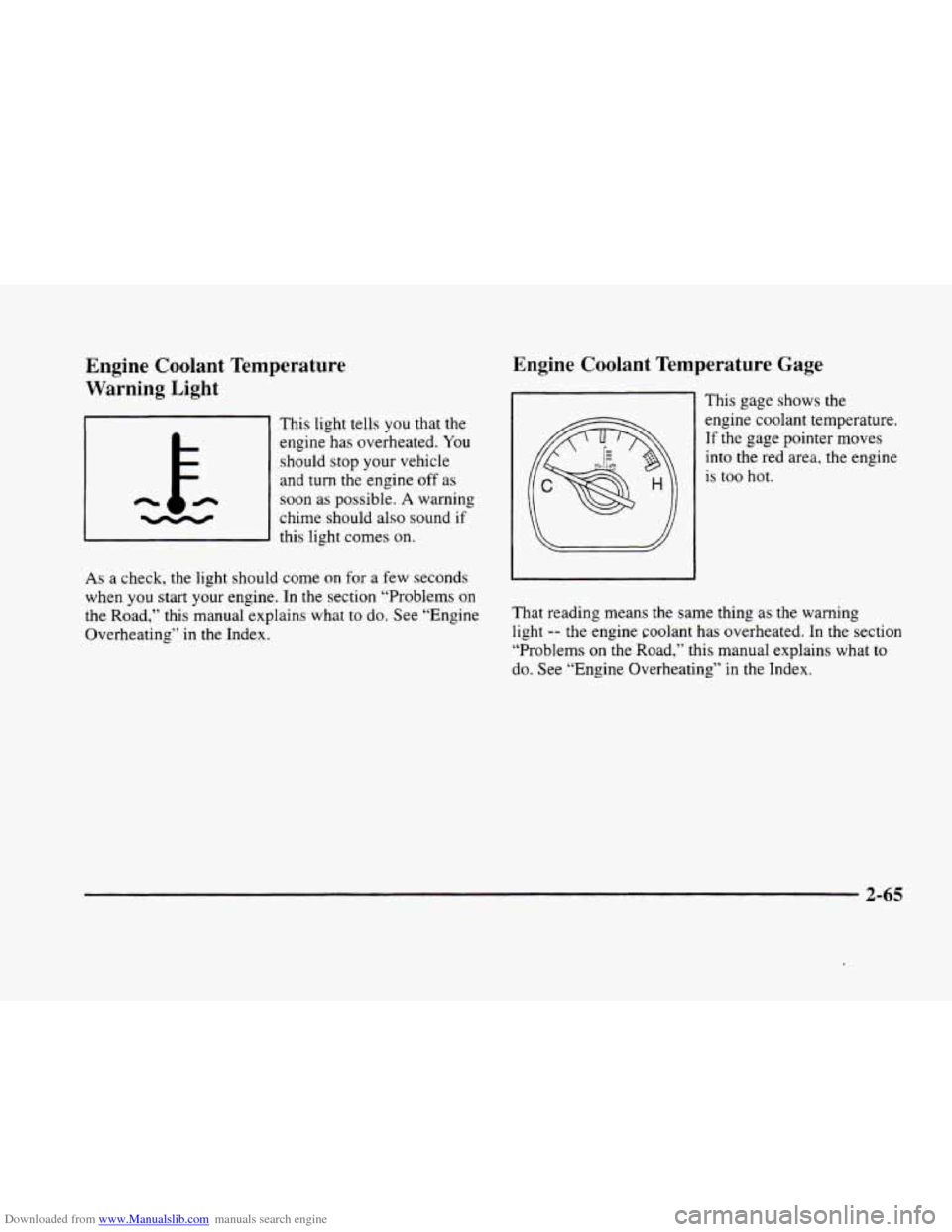
This light tells you that the
engine has overheated. You
should stop your vehicle
and
turn the engine off as
n
chime should also sound if -
soon as possible. A warning
this light comes on.
As
a check, the light should come on for a few seconds
when
you start your engine. In the section “Problems on
the Road,” this manual explains what
to do. See “Engine
Overheating’‘ in the Index.
Engine Coolant Temperature Gage
This gage shows the
engine coolant temperature. If the gage pointer moves
into the
red area, the engine
is
too hot.
That reading means the same thing as the warning
light -- the engine coolant has overheated. In the section
“Problems on the Road,” this manual explains what
to
do. See “Engine Overheating” in the Index.
2-65
Page 137 of 380
Downloaded from www.Manualslib.com manuals search engine If the Light Is Flashing
The following may prevent more serious damage to
your vehicle:
0 Reducing vehicle speed.
0 Avoiding hard accelerations.
0 Avoiding steep uphill grades.
If you are towing a trailer, reduce the amount of
cargo being hauled as soon as it is possible.
If the light stops flashing and remains
on steady, see “If
the Light Is On Steady” following.
If the light continues to flash, when
it is safe to do so,
stop the vehicle. Find a safe place to park your vehicle.
Turn the key
off, wait at least 10 seconds and restart the
engine. If the light remains
on steady, see “If the Light
Is On Steady” following. If the light is still flashing,
follow the previous steps, and drive the vehicle to your
dealer or qualified service center for service.
If the Light Is On Steady
You may be able to correct the emission system
malfunction by considering the following:
Did
you recently put fuel into your vehicle?
If
so, reinstall the fuel cap, making sure to fully install
the cap. The diagnostic system can determine if the fuel cap
has been left
off or improperly installed. A loose or
missing fuel cap will allow fuel to evaporate into the
atmosphere. A few driving trips with the cap properly
installed should turn the light
off.
Did you just drive through a deep puddle of water?
If
so, your electrical system may be wet. The condition
will usually be corrected when the electrical system
dries
out. A few driving trips should turn the light off.
Are you low on fuel?
As your engine starts to run out of fuel, your engine may
not run as efficiently as designed since small amounts of
air are sucked into the fuel line causing a misfire. The
system can detect this. Adding fuel should correct this
condition. Make sure to install the fuel cap properly. It
will take a few driving trips to
turn the light off.
Have you recently changed brands of fuel?
If so, be sure to fuel your vehicle with quality fuel (see
“Fuel” in the Index). Poor fuel quality will cause your
engine not to run as efficiently as designed. You may
notice this as stalling after start-up, stalling when you
put the vehicle into gear, misfiring, hesitation on
acceleration or stumbling on acceleration. (These
conditions may go away once
the engine is warmed up.)
This will be detected by the system and cause the light
to turn on.
2-67
Page 141 of 380
Downloaded from www.Manualslib.com manuals search engine To operate, press the INFO button to display TIMER.
Each
of the fields for the hours, minutes and seconds are
two numeric digits.
Once TIMER OFF
0O:OO:OO is displayed, press the
INFO RESET button to start the timing feature. Press
the INFO RESET button again to stop it. If
you will be
starting and stopping your vehicle
-- during a trip for
instance
-- the TIMER feature will automatically start
timing where it left off when
you last stopped. To reset
it, press and hold the INFO RESET button until the
display reads TIMER
0O:OO:OO. Press the INFO button
to exit from the TIMER function.
OIL LIFE LEFT (Reset): Press the INFO button to
display the OIL LIFE LEFT, then press and hold the
INFO RESET button until 100% OIL LIFE LEFT is
displayed. (This only needs
to be reset after you have
had the oil changed.)
ENGLISHAWETRIC (Reset): Press the INFO button to
display ENGLISWMETRIC RESET, then press the
INFO RESET button to select. The display will change
from English (miles) to metric (kilometers).
INFO: Pressing this button repeatedly will display the
RANGE, MPG AVG,
MPG INST, GAL FUEL USED,
MPH, AVG MPH, TIMER, BATTERY VOLTS,
COOLANT TEMP, OIL LIFE LEFT and
ENGLISWMETRIC RESET.
FUEL DOOR: Press this button to open the fuel
door. (This feature will work
only when the shift lever
is in PARK
(P) regardless of whether or not the vehicle
is running.)
TRUNK: Press this button to open the trunk. (This
feature will work only when the shift lever
is in
PARK (P) regardless of whether or not the vehicle
is running.)
DIC Messages
These messages will appear if there is a problem sensed
in one
of your vehicle’s systems. Vehicles that are first
sold
in Canada will have a number after each message.
This number helps
to identify the message which is only
displayed in English.
APPLY BRAKE TO SHIFT - 46: This message will
appear if your vehicle is in PARK
(P) for about 15
seconds and the brake is not pressed. To remove this
message from the Driver Information Center (DIC)
display, hold the
OFF and the blue (cooler) buttons on
the digital cluster control panel for about five seconds.
On the analog climate control panel, press the
OFF
button (next to the MODE button) and the down arrow
on
the PASS TEMP button for about five seconds. Hold
the same two buttons
to display the message again.
2-7 1
Page 145 of 380
Downloaded from www.Manualslib.com manuals search engine ICE POSSIBLE - 13: This message appears when
the outside air temperature is cold enough
to create icy
road conditions.
LOW REFRIG A/C OFF - 12: This message means
that the air conditioning system detects a refrigerant
level that is low enough
to cause damage to the air
conditioning compressor.
To avoid damage, the air
conditioning compressor automatically turns
off and the
electronic climate control system will automatically
switch from AUTO to
ECON and remain there.
Have the air conditioning system serviced if this
message appears.
MONITORED SYSTEMS OK - 1: This message only
appears in the “recall” mode by pressing the RESET
button. It lets you know that no other messages are
stored or currently active.
OIL PRESSURE LOW STOP ENGINE - 35: If this
message appears while the engine is running, stop the
engine and do not operate it until the cause of low oil
pressure
is corrected. Severe damage to the engine can
result.
A multiple chime will also sound when this
message is displayed.
OPTIONS NOT SET - 99: This message will display
if a fault has occurred in your vehicle’s memory. Have
your vehicle serviced
by your dealership.
PROGRAM PASS KEY - 31: This warning message
displays when the PASS-Key I1 pellet information has
not been programmed into your vehicle. See your
dealership for service.
PHONE NOT PRESENT - 126: This message will
appear when the steering wheel controls for the optional
phone system are activated but the phone is not plugged
into
the vehicle. Make sure your phone is plugged in. If
your phone appears
to be connected, see your dealership
for service.
REMOVE KEY - 70: This message will appear
when the Personalized Automotive Security System
(PASS-Key
11) is unable to read the pellet on the
ignition key
or an improper key pellet has been
inserted. This message usually appears following the
display of STARTING DISABLED
REMOVE KEY.
The instrument panel cluster will then run a timer and
change the messages
to WAIT 3 MINUTES, WAIT 2
MINUTES, WAIT 1 MINUTE and then START CAR.
When the REMOVE
KEY message is displayed, remove
the ignition key. Check the ignition key for damage. If it
is damaged, it may need to be replaced. If
you see no
damage, clean the pellet contacts with a soft cloth or
napkin before inserting the key back into the ignition.
Have your vehicle serviced
if the message still appears.
2-75
Page 147 of 380
Downloaded from www.Manualslib.com manuals search engine STABILITY SYS ENGAGED - 55: You may see
the STABILITY
SYS ENGAGED message on the
Driver Information Center. It means that an advanced,
computer-controlled system has come
on to help your
vehicle continue
to go in the direction in which you’re
steering. This stability enhancement system activates
when the computer senses that your vehicle is just
starting to spin, as it might if
you hit a patch of ice or
other slippery spot on the road. When the system is on,
you may hear a noise or feel a vibration in the brake
pedal. This is normal.
When the STABILITY
SYS ENGAGED message is on,
you should continue to steer in the direction you want to
go. The system is designed to help you in bad weather or
other difficult driving situations by making the most of
whatever road conditions will permit. If the STABILITY
SYS ENGAGED message comes on, you’ll know that
something has caused your vehicle to start to spin,
so
you should consider slowing down.
SERVICE STABILITY SYS - 54: If you ever see the
SERVICE STABILITY SYS message, it means there
may
be a problem with your stability enhancement
system. If you see this message, try
to reset the system
(stop; turn off the engine; then start the engine again).
If
the SERVICE STABILITY SYS message still comes on, it
means there
is a problem. You should see your dealer
for service. Reduce your speed and drive accordingly.
A single chime will also sound when this message
is displayed.
STARTING DISABLED REMOVE KEY - 33: This
message will appear when the Personalized Automotive
Security System (PASS-Key
11) senses that an improper
ignition key
is being used to try to start the vehicle.
Check the ignition key for damage.
If it is damaged, it
may need to be replaced. If
you see no damage, clean
the pellet contacts with a soft cloth
or napkin. Remove
the ignition key and wait for the Driver Information
Center (DIC) to display WAIT
3 MINUTES. The
instrument panel cluster will then run a timer and
change the messages to WAIT
2 MINUTES, WAIT
1 MINUTE and then START CAR. When the START
CAR message
is displayed, try again to start the engine.
THEFT SYSTEM PROBLEWCAR MAY NOT
RESTART
- 34: This message means there is a problem
in the Personalized Automotive Security System
(PASS-Key
11). A fault has been detected in the system
which means that the PASS-Key
I1 system is disabled
and is not protecting the vehicle. The vehicle usually
restarts, however, you may want to take your vehicle to
a proper service center before turning
off the engine.
2-77
Page 169 of 380
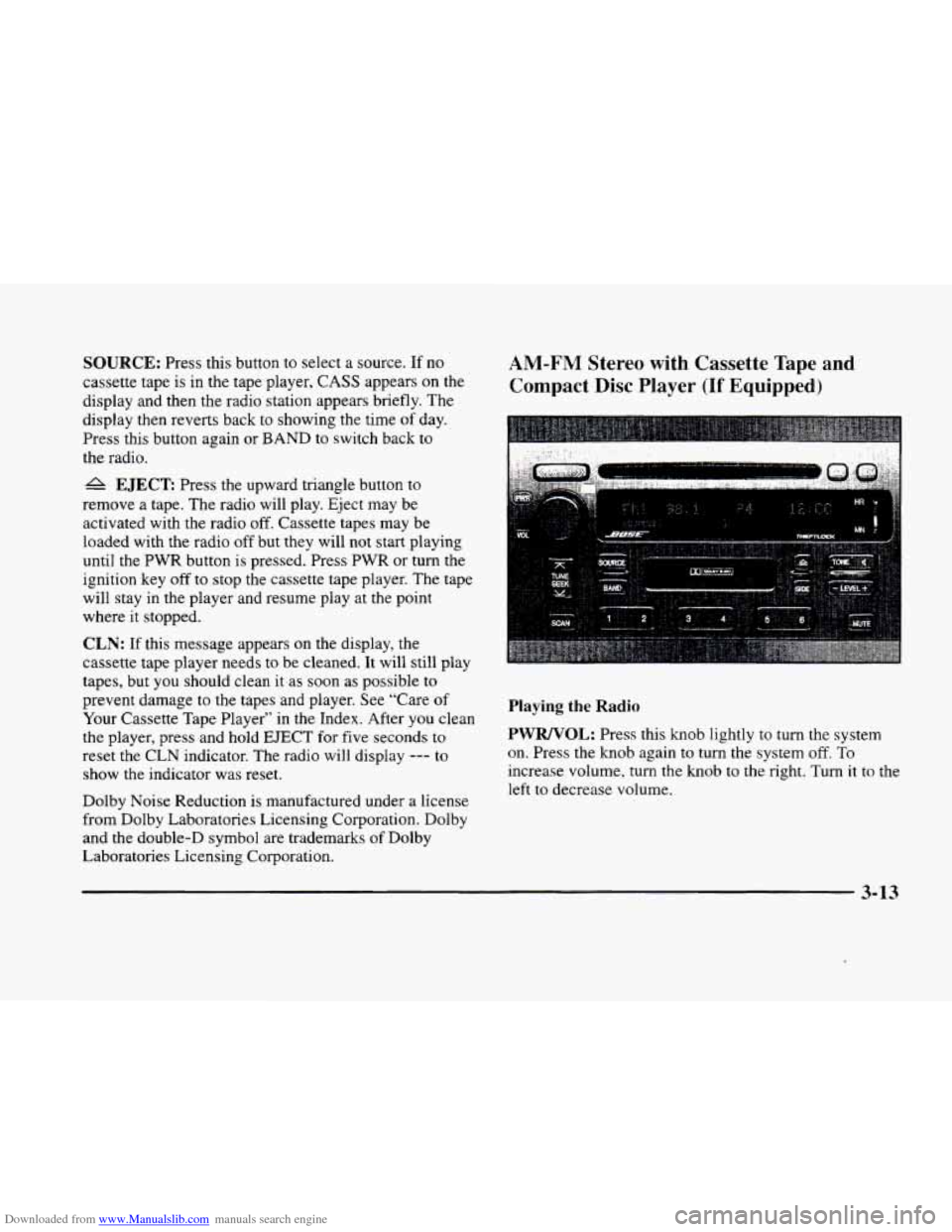
Downloaded from www.Manualslib.com manuals search engine SOURCE: Press this button to select a source. If no
cassette tape is
in the tape player, CASS appears on the
display and then the radio station appears briefly. The
display then reverts back
to showing the time of day.
Press this button again or
BAND to switch back to
the radio.
A EJECT Press the upward triangle button to
remove a tape. The radio will play. Eject may be
activated with
the radio off. Cassette tapes may be
loaded with the radio off but they will not start playing
until the PWR button is pressed. Press
PWR or turn the
ignition key
off to stop the cassette tape player. The tape
will stay in the player and resume play at the point
where it stopped.
CLN: If this message appears on the display, the
cassette tape player needs to be cleaned. It will still play
tapes, but you should clean it as soon as possible to
prevent damage
to the tapes and player. See “Care of
Your Cassette Tape Player” in the Index. After you clean
the player, press and hold
EJECT for five seconds to
reset the CLN indicator. The radio will display
--- to
show the indicator was reset.
Dolby Noise Reduction is manufactured under a license
from Dolby Laboratories Licensing Corporation. Dolby
and the double-D symbol are trademarks of Dolby
Laboratories Licensing Corporation.
AM-FM Stereo with Cassette Tape and
Compact
Disc Player (If Equipped)
Playing the Radio
PWRNOL:
Press this knob lightly to turn the system
on. Press
the knob again to turn the system off. To
increase volume,
turn the knob to the right. Turn it to the
left to decrease volume.
3-13
Page 173 of 380
Downloaded from www.Manualslib.com manuals search engine Playing a Compact Disc
Insert a disc partway into the slot, label side up. The
player will pull
it in. If the ignition and the radio are on
and the underlined compact disc symbol appears on the
display, the disc will begin playing. Compact discs may
be loaded with the radio
off but they will not start
playing until the radio is
on. If you want to insert a disc
when the ignition
is off, first press EJECT.
The integral CD player can play the smaller 8 cm
compact discs. Full-size compact discs and the smaller
compact discs are loaded
in the same manner.
If you’re driving on a very rough road or if it’s very hot,
the disc may not play.
If the disc comes out, it could
be that:
The disc is upside down.
0 It is dirty, scratched or wet.
The air is very humid. (If so, wait about an hour and
try again.)
If any error occurs repeatedly or if an error can’t
be
corrected, please contact your dealer.
RW Press and hold the left arrow to reverse the
compact disc. Release
it to return to playing speed.
FF: Press and hold the right arrow to fast forward to
another part
of the compact disc. Release it to return to
playing speed.
TUNE-SEEK: When this button is pressed, it has two
positions.
This button works the same. whether it is
pressed to the first or second position. Press this button
to seek to the next or previous selection on the
compact disc.
SCAN: Press this button to listen to selections for a few
seconds. The compact disc will go to a selection, stop
for a few seconds, then
go on to the next selection. Press
this button again to stop scanning.
RDM: Press this button to hear the tracks in random,
rather than sequential, order. Press
RDM again to turn
off random play.
A EJECT Press the upward triangle button to
remove a compact disc.
The radio will play. Eject
be activated with the radio off and/or the vehicle
ignition off.
-
3-17
Page 182 of 380
Downloaded from www.Manualslib.com manuals search engine Playing a Compact Disc
Insert a disc partway into the slot, label side up. The
player will pull it in. If the ignition and the radio are on
and the underlined compact disc symbol appears on the
display, the disc will begin playing. Compact discs may
be loaded with the radio off but they will
not start
playing until the radio
is on. If you want to insert a disc
when the ignition is off, first press
EJECT.
The integral CD player can play the smaller 8 cm
compact discs. Full-size compact discs and the smaller
compact discs are loaded in the same manner.
If you’re driving on a very rough road or if it’s very hot,
the disc
may not play. If the disc comes out, it could
be that:
The disc is upside down.
It is dirty, scratched or wet.
The air is very humid. (If so, wait about an hour and
try again.)
If any error occurs repeatedly
or if an error can’t be
corrected, please contact your dealer.
RW: Press and hold the left arrow to reverse the
compact disc. Release it
to return to playing speed,
FF: Press and hold the right arrow to fast forward to
another part
of the compact disc. Release it to return to
playing speed.
TUNE-SEEK: When this button is pressed, it has two
positions. This button works
the same, whether it is
pressed
to the first or second position. Press this
button
to seek to the next or previous selection on the
compact disc.
SCAN: Press this button to listen to selections for a few
seconds. The compact disc will
go to a selection, stop
for a few seconds, then
go on to the next selection. Press
this button again
to stop scanning.
RDM: Press this button to hear the tracks in random,
rather than sequential, order. Press RDM again
to turn
off random play.
A EJECT: Press the upward triangle button to
remove a compact disc. The radio will play. Eject may
be activated with the radio
off and/or the vehicle
ignition
off.
3-26
Page 205 of 380
Downloaded from www.Manualslib.com manuals search engine Avoid needless heavy braking. Some people drive in Anti-Lock Brakes (ABS)
spurts -- heavy acceleration followed by heavy
braking
-- rather than keeping pace with traffic. This is a
mistake. Your brakes may not have time
to cool between
hard stops. Your brakes will wear
out much faster if you
Your vehicle has anti-lock brakes (ABS). ABS is an
advanced electronic braking
system that will help
prevent a braking skid.
do a lot of heavy braking. If you keep pace with the
traffic and allow realistic following distances,
you will
eliminate a lot
of unnecessary braking. That means
better braking and longer brake life.
If your engine ever stops while you’re driving, brake
normally but don’t pump your brakes.
If you do, the
pedal may get harder
to push down. If your engine
stops,
you will still have some power brake assist. But
you will use it when you brake, Once the power assist is
used up, it may take longer to stop and the brake pedal
will
be harder to push. When you
start your engine and begin to drive away,
your anti-lock brake system
will check itself. You may
hear a momentary motor or clicking
noise while this test
is going on, and you may even notice that your brake
pedal moves a little. This is normal.
If there’s a problem with the
anti-lock brake system, this
warning light will stay on.
See “Anti-Lock Brake
System Warning Light” in
the Index.
4-7
Page 207 of 380
Downloaded from www.Manualslib.com manuals search engine Remember: Anti-lock doesn’t change the time you need
to get your foot up to the brake pedal or always decrease
stopping distance. If you get too close to the vehicle in
front
of you, you won’t have time to apply your brakes
if that vehicle suddenly slows or stops. Always leave
enough room up ahead to stop, even though you have
anti-lock brakes.
Using Anti-Lock
Don’t pump the brakes. Just hold the brake pedal down
firmly and let anti-lock work for you. You may hear the
anti-lock pump or motor operate, and feel the brake
pedal pulsate, but this is normal. If
your vehicle
is in cruise control when the traction
control system begins
to limit wheel spin, the cruise
control will automatically disengage. When road
conditions allow you
to safely use it again, you may
reengage the cruise control. (See “Cruise Control” in
the Index.)
TRACTION
CONTROL
This warning light will
come
on to let you know if
there’s a problem with your
traction control system.
Traction Control System
Your vehicle has a traction control system that limits wheel
spin.
This is especially useful in slippery road conditions.
The system operates only
if it senses that one or both of
the front wheels are spinning or beginning to
lose traction.
When
this happens, the system works the front brakes and
reduces engine power to
limit wheel spin.
The TRACTION ENGAGED message will display on
the Driver Information Center when
the traction control
system
is limiting wheel spin. See ‘.Driver Infomation
Center Messages” in the Index. You may feel or hear the
system working, but this is normal. See
“Traction Control System Warning Light” in the
Index. When this warning light is
on. the system will not
limit wheel spin. Adjust
your driving accordingly.
The traction control system automatically comes on
whenever
you start your vehicle. To limit wheel spin,
especially
in slippery road conditions, you should
always leave the system on. But you can turn the
traction control system
off if you ever need to. (You
should turn the system off if your vehicle ever gets stuck
in sand, mud, ice or snow. See “Rocking Your Vehicle”
in the Index.)
4-9