ECU CADILLAC ELDORADO 1998 10.G Owner's Manual
[x] Cancel search | Manufacturer: CADILLAC, Model Year: 1998, Model line: ELDORADO, Model: CADILLAC ELDORADO 1998 10.GPages: 380, PDF Size: 21.39 MB
Page 145 of 380
Downloaded from www.Manualslib.com manuals search engine ICE POSSIBLE - 13: This message appears when
the outside air temperature is cold enough
to create icy
road conditions.
LOW REFRIG A/C OFF - 12: This message means
that the air conditioning system detects a refrigerant
level that is low enough
to cause damage to the air
conditioning compressor.
To avoid damage, the air
conditioning compressor automatically turns
off and the
electronic climate control system will automatically
switch from AUTO to
ECON and remain there.
Have the air conditioning system serviced if this
message appears.
MONITORED SYSTEMS OK - 1: This message only
appears in the “recall” mode by pressing the RESET
button. It lets you know that no other messages are
stored or currently active.
OIL PRESSURE LOW STOP ENGINE - 35: If this
message appears while the engine is running, stop the
engine and do not operate it until the cause of low oil
pressure
is corrected. Severe damage to the engine can
result.
A multiple chime will also sound when this
message is displayed.
OPTIONS NOT SET - 99: This message will display
if a fault has occurred in your vehicle’s memory. Have
your vehicle serviced
by your dealership.
PROGRAM PASS KEY - 31: This warning message
displays when the PASS-Key I1 pellet information has
not been programmed into your vehicle. See your
dealership for service.
PHONE NOT PRESENT - 126: This message will
appear when the steering wheel controls for the optional
phone system are activated but the phone is not plugged
into
the vehicle. Make sure your phone is plugged in. If
your phone appears
to be connected, see your dealership
for service.
REMOVE KEY - 70: This message will appear
when the Personalized Automotive Security System
(PASS-Key
11) is unable to read the pellet on the
ignition key
or an improper key pellet has been
inserted. This message usually appears following the
display of STARTING DISABLED
REMOVE KEY.
The instrument panel cluster will then run a timer and
change the messages
to WAIT 3 MINUTES, WAIT 2
MINUTES, WAIT 1 MINUTE and then START CAR.
When the REMOVE
KEY message is displayed, remove
the ignition key. Check the ignition key for damage. If it
is damaged, it may need to be replaced. If
you see no
damage, clean the pellet contacts with a soft cloth or
napkin before inserting the key back into the ignition.
Have your vehicle serviced
if the message still appears.
2-75
Page 147 of 380
Downloaded from www.Manualslib.com manuals search engine STABILITY SYS ENGAGED - 55: You may see
the STABILITY
SYS ENGAGED message on the
Driver Information Center. It means that an advanced,
computer-controlled system has come
on to help your
vehicle continue
to go in the direction in which you’re
steering. This stability enhancement system activates
when the computer senses that your vehicle is just
starting to spin, as it might if
you hit a patch of ice or
other slippery spot on the road. When the system is on,
you may hear a noise or feel a vibration in the brake
pedal. This is normal.
When the STABILITY
SYS ENGAGED message is on,
you should continue to steer in the direction you want to
go. The system is designed to help you in bad weather or
other difficult driving situations by making the most of
whatever road conditions will permit. If the STABILITY
SYS ENGAGED message comes on, you’ll know that
something has caused your vehicle to start to spin,
so
you should consider slowing down.
SERVICE STABILITY SYS - 54: If you ever see the
SERVICE STABILITY SYS message, it means there
may
be a problem with your stability enhancement
system. If you see this message, try
to reset the system
(stop; turn off the engine; then start the engine again).
If
the SERVICE STABILITY SYS message still comes on, it
means there
is a problem. You should see your dealer
for service. Reduce your speed and drive accordingly.
A single chime will also sound when this message
is displayed.
STARTING DISABLED REMOVE KEY - 33: This
message will appear when the Personalized Automotive
Security System (PASS-Key
11) senses that an improper
ignition key
is being used to try to start the vehicle.
Check the ignition key for damage.
If it is damaged, it
may need to be replaced. If
you see no damage, clean
the pellet contacts with a soft cloth
or napkin. Remove
the ignition key and wait for the Driver Information
Center (DIC) to display WAIT
3 MINUTES. The
instrument panel cluster will then run a timer and
change the messages to WAIT
2 MINUTES, WAIT
1 MINUTE and then START CAR. When the START
CAR message
is displayed, try again to start the engine.
THEFT SYSTEM PROBLEWCAR MAY NOT
RESTART
- 34: This message means there is a problem
in the Personalized Automotive Security System
(PASS-Key
11). A fault has been detected in the system
which means that the PASS-Key
I1 system is disabled
and is not protecting the vehicle. The vehicle usually
restarts, however, you may want to take your vehicle to
a proper service center before turning
off the engine.
2-77
Page 221 of 380
Downloaded from www.Manualslib.com manuals search engine Is your vehicle ready for a long trip? If you keep it
serviced and maintained. it's ready to go. If it needs
service, have
it done before starting out. Of course.
you'll find experienced and able service experts in
Cadillac dealerships ail across North America. They'll
be ready and willing to help if you need it.
Here are some things you can check before a trip:
0
0
0
0
a
0
a
Windshield Washer Fluid: Is the reservoir full? Are
all windows clean inside and outside'?
Wiper Blcrdes: Are they in good shape?
Fuel, Engine Oil, Other Fluids: Have you checked
all levels?
Lamps: Are they all working? Are the lenses clean'?
Tires: They are vitally important to a safe,
trouble-free trip. Is the tread good enough for
long-distance driving? Are the tires all inflated to the
recommended pressure'?
Wenfher- Forecusts: What's the weather outlook
along
your route? Should you delay your trip a short
time to avoid a major storm system?
Mups: Do you have up-to-date maps?
Highway Hypnosis
Is there actually such a condition as "highway hypnosis"?
Or
is it just plain t'alling asleep at the wheel? Cali it
highway hypnosis, lack of awareness, or whatever.
There
is something about an easy stretch of road with the
same scenery, along with the hum of the tires on the road,
the drone of the engine. and the rush of the wind against
the vehicle thdt can make you sleepy. Don't let it happen
to
you! If it does. your vehicle can leave the road in less
th~~ a second, and you could crash and be injured.
What can you
do about highway hypnosis? First, be
aware that
it can happen.
Then here are some tips:
0 Make sure your vehicle is well ventilated, with a
comfortabiy cool interior.
Keep your eyes moving. Scan the road ahead and to
the sides.
Check your rearview mirrors and your
instruments frequently.
a If you get sleepy, pull off the road into a rest, service
or parking
area and take a nap, get some exercise. or
both. For safety, treat drowsiness on the highway as
an emergency.
4-23
Page 224 of 380
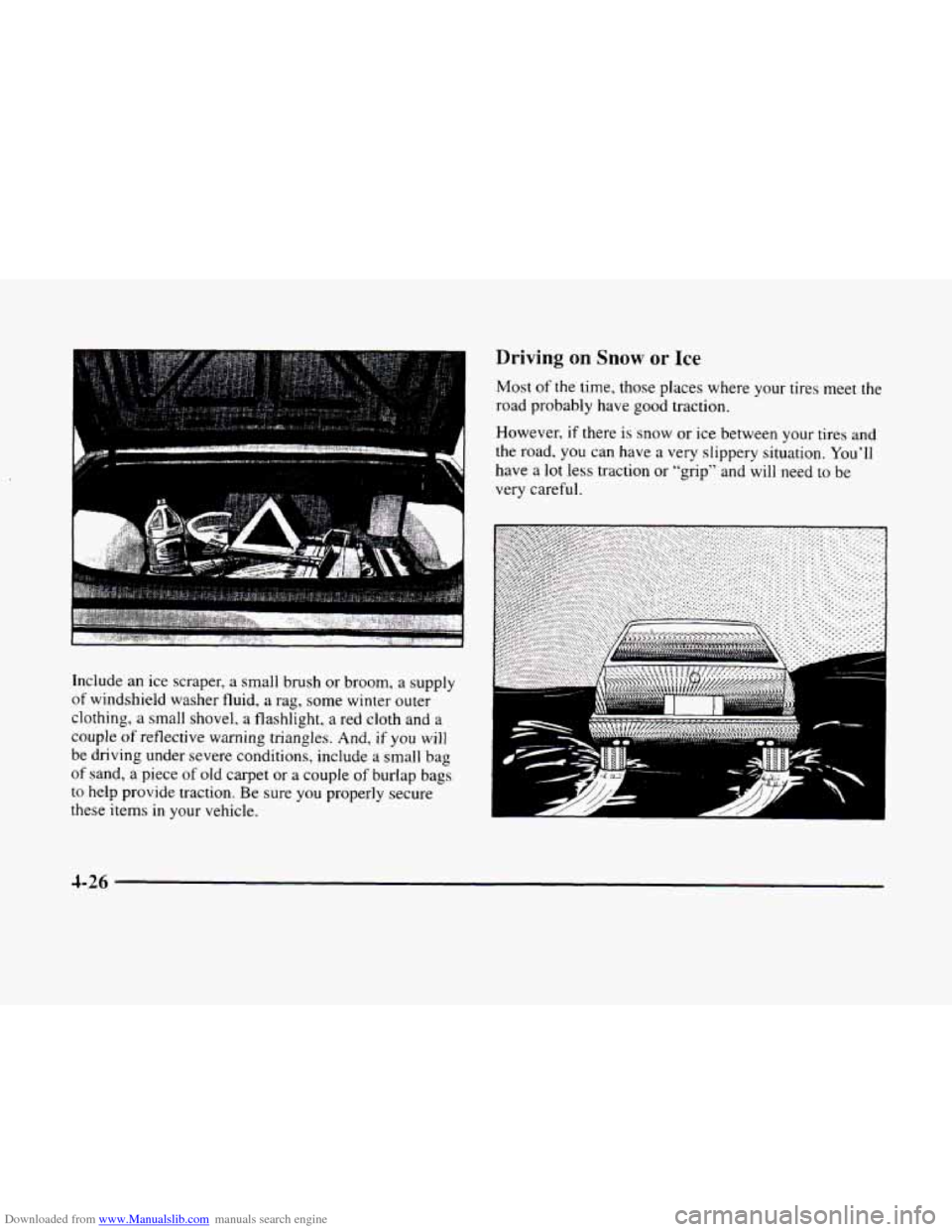
Downloaded from www.Manualslib.com manuals search engine Include an ice scraper, a small brush or broom, a supply
of windshield washer fluid, a rag, some winter outer
clothing,
a small shovel, a flashlight, a red cloth and a
couple
of reflective warning triangles. And, if you will
be driving under severe conditions, include a small bag
of sand, a piece of old carpet or a couple of burlap bags
to help provide traction. Be sure you properly secure
these items in your vehicle.
Driving on Snow or Ice
Most of the time, those places where your tires meet the
road probably have good traction.
However, if there is
snow or ice between your tires and
the road.
you can have a very slippery situation. You’ll
have a lot less traction or “grip” and will need to be
very careful.
Y L
d
4-26
Page 229 of 380
Downloaded from www.Manualslib.com manuals search engine b
b !
f-
r
i
r
f
~ ~~
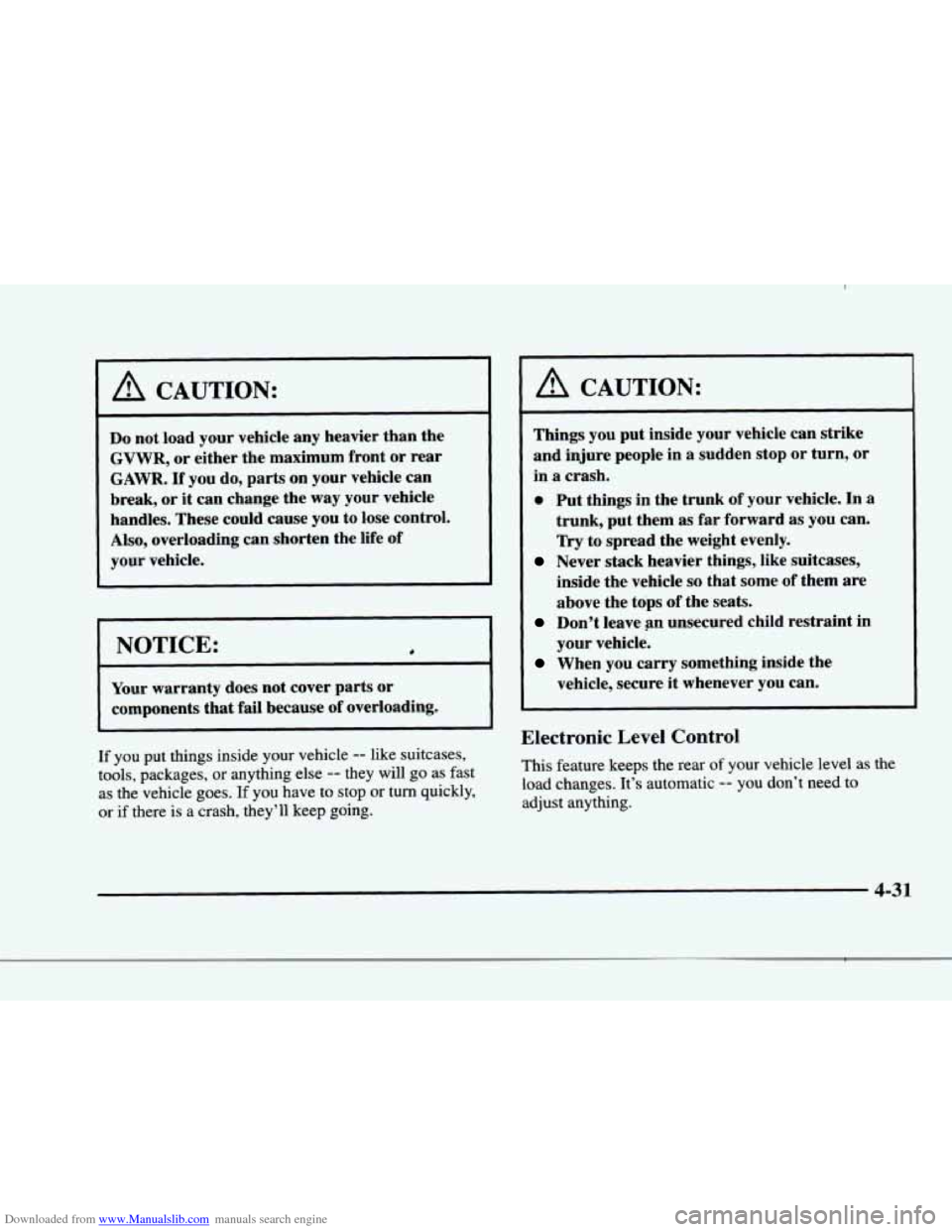
A CAUTION:
Do not load your vehicle any heavier than the
GVWR, or either the maximum front or rear
GAWR. If you do, parts on your vehicle can
break, or it can change the way your vehicle
handles. These could cause you to lose control.
Also, overloading can shorten the life of
your v,ehicle.
I NOTICE:
Your warranty does not cover parts or
components that
fail because of overloading.
If you put things inside your vehicle -- like suitcases,
tools, packages, or anything else
-- they will go as fast
as the vehicle goes.
If you have to stop or turn quickly,
or if there is a crash, they’ll keep going.
A CAUTION:
~~
Things you put inside your vehicle can strike
and injure people in a sudden stop or turn, or
in
a crash.
0 Put things in the trunk of your vehicle. In a
trunk, put them as far forward as you can.
Try to spread the weight evenly.
inside the vehicle
so that some of them are
above the tops of the seats.
Don’t leave an unsecured child restraint in
your vehicle.
When you carry something inside the
vehicle, secure it whenever you can.
Never stack heavier things, like suitcases,
Electronic Level Control
This feature keeps the rear of your vehicle level as the
load changes. It’s automatic
-- you don’t need to
adjust anything.
4-31
Page 234 of 380
Downloaded from www.Manualslib.com manuals search engine Trailer Brakes
Because you have anti-lock brakes, don’t try to tap
into your vehicle’s hydraulic brake system. If you do,
both brake systems won’t work well, or at all. If you
tow more than
1000 lbs. (450 kg), use trailer brakes. Be
sure to follow the instructions that
come with the trailer
or from brake manufacturer.
Be sure to read and follow the instructions for the trailer
brakes
so you’ll be able to install, adjust and maintain
them properly.
Driving with a Trailer
Towing a trailer requires a certain amount of experience.
Before setting out for the open road, you’ll want to get
to know your rig. Acquaint yourself with the feel of
handling and braking with the added weight of the
trailer. And always keep in mind that the vehicle you
are
driving is now a good deal longer and not nearly as
responsive as your vehicle
is by itself. Before
you start, check the trailer hitch and platform
(and attachments), safety chains, electrical connector,
lamps, tires and mirror adjustment. If the trailer has
electric brakes, start your vehicle and trailer moving and
then apply the trailer brake controller by hand
to be sure
the brakes are working. This lets
you check your
electrical connection at the same time.
During your trip, check occasionally
to be sure that the
load is secure, and that the lamps and any trailer brakes
are still working.
Following Distance
Stay at least twice as far behind the vehicle ahead as you
would when driving your vehicle without a trailer. This
can help you avoid sithations that require heavy braking
and sudden turns.
Passing
You’ll need more passing distance up ahead when
you’re towing a trailer. And, because you’re a good deal
longer, you’ll need to
go much farther beyond the
passed vehicle before you can return
to your lane.
4-36
Page 249 of 380
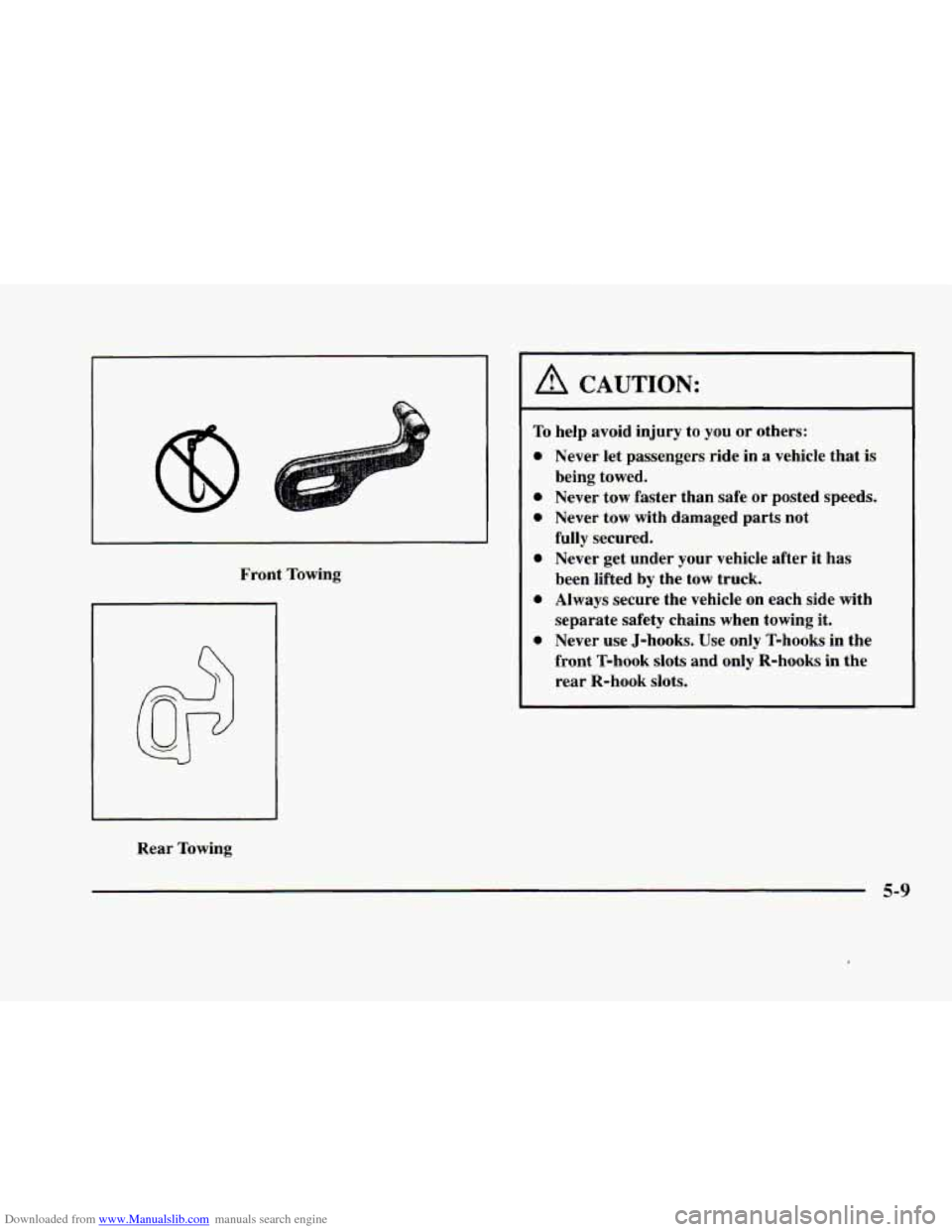
Downloaded from www.Manualslib.com manuals search engine Front Towing
Rear Towing
A CAUTION:
To help avoid injury to you or others:
0
0
0
0
Never let passengers ride in a vehicle that is
being towed.
Never tow faster than safe or posted speeds.
Never tow with damaged parts not
fully secured. Never get under your vehicle after it has
been lifted by the tow truck.
Always secure the vehicle on each side with
separate safety chains when towing it.
Never use J-hooks. Use only T-hooks in the
front T-hook
slots and only R-hooks in the
rear R-hook
slots.
5-9
Page 250 of 380
Downloaded from www.Manualslib.com manuals search engine A vehicle can fall from a car carrier if it isn’t
adequately secured. This can cause a collision,
serious personal injury and vehicle damage. The
vehicle should be tightly secured
with chains or
steel cables before it is transported.
Don’t use substitutes (ropes, leather straps,
canvas webbing, etc.) that can be cut by sharp
edges underneath the towed vehicle. Always use
T-hooks inserted in the front T-hook
slots or
R-hooks inserted in the rear R-hook
slots. Never
use J-hooks. They
will damage drivetrain and
suspension components.
When your vehicle is being towed, have the ignition key
turned to
OFF. The steering wheel should be clamped in
a straight-ahead position, with a clamping device
designed for towing service.
Do not use the vehicle’s
steering column lock for this. The transaxle should be
in
NEUTRAL (N) and the parking brake released.
Don’t have your vehicle towed on the drive wheels
unless
you must. If the vehicle must be towed on the
drive wheels, be sure to follow the speed and distance
restrictions later in this section
or your transaxle will be
damaged. If these limitations must be exceeded, then the
drive wheels have to be supported on
a dolly.
5-10
Page 252 of 380
Downloaded from www.Manualslib.com manuals search engine r
!I
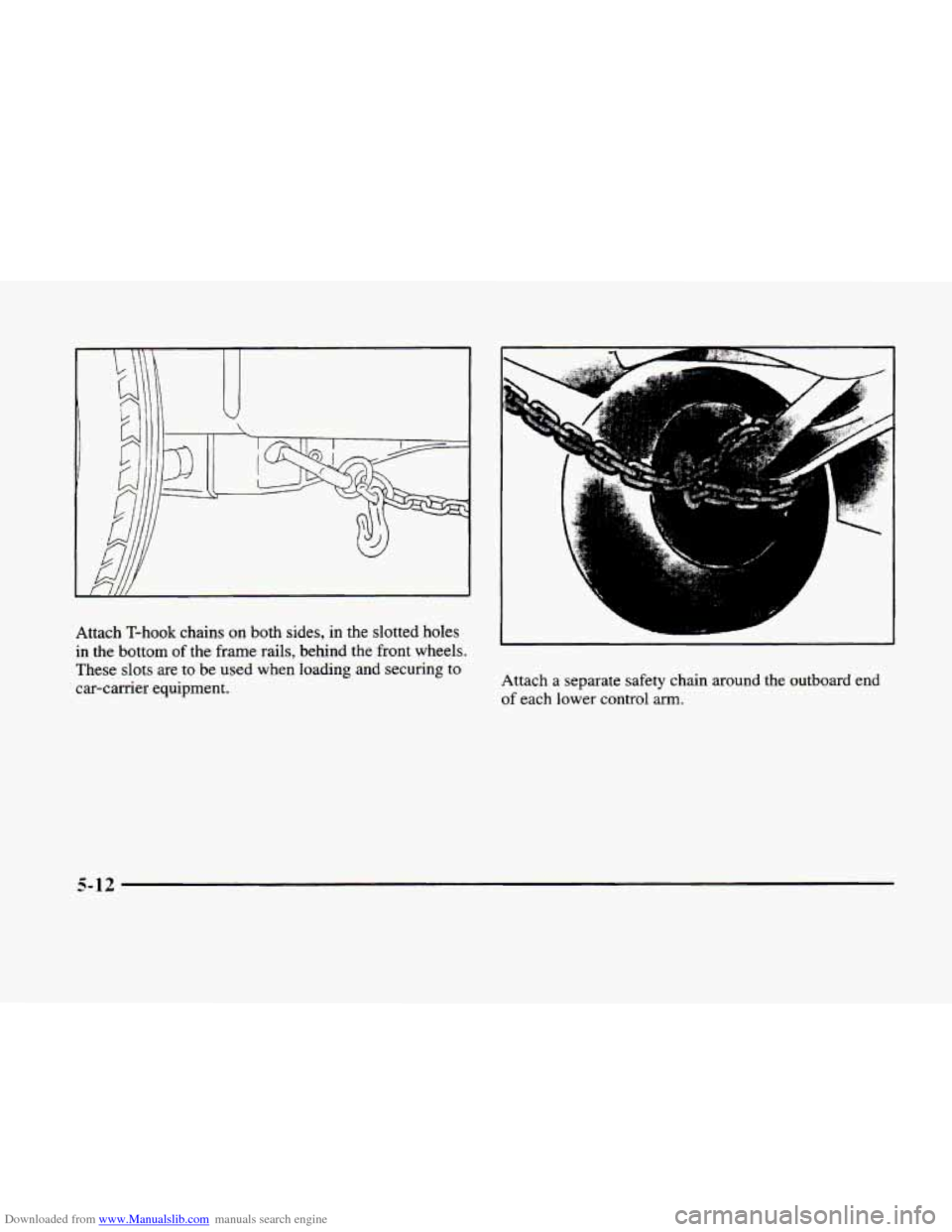
Attach T-hook chains on both sides, in the slotted holes
in the bottom of the frame rails, behind the front wheels.
These slots are to be used when loading and securing to
car-carrier equipment. Attach a separate safety
chain around the outboard end
of each lower control arm.
5-12
Page 254 of 380
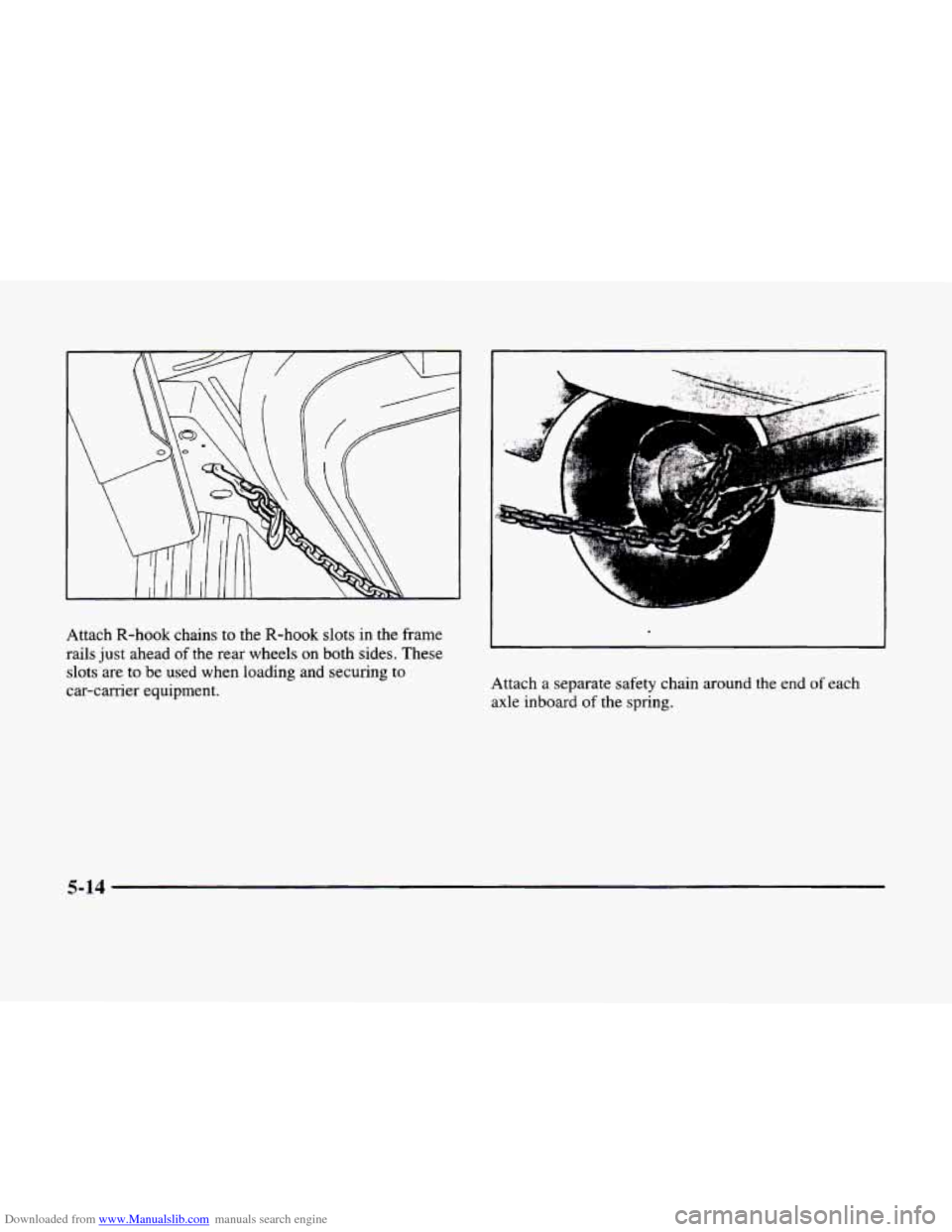
Downloaded from www.Manualslib.com manuals search engine Attach R-hook chains to the R-hook slots in the frame
rails just ahead
of the rear wheels on both sides. These
slots are to be used when loading and securing to
car-carrier equipment. Attach a
separate safety chain around the end of each
axle inboard
of the spring.
5-14