phone CADILLAC ESCALADE 2000 1.G Owners Manual
[x] Cancel search | Manufacturer: CADILLAC, Model Year: 2000, Model line: ESCALADE, Model: CADILLAC ESCALADE 2000 1.GPages: 339, PDF Size: 2.59 MB
Page 42 of 339

1-30 Adding Equipment to Your Air
Bag-Equipped Vehicle
Q:If I add a push bumper or a bicycle rack to the
front of my vehicle, will it keep the air bags
from working properly?
A:As long as the push bumper or bicycle rack is
attached to your vehicle so that the vehicle's basic
structure isn't changed, it's not likely to keep the
air bags from working properly in a crash.
Q:Is there anything I might add to the front of the
vehicle that could keep the air bags from
working properly?
A:Yes. If you add things that change your vehicle's
frame, bumper system, front end sheet metal or
height, they may keep the air bag system from
working properly. Also, the air bag system may not
work properly if you relocate any of the air bag
sensors. If you have any questions about this, you
should contact Customer Assistance before you
modify your vehicle. (The phone numbers and
addresses for Customer Assistance are in Step Two of
the Customer Satisfaction Procedure in this manual.
See ªCustomer Satisfaction Procedureº in the Index.)
Rear Seat Passengers
It's very important for rear seat passengers to buckle up!
Accident statistics show that unbelted people in the rear
seat are hurt more often in crashes than those who are
wearing safety belts.
Rear passengers who aren't safety belted can be thrown
out of the vehicle in a crash. And they can strike others
in the vehicle who are wearing safety belts.
Rear Seat Outside Passenger Positions
Page 131 of 339
2-63 Rear Door Ashtrays
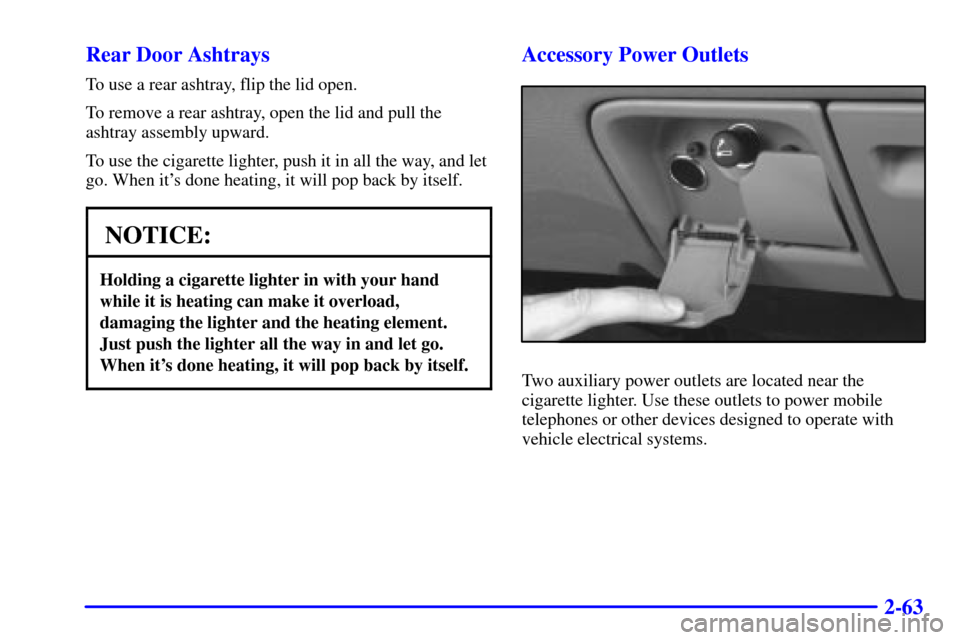
To use a rear ashtray, flip the lid open.
To remove a rear ashtray, open the lid and pull the
ashtray assembly upward.
To use the cigarette lighter, push it in all the way, and let
go. When it's done heating, it will pop back by itself.
NOTICE:
Holding a cigarette lighter in with your hand
while it is heating can make it overload,
damaging the lighter and the heating element.
Just push the lighter all the way in and let go.
When it's done heating, it will pop back by itself.
Accessory Power Outlets
Two auxiliary power outlets are located near the
cigarette lighter. Use these outlets to power mobile
telephones or other devices designed to operate with
vehicle electrical systems.
Page 165 of 339
3-12
CD Adapter Kits
It is possible to use a portable CD player adapter kit
with your cassette tape player after activating the bypass
feature on your tape player.
To activate the bypass feature, use the following steps:
1. Turn the ignition to RUN or ACCESSORY.
2. Turn the radio off.
3. Press and hold the CD TAPE button for five seconds.
The tape symbol on the display will flash for two
seconds, indicating the feature is active.
4. Insert the adapter into the cassette slot. It will power
up the radio and begin playing.
This override routine will remain active until EJECT
is pressed.Rear Seat Audio (RSA)
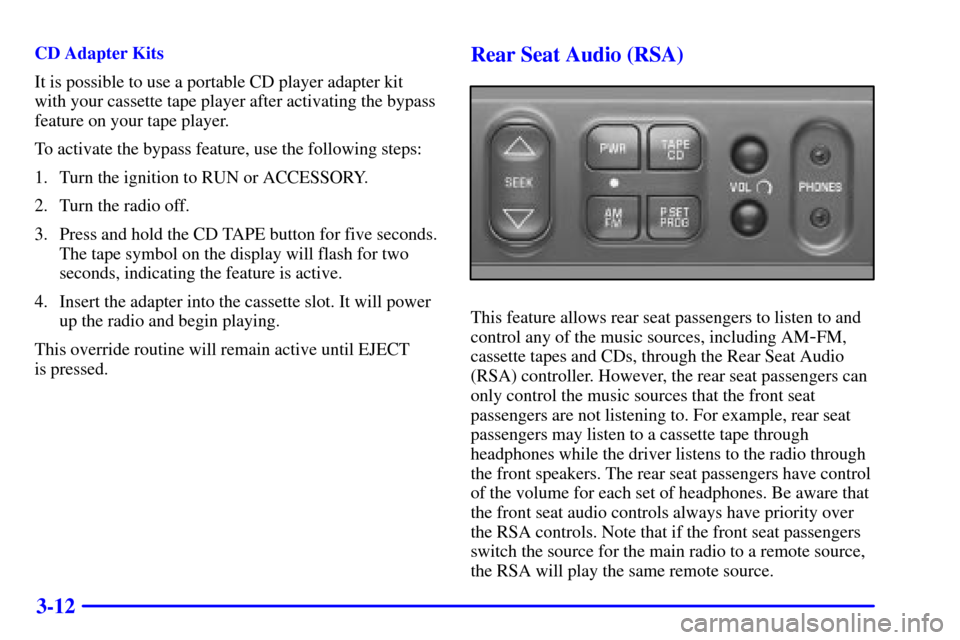
This feature allows rear seat passengers to listen to and
control any of the music sources, including AM
-FM,
cassette tapes and CDs, through the Rear Seat Audio
(RSA) controller. However, the rear seat passengers can
only control the music sources that the front seat
passengers are not listening to. For example, rear seat
passengers may listen to a cassette tape through
headphones while the driver listens to the radio through
the front speakers. The rear seat passengers have control
of the volume for each set of headphones. Be aware that
the front seat audio controls always have priority over
the RSA controls. Note that if the front seat passengers
switch the source for the main radio to a remote source,
the RSA will play the same remote source.
Page 166 of 339

3-13
The rear speakers will be muted when the RSA power is
turned on. You may operate the RSA functions even
when the main radio is off.
The following function is controlled by the knob on
the main radio:
The following functions are controlled by the RSA
system buttons:
PWR: Press this button to turn RSA on or off.
VOL: Press this knob lightly so it extends. Turn the
knob clockwise to increase volume and
counterclockwise to decrease volume. Push the knob
back into its stored position when you're not using it.
The upper VOL knob controls the upper headphone and
the lower VOL knob controls the lower headphone.
AM
-FM: Press this button to switch between AM, FM1
and FM2. If the front passengers are already listening to
AM
-FM, the RSA controller will not switch between the
bands and cannot change the frequency.SEEK: While listening to AM
-FM, press the up arrow
to tune to the next higher station and stay there. Press
the down arrow to tune to the next lower station and stay
there. The sound will mute while seeking. The SEEK
button is inactive if the AM
-FM mode on the front radio
is in use.
While listening to a cassette tape, press the up arrow to
hear the next selection on the tape. Press the down arrow
to go back to the previous selection. The SEEK button is
inactive if the tape mode on the front radio is in use.
While listening to a CD, press the up arrow to hear the
next selection on the CD. Press the down arrow to go
back to the start of the current selection (if more than
eight seconds have played). The SEEK button is inactive
in the CD mode if the remote CD player or the CD
changer is in use.
SCAN: Press and hold SEEK until the radio goes into
SCAN mode. SCAN allows you to listen to stations for
a few seconds. The receiver will continue to scan and
momentarily stop at each station until you press SEEK
again. The SCAN function is inactive if the AM
-FM
mode on the front radio is in use.
Page 174 of 339

3-21
NOTICE:
Before you add any sound equipment to your
vehicle
-- like a tape player, CB radio, mobile
telephone or two
-way radio -- be sure you can
add what you want. If you can, it's very
important to do it properly. Added sound
equipment may interfere with the operation of
your vehicle's engine, Delco Electronics radio or
other systems, and even damage them. Your
vehicle's systems may interfere with the
operation of sound equipment that has been
added improperly.
So, before adding sound equipment, check with
your dealer and be sure to check Federal rules
covering mobile radio and telephone units.
Care of Your Cassette Tape Player
A tape player that is not cleaned regularly can cause
reduced sound quality, ruined cassettes or a damaged
mechanism. Cassette tapes should be stored in their
cases away from contaminants, direct sunlight and
extreme heat. If they aren't, they may not operate
properly or may cause failure of the tape player.
Your tape player should be cleaned regularly after every
50 hours of use. Your radio may display CLN to indicate
that you have used your tape player for 50 hours without
resetting the tape clean timer. If this message appears on
the display, your cassette tape player needs to be
cleaned. It will still play tapes, but you should clean it as
soon as possible to prevent damage to your tapes and
player. If you notice a reduction in sound quality, try a
known good cassette to see if it is the tape or the tape
player at fault. If this other cassette has no improvement
in sound quality, clean the tape player.
The recommended cleaning method for your cassette
tape player is the use of a scrubbing action,
non
-abrasive cleaning cassette with pads which scrub
the tape head as the hubs of the cleaner cassette turn.
The recommended cleaning cassette is available through
your dealership (GM Part No. 12344789).
Page 177 of 339
4-2
Defensive Driving
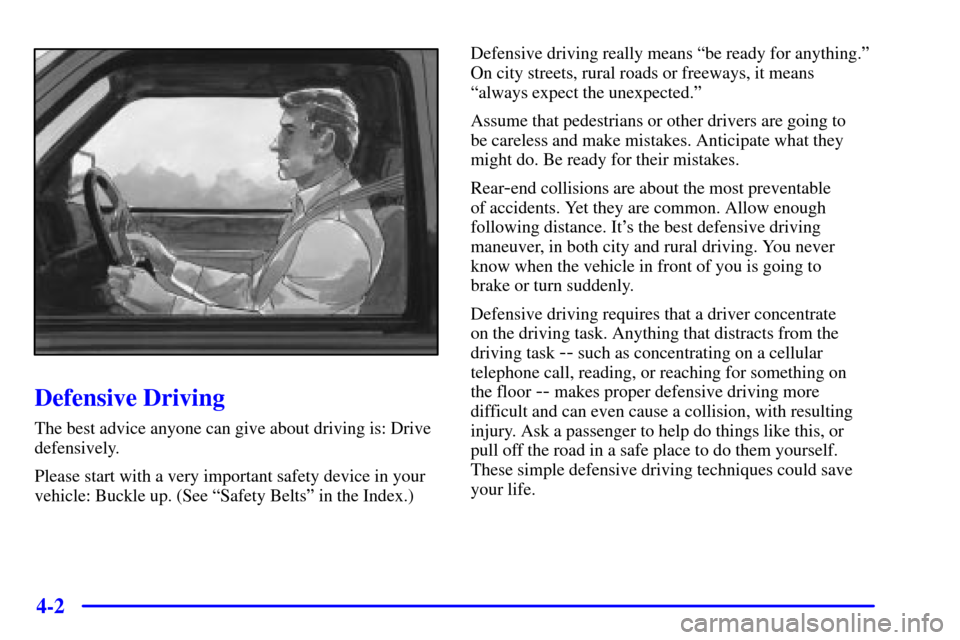
The best advice anyone can give about driving is: Drive
defensively.
Please start with a very important safety device in your
vehicle: Buckle up. (See ªSafety Beltsº in the Index.)Defensive driving really means ªbe ready for anything.º
On city streets, rural roads or freeways, it means
ªalways expect the unexpected.º
Assume that pedestrians or other drivers are going to
be careless and make mistakes. Anticipate what they
might do. Be ready for their mistakes.
Rear
-end collisions are about the most preventable
of accidents. Yet they are common. Allow enough
following distance. It's the best defensive driving
maneuver, in both city and rural driving. You never
know when the vehicle in front of you is going to
brake or turn suddenly.
Defensive driving requires that a driver concentrate
on the driving task. Anything that distracts from the
driving task
-- such as concentrating on a cellular
telephone call, reading, or reaching for something on
the floor
-- makes proper defensive driving more
difficult and can even cause a collision, with resulting
injury. Ask a passenger to help do things like this, or
pull off the road in a safe place to do them yourself.
These simple defensive driving techniques could save
your life.
Page 205 of 339
4-30
CAUTION:
Wet brakes can cause accidents. They won't work
as well in a quick stop and may cause pulling to
one side. You could lose control of the vehicle.
After driving through a large puddle of water or
a car wash, apply your brake pedal lightly until
your brakes work normally.
Hydroplaning
Hydroplaning is dangerous. So much water can build up
under your tires that they can actually ride on the water.
This can happen if the road is wet enough and you're
going fast enough. When your vehicle is hydroplaning,
it has little or no contact with the road.Hydroplaning doesn't happen often. But it can if your
tires do not have much tread or if the pressure in one or
more is low. It can happen if a lot of water is standing on
the road. If you can see reflections from trees, telephone
poles or other vehicles, and raindrops ªdimpleº the
water's surface, there could be hydroplaning.
Hydroplaning usually happens at higher speeds. There
just isn't a hard and fast rule about hydroplaning. The
best advice is to slow down when it is raining.
Driving Through Deep Standing Water
NOTICE:
If you drive too quickly through deep puddles
or standing water, water can come in through
your engine's air intake and badly damage your
engine. Never drive through water that is slightly
lower than the underbody of your vehicle. If you
can't avoid deep puddles or standing water, drive
through them very slowly.
Page 327 of 339
7-
7-1
Section 7 Customer Assistance Information
Here you will find out how to contact Cadillac if you need assistance. This section also tells you how to obtain service
publications and how to report any safety defects.
7
-2 Customer Satisfaction Procedure
7
-3 Customer Assistance for Text Telephone
(TTY) Users
7
-4 Customer Assistance Offices
7
-5 GM Mobility Program for Persons
with Disabilities
7
-5 Roadside Service
7
-7 Roadside Service for the Hearing or
Speech Impaired
7
-8 Courtesy Transportation
7
-8 Transportation Options7
-10 Warranty Information
7
-10 Reporting Safety Defects to the United
States Government
7
-11 Reporting Safety Defects to the
Canadian Government
7
-11 Reporting Safety Defects to
General Motors
7
-11 Ordering Service and Owner Publications
in Canada
Page 329 of 339

7-3
When contacting Cadillac, please remember that your
concern will likely be resolved at a dealer's facility. That
is why we suggest you follow Step One first if you have
a concern.
STEP THREE -- Both General Motors and your dealer
are committed to making sure you are completely
satisfied with your new vehicle. However, if you
continue to remain unsatisfied after following the
procedure outlined in Steps One and Two, file with the
GM/BBB Auto Line Program to enforce any additional
rights you may have. Canadian owners refer to your
Warranty and Owner Assistance Information booklet for
information on the Canadian Motor Vehicle Arbitration
Plan (CAMVAP).
The BBB Auto Line Program is an out of court program
administered by the Council of Better Business Bureaus to
settle automotive disputes regarding vehicle repairs or the
interpretation of the New Vehicle Limited Warranty.
Although you are required to resort to this informal dispute
resolution program prior to filing any court action, use of
the program is free of charge and your case will generally
be heard within 40 days. If you do not agree with the
decision given in your case, you may reject it and proceed
with any other venue for relief available to you.You may contact the BBB using the toll-free telephone
number or write them at the following address:
BBB Auto Line
Council of Better Business Bureaus, Inc.
4200 Wilson Boulevard
Suite 800
Arlington, VA 22203
-1804
Telephone: 1
-800-955-5100
This program is available in all 50 states and the District
of Columbia. Eligibility is limited by vehicle age,
mileage and other factors. General Motors reserves the
right to change eligibility limitations and/or discontinue
its participation in this program.
Customer Assistance for Text
Telephone (TTY) Users
To assist customers who are deaf, hard of hearing, or
speech
-impaired and who use Text Telephones (TTYs),
Cadillac has TTY equipment available at its Customer
Assistance Center. Any TTY user can communicate with
Cadillac by dialing: 1
-800-833-CMCC (2622).
(TTY users in Canada can dial 1
-800-263-3830.)
Page 330 of 339
7-4
Customer Assistance Offices
Cadillac encourages customers to call the toll-free number
for assistance. If a U.S. customer wishes to write to
Cadillac, the letter should be addressed to Cadillac's
Customer Assistance Center.
United States
Cadillac Customer Assistance Center
Cadillac Motor Car Division
P.O. Box 436004
Pontiac, MI 48343-6004
1-800-458-8006
1-800-833-2622 (For Text Telephone devices (TTYs))
Roadside Assistance: 1-800-882-1112
Canada
General Motors of Canada Limited
Customer Communication Centre, 163-005
1908 Colonel Sam Drive
Oshawa, Ontario L1H 8P7
1-800-263-3777 (English)
1-800-263-7854 (French)
1-800-263-3830 (For Text Telephone devices (TTYs))
Roadside Assistance: 1-800-882-1112
All Overseas Locations
GMODC - Customer Communication Centre
169-007
1908 Colonel Sam Drive
Oshawa, Ontario L1H 8P7
Telephone: 905-644-4112
Fax: 905-644-4866
Caribbean Numbers
1-800-496-9992 (English) Puerto Rico
1-800-496-9993 (Spanish) Puerto Rico
1-800-751-4135 (English) Dominican Republic
1-800-751-4136 (Spanish) Dominican Republic
1-800-496-9994 U.S. Virgin Islands
1-800-389-0009 Bahamas
1-800-534-0122 Bermuda, Barbados, Antigua & B.V.I.
If toll free service is not available in the Caribbean,
call Puerto Rico 1-787-763-1315.