wheel CADILLAC ESCALADE 2004 2.G User Guide
[x] Cancel search | Manufacturer: CADILLAC, Model Year: 2004, Model line: ESCALADE, Model: CADILLAC ESCALADE 2004 2.GPages: 504, PDF Size: 3.27 MB
Page 103 of 504
Keys...............................................................2-3
Remote Keyless Entry System.........................2-4
Remote Keyless Entry System Operation...........2-5
Doors and Locks.............................................2-8
Door Locks....................................................2-8
Power Door Locks..........................................2-9
Delayed Locking.............................................2-9
Programmable Automatic Door Locks..............2-10
Rear Door Security Locks..............................2-12
Lockout Protection........................................2-12
Liftgate/Liftglass............................................2-13
Windows........................................................2-14
Power Windows............................................2-15
Sun Visors...................................................2-15
Theft-Deterrent Systems..................................2-16
Content Theft-Deterrent.................................2-16
Passlock
®....................................................2-17
Starting and Operating Your Vehicle................2-18
New Vehicle Break-In....................................2-18
Ignition Positions..........................................2-18
Starting Your Engine.....................................2-19
Adjustable Throttle and Brake Pedal................2-20Engine Coolant Heater..................................2-21
Automatic Transmission Operation...................2-22
All-Wheel Drive............................................2-25
Parking Brake..............................................2-25
Shifting Into Park (P).....................................2-26
Shifting Out of Park (P).................................2-29
Parking Over Things That Burn.......................2-29
Engine Exhaust............................................2-30
Running Your Engine While You Are Parked.......2-30
Mirrors...........................................................2-31
Automatic Dimming Rearview Mirror with
OnStar
®, Compass and Temperature
Display....................................................2-31
Outside Power Mirrors...................................2-34
Outside Convex Mirror...................................2-35
Outside Heated Mirrors..................................2-36
Outside Automatic Dimming Mirror with Curb
View Assist..............................................2-36
OnStar
®System.............................................2-37
HomeLink®Transmitter...................................2-39
Programming the HomeLink®Transmitter.........2-39
Section 2 Features and Controls
2-1
Page 124 of 504
How long should you keep the coolant heater plugged
in? The answer depends on the outside temperature, the
kind of oil you have, and some other things. Instead
of trying to list everything here, we ask that you contact
your dealer in the area where you’ll be parking your
vehicle. The dealer can give you the best advice for that
particular area.
Automatic Transmission Operation
Your vehicle has an electronic shift position indicator
within the instrument panel cluster.
There are several different positions for your shift lever.
PARK (P):This position locks your drive wheels. It’s
the best position to use when you start your engine
because your vehicle can’t move easily.
{CAUTION:
It is dangerous to get out of your vehicle if the
shift lever is not fully in PARK (P) with the
parking brake rmly set. Your vehicle can roll.
Do not leave your vehicle when the engine is
running unless you have to. If you have left the
engine running, the vehicle can move
suddenly. You or others could be injured.
To be sure your vehicle will not move, even
when you are on fairly level ground, always set
your parking brake and move the shift lever to
PARK (P). SeeShifting Into Park (P) on
page 2-26. If you are pulling a trailer, see
Towing a Trailer on page 4-57.
REVERSE (R):Use this gear to back up.
Notice:Shifting to REVERSE (R) while your vehicle
is moving forward could damage the transmission.
The repairs would not be covered by your warranty.
Shift to REVERSE (R) only after your vehicle is
stopped.
2-22
Page 125 of 504
To rock your vehicle back and forth to get out of snow,
ice or sand without damaging your transmission,
seeIf You Are Stuck: In Sand, Mud, Ice or Snow on
page 4-46.
NEUTRAL (N):In this position, your engine doesn’t
connect with the drive wheels. To restart when you’re
already moving, use NEUTRAL (N) only.
{CAUTION:
Shifting into a drive gear while your engine is
running at high speed is dangerous. Unless
your foot is rmly on the brake pedal, your
vehicle could move very rapidly. You could
lose control and hit people or objects. Do not
shift into a drive gear while your engine is
running at high speed.Notice:Shifting out of PARK (P) or NEUTRAL (N)
with the engine running at high speed may damage
the transmission. The repairs would not be
covered by your warranty. Be sure the engine is not
running at high speed when shifting your vehicle.
DRIVE (D):This position is for normal driving.
If you need more power for passing, and you’re:
Going less than about 35 mph (55 km/h), push your
accelerator pedal about halfway down.
Going about 35 mph (55 km/h) or more, push the
accelerator all the way down.
You’ll shift down to the next gear and have more power.
DRIVE (D) can be used when towing a trailer, carrying
a heavy load, driving on steep hills or for off-road driving.
You may want to shift the transmission to THIRD (3)
or, if necessary, a lower gear selection if the
transmission shifts too often.
2-23
Page 126 of 504
THIRD (3):This position is also used for normal driving,
however, it offers more power and lower fuel economy
than DRIVE (D).
SECOND (2):This position gives you more power but
lower fuel economy. You can use SECOND (2) on
hills. It can help control your speed as you go down
steep mountain roads, but then you would also want to
use your brakes off and on.
If you manually select SECOND (2) the transmission will
drive in second gear. You may use this feature for
reducing the speed of the rear wheels when you are
trying to start your vehicle from a stop on slippery road
surfaces.FIRST (1):This position gives you even more power,
but lower fuel economy than SECOND (2). You can use
it on very steep hills, or in deep snow or mud. If the
shift lever is put in FIRST (1) while the vehicle is moving
forward, the transmission won’t shift into rst gear
until the vehicle is going slowly enough.
Notice:Spinning the tires or holding the vehicle in
one place on a hill using only the accelerator
pedal may damage the transmission. If you are
stuck, do not spin the tires. When stopping on a hill,
use the brakes to hold the vehicle in place.
On cold days, approximately 32°F (0°C) or colder, your
transmission is designed to shift differently until the
engine reaches normal operating temperature. This is
intended to improve heater performance.
2-24
Page 127 of 504
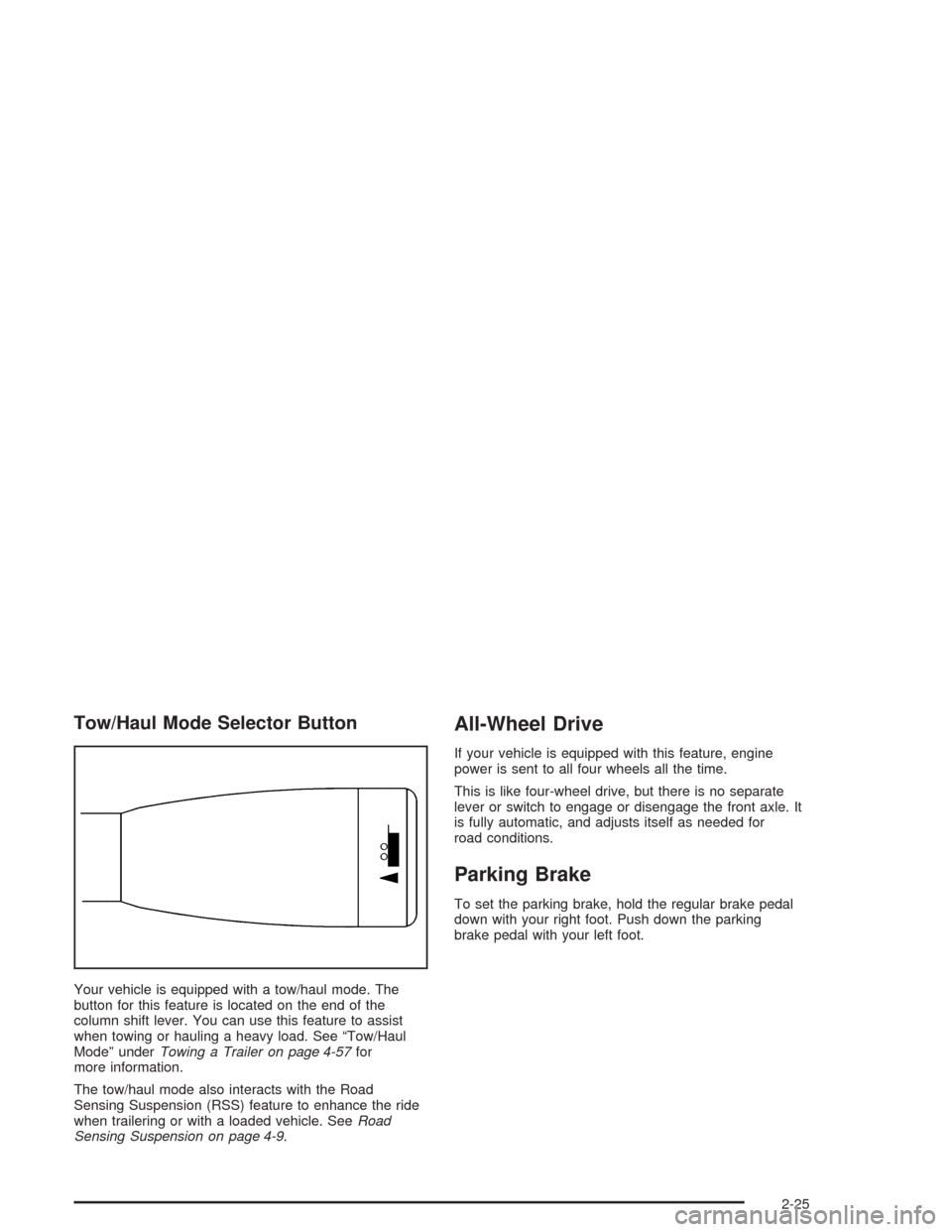
Tow/Haul Mode Selector Button
Your vehicle is equipped with a tow/haul mode. The
button for this feature is located on the end of the
column shift lever. You can use this feature to assist
when towing or hauling a heavy load. See “Tow/Haul
Mode” underTowing a Trailer on page 4-57for
more information.
The tow/haul mode also interacts with the Road
Sensing Suspension (RSS) feature to enhance the ride
when trailering or with a loaded vehicle. SeeRoad
Sensing Suspension on page 4-9.
All-Wheel Drive
If your vehicle is equipped with this feature, engine
power is sent to all four wheels all the time.
This is like four-wheel drive, but there is no separate
lever or switch to engage or disengage the front axle. It
is fully automatic, and adjusts itself as needed for
road conditions.
Parking Brake
To set the parking brake, hold the regular brake pedal
down with your right foot. Push down the parking
brake pedal with your left foot.
2-25
Page 140 of 504
Directions and Connections Plan
All Safe and Sound Plan services
Route Support
RideAssist
Information and Convenience Services
Luxury and Leisure Plan
All Directions and Connections Plan services
Personal Concierge
OnStar®Personal Calling
With OnStar®Personal Calling, you have a safer way to
stay connected while driving. It’s a hands-free wireless
phone that’s integrated into your vehicle. You can place
calls nationwide using voice-activated dialing with no
contracts and no additional roaming charges. To nd out
more about OnStar
®Personal Calling, refer to the
OnStar®owner’s guide in your vehicle’s glove box, or
call OnStar®at 1-888-4-ONSTAR (1-888-466-7827).
OnStar®Virtual Advisor
With OnStar®Virtual Advisor you can listen to your
favorite news, entertainment and information topics,
such as traffic and weather reports, stock quotes
and sports scores. You listen to your e-mail through
your vehicle’s speakers, and reply with your hands on
the wheel and your eyes on the road.
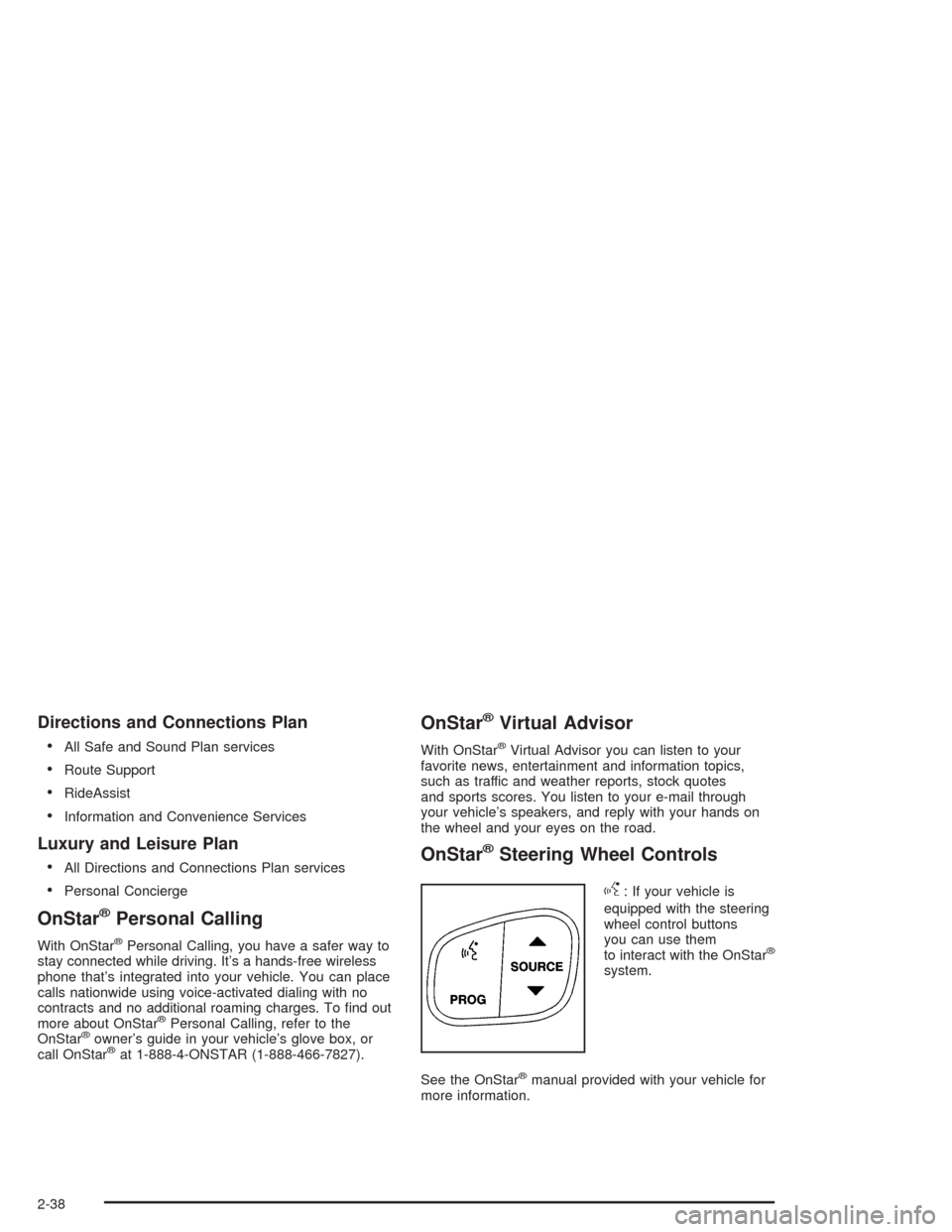
OnStar®Steering Wheel Controls
g
: If your vehicle is
equipped with the steering
wheel control buttons
you can use them
to interact with the OnStar
®
system.
See the OnStar
®manual provided with your vehicle for
more information.
2-38
Page 146 of 504
Luggage Carrier
You can load things on top of your vehicle if it has this
feature. If your vehicle is the Escalade ESV Platinum
version, it is not equipped with crossrails and you
can not load things on the roof of your vehicle.
The luggage carrier has slats and siderails attached to
the roof and may have crossrails which can be moved
back and forth to help secure cargo. Tie the load to the
siderails or siderail supports.
Notice:Loading cargo on the luggage carrier that
weighs more than 200 lbs. (918 kg) or hangs
over the rear or sides of the vehicle may damage
your vehicle. Load cargo so that it rests on the slats
as far forward as possible and against the side
rails, making sure to fasten it securely.
Don’t exceed the maximum vehicle capacity when
loading your vehicle. For more information on vehicle
capacity and loading, seeLoading Your Vehicle on
page 4-50.
To prevent damage or loss of cargo as you’re leaving,
check now and then to make sure the luggage and
cargo are still securely fastened.
Be sure the cargo is properly loaded.
If small heavy objects are placed on the roof,
place the load in the area over the rear wheels
(behind the rear passenger doors on ESV models).If you need to, cut a piece of 3/8 inch plywood to t
inside the crossrails and siderails to spread the
load. If plywood is used, tie it to the siderail
supports.
Tie the load to the crossrails or the siderail supports.
Use the crossrails only to keep the load from
sliding. To move the crossrails, loosen the release
knob at each end. Slide the crossrail to the
desired position balancing the force side to side.
Tighten the release knobs and slide the crossrail
back and forth slightly to be sure it is securely
in place.
If you need to carry long items, move the crossrails
as far apart as they will go. Tie the load to the
crossrails and the siderails or siderail supports.
Do not tie the load so tightly that the crossrails or
siderails are damaged.
For the purpose of wind noise reduction, locate the
front crossrail approximately 18 to 24 inches
(46 to 58 cm) rearward of the front supports.
After moving a crossrail, be sure it is securely
locked into the siderail.
Your vehicle has a Center High-Mounted Stoplamp
(CHMSL) located above the rear glass. If items
are loaded on the roof of the vehicle, care should be
taken not to block or damage the CHMSL unit.
2-44
Page 153 of 504
Instrument Panel Overview...............................3-4
Hazard Warning Flashers................................3-6
Other Warning Devices...................................3-7
Horn.............................................................3-7
Tilt Wheel.....................................................3-7
Turn Signal/Multifunction Lever.........................3-8
Exterior Lamps.............................................3-14
Interior Lamps..............................................3-17
Ultrasonic Rear Parking Assist (URPA)............3-19
Accessory Power Outlets...............................3-22
Ashtrays and Cigarette Lighter........................3-22
Analog Clock...............................................3-23
Climate Controls............................................3-23
Automatic Climate Control System...................3-23
Outlet Adjustment.........................................3-30
Rear Climate Control System.........................3-30
Climate Controls Personalization.....................3-33
Warning Lights, Gages, and Indicators............3-34
Instrument Panel Cluster................................3-35
Speedometer and Odometer...........................3-36
Tachometer.................................................3-36
Safety Belt Reminder Light.............................3-36
Air Bag Readiness Light................................3-36
Passenger Air Bag Status Indicator.................3-38Charging System Light..................................3-39
Voltmeter Gage............................................3-40
Brake System Warning Light..........................3-40
Anti-Lock Brake System Warning Light.............3-42
Low Tire Pressure Warning Light....................3-42
Traction Off Light..........................................3-43
Engine Coolant Temperature Gage..................3-43
Transmission Temperature Gage.....................3-44
Malfunction Indicator Lamp.............................3-45
Oil Pressure Gage........................................3-47
Security Light...............................................3-48
Cruise Control Light......................................3-49
Tow/Haul Mode Light....................................3-49
Fuel Gage...................................................3-49
Low Fuel Warning Light.................................3-50
Driver Information Center (DIC).......................3-50
DIC Operation and Displays...........................3-51
DIC Warnings and Messages.........................3-62
Audio System(s).............................................3-69
Setting the Time...........................................3-70
Radio with Cassette and CD..........................3-70
Navigation/Radio System...............................3-86
Rear Seat Entertainment System....................3-86
Section 3 Instrument Panel
3-1
Page 154 of 504
Rear Seat Audio (RSA).................................3-97
CD Changer................................................3-99
Theft-Deterrent Feature................................3-102
Audio Steering Wheel Controls......................3-103
Radio Reception.........................................3-104
Care of Your Cassette Tape Player...............3-104Care of Your CDs and DVDs........................3-105
Care of Your CD Player...............................3-105
Care of Your CD and DVD Player.................3-105
Diversity Antenna System.............................3-106
XM™ Satellite Radio Antenna System............3-106
Chime Level Adjustment...............................3-106
Section 3 Instrument Panel
3-2
Page 157 of 504
The main components of your instrument panel are the
following:
A. Air Outlets. SeeOutlet Adjustment on page 3-30.
B. Exterior Lamps Control. SeeExterior Lamps
on page 3-14.
C. Turn Signal/Multifunction Lever. SeeTurn
Signal/Multifunction Lever on page 3-8.
D. OnStar
®and Radio Steering Wheel Buttons. See
OnStar®System on page 2-37andAudio Steering
Wheel Controls on page 3-103.
E. Instrument Panel Cluster. SeeInstrument Panel
Cluster on page 3-35.
F. Shift Lever/Tow/Haul Selector Button. SeeAutomatic
Transmission Operation on page 2-22.
G. Audio System. SeeAudio System(s) on page 3-69.
H. Dome Override Button. SeeInterior Lamps on
page 3-17.
I. Rear Wiper Washer. See “Rear Window
Washer/Wiper” underTurn Signal/Multifunction Lever
on page 3-8.
J. Fog Lamps Button. SeeExterior Lamps on
page 3-14.K. Driver Information Center (DIC) Buttons. SeeDriver
Information Center (DIC) on page 3-50.
L. Parking Brake Release. SeeParking Brake on
page 2-25.
M. Tilt Lever. SeeTilt Wheel on page 3-7.
N. Comfort Control System. SeeAutomatic Climate
Control System on page 3-23.
O. Compact Disc Changer. SeeCD Changer on
page 3-99.
P. Storage Area
Q. Clock. SeeAnalog Clock on page 3-23.
R. Ultrasonic Rear Parking Assist Button. See
Ultrasonic Rear Parking Assist (URPA) on
page 3-19.
S. Stabilitrak
®Button. SeeStabilitrak®System on
page 4-10.
T. Glove Box. SeeGlove Box on page 2-43.
3-5