lights CADILLAC ESCALADE 2007 3.G User Guide
[x] Cancel search | Manufacturer: CADILLAC, Model Year: 2007, Model line: ESCALADE, Model: CADILLAC ESCALADE 2007 3.GPages: 574, PDF Size: 2.89 MB
Page 190 of 574
Engine Coolant Temperature Gage............ 238
Tire Pressure Light.................................... 238
Malfunction Indicator Lamp........................ 239
Oil Pressure Light..................................... 242
Security Light............................................ 242
Fog Lamp Light......................................... 243
Lights On Reminder.................................. 243
Cruise Control Light.................................. 243
Highbeam On Light................................... 243
Tow/Haul Mode Light................................ 244
Fuel Gage................................................. 244
Driver Information Center (DIC).................. 245
DIC Operation and Displays...................... 245
DIC Warnings and Messages.................... 250
DIC Vehicle Customization........................ 259Audio System(s)......................................... 270
Setting the Time........................................ 272
Radio with CD and DVD........................... 273
XM Radio Messages................................. 302
Navigation/Radio System........................... 303
Rear Seat Entertainment System............... 303
Rear Seat Audio (RSA)............................. 314
Theft-Deterrent Feature............................. 316
Audio Steering Wheel Controls.................. 317
Radio Reception........................................ 318
Care of Your CDs and DVDs.................... 319
Care of the CD and DVD Player............... 319
Rear Side Window Antenna....................... 319
XM™ Satellite Radio Antenna System....... 320
Chime Level Adjustment............................ 320
Section 3 Instrument Panel
190
Page 205 of 574
Using Cruise Control on Hills
How well your cruise control will work on hills
depends upon your speed, load, and the
steepness of the hills. When going up steep hills,
you may have to step on the accelerator pedal
to maintain the vehicle’s speed. When going
downhill, you may have to brake or shift to a lower
gear to keep the vehicle’s speed down. Of
course, applying the brake takes you out of cruise
control. Many drivers nd this to be too much
trouble and do not use cruise control on steep hills.
Ending Cruise Control
There are three ways to end cruise control:
Step lightly on the brake pedal.
Press the cancel button on the steering wheel.
Press the On/Off button on the steering
wheel.
Erasing Speed Memory
When you turn off the cruise control or the
ignition, the cruise control set speed memory is
erased.
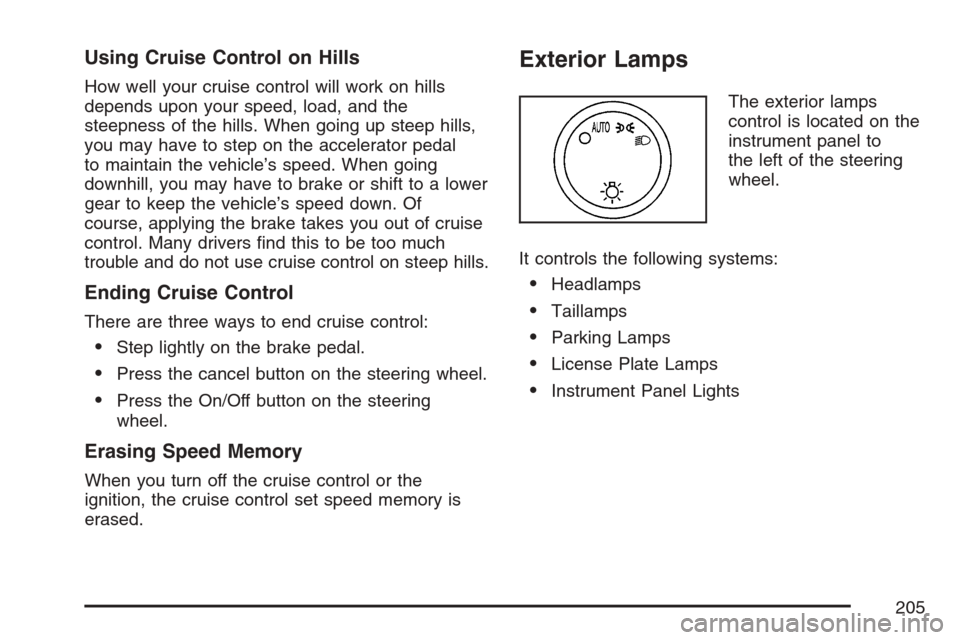
Exterior Lamps
The exterior lamps
control is located on the
instrument panel to
the left of the steering
wheel.
It controls the following systems:
Headlamps
Taillamps
Parking Lamps
License Plate Lamps
Instrument Panel Lights
205
Page 206 of 574
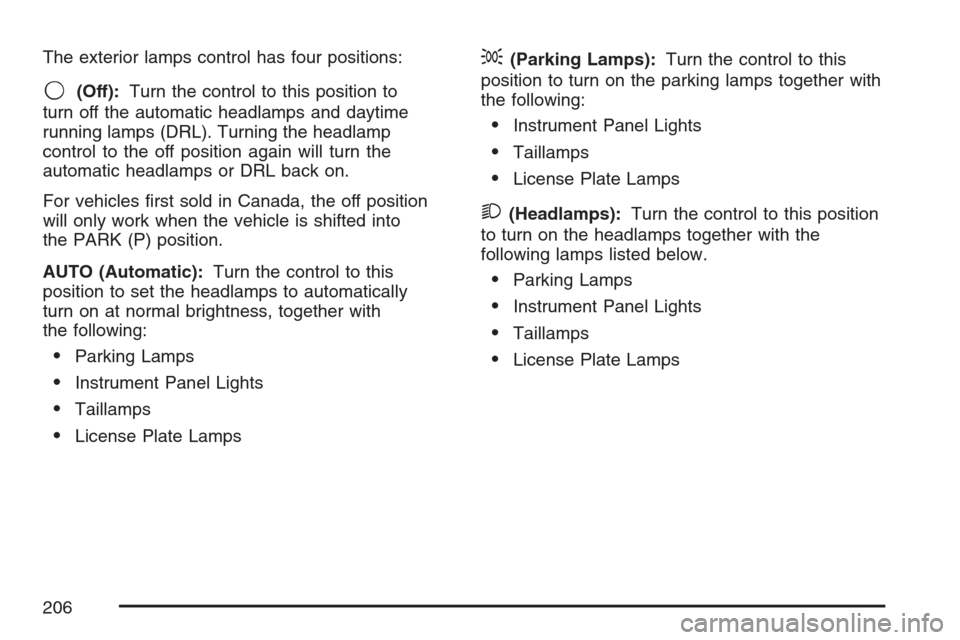
The exterior lamps control has four positions:
9(Off):Turn the control to this position to
turn off the automatic headlamps and daytime
running lamps (DRL). Turning the headlamp
control to the off position again will turn the
automatic headlamps or DRL back on.
For vehicles rst sold in Canada, the off position
will only work when the vehicle is shifted into
the PARK (P) position.
AUTO (Automatic):Turn the control to this
position to set the headlamps to automatically
turn on at normal brightness, together with
the following:
Parking Lamps
Instrument Panel Lights
Taillamps
License Plate Lamps
;(Parking Lamps):Turn the control to this
position to turn on the parking lamps together with
the following:
Instrument Panel Lights
Taillamps
License Plate Lamps
2(Headlamps):Turn the control to this position
to turn on the headlamps together with the
following lamps listed below.
Parking Lamps
Instrument Panel Lights
Taillamps
License Plate Lamps
206
Page 211 of 574
Automatic Headlamp System
When it is dark enough outside, the automatic
headlamp system will turn on the headlamps at
the normal brightness, along with the taillamps,
sidemarker, parking lamps, and the instrument
panel lights. The radio back lighting will also be
dimly lit.
To turn off the automatic headlamp system, turn
the exterior lamps switch to the off position.
Turning off the automatic headlamp system with
the headlamp switch is not available for vehicles
rst sold in Canada.
Your vehicle has a light sensor located on the top
of the instrument panel in the defroster grille
that regulates when the automatic headlamps turn
on. Be sure it is not covered, or the system will
come on whenever the ignition is on.
The system may also turn on the headlamps when
driving through a parking garage, heavy overcast
weather, or a tunnel. This is normal.
There is a delay in the transition between the
daytime and nighttime operation of the Daytime
Running Lamps (DRL) and the automatic headlamp
systems so that driving under bridges or bright
overhead street lights does not affect the system.The DRL and automatic headlamp system will only
be affected when the light sensor detects a change
in lighting lasting longer than the delay.
If you start your vehicle in a dark garage, the
automatic headlamp system will come on
immediately. Once you leave the garage, it will
take approximately one minute for the automatic
headlamp system to change to DRL if it is
bright enough outside. During that delay, your
instrument panel cluster may not be as bright as
usual. Make sure your instrument panel brightness
control is in the full bright position. SeeInstrument
Panel Brightness on page 212.
To idle your vehicle with the automatic headlamp
system off, turn the control to the off position.
You may be able to turn off your Automatic
Headlamp System. SeeDaytime Running Lamps
(DRL) on page 210for more information.
Your headlamps will also stay on after you exit the
vehicle. You can program this feature using the
Driver Information Center (DIC). SeeDIC Vehicle
Customization on page 259.
As with any vehicle, you should turn on the
regular headlamp system when needed.
211
Page 212 of 574
Fog Lamps
-(Fog Lamps):If your vehicle has fog lamps,
the control is located on the exterior lamps
control. The exterior lamps control is located on
the instrument panel to the left of the steering
column.
Your ignition must be in the RUN position for the
fog lamps to come on.
To turn the fog lamps on, press the exterior lamps
button. A light will come on in the instrument
panel cluster to let you know that the fog lamps
are on. Press the exterior lamps button again
to turn the fog lamps off.
When the headlamps are changed to high-beam,
the fog lamps also go off.
Some localities have laws that require the
headlamps to be on along with the fog lamps.
Instrument Panel Brightness
D(Instrument Panel Brightness):This feature
controls the brightness of the instrument panel
lights.
The knob for this feature is located next to the
headlamp control.
Turn the knob clockwise or counterclockwise to
adjust the brightness of the instrument panel lights.
Turn the knob clockwise to return the instrument
panel cluster or radio display to full brightness
when the headlamps or parking lamps are on.
To turn on the dome lamps, turn the knob to the
farthest clockwise position.
Dome Lamps
The dome lamps come on when a door is opened.
The dome lamps can also be turned on by
turning the knob, located next to the exterior lamps
control, clockwise to the farthest position. In this
position, the dome lamps will remain on whether a
door is opened or closed.
212
Page 213 of 574
Dome Lamp Override
E(Dome Lamp Override):Press the dome
override button, located next to the exterior lamps
control, to keep the dome lamps off when a
door is open. To set the lamps to the automatic
operation, press the button again so that it is
extended. With the button in this position,
the dome lamps will come on when a door is
opened.
Entry Lighting
Your vehicle has an illuminated entry feature.
When the doors are opened, the dome lamps will
come on if the dome override button is in the
extended position. If the dome override button is
pressed in, the lamps will not come on.
Exit Lighting
With exit lighting, the interior lamps will come on
when the key is removed from the ignition.
They will turn off automatically in 20 seconds.
The lights will not come on if the dome override
button is pressed in.
Reading Lamps
If your vehicle has reading lamps, press the button
located next to the lamp to turn it on or off.
Your vehicle may also have reading lamps in other
locations. To turn each one on or off, press the
button located next to the lamp. The lamps cannot
be adjusted.
Battery Run-Down Protection
This feature shuts off the dome lamps if they are
left on for more than 10 minutes when the
ignition is in LOCK. This will help prevent the
battery from running down.
213
Page 215 of 574
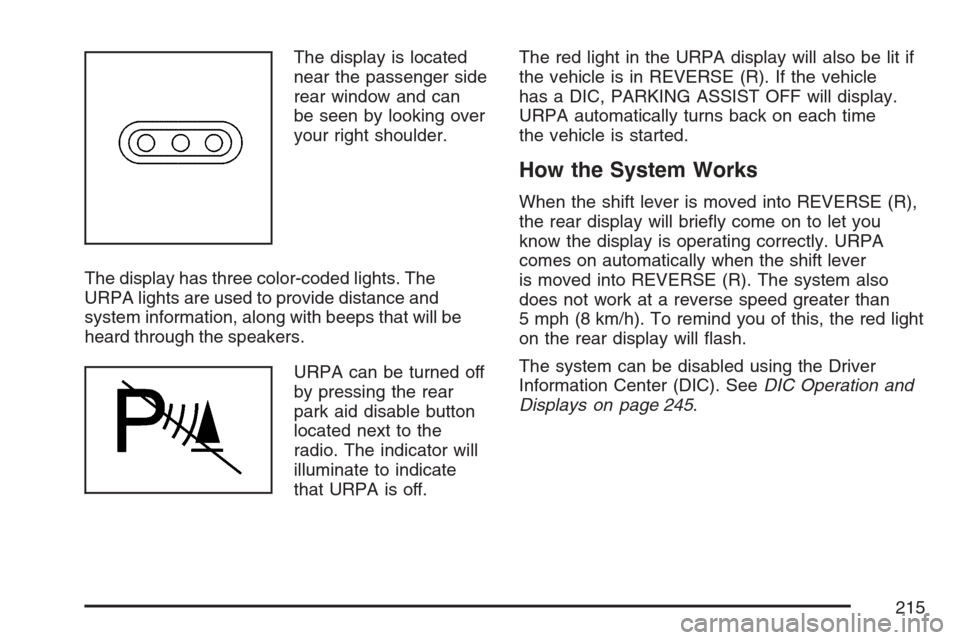
The display is located
near the passenger side
rear window and can
be seen by looking over
your right shoulder.
The display has three color-coded lights. The
URPA lights are used to provide distance and
system information, along with beeps that will be
heard through the speakers.
URPA can be turned off
by pressing the rear
park aid disable button
located next to the
radio. The indicator will
illuminate to indicate
that URPA is off.The red light in the URPA display will also be lit if
the vehicle is in REVERSE (R). If the vehicle
has a DIC, PARKING ASSIST OFF will display.
URPA automatically turns back on each time
the vehicle is started.
How the System Works
When the shift lever is moved into REVERSE (R),
the rear display will briey come on to let you
know the display is operating correctly. URPA
comes on automatically when the shift lever
is moved into REVERSE (R). The system also
does not work at a reverse speed greater than
5 mph (8 km/h). To remind you of this, the red light
on the rear display will ash.
The system can be disabled using the Driver
Information Center (DIC). SeeDIC Operation and
Displays on page 245.
215
Page 216 of 574
How the System Works when Backing
If the shift lever is in REVERSE (R), URPA
detects objects close to the rear bumper. The rst
time an object is detected a single beep will
sound. If an object is detected at a REVERSE (R)
speed between 0 mph (0 km/h) and 5 mph
(8 km/h), the following describes what will occur
based on your distance to a detected object
located behind the vehicle:
At distances between 40 inches (1 m) and
8 ft (2.5 m), a single amber light will
come on.
At distances between 23 inches (0.6 m) and
40 inches (1 m), both amber lights will be on.
At distances between 12 inches (0.3 m) and
23 inches (0.6 m), all three lights (amber/
amber/red) will be on.
At distances less than 12 inches (0.3 m), a
beeping sound will repeat for a short time and
all three lights (amber/amber/red) will be on and
ashing.
When the System Does Not Seem to
Work Properly
If the URPA system will not activate due to a
temporary condition, the message PARKING
ASSIST OFF will be displayed on the DIC and
a red light will be shown on the rear URPA display
when the shift lever is moved into REVERSE (R).
This occurs under the following conditions:
The driver disables the system. SeeDIC
Operation and Displays on page 245.
The parking brake pedal is depressed.
A trailer was attached to your vehicle, or a
bicycle or an object was hanging out of your
trunk during your last drive when you turned off
the vehicle. If the attached objects are removed
from your vehicle before the start of your next
drive, the system will return to normal operation
unless an object is detected when the vehicle is
shifted into REVERSE (R). If this occurs, URPA
assumes the object is still attached, so you will
have to wait until the vehicle is driven forward
above 15 mph (25 km/h) before URPA will
return to normal operation.
216
Page 228 of 574
Warning Lights, Gages, and
Indicators
This part describes the warning lights and gages
on your vehicle. The pictures will help you
locate them.
Warning lights and gages can signal that
something is wrong before it becomes serious
enough to cause an expensive repair or
replacement. Paying attention to your warning
lights and gages could also save you or others
from injury.
Warning lights come on when there may be or
is a problem with one of your vehicle’s functions.
As you will see in the details on the next few
pages, some warning lights come on briey when
you start the engine just to let you know they’re
working. If you are familiar with this section,
you should not be alarmed when this happens.Gages can indicate when there may be or is a
problem with one of your vehicle’s functions.
Often gages and warning lights work together to
let you know when there’s a problem with
your vehicle.
When one of the warning lights comes on and
stays on when you are driving, or when one of
the gages shows there may be a problem, check
the section that tells you what to do about it.
Please follow this manual’s advice. Waiting to do
repairs can be costly – and even dangerous.
So please get to know your warning lights and
gages. They’re a big help.
Your vehicle also has a Driver Information Center
(DIC) that works along with the warning lights
and gages. SeeDriver Information Center (DIC)
on page 245.
228
Page 234 of 574
Your vehicle has a rear seat that will accommodate
a rear-facing child restraint. A label on your sun
visor says, “Never put a rear-facing child seat
in the front.” This is because the risk to the
rear-facing child is so great, if the airbag deploys.
{CAUTION:
Even though the passenger sensing
system is designed to turn off the
passenger’s frontal airbag if the system
detects a rear-facing child restraint, no
system is failsafe, and no one can
guarantee that an airbag will not deploy
under some unusual circumstance, even
though it is turned off. We recommend
that rear-facing child restraints be secured
in the rear seat, even if the airbag is off.If the word OFF or the off symbol is lit on the airbag
status indicator, it means that the passenger
sensing system has turned off the right front
passenger’s frontal airbag. SeePassenger Sensing
System on page 101for more on this, including
important safety information.
If, after several seconds, all status indicator lights
remain on, or if there are no lights at all, there
may be a problem with the lights or the passenger
sensing system. See your dealer for service.
{CAUTION:
If the off indicator and the airbag
readiness light ever come on together, it
means that something may be wrong with
the airbag system. If this ever happens,
have the vehicle serviced promptly,
because an adult-size person sitting in the
right front passenger seat may not have
the protection of the frontal airbag. See
Airbag Readiness Light on page 232.
234