service CADILLAC ESCALADE 2008 3.G Owner's Guide
[x] Cancel search | Manufacturer: CADILLAC, Model Year: 2008, Model line: ESCALADE, Model: CADILLAC ESCALADE 2008 3.GPages: 490, PDF Size: 2.65 MB
Page 207 of 490
Emissions Inspection and
Maintenance Programs
Some state/provincial and local governments have or
might begin programs to inspect the emission control
equipment on your vehicle. Failure to pass this
inspection could prevent you from getting a vehicle
registration.
Here are some things you need to know to help your
vehicle pass an inspection:
Your vehicle will not pass this inspection if the check
engine light is on or not working properly.
Your vehicle will not pass this inspection if the
OBD (on-board diagnostic) system determines that
critical emission control systems have not been
completely diagnosed by the system. The vehicle
would be considered not ready for inspection. This
can happen if you have recently replaced the battery
or if the battery has run down. The diagnostic system
is designed to evaluate critical emission control systems
during normal driving. This can take several days of
routine driving. If you have done this and your vehicle
still does not pass the inspection for lack of OBD system
readiness, your dealer/retailer can prepare the vehicle
for inspection.
Oil Pressure Light
{CAUTION:
Do not keep driving if the oil pressure is low.
If you do, your engine can become so hot that
it catches re. You or others could be burned.
Check your oil as soon as possible and have
your vehicle serviced.
Notice:Lack of proper engine oil maintenance may
damage the engine. The repairs would not be covered
by your warranty. Always follow the maintenance
schedule in this manual for changing engine oil.
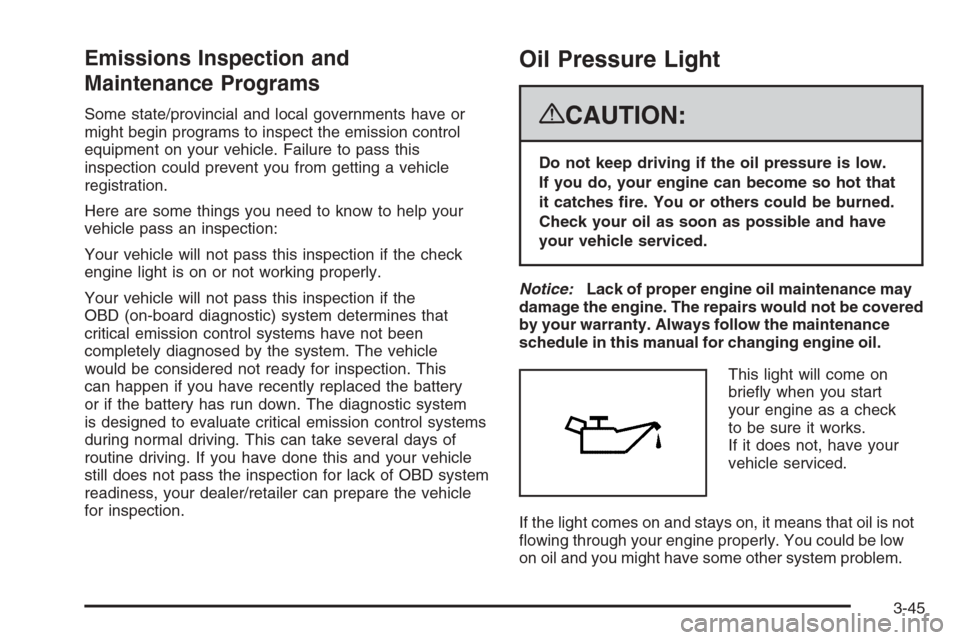
This light will come on
briey when you start
your engine as a check
to be sure it works.
If it does not, have your
vehicle serviced.
If the light comes on and stays on, it means that oil is not
owing through your engine properly. You could be low
on oil and you might have some other system problem.
3-45
Page 213 of 490
Units
Press the vehicle information button until UNITS displays.
This display allows you to select between English or
Metric units of measurement. Once in this display, press
the set/reset button to select between ENGLISH or
METRIC units. All of the vehicle information will then be
displayed in the unit of measurement selected.
Tire Pressure
The pressure for each tire can be viewed in the DIC.
The tire pressure will be shown in either pounds per
square inch (psi) or kilopascals (kPa). Press the vehicle
information button until the DIC displays FRONT TIRES
PSI (kPa) LEFT ## RIGHT ##. Press the vehicle
information button again until the DIC displays REAR
TIRES PSI (kPa) LEFT ## RIGHT ##.
If a low or high tire pressure condition is detected by the
system while driving, a message advising you to check
the pressure in a specic tire will appear in the display.
SeeInflation - Tire Pressure on page 5-60andDIC
Warnings and Messages on page 3-52for more
information.
If the tire pressure display shows dashes instead of a
value, there may be a problem with your vehicle. If this
consistently occurs, see your dealer/retailer for service.
Relearn Remote Key
This display allows you to match Remote Keyless
Entry (RKE) transmitters to your vehicle. To match
an RKE transmitter to your vehicle:
1. Press the vehicle information button until
PRESS
VTO RELEARN REMOTE KEY displays.
2. Press the set/reset button until REMOTE KEY
LEARNING ACTIVE is displayed.
3. Press and hold the lock and unlock buttons on
the rst transmitter at the same time for about
15 seconds.
On vehicles with memory recall seats, the rst
transmitter learned will match driver 1 and
the second will match driver 2.
A chime will sound indicating that the transmitter
is matched.
4. To match additional transmitters at this time,
repeat Step 3.
Each vehicle can have a maximum of
eight transmitters matched to it.
5. To exit the programming mode, you must
cycle the key to LOCK/OFF.
Blank Display
This display shows no information.
3-51
Page 216 of 490
This message also displays when the vehicle’s engine
power is reduced. Reduced engine power can affect the
vehicle’s ability to accelerate. If this message is on,
but there is no reduction in performance, proceed
to your destination. The performance may be reduced
the next time the vehicle is driven. The vehicle may
be driven at a reduced speed while this message is on,
but acceleration and speed may be reduced. Anytime
this message stays on, the vehicle should be taken
to your dealer/retailer for service as soon as possible.
FUEL LEVEL LOW
This message displays and a chime sounds if the fuel
level is low. Refuel as soon as possible. SeeFuel Gage
on page 3-47andFuel on page 5-5for more information.
HOOD OPEN
This message displays and a chime sounds if the hood
is not fully closed. Stop and turn off the vehicle, check
the hood for obstructions, and close the hood again.
Check to see if the message still appears on the DIC.
LEFT REAR DOOR OPEN
This message displays and a chime sounds if the driver
side rear door is not fully closed and the vehicle is in
a drive gear. Stop and turn off the vehicle, check
the door for obstructions, and close the door again.
Check to see if the message still appears on the DIC.
MANUAL SHIFT X
If your vehicle has Driver Shift Control (DSC) and
the shift lever is in the MANUAL MODE (M) position,
this message displays along with the current gear.
SeeAutomatic Transmission Operation on page 2-30
for more information.
OIL PRESSURE LOW STOP ENGINE
Notice:If you drive your vehicle while the engine
oil pressure is low, severe engine damage may
occur. If a low oil pressure warning appears on the
Driver Information Center (DIC), stop the vehicle
as soon as possible. Do not drive the vehicle until
the cause of the low oil pressure is corrected.
SeeEngine Oil on page 5-14for more information.
This message displays if low oil pressure levels
occur. Stop the vehicle as soon as safely possible and
do not operate it until the cause of the low oil pressure
has been corrected. Check the oil as soon as possible
and have your vehicle serviced by your dealer/retailer.
SeeEngine Oil on page 5-14.
3-54
Page 218 of 490
SERVICE AIR BAG
This message displays if there is a problem with
the airbag system. Have your dealer/retailer inspect
the system for problems. SeeAirbag Readiness Light
on page 3-36andAirbag System on page 1-74for
more information.
SERVICE BATTERY CHARGING
SYSTEM
On some vehicles, this message displays if there is a
problem with the battery charging system. Under certain
conditions, the charging system light may also turn
on in the instrument panel cluster. SeeCharging System
Light on page 3-39. Driving with this problem could
drain the battery. Turn off all unnecessary accessories.
Have the electrical system checked as soon as
possible. See your dealer/retailer.
SERVICE BRAKE SYSTEM
This message displays along with the brake system
warning light if there is a problem with the brake system.
SeeBrake System Warning Light on page 3-40. If this
message appears, stop as soon as possible and turn
off the vehicle. Restart the vehicle and check for
the message on the DIC display. If the message is still
displayed or appears again when you begin driving,
the brake system needs service as soon as possible.
See your dealer/retailer.
SERVICE BRAKES SOON
This message displays if there is a problem with the
brake system. If this message appears, stop as soon
as possible and turn off the vehicle. Restart the
vehicle and check for the message on the DIC display.
If the message is still displayed or appears again
when you begin driving, the brake system needs service.
See your dealer/retailer.
SERVICE PARKING ASSIST
This message displays if there is a problem with the
Ultrasonic Rear Parking Assist (URPA) system. Do not
use this system to help you park. SeeUltrasonic
Rear Parking Assist (URPA) on page 2-48for more
information. See your dealer/retailer for service.
SERVICE STABILITRAK
If your vehicle has StabiliTrak®and this message
displays, it means there may be a problem with the
StabiliTrak
®system. If you see this message, try to
reset the system. Stop; turn off the engine for at
least 15 seconds; then start the engine again. If this
message still comes on, it means there is a problem.
You should see your dealer/retailer for service.
The vehicle is safe to drive, however, you do not
have the benet of StabiliTrak
®, so reduce your speed
and drive accordingly.
3-56
Page 219 of 490
SERVICE SUSPENSION SYSTEM
This message displays when the Road Sensing
Suspension (RSS) system is not operating properly.
Have your vehicle serviced by your dealer/retailer.
SERVICE THEFT DETERRENT SYSTEM
This message displays when there is a problem with
the theft-deterrent system. The vehicle may or may
not restart so you may want to take the vehicle to
your dealer/retailer before turning off the engine.
SeePASS-Key
®III+ Electronic Immobilizer Operation
on page 2-23for more information.
SERVICE TIRE MONITOR SYSTEM
This message displays if a part on the Tire Pressure
Monitor System (TPMS) is not working properly. The tire
pressure light also ashes and then remains on during
the same ignition cycle. SeeTire Pressure Light on
page 3-42. Several conditions may cause this message
to appear. SeeTire Pressure Monitor Operation on
page 5-63for more information. If the warning comes on
and stays on, there may be a problem with the TPMS.
See your dealer/retailer.
SERVICE TRACTION CONTROL
If your vehicle has StabiliTrak®, this message displays
when there is a problem with the Traction Control
System (TCS). When this message displays, the system
will not limit wheel spin. Adjust your driving accordingly.
See your dealer/retailer for service. SeeStabiliTrak
®
System on page 4-6for more information.
STABILITRAK OFF
If your vehicle has StabiliTrak®, this message displays
when you turn off StabiliTrak®, or when the stability
control has been automatically disabled. To limit
wheel spin and realize the full benets of the stability
enhancement system, you should normally leave
StabiliTrak
®on. However, you should turn StabiliTrak®
off if your vehicle gets stuck in sand, mud, ice, or
snow and you want to rock your vehicle to attempt to
free it, or if you are driving in extreme off-road conditions
and require more wheel spin. SeeIf Your Vehicle is
Stuck in Sand, Mud, Ice, or Snow on page 4-33. To turn
the StabiliTrak
®system on or off, seeStabiliTrak®
System on page 4-6.
3-57
Page 220 of 490
There are several conditions that can cause this
message to appear.
One condition is overheating, which could occur if
StabiliTrak®activates continuously for an extended
period of time.
The message also displays if the brake system
warning light is on. SeeBrake System Warning
Light on page 3-40.
The message could display if the stability system
takes longer than usual to complete its diagnostic
checks due to driving conditions.
The message displays if an engine or vehicle
related problem has been detected and the vehicle
needs service. See your dealer/retailer.
The message turns off as soon as the conditions that
caused the message to be displayed are no longer
present.
TIGHTEN GAS CAP
This message may display along with the check engine
light on the instrument panel cluster if the vehicle’s
fuel cap is not tightened properly. SeeMalfunction
Indicator Lamp on page 3-43. Reinstall the fuel cap fully.SeeFilling the Tank on page 5-7. The diagnostic
system can determine if the fuel cap has been left
off or improperly installed. A loose or missing fuel cap
allows fuel to evaporate into the atmosphere. A few
driving trips with the cap properly installed should turn
this light and message off.
TIRE LEARNING ACTIVE
This message displays when the Tire Pressure Monitor
System (TPMS) is re-learning the tire positions on
your vehicle. The tire positions must be re-learned
after rotating the tires or after replacing a tire or sensor.
SeeTire Inspection and Rotation on page 5-67,
Tire Pressure Monitor System on page 5-62, and
Inflation - Tire Pressure on page 5-60for more
information.
TRACTION CONTROL OFF
If your vehicle has StabiliTrak®, this message displays
when the Traction Control System (TCS) is turned
off. Adjust your driving accordingly. SeeStabiliTrak
®
System on page 4-6for more information.
3-58
Page 238 of 490
XM™ Satellite Radio Service
XM™ is a satellite radio service that is based in the
48 contiguous United States and 10 Canadian provinces.
XM™ Satellite Radio has a wide variety of programming
and commercial-free music, coast-to-coast, and in
digital-quality sound. During your trial or when you
subscribe, you will get unlimited access to XM™ Radio
Online for when you are not in your vehicle. A service
fee is required to receive the XM™ service. For more
information, contact XM™ at www.xmradio.com or call
1-800-929-2100 in the U.S. and www.xmradio.ca or call
1-877-438-9677 in Canada.
4(Information):Press while in XM™ mode to
retrieve additional text information related to the current
XM™ station such as: Channel, Song, Artist, and
CAT (category). To view this information, perform
the following:
1. Press the
wknob to enter the main menu.
2. Turn this knob until INFO (information) displays.
3. Press this knob again to select INFO. The display
changes to show the additional XM™ information.
4. Press the BACK (F6) button to exit the display. To
return to the original display, repeatedly press the
BACK (F6) button or wait for the display to time out.
Radio Data System (RDS)
The audio system has a Radio Data System (RDS).
RDS features are available for use only on FM stations
that broadcast RDS information.
With RDS, the radio can do the following:
Seek to stations broadcasting the selected type
of programming.
Receive announcements concerning local and
national emergencies.
Display messages from radio stations.
Seek to stations with traffic announcements.
This system relies upon receiving specic information
from these stations and only works when the information
is available. In rare cases, a radio station could
broadcast incorrect information that causes the radio
features to work improperly. If this happens, contact the
radio station.
While the radio is tuned to an RDS station, the station
name or call letters display instead of the frequency.
RDS stations can also provide the time of day, a
program type (PTY) for current programming, and the
name of the program being broadcast.
The RDS function does not work with XM™.
3-76
Page 240 of 490
Activating Program Type (PTY)
Stations (RDS and XM™)
PTY lets you search for stations with specic types of
music. The selectable PTYs are POP, EASY, TALK,
CNTRY (Country), CLASS (Classical), and JAZZ.
To activate program types, perform the following steps:
1. Press the
wknob to enter the main menu.
2. Turn this knob until PROGRAM TYPE MODE
displays.
3. Press this knob again to select ON or OFF.
An X appears in the box when ON is selected.
4. Press the BACK (F6) button to exit the display. To
return to the original display, repeatedly press the
BACK (F6) button or wait for the display to time out.
Once program type is activated the PTYs displays
above the pushbuttons, in place of the preset stations
(if programmed). Press the pushbutton for the
desired PTY. The radio might not go to all of the
stations with that music type when pressing the
pushbutton, as not all stations support PTYs.AF (Alternate Frequency):Alternate frequency allows
the radio to switch to a stronger station with the
same program type.
To turn AF on or off, perform the following steps:
1. Press the
wknob to enter the main menu.
2. Turn this knob until ALTERNATE FREQ. displays.
3. Press this knob again to select AF OFF, AF ON,
or AF REG (regular). When AF is selected an
X appears in that box.
4. Press the BACK (F6) button to exit the display. To
return to the original display, repeatedly press the
BACK (F6) button or wait for the display to time out.
This function does not work with XM™.
Radio Message
THEFTLOCK:This message displays when the
THEFTLOCK®system has activated. Take the vehicle
to the dealer/retailer for service.
Radio Messages for XM™ Only
SeeXM Radio Messages on page 3-91later in this
section for further detail.
3-78
Page 253 of 490
XM Radio Messages
XL (Explicit Language Channels):These channels,
or any others, can be blocked at a customer’s request,
by calling 1-800-852-XMXM (9696).
Updating:The encryption code in the receiver is being
updated, and no action is required. This process
should take no longer than 30 seconds.
No Signl:The system is functioning correctly, but
the vehicle is in a location that is blocking the XM™
signal. When the vehicle is moved into an open area,
the signal should return.
Loading:The audio system is acquiring and processing
audio and text data. No action is needed. This message
should disappear shortly.
Off Air:This channel is not currently in service.
Tune in to another channel.
CH Unavl:This previously assigned channel is no
longer assigned. Tune to another station. If this station
was one of the presets, choose another station for
that preset button.No Info:No artist, song title, category, or text
information is available at this time on this channel.
The system is working properly.
No Info:No text or informational messages are
available at this time on this channel. The system is
working properly.
NotFound:There are no channels available for the
selected category. The system is working properly.
XM Lock:The XM™ receiver in your vehicle may
have previously been in another vehicle. For security
purposes, XM™ receivers cannot be swapped between
vehicles. If this message is received after having
your vehicle serviced, check with your dealer/retailer.
Radio ID:If tuned to channel 0, this message alternates
with the XM™ Radio 8 digit radio ID label. This label
is needed to activate the service.
Unknown:If this message is received when tuned to
channel 0, there could be a receiver fault. Consult
with your dealer/retailer.
Check XM:If this message does not clear within
a short period of time, the receiver could have a fault.
Consult with your dealer/retailer.
3-91
Page 267 of 490
SRCE (Source):Press this button to switch between
the radio (AM, FM), XM™ (if equipped), CD, and if your
vehicle has these features, DVD, front auxiliary, and
rear auxiliary.
+
e−e(Volume):Press the plus or minus volume
button to increase or to decrease the radio volume.
¨(Seek):Press the seek arrow to go to the next
radio station while in AM, FM, or XM™ (if equipped).
Press the seek arrow to go to the next track or chapter
while sourced to the CD or DVD slot. Press the seek
arrow to go to the next disc while sourced to a CD
or DVD changer, if multiple discs are loaded.
Radio Reception
Frequency interference and static can occur during
normal radio reception if items such as cell phone
chargers, vehicle convenience accessories, and external
electronic devices are plugged into the accessory
power outlet. If there is interference or static, unplug
the item from the accessory power outlet.
AM
The range for most AM stations is greater than for FM,
especially at night. The longer range can cause station
frequencies to interfere with each other. For better radio
reception, most AM radio stations boost the power levels
during the day, and then reduce these levels during the
night. Static can also occur when things like storms and
power lines interfere with radio reception. When this
happens, try reducing the treble on your radio.
FM Stereo
FM stereo gives the best sound, but FM signals reach
only about 10 to 40 miles (16 to 65 km). Tall buildings or
hills can interfere with FM signals, causing the sound
to fade in and out.
XM™ Satellite Radio Service
XM™ Satellite Radio Service gives digital radio reception
from coast-to-coast in the 48 contiguous United States,
and in Canada. Just as with FM, tall buildings or hills can
interfere with satellite radio signals, causing the sound to
fade in and out. In addition, traveling or standing under
heavy foliage, bridges, garages, or tunnels may cause
loss of the XM™ signal for a period of time. The radio
may display No Signl to indicate interference.
3-105