instrument panel CADILLAC ESCALADE 2011 3.G Owner's Manual
[x] Cancel search | Manufacturer: CADILLAC, Model Year: 2011, Model line: ESCALADE, Model: CADILLAC ESCALADE 2011 3.GPages: 558, PDF Size: 7.59 MB
Page 151 of 558

Black plate (13,1)Cadillac Escalade/Escalade ESV Owner Manual - 2011
Instruments and Controls 5-13
If the vehicle is a hybrid, see the
hybrid supplement for more
information.
Speedometer
The speedometer shows the
vehicle's speed in both kilometers
per hour (km/h) and miles per
hour (mph).
Odometer
The vehicle's odometer works
together with the Driver Information
Center (DIC). The Trip odometer can
be set. See“Trip Odometer” under
Driver Information Center (DIC) on
page 5‑26 for more information.
To check the odometer mileage
while the vehicle is not running,
press the trip stem on the
instrument panel cluster. If the vehicle ever needs a new
odometer installed, the new one will
be set to the correct mileage total of
the old odometer.
Trip Odometer
The trip odometer can show how far
the vehicle has been driven since
the trip odometer was last set
to zero.
For more information see
“Trip
Odometer” underDriver Information
Center (DIC) on page 5‑26.
Tachometer
The tachometer displays the
engine speed in revolutions per
minute (rpm).
Fuel Gauge
When the ignition is on, the fuel
gauge shows about how much fuel
the vehicle has left in the tank.
An arrow on the fuel gauge
indicates the side of the vehicle
the fuel door is on.
The gauge will first indicate empty
before the vehicle is out of fuel, but
the vehicle's fuel tank should be
filled soon.
Page 158 of 558

Black plate (20,1)Cadillac Escalade/Escalade ESV Owner Manual - 2011
5-20 Instruments and Controls
An emission system malfunction
might be corrected:
.Make sure the fuel cap is
fully installed. SeeFilling
the Tank on page 9‑68.
The diagnostic system can
determine if the fuel cap has
been left off or improperly
installed. A loose or missing
fuel cap allows fuel to evaporate
into the atmosphere. A few
driving trips with the cap
properly installed should
turn the light off.
.If the vehicle has been driven
through a deep puddle of water,
the vehicle's electrical system
might be wet. The condition
is usually corrected when the
electrical system dries out.
A few driving trips should turn
the light off.
.Make sure to fuel the vehicle
with quality fuel. Poor fuel quality
causes the engine not to run as
efficiently as designed and can
cause: stalling after start-up,
stalling when the vehicle is
changed into gear, misfiring,
hesitation on acceleration,
or stumbling on acceleration.
These conditions might go away
once the engine is warmed up.
If one or more of these
conditions occurs, change the
fuel brand used. It will require at
least one full tank of the proper
fuel to turn the light off.
See Recommended Fuel on
page 9‑64.
If none of the above have made
the light turn off, your dealer can
check the vehicle. The dealer
has the proper test equipment
and diagnostic tools to fix any
mechanical or electrical problems
that might have developed.Emissions Inspection and
Maintenance Programs
Some state/provincial and
local governments may have
programs to inspect the on-vehicle
emission control equipment.
For the inspection, the emission
system test equipment is connected
to the vehicle’s Data Link
Connector (DLC).
The DLC is under the instrument
panel to the left of the steering
wheel. See your dealer if assistance
is needed.
Page 164 of 558
Black plate (26,1)Cadillac Escalade/Escalade ESV Owner Manual - 2011
5-26 Instruments and Controls
Information Displays
Driver Information
Center (DIC)
Your vehicle has a Driver
Information Center (DIC).
The DIC displays information
about your vehicle. It also displays
warning messages if a system
problem is detected. The DIC
also allows some features to
be customized. SeeVehicle
Personalization on page 5‑40
for more information.
All messages will appear in the DIC
display located in the center of the
instrument panel cluster.
The DIC comes on when the ignition
is on. After a short delay, the DIC
will display the information that was
last displayed before the engine
was turned off.
Operation and Displays
The DIC has different displays
which can be accessed by pressing
the DIC buttons located on the
instrument panel, next to the
steering wheel.
The DIC displays trip, fuel, and
vehicle system information, and
warning messages if a system
problem is detected. A digital
speedometer also appears at
the bottom of the DIC display.
The digital speedometer can be
enabled or disabled. See “DISPLAY
DIGITAL SPEED” underVehicle
Personalization on page 5‑40 for
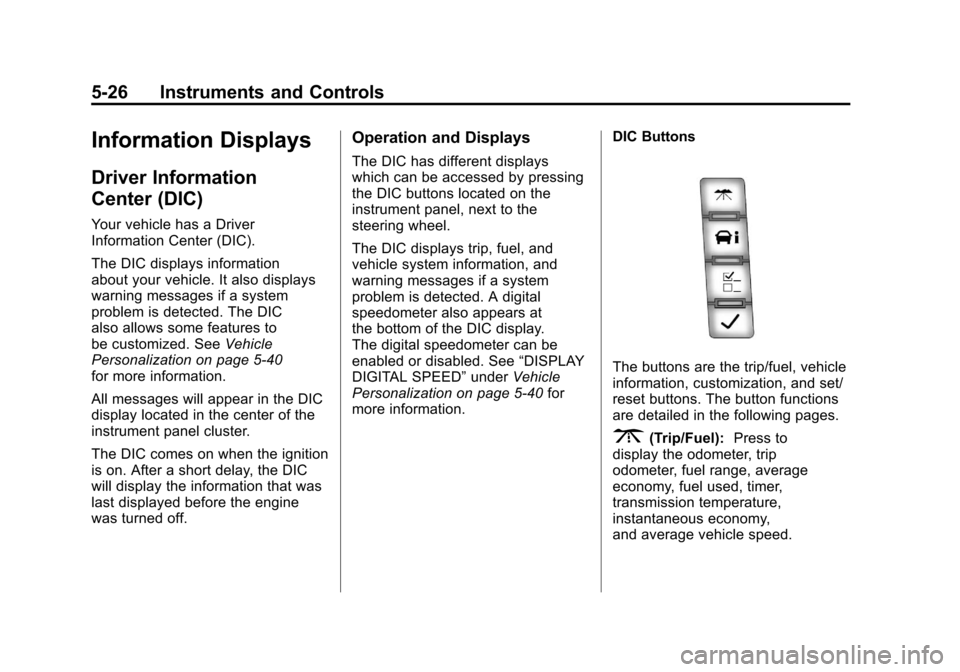
more information. DIC Buttons
The buttons are the trip/fuel, vehicle
information, customization, and set/
reset buttons. The button functions
are detailed in the following pages.
3(Trip/Fuel):
Press to
display the odometer, trip
odometer, fuel range, average
economy, fuel used, timer,
transmission temperature,
instantaneous economy,
and average vehicle speed.
Page 169 of 558
Black plate (31,1)Cadillac Escalade/Escalade ESV Owner Manual - 2011
Instruments and Controls 5-31
Vehicle Messages
Messages displayed on the DIC
indicate the status of the vehicle
or some action may be needed
to correct a condition. Multiple
messages may appear one after
another.
The messages that do not
require immediate action can
be acknowledge and cleared
by pressing any DIC button.
The messages that require
immediate action cannot be cleared
until that action is performed.
All messages should be taken
seriously and clearing the message
does not correct the problem.
The following are the possible
messages and some information
about them.
Battery Voltage and
Charging Messages
BATTERY LOW START
VEHICLE
When the vehicle’s battery
is severely discharged, this
message will display and four
chimes will sound. Start the vehicle
immediately. If the vehicle is not
started and the battery continues
to discharge, the climate controls,
heated seats, and audio systems
will shut off and the vehicle may
require a jump start. These systems
will function again after the vehicle
is started.
SERVICE BATTERY
CHARGING SYSTEM
On some vehicles, this message
displays if there is a problem
with the battery charging system.
Under certain conditions, the charging system light may also turn
on in the instrument panel cluster.
See
Charging System Light on
page 5‑18. Driving with this problem
could drain the battery. Turn off all
unnecessary accessories. Have the
electrical system checked as soon
as possible. See your dealer.
Brake System Messages
SERVICE BRAKE SYSTEM
This message displays along with
the brake system warning light if
there is a problem with the brake
system. See Brake System Warning
Light on page 5‑21. If this message
appears, stop as soon as possible
and turn off the vehicle. Restart the
vehicle and check for the message
on the DIC display. If the message
is still displayed or appears again
when you begin driving, the brake
system needs service as soon as
possible. See your dealer.
Page 171 of 558
Black plate (33,1)Cadillac Escalade/Escalade ESV Owner Manual - 2011
Instruments and Controls 5-33
Engine Cooling System
Messages
ENGINE HOT A/C (Air
Conditioning) TURNED OFF
This message displays when the
engine coolant becomes hotter than
the normal operating temperature.
SeeEngine Coolant Temperature
Gauge on page 5‑14. To avoid
added strain on a hot engine,
the air conditioning compressor
automatically turns off. When
the coolant temperature returns
to normal, the air conditioning
compressor turns back on.
You can continue to drive
your vehicle.
If this message continues to appear,
have the system repaired by your
dealer as soon as possible to avoid
damage to the engine.
ENGINE OVERHEATED IDLE
ENGINE
Notice: If you drive the vehicle
while the engine is overheating,
severe engine damage may
occur. If an overheat warning
appears on the instrument panel
cluster and/or DIC, stop the
vehicle as soon as possible.
See Engine Overheating on
page 10‑22 for more information.
This message displays when the
engine coolant temperature is too
hot. Stop and allow the vehicle to
idle until it cools down. See Engine
Coolant Temperature Gauge on
page 5‑14.
See Overheated Engine Protection
Operating Mode on page 10‑25 for
information on driving to a safe
place in an emergency.
ENGINE OVERHEATED STOP
ENGINE
Notice: If you drive the vehicle
while the engine is overheating,
severe engine damage may
occur. If an overheat warning
appears on the instrument panel
cluster and/or DIC, stop the
vehicle as soon as possible.
See Engine Overheating on
page 10‑22 for more information.
This message displays and a
chime sounds if the engine
cooling system reaches unsafe
temperatures for operation.
Stop and turn off the vehicle as
soon as it is safe to do so to avoid
severe damage. This message
clears when the engine has cooled
to a safe operating temperature.
Page 173 of 558
Black plate (35,1)Cadillac Escalade/Escalade ESV Owner Manual - 2011
Instruments and Controls 5-35
Fuel System Messages
FUEL LEVEL LOW
This message displays and a
chime sounds if the fuel level is
low. Refuel as soon as possible.
SeeFuel Gauge on page 5‑13
and Fuel on page 9‑63 for more
information.
TIGHTEN GAS CAP
This message may display along
with the check engine light on the
instrument panel cluster if the
vehicle's fuel cap is not tightened
properly. See Malfunction Indicator
Lamp on page 5‑18. Reinstall the
fuel cap fully. See Filling the Tank
on page 9‑68. The diagnostic
system can determine if the fuel
cap has been left off or improperly
installed. A loose or missing fuel
cap allows fuel to evaporate into the
atmosphere. A few driving trips with
the cap properly installed should
turn this light and message off.
Key and Lock Messages
REPLACE BATTERY IN
REMOTE KEY
This message displays if a Remote
Keyless Entry (RKE) transmitter
battery is low. The battery needs
to be replaced in the transmitter.
See “Battery Replacement” under
Remote Keyless Entry (RKE)
System Operation on page 2‑3.
Lamp Messages
SERVICE LEFT HEADLAMP
ASSEMBLY
On some models, this message
will be displayed when the left
headlamp is out and needs to be
serviced. See “LED Lighting” in
LED Lighting on page 10‑39 for
more information.
SERVICE RIGHT HEADLAMP
ASSEMBLY
On some models, this message
will be displayed when the right
headlamp is out and needs to be
serviced. See “LED Lighting” in
LED Lighting on page 10‑39 for
more information.
TURN SIGNAL ON
This message displays and a chime
sounds if a turn signal is left on for
1.2 km (3/4 of a mile). Move the turn
signal/multifunction lever to the off
position.
Page 178 of 558
Black plate (40,1)Cadillac Escalade/Escalade ESV Owner Manual - 2011
5-40 Instruments and Controls
Transmission Messages
MANUAL SHIFT
This message displays when the
automatic transmission is in manual
mode. SeeManual Mode on
page 9‑43 for more information.
TRANSMISSION HOT IDLE
ENGINE
Notice:If you drive the vehicle
while the transmission fluid is
overheating and the transmission
temperature warning is displayed
on the instrument panel cluster
and/or DIC, you can damage the
transmission. This could lead
to costly repairs that would not
be covered by the warranty.
Do not drive your vehicle with
overheated transmission fluid
or while the transmission
temperature warning is displayed.
This message displays along with
four chimes if the transmission fluid
in the vehicle gets hot. Driving with
the transmission fluid temperature
high can cause damage to the vehicle. Stop the vehicle and let it
idle to allow the transmission to
cool. This message clears and
the chime stops when the fluid
temperature reaches a safe level.
Vehicle Reminder
Messages
ICE POSSIBLE DRIVE
WITH CARE
This message displays when ice
conditions are possible.
Washer Fluid Messages
WASHER FLUID LOW ADD
FLUID
This message displays when the
windshield washer fluid is low.
Fill the windshield washer fluid
reservoir as soon as possible.
See
Engine Compartment Overview
on page 10‑6 for the location of the
windshield washer fluid reservoir.
Also, see Washer Fluid on
page 10‑26 for more information.
Vehicle
Personalization
Your vehicle may have
customization capabilities that
allow you to program certain
features to one preferred setting.
Customization features can only
be programmed to one setting
on the vehicle and cannot be
programmed to a preferred
setting for two different drivers.
All of the customization options may
not be available on your vehicle.
Only the options available will be
displayed on the DIC.
The default settings for the
customization features were set
when your vehicle left the factory,
but may have been changed from
their default state since then.
The customization preferences are
automatically recalled.
To change customization
preferences, use the following
procedure.
Page 191 of 558
Black plate (53,1)Cadillac Escalade/Escalade ESV Owner Manual - 2011
Instruments and Controls 5-53
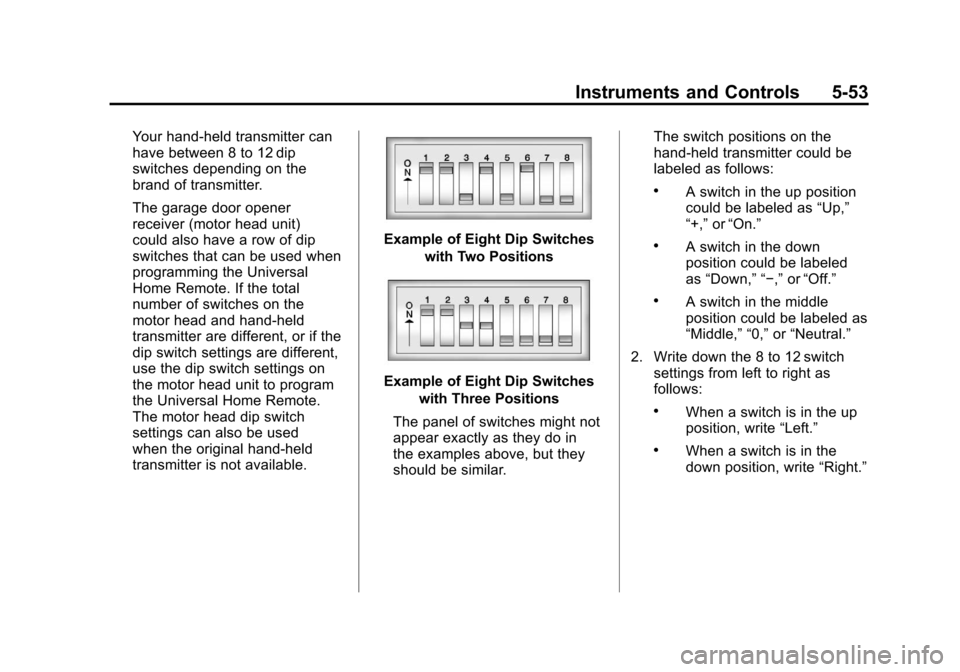
Your hand-held transmitter can
have between 8 to 12 dip
switches depending on the
brand of transmitter.
The garage door opener
receiver (motor head unit)
could also have a row of dip
switches that can be used when
programming the Universal
Home Remote. If the total
number of switches on the
motor head and hand-held
transmitter are different, or if the
dip switch settings are different,
use the dip switch settings on
the motor head unit to program
the Universal Home Remote.
The motor head dip switch
settings can also be used
when the original hand-held
transmitter is not available.
Example of Eight Dip Switcheswith Two Positions
Example of Eight Dip Switcheswith Three Positions
The panel of switches might not
appear exactly as they do in
the examples above, but they
should be similar. The switch positions on the
hand-held transmitter could be
labeled as follows:
.A switch in the up position
could be labeled as
“Up,”
“+,” or“On.”
.A switch in the down
position could be labeled
as “Down,” “−,” or“Off.”
.A switch in the middle
position could be labeled as
“Middle,” “0,” or“Neutral.”
2. Write down the 8 to 12 switch settings from left to right as
follows:
.When a switch is in the up
position, write “Left.”
.When a switch is in the
down position, write “Right.”
Page 195 of 558
Black plate (1,1)Cadillac Escalade/Escalade ESV Owner Manual - 2011
Lighting 6-1
Lighting
Exterior Lighting
Exterior Lamp Controls . . . . . . . . 6-1
Exterior Lamps OffReminder . . . . . . . . . . . . . . . . . . . . 6-5
Headlamp High/Low-Beam Changer . . . . . . . . . . . . . . . . . . . . . 6-6
Flash-to-Pass . . . . . . . . . . . . . . . . . 6-6
Daytime Running Lamps (DRL) . . . . . . . . . . . . . . . . 6-6
Automatic Headlamp System . . . . . . . . . . . . . . . . . . . . . . 6-7
Hazard Warning Flashers . . . . . 6-8
Turn and Lane-Change Signals . . . . . . . . . . . . . . . . . . . . . . 6-8
Fog Lamps . . . . . . . . . . . . . . . . . . . . 6-9
Interior Lighting
Instrument Panel Illumination Control . . . . . . . . . . . . . . . . . . . . . . 6-9
Dome Lamps . . . . . . . . . . . . . . . . 6-10
Reading Lamps . . . . . . . . . . . . . . 6-10
Lighting Features
Entry Lighting . . . . . . . . . . . . . . . . 6-11
Exit Lighting . . . . . . . . . . . . . . . . . 6-11
Battery Load Management . . . 6-11
Battery Power Protection . . . . 6-12
Exterior Lighting
Exterior Lamp Controls
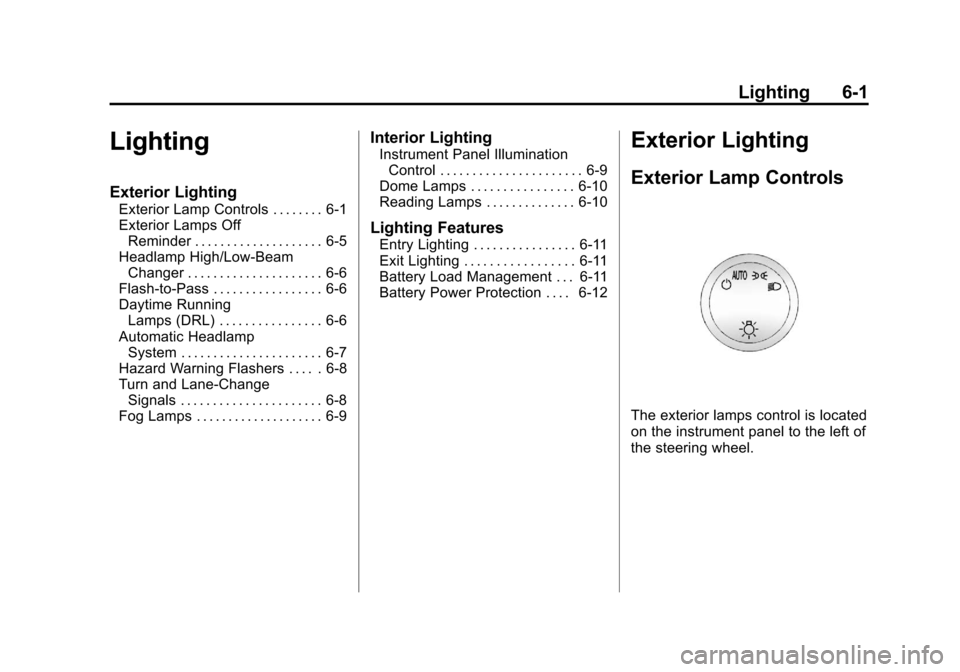
The exterior lamps control is located
on the instrument panel to the left of
the steering wheel.
Page 196 of 558
Black plate (2,1)Cadillac Escalade/Escalade ESV Owner Manual - 2011
6-2 Lighting
It controls the following systems:
.Headlamps
.Taillamps
.Parking Lamps
.License Plate Lamps
.Instrument Panel Lights
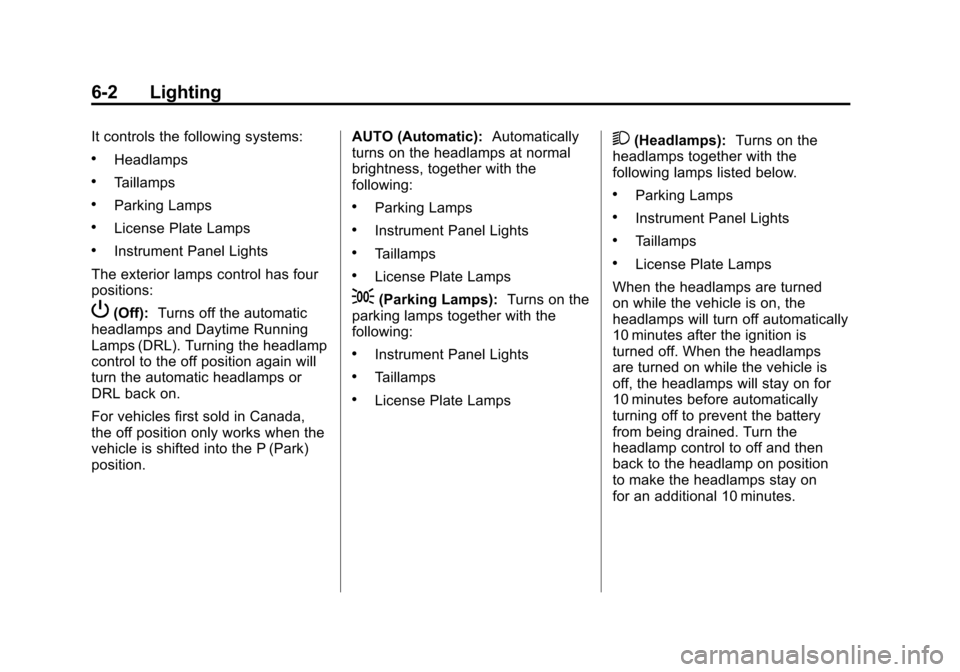
The exterior lamps control has four
positions:
P(Off): Turns off the automatic
headlamps and Daytime Running
Lamps (DRL). Turning the headlamp
control to the off position again will
turn the automatic headlamps or
DRL back on.
For vehicles first sold in Canada,
the off position only works when the
vehicle is shifted into the P (Park)
position. AUTO (Automatic):
Automatically
turns on the headlamps at normal
brightness, together with the
following:
.Parking Lamps
.Instrument Panel Lights
.Taillamps
.License Plate Lamps
;(Parking Lamps): Turns on the
parking lamps together with the
following:
.Instrument Panel Lights
.Taillamps
.License Plate Lamps
2(Headlamps): Turns on the
headlamps together with the
following lamps listed below.
.Parking Lamps
.Instrument Panel Lights
.Taillamps
.License Plate Lamps
When the headlamps are turned
on while the vehicle is on, the
headlamps will turn off automatically
10 minutes after the ignition is
turned off. When the headlamps
are turned on while the vehicle is
off, the headlamps will stay on for
10 minutes before automatically
turning off to prevent the battery
from being drained. Turn the
headlamp control to off and then
back to the headlamp on position
to make the headlamps stay on
for an additional 10 minutes.