lights CADILLAC ESCALADE 2011 3.G Owner's Guide
[x] Cancel search | Manufacturer: CADILLAC, Model Year: 2011, Model line: ESCALADE, Model: CADILLAC ESCALADE 2011 3.GPages: 558, PDF Size: 7.59 MB
Page 287 of 558
Black plate (81,1)Cadillac Escalade/Escalade ESV Owner Manual - 2011
Infotainment System 7-81
r/[(Fast Forward Scroll):
Select to scroll to the next
stopover or to the final destination.
The
u(fast forward skip) button
changes to a fast speed fast
forward.
u(Fast Forward Skip): Select to
go to the next stopover or to the
final destination.
Detour
Detour: Select this screen button
from the Route screen, then select
to detour 2 km, 5 km, 10 km (1 mile,
3 miles, or 5 miles) around the
current route. This can also be
selected to detour the whole route
if necessary. The detour option is
only available while driving on a
current planned route.
Voice Volume
Select this screen button from the
Route screen to turn voice guidance
on or off and to change the volume
of voice prompts. See “Nav”under
Configure Menu on page 7‑83 for
more information. Add Stopover
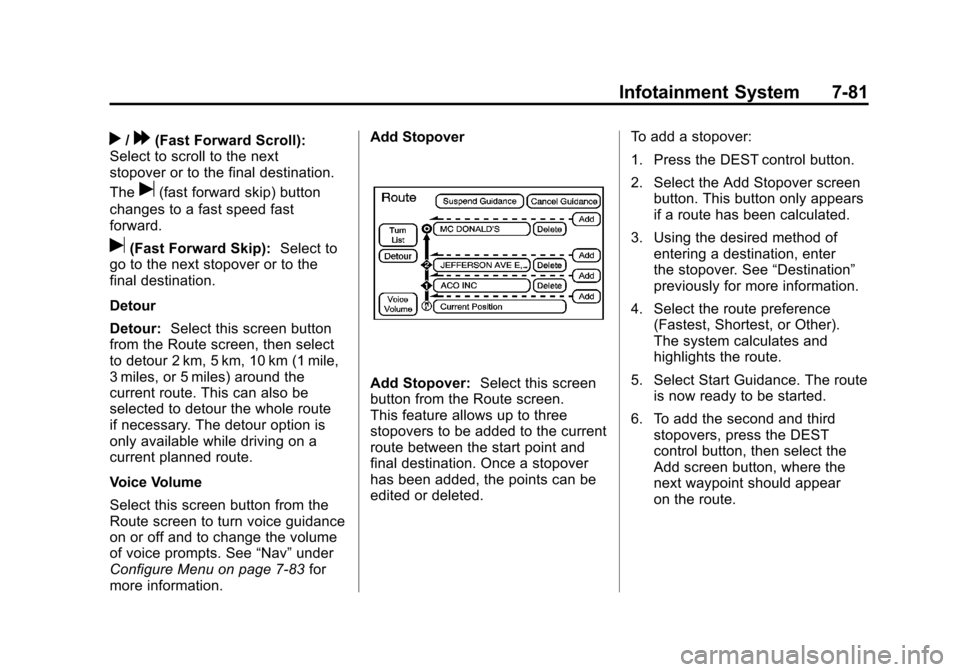
Add Stopover:
Select this screen
button from the Route screen.
This feature allows up to three
stopovers to be added to the current
route between the start point and
final destination. Once a stopover
has been added, the points can be
edited or deleted. To add a stopover:
1. Press the DEST control button.
2. Select the Add Stopover screen
button. This button only appears
if a route has been calculated.
3. Using the desired method of entering a destination, enter
the stopover. See “Destination”
previously for more information.
4. Select the route preference (Fastest, Shortest, or Other).
The system calculates and
highlights the route.
5. Select Start Guidance. The route is now ready to be started.
6. To add the second and third stopovers, press the DEST
control button, then select the
Add screen button, where the
next waypoint should appear
on the route.
Page 288 of 558
Black plate (82,1)Cadillac Escalade/Escalade ESV Owner Manual - 2011
7-82 Infotainment System
7. Select the route preference(Fastest, Shortest, or Other).
The system calculates and
highlights the route.
8. Select Start Guidance. The route is now ready to be started.
To delete a stopover from the
current route:
1. Press the DEST control button.
2. Select Delete for the desired stopover to delete.
3. The system displays a pop-up confirmation message. Press
Yes to delete the stopover; press
No to cancel this operation.
4. Select the route preference (Fastest, Shortest, or Other).
The system calculates and
highlights the route.
5. Select Start Guidance. The route is now ready to be started.
Suspend Guidance
Press this screen button, from the
Route screen, to put the current
route on hold. Resume Guidance
Press this screen button, from the
Route screen, to resume guidance
on the current route.
Cancel Guidance
Press this screen button, from the
Route screen, to cancel the current
route.
Adding Destinations to the
Address Book
There are two ways to add a
destination to the address book:
.To add the current vehicle
position to the address
book, press the Mark screen
button from the map screen.
The system automatically saves
the current vehicle information
in the address book. When
scrolling on the map the Mark
screen button automatically adds
the current scrolled position
information in the address book.
.Press the Add to Address
Book screen button when
available on POI information
screens, Destination Entry
screens, or POI screens.
The system automatically
saves this information in the
address book.
See “Nav” under Configure Menu on
page 7‑83 for information on editing
address book entries.
Adding or Changing Preset
Destinations
This feature allows additions
or changes one of five preset
destinations. When a destination
has been added as a preset
destination, it is available to select
from the Destination Entry screen.
See “Preset Destination” previously
for information on how to select
a preset destination as a final
destination.
Page 334 of 558
Black plate (12,1)Cadillac Escalade/Escalade ESV Owner Manual - 2011
9-12 Driving and Operating
When driving over obstacles or
rough terrain, keep a firm grip on
the steering wheel. Ruts, troughs,
or other surface features can jerk
the wheel out of your hands.
When driving over bumps, rocks,
or other obstacles, the wheels can
leave the ground. If this happens,
even with one or two wheels, you
cannot control the vehicle as well
or at all.
Because you will be on an unpaved
surface, it is especially important to
avoid sudden acceleration, sudden
turns, or sudden braking.
Off-roading requires a different kind
of alertness from driving on paved
roads and highways. There are no
road signs, posted speed limits,
or signal lights. Use good judgment
about what is safe and what is not.Driving on Hills
Off-road driving often takes you up,
down, or across a hill. Driving safely
on hills requires good judgment
and an understanding of what the
vehicle can and cannot do. There
are some hills that simply cannot be
driven, no matter how well built the
vehicle.
{WARNING
Many hills are simply too steep
for any vehicle. If you drive up
them, you will stall. If you drive
down them, you cannot control
your speed. If you drive across
them, you will roll over. You could
be seriously injured or killed.
If you have any doubt about the
steepness, do not drive the hill.
Approaching a Hill
When you approach a hill, decide
if it is too steep to climb, descend,
or cross. Steepness can be hard
to judge. On a very small hill, for
example, there may be a smooth,
constant incline with only a small
change in elevation where you can
easily see all the way to the top.
On a large hill, the incline may get
steeper as you near the top, but
you might not see this because the
crest of the hill is hidden by bushes,
grass, or shrubs.
Consider this as you approach a hill:
.Is there a constant incline,
or does the hill get sharply
steeper in places?
.Is there good traction on the
hillside, or will the surface cause
tire slipping?
.Is there a straight path up
or down the hill so you will
not have to make turning
maneuvers?
Page 355 of 558
Black plate (33,1)Cadillac Escalade/Escalade ESV Owner Manual - 2011
Driving and Operating 9-33
The steering may bind with the
wheels turned off center. If this
happens, move the steering wheel
from right to left while turning the
key to ACC/ACCESSORY. If this
doesn't work, then the vehicle needs
service.
Notice:Using a tool to force the
key to turn in the ignition could
cause damage to the switch or
break the key. Use the correct
key, make sure it is all the way in,
and turn it only with your hand.
If the key cannot be turned by
hand, see your dealer.
B (ACC/ACCESSORY): This
position lets things like the radio
and the windshield wipers operate
while the engine is off. Use this
position if the vehicle must be
pushed or towed. C (ON/RUN):
This position can
be used to operate the electrical
accessories and to display some
instrument panel cluster warning
and indicator lights. The switch
stays in this position when the
engine is running. The transmission
is also unlocked in this position on
automatic transmission vehicles.
If you leave the key in the
ACC/ACCESSORY or ON/RUN
position with the engine off, the
battery could be drained. You may
not be able to start the vehicle if
the battery is allowed to drain for
an extended period of time.
D (START): This is the position
that starts the engine. When the
engine starts, release the key.
The ignition switch returns to
ON/RUN for driving.
A warning tone will sound when the
driver door is opened, the ignition is
in ACC/ACCESSORY or LOCK/OFF
and the key is in the ignition.Starting the Engine
If the vehicle is a hybrid, see
the hybrid supplement for more
information.
Move the shift lever to P (Park) or
N (Neutral). The engine will not start
in any other position. To restart the
engine when the vehicle is already
moving, use N (Neutral) only.
Notice: Do not try to shift to
P (Park) if the vehicle is moving.
If you do, you could damage the
transmission. Shift to P (Park)
only when the vehicle is stopped.
Starting Procedure
1. With your foot off the accelerator pedal, turn the ignition to START.
When the engine starts, let go
of the key. The idle speed will go
down as the engine warms. Do
not race the engine immediately
after starting it. Operate the
engine and transmission gently
to allow the oil to warm up and
lubricate all moving parts.
Page 371 of 558
Black plate (49,1)Cadillac Escalade/Escalade ESV Owner Manual - 2011
Driving and Operating 9-49
Traction Control Operation
The traction control system is
part of the StabiliTrak system.
Traction control limits wheel spin
by reducing engine power to the
wheels (engine speed management)
and by applying brakes to each
individual wheel (brake-traction
control) as necessary.
The traction control system is
enabled automatically when the
vehicle is started. It will activate
and the StabiliTrak light will flash
if it senses that any of the wheels
are spinning or beginning to lose
traction while driving. If traction
control is turned off, only the
brake-traction control portion
of traction control will work.
The engine speed management
will be disabled. In this mode,
engine power is not reduced
automatically and the driven
wheels can spin more freely.
This can cause the brake-traction
control to activate constantly.Notice:
If the wheel(s) of one axle
is allowed to spin excessively
while the StabiliTrak®, ABS, brake
warning lights, and any relevant
DIC messages are displayed, the
transfer case could be damaged.
The repairs would not be covered
by the vehicle warranty. Reduce
engine power and do not spin
the wheel(s) excessively while
these lights and messages are
displayed.
The traction control system may
activate on dry or rough roads or
under conditions such as heavy
acceleration while turning or
abrupt upshifts/downshifts of the
transmission. When this happens,
a reduction in acceleration may be
noticed, or a noise or vibration may
be heard. This is normal. If cruise control is being used when
the system activates, the StabiliTrak
light will flash and cruise control will
automatically disengage. Cruise
control may be reengaged when
road conditions allow. See
Cruise
Control on page 9‑51.
StabiliTrak may also turn off
automatically if it determines that
a problem exists with the system.
If the problem does not clear itself
after restarting the vehicle, see your
dealer for service.
Locking Rear Axle
Vehicles with a locking rear axle can
give more traction on snow, mud,
ice, sand, or gravel. It works like a
standard axle most of the time, but
when traction is low, this feature will
allow the rear wheel with the most
traction to move the vehicle.
Page 385 of 558

Black plate (63,1)Cadillac Escalade/Escalade ESV Owner Manual - 2011
Driving and Operating 9-63
When the System Does Not
Seem To Work Properly
The rear vision camera system
might not work properly or display
a clear image if:
.The RVC is turned off.
See“Turning the Rear Camera
System On or Off” earlier in this
section.
.It is dark.
.The sun or the beam of
headlights is shining directly
into the camera lens.
.Ice, snow, mud, or anything else
builds up on the camera lens.
Clean the lens, rinse it with
water, and wipe it with a soft
cloth.
.The back of the vehicle is in
an accident, the position and
mounting angle of the camera
can change or the camera can
be affected. Be sure to have the
camera and its position and
mounting angle checked at your
dealer.
Fuel
Use of the recommended fuel
is an important part of the proper
maintenance of this vehicle. To help
keep the engine clean and maintain
optimum vehicle performance, we
recommend the use of gasoline
advertised as TOP TIER Detergent
Gasoline.
Look for the TOP TIER label on the
fuel pump to ensure gasoline meets
enhanced detergency standards
developed by auto companies. A list
of marketers providing TOP TIER
Detergent Gasoline can be found at
www.toptiergas.com.
Vehicles that have a FlexFuel badge
and a yellow fuel cap can use either
unleaded gasoline or ethanol fuel
Page 551 of 558

Black plate (5,1)Cadillac Escalade/Escalade ESV Owner Manual - 2011
INDEX i-5
Fog LampsBulb Replacement . . . . . . . . . . . . . 6-9
Front Axle . . . . . . . . . . . . . . . . . . . . 10-31
Front Fog Lamps Light . . . . . . . . . . . . . . . . . . . . . . . . . . 5-25
Front Seats Heated and Ventilated . . . . . . . . . 3-8
Fuel . . . . . . . . . . . . . . . . . . . . . . . . . . . 9-63 Additives . . . . . . . . . . . . . . . . . . . . . 9-65
E85 (85% Ethanol) . . . . . . . . . . . 9-66
Filling a Portable FuelContainer . . . . . . . . . . . . . . . . . . . 9-70
Filling the Tank . . . . . . . . . . . . . . . 9-68
Fuels in Foreign Countries . . . . 9-65
Gasoline Specifications . . . . . . . 9-64
Gauge . . . . . . . . . . . . . . . . . . . . . . . . 5-13
Management, Active . . . . . . . . . . 9-38
Recommended . . . . . . . . . . . . . . . 9-64
Requirements, California . . . . . 9-64
System Messages . . . . . . . . . . . . 5-35
Fuel Economy
Driving for Better . . . . . . . . . . . . . 1-23
Full-Size Spare Tire . . . . . . . . . . 10-88 Fuses
Engine Compartment
Fuse Block . . . . . . . . . . . . . . . . 10-43
Fuses and Circuit Breakers . . . . . . . . . . . . . . . . . . 10-42
Instrument Panel Fuse Block . . . . . . . . . . . . . . . . . . . . . . 10-47
G
Garage Door Opener . . . . . . . . . . 5-50
Programming . . . . . . . . . . . . . . . . . 5-50
Gasoline Specifications . . . . . . . . . . . . . . . . . 9-64
Gauges Engine CoolantTemperature . . . . . . . . . . . . . . . . 5-14
Fuel . . . . . . . . . . . . . . . . . . . . . . . . . . 5-13
Odometer . . . . . . . . . . . . . . . . . . . . . 5-13
Speedometer . . . . . . . . . . . . . . . . . 5-13
Tachometer . . . . . . . . . . . . . . . . . . . 5-13
Trip Odometer . . . . . . . . . . . . . . . . 5-13
Warning Lights and Indicators . . . . . . . . . . . . . . . . . . . 5-11 General Information
Service and Maintenance . . . . . 11-1
Towing . . . . . . . . . . . . . . . . . . . . . . . . 9-70
Vehicle Care . . . . . . . . . . . . . . . . . . 10-2
Glass Replacement . . . . . . . . . . . 10-36
Global Positioning System (GPS) . . . . . . . . . . . . . . . . 7-96
Glove Box . . . . . . . . . . . . . . . . . . . . . . 4-1
GM Mobility Reimbursement Program . . . . . . . . . . . . . . . . . . . . . . 13-7
H
Hazard Warning Flashers . . . . . . . 6-8
Head Restraints . . . . . . . . . . . . . . . . 3-2
HeadlampsAiming . . . . . . . . . . . . . . . . . . . . . . 10-37
Automatic . . . . . . . . . . . . . . . . . . . . . . 6-7
Bulb Replacement . . . . . . . . . . 10-39
Daytime RunningLamps (DRL) . . . . . . . . . . . . . . . . . 6-6
Flash-to-Pass . . . . . . . . . . . . . . . . . . 6-6
High Intensity Discharge (HID) Lighting . . . . . . . . . . . . . 10-39
High-Beam On Light . . . . . . . . . . 5-25
High/Low Beam Changer . . . . . . 6-6
Lamps On Reminder . . . . . . . . . 5-25
Page 552 of 558

Black plate (6,1)Cadillac Escalade/Escalade ESV Owner Manual - 2011
i-6 INDEX
HeatedRear Seats . . . . . . . . . . . . . . . . . . . . 3-9
Steering Wheel . . . . . . . . . . . . . . . . 5-5
Heated and Ventilated Front Seats . . . . . . . . . . . . . . . . . . . . . . . . . 3-8
Heated Mirrors . . . . . . . . . . . . . . . . . 2-17
High-Beam On Light . . . . . . . . . . . 5-25
High-Speed Operation . . . . . . . . 10-58
Highway Hypnosis . . . . . . . . . . . . . 9-20
Hill and Mountain Roads . . . . . . . 9-20
Hood . . . . . . . . . . . . . . . . . . . . . . . . . . 10-5
Horn . . . . . . . . . . . . . . . . . . . . . . . . . . . . 5-5
How to Wear Safety Belts Properly . . . . . . . . . . . . . . . . . . . . . . 3-25
I
Ignition Positions . . . . . . . . . . . . . . 9-32
Ignition Transmission LockCheck . . . . . . . . . . . . . . . . . . . . . . . 10-34
Immobilizer . . . . . . . . . . . . . . . . . . . . 2-14
Infants and Young Children, Restraints . . . . . . . . . . . . . . . . . . . . 3-57
Instrument Cluster . . . . . . . . . . . . . 5-12
Introduction . . . . . . . . . . . . . . . . . . .iii, 7-2
J
Jump Starting . . . . . . . . . . . . . . . . . 10-89
K
Key and Lock Messages . . . . . . . 5-35
Keyless Entry
Remote (RKE) System . . . . . . . . 2-3
Keyless Entry System . . . . . . . . . . 2-2
Keys . . . . . . . . . . . . . . . . . . . . . . . . . . . . 2-2
L
Labeling, Tire Sidewall . . . . . . . . 10-52
Lamp Messages . . . . . . . . . . . . . . . 5-35
Lamps Daytime Running (DRL) . . . . . . . 6-6
Dome . . . . . . . . . . . . . . . . . . . . . . . . . 6-10
Exterior Controls . . . . . . . . . . . . . . . 6-1
Exterior Lamps Off
Reminder . . . . . . . . . . . . . . . . . . . . 6-5
License Plate . . . . . . . . . . . . . . . 10-41
Malfunction Indicator . . . . . . . . . 5-18
On Reminder . . . . . . . . . . . . . . . . . 5-25
Reading . . . . . . . . . . . . . . . . . . . . . . 6-10 Lap Belt . . . . . . . . . . . . . . . . . . . . . . . 3-37
Lap-Shoulder Belt . . . . . . . . . . . . . 3-31
LATCH System
Replacing Parts After aCrash . . . . . . . . . . . . . . . . . . . . . . . 3-71
Latch, Lower Anchors and Tethers for Children . . . . . . . . . . 3-63
LED Lighting . . . . . . . . . . . . . . . . . . 10-39
Level Control Automatic . . . . . . . . . . . . . . . . . . . . . 9-50
Liftgate
Carbon Monoxide . . . . . . . . 2-9, 2-10
Lighter, Cigarette . . . . . . . . . . . . . . 5-10
Lighting Entry . . . . . . . . . . . . . . . . . . . . . . . . . 6-11
Exit . . . . . . . . . . . . . . . . . . . . . . . . . . . 6-11
Illumination Control . . . . . . . . . . . . 6-9
LED . . . . . . . . . . . . . . . . . . . . . . . . 10-39
Lights Airbag Readiness . . . . . . . . . . . . . 5-16
Antilock Brake System(ABS) Warning . . . . . . . . . . . . . . 5-22
Charging System . . . . . . . . . . . . . 5-18
Cruise Control . . . . . . . . . . . . . . . . 5-25
Page 553 of 558

Black plate (7,1)Cadillac Escalade/Escalade ESV Owner Manual - 2011
INDEX i-7
Lights (cont.)Engine Oil Pressure . . . . . . . . . . 5-24
Flash-to-Pass . . . . . . . . . . . . . . . . . . 6-6
Front Fog Lamps . . . . . . . . . . . . . 5-25
High-Beam On . . . . . . . . . . . . . . . . 5-25
High/Low Beam Changer . . . . . . 6-6
Safety Belt Reminders . . . . . . . . 5-15
Security . . . . . . . . . . . . . . . . . . . . . . 5-25
StabiliTrak
®Indicator . . . . . . . . . 5-23
Tire Pressure . . . . . . . . . . . . . . . . . 5-23
Tow/Haul Mode . . . . . . . . . . . . . . . 5-23
Locking Rear Axle . . . . . . . . . . . . . 9-49
Locks Automatic Door . . . . . . . . . . . . . . . . 2-8
Delayed Locking . . . . . . . . . . . . . . . 2-8
Door . . . . . . . . . . . . . . . . . . . . . . . . . . . 2-7
Lockout Protection . . . . . . . . . . . . . 2-8
Power Door . . . . . . . . . . . . . . . . . . . . 2-7
Safety . . . . . . . . . . . . . . . . . . . . . . . . . 2-8
Loss of Control . . . . . . . . . . . . . . . . . 9-6
Lower Anchors and Tethers for Children (LATCH
SYSTEM) . . . . . . . . . . . . . . . . . . . . 3-63
Lumbar Adjustment . . . . . . . . . . . . . 3-6 Front Seats . . . . . . . . . . . . . . . . . . . . 3-6
M
MaintenanceRecords . . . . . . . . . . . . . . . . . . . . .11-10
Maintenance Schedule Recommended Fluids andLubricants . . . . . . . . . . . . . . . . . . . 11-7
Scheduled Maintenance . . . . . . 11-2
Malfunction Indicator Lamp . . . . 5-18
Manual Mode . . . . . . . . . . . . . . . . . . 9-43
Map Data Updates . . . . . . . . . . . . . 7-98
Maps . . . . . . . . . . . . . . . . . . . . . . . . . . 7-62
Memory Features . . . . . . . . . . . . . . . 1-8
Menu Configure . . . . . . . . . . . . . . . . . . . . . 7-83
Messages Airbag System . . . . . . . . . . . . . . . . 5-38
Anti-Theft Alarm System . . . . . . 5-38
Battery Voltage and
Charging . . . . . . . . . . . . . . . . . . . . 5-31
Brake System . . . . . . . . . . . . . . . . 5-31
Door Ajar . . . . . . . . . . . . . . . . . . . . . 5-32
Engine Cooling System . . . . . . . 5-33
Engine Oil . . . . . . . . . . . . . . . . . . . . 5-34 Messages (cont.)
Engine Power . . . . . . . . . . . . . . . . 5-34
Fuel System . . . . . . . . . . . . . . . . . . 5-35
Key and Lock . . . . . . . . . . . . . . . . . 5-35
Lamp . . . . . . . . . . . . . . . . . . . . . . . . . 5-35
Object Detection System . . . . . 5-36
Ride Control System . . . . . . . . . . 5-37
Tire . . . . . . . . . . . . . . . . . . . . . . . . . . . 5-39
Transmission . . . . . . . . . . . . . . . . . 5-40
Vehicle . . . . . . . . . . . . . . . . . . . . . . . 5-31
Vehicle Reminder . . . . . . . . . . . . . 5-40
Washer Fluid . . . . . . . . . . . . . . . . . 5-40
Mirrors Automatic Dimming . . . . . . . . . . . 2-18
Automatic Dimming
Rearview . . . . . . . . . . . . . . . . . . . . 2-18
Convex . . . . . . . . . . . . . . . . . . . . . . . 2-16
Heated . . . . . . . . . . . . . . . . . . . . . . . 2-17
Park Tilt . . . . . . . . . . . . . . . . . . . . . . 2-18
Power . . . . . . . . . . . . . . . . . . . . . . . . 2-16
Monitor System, Tire Pressure . . . . . . . . . . . . . . . . . . . . 10-59
MP3 . . . . . . . . . . . . . . . . . . . . . . . . . . . 7-28
Page 558 of 558

Black plate (12,1)Cadillac Escalade/Escalade ESV Owner Manual - 2011
i-12 INDEX
U
Ultrasonic Parking Assist . . . . . . 9-54
Uniform Tire QualityGrading . . . . . . . . . . . . . . . . . . . . . 10-69
Universal Remote System . . . . . 5-50 Operation . . . . . . . . . . . . . . . . . . . . . 5-55
Programming . . . . . . . . . . . . . . . . . 5-50
Updates Map Data . . . . . . . . . . . . . . . . . . . . . 7-98
Using this Manual . . . . . . . . . . . . . . . . iv
V
Vehicle Canadian Owners . . . . . . . . . . . . . . . iii
Control . . . . . . . . . . . . . . . . . . . . . . . . 9-3
Load Limits . . . . . . . . . . . . . . . . . . . 9-24
Messages . . . . . . . . . . . . . . . . . . . . 5-31
Personalization . . . . . . . . . . . . . . . 5-40
Remote Start . . . . . . . . . . . . . . . . . . 2-5
Security . . . . . . . . . . . . . . . . . . . . . . 2-13
Towing . . . . . . . . . . . . . . . . . . . . . . 10-94 Vehicle Care
Tire Pressure . . . . . . . . . . . . . . . 10-57
Vehicle Identification Number (VIN) . . . . . . . . . . . . . . . . . 12-1
Service Parts IdentificationLabel . . . . . . . . . . . . . . . . . . . . . . . . 12-1
Vehicle Positioning . . . . . . . . . . . . 7-97
Vehicle Reminder
Messages . . . . . . . . . . . . . . . . . . . . 5-40
Ventilation, Air . . . . . . . . . . . . . . . . . . 8-8
Visors . . . . . . . . . . . . . . . . . . . . . . . . . 2-22
Voice Recognition . . . . . . . . . . . . . 7-99W
Warning Lights, Gauges, and Indicators . . . . . . . . . . . . . . . . 5-11
Warnings . . . . . . . . . . . . . . . . . . . . . . . . . iv Cautions and Danger . . . . . . . . . . . .iv
Hazard Flashers . . . . . . . . . . . . . . . 6-8
Washer Fluid . . . . . . . . . . . . . . . . . 10-26
Washer Fluid Messages . . . . . . . 5-40 Wheels
Alignment and Tire
Balance . . . . . . . . . . . . . . . . . . . 10-71
Different Size . . . . . . . . . . . . . . . 10-68
Replacement . . . . . . . . . . . . . . . 10-71
When It Is Time for New Tires . . . . . . . . . . . . . . . . . . . . . . . . 10-65
Where to Put the Restraint . . . . 3-62
Windows . . . . . . . . . . . . . . . . . . . . . . 2-19 Power . . . . . . . . . . . . . . . . . . . . . . . . 2-20
Windshield
Wiper/Washer . . . . . . . . . . . . . . . . . 5-5
Winter Driving . . . . . . . . . . . . . . . . . 9-21
Wiper Blade Replacement . . . . 10-35
Wipers Rear Washer . . . . . . . . . . . . . . . . . . 5-6