belt CADILLAC ESCALADE 2011 3.G Repair Manual
[x] Cancel search | Manufacturer: CADILLAC, Model Year: 2011, Model line: ESCALADE, Model: CADILLAC ESCALADE 2011 3.GPages: 558, PDF Size: 7.59 MB
Page 139 of 558
Black plate (1,1)Cadillac Escalade/Escalade ESV Owner Manual - 2011
Instruments and Controls 5-1
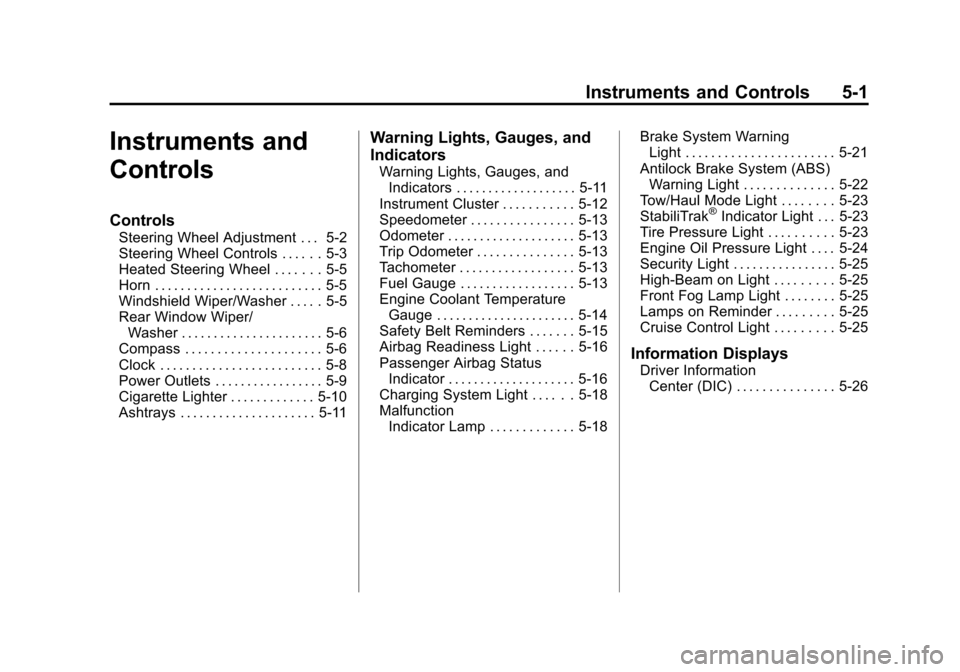
Instruments and
Controls
Controls
Steering Wheel Adjustment . . . 5-2
Steering Wheel Controls . . . . . . 5-3
Heated Steering Wheel . . . . . . . 5-5
Horn . . . . . . . . . . . . . . . . . . . . . . . . . . 5-5
Windshield Wiper/Washer . . . . . 5-5
Rear Window Wiper/Washer . . . . . . . . . . . . . . . . . . . . . . 5-6
Compass . . . . . . . . . . . . . . . . . . . . . 5-6
Clock . . . . . . . . . . . . . . . . . . . . . . . . . 5-8
Power Outlets . . . . . . . . . . . . . . . . . 5-9
Cigarette Lighter . . . . . . . . . . . . . 5-10
Ashtrays . . . . . . . . . . . . . . . . . . . . . 5-11
Warning Lights, Gauges, and
Indicators
Warning Lights, Gauges, and Indicators . . . . . . . . . . . . . . . . . . . 5-11
Instrument Cluster . . . . . . . . . . . 5-12
Speedometer . . . . . . . . . . . . . . . . 5-13
Odometer . . . . . . . . . . . . . . . . . . . . 5-13
Trip Odometer . . . . . . . . . . . . . . . 5-13
Tachometer . . . . . . . . . . . . . . . . . . 5-13
Fuel Gauge . . . . . . . . . . . . . . . . . . 5-13
Engine Coolant Temperature Gauge . . . . . . . . . . . . . . . . . . . . . . 5-14
Safety Belt Reminders . . . . . . . 5-15
Airbag Readiness Light . . . . . . 5-16
Passenger Airbag Status Indicator . . . . . . . . . . . . . . . . . . . . 5-16
Charging System Light . . . . . . 5-18
Malfunction
Indicator Lamp . . . . . . . . . . . . . 5-18 Brake System Warning
Light . . . . . . . . . . . . . . . . . . . . . . . 5-21
Antilock Brake System (ABS) Warning Light . . . . . . . . . . . . . . 5-22
Tow/Haul Mode Light . . . . . . . . 5-23
StabiliTrak
®Indicator Light . . . 5-23
Tire Pressure Light . . . . . . . . . . 5-23
Engine Oil Pressure Light . . . . 5-24
Security Light . . . . . . . . . . . . . . . . 5-25
High-Beam on Light . . . . . . . . . 5-25
Front Fog Lamp Light . . . . . . . . 5-25
Lamps on Reminder . . . . . . . . . 5-25
Cruise Control Light . . . . . . . . . 5-25
Information Displays
Driver Information Center (DIC) . . . . . . . . . . . . . . . 5-26
Page 153 of 558
Black plate (15,1)Cadillac Escalade/Escalade ESV Owner Manual - 2011
Instruments and Controls 5-15
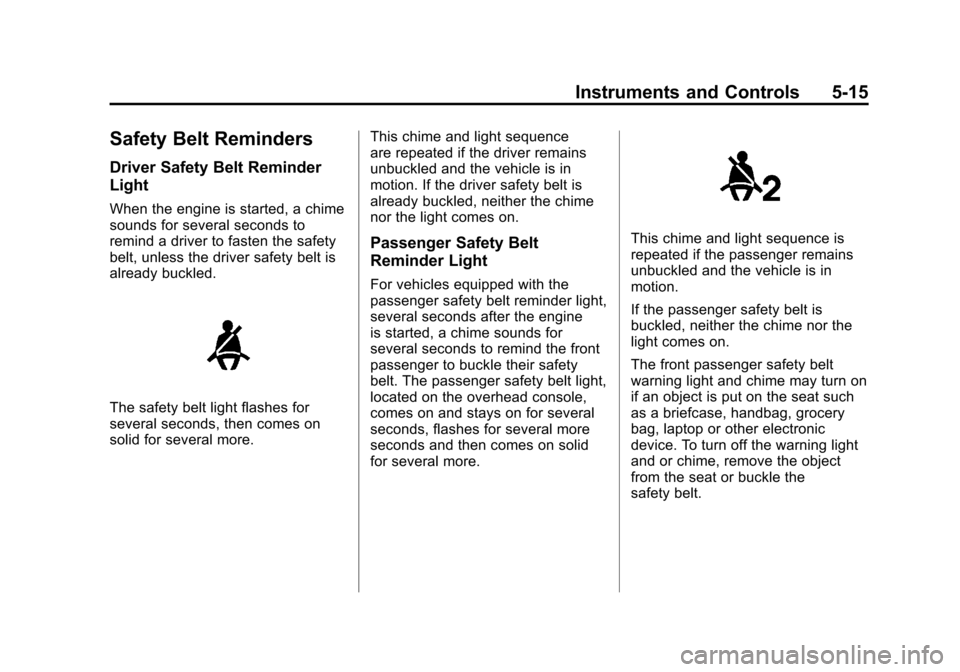
Safety Belt Reminders
Driver Safety Belt Reminder
Light
When the engine is started, a chime
sounds for several seconds to
remind a driver to fasten the safety
belt, unless the driver safety belt is
already buckled.
The safety belt light flashes for
several seconds, then comes on
solid for several more.This chime and light sequence
are repeated if the driver remains
unbuckled and the vehicle is in
motion. If the driver safety belt is
already buckled, neither the chime
nor the light comes on.
Passenger Safety Belt
Reminder Light
For vehicles equipped with the
passenger safety belt reminder light,
several seconds after the engine
is started, a chime sounds for
several seconds to remind the front
passenger to buckle their safety
belt. The passenger safety belt light,
located on the overhead console,
comes on and stays on for several
seconds, flashes for several more
seconds and then comes on solid
for several more.
This chime and light sequence is
repeated if the passenger remains
unbuckled and the vehicle is in
motion.
If the passenger safety belt is
buckled, neither the chime nor the
light comes on.
The front passenger safety belt
warning light and chime may turn on
if an object is put on the seat such
as a briefcase, handbag, grocery
bag, laptop or other electronic
device. To turn off the warning light
and or chime, remove the object
from the seat or buckle the
safety belt.
Page 156 of 558

Black plate (18,1)Cadillac Escalade/Escalade ESV Owner Manual - 2011
5-18 Instruments and Controls
Charging System Light
This light comes on briefly when
the ignition key is turned to START,
but the engine is not running, as a
check to show it is working.
If it does not, have the vehicle
serviced by your dealer.
The light should go out once
the engine starts. If it stays on,
or comes on while driving, therecould be a problem with the
charging system. A charging
system message in the Driver
Information Center (DIC) can also
appear. See
Battery Voltage and
Charging Messages on page 5‑31
for more information. This light could
indicate that there are problems with
a generator drive belt, or that there
is an electrical problem. Have it
checked right away. If the vehicle
must be driven a short distance with
the light on, turn off accessories,
such as the radio and air
conditioner.
If the vehicle is a hybrid, see the
hybrid supplement for more
information.
Malfunction
Indicator Lamp
A computer system called OBD II
(On-Board Diagnostics-Second
Generation) monitors operation
of the fuel, ignition, and emission
control systems. It ensures that
emissions are at acceptable levels
for the life of the vehicle, helping to
produce a cleaner environment.
This light should come on when the
ignition is on, but the engine is not
running, as a check to show it is
working. If it does not, have the
vehicle serviced by your dealer.
Page 216 of 558
Black plate (10,1)Cadillac Escalade/Escalade ESV Owner Manual - 2011
7-10 Infotainment System
Radio
AM-FM Radio
Notice:Before adding any
sound equipment to the vehicle,
such as an audio system,
CD player, CB radio, mobile
telephone, or two-way radio,
make sure that it can be added
by checking with your dealer.
Also, check federal rules
covering mobile radio and
telephone units. If sound
equipment can be added, it is
very important to do it properly.
Added sound equipment can
interfere with the operation of
the vehicle's engine, radio,
or other systems, and even
damage them. The vehicle's
systems can interfere with the
operation of sound equipment
that has been added. Notice:
The chime signals
related to safety belts, parking
brake, and other functions
of the vehicle operate through
the navigation system. If that
equipment is replaced or
additional equipment is added
to the vehicle, the chimes
may not work. Make sure that
replacement or additional
equipment is compatible with the
vehicle before installing it. See
“Accessories and Modifications”
in the vehicle's owner manual.
Playing the Radio
O/n(Power/Volume):
1. Press to turn the audio system on and off.
2. Turn to increase or to decrease the volume. 3. Press and hold for more than
two seconds to turn off the
navigation system, the Rear
Seat Entertainment (RSE) video
screen, and Rear Seat Audio
(RSA). If the vehicle has not
been turned off, press this knob
to turn RSE and RSA back on
and to continue playback of the
last active source.
w(Tuning Knob): Turn to go to
the next or previous frequency or
disc track or chapter. See CD/DVD
Player on page 7‑19 orMP3 on
page 7‑28 for more information.
AUDIO: Press to display the audio
screen. Press to switch between
AM, FM, or XM, if equipped, Disc,
or AUX (Auxiliary), or touch the
screen button. See CD/DVD Player
on page 7‑19, MP3 on page 7‑28,
and Auxiliary Devices on page 7‑31
for more information.
Page 250 of 558
Black plate (44,1)Cadillac Escalade/Escalade ESV Owner Manual - 2011
7-44 Infotainment System
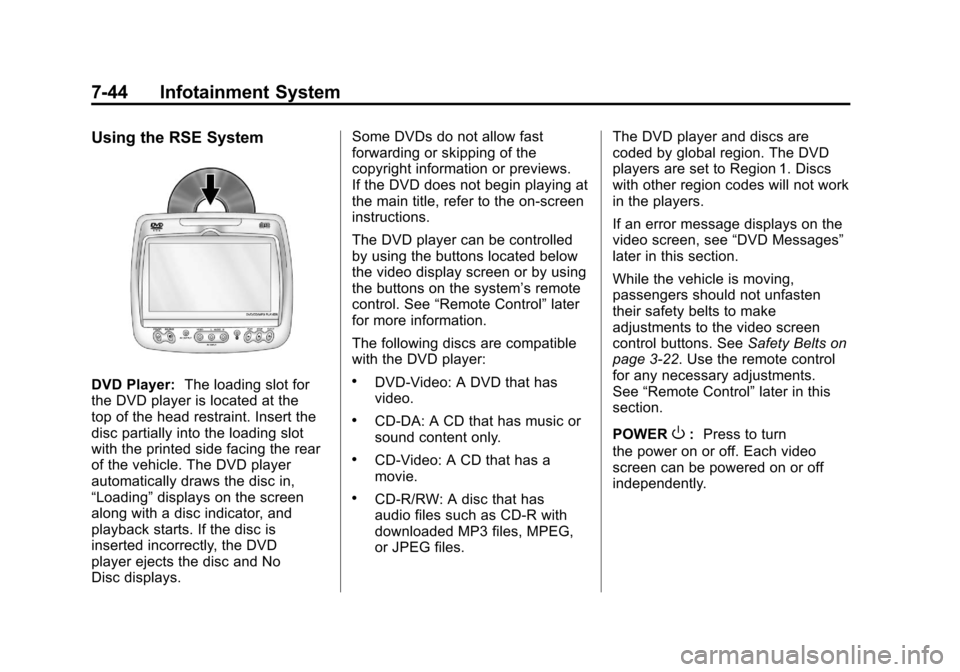
Using the RSE System
DVD Player:The loading slot for
the DVD player is located at the
top of the head restraint. Insert the
disc partially into the loading slot
with the printed side facing the rear
of the vehicle. The DVD player
automatically draws the disc in,
“Loading” displays on the screen
along with a disc indicator, and
playback starts. If the disc is
inserted incorrectly, the DVD
player ejects the disc and No
Disc displays. Some DVDs do not allow fast
forwarding or skipping of the
copyright information or previews.
If the DVD does not begin playing at
the main title, refer to the on-screen
instructions.
The DVD player can be controlled
by using the buttons located below
the video display screen or by using
the buttons on the system’
s remote
control. See “Remote Control” later
for more information.
The following discs are compatible
with the DVD player:.DVD-Video: A DVD that has
video.
.CD-DA: A CD that has music or
sound content only.
.CD-Video: A CD that has a
movie.
.CD-R/RW: A disc that has
audio files such as CD-R with
downloaded MP3 files, MPEG,
or JPEG files. The DVD player and discs are
coded by global region. The DVD
players are set to Region 1. Discs
with other region codes will not work
in the players.
If an error message displays on the
video screen, see
“DVD Messages”
later in this section.
While the vehicle is moving,
passengers should not unfasten
their safety belts to make
adjustments to the video screen
control buttons. See Safety Belts on
page 3‑22. Use the remote control
for any necessary adjustments.
See “Remote Control” later in this
section.
POWER
O: Press to turn
the power on or off. Each video
screen can be powered on or off
independently.
Page 324 of 558
Black plate (2,1)Cadillac Escalade/Escalade ESV Owner Manual - 2011
9-2 Driving and Operating
Towing
General TowingInformation . . . . . . . . . . . . . . . . . 9-70
Driving Characteristics and Towing Tips . . . . . . . . . . . . . . . . 9-71
Trailer Towing . . . . . . . . . . . . . . . . 9-74
Towing Equipment . . . . . . . . . . . 9-78
Conversions and Add-Ons
Add-On Electrical
Equipment . . . . . . . . . . . . . . . . . 9-82
Driving Information
Defensive Driving
Defensive driving means “always
expect the unexpected.” The first
step in driving defensively is to wear
your safety belt. See Safety Belts on
page 3‑22.
{WARNING
Assume that other road users
(pedestrians, bicyclists, and other
drivers) are going to be careless
(Continued)
WARNING (Continued)
and make mistakes. Anticipate
what they might do and be ready.
In addition:
.Allow enough following
distance between you and
the driver in front of you.
.Focus on the task of driving.
Driver distraction can cause
collisions resulting in injury or
possible death. These simple
defensive driving techniques
could save your life.
Page 328 of 558
Black plate (6,1)Cadillac Escalade/Escalade ESV Owner Manual - 2011
9-6 Driving and Operating
The fact that such emergency
situations are always possible is a
good reason to practice defensive
driving at all times and wear safety
belts properly.
Off-Road Recovery
The vehicle's right wheels can drop
off the edge of a road onto the
shoulder while driving.
If the level of the shoulder is
only slightly below the pavement,
recovery should be fairly easy.Ease off the accelerator and then,
if there is nothing in the way, steer
so that the vehicle straddles the
edge of the pavement. Turn the
steering wheel 8 to 13 cm (3 to
5 inches), about one-eighth turn,
until the right front tire contacts
the pavement edge. Then turn the
steering wheel to go straight down
the roadway.
Loss of Control
Let us review what driving experts
say about what happens when the
three control systems
—brakes,
steering, and acceleration —do not
have enough friction where the tires
meet the road to do what the driver
has asked.
In any emergency, do not give up.
Keep trying to steer and constantly
seek an escape route or area of
less danger.
Skidding
In a skid, a driver can lose control of
the vehicle. Defensive drivers avoid
most skids by taking reasonable
care suited to existing conditions,
and by not overdriving those
conditions. But skids are always
possible.
The three types of skids correspond
to the vehicle's three control
systems. In the braking skid,
the wheels are not rolling. In the
steering or cornering skid, too much
speed or steering in a curve causes
tires to slip and lose cornering force.
And in the acceleration skid, too
much throttle causes the driving
wheels to spin.
If the vehicle starts to slide,
ease your foot off the accelerator
pedal and quickly steer the way you
want the vehicle to go. If you start
steering quickly enough, the vehicle
may straighten out. Always be ready
for a second skid if it occurs.
Page 329 of 558
Black plate (7,1)Cadillac Escalade/Escalade ESV Owner Manual - 2011
Driving and Operating 9-7
Of course, traction is reduced when
water, snow, ice, gravel, or other
material is on the road. For safety,
slow down and adjust your driving
to these conditions. It is important
to slow down on slippery surfaces
because stopping distance is longer
and vehicle control more limited.
While driving on a surface with
reduced traction, try to avoid
sudden steering, acceleration,
or braking, including reducing
vehicle speed by shifting to a lower
gear. Any sudden changes could
cause the tires to slide. You might
not realize the surface is slippery
until the vehicle is skidding. Learn
to recognize warning clues—such
as enough water, ice, or packed
snow on the road to make a
mirrored surface —and slow down
when you have any doubt.
Remember: Antilock brakes help
avoid only the braking skid.Off-Road Driving
Vehicles with all‐wheel drive can be
used for off‐road driving. Vehicles
without all‐wheel drive and vehicles
with 22‐inch tire/wheel assemblies
should not be driven off-road except
on a level, solid surface.
Many of the vehicle design features
that help make the vehicle more
responsive on paved roads during
poor weather conditions also help
make it better suited for off‐road
use than conventional passenger
vehicles. The vehicle does not
have features usually thought to
be necessary for extended or
severe off‐road use such as special
underbody shielding and transfer
case low gear range.
The airbag system is designed to
work properly under a wide range
of conditions, including off‐road
usage. Always wear your safety belt
and observe safe driving speeds,
especially on rough terrain. Drinking and driving can be very
dangerous on any road and this is
certainly true for off-road driving.
At the very time you need special
alertness and driving skills, your
reflexes, perceptions, and judgment
can be affected by even a small
amount of alcohol. You could have a
serious
—or even fatal —accident
if you drink and drive or ride with a
driver who has been drinking.
Off-roading can be great fun but has
some definite hazards. The greatest
of these is the terrain itself. When
off-road driving, traffic lanes are not
marked, curves are not banked, and
there are no road signs. Surfaces
can be slippery, rough, uphill,
or downhill.
Avoid sharp turns and abrupt
maneuvers. Failure to operate the
vehicle correctly off‐road could
result in loss of vehicle control
or vehicle rollover.
Page 333 of 558
Black plate (11,1)Cadillac Escalade/Escalade ESV Owner Manual - 2011
Driving and Operating 9-11
.The vehicle has more bounce
when driving over obstacles.
.More braking distance is
needed, especially on an
unpaved surface.
{WARNING
When you are driving off-road,
bouncing and quick changes in
direction can easily throw you
out of position. This could cause
you to lose control and crash.
So, whether you are driving on
or off the road, you and your
passengers should wear safety
belts.
Scanning the Terrain
Off-road driving can take you over
many different kinds of terrain.
Be familiar with the terrain and its
many different features.
Surface Conditions:Off-roading
surfaces can be hard-packed dirt,
gravel, rocks, grass, sand, mud,
snow, or ice. Each of these surfaces
affects the vehicle's steering,
acceleration, and braking in different
ways. Depending on the surface,
slipping, sliding, wheel spinning,
delayed acceleration, poor traction,
and longer braking distances can
occur. Surface Obstacles:
Unseen or
hidden obstacles can be hazardous.
A rock, log, hole, rut, or bump can
startle you if you are not prepared
for them. Often these obstacles are
hidden by grass, bushes, snow,
or even the rise and fall of the
terrain itself.
Some things to consider:
.Is the path ahead clear?
.Will the surface texture change
abruptly up ahead?
.Does the travel take you uphill or
downhill?
.Will you have to stop suddenly
or change direction quickly?
Page 396 of 558
Black plate (74,1)Cadillac Escalade/Escalade ESV Owner Manual - 2011
9-74 Driving and Operating
2. Have someone place chocksunder the trailer wheels.
3. When the wheel chocks are in place, release the regular brakes
until the chocks absorb the load.
4. Reapply the brake pedal. Then apply the parking brake and shift
into P (Park).
5. Release the brake pedal.
{WARNING
It can be dangerous to get out of
the vehicle if the shift lever is not
fully in P (Park) with the parking
brake firmly set. The vehicle
can roll. (Continued)
WARNING (Continued)
If the engine has been left
running, the vehicle can move
suddenly. You or others could
be injured. To be sure the vehicle
will not move, even when on fairly
level ground, always put the shift
lever fully in P (Park) with the
parking brake firmly set.
Leaving After Parking on a Hill
1. Apply and hold the brake pedal.
2. Start the engine.
3. Shift into a gear.
4. Release the parking brake.
5. Let up on the brake pedal.
6. Drive slowly until the trailer isclear of the chocks.
7. Stop and have someone pick up and store the chocks.
Maintenance When Trailer
Towing
The vehicle needs service
more often when pulling a trailer.
See the Maintenance Schedule
for more information. Things
that are especially important in
trailer operation are automatic
transmission fluid, engine oil, axle
lubricant, belts, cooling system and
brake system. It is a good idea to
inspect these before and during
the trip.
Check periodically to see that all
hitch nuts and bolts are tight.
Trailer Towing
If the vehicle is a hybrid, see
the hybrid supplement for more
information.
Do not tow a trailer during break‐in.
See New Vehicle Break-In on
page 9‑30 for more information.