brakes CADILLAC ESCALADE 2012 3.G User Guide
[x] Cancel search | Manufacturer: CADILLAC, Model Year: 2012, Model line: ESCALADE, Model: CADILLAC ESCALADE 2012 3.GPages: 538, PDF Size: 7.59 MB
Page 313 of 538
Black plate (13,1)Cadillac Escalade/Escalade ESV Owner Manual - 2012
Driving and Operating 9-13
TheAntilock Brake System (ABS)
on page 9‑34 improves vehicle
stability during hard stops on
slippery roads, but apply the brakes
sooner than when on dry pavement.
Allow greater following distance on
any slippery road and watch for
slippery spots. Icy patches can
occur on otherwise clear roads in
shaded areas. The surface of a
curve or an overpass can remain icy
when the surrounding roads are
clear. Avoid sudden steering
maneuvers and braking while
on ice.
Turn off cruise control, if equipped,
on slippery surfaces.
Blizzard Conditions
Being stuck in snow can be a
serious situation. Stay with the
vehicle unless there is help
nearby. If possible, use the
Roadside Service (U.S. and Canada) on page 13‑8
or
Roadside Service (Mexico) on
page 13‑10. To get help and keep
everyone in the vehicle safe:
.Turn on the hazard warning
flashers.
.Tie a red cloth to an outside
mirror.
{WARNING
Snow can trap engine exhaust
under the vehicle. This may
cause exhaust gases to get
inside. Engine exhaust contains
carbon monoxide (CO) which
cannot be seen or smelled. It can
cause unconsciousness and even
death.
If the vehicle is stuck in the snow:
.Clear away snow from around
the base of your vehicle,
especially any that is blocking
the exhaust pipe.
(Continued)
WARNING (Continued)
.Check again from time to
time to be sure snow does
not collect there.
.Open a window about 5 cm
(2 in) on the side of the
vehicle that is away from the
wind to bring in fresh air.
.Fully open the air outlets on
or under the instrument
panel.
.Adjust the climate control
system to a setting that
circulates the air inside the
vehicle and set the fan speed
to the highest setting. See
“Climate Control Systems” in
the Index.
For more information about
carbon monoxide, see Engine
Exhaust on page 9‑28.
Run the engine for short periods
only as needed to keep warm, but
be careful.
Page 322 of 538
Black plate (22,1)Cadillac Escalade/Escalade ESV Owner Manual - 2012
9-22 Driving and Operating
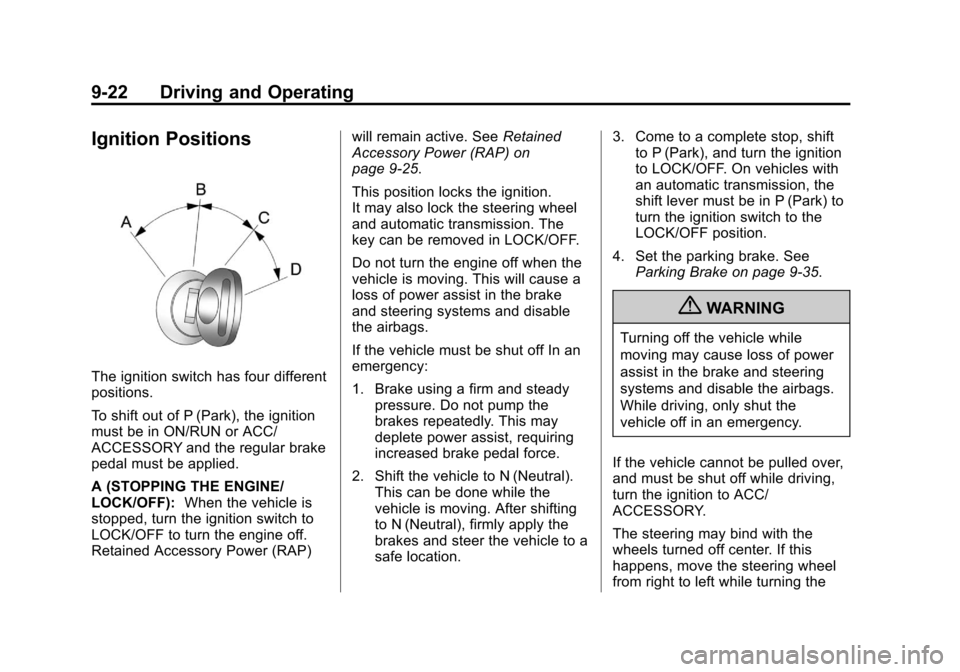
Ignition Positions
The ignition switch has four different
positions.
To shift out of P (Park), the ignition
must be in ON/RUN or ACC/
ACCESSORY and the regular brake
pedal must be applied.
A (STOPPING THE ENGINE/
LOCK/OFF):When the vehicle is
stopped, turn the ignition switch to
LOCK/OFF to turn the engine off.
Retained Accessory Power (RAP) will remain active. See
Retained
Accessory Power (RAP) on
page 9‑25.
This position locks the ignition.
It may also lock the steering wheel
and automatic transmission. The
key can be removed in LOCK/OFF.
Do not turn the engine off when the
vehicle is moving. This will cause a
loss of power assist in the brake
and steering systems and disable
the airbags.
If the vehicle must be shut off In an
emergency:
1. Brake using a firm and steady
pressure. Do not pump the
brakes repeatedly. This may
deplete power assist, requiring
increased brake pedal force.
2. Shift the vehicle to N (Neutral). This can be done while the
vehicle is moving. After shifting
to N (Neutral), firmly apply the
brakes and steer the vehicle to a
safe location. 3. Come to a complete stop, shift
to P (Park), and turn the ignition
to LOCK/OFF. On vehicles with
an automatic transmission, the
shift lever must be in P (Park) to
turn the ignition switch to the
LOCK/OFF position.
4. Set the parking brake. See Parking Brake on page 9‑35.
{WARNING
Turning off the vehicle while
moving may cause loss of power
assist in the brake and steering
systems and disable the airbags.
While driving, only shut the
vehicle off in an emergency.
If the vehicle cannot be pulled over,
and must be shut off while driving,
turn the ignition to ACC/
ACCESSORY.
The steering may bind with the
wheels turned off center. If this
happens, move the steering wheel
from right to left while turning the
Page 331 of 538
Black plate (31,1)Cadillac Escalade/Escalade ESV Owner Manual - 2012
Driving and Operating 9-31
{WARNING
Shifting into a drive gear while the
engine is running at high speed is
dangerous. Unless your foot is
firmly on the brake pedal, the
vehicle could move very rapidly.
You could lose control and hit
people or objects. Do not shift
into a drive gear while the engine
is running at high speed.
Notice: Shifting out of P (Park)
or N (Neutral) with the engine
running at high speed may
damage the transmission. The
repairs would not be covered by
the vehicle warranty. Be sure the
engine is not running at high
speed when shifting the vehicle. D (Drive):
This position is for
normal driving. It provides the best
fuel economy. If you need more
power for passing, and you are:
.Going less than about 55 km/h
(35 mph), push the accelerator
pedal about halfway down.
.Going about 55 km/h (35 mph) or
more, push the accelerator all
the way down.
By doing this, the vehicle shifts
down to the next gear and has more
power.
D (Drive) can be used when towing
a trailer, carrying a heavy load,
driving on steep hills, or for off-road
driving. You may want to shift the
transmission to a lower gear
selection if the transmission shifts
too often.
Downshifting the transmission in
slippery road conditions could result
in skidding, see “Skidding”under
Loss of Control on page 9‑5. M (Manual Mode):
This position
lets drivers select the range of gears
appropriate for current driving
conditions. See “Driver Shift Control
(DSC)” underManual Mode on
page 9‑32.
Notice: Spinning the tires
or holding the vehicle in one
place on a hill using only the
accelerator pedal may damage
the transmission. The repair will
not be covered by the vehicle
warranty. If you are stuck, do not
spin the tires. When stopping on
a hill, use the brakes to hold the
vehicle in place.
The vehicle has a shift stabilization
feature that adjusts the transmission
shifting to the current driving
conditions in order to reduce rapid
upshifts and downshifts. This shift
stabilization feature is designed to
determine, before making an
upshift, if the engine will be able to
maintain vehicle speed by analyzing
things such as vehicle speed,
throttle position and vehicle load.
Page 334 of 538
Black plate (34,1)Cadillac Escalade/Escalade ESV Owner Manual - 2012
9-34 Driving and Operating
Drive Systems
All-Wheel Drive
If the vehicle has this feature,
engine power is sent to all four
wheels when extra traction is
needed. This is like four-wheel
drive, but there is no separate lever
or switch to engage or disengage
the front axle. It is fully automatic,
and adjusts itself as needed for road
conditions.
If the vehicle is a hybrid, see
“Four-Wheel Drive”in the hybrid
supplement.
Brakes
Antilock Brake
System (ABS)
This vehicle has the Antilock Brake
System (ABS), an advanced
electronic braking system that helps
prevent a braking skid.
When the engine is started and the
vehicle begins to drive away, ABS
checks itself. A momentary motor or
clicking noise might be heard while
this test is going on, and it might
even be noticed that the brake
pedal moves a little. This is normal.
If there is a problem with ABS, this
warning light stays on. See Antilock
Brake System (ABS) Warning Light
on page 5‑19. If driving safely on a wet road and it
becomes necessary to slam on the
brakes and continue braking to
avoid a sudden obstacle, a
computer senses that the wheels
are slowing down. If one of the
wheels is about to stop rolling, the
computer will separately work the
brakes at each wheel.
ABS can change the brake pressure
to each wheel, as required, faster
than any driver could. This can help
the driver steer around the obstacle
while braking hard.
As the brakes are applied, the
computer keeps receiving updates
on wheel speed and controls
braking pressure accordingly.
Remember: ABS does not change
the time needed to get a foot up to
the brake pedal or always decrease
stopping distance. If you get too
close to the vehicle in front of you,
there will not be enough time to
apply the brakes if that vehicle
Page 335 of 538
Black plate (35,1)Cadillac Escalade/Escalade ESV Owner Manual - 2012
Driving and Operating 9-35
suddenly slows or stops. Always
leave enough room up ahead to
stop, even with ABS.
Using ABS
Do not pump the brakes. Just hold
the brake pedal down firmly and let
ABS work. You might hear the ABS
pump or motor operating and feel
the brake pedal pulsate, but this is
normal.
Braking in Emergencies
ABS allows the driver to steer and
brake at the same time. In many
emergencies, steering can help
more than even the very best
braking.
Parking Brake
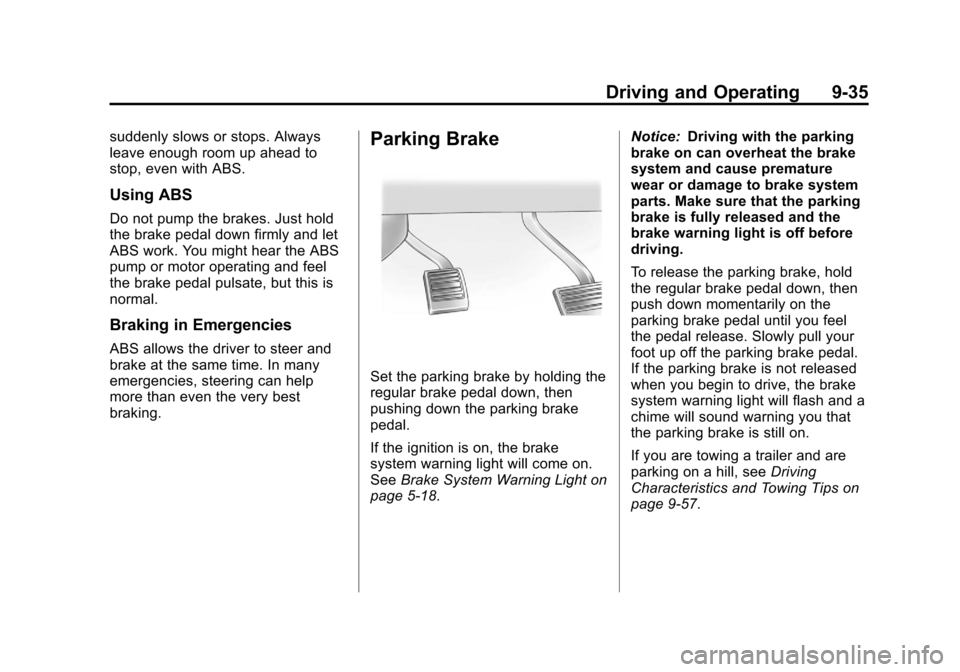
Set the parking brake by holding the
regular brake pedal down, then
pushing down the parking brake
pedal.
If the ignition is on, the brake
system warning light will come on.
SeeBrake System Warning Light on
page 5‑18. Notice:
Driving with the parking
brake on can overheat the brake
system and cause premature
wear or damage to brake system
parts. Make sure that the parking
brake is fully released and the
brake warning light is off before
driving.
To release the parking brake, hold
the regular brake pedal down, then
push down momentarily on the
parking brake pedal until you feel
the pedal release. Slowly pull your
foot up off the parking brake pedal.
If the parking brake is not released
when you begin to drive, the brake
system warning light will flash and a
chime will sound warning you that
the parking brake is still on.
If you are towing a trailer and are
parking on a hill, see Driving
Characteristics and Towing Tips on
page 9‑57.
Page 336 of 538
Black plate (36,1)Cadillac Escalade/Escalade ESV Owner Manual - 2012
9-36 Driving and Operating
Brake Assist
This vehicle has a brake assist
feature designed to assist the driver
in stopping or decreasing vehicle
speed in emergency driving
conditions. This feature uses the
stability system hydraulic brake
control module to supplement
the power brake system under
conditions where the driver has
quickly and forcefully applied the
brake pedal in an attempt to quickly
stop or slow down the vehicle. The
stability system hydraulic brake
control module increases brake
pressure at each corner of the
vehicle until the ABS activates.
Minor brake pedal pulsation or
pedal movement during this time
is normal and the driver should
continue to apply the brake pedal
as the driving situation dictates.The brake assist feature will
automatically disengage when
the brake pedal is released or
brake pedal pressure is quickly
decreased.
Hill Start Assist (HSA)
Non‐hybrid vehicles with StabiliTrak
have a Hill Start Assist (HSA)
feature, which may be useful when
the vehicle is stopped on a grade.
This feature is designed to prevent
the vehicle from rolling, either
forward or rearward, during vehicle
drive off. After the driver completely
stops and holds the vehicle in a
complete standstill on a grade, HSA
will be automatically activated.
During the transition period between
when the driver releases the brake
pedal and starts to accelerate to
drive off on a grade, HSA holds the
braking pressure for a maximum of
two seconds to ensure that there
is no rolling. The brakes will
automatically release when the
accelerator pedal is applied within
the two‐second window. It will not
activate if the vehicle is in a drive
gear and facing downhill or if the
vehicle is facing uphill and in
R (Reverse). There may be
situations on minor hills (less than
5% grade) with a loaded vehicle or
while pulling a trailer where HSA will
not activate.
Page 337 of 538
Black plate (37,1)Cadillac Escalade/Escalade ESV Owner Manual - 2012
Driving and Operating 9-37
Ride Control Systems
StabiliTrak®System
The vehicle has a vehicle stability
enhancement system called
StabiliTrak. It is an advanced
computer-controlled system that
assists the driver with directional
control of the vehicle in difficult
driving conditions.
StabiliTrak activates when the
computer senses a discrepancy
between the intended path and the
direction the vehicle is actually
traveling. StabiliTrak selectively
applies braking pressure at any one
of the vehicle's brakes to assist the
driver with keeping the vehicle on
the intended path.
StabiliTrak is on automatically
whenever the vehicle is started. To
assist with directional control of the
vehicle, the system should always
be left on. Trailer Sway Control
(TSC) is also on automatically whenthe vehicle is started. See
Trailer
Sway Control (TSC) on page 9‑68
for more information.
When the vehicle is started and
begins to move, the system
performs several diagnostic checks
to insure there are no problems.
The system may be heard or felt
while it is working. This is normal
and does not mean there is a
problem with the vehicle. The
system should initialize before the
vehicle reaches 32 km/h (20 mph).
In some cases, it may take
approximately 3.2 km (2 mi) of
driving before the system initializes.
If cruise control is being used when
StabiliTrak activates, the cruise
control automatically disengages.
The cruise control can be
re-engaged when road conditions
allow. See Cruise Control on
page 9‑41.
If the system fails to turn on or
activate, the StabiliTrak light along
with a message will be displayed on
the Driver Information Center (DIC). If a DIC message appears, make
sure the StabiliTrak system has not
been turned off using the Traction
Control System (TCS)/StabiliTrak
button. Then turn the vehicle off,
wait 15 seconds, and then turn it
back on again to reset the system.
If any of the messages still appear
on the DIC, the vehicle should be
taken in for service. For more
information on the DIC messages,
see
Ride Control System Messages
on page 5‑34.
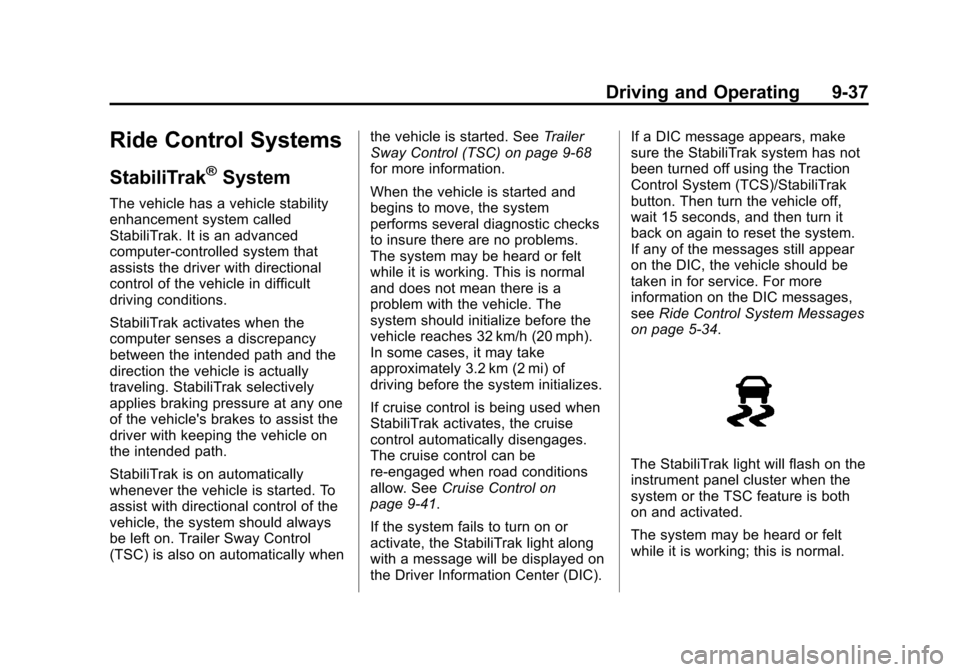
The StabiliTrak light will flash on the
instrument panel cluster when the
system or the TSC feature is both
on and activated.
The system may be heard or felt
while it is working; this is normal.
Page 338 of 538
Black plate (38,1)Cadillac Escalade/Escalade ESV Owner Manual - 2012
9-38 Driving and Operating
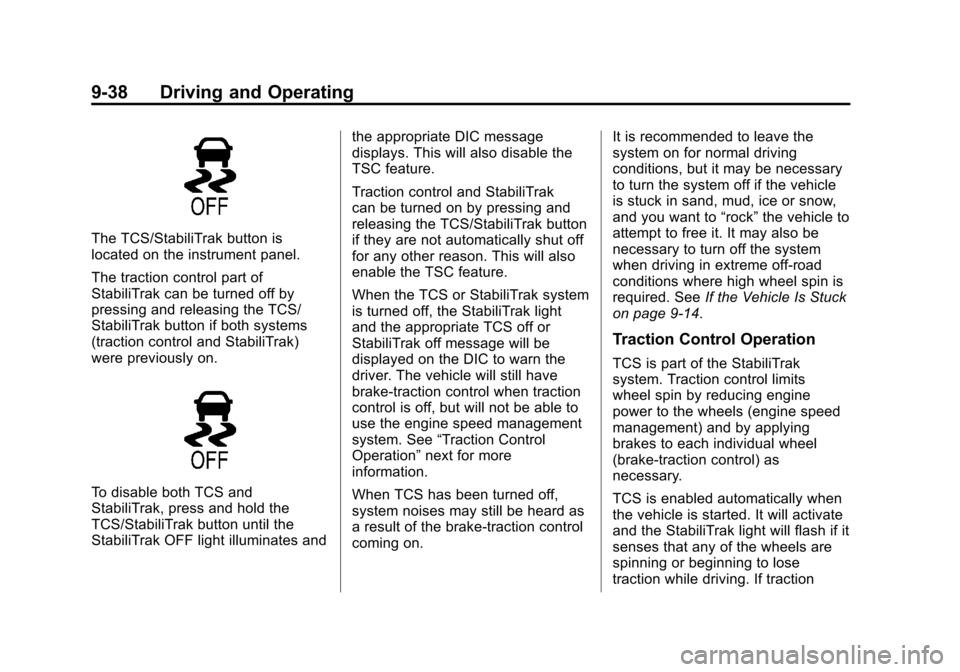
The TCS/StabiliTrak button is
located on the instrument panel.
The traction control part of
StabiliTrak can be turned off by
pressing and releasing the TCS/
StabiliTrak button if both systems
(traction control and StabiliTrak)
were previously on.
To disable both TCS and
StabiliTrak, press and hold the
TCS/StabiliTrak button until the
StabiliTrak OFF light illuminates andthe appropriate DIC message
displays. This will also disable the
TSC feature.
Traction control and StabiliTrak
can be turned on by pressing and
releasing the TCS/StabiliTrak button
if they are not automatically shut off
for any other reason. This will also
enable the TSC feature.
When the TCS or StabiliTrak system
is turned off, the StabiliTrak light
and the appropriate TCS off or
StabiliTrak off message will be
displayed on the DIC to warn the
driver. The vehicle will still have
brake-traction control when traction
control is off, but will not be able to
use the engine speed management
system. See
“Traction Control
Operation” next for more
information.
When TCS has been turned off,
system noises may still be heard as
a result of the brake-traction control
coming on. It is recommended to leave the
system on for normal driving
conditions, but it may be necessary
to turn the system off if the vehicle
is stuck in sand, mud, ice or snow,
and you want to
“rock”the vehicle to
attempt to free it. It may also be
necessary to turn off the system
when driving in extreme off-road
conditions where high wheel spin is
required. See If the Vehicle Is Stuck
on page 9‑14.
Traction Control Operation
TCS is part of the StabiliTrak
system. Traction control limits
wheel spin by reducing engine
power to the wheels (engine speed
management) and by applying
brakes to each individual wheel
(brake-traction control) as
necessary.
TCS is enabled automatically when
the vehicle is started. It will activate
and the StabiliTrak light will flash if it
senses that any of the wheels are
spinning or beginning to lose
traction while driving. If traction
Page 341 of 538
Black plate (41,1)Cadillac Escalade/Escalade ESV Owner Manual - 2012
Driving and Operating 9-41
Cruise Control
{WARNING
Cruise control can be dangerous
where you cannot drive safely at
a steady speed. So, do not use
the cruise control on winding
roads or in heavy traffic.
Cruise control can be dangerous
on slippery roads. On such roads,
fast changes in tire traction can
cause excessive wheel slip, and
you could lose control. Do not use
cruise control on slippery roads.
With cruise control, a speed of
about 40 km/h (25 mph) or more can
be maintained without keeping your
foot on the accelerator. Cruise
control does not work at speeds
below about 40 km/h (25 mph).
When the brakes are applied, cruise
control is turned off. This vehicle has a Hydra‐Matic 6‐
speed automatic transmission, see
Grade Braking under
Tow/Haul
Mode on page 9‑33 for an
explanation of how cruise control
interacts with the Range Selection
Mode, tow/haul and grade braking
systems.
This vehicle has StabiliTrak and
when the system begins to limit
wheel spin, the cruise control will
automatically disengage. See
StabiliTrak
®System on page 9‑37.
When road conditions allow the
cruise control to be safely used
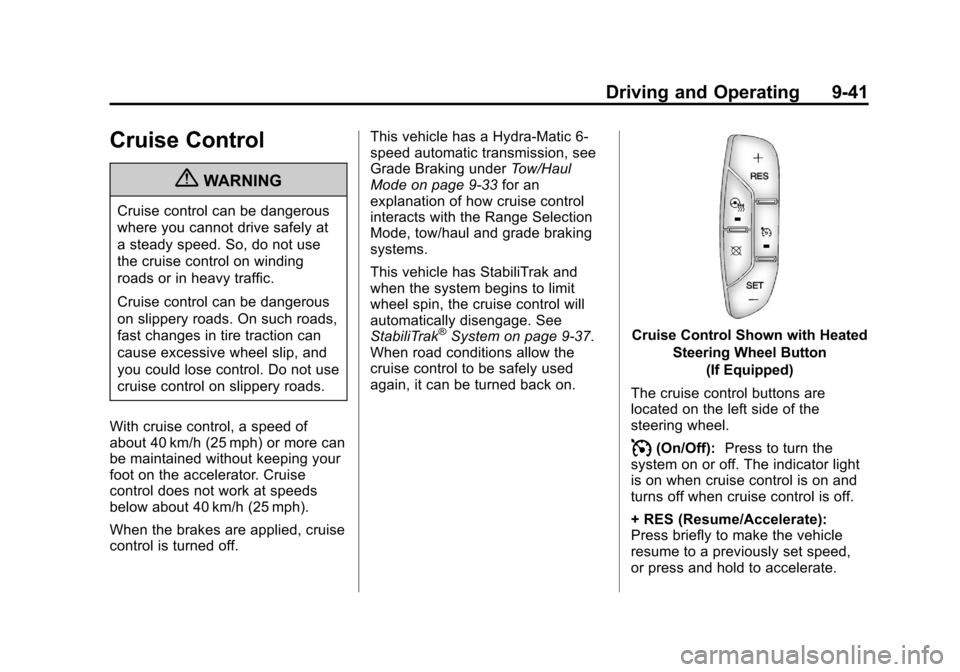
again, it can be turned back on.Cruise Control Shown with Heated
Steering Wheel Button(If Equipped)
The cruise control buttons are
located on the left side of the
steering wheel.
I(On/Off): Press to turn the
system on or off. The indicator light
is on when cruise control is on and
turns off when cruise control is off.
+ RES (Resume/Accelerate):
Press briefly to make the vehicle
resume to a previously set speed,
or press and hold to accelerate.
Page 342 of 538
Black plate (42,1)Cadillac Escalade/Escalade ESV Owner Manual - 2012
9-42 Driving and Operating
SET−(Set/Coast): Press to set
the speed and activate cruise
control or make the vehicle
decelerate.
[(Cancel): Press to disengage
cruise control without erasing the
set speed from memory.
Setting Cruise Control
If the cruise button is on when not in
use, it could get bumped and go into
cruise when not desired. Keep the
cruise control switch off when cruise
is not being used.
The cruise control light on the
instrument panel cluster comes on
after the cruise control has been set
to the desired speed.
1. Press the
Ibutton.
2. Get up to the desired speed.
3. Press the SET− button located
on the steering wheel and
release it.
4. Take your foot off the accelerator. Resuming a Set Speed
If the cruise control is set at a
desired speed and then the brakes
are applied, the cruise control is
disengaged without erasing the set
speed from memory.
Once the vehicle speed reaches
about 40 km/h (25 mph) or more,
press the +RES button on the
steering wheel. The vehicle returns
to the previous set speed and stays
there.
Increasing Speed While Using
Cruise Control
If the cruise control system is
already activated,
.Press and hold the +RES button
on the steering wheel until the
desired speed is reached, then
release it.
.To increase vehicle speed in
small amounts, press the +RES
button. Each time this is done,
the vehicle goes about 1.6 km/h
(1 mph) faster.
Reducing Speed While Using
Cruise Control
If the cruise control system is
already activated,
.Press and hold the SET–
button
on the steering wheel until the
desired lower speed is reached,
then release it.
.To slow down in small amounts,
press the SET– button on the
steering wheel briefly. Each time
this is done, the vehicle goes
about 1.6 km/h (1 mph) slower.
Passing Another Vehicle While
Using Cruise Control
Use the accelerator pedal to
increase the vehicle speed. When
you take your foot off the pedal, the
vehicle will slow down to the
previous set cruise speed.